<?xml version="1.0" encoding="utf-8"?>
<feed xmlns="http://www.w3.org/2005/Atom">

  <title><![CDATA[Acko.net]]></title>
  <link href="http://acko.net/atom.xml" rel="self"/>
  <link href="http://acko.net/"/>
  <updated>2013-05-10T11:50:48-07:00</updated>
  <id>http://acko.net/</id>
  <author>
    <name><![CDATA[Steven Wittens]]></name>
    
  </author>

  
  <entry>
    <title type="html"><![CDATA[Storms and Teacups]]></title>
    <link href="http://acko.net/blog/storms-and-teacups/"/>
    <updated>2013-03-24T00:00:00-07:00</updated>
    <id>http://acko.net/blog/storms-and-teacups</id>
    <content type="html"><![CDATA[<div class="g10 i1 first serif"><div class="pad">

<h1 class="m2">Storms and Teacups</h1>

<div style="display: none"><img src="/files/storms-teacup/cover.jpg" alt="Storm in a Teacup"></div>

<p>If you've been paying attention, you'll have seen a lot more discussions about gender, feminism and harrassment lately. The conversation mostly revolves around the latest incident of the day. I'd like to reflect on the bigger picture instead, and talk about some uncomfortable truths.</p>

<p>This is about how we act, online and offline, and why we do it.<br>Please read it top to bottom, or not at all.</p>

<p><em>Special thanks go to the folks who took time to provide feedback on drafts.</em></p>

<p class="m2"><em><big><span style="font-weight: bold">The examples used in this article, whether positive or negative, are chosen for their representative nature. They are not unique exceptions that deserve special sympathy, scrutiny or scorn.</span></big></em></p>

</div></div>

<div class="c m1"></div>

<div class="recessed">
  <div class="imagefit m2">
    <a target="_blank" href="http://www.flickr.com/photos/ngmmemuda/4756594270/"><img src="/files/storms-teacups/storm.jpg" alt="Storm in a Teacup"></a>
    <a target="_blank" class="credit" href="http://creativecommons.org/licenses/by/2.0/deed.en"><img src="/files/storms-teacups/cc.png" class="skip" width="25" height="25" style="display: inline"></a>
    <a target="_blank" class="credit" href="http://www.flickr.com/photos/ngmmemuda/4756594270/">Juliana Coutinho</a>
  </div>
</div>

<div class="g10 i1 m0 serif"><div class="pad">
  
<h3>Table of Contents</h3>

<ol class="compact">
  <li><a href="#shametweet">The Shametweet</a></li>
  <li><a href="#objectification">Objectification</a></li>
  <li><a href="#socialjusticewarriors">The Social Justice Warriors</a></li>
  <li><a href="#womeninopensource">Women in Open Source</a></li>
  <li><a href="#policy">The Anti-Harassment Policy</a></li>
  <li><a href="#beatingwhichodds">Beating Which Odds?</a></li>
  <li><a href="#filterbubble">Breaking Out of The Filter Bubble</a></li>
</ol>

<h2 id="shametweet" class="m4">The Shametweet</h2>

<p>Atlassian, provider of software development infrastructure, <a href="https://twitter.com/atlassian/status/304693491102011392">sends out a tweet</a> to advertise one of their services:</p>

<blockquote>
  <span class="twit blue"></span>
  <em>If you're ready for a build server so pretty you could take it to the prom,<br>you're ready for @Atlassian Bamboo.</em>
</blockquote>

<p>The response is immediate and harsh:</p>
  
<blockquote>
  <div class="c"></div>
  <span class="twit green"></span>
  <em class="twit-shim">Sexist ads won't win you fans!</em>

  <div class="c"></div>
  <span class="twit yellow"></span>
  <em class="twit-shim">
Grow up and don't use gendered terms to promote your tech products</em></blockquote>

<div class="c"></div>

<p>A reply is made:</p>

<blockquote>
  <span class="twit blue"></span>
<em>Sorry you don't like the wording!<br>We weren't being gender specific though. Men are pretty&nbsp;too!</em>
</blockquote>

<p>Finally, cue the condescending follow ups:</p>

<blockquote>
  <span class="twit orange"></span>
<em>For fuck's sake, way to exhibit absolutely no understanding whatsoever of the&nbsp;subtleties&nbsp;of&nbsp;patriarchy.&nbsp;Get&nbsp;educated.</em></blockquote>

<p>Look closely and you'll see this pattern pop up more and more, in various forms. The key word is always <em>educate</em>, or more accurately, <em>re-educate</em>. The tone varies from feigned concern to outright hostility. <em>If only you weren't so ignorant, you wouldn't have made such horribly offensive statements.</em> Apologies are dismissed as insincere, a refusal to admit one's true sins.</p>

<p>But let's step back for a bit and look at what was said. First, Atlassian's reply is right, they weren't being gender specific, they merely compare a piece of software to <em>prom</em>. That's not what the indignant reader saw. They read between the lines, and substitute it with something like this:</p>

<ul class="compact">
<li>Women are expected by society to always be pretty. We think this is great.</li>
<li>Prom is a celebration of this institutional sexism. Let's trivialize it by comparing it to server technology.</li>
<li>We think you'll enjoy our use of sexism and buy our products.</li>
</ul>

<p>For sure, everyone has their own interpretation and (I hope) I'm exaggerating. But the tweet's supposed sexism is not actually there. The speaker's intent is completely ignored, the hurt feelings of the offended take priority. The reinterpretation itself is sexist: only women can be pretty.</p>

</div></div>

<div class="c"></div>

<div class="g3 m1 serif"><div class="pad">
  <img src="/files/storms-teacups/shametweet.png" alt="Shametweet" class="fit">
</div></div>

<div class="g9 serif"><div class="pad">

<p>The worst form of this behavior is what I call the <em>Shametweet</em>. This is when someone retweets a statement—usually a perceived insult directed at themselves—without any further comment. The tweeter seemingly considers it beneath themselves to address the insolence directly. Instead, they choose to demonstrate their superior sensibilities to their followers. Those will then jump to his or her's defense, making the problem go away with a single click of a button, while they maintain an aura of innocent plausible deniability.</p>

<p>To my lack of surprise, it's mostly women who I see doing this, voluntarily turning themselves into objects, letting others claim their agency, and usually men who are all too eager to jump to the rescue, even when it's not requested. Some celebrities do it too, sicking a million followers on a target who failed to stroke their ego that morning. More than a few of these fragile celebs are men.</p>

</div></div>

<div class="c"></div>

<div class="g10 i1 m1 serif"><div class="pad">

<h2 id="objectification">Objectification</h2>

<p><a href="http://en.wikipedia.org/wiki/Anita_Sarkeesian">Anita Sarkeesian</a> dislikes sexist tropes and objectification of women in video games and wants to bring this problem to light. As one might expect with anyone who does anything on the internet, trolls show up, and insults and accusations of sexism start flying around. <a href="http://thinkprogress.org/alyssa/2012/07/06/512170/anita-sarkeesian/?mobile=nc">Things get ugly</a>, and valid criticism is lost in a sea of crud. Anita cleverly uses the <a href="http://en.wikipedia.org/wiki/Streisand_effect">Streisand effect</a> to her advantage, gets publicity in both feminist and general media, ending in a successful $158K Kickstarter campaign to produce a web video series.</p>

<p>Jezebel, billing itself as <em>"Celebrity, Sex, Fashion for Women"</em>, is one of the sites <a href="http://jezebel.com/anita-sarkeesian/">eagerly siding with Anita</a>. It appeals to their readership: a young audience of mostly women who enjoy seeing another woman doing her own thing, more so when it irritates men and advances the status of the sisterhood—if the comments are anything to go by.</p>

</div></div>

<div class="g7"><div class="pad">

<p><a href="http://jezebel.com/5989947/why-is-michelle-williams-in-redface"><img src="/files/storms-teacups/jezebel.png" alt="Why is Michelle Williams in Redface?"></a></p>

</div></div>

<div class="g5 serif"><div class="pad">

<p>Fast forward. Jezebel asks <a href="http://jezebel.com/5989947/why-is-michelle-williams-in-redface">"Why Is Michelle Williams in Redface?"</a>, <em>"You should know better"</em>.</p>

<p>Her transgression was to appear on a fashion magazine cover <em>"dressed in a braided wig, dull beads, and turkey feathers [...] in a flannel shirt, jeans, and [...] some sort of academic or legal robe. [...] An attempt to portray reservation nobility [...] like she's the member of another race."</em></p>

</div></div>

<div class="c"></div>

<div class="g10 i1 m0 serif"><div class="pad">

<p>But they don't stop there. This tasteless display is in fact <em>"akin to putting a picture of a Gentile in a stereotypical Jewish getup on the cover of Adolf Hitler's Mein Kampf"</em>. <a href="http://en.wikipedia.org/wiki/Godwin's_law">Godwin</a> triumphs once again.</p>

<p>The writer may indeed have a point in there somewhere, that is, about stereotypes of First Nations cultures. But the irony is so thick you can spread it like Nutella.</p>

<p>Jezebel eagerly celebrates the advances of women over male-dominated society at every turn, decries Patriarchy and rings the alarm bell whenever supposed standards of equality and self-determination are violated. Now they complain that <em>an industry they focus on, which treats people like objects to be dressed and painted, didn't objectify a woman in a tasteful enough fashion.</em></p>

<p>They should do an exposé on the Emperor's wardrobe next.</p>

<p>Who is it really, that is pressuring women to be passive, immaculate and above all, politically correct dolls? Is it really all men's fault? Or is it <a href="http://thelastpsychiatrist.com/2013/01/no_self-respecting_woman_would.html">fueled by media and advertising</a> that bills itself <em>"For Women"</em> in giant pink letters, but really seems to be just about <em>"Judging Women"</em> instead, telling them they need to look better, be likeable supermoms as well as executives, but deserve to have it all, honest?</p>

</div></div>

<div class="c"></div>

<div class="g4 m1 serif"><div class="pad">

<a href="http://godofwar.wikia.com/wiki/File:Ghost_of_sparta_gorgon.jpg">
  <img src="/files/storms-teacups/gorgon.jpg" alt="Gorgon" class="fit" style="margin-top: 10px">
</a>

</div></div>

<div class="g8 m0 serif"><div class="pad">

<p>On the other side, gaming sister-site Kotaku asks <a href="http://kotaku.com/5991145/shes-sexy-now-kill-her">"She's Sexy. Now kill her?"</a>, questioning the <em>"humiliation of sexualized females"</em> in <em>God of War: Ascension</em>. In this game's bloody quest of revenge, after a couple hours of brutally murdering several armies of mythological creatures one by one, you stab the Medusa-like <em>Gorgon</em> in the chest. On top of its giant snake body, right where its <em>breasts</em> are. Gasp.</p>

<p>This scene summarizes <em>"all [the] issues with violence against sexualized female characters in one nutshell."</em> But after describing it in the context of the game, only one real objection remains: <em>"Breasts code some enemies as female, [...] violence against [these] body parts is disturbing,"</em> and is not the usual <em>"norm in games".</em></p>

</div></div>

<div class="c"></div>

<div class="g10 i1 m0 serif"><div class="pad">

<p>The game is presenting <em>"a form of feminine beauty that associates exposed, large breasts as beautiful."</em> The author seems to be confusing "sexualized" and "sexy", as if sexualization is only what turns <em>him</em> on—I think it's breasts—and something must be sexualized before it can be arousing. Apparently if the Gorgon had been obese and flat-chested, there'd be no issue in putting it down. Which is exactly what <a href="http://godofwar.wikia.com/wiki/Euryale">Euryale</a> looked like, the repulsive Gorgon the author must've killed in the <em>previous game</em>.</p>

<p>This attempted pro-woman analysis of sexualized portrayal seems to suggest that a feminized body is automatically sexual, but only if she's hot enough, like say, the <em>"final, sexy boss."</em></p>

</div></div>

<div class="c"></div>

<div class="g9 m0 serif"><div class="pad">

<h2 id="socialjusticewarriors" class="m3">The Social Justice Warriors</h2>

<p>Skeptic blogger and retired medical doctor Harriet Hall writes a post, titled <a href="http://www.sciencebasedmedicine.org/index.php/i-am-not-your-enemy-an-open-letter-to-my-feminist-critics/">I Am Not Your Enemy: An Open Letter to My Feminist Critics</a>. She clarifies exactly what she said and meant on a previous occasion. The comments then continue to argue back and forth about what it all means.</p>

<p>It goes back to <a href="http://phawrongula.wikia.com/wiki/TAM_2012_T-Shirt_Manufacturversy">a t-shirt she wore at a conference</a>, stating she <em>"felt safe and welcome"</em> and was <em>"just a skeptic, not a 'skepchick', not a 'woman skeptic', just a skeptic"</em>. This shirt was apparently so offensive and dehumanizing it <a href="http://freethoughtblogs.com/butterfliesandwheels/2012/07/in-your-face/comment-page-1/#comment-223155">reduced one of its victims to tears</a>.</p>

</div></div>

<div class="g3 m4 serif"><div class="pad">

<a href="http://phawrongula.wikia.com/wiki/TAM_2012_T-Shirt_Manufacturversy"><img src="/files/storms-teacups/harriet-hall.jpg" alt="Harriet Hall's controversial tshirt" class="fit"></a>

</div></div>

<div class="c"></div>

<div class="g10 i1 m0 serif"><div class="pad">

<p>All of this is fallout from the scandal known as ElevatorGate. A man at a conference asked Rebecca Watson up for coffee in an elevator, after a late night in the hotel bar, and accepted no for an answer. Cue the public shaming based on her <a href="http://www.youtube.com/watch?v=uKHwduG1Frk">one-sided account</a>, using her position as a conference speaker, and the inevitable backlash. The man himself however has wisely chosen to stay out of it and remains unidentified. It prompted Richard Dawkins to point to <a href="http://www.redlightpolitics.info/post/7263060171/dear-muslima-stop-whining-will-you-yes-yes-i">more serious women's issues to possibly worry about</a>, who was then <a href="http://www.blaghag.com/2011/07/richard-dawkins-your-privilege-is.html">chastized for speaking from white male privilege</a>. This scandal, entirely based on hearsay, is still going on a <em>year later</em>.</p>

<p>In fact, Harriet's thread features an appearance from <a href="http://www.sciencebasedmedicine.org/index.php/i-am-not-your-enemy-an-open-letter-to-my-feminist-critics/#comment-112631">Rebecca herself</a>. She takes <em>"ten&nbsp;precious minutes"</em> out of her busy schedule to explain she <em>"doesn't really think of [her] at all"</em>, after clarifying why she feels the post talks about her directly. Despite admitting to writing and deleting both a blog post and a private email on the subject, Rebecca says Harriet <em>"doesn’t actually deserve an explanation, [or] real estate in my head"</em> which is why she <em>"let others argue over it"</em>. Which she says right after arguing over it.</p>

<p>Does this sound at all familiar? She includes that she would be <em>"concerned for [her] personal hygiene"</em> for wearing one shirt several days in a row. I'm not making this up.</p>

<p>Like Dawkins, I wonder: <em>Don't these people have more important things to get angry at?</em> Are they just self-absorbed, seeking publicity through controversy? Some undoubtedly are, but for the majority I think it's far more simple.</p>

<p>It's fair to ask: why are they so bothered and offended, spending their free leisure time organizing miniature online protests, thread after thread? Was the t-shirt (or the tweet) a direct, personal insult? Did it insult a class of people they belong to? Is it specific enough that someone could reasonably argue it applies to them, but not the next person? No.</p>

</div></div>

<div class="g3 m1 serif"><div class="pad">

  <a href="http://en.wikipedia.org/wiki/Rage_comic" class="seamless">
  <img src="/files/storms-teacups/rageface.png" class="fit" alt="rageface"><br>
  <img src="/files/storms-teacups/yuno.png" class="fit" alt="yuno">
  <img src="/files/storms-teacups/rageface2.png" class="fit" alt="rageface"><br>
  </a>

</div></div>

<div class="g9 m2 serif"><div class="pad">

<p>So why take it personally? It's because it reminds us of an uncomfortable truth about ourselves or the world. In Atlassian's case, it's that beauty has a dark side, and it gives some people an unfair advantage or disadvantage. <em>Did I get this job because of my talents or my looks? Do I present myself badly? Do people judge me by things beyond my control? <a href="http://www.youtube.com/watch?list=UUOGeU-1Fig3rrDjhm9Zs_wg&amp;feature=player_embedded&amp;v=7IJyRAUxtAQ">Do I have a weird face?</a></em> It reminds us of all the times we've experienced this ourselves, and if you have children, of all the times they will too. The internet becomes a mirror for our own insecurities, and we read our worries into everything.</p>

<p>In Harriet Hall's case, it's the acknowledgement that life is what we make of it, that people disagree with us more than we like to admit, and that often the best thing to do is shrug and not let it bother you, and focus on results rather than labels. Though again, everyone's interpretation is different.</p>

<p>But we don't want to admit that, our pride does not allow it. We'd much rather explain our unease by assuming it was inflicted deliberately, and we make up convenient reasons why that is so, why we were targeted. <em>See, Atlassian is just another sexist tech company, they can't even tweet without insulting every woman on the planet!</em> Harriet Hall, born in 1945, the <em>second ever female intern</em> in the US Air Force, must be an ignorant ditz when it comes to matters of feminism, because of one <em>smelly</em> t-shirt. If you don't see it the same way, well, you're just not educated enough to read between the lines.</p>

</div></div>

<div class="c"></div>

<div class="g10 i1 m0 serif"><div class="pad">

<p>It's both men and women who do it. We can argue who is more at fault until the cows come home, but when it comes to sexism it's fair to say men take the brunt of the blame, and are the ones expected to make amends. It's completely one sided, and it's another one of those convenient excuses that we substitute for the real thing. We don't want to talk about the full complexity at play here. Indeed, the closest feminism gets to acknowledging this is, <em><a href="https://www.google.com/search?q=%22Patriarchy+hurts+men+too%22">Patriarchy hurts men too!</a></em> So it's not my fault, just the result of every single choice I've ever made?</p>

<p>When someone points out that viewing everything through a uniquely feminist and female-oriented lens gives a skewed perspective, a rapid fire meme is returned: <em><a href="https://www.google.com/search?q=what+about+the+menz">"But what about the mennzzz?"</a></em> Attempting to show that <a href="http://www.westernstandard.ca/website/article.php?id=2775">inequality applies to both genders</a>, quite often in women's favor, is considered derailing. Showing that the feminist interpretation of history as unbridled Patriarchy <a href="http://owningyourshit.blogspot.ca/2013/01/transcript-of-hi-danielle-nice-to-make.html">is unrealistic</a>, and that feminism has long ago developed <a href="http://www.womenagainstmen.com/media/feminism-is-a-hate-group.html">its own oppressive and hateful character</a>, is dismissed as misogyny, even when it's women saying it.</p>

<p>There's more handy tropes to end attempts at nuance and shut down discussion: Check Your Privilege, Stop JAQing off (Just Asking Questions), Mansplaining, Victim Blaming, Nice Guy, <a href="http://kateharding.net/2009/10/08/guest-blogger-starling-schrodinger’s-rapist-or-a-guy’s-guide-to-approaching-strange-women-without-being-maced/">Schrödinger's Rapist</a>. The list goes on, and all of a sudden, concerns about <em>gendered slurs</em> no longer apply.</p>

<p>The so-called <a href="http://atheismplus.com">"safe space"</a> that these online social justice groups claim to seek, is just another word for a censored space, and a hypocritical one at that. It's one where certain ideas and thoughts are not to be uttered, and must be replaced by less realistic and less worrisome ones. But no true safe space exists, as offense is always in the eye of the beholder.</p>

<p>Listening involves an interpretation of what people thought it meant they heard.</p>


<h2 id="womeninopensource" class="m3">Women in Open Source</h2>

<p>Statistics show that women observe sexism online to a higher degree than men, <a href="http://flosspols.org/deliverables/FLOSSPOLS-D16-Gender_Integrated_Report_of_Findings.pdf">particularly in tech and open source</a>. <a href="http://blog.wikimedia.org/2012/03/30/ada-initiatives-quest-to-bring-women-to-open-source/">Recommendations are made</a> on how to make the community more friendly to women, and most suggestions involve re-educating men to reduce their blindness. More so, it's implied that once the atmosphere is respectful enough, women will join and equality will be achieved.</p>

</div></div>

<div class="c"></div>

<div class="g4 m1 serif"><div class="pad">
  <img src="/files/storms-teacups/people.png" class="fit" alt="Gender in open source (2006)">
</div></div>

<div class="g8 m0 serif"><div class="pad">
  
<p>Sorry, but I don't buy it, because as late as 2006, <a href="http://flosspols.org/deliverables/FLOSSPOLS-D16-Gender_Integrated_Report_of_Findings.pdf">28% of participants in proprietary software were women, but only <span class="green">1.5%</span> in open source</a>. Most open source projects start out as hobbies, created by one person in their spare time. If the community was such a sexist hell for women, wouldn't you expect the web to be littered with the abandoned works of that 1/4th of professionals who are women, who were turned off by how it was received once published? Instead, I find that female-founded projects are far and few, and calls for women to participate consist mainly of inviting them into existing projects, and speaking at established conferences about existing technologies.</p>

<p>Is the increasing role of women in open source a consequence of empowerment and self-direction? Or does it stem from the fact that open source is becoming more important in commercial use, and now more women are tagging along? It's both, naturally, but the huge gap between the two gender ratios can't be reduced to abuse and sexism. For a multitude of reasons, women simply aren't as interested as a group.</p>

</div></div>

<div class="c"></div>

<div class="g10 i1 m0 serif"><div class="pad">

<p>A big part of the problem is confidence, and starts much earlier: <em>you must be this smart to be in open source</em>, or so people think. <a href="http://webchick.net/about">Angela Byron</a>, winner of the 2008 Google-O'Reilly Best Contributor award, called to <em>"Fight the Einstein Perception"</em> in <a href="http://webchick.net/files/presentations/women-in-open-source-owv09-2009-06.pdf">Women in Open Source</a>. It took Google's Summer of Code to convince her to take the plunge and make the career change. Programs like that are great to bring fresh talent into a community, but they won't cause the seismic shift in gender balance that feminism requires. If we want more women in open source, shouldn't we encourage them to just do their own thing, as those 98.5% of contributors who were male seemed to be doing?</p>

<p>Open source is claimed to be a meritocracy, but it really isn't. Once two people start modifying the same code, politics get involved, and I can certainly speak from experience that decisions at the top of an open source project are more about people and their interests than code. It isn't enough to create a good solution, it must be advocated and accepted, and apply to a wide variety of existing scenarios. If the work isn't good enough and fails, reputations take a hit. Like this:</p>

<p><a href="https://lkml.org/lkml/2012/12/23/75">
  <img src="/files/storms-teacups/linus.png" class="fit" alt="Linus Torvalds">
</a></p>

<p>Linus Torvalds can <a href="https://lkml.org/lkml/2012/12/23/75">act like a complete asshole</a>, self-admittedly so, chew out his (male) contributors, and nobody in particular seems to mind. Linux is successful either despite or because of it.</p>

<p>Linus builds and directs software millions rely on. His abrasive tone reflects the importance of the issues he deals with on a daily basis. So far, his peers have deemed it socially acceptable. You may hate this, but you can't ignore it.</p>

<p>Can we really say with a straight face that he could talk the exact same way to a female contributor, and nothing would be different? In a culture where "never hit a woman" is considered a valid rule by many, men are the <a href="http://winnipeg.ctvnews.ca/feds-pledge-200k-to-end-domestic-violence-against-women-through-work-with-men-boys-1.1194508">default assumed aggressor</a> in domestic violence, and expected to chase the burglar—another man <em>no doubt</em>—out of the house to protect their wife and children? Or would it spawn thread after thread of discussions of just how bad the transgression was, and how to make sure it never happens again?</p>

<p>Open source culture is quite competitive, but the biggest problem an open source contributor has isn't criticism, it's getting people to pay attention in the first place. Ironically, this is something women are innately privileged in: studies show women <a href="http://www.ncbi.nlm.nih.gov/pubmed/15491274">have automatic in-group bias</a>—women like women more than men like men—that people prefer their mothers to their fathers, and men are universally associated with negative behavior such as violence. It's propagated in the popular stereotypes of the bumbling husband, the insensitive jock, the aggressive bully, and so on.</p>

</div></div>

<div class="g5 m1 serif"><div class="pad">

  <a href="http://news.nationalgeographic.com/news/2013/04/life-expectancy-map?source=hp_dl2_news_life_gender_gap_2130319"><img src="/files/storms-teacups/natgeo.png" class="fit" alt="National Geographic: Ladies Last"></a>

</div></div>

<div class="g7 m0 serif"><div class="pad">
  
<p>That perspective is dismissed by feminists as lashing out from male privilege, and the fear of losing it. But how privileged are men over women, when their life expectancy <a href="http://www.bbc.co.uk/news/health-21760905">recedes further from that of women</a> the lower the standard of living? Is there a Kickstarter I can donate to for that? No, instead <a href="http://news.nationalgeographic.com/news/2013/04/life-expectancy-map?source=hp_dl2_news_life_gender_gap_2130319">National Geographic states matter of factly</a> that it's a <em>"troubling trend"</em> and a <em>"wake up call"</em> that men's life expectancy is getting <em>closer</em> to that of women in the US, because it means <em>women are gaining less</em>. They use the margin by which women outlive men as if it's some sort of index of prosperity.</p>

</div></div>

<div class="c"></div>

<div class="g10 i1 m0 serif"><div class="pad">

<p>Hey, remember that time when Hillary Clinton said <em><a href="http://en.wikiquote.org/wiki/Hillary_Rodham_Clinton">"Women have always been the primary victims of war"</a></em>? Because they <em>"lose their husbands, their fathers, their sons in combat."</em> A woman who survives is more of a victim than a man who dies for her, please be sure to <em>educate</em> yourself on this.</p>

<p>Could it be that the sexism women say they are constantly subjected to online, is merely the flipside of a coin? One that allows them to cultivate attention with nothing more than a well-chosen avatar, and which men eagerly give to them? How many women forego the make-up in their profiles and videos <em>before</em> lamenting the unsolicited date proposals, awkward as they may be?</p>

<p>I'm not ignoring cases like <a href="http://en.wikipedia.org/wiki/Kathy_Sierra">Kathy Sierra</a> and the persistent, real harassment she received, but let's not forget that it was inflicted by individuals upon individuals, not on <em>womankind</em>.</p>

<p>When the overwhelming majority of open source contributors are men fighting for recognition, do you suppose some of them might feel some resentment that a woman can walk into a room, real or virtual, and make everyone's head turn? If so, do women's concerns deserve automatic precedence over men's? The country I live in has a <a href="http://www.swc-cfc.gc.ca/abu-ans/min/index-eng.html">Minister for the Status of Women</a> after all. Not for Equality.</p>

<h2 id="policy" class="m3">The Anti-Harrassment Policy</h2>

<p>To attend or speak at JSConf, you must agree to a <a href="http://jsconf.com/codeofconduct.html">code of conduct</a>. Its goal is to create a positive, harassment free environment, something which I am all for. The policy is starting to be adopted verbatim by other conferences, like <a href="https://us.pycon.org/2013/about/code-of-conduct/">PyCon</a>.</p>

<p>But the wording explicitly defines harrassment as including <em>"offensive verbal comments"</em>, specifically <em>"related to gender, sexual orientation, disability, physical appearance, body size, race, religion, sexual images in public spaces, deliberate intimidation, stalking, following, harassing photography or recording, sustained disruption of talks or other events, inappropriate physical contact, and unwelcome sexual attention."</em></p>

<p>How many of the storms in teacups above would fall under this wide umbrella? If the yardstick to be applied is <em>offense</em>, then this basically forces everyone to walk on egg shells <em>and</em> admit guilt ahead of time. <em>"Participants asked to stop any harassing behavior are expected to comply immediately."</em> There is no room here to discuss the merit of a particular case, to measure the validity of a claim.</p>

</div></div>

<div class="g6 m1 serif"><div class="pad">

  <a href="http://adainitiative.org/2013/02/keeping-it-on-topic-the-problem-with-discussing-sex-at-technical-conferences/"><img src="/files/storms-teacups/ada.png" class="fit" alt="Keeping it on-topic: the problem with discussing sex at technical conferences"></a>

</div></div>

<div class="g6 m0 serif"><div class="pad">
  
  <p>Indeed, the latest is that we <a href="http://violetblue.tumblr.com/post/44107008572/what-happened-with-my-security-bsides-talk">cancel the talk first, ask questions later</a>, based on the concerns of a single complaint over a title <em>without a summary</em>. The threat of going public was possibly made, but accounts differ. I find the Ada Initiative's <a href="http://adainitiative.org/2013/02/keeping-it-on-topic-the-problem-with-discussing-sex-at-technical-conferences/">first response to the situation revealing</a>.</p>

  <p>While stressing the real issue is staying on topic and not devolving into unnecessary sexual talk, every negative point raised appears to concern only women. <em>"Sexual topics [...] can be perceived as encouragement to humiliate, objectify, and assault women, regardless of the intent of the speaker."</em> And, <em>"Many people are unable to separate 'talking about sex' and 'saying derogatory things about women'."</em> Their response shows they assumed the talk would not be <em>"done in a woman-positive way"</em>. That is, a talk featuring a female speaker who blogs about harm reduction.</p>

<p>At no point do they express regret at having silenced a voice. <em>"Be considerate and thoughtful,"</em> it ends.</p>
  
</div></div>

<div class="c"></div>

<div class="g10 i1 m0 serif"><div class="pad">

<p>Let me borrow a quote from Stephen Fry: <em>"The only people who are obsessed with food are anorexics and the morbidly obese, and that in erotic terms is the Catholic church in a nutshell."</em> You'll never see more talk of sexism and rape than on feminist websites.</p>

<p>Trigger warnings, humiliation, objectification, assault, rape culture: feminism's opinion of <em>neither men nor women</em>'s abilities to act mature around each other seems particularly high.</p>

<p>As an aside, have you ever noticed how Tumblr isn't just a hub for <a href="http://www.huffingtonpost.com/2012/12/21/nice-guys-of-okcupid-tumblr_n_2341720.html">bold feminism</a>, but also <em>erotic fanfics</em>? And by 'erotic' I mean <a href="http://twikinkfest.tumblr.com/">gay sex of dubious consent set in the Twilight universe</a>. You know. Rape. That fangirls write and fantasize about. And joke about in hushed tones at Comic-Con. Is that <em>woman-positive</em> enough, or are the lines blurring a bit?</p>

<p>More recently, <a href="https://news.ycombinator.com/item?id=5398681">someone lost their job</a> after public shaming involving an overheard and <em>misinterpreted</em> comment about "forking" and "dongles", and the guy still felt the need to <em>apologize profusely</em> to the female offendee. Her media presence exceeds his by far and includes tweeting about <a href="http://cdn0.dailydot.com/uploaded/images/original/2013/3/20/pycon8.jpg">"[putting] something into your pants [...] like a bunch of socks"</a>. Meanwhile followers <a href="http://cdn0.dailydot.com/uploaded/images/original/2013/3/20/pycon13.jpg">thanked her for her bravery</a>, that is, snapping a picture with a smile and throwing it to the lions. Who was abusing who here?</p>

<p>Of course it blew up into its own internet storm, but can you blame people for responding in kind to an example that's been so clearly set?</p>

<p>People read <em>Woman fired for getting upset at man's joke</em> and fill in the rest of the story themselves, like this <a href="http://feministing.com/2013/03/22/weekly-feminist-gif-25/">animated GIF equivalent</a> of a temper tantrum. More <a href="http://www.forbes.com/sites/deannazandt/2013/03/22/why-asking-what-adria-richards-could-have-done-differently-is-the-wrong-question/">dignified publications</a> instead carefully explain <em>"Why asking what [she] could have done differently is the wrong question"</em>, that is, the one question in this entire fiasco the <em>rest of us</em> could actually learn something from.</p>

<p>Judging a book by its cover is the new tolerance. We throw people into the stocks based on feelings while ignoring intent and assuming victimhood. This is why I fundamentally disagree with equating offense with harassment: it provides unlimited ammo and shuts down discussion rather than giving people the benefit of doubt. It elevates the exception to the norm, by presuming the worst.</p>

<p>Here's a clause I'd like to see instead: if you choose to air minor incidents in public one-sidely—or threaten to do so—rather than resolving the matter in private, you lose by default. Leave the soapbox for the people who actually need it. Also, if a speaker has been invited and has spent time preparing a talk, it's the most basic courtesy to honor that invitation, no matter what. Let people judge it on its own merits. We attend conferences to hear other points of view, not to be sheltered from them.</p>

<p>As for the <a href="http://geekfeminism.wikia.com/wiki/Creeper_Move_cards">creeper move cards</a>, please toss them out, because that's not how adults resolve differences. How gender-neutral is the word <em>creep</em> anyway, and how would you respond to being dismissed with a generic scrap of paper printed from the internet?</p>

<p>If you reduce communication to such a passive aggressive and childish statement, color me unsurprised when you receive an <a href="http://i.imgur.com/usNcR.png">equally childish response</a>, especially in a community that thrives on subversion and creative re-use of things they're not supposed to toy with. It's the exact same attitude that protects us from DRM, eagerly tests claims of privacy and security, and liberates closed technology for those without access. You cannot have one without the other.</p>

<p>Conferences are social gatherings, and sexuality is a normal part of that. I know several happy couples who met at a tech conference, coming from different cities or even countries. Are we to assume that none of them used this opportunity to hook up, and that relationships never happen without ambiguity and misunderstanding? It's not a binary choice between tweeting <em>#ITappedThat</em> and turning conferences into convents.</p>

</div></div>

<div class="g9 m0 serif"><div class="pad">

  <p>But why does it seem like there are so many socially maladjusted men roaming these conferences? Does anyone care about the reasons at all, like say, the high rate of autism-spectrum disorders among geeks? Could it be due to the emphasis schools and universities place on non-intellectual pursuits like sports and popularity, and the bullying that results from it? Because it seems to me what some socially awkward hackers have done is exactly what the social justice warriors want: they've created a <em>safe space</em> for themselves, where only their own rules apply.</p>
  
  <p>I never hear much about the effect "Jock culture" has on men, but quite a lot about "Rape culture" and women. We stereotype geeky men as neckbearded basement dwellers whom women are to be protected from unilaterally, rather than working towards real resolution. I don't mind the word <em>neckbeard</em> personally, it can be a <a href="https://www.neckbeardrepublic.com">humorous badge of pride</a>, but if it's offensive to anyone, surely that's men, not women?</p>

</div></div>

<div class="g3 m1 serif"><div class="pad">

  <a href="https://www.neckbeardrepublic.com"><img src="/files/storms-teacups/neckbeard.png" class="fit" alt="Neckbeard Republic"></a>

</div></div>

<div class="c"></div>

<div class="g10 i1 m1 serif"><div class="pad">

<h2 id="beatingwhichodds">Beating Which Odds?</h2>
  
<p>In a post titled, <a href="http://2012.jsconf.eu/2012/09/17/beating-the-odds-how-we-got-25-percent-women-speakers.html">Beating the Odds</a>, the JSConf organizers explain how they got 25% of their speakers to be women. The choice quote is: <em>"Our industry systematically biases against 50% of great speakers and misses out on a significant amount of talks, topics, discussion and thus progress."</em> The argument is that, despite only 10% of proposals coming from women, an anonymized selection process disproportionately favored female speakers.</p>

<p>Under a more traditional selection process, these women's valuable and apparently superior contributions would have been ignored. Note how they ignore the ratio of men and women in the industry, and assume this would not affect the gender ratio of good candidates: 50% of them are assumed to be women. That's not how statistics work.</p>

<p>The results: <em>"Our highest ranked talk is from a woman and we know we wouldn’t have gotten that talk without the outreach we did."</em> And: <em>"We invited 35 women to submit to the [Call For Proposals], of these 13 ended up submitting one or more proposals, 5 women submitted on their own."</em></p>

<p>So basically, there is a significant amount of pre-selection going on here. In their outreach to female candidates, organizers naturally prefer women who they already think will make good speakers. These candidates then further self-selected based on their own confidence and skill. Less than half of female speakers submitted on their own. Meanwhile, the 162 proposals from men came from the usual pool, requiring no unique outreach. Despite extolling the virtues of anonymized selection, the process was biased to favor talented women from the get go, and it's no surprise women sent in better proposals as a group.</p>

<p>Given the rates of commercial and open source tech participation for women, getting 25% female speakers is a high number, assuming fair random sampling, <em>beating the odds</em>. But it's not random at all. The cure for sexism is apparently... more special treatment for women?</p>

<p>It also bothers me on a personal level: I'm gay, and feel equally excluded when someone puts a picture of Natalie Portman in their JavaScript talk. But even if I wasn't, who's to assume my opinions on the matter would fall in line with the cliché? When people do diversity spot checks of speaker panels and rally the horde, I get counted as just another dude propagating patriarchy and hetero&shy;normativeness. What does it tell you when the first thought upon seeing a lone woman in a line-up is <em>token female</em> rather than <em>trailblazer</em>?</p>

<p>Now, I'm not against setting a good example, and I realize the perception of a boy's club can be a barrier to entry. However that shouldn't distract us from what equality of opportunity actually looks like. In tech, it's nowhere near a 50 / 50 gender split, because the imbalance starts much earlier, with more men than women going into <a href="http://en.wikipedia.org/wiki/STEM_fields">STEM fields</a>, despite the fact that <a href="http://nces.ed.gov/fastfacts/display.asp?id=72">3 women now graduate for every 2 men</a>.</p>

<p>Can we at least give women the benefit of the doubt and assume that they go after what interests them, rather than being unable to choose differently? Even in the <a href="http://www.wikigender.org/index.php/Gender_Equality_in_Norway">most gender-equal country in the world</a>, Norway, STEM fields are still male dominated and the social sector remains female dominated, despite decades of fervent pro-equality policy and education.</p>

</div></div>

<div class="g3 m1 serif"><div class="pad">

  <a href="http://vimeo.com/19707588"><img src="/files/storms-teacups/hjernevask.jpg" class="fit" alt="Hjernevask"></a>

</div></div>

<div class="g9 m0 serif"><div class="pad">
  
<p><a href="http://chronicle.com/blogs/brainstorm/are-women-partly-to-blame-for-the-gender-gap-in-stem-fields/22106">How solid and gender-neutral</a> is the research that traces this all back to social pressure? The 2010 documentary <a href="http://vimeo.com/19707588">Hjernevask</a> (Brainwash) provided a very revealing answer to this question and others, causing a stir in the Norwegian academic community. I highly recommend watching it, there are English subtitles. I found the resemblance to creationism and intelligent design striking: supposed scientists were dismissing observations out of hand because of perceived implications, questioning the author's motives instead. But <a href="http://en.wikipedia.org/wiki/Sexual_dimorphism">sexual dimorphism</a> doesn't imply patriarchy, any more than evolution implies <a href="http://en.wikipedia.org/wiki/Social_Darwinism">social darwinism</a>.</p>

</div></div>

<div class="c"></div>

<div class="g10 i1 m0 serif"><div class="pad">

<p>Some choice facts from honest nature vs. nurture research: <a href="http://en.wikipedia.org/wiki/Empathizing–systemizing_theory">even day-old babies show a measurable difference</a> in interest between boys and girls, when presented with both a mechanical toy and a human face. <a href="http://social.jrank.org/pages/300/Heredity-Versus-Environment.html">Genetically identical twins have similar IQs and depression rates</a> and research with adopted children shows a similar relation to their biological parents, much more than their adoptive ones. This is no reason to treat individuals any different, but some averages differ innately across gender lines, and I don't see that as something we can or should fix by overcompensating.</p>

<h2 id="filterbubble" class="m3">Breaking Out of The Filter Bubble</h2>

<p>Above all, there's a common thread I can't ignore. The women I admire and respect in tech did so primarily on their own merit, letting nobody speak for them but themselves. Like the men I look up to, they point people to their accomplishments, not their likeability. Their Twitter bios don't consist of one ism after another, showing their adherence to a pre-approved set of beliefs. They don't let random trolls derail them, and they don't find themselves at the center of fires of their own making, expecting others to put them out.</p>

<p>It's also the ideal I aim for. When a couple thousand people on YouTube <a href="http://www.youtube.com/watch?v=bcu8ZdJ2dQo">told me I had no life</a>, I laughed my ass off at the absurdity. I'd just created an accidental experiment in viral media, and learned tons in the process. Meanwhile they just watched a video they apparently didn't like, and then wasted more of their time to point this out. They weren't talking about me, they were talking about themselves.</p>

<p>When people told me <a href="http://acko.net/files/storms-teacups/killunix.png">I killed Unix</a>, that I should be shot, and that I was just some <a href="http://acko.net/blog/on-termkit/">idiot designer</a> who didn't understand code, I didn't have the privilege to retweet the offense and let my posse roll in. I could only ignore it, taking the reputation hit, or refute the misconceptions with arguments and insight, changing people's minds one post at a time. The arrogant Unix greybeards who bugged me in private? Simple: you bait them into telling you everything they know, pan for gold amongst the mud, and move on. One person against the might of Twitter, HackerNews and Reddit: it's really not so bad, just don't take it too seriously. Once the novelty wears off, the bystander effect kicks in, unless you keep stoking the fires yourself.</p>

<p>Of course, I did let it inform my choices: I stopped working on that project in public, realizing I wasn't going to get much useful participation until much later, and I could do without the distraction. But it no longer bothers me, it's just one in a long line of useful experiments. The lingering frustration I feel is about people's short sightedness, not bruised ego. Ever since then, I treat the internet like I would a lovable-but-backwards grandparent, who makes racist comments over Christmas dinner. <em>Yes Grandma, it's all the damn commie jews and faggots' fault, now, who wants dessert?</em></p>

<p>No, I don't feel bad for dropping in those sacrilegious words in there just now. I like to think you are mature enough to let those letters pass under your eyes, without burning me at the stake because it reminds you of something unpleasant. I trust you to focus on the couple thousand words I started with, rather than just two at the end. See, the reason people say <em>the n-word</em> instead of <em>nigger</em> when talking about racism, is that they don't yet realize they too <a href="http://thelastpsychiatrist.com/2013/01/no_self-respecting_woman_would.html">would have owned slaves</a> back then.</p>

<p>When the internet gets its panties in a bunch for the umpteenth time, it's worth asking: where are people getting their information from? The plural of anecdote is not <em>data</em>, after all. Every incident I've heard of lately was massively blown out of proportion. Kony 2012 anyone? <em>Look, finally a cause we can all be equally offended by.</em></p>

<p>Women are adamant about not being pigeonholed by their gender. I see no reason why we should encourage and celebrate doing it to men. Whether male or female, or any of the shades in between and around, people can have wildly different points of view, and reducing everything to a gender battle is as myopic as pretending no issues exist at all.</p>

<p>The most reasonable people are now afraid to speak their mind. They rightly fear being shamed and harassed by those who scream the loudest of abuse. I've debated writing about this for a while, because I know what a certain part of the response will be. But I'm not the only one saying it, so I'm doing it here, <em>once</em>, in full length, with honest citations, after discussion with people of experience. Women and men, in case you're wondering. <em>"Good luck"</em> was a common theme.</p>

<p>Remember, I'm not the one trying to make hay out of gender issues, turning them into ad revenue, TV appearances or book sales. In my line of work, we're expected to <em>fix</em> things, not just tell people they're broken in increasingly hyperbolic words.</p>

<p>Don't man the cannons or summon the horde. Instead, go check out the ton of links I just dropped into your lap, listen to what's already been said, and see if you can't hear the sound of a record skipping somewhere in the distance. It's not the one you think it is.</p>

<p class="m4">For the future then, something to think about. If I step outside, I can walk a couple blocks in any direction to encounter these.</p>

<p>I've taken the liberty of making them more honest:</p>

<p><img src="/files/storms-teacups/dead-rocks.jpg" alt="Dead Rocks"></p>
<p><img src="/files/storms-teacups/audi.jpg" alt="Audi"></p>

<p>This is what we allow advertisers to paste onto our streets, our newspapers, our TV shows. Our brains. And then the media turns around to tell us how everyone's being selfish and insecure, but <em>sexism</em> is to blame.</p>

<p>As a smarter person put it, it's <em><span style="font-weight:bold">narcissism repackaged as a gender battle</span></em>.</p>

<p>Don't say it doesn't affect you, not when <a href="http://en.wikipedia.org/wiki/Thinking,_Fast_and_Slow">a picture of dollar bills makes you more reluctant to help someone pick up pencils</a>.</p>

</div></div>
]]></content>
  </entry>
  
  <entry>
    <title type="html"><![CDATA[On WebGL]]></title>
    <link href="http://acko.net/blog/on-webgl/"/>
    <updated>2013-03-11T00:00:00-07:00</updated>
    <id>http://acko.net/blog/on-webgl</id>
    <content type="html"><![CDATA[<div class="g8 i2 first"><div class="pad">

<h1>On WebGL</h1>
<h2>More than pretty pictures</h2>

<div style="display: none"><img src="/files/on-webgl/cover.jpg" alt="On WebGL"></div>

<div class="c m2"></div>

<p>Like a dragon, WebGL slumbers. But you've seen them, right? Those seemingly magical demos that transform your ordinary browser into a lush 3D world with one click?</p>

<p>While available in Chrome and Firefox on the desktop, WebGL is still not widely supported. So far it's mostly used for demo projects and flashy one-off brochures. On the few mobile devices that support it, you need developer access to enable it. It's certainly nowhere near to being ready for prime time. So why should you care?</p>

</div></div>

<div class="c"></div>

<div class="recessed">
  <div class="imagefit m2">
    <a target="_blank" href="http://alteredqualia.com/three/examples/webgl_postprocessing_ssao.html"><img src="/files/on-webgl/aq-ssao.jpg" alt="City scene"></a>
    <a target="_blank" class="credit" href="http://twitter.com/alteredq">AlteredQualia</a>
  </div>
</div>

<div class="g8 i2 m2"><div class="pad">

<h2>The Black Sheep</h2>

<p>The goal of WebGL is to bring the graphics capabilities of traditional apps and games into the browser, with performance as the main benefit. The graphics hardware does the work directly, leaving the CPU to just coordinate. Yet those developers look on with skepticism: "You mean we have to code in <em>JavaScript</em>?" There's grumbling about the limited capabilities too, which lag a few years behind the latest OpenGL and Direct3D APIs, and there's worries about copyright and modding.</p>

<p>First, we have to be honest: there's no question that native apps and 3D engines will continue to excel, bringing cutting edge graphics and performance. The layers of indirection in both HTML5 and WebGL cannot be circumvented.</p>

<p>But they do serve a purpose: to provide a safe sandbox for untrusted code from the web at large. Even triple-A games still occasionally crash, a result of their complexity, with thread synchronization, memory management and manual context-switching the price to pay. Random phishers shouldn't have that level of access to your system, nor should it be required.</p>

</div></div>

<div class="c"></div>

<div class="recessed">
  <div class="imagefit m2">
    <a target="_blank" href="http://alteredqualia.com/three/examples/webgl_loader_ctm_materials.html"><img src="/files/on-webgl/aq-loader.jpg" alt="Car scene"></a>
    <a target="_blank" class="credit" href="http://twitter.com/alteredq">AlteredQualia</a>
  </div>
</div>

<div class="g8 i2 m2"><div class="pad">

<p>WebGL represents a different way of using high-performance graphics: not as a bare metal API with caveats, but as a safe service to be exposed, to be flicked on or off without a second thought. It may not sound like much, but the security implications are big and will only be solved carefully, over time. It's undoubtedly a big reason behind Apple and Microsoft's reluctance to embrace it.</p>

<p>We should also note that this isn't a one-way cross-over. HTML has already snuck into the real-time graphics scene. First we saw in-game web views and browsers, then UIs such as Steam's overlay. In fact, <em>all</em> of Steam is WebKit. The main benefit is familiarity: designers can use the well-known techniques of the web both inside and outside the game. This mirrors the way Adobe Flash entered the gaming space before, being used to drive menus and overlays in many games.</p>

<p>It's been said that the skills required for front-end web development and game development eventually converge on the same thing. The technologies certainly have.</p>

</div></div>

<div class="c"></div>

<div class="recessed">
  <div class="imagefit m2">
    <a target="_blank" href="http://cake23.de/turing-fluid.html"><img src="/files/on-webgl/ck-cfd.jpg" alt="Turing fluid patterns"></a>
    <a target="_blank" class="credit" href="https://twitter.com/flexi23">Felix Woitzel</a>
  </div>
</div>

<div class="g8 i2 m2"><div class="pad">

<h2>The Procedural Canvas</h2>

<p>The web is the world's only universal procedural medium. Content is downloaded in partially assembled form, and you and your browser decide how it should be displayed. The procedural aspect has always been there, and today's practice of responsive design is just another evolution in procedural page layout. It all started with resizable windows and tables.</p>

<p>But when we decide to put a graphic into a page, we still bake it into a grid of pixels and send that down the pipe. This has worked great as a delivery mechanism, but is starting to show its age, due to high DPI displays and adaptive streaming.</p>

<p>It's also pushed the web further towards consumption: YouTube and Tumblr are obvious results. Both sites have a huge asymmetry between content creator and consumer, encouraging sharing rather than creating.</p>

</div></div>

<div class="c"></div>

<div class="recessed">
  <div class="imagefit m2">
    <a target="_blank" href="http://cake23.de/turing-pattern-gradient-attractor-feedback.html"><img src="/files/on-webgl/ck-attract.jpg" alt="Turing pattern gradient attractor feedback"></a>
    <a target="_blank" class="credit" href="https://twitter.com/flexi23">Felix Woitzel</a>
  </div>
</div>

<div class="g8 i2 m2"><div class="pad">

<p>Real-time graphics level the playing field: once built, both creator and consumer have the same degree of control—at least in theory. All the work necessary to produce the end result is ideally being done 60 times per second. The experience of e.g. playing a game is like a sort of benign DRM, which requires you to access the content in a certain way. All native apps implement such 'DRM' by accident: their formats are binary and often proprietary, the code is compiled. Usually modding is supported in theory—that's what <em>Downloadable Content</em> is, an official mod—but the tools simply aren't included.</p>

<p>The web is different. No matter how obfuscated, all code eventually has to talk to an interface that is both completely open and introspective. You can hook into any aspect of it and watch the data. There isn't a serious web developer around who would argue that this is a bad thing, who hasn't spent time deconstructing a site through a web inspector on a whim.</p>

</div></div>

<div class="c"></div>

<div class="recessed">
  <div class="imagefit m2">
    <a target="_blank" href="http://codeflow.org/webgl/deferred-irradiance-volumes/www/"><img src="/files/on-webgl/fb-div.jpg" alt="Deferred irradiance volumes"></a>
    <a target="_blank" class="credit" href="http://twitter.com/pyalot">Florian Bösch</a>
  </div>
</div>

<div class="g8 i2 m2"><div class="pad">

<p>This is where WebGL gets interesting. It takes the tools normally reserved for well, the hardcore geeks, and makes them much more open and understandable. I can certainly say from experience that coding with an engine like Three.js is an order of magnitude more productive than e.g. Ogre3D in C++. For most of the things I want to do with it, the performance difference is negligible, but there is much less code. Once you get your dev environment going, creating a new 3D scene is as simple as opening a text file. You can interact with your code live through the console for free.</p>

<p>More so, it integrates with the publishing tools we already know. I wonder for example how many hours of dev time the game industry has spent reinventing the wheel for fonts, menus, option screens, etc. To be fair, they often do so with amazing production value. But guess what: you now have CSS 3D, and soon you'll have CSS shaders. You don't need custom in-house tools when your designers can just use Chrome's Inspector and get the exact same result. Content delivery is easy: you have cloud storage, CDNs and memory caches at your disposal.</p>

<p>There is a missing link however: WebGL is a canvas inside the DOM, isolated from what's outside. But you could imagine APIs to help bring DOM content into a WebGL texture, taking over responsibility for drawing it. After all, most web browsers already use hardware acceleration to compose 2D web pages on screen. The convergence has already started.</p>

</div></div>

<div class="c"></div>

<div class="recessed">
  <div class="imagefit m2">
    <a target="_blank" href="http://codeflow.org/webgl/craftscape/" alt="Landscape erosion simulation"><img src="/files/on-webgl/fb-erode.jpg"></a>
    <a target="_blank" class="credit" href="http://twitter.com/pyalot">Florian Bösch</a>
  </div>
</div>

<div class="g8 i2 m2"><div class="pad">

<p>The web has a history of transformative changes. CSS gave us <a href="http://csszengarden.com/">real web design</a>, Flash gave us <a href="http://youtube.com/">ubiquitous video</a>, Firebug gave us <a href="https://developers.google.com/chrome-developer-tools/">Web Inspectors</a>, jQuery gave us <a href="http://sizzlejs.com">non-painful DOM manipulation</a>, and so on. None of these ideas were new in computing when they debuted, the web merely adapted to fill a need. WebGL is an idea in a similar vein, a base platform for an ecosystem of specialized frameworks on top.</p>

<p>It can help lead to a WolframAlpha-ized <a href="http://en.wikipedia.org/wiki/LCARS">LCARS future</a>, where graphics can be interactive and introspective by default. Why shouldn't you be able to click on a news graphic to filter the view, or download the dataset? For sure, this is not something that uniquely requires WebGL, and tools like d3.js are already showing the way with CSS and SVG. As a result, the <em>last mile</em> of interactivity becomes a mere afterthought: everything is live anyway. What WebGL does is raise the limit significantly on what sort of content can be displayed in a browser. It's not until those caps are lifted that we can say with a straight face that web apps can rival native apps.</p>

<p>Still, we shouldn't be aiming to recreate Unreal Engine in HTML / JS / GL, though someone will probably try, and eventually succeed. Rather we should explore what happens when you put a 3D engine inside a web page. Is it web publishing, or demoscene? Does it matter?</p>

</div></div>

<div class="c"></div>

<div class="recessed">
  <div class="imagefit m2 tc">
    <a target="_blank" href="http://www.ro.me/tech/hatching-glow-shader"><img src="/files/on-webgl/rm-crosshatch.jpg" alt="Stylistic cross hatch effect"></a>
    <a target="_blank" class="credit" href="http://www.ro.me/tech/">Ro.me team</a>
    <a target="_blank" href="http://mrdoob.github.com/three.js/examples/css3d_periodictable.html" alt="CSS 3D periodic table"><img src="/files/on-webgl/db-css3d.jpg"></a>
    <a target="_blank" class="credit" href="http://twitter.com/mrdoob">Mr.doob</a>
    <a target="_blank" href="http://workshop.chromeexperiments.com/projects/armsglobe/"><img src="/files/on-webgl/ch-globe.jpg" alt="Chrome Workshop - Globe"></a>
    <a target="_blank" class="credit" href="http://workshop.chromeexperiments.com">Chrome Workshop</a>
    <a target="_blank" href="http://acko.net/blog/how-to-fold-a-julia-fractal/" alt="How to Fold a Julia Fractal - Complex math"><img src="/files/on-webgl/ucd-julia.jpg"></a>
    
  </div>
</div>

<div class="g8 i2 m2"><div class="pad">

<h2>A Useful Baseline</h2>

<p>In this light, WebGL's often lamented limitation becomes its strength. WebGL is not modelled after 'grown-up' OpenGL, but mirrors OpenGL ES (Embedded Systems). It's a suite of functionality supported by most mobile devices, but eclipsed by even the crummiest integrated laptop graphics from 3 years ago.</p>

<p>This needn't be a worry for two reasons. First, WebGL supports extensions, which add to the functionality and continue to be specced out. A WebGL developer can inspect the capabilities of the system and determine an appropriate strategy to use. Many extensions are <a href="http://webglstats.com">widely supported</a>, and even without extensions, all GL code is already subject to the platform's size limits on resources. WebGL is no different from other APIs, it just puts the bar a bit lower than usual.</p>

<p>Second of all, it means WebGL is the only 3D API that has a shot at being universal, from desks to laps to pockets to living rooms, and everything in between. Your game console could be an Android computer, handheld or appliance. Your TV might run Linux or iOS. So might your fridge. WebGL fits with where hardware and software is going, and adapting to various devices is nothing new for the web. I imagine we might see a standardized benchmark library pop up, and developer tools to make e.g. desktop Chrome mimic a cellphone's limited capabilities. </p>

</div></div>

<div class="c"></div>

<div class="recessed">
  <div class="imagefit m2">
    <a target="_blank" href="http://acko.net/files/never-seen-the-sky/git/"><img src="/files/on-webgl/ucd-aurora.jpg" alt="Never Seen The Sky - WebGL Demo"></a>
  </div>
</div>

<div class="g8 i2 m2"><div class="pad">

<p>For the Christmas demo above, I included a simple benchmark that pre-selects the demo resolution based on the time needed to generate assets up front. Additionally, it was built on a 4 year old laptop GPU, so it should run well for the majority of viewers on first viewing. The same can't be said for cutting-edge demoscene demos, which often only run smoothly on top of the line hardware. I know I'm usually resigned to watching them on YouTube instead. As neat as tomorrow's tech is, for most people it only matters what they have today.</p>

<p>This is the biggest philosophical difference between WebGL and OpenGL. WebGL aims to be a good enough baseline that you can carry in your pocket as well as put on a big screen, and make accessible with a simple link. I don't expect graphics legends like John Carmack to take anything but a cursory glance at it, but then, it's not encroaching on his territory. It is a bit surprising though that the demoscene hasn't taken to the web more quickly. It has never been about having top of the line hardware, only what you use it for. Contests like JS1K continue to demonstrate JavaScript's expressiveness, but we haven't really seen the bigger guns come out yet.</p>

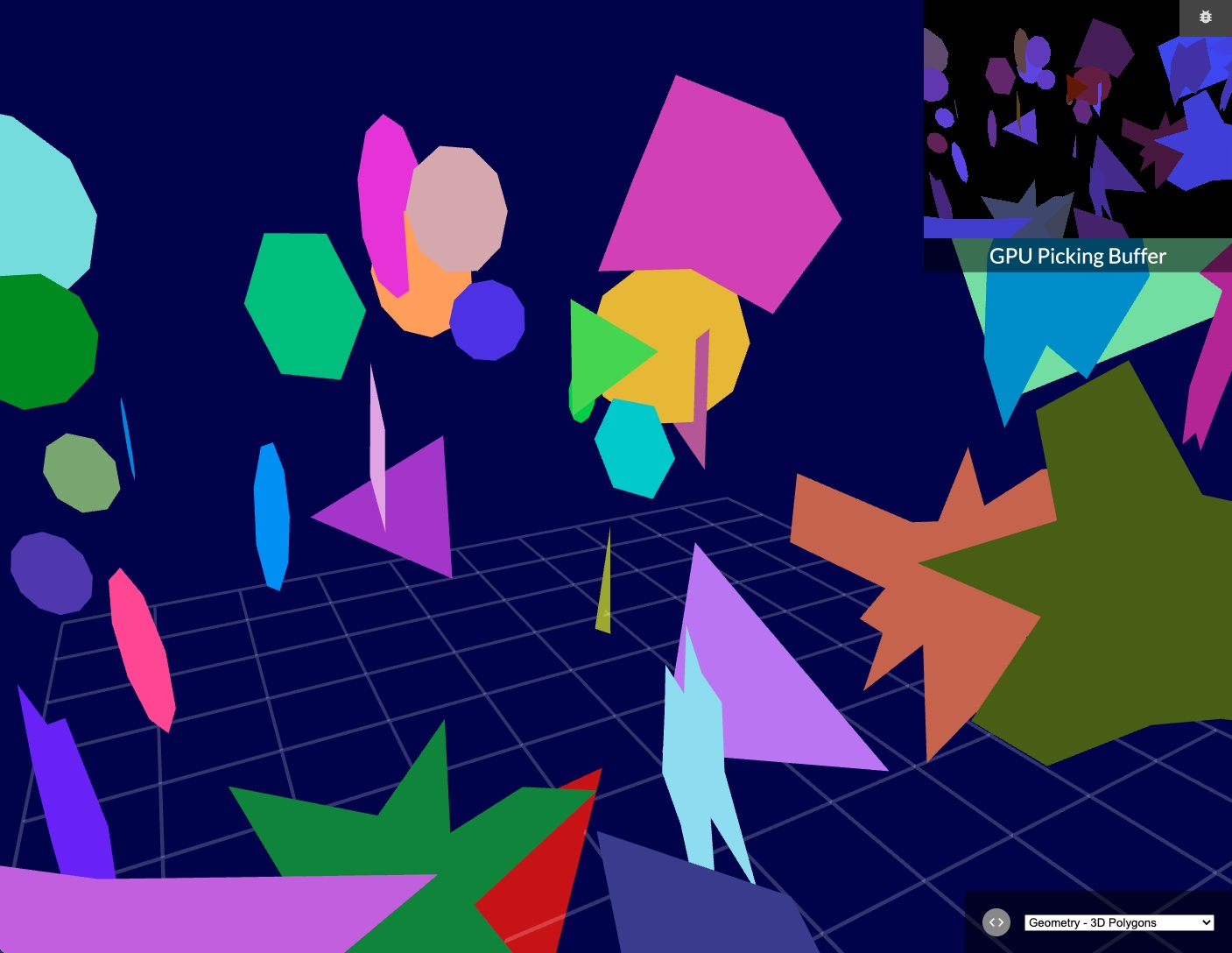
<p>And it really is <em>good enough</em>. Here's 150,000 cubes, made out of 1.8 million triangles:</p>

</div></div>

<div class="c"></div>

<div class="recessed">
  <div class="imagefit m2">
    <a target="_blank" href="http://alteredqualia.com/three/examples/webgl_cubes.html" alt="150000 cubes"><img src="/files/on-webgl/aq-cubes.jpg"></a>
    <a target="_blank" class="credit" href="http://twitter.com/alteredq">AlteredQualia</a>
  </div>
</div>

<div class="g8 i2 m2"><div class="pad">

<p>Next up is a fractal raytracer. At 30 frames per second, 512x512 pixels, 40 iterations per pixel, each folding 3D space 18 levels deep… that's 5.6 <em>billion</em> folds per second. This intricate visualization is little more than raw number crunching power. That's just the core loop and excludes set up and lighting. It's all driven by a couple kilobytes of JavaScript wrapped in some HTML, delivered over HTTP.</p>

</div></div>

<div class="c"></div>

<div class="recessed">
  <div class="imagefit m2">
    <a target="_blank" href="http://acko.net/files/on-webgl/whittaker/raytrace-creepy.html"><img src="/files/on-webgl/ucd-de.jpg" alt="Distance estimation with fractals"></a>
  </div>
</div>

<div class="g8 i2 m2"><div class="pad">

<p>Why wouldn't you want to play with that? Come try WebGL, <a href="http://madebyevan.com/webgl-water/" target="_blank">the water's fine</a>.</p>

<h2>Further reading</h2>

<ul>
  <li>Paul Lewis' <a href="http://aerotwist.com/tutorials/getting-started-with-three-js/">excellent tutorials</a> on Three.js. He also runs the <a href="http://thewebglpodcast.com">WebGL podcast</a>.</li>
  <li>The <a href="https://www.udacity.com/course/cs291">Interactive 3D graphics</a> WebGL course on Udacity by Eric Haines.</li>
  <li>The <a href="https://www.shadertoy.com">ShaderToy</a> and <a href="http://glsl.heroku.com">GLSL</a> sandboxes.</li>
  <li>The <a href="https://twitter.com/search?q=webgl">WebGL hashtag on Twitter</a>.</li>
</ul>

<p><em>Examples by the amazing <a href="http://twitter.com/alteredq">AlteredQualia</a>, <a href="https://twitter.com/flexi23">Felix Woitzel</a>, <a href="http://twitter.com/pyalot">Florian Bösch</a>, the <a href="http://www.ro.me/tech/">Ro.me team</a>, <a href="http://twitter.com/mrdoob">Mr.doob</a>, <a href="http://workshop.chromeexperiments.com">Chrome Workshop</a>, as well as myself. Many of these techniques are documented on <a href="http://www.iquilezles.org/">Iñigo Quilez</a>'s comprehensive site.</em></p>

<p><em>Additional demos and comments are welcome on <a href="https://plus.google.com/112457107445031703644/posts/4qcrPNzEVjk">Google Plus</a>.</em></p>
 
</div></div>
]]></content>
  </entry>
  
  <entry>
    <title type="html"><![CDATA[To Infinity… And Beyond!]]></title>
    <link href="http://acko.net/blog/to-infinity-and-beyond/"/>
    <updated>2013-01-28T00:00:00-08:00</updated>
    <id>http://acko.net/blog/to-infinity-and-beyond</id>
    <content type="html"><![CDATA[<script type="text/javascript"
  src="http://cdn.mathjax.org/mathjax/latest/MathJax.js?config=TeX-AMS-MML_HTMLorMML">
</script>

<script type="text/x-mathjax-config">
MathJax.Hub.Config({
  "HTML-CSS": { availableFonts: ["TeX"] },
  extensions: ["tex2jax.js"],
  jax: ["input/TeX","output/HTML-CSS"],
  tex2jax: {inlineMath: [["$","$"],["\\(","\\)"]]},
});

var raf = window.requestAnimationFrame;

MathJax.Hub.Register.StartupHook("Begin", function () {
  $('iframe, #hackery').hide();
  window.requestAnimationFrame = function (callback) {
    setTimeout(function () {
      callback();
    }, 1000);
  }
});

MathJax.Hub.Register.StartupHook("End", function () {
  $('iframe, #hackery').show().removeClass('on');
  window.requestAnimationFrame = raf;
});

</script>

<div class="g8 i2 first"><div class="pad">

<h1>To Infinity… And Beyond!</h1>
<h2>Exploring the outer limits</h2>

</div></div>

<div class="c"></div>

<div style="display: none"><img src="/files/infinity-and-beyond/cover.png" alt="To Infinity and Beyond"></div>

<div class="g12 first"><div class="pad">

<blockquote class="m2">
  <em class="big">“It is known that there are an infinite number of worlds, simply because there is an infinite amount of space for them to be in. However, not every one of them is inhabited. Therefore, there must be a finite number of inhabited worlds.<br><br>
Any finite number divided by infinity is as near to nothing as makes no odds, so the average population of all the planets in the universe can be said to be zero. From this it follows that the population of the whole universe is also zero, and that any people you may meet from time to time are merely the products of a deranged imagination.”</em>
  <div class="tr m1">– <a href="http://en.wikipedia.org/wiki/The_Restaurant_at_the_End_of_the_Universe">The Restaurant at the End of the Universe</a>, Douglas Adams</div>
</blockquote>

</div></div>
<!--
-->

<div class="g8 i2 first m2"><div class="pad">

<p>If there's one thing mathematicians have a love-hate relationship with, it has to be <em>infinity</em>. It's the ultimate tease: it beckons us to come closer, but never allows us anywhere near it. No matter how far we travel to impress it, infinity remains disinterested, equally distant from everything: infinitely far!</p>

<p class="tc math">$$ 0 &lt; 1 &lt; 2 &lt; 3 &lt; … &lt; \infty $$</p>

<p>Yet infinity is not just desirable, it is absolutely necessary. All over mathematics, we find problems for which no finite amount of steps will help resolve them. Without infinity, we wouldn't have real numbers, for starters. That's a problem: our circles aren't round anymore (no <a href="http://en.wikipedia.org/wiki/Pi">$ π $ and $ \tau $</a>) and our exponentials stop growing right (no <a href="http://en.wikipedia.org/wiki/E_(mathematical_constant)">$ e $</a>). We can throw out all of our triangles too: most of their sides have exploded.</p>

</div></div>

<div class="g7"><p class="tc">
  <a href="http://www.loc.gov/pictures/resource/ggbain.16674/"><img src="/files/infinity-and-beyond/steel-bridge-loc.jpg" title="Cape Cod Canal, Buzzard's Bay, 1910" alt="Steel Railroad Bridge,  Cape Cod Canal, Buzzard's Bay, 1910"></a>
  A steel railroad bridge with a 1200 ton counter-weight.<br>Completed in 1910. Source: <a href="http://www.loc.gov/pictures/resource/ggbain.16674/">Library of Congress</a>.
</p></div>

<div class="g5"><div class="pad">

<p class="math">We like infinity because it helps avoid all that. In fact even when things are not infinite, we often prefer to pretend they are—we do geometry in infinitely big planes, because then we don't have to care about where the edges are.</p>

<p class="math">Now, suppose we want to analyze a steel beam, because we're trying to figure out if our proposed bridge will stay up. If we want to model reality accurately, that means simulating each individual particle, every atom in the beam. Each has its own place and pushes and pulls on others nearby.</p>

<p class="math">But even just $ 40 $ grams of pure iron contains <a href="http://www.wolframalpha.com/input/?i=40g+of+iron+in+atoms">$ 4.31 \cdot 10^{23} $ atoms</a>. That's an inordinate amount of things to keep track of for just <a href="http://www.wolframalpha.com/input/?i=%281+teaspoon%29+%2F+%2840g+%2F+density+of+iron%29">1 teaspoon of iron</a>.</p>

</div></div>

<aside class="g6">
  <p class="tc"><iframe class="mathbox square autosize" src="/files/infinity-and-beyond/mb-1-austenite.html"></iframe><br>
    The crystal structure of 32 iron atoms in the hot <a href="http://en.wikipedia.org/wiki/Austenite">austenite</a> phase.<br>If your steel looks like this, your bridge is on fire.</p>
</aside>

<aside class="g6">
  <p class="tc"><iframe class="mathbox square autosize" src="/files/infinity-and-beyond/mb-2-cube.html"></iframe><br>A chunk of solid, mathematical iron.</p>
</aside>


<div class="g8 i2"><div class="pad">
<p>Instead, we pretend the steel is solid throughout. Rather than being composed of atoms with gaps in between, it's made of some unknown, filled in material with a certain density, expressed e.g. as <em>grams per cubic centimetre</em>. Given any shape, we can determine its volume, and hence its total mass, and go from there. That's much simpler than counting and keeping track of individual atoms, right?</p>

<p>Unfortunately, that's not quite true.</p>

<h2>The Shortest Disappearing Trick Ever</h2>
<p class="math">Like all choices in mathematics, this one has consequences we cannot avoid. Our beam's density is <em>mass per volume</em>. Individual points in space have zero volume. That would mean that at any given point inside the beam, the amount of mass there is $ 0 $. How can a beam that is entirely composed of nothing be solid and have a non-zero mass?</p>

<p class="tc">
<iframe class="mathbox fit" src="/files/infinity-and-beyond/mb-3-empty-cube.html" height="250"></iframe><br><em>Bam! No more iron anywhere.</em></p>

<p>While Douglas Adams was being deliberately obtuse, there's a kernel of truth there, which is a genuine paradox: what exactly is the mass of every atom in our situation?</p>

<p class="math">To make our beam solid and continuous, we had to shrink every atom down to an infinitely small point. To compensate, we had to create infinitely many of them. Dividing the finite mass of the beam between an infinite amount of atoms should result in $ 0 $ mass per atom. Yet all these masses still have to add up to the total mass of the beam. This suggests $ 0 + 0 + 0 + … &gt; 0 $, which seems impossible.</p>

<p class="math">If the mass of every atom were not $ 0 $, and we have infinitely many points inside the beam, then the total mass is infinity times the atomic mass $ m $. Yet the total mass is finite. This suggests $ m + m + m + … &lt; \infty $, which also doesn't seem right.</p>

<p class="math">It seems whatever this number $ m $ is, it can't be $ 0 $ and can't be non-zero. It's definitely not infinite, we only had a finite mass to begin with. It's starting to sound like we'll have to invent a whole new set of numbers again to even find it.</p>

</div></div>

<div class="g8"><div class="pad">

<p>That's effectively what Isaac Newton and Gottfried Leibniz set in motion at the end of the 17th century, when they <a href="http://en.wikipedia.org/wiki/Leibniz–Newton_calculus_controversy">both discovered calculus independently</a>. It was without a doubt the most important discovery in mathematics and resulted in formal solutions to many problems that were previously unsolvable— our entire understanding of physics has relied on it since. Yet it took until the late 19th century for the works of Augustin Cauchy and Karl Weierstrass to pop up, which formalized the required theory of <em>convergence</em>. This allows us to describe exactly how differences can shrink down to nothing as you approach infinity. Even that wasn't enough: it was only in the 1960s when the idea of <a href="http://en.wikipedia.org/wiki/Infinitesimal">infinitesimals</a> as fully functioning numbers—the <a href="http://en.wikipedia.org/wiki/Hyperreal_number">hyperreal numbers</a>—was finally proven to be consistent enough by Abraham Robinson.</p>

<p class="math">But it goes back much further. Ancient mathematicians were aware of problems of infinity, and used many ingenious ways to approach it. For example, $ π $ was found by considering circles to be infinite-sided polygons. <a href="http://en.wikipedia.org/wiki/Archimedes%27_use_of_infinitesimals">Archimedes' work</a> is likely the earliest use of <em>indivisibles</em>, using them to imagine tiny mechanical levers and find a shape's center of mass. He's better known for running naked through the streets shouting <a href="http://en.wikipedia.org/wiki/Eureka_(word)#Archimedes">Eureka!</a> though.</p>

<p class="math">That it took so long shows that this is not an easy problem. The proofs involved are elaborate and meticulous, all the way back. They have to be, in order to nail down something as tricky as infinity. As a result, students generally learn calculus through the simplified methods of Newton and Leibniz, rather than the most mathematically correct interpretation. We're taught to mix notations from 4 different centuries together, and everyone's just supposed to connect the dots on their own. Except the trail of important questions along the way is now overgrown with jungle.</p>

</div></div>

<aside class="g4"><p class="tc"><img class="fit" src="/files/infinity-and-beyond/principia.png">A diagram from Isaac Newton's <a href="http://en.wikipedia.org/wiki/Philosophiæ_Naturalis_Principia_Mathematica">Philosophiæ Naturalis Principia Mathematica</a> (1687) about finding area under a smooth curve.</p></aside>

<div class="g8 i2"><div class="pad">
  
<p>Still, it shows that even if we don't understand the whole picture, we can get a lot done. This article is in no way a formal introduction to infinitesimals. Rather, it's a demonstration of why we might need them.</p>
  
<p class="math">What is happening when we shrink atoms down to points? Why does it make shapes solid yet seemingly hollow? Is it ever meaningful to write $ x = \infty $? Is there only one infinity, or are there many different kinds?</p>

<p>To answer that, we first have to go back to even simpler times, to Ancient Greece, and start with the works of Zeno.</p>

<h2>Achilles and the Tortoise</h2>

<p><a href="http://en.wikipedia.org/wiki/Zeno_of_Elea">Zeno of Elea</a> was one of the first mathematicians to pose these sorts of questions, effectively trolling mathematics for the next two millennia. He lived in the 5th century BC in southern Italy, although only second-hand references survive. In his series of paradoxes, he examines the nature of equality, distance, continuity, of time itself.</p>

<p>Because it's the ancient times, our mathematical knowledge is limited. We know about zero, but we're still struggling with the idea of nothing. We've run into negative numbers, but they're clearly absurd and imaginary, unlike the positive numbers we find in geometry. We also know about fractions and ratios, but square roots still confuse us, even though our temples stay up.</p>

</div></div>

<div class="recessed">
  <div class="edge-top c"><div class="edge-left"></div><div class="edge-right"></div></div>

  <div class="frame c">
    <iframe src="/files/infinity-and-beyond/mb-4-achilles.html" class="mathbox paged autosize" height="320"></iframe>
  </div>

  <div class="steps">

    <div class="step">
      <p>So the story goes: the tortoise challenges Achilles to a footrace.</p>
    </div>

    <div class="step">
      <p>
        "If you give me a head start," it says, "any start at all, you can never win.".<br>
        Achilles laughs and decides to be a good sport: he'll only run twice as fast as the tortoise.
      </p>
    </div>

    <div class="step">
      <p>
        The tortoise explains: "If you want to pass me, first you have to move to where I am. By the time you get there, I'll have walked ahead a little bit."
      </p>
    </div>

    <div class="step">
      <p>
        "While you cross the next distance, I will move yet again. No matter how many times you try to catch up, I'll always be some small distance ahead. Therefor, you cannot beat me."
      </p>
    </div>

    <div class="step">
      <p>Achilles realizes that talking tortoises are not a sign of positive mental health, so he decides to find a wall to run into instead. It will either confirm the theory, or end the pain.
      </p>
    </div>

    <div class="step">
      <p>
        See, the race is actually unnecessary, because the problem remains the same.<br>In order to reach the wall, Achilles first has to cross half the way there.
      </p>
    </div>
    
    <div class="step">
      <p>Then he has to go half that distance again, and again. No matter how many times he repeats this, there will always be some distance left. So if Achilles can't cross this distance in a finite amount of steps, why is he wearing that stupid helmet?
      </p>
    </div>

    <div class="step">
      <div class="extra bottom delay24 hold2" data-align-y=".55"><big>$$ … $$</big></div>
      <p>
        The <em>distance travelled</em> forms a never ending <span class="orangered">sequence of expanding sums</span>.<br>We have to examine the entire sequence, rather than individual numbers in it.
      </p>
    </div>

    <div class="step">
      <p class="math">
        By definition, the <span class="orangered">distance travelled</span> and <span class="gold">distance to the wall</span> always add up to $ 1 $. So one simple way to resolve this conundrum is to say: <em>Well yes, it's going to take you infinitely long to glue all those pieces together, but only because you already spent an infinite amount of time chopping them up!</em><br>
        But that's not a very mathematically satisfying answer. Let's try something else.
      </p>
    </div>

    <div class="step">
      <p class="math">
        The distance to the wall is always equal to the last step taken. We know that each step is half as long as the previous one, starting with $ \frac{1}{2} $. Therefor, the distance to the wall must decrease exponentially: $ \frac{1}{2}, \frac{1}{4}, \frac{1}{8}, \frac{1}{16}, … $, getting closer to zero with every step.
      </p>
    </div>

    <div class="step">
      <p class="math">
        But why can we say that this gap effectively closes to zero after 'infinity steps'? The number that we're building up is $ \frac{1}{2} + \frac{1}{4} + \frac{1}{8} + \frac{1}{16} + … \,$
      </p>
    </div>
    
    <div class="step">
      <p class="math">
        We know our sum will never exceed $ 1 $, as there is only $ 1 $ unit of distance being divided. This means $ \frac{1}{2} + \frac{1}{4} + \frac{1}{8} + \frac{1}{16} + … \leq 1 $, which eliminates every number past the surface of the wall—but not the surface itself.
      </p>
    </div>

    <div class="step">
      <p class="math">
        Suppose we presume $ \frac{1}{2} + \frac{1}{4} + \frac{1}{8} + \frac{1}{16} + … &lt; 1 $ and hence that this number lies some tiny distance <em>in front of the wall</em>.
      </p>
    </div>

    <div class="step">
      <p class="math">
        Well in that case, all we need to do is zoom in far enough, and we'll see our sequence jump past it after a certain finite number of steps.
      </p>
    </div>

    <div class="step">
      <p class="math">
        If we try to move it <span class="gold">closer to the wall</span>, the same thing happens. This number simply cannot be less than $ 1 $. Therefor $ \frac{1}{2} + \frac{1}{4} + \frac{1}{8} + \frac{1}{16} + … \geq 1 $
      </p>
    </div>

    <div class="step">
      <p class="math">
        The only place $ \frac{1}{2} + \frac{1}{4} + \frac{1}{8} + \frac{1}{16} + … \, $ can be is exactly $ 0 $ units away from $ 1 $. If two numbers have zero distance between them, then they are equal.
      </p>
    </div>

    <div class="step">
      <div class="extra bottom delay46 hold1" data-align-y=".55"><big>$$ … $$</big></div>
      <p class="math">
        What we've actually done here is applied the principle of <em>limits</em>: we've defined a procedure of steps that lets us narrow down <span class="gold">the interval</span> where the infinite sum might be. The lower bound is the sequence of sums itself: it only increases towards $ 1 $, never decreases. For the upper bound, we established no sum could exceed $ 1 $. Therefor the interval must shrink to nothing, and the sequence <em>converges</em>.
      </p>
    </div>

    <div class="step">
      <div class="extra"><big><big>
        $$ \lim_{n \to +\infty} x_n = \mathop{\class{no-outline}{►\hspace{-2pt}►}}_{\infty\hspace{2pt}} x_n $$
      </big></big></div>
      <p class="math">
        The purpose of a limit is then to act as a supercharged fast-forward button. It lets us avoid the infinite amount of work required to complete sums like $ \frac{1}{2} + \frac{1}{4} + \frac{1}{8} + \frac{1}{16} + … $ and simply <em>skip to the end</em>. To do so, we have to step back, spot the pattern, and pin down where it ends. So limits allow us to literally reach the unreachable. But in fact, you already knew that.
      </p>
    </div>

    <div class="step">
      <div class="extra top right delay24" data-align-x="1.25" data-align-y=".5">$$ \frac{2}{3} = 0.66666… $$</div>
      <div class="extra bottom delay24" data-align-y=".58">$$ 0.6 + 0.06 + 0.006 + …\hspace{2pt} $$</div>
      <p class="math">
        As soon as you learned to divide, you found $ 2 \div 3 = 0.666… = 0.6 + 0.06 + 0.006 + …\hspace{2pt} $ <br>Even in primary school the opportunity to examine infinity is there. Rather than tackle it head on, it's simply noted and filed. Eight years later it's regurgitated in the form of cryptic <em>epsilon-delta definitions</em>.</p>
    </div>

    <div class="step">
      <div class="extra bottom delay16 hold1" data-align-y="1.1">
        $$ 1 - 1 + 1 - 1 + 1 … $$<br>
      </div>
      <p class="math">
        But then there's those pesky consequences again. By allowing the idea of infinity, we can invent an entire zoo of paradoxical things. For example, imagine a lamp that's switched on ($1$) and off ($0$) at intervals that decrease by a factor of two: <em>on</em> for $ \frac{1}{2} $ second, <em>off</em> for $ \frac{1}{4} s $, <em>on</em> for $ \frac{1}{8} s $, <em>off</em> for $ \frac{1}{16} s $, …<br>After $ 1\,s $, when the switch has been flipped an infinite amount of times, is the lamp on or off?
      </p>
    </div>

    <div class="step">
      <div class="extra bottom" data-align-y="1.1">
        <br><br>
        <small><small>
        <br>
        $$ (1 - 1) + (1 - 1) + (1 - 1) + … = 0 \,? $$
        </small></small>
      </div>
      <div class="extra bottom" data-align-y="1.1">
        <br><br>
        <small><small>
        <br>
        <br><br>
        $$ 1 + (-1 + 1) + (-1 + 1) + … = 1 \,? $$
        </small></small>
      </div>
      <p class="math">
        Another way to put this is that the lamp's state at $ 1\,s $ is the result of the infinite sum $ 1 - 1 + 1 - 1 + … $ <br>Intuitively we might say each pair of $ +1 $ and $ -1 $ should cancel out and make the entire sum equal to $ 0 $. <br>But we can pair them the other way, leading to $ 1 $ instead. It can't be both.
      </p>
    </div>

    <div class="step">
      <p class="math">
        If we zoom in, it's obvious that no matter how close we get to $ 1\,s $, the lamp's state keeps switching. Therefor it's meaningless to attempt to 'fast forward' to the end, and the limit does not exist. At $ 1\,s $ the lamp is neither on nor off: it's undefined. This infinite sum <em>does not converge</em>.
      </p>
    </div>

    <div class="step">
      <p class="math">
        But actually, we overcomplicated things. Thanks to the power of limits, we can ask a simpler, equivalent question. Given a lamp that switches on and off <em>every second</em>, what is its state at infinity? The answer's the same: it never settles.
      </p>
    </div>

  </div>

  <div class="edge-bottom c"><div class="edge-left"></div><div class="edge-right"></div></div>
</div>

<div class="c"></div>

<div class="g8 i2"><div class="pad">
  
  <p class="math">Limits are the first tool in our belt for tackling infinity. Given a sequence described by countable steps, we can attempt to extend it not just to the end of the world, but literally forever. If this works we end up with a finite value. If not, the limit is undefined. A limit can be equal to $ \infty $, but that's just shorthand for <em>the sequence has no upper bound</em>. Negative infinity means no lower bound.</p>

<h2>Breaking Away From Rationality</h2>
  
  <p>Until now we've only encountered fractions, that is, <em>rational numbers</em>. Each of our sums was made of fractions. The limit, if it existed, was also a rational number. We don't know whether this was just a coincidence.</p>
  
  <p class="math">It might seem implausible that a sequence of numbers that is 100% rational and converges, can approach a limit that isn't rational at all. Yet we've already seen similar discrepancies. In our first sequence, every partial sum was <em>less than</em> $ 1 $. Meanwhile the limit of the sum was <em>equal to</em> $ 1 $. Clearly, the limit does not have to share all the properties of its originating sequence.</p>
  
  <p>We also haven't solved our original problem: we've only chopped things up into infinitely many <em>finite pieces</em>. How do we get to <em>infinitely small pieces</em>? To answer that, we need to go looking for <em>continuity</em>.</p>
  
  <p>Generally, continuity is defined by what it is and what its properties are: a noticeable lack of holes, and no paradoxical values. But that's putting the cart before the horse. First, we have to show which holes we're trying to plug.</p>
  
</div></div>

<div class="recessed">
  <div class="edge-top c"><div class="edge-left"></div><div class="edge-right"></div></div>

  <div class="frame c">
    <iframe src="/files/infinity-and-beyond/mb-5-continuity.html" class="mathbox paged autosize" height="320"></iframe>
  </div>

  <div class="steps">

    <div class="step">
      <p>Let's imagine the <em>rational numbers</em>.</p>
    </div>

    <div class="step">
      <p>Actually, hold on. Is this really a line? The integers certainly weren't connected.</p>
    </div>

    <div class="step">
      <p class="math">Rather than assume anything, we're going to attempt to visualize all the rational numbers. We'll start with the <span class="blue">numbers between $ 0 $ and $ 1 $</span>.</p>
    </div>

    <div class="step">
      <div class="extra bottom"><big>$$ \class{blue}{\frac{0 + 1}{2}} $$</big></div>
      <p class="math">Between any two numbers, we can find a new number in between: their average. This leads to $ \frac{1}{2} $.</p>
    </div>

    <div class="step">
      <div class="extra bottom"><big>$$ \frac{a + b}{2} $$</big></div>
      <p>By repeatedly taking averages, we keep finding new numbers, filling up the interval.</p>
    </div>

    <div class="step">
      <p>If we separate out every step, we get a <em>binary tree</em>.</p>
    </div>

    <div class="step">
      <p class="math">You can think of this as a map of all the fractions of $ 2^n $. Given any such fraction, say <big>$ \frac{13}{32} = \frac{13}{2^5} $</big>, there is a unique path of lefts and rights that leads directly to it. At least, as long as it lies between $ 0 $ and $ 1 $.</p>
    </div>
  
    <div class="step">
      <p class="math">
      Note that the graph resembles a fractal and that the distance to the top edge is divided in half with every step. But we only ever explore a finite amount of steps. Therefor, we are not taking a limit and we'll never actually touch the edge. 
      </p>
    </div>

    <div class="step">
      <div class="extra left hold1">$$ \frac{2 \cdot a + b}{3} $$</div>
      <div class="extra right hold1">$$ \frac{a + 2 \cdot b}{3} $$</div>
      <p class="math">But we can take thirds as well, leading to fractions with a power of $ 3^n $ in their denominator.</p>
    </div>

    <div class="step">
      <p class="math">As some numbers can be reached in multiple ways, we can eliminate some lines, and end up with this graph, where every number sprouts into a three-way, <em>ternary tree</em>. Again, we have a map that gives us a unique path to any fraction of $ 3^n $ in this range, like <big>$ \frac{11}{27} = \frac{11}{3^3} $</big>.</p>
    </div>

    <div class="step">
      <div class="extra">
        $$ \frac{21}{60} = \frac{21}{2^2 \cdot 3 \cdot 5} $$
      </div>
      
      <p class="math">Because we can do this for any denominator, we can define a way to get to any rational number in a finite amount of steps. Take for example <big>$ \frac{21}{60} $</big>. We decompose its denominator into prime numbers and begin with $ 0 $ and $ 1 $ again.</p>
    </div>

    <div class="step">
      <div class="extra top edge hold3">
        <small><small>
        $$ \frac{21}{60} = \frac{21}{2^2 \cdot 3 \cdot 5} $$
        </small></small>
      </div>

      <p class="math">There is a division of $ 2^2 $, so we do two binary splits. This time, I'm repeating the previously found numbers so you can see the regular divisions more clearly. We get <span class="green">quarters</span>.</p>
    </div>

    <div class="step">
      <p class="math">The next factor is $ 3 $ so we divide into thirds once. We now have <span class="gold">twelfths</span>.</p>
    </div>

    <div class="step">
      <p class="math">For the last division we chop into fifths and get <span class="orangered">sixtieths</span>.</p>
    </div>
    
    <div class="step">
      <p class="math">$ \frac{21}{60} $ is now the <span class="orangered">21st number from the left</span>.</p>
    </div>

    <div class="step">
      <p class="math">But this means we've found a clear way to visualize <em>all</em> the rational numbers between $ 0 $ and $ 1 $: it's all the numbers we can reach by applying a finite number of binary (2), ternary (3), quinary (5) etc. divisions, for any denominator. So there's always a finite <em>gap</em> between any two rational numbers, even though there are infinitely many of them.</p>
    </div>

    <div class="step">
      <p>The rational numbers are <em>not continuous</em>. Therefor, it is more accurate to picture them as a set of tick marks than a connected number line.</p>
    </div>

    <div class="step">
      <p class="math">To find continuity then, we need to revisit one of our earlier trees. We'll pick the binary one.<br>While every fork goes two ways, we actually have a third choice at every step: we can choose to stop. That's how we get a finite path to a whole fraction of $ 2^n $.</p>
    </div>

    <div class="step">
      <p>But what if we never stop? We have to apply a limit: we try to spot a pattern and try to <span class="green">fast-forward it</span>. Note that by halving each step vertically on the graph, we've actually <em>linearized</em> each approach into a straight line which ends. Now we can <em>take limits visually</em> just by intersecting lines with the top edge.</p>
    </div>

    <div class="step">
      <p class="math">Right away we can spot two convergent limits: by always choosing either the <span class="orangered">left</span> or the <span class="green">right</span> branch, we end up at respectively $ 0 $ and $ 1 $.</p>
    </div>

    <div class="step">
      <p class="math"><span class="orangered">These</span> <span class="green">two</span> sequences both converge to $ \frac{1}{2} $. It seems that 'at infinity steps', the graph meets up with itself in the middle.</p>
    </div>

    <div class="step">
      <p class="math">But the graph is now a true fractal. So the same convergence can be found here. In fact, the graph meets up with itself anywhere there is a multiple of <big>$ \frac{1}{2^n} $</big>.</p>
    </div>
    
    <div class="step">
      <p class="math">That's pretty neat: now we can eliminate the option of stopping altogether. Instead of ending at $  \frac{5}{16} $, we can simply take <span class="purple">one additional step in either direction, followed by infinitely many opposite steps</span>. Now we're <em>only</em> considering paths that are infinitely long.</p>
    </div>

    <div class="step">
      <p class="math">But if this graph only leads to fractions of $ 2^n $, then there must be gaps between them. In the limit, the distance between any two adjacent numbers in the graph shrinks down to <em>exactly</em> $ 0 $, which suggests there are no gaps. This infinite version of the binary tree must lead to a lot more numbers than we might think.<br>
         Suppose we take a path of <span class="orangered">alternating left and right steps</span>, and extend it forever. Where do we end up?</p>
    </div>

    <div class="step">
      <p>We can apply the same principle of an <span class="gold">upper and lower bound</span>, but now we're approaching from both sides at once. Thanks to our linearization trick, the entire sequence fits snugly inside a triangle.</p>
    </div>

    <div class="step">
      <p class="math">If we zoom into the convergence at infinity, we actually end up at $ \class{orangered}{\frac{2}{3}} $.<br>
        Somehow we've managed to coax a fraction of $ 3 $ out of a perfectly regular <em>binary</em> tree.</p>
    </div>

    <div class="step">
      <p class="math">If we <span class="orangered">alternate two lefts with one right</span>, we can end up at $ \class{orangered}{\frac{4}{7}} $. This is remarkable: when we tried to visualize all the rational numbers by combining all kinds of divisions, we were overthinking it. We only needed to take <em>binary divisions</em> and repeat them infinitely with a <em>limit</em>.</p>
    </div>

    <div class="step">
      <p>Every single rational number can then be found by taking a finite amount of steps to get to a certain point, and then settling into a <em>repeating pattern of lefts and/or rights</em> all the way to infinity.</p>
    </div>

    <div class="step">
      <p class="math">If we can find numbers between $ 0 $ and $ 1 $ this way, we can apply the exact same principle to the range $ 1 $ to $ 2 $. So we can connect two of these graphs into a single graph with its tip at $ 1 $.</p>
    </div>

    <div class="step">
      <p class="math">But we can repeat it as much as we like. The full graph is not just infinitely divided, but infinitely big, in that no finite box can contain it. That means it leads to <em>every single positive rational number</em>. We can start anywhere we like. Is your mind blown yet?</p>
    </div>

    <div class="step">
      <p class="math">No? Ok. But if this works for positives, we can build a similar graph for the negatives just by mirroring it. So we now have a map of the entire rational number set. All we need to do is take <em>infinite paths that settle into a repeating pattern</em> from either a positive or a negative starting point. When we do, we find every such path leads to a rational number.<br>
        So any rational number can be found by taking an infinite stroll on one of <em>two</em> infinite binary trees.</p>
    </div>

    <div class="step">
      <p class="math">Wait, did I say two infinite trees? Sorry, I meant <em>one</em> infinitely big tree.<br>See, if we repeatedly scale up a <span class="green">fractal binary tree</span> and apply a limit to that, we end up with almost exactly the same thing. Only this time, the two downward diagonals always eventually fold back towards $ 0 $. This creates a path of <em>infinity + 1</em> steps downward. While that might not be very practical, it suggests you can ride out to the restaurant at the end of the universe, have dinner, and take a single step to get back home.</p>
    </div>

    <div class="step">
      <p class="math">Is it math, or visual poetry? It's time to bring this fellatio of the mind to its inevitable climax.</p>
    </div>
    
    <div class="step">
      <div class="extra hold2 bottom left" data-align-x=".4" data-align-y=".8">$ \class{blue}{0} $</div>
      <div class="extra hold2 bottom right" data-align-x=".4" data-align-y=".8">$ \class{green}{1} $</div>

      <div class="extra hold2 left top" data-align-x="1.0" data-align-y="0.25">$ \class{blue}{0} $</div>
      <div class="extra hold2 left top" data-align-x=".6" data-align-y="0.25">$ \class{green}{1} $</div>

      <div class="extra hold2 right top" data-align-x=".6" data-align-y="0.25">$ \class{blue}{0} $</div>
      <div class="extra hold2 right top" data-align-x="1.0" data-align-y="0.25">$ \class{green}{1} $</div>
      
      <p class="math">You may wonder, if this map is so amazing, how did we ever do without?<br>
        Let's label our branches. If we go left, we call it $ 0 $. If we go right, we call it $ 1 $.</p>
    </div>

    <div class="step">
      <div class="extra">
        $$
        \frac{5}{3} = \class{green}{11}\class{blue}{0}\hspace{2pt}\class{green}{1}\class{blue}{0}\hspace{2pt}\class{green}{1}\class{blue}{0}…
        $$
      </div>

      <p class="math">We can then identify any number by writing out the infinite path that leads there as a sequence of ones and zeroes—bits.<br><br>But you already knew that.</p>
    </div>

    <div class="step">
      <div class="extra">
        $$
        \frac{5}{3} = \class{green}{1}.\class{green}{1}\class{blue}{0}\hspace{2pt}\class{green}{1}\class{blue}{0}\hspace{2pt}\class{green}{1}\class{blue}{0}…_2
        $$
      </div>

      <p class="math">See we've just rediscovered the binary number system. We're so used to numbers in decimal, <em>base 10</em>, we didn't notice. Yet we all learned that rational numbers consist of digits that settle into a repeating sequence, a <em>repeating pattern of turns</em>. Disallowing finite paths works the same, even in decimal: the number $ 0.95 $ can be written as $\, 0.94999…\, $, i.e. <em>take one final step in one direction, followed by infinitely many steps the other way</em>.
    </div>

    <div class="step">
      <div class="extra">
        $$
        \frac{4}{5} = \class{blue}{0}.\class{green}{11}\class{blue}{00}\hspace{2pt}\class{green}{11}\class{blue}{00}…_2 
        $$
      </div>

      <p class="math">
        When we write down a number digit by digit, we're really <em>following the path to it</em> in a graph like this, dialing the number's … er … number. The rationals aren't <em>shaped</em> like a binary tree, rather, they <em>look</em> like a binary tree when viewed through the lens of binary division. Every infinite binary, ternary, quinary, etc. tree is then a different but complete perspective of the same underlying thing. We don't have <em>the</em> map, we have one of infinitely many maps.</p>
    </div>

    <div class="step">
      <div class="extra delay8 top" data-align-y=".25">
        $$
        π = \class{green}{11}.\class{blue}{00}\class{green}{1}\class{blue}{00}\class{green}{1}\class{blue}{0000}\class{green}{1}…_2
        $$
      </div>
      
      <p class="math">
       Which means we can show this graph is actually an interdimensional number portal.<br>
       See, we already know <em>where</em> the missing numbers are. Irrational numbers like $ π $ form a never-repeating sequence of digits. If we want to reach $ π $, we find it's at the end of an infinite path whose turns <em>do not repeat</em>. By allowing such paths, our map leads us straight to them. Even though it's made out of only  <em>one kind of rational number</em>: division by two.</p>
    </div>

    <div class="step">
      <div class="extra delay16"><big><big>
        $$
          π = \mathop{\class{no-outline}{►\hspace{-2pt}►}}_{\infty\hspace{2pt}} x_n \,?
        $$
        </big></big>
      </div>

      <p class="math">
        So now we've invented <em>real numbers</em>. How do we visualize this invention? And where does continuity come in? What we need is a procedure that generates such a non-repeating path <em>when taken to the limit</em>. Then we can figure out where the behavior at infinity comes from.
      </p>
    </div>

    <div class="step">
      <p>Because the path never settles into a pattern, we can't pin it down with a single neat triangle like before. We try something else. At every step, we can see that the <em>smallest</em> number we can still reach is found by <span class="orangered">always going left</span>. Similarly, the <em>largest</em> available number is found by <span class="green">always going right</span>. Wherever we go from here, it will be somewhere in this range.</p>
    </div>

    <div class="step">
      <p>We can set up shrinking intervals by placing such triangles along the path, forming a nested sequence.</p>
    </div>

    <div class="step">
      <div class="extra left">
        $$
          \begin{align}
            3 \leq & π \leq 4 \\
            3.1 \leq & π \leq 3.2 \\
            3.14 \leq & π \leq 3.15 \\ 
            3.141 \leq & π \leq 3.142 \\ 
            3.1415 \leq & π \leq 3.1416 \\
            3.14159 \leq & π \leq 3.14160 \\
          \end{align}
        $$
      </div>

      <div class="extra right">
        $$
          \begin{align}
            11_2 \leq & π \leq 100_2 \\ 
            11.0_2 \leq & π \leq 11.1_2 \\ 
            11.00_2 \leq & π \leq 11.01_2 \\
            11.001_2 \leq & π \leq 11.010_2 \\
            11.0010_2 \leq & π \leq 11.0011_2 \\
            11.00100_2 \leq & π \leq 11.00101_2 \\
          \end{align}
        $$
      </div>

      <p class="math">
        What we've actually done is rounded up and down at every step, to find an upper and lower bound with a certain amount of digits. This works in any number base.
      </p>
    </div>

    <div class="step">
      <p class="math">Let's examine these intervals by themselves. We can see that due to the binary nature, each interval covers either the left or right side of its ancestor. Because our graph goes on forever, there are infinitely many nested intervals. This <em>tower of $ π $</em> never ends and never repeats itself, we just squeezed it into a finite space so we could see it better.</p>
    </div>

    <div class="step">
      <p class="math">If we instead approach a rational number like $ \frac{10}{3} = 3.333…\, $ then the tower starts repeating itself at some point. Note that the intervals <em>don't slide smoothly</em>. Each can only be in one of two places relative to its ancestor.</p>
    </div>

    <div class="step">
      <p class="math">In order to reach a different rational number, like $ 3.999… = 4 $, we have to establish a different repeating pattern. So we have to rearrange infinitely many levels of the tower all at once, from one configuration to another. This reinforces the notion that rational numbers are not continuous.</p>
    </div>

    <div class="step">
      <p class="math">If the tower converges to a number, then the top must be infinitely thin, i.e. $ 0 $ units wide. That would suggest it's meaningless to say what the interval at infinity looks like, because it stops existing. Let's try it anyway.</p>
    </div>

    <div class="step">
      <p class="math">
        There is only one question to answer: does the interval cover the <span class="orangered">left side</span>, or the <span class="green">right</span>?
      </p>
    </div>

    <div class="step">
      <p class="math">
        Oddly enough, in this specific case of $ 3.999…\, $ there is an answer. The tower <em>leans to the right</em>. Therefor, the state of the interval is the same all the way up. If we take the limit, it converges and the <em>final interval</em> goes right.
      </p>
    </div>

    <div class="step">
      <p class="math">
        But we can immediately see that we can build a second tower that leans left, which converges on the same number. We could distinguish between the two by writing it as $ 4.000…\, $ In this case the <em>final interval</em> goes left.
      </p>
    </div>

    <div class="step">
      <p class="math">
        If we approach $ 10/3 $, we take a path of <em>alternating left and right steps</em>. The state of the interval at infinity becomes like our paradoxical lamp from before: it has to be both left and right, and therefor it is neither, it's simply undefined.
      </p>
    </div>

    <div class="step">
      <p class="math">
        The same applies to irrational numbers like $ π $. Because the sequence of turns never repeats itself, the interval flips arbitrarily between left and right forever, therefor it is in an undefined state at the end.
      </p>
    </div>

    <div class="step">
      <p class="math">
        But there's another way to look at this.<br>
        If the interval converges to the number $ π $, then the two sequences of respectively <span class="orangered">lower</span> and <span class="green">upper bounds</span> also converge to $ π $ individually.
      </p>
    </div>

    <div class="step">
      <p class="math">
        Remember how we derived our bounds: we rounded down by always taking <span class="orangered">lefts</span> and rounded up by always taking <span class="green">rights</span>. The shape of the tower depends on the specific path you're taking, not just the number you reach at the end.
      </p>
    </div>

    <div class="step">
      <p class="math">
        That means we're approaching the <span class="orangered">lower bounds</span> so they all end in $ 0000… \, $ Their towers always lean left.
      </p>
    </div>
    
    <div class="step">
      <p class="math">If we then take the <em>limit of their final intervals</em> as we approach $ π $, that goes <span class="orangered">left</span> too. Note that this is a double limit: first we find the <em>limit of the intervals</em> of each tower individually, then we take the <em>limit over all the towers as we approach $ π $</em>.
      </p>
    </div>

    <div class="step">
      <p class="math">
        For the same reason, we can think of all the <span class="green">upper bounds</span> as ending in $ 1111 …\, $ Their towers always lean right. When we take the limit of their final intervals and approach $ π $, we find it points <span class="green">right</span>.
      </p>
    </div>

    <div class="step">
      <p class="math">
        But, we could actually just reverse the rounding for the upper and lower bounds, and end up with the exact opposite situation. Therefor it doesn't mean that we've invented a <span class="orangered">red $ π $</span> to the left and <span class="green">green $ π $</span> to the right which are somehow different. $ π $ is $ π $. This only says something about our procedure of building towers. It matters because the towers is how we're trying to reach a real number in the first place.
      </p>
    </div>

    <div class="step">
      <p class="math">
        See, our tower still represents a binary number of infinitely many bits. Every interval can still only be in one of two places. To run along the real number line, we'd have to rearrange infinitely many levels of the tower all at once to create motion. That still does not seem continuous.
      </p>
    </div>

    <div class="step">
      <p>
        We can resolve this if we picture the final interval of each tower as a <em>bit at infinity</em>. If we flip the bit at infinity, we swap between two equivalent ways of reaching a number, so this has no effect on the resulting number.
      </p>
    </div>

    <div class="step">
      <p class="math">
         In doing so, we're actually imagining that every real number is a rational number whose <em>non-repeating head</em> has grown infinitely big. Its <em>repeating tail</em> has been pushed out all the way past infinity. That means we can flip the repeating part of our tower between different configurations without creating any changes in the number it leads to.
      </p>
    </div>
    
    <div class="step">
      <p class="math">
        That helps a little bit with the intuition: if the tower keeps working <em>all the way up there</em>, it must be continuous at its actual tip, wherever that really is. A <em>continuum</em> is then what happens when the smallest possible step you can take isn't just as small as you want. It's so small that it no longer makes <em>any</em> noticeable difference. While that's not a very mathematical definition, I find it very helpful in trying to imagine how this might work.
      </p>
    </div>

    <div class="step">
      <div class="extra delay16 bottom" data-align-y=".15">
        $ 1, 2, 3, 4, 5, 6, … $
      </div>
      
      <p class="math">
        Finally, we might wonder how many of each type of number there are.<br>The natural numbers are <em>countably infinite</em>: there is a procedure of steps which, in the limit, counts all of them.
      </p>
    </div>

    <div class="step">
      <div class="extra bottom" data-align-y=".15">
        $$ 1, 2, 3, 4, 5, 6, … $$
        <br><br><br><br>
      </div>
      <div class="extra bottom delay4" data-align-y=".15">
        <br><br>
        $$ \class{orangered}{2, 4, 6, 8, 10, 12, …} $$
        <br><br>
      </div>
      <div class="extra bottom delay8" data-align-y=".15">
        <br><br><br><br>
        $$ \class{green}{0, 1, -1, 2, -2, 3, …} $$
      </div>
    
      <p class="math">
        We can find a similar sequence for the <span class="orangered">even natural numbers</span> by multiplying each number by two. We can also alternate between a positive and negative sequence to count <span class="green">the integers</span>. The three sequences are <em>all</em> countably infinite, which means they're all <em>equally long</em>.<br>There are as many even positives as positives. Which is exactly as many as all the integers combined. As counter-intuitive as it is, it is the only consistent answer.
      </p>
    </div>
    
    <div class="step">
      <div class="extra bottom right" style="background-image: url(/files/infinity-and-beyond/rationals.png); background-size: 100%; background-position: 0 0; background-repeat: no-repeat;" data-align-x=".2" data-align-y=".5"><small><small>
        $$
\begin{array}{cccccccc}
 1 \hspace{2pt}&\hspace{2pt} 2 \hspace{2pt}&\hspace{2pt} 3 \hspace{2pt}&\hspace{2pt} 4 \hspace{2pt}&\hspace{2pt} 5 \hspace{2pt}&\hspace{2pt} 6 \hspace{2pt}&\hspace{2pt} … \\[6pt]
 \frac{1}{2}
  \hspace{2pt}&\hspace{2pt} \class{grey}{\frac{2}{2}}
  \hspace{2pt}&\hspace{2pt} \frac{3}{2}
  \hspace{2pt}&\hspace{2pt} \class{grey}{\frac{4}{2}}
  \hspace{2pt}&\hspace{2pt} \frac{5}{2}
  \hspace{2pt}&\hspace{2pt} \class{grey}{\frac{6}{2}}
  \hspace{2pt}&\hspace{2pt}  \\[3pt]
 \frac{1}{3} 
  \hspace{2pt}&\hspace{2pt} \frac{2}{3} 
  \hspace{2pt}&\hspace{2pt} \class{grey}{\frac{3}{3}}
  \hspace{2pt}&\hspace{2pt} \frac{4}{3} 
  \hspace{2pt}&\hspace{2pt} \frac{5}{3} 
  \hspace{2pt}&\hspace{2pt} \class{grey}{\frac{6}{3}}
  \hspace{2pt}&\hspace{2pt}   \cdots \\[3pt]
 \frac{1}{4} 
  \hspace{2pt}&\hspace{2pt} \class{grey}{\frac{2}{4}}
  \hspace{2pt}&\hspace{2pt} \frac{3}{4} 
  \hspace{2pt}&\hspace{2pt} \class{grey}{\frac{4}{4}}
  \hspace{2pt}&\hspace{2pt} \frac{5}{4} 
  \hspace{2pt}&\hspace{2pt} \class{grey}{\frac{6}{4}}
  \hspace{2pt}&\hspace{2pt}  \\[3pt]
 \frac{1}{5} 
  \hspace{2pt}&\hspace{2pt} \frac{2}{5} 
  \hspace{2pt}&\hspace{2pt} \frac{3}{5} 
  \hspace{2pt}&\hspace{2pt} \frac{4}{5} 
  \hspace{2pt}&\hspace{2pt} \class{grey}{\frac{5}{5}}
  \hspace{2pt}&\hspace{2pt} \frac{6}{5} 
  \hspace{2pt}&\hspace{2pt}  \\[3pt]
 \frac{1}{6} 
  \hspace{2pt}&\hspace{2pt} \class{grey}{\frac{2}{6}}
  \hspace{2pt}&\hspace{2pt} \class{grey}{\frac{3}{6}}
  \hspace{2pt}&\hspace{2pt} \class{grey}{\frac{4}{6}}
  \hspace{2pt}&\hspace{2pt} \frac{5}{6} 
  \hspace{2pt}&\hspace{2pt} \class{grey}{\frac{6}{6}}
  \hspace{2pt}&\hspace{2pt}  \\[3pt]
  \hspace{2pt}&\hspace{2pt} \vdots  \hspace{2pt}&\hspace{2pt}   \hspace{2pt}&\hspace{2pt}  \vdots \hspace{2pt}&\hspace{2pt}   \hspace{2pt}&\hspace{2pt}   \hspace{2pt}&\hspace{2pt}   \hspace{2pt}&\hspace{2pt} \class{white}{\ddots}
 \end{array}
        $$
        </small></small>
      </div>
      
      <p class="math">
         But we can take it one step further: we can find such a sequence for the rational numbers too, by laying out all the fractions on a grid. We can follow diagonals up and down and pass through every single one. If we eliminate duplicates like $ 1 = 2/2 = 3/3 $ and alternate positives and negatives, we can 'count them all'. So there are as many fractions as there are natural numbers. <em>"Deal with it"</em>, says Infinity, donning its sunglasses.
      <p>
    </div>
    
    <div class="step">
      <div class="extra">
        $$
        \begin{array}{c}
               0.\hspace{1pt}\class{green}{1}\hspace{1pt}0\hspace{1pt}0\hspace{1pt}1\hspace{1pt}1\hspace{1pt}1\hspace{1pt}0\hspace{1pt}…_2 \\
               0.\hspace{1pt}1\hspace{1pt}\class{blue}{0}\hspace{1pt}0\hspace{1pt}1\hspace{1pt}0\hspace{1pt}0\hspace{1pt}1\hspace{1pt}…_2 \\
               0.\hspace{1pt}1\hspace{1pt}0\hspace{1pt}\class{green}{1}\hspace{1pt}0\hspace{1pt}0\hspace{1pt}1\hspace{1pt}0\hspace{1pt}…_2 \\
               0.\hspace{1pt}0\hspace{1pt}1\hspace{1pt}1\hspace{1pt}\class{green}{1}\hspace{1pt}0\hspace{1pt}1\hspace{1pt}1\hspace{1pt}…_2 \\
               0.\hspace{1pt}1\hspace{1pt}0\hspace{1pt}1\hspace{1pt}1\hspace{1pt}\class{blue}{0}\hspace{1pt}0\hspace{1pt}1\hspace{1pt}…_2 \\
               0.\hspace{1pt}0\hspace{1pt}1\hspace{1pt}0\hspace{1pt}1\hspace{1pt}0\hspace{1pt}\class{blue}{0}\hspace{1pt}0\hspace{1pt}…_2 \\
               0.\hspace{1pt}0\hspace{1pt}1\hspace{1pt}1\hspace{1pt}1\hspace{1pt}1\hspace{1pt}0\hspace{1pt}\class{green}{1}\hspace{1pt}…_2 \\
               … \\
               \\
               0.\hspace{1pt}\class{blue}{0}\hspace{1pt}\class{green}{1}\hspace{1pt}\class{blue}{0\hspace{1pt}0}\hspace{1pt}\class{green}{1\hspace{1pt}1}\hspace{1pt}\class{blue}{0}\hspace{1pt}…_2
         \end{array}
        $$
      </div>
      
      <p class="math">
        The real numbers on the other hand are <em>uncountably infinite</em>: no process can list them all in the limit. The proof is short: suppose we did have a sequence of all the real numbers between $ 0 $ and $ 1 $. We could then build a new number by taking all the bits on the diagonal, and flipping zeroes and ones.<br>That means this number is different from every listed number in at least one digit, so it's <em>not on the list</em>. But it's also between $ 0 $ and $ 1 $, so it should be. Therefor, <em>the list can't exist</em>.
      </p>
    </div>

    <div class="step">
      <p class="math">
        This even matches our intuitive explanation from earlier. There are so many real numbers, that we had to invent a bit at infinity to count them, and find something that would <em>tick at least once</em> for every real number. Even then we couldn't say whether it was $ 0 $ or $ 1 $ anywhere in particular, because it literally depends on how you approach it.
      </p>
    </div>

  </div>

  <div class="edge-bottom c"><div class="edge-left"></div><div class="edge-right"></div></div>
</div>

<div class="g8 i2"><div class="pad">
  
  <p class="math">What we just did was a careful exercise in hiding the obvious, namely the digit-based number systems we are all familiar with. By viewing them not as digits, but as paths on a directed graph, we get a new perspective on just what it means to use them. We've also seen how this means we can construct the rationals and reals using the least possible ingredients required: division by two, and limits.</p>
  
<h2>Drowning By Numbers</h2>
  
  <p class="math">In school, we generally work with the decimal representation of numbers. As a result, the popular image of mathematics is that it's the science of <em>digits</em>, not the underlying structures they represent. This permanently skews our perception of what numbers really are, and is easy to demonstrate. You can google to find countless arguments of why $ 0.999… $ is or isn't equal to $ 1 $. Yet nobody's wondering why $ 0.000… = 0 $, though it's practically the same problem: $ 0.1, 0.01, 0.001, 0.0001, … $</p>
  
  <p class="math">Furthermore, in decimal notation, rational numbers and real numbers look incredibly alike: $ 3.3333… $ vs $ 3.1415…\, $ The question of what it actually means to have infinitely many non-repeating digits, and why this results in continuous numbers, is hidden away in those 3 dots at the end. By imagining $ π $ as $ 3.1415…0000… $ or $ 3.1415…1111… $ we can intuitively bridge the gap to the infinitely small. We see how the distance between two neighbouring real numbers must be so small, that it really is equivalent to $ 0 $.</p>
  
  <p class="math">That's not as crazy as it sounds. In the field of <em>hyperreal numbers</em>, every number actually has additional digits 'past infinity': that's its infinitesimal part. You can imagine this to be a multiple of $ \frac{1}{\infty} $, an infinitely small unit greater than $ 0 $, which I'll call $ ε $. The idea of equality is then replaced with <em>adequality</em>: being equal aside from an infinitely small difference.</p>
  
  <p class="math">You can explore this hyperreal number line below.</p>

</div></div>

<div class="recessed">

  <div class="frame c">
    <iframe src="/files/infinity-and-beyond/canvas-1-hyperreals.html" class="mathbox autosize" data-height-max="320" height="320"></iframe>
  </div>
    
</div>

<!-- -->
  
<div class="g8 i2"><div class="pad">
  
  <p class="math">Note that $ ε^2 $ is also infinitesimal. In fact, it's even infinitely smaller than $ ε $, and we can keep doing this for $ ε^3, ε^4, …\,$ To make matters worse, if $ ε $ is infinitesimal, then $ \frac{1}{ε} $ must be infinitely big, and $ \frac{1}{ε^2} $ infinitely bigger than that. So hyperreal numbers don't just have inwardly nested infinitesimal levels, but outward levels of increasing infinity too. They have infinitely many dimensions of infinity both ways.</p>
  
  <p class="math">So it's perfectly possible to say that $ 0.999… $ does not equal $ 1 $, if you mean they differ by an infinitely small amount. The only problem is that in doing so, you get much, <em>much</em> more than you bargained for.</p>

  <h2>A Tug of War Between the Gods</h2>
  
  <p class="math">That means we can finally answer the question we started out with: why did our continuous atoms seemingly all have $ 0 $ mass, when the total mass was not $ 0 $? The answer is that the mass per atom was <em>infinitesimal</em>. So was each atom's volume. The density, <em>mass per volume</em>, was the result of dividing one infinitesimal amount by another, to get a normal sized number again. To create a finite mass in a finite volume, we have to add up infinitely many of these atoms.</p>
  
  <p>These are the underlying principles of calculus, and the final puzzle piece to cover. The funny thing about calculus is, it's conceptually easy, especially if you start with a good example. What is hard is actually working with the formulas, because they can get hairy very quickly. Luckily, your computer will do them for you:</p>

</div></div>

<div class="c"></div>
  
<div class="recessed">
  <div class="edge-top c"><div class="edge-left"></div><div class="edge-right"></div></div>

  <div class="frame c">
    <iframe src="/files/infinity-and-beyond/mb-6-calculus.html" class="mathbox paged autosize" height="320"></iframe>
  </div>

  <div class="steps">

    <div class="step">
      <p class="math">We're going to go for a drive.</p>
    </div>

    <div class="step">
      <p class="math">We'll graph speed versus time. We have <em>kilometers per hour</em> vertically, and <em>hours</em> horizontally. We've also got a speedometer—how fast—and an odometer—how far.</p>
    </div>

    <div class="step">
      <p class="math">Suppose we drive for half an hour at <span class="orangered">50 km/h</span>.</p>
    </div>

    <div class="step">
      <div class="extra left bottom delay8 hold1" data-align-x=".05" data-align-y=".75">$ \class{orangered}{25} $</div>
      
      <p class="math">We end up driving for 25 km. This is the area of spanned by the two lengths: $ 50 \cdot \frac{1}{2} $, a rectangle.</p>
    </div>

    <div class="step">
      <div class="extra right delay16" data-align-x=".87" data-align-y=".5">$ \class{orangered}{60} $</div>

      <p class="math">Now we hit the highway and maintain 120 km/h for the rest of the hour. We go an additional 60 km, the area of the second rectangle, $ 120 \cdot \frac{1}{2} $.<br>Whenever we multiply two units like speed and time, we can always visualize the result as an area.</p>
    </div>

    <div class="step">
      <div class="extra right delay16" data-align-x=".42" data-align-y=".5">$ \class{slate}{85} $</div>

      <p class="math">Because we crossed 85 km in one hour, this is equivalent to driving at a constant speed of 85 km/h for the duration. The <span class="slate">total area</span> is the same.</p>
    </div>

    <div class="step">
      <p class="math">If this were a race between two <span class="orangered">different</span> <span class="slate">cars</span>, we would see a photo finish. The <em>distance travelled</em> in kilometers is identical at the 1 hour mark. Where they differ is in their speed along the way, with the red car falling behind and then catching up.</p>
    </div>

    <div class="step">
      <p class="math">The difference is visible in the <span class="green">slope</span> of both paths. The faster the car, the more quickly it <em>accumulates</em> kilometers. If it drove 25 km in half an hour, then its speed was 50 km/h, $ \frac{25}{0.5} $. This is the distance travelled <em>divided</em> by the time it took, <span class="blue">vertical divided by horizontal</span>.</p>
    </div>

    <div class="step">
      <p class="math"><span class="green">Slope</span> is a <em>relative</em> thing. If we shrink the considered time, the distance shrinks along with it, and the resulting speed is the same. What we're really doing is formalizing the concept of a <em>rate of change</em>, of distance over time.</p>
    </div>

    <div class="step">
      <p class="math">Constant speed means a constant <em>increase</em> in distance. We can directly relate the <em>area being swept out left to right</em> with the <em>accumulated distance</em> by each car. This is clue number 1.</p>
    </div>

    <div class="step">
      <p class="math">Now suppose the red car starts ahead by 10 km and drives the same speeds.<br>
        It will also end up 10 km ahead after 1 hour, its path has simply been shifted by 10 units. The slope is unchanged: it doesn't matter where you are and where you've been, only how fast you're going <em>right now</em>. It's what's called an <em>instantaneous quantity</em>, it describes a situation only in the moment. This is clue number 2.</p>
    </div>

    <div class="step">
      <p class="math">In order to get ahead, the red car had to drive there. So we can imagine it started earlier, $ \frac{1}{5} $ of an hour, driving for 10 km at the same speed. Again, the equality holds: area swept out equals accumulated distance, we add another $ 50 \cdot \frac{1}{5} $. Constant slope still equals constant speed.</p>
    </div>

    <div class="step">
      <p class="math">One curve describes how the other changes <em>in the moment</em>, therefor the two quantities are linked somehow. We add up area to go from speed to distance; we find slope to go from distance to speed. We're going to examine this two-way relationship more.</p>
    </div>

    <div class="step">
      <p class="math">Real cars don't start or stop on a dime, they <em>accelerate</em> and <em>decelerate</em>. So we're going to try more realistic behavior.</p>
    </div>

    <div class="step">
      <p class="math">Suppose the <span class="orangered">speed</span> follows a curve. In one hour, the car starts from 0 km/h, accelerates to over 100 km/h and then smoothly decelerates back to standstill. The <span class="slate">distance travelled</span> also curves smoothly, from 0 to 60 km, so we've driven 60 km in total.</p>
    </div>

    <div class="step">
      <p class="math">We can immediately see that at the point where the car was <span class="gold">going fastest</span>, the distance was increasing the most. Its slope is steepest at that point. The relationship between the two curves holds.</p>
    </div>

    <div class="step">
      <p class="math">But actually measuring it is a problem. First, there are no more straight sections to measure the slope on. If we take two points on a curve, the line that connects them doesn't touch the curve, it crosses it at an angle.</p>
    </div>

    <div class="step">
      <p class="math">Second, we can no longer measure the area by dividing it into rectangles, or any other simple geometric shape. There will always be gaps. We can solve both of these problems with a dash of infinity.</p>
    </div>

    <div class="step">
      <p class="math">
        We'll start with area. We have to find an upper and a lower bound again.<br>We're going to <span class="gold">divide</span> the curve into 4 sections.
      </p>
    </div>

    <div class="step">
      <p class="math">
        First, the <span class="orangered">upper bound</span>. We find the highest value in each section and make a rectangle of that height. This approach is too greedy and overestimates.
      </p>
    </div>

    <div class="step">
      <p class="math">
        The <span class="slate">lower bound</span> is similar. We find the smallest value in each interval and make rectangles of that height.<br>This underestimates and leaves areas uncovered.
      </p>
    </div>

    <div class="step">
      <p class="math">
        If we do 7 divisions instead. We can see that the <span class="orangered">upper bound</span> has decreased: there is less excess area. The <span class="slate">lower bound</span> has increased: the gaps are smaller and more area is covered.
      </p>
    </div>

    <div class="step">
      <p class="math">
        With 10 divisions, it's even better. It seems the upper and lower bounds are approaching each other.
      </p>
    </div>

    <div class="step">
      <p class="math">
        And the same at 13 divisions. If we keep doing this, our slices will get thinner and thinner, and we'll be adding more of them together. If we take a limit, each slice becomes <em>infinitely thin</em>, and there are <em>infinitely many of them</em>. Let's step back and see what that means.
      </p>
    </div>

    <div class="step">
      <p class="math">
        Take for example the sequence of <span class="slate">lower bounds</span>.
      </p>
    </div>

    <div class="step">
      <p class="math">
        Because every slice is equally wide, we can glue them together into a single rectangle per step.<br>Its width $ w $ is the thickness of a single slice, and its height $ h $ is the sum of the heights of the slices.
      </p>
    </div>

    <div class="step">
      <p class="math">
        In the limit, this rectangle becomes both infinitely thin and infinitely tall. This is a <em>tug of war</em> between Zero and Infinity where at first sight, they <em>both</em> seem to win. That's a problem. Luckily, we're not interested in the rectangle itself, but rather its <em>area</em>.
      </p>
    </div>

    <div class="step">
      <p class="math">
        We can change a rectangle's sides without changing its area. We <em>multiply</em> its width by one factor (e.g. $ 2 $), and <em>divide</em> the height by the same amount. The area $ 2w \cdot \frac{h}{2} $ is unchanged. Hence, we can <em>normalize</em> our rectangles to all have the same width, for example $ 1 $.
      </p>
    </div>

    <div class="step">
      <p class="math">
        We can do the same for the upper bounds. We can see that both areas are converging on the same value. This is the true area under the curve, which is neither zero nor infinite. In this tug of war, both parties are equally matched.
      </p>
    </div>
    
    <div class="step">
      <p class="math">
        Now our sequence looks very different: it's approaching a definite area, sandwiched between red and blue.
      </p>
    </div>

    <div class="step">
      <div class="extra left bottom delay16" data-align-x=".04" data-align-y=".74">$ \class{slate}{60} $</div>
      <p class="math">
        If we take the limit, we get the <em>area under our curve</em>.
      </p>
    </div>

    <div class="step">
      <div class="extra delay16 right bottom" data-align-x=".2" data-align-y=".2">$ \class{orangered}{60} $</div>
      <p class="math">
        This way we can find the area <em>under any smooth curve</em>. This process is called <em>integration</em>. The symbol for integration is $ \int_a^b $ where $ a $ and $ b $ are the start and end points you're integrating between. The S-shape stands for our <em>sum</em>, adding up infinitely many pieces.
      </p>
    </div>

    <div class="step">
      <div class="extra bottom edge delay46" data-align-y="1">$$ \int_0^T \! f(t) \mathrm{d} t $$</div>
      <p class="math">
        We can then integrate one curve to make another, by sweeping out area horizontally from a fixed starting point. We move the end point to a time $ T $ and plot the accumulated value along the way. Using limits, we can do this <em>continuously</em>. This takes us from <span class="orangered">speed</span> to <span class="slate">distance travelled</span>. The quantity $ \,\mathrm{d}t\, $ is the <em>infinitesimal width</em> of each slice, an infinitely small amount of time.
      </p>
    </div>
     
    <div class="step">
       <p class="math">Now we just need to figure out the reverse and find slopes. We'll go back to our failed attempt from earlier.</p>
     </div>

     <div class="step">
       <p class="math">If we shrink the distance we're considering, our <span class="green">slope estimate</span> gets closer to the true value. But if we try to take a limit, we end up dividing $ 0 $ by $ 0 $.</p>
     </div>

     <div class="step">
       <p class="math">Instead we need to normalize our sequence again so it doesn't vanish.</p>
     </div>

     <div class="step">
       <p class="math">We only care about <span class="green">slope</span>: the ratio of the <span class="blue">two right sides</span>. Which means, if we scale up each triangle, the ratio is unchanged. That just comes down to <em>multiplying</em> both sides by the same number. Again we can scale them all to the exact same width.</p>
     </div>

     <div class="step">
       <p class="math">Now we've created a limit that <em>does converge</em> to something rather than nothing.</p>
     </div>

     <div class="step">
       <p class="math">This finite value is the slope at the point we were homing in on. Because we can apply this process at any point on the curve, we can find the exact slope anywhere. This is called <em>finding the derivative</em> or <em>differentiation</em>.</p>
     </div>

     <div class="step">
       <div class="extra bottom edge delay46" data-align-y="1">$$ \frac{ \mathrm{d} f(t) }{\mathrm{d} t} $$</div>
       <p class="math">We can also apply this process over an entire curve to generate a new one.  So now we know how to go the other way: <span class="slate">distance</span> to <span class="orangered">speed</span>. Mathematically, we are dividing an infinitesimal piece of the distance, the curve $ \,\mathrm{d} \class{slate}{f(t)}\, $, by an infinitesimal slice of time $ \,\mathrm{d} t\, $. Working with infinitesimal formulas is tricky however. There's always an implied limit being taken in order to reach them in the first place.</p>
     </div>

     <div class="step">
       <p class="math">We can note that if we shift the <span class="slate">distance curve</span> up or down, the <span class="orangered">speed</span> is unchanged. When you take a derivative, any constant value you've added to your function simply disappears. This shows again that speed is always <em>in the moment</em>, it only describes what's going on in an infinitely short piece of curve.</p>
     </div>

     <div class="step">
       <p class="math">Differentiation is then like <em>x-ray specs</em> for curves and quantities, and it's turtles all the way down. For example, if we differentiate <span class="orangered">speed</span>, we get <span class="green">acceleration</span>. This is another <em>rate of change</em>, of speed over time. We see the car's acceleration is initially positive, speeding up, and then goes negative, to slow down, i.e. accelerate in the opposite direction.<br><em>Note: The acceleration has been divided by 4 to fit.</em></p>
     </div>

     <div class="step">
       <p class="math">If we <span class="green">integrate acceleration</span> to get <span class="orangered">speed</span>, we have to count the second part as <em>negative area</em>: it is causing the speed to <em>decrease</em>.</p>
     </div>

     <div class="step">
       <p class="math">We can see that the point of <span class="gold">maximum speed</span> is the point where the <span class="green">acceleration</span> passes through $ 0 $. One of the most useful applications of derivatives is indeed to find a maximum or minimum of a curve more easily. No matter where it is, the slope at such a point must always be <em>horizontal</em>.</p>
     </div>

     <div class="step">
       <p class="math">Let's end this with a more exciting example. What's tall, fast and makes kids scream?</p>
     </div>

     <div class="step">
       <p class="math">A roller coaster! We'll construct a little track by welding together pieces of circles and lines.</p>
     </div>

     <div class="step">
       <p class="math">Alas, we shouldn't be too proud of our creation. Even though it looks smooth, there's something very wrong. This is how you build roller coasters when you <em>don't want people to have fun</em>. To see the problem, we need to use our x-ray specs.</p>
     </div>

     <div class="step">
       <div class="extra bottom edge">$$ \class{orangered}{f^{\prime}(x)} = \frac{\mathrm{d}\class{slate}{f(x)}}{\mathrm{d}x} $$</div>
       
       <p class="math">We differentiate the height into its <span class="orangered">slope</span>. It has sharp corners all over the place. Even though the track itself looks smooth, it doesn't <em>change</em> smoothly. The slope is constant in the straight sections and changes rapidly in the curved sections.</p>
     </div>

     <div class="step">
       <div class="extra bottom edge">$$ \class{green}{f^{\prime\prime}(x)} = \frac{\mathrm{d^2}\class{slate}{f(x)}}{\mathrm{d}x^2} $$</div>

       <p class="math">If we take the derivative of the <span class="orangered">slope</span>, i.e. find the <em>slope's slope</em>, we get a measure of <span class="green">curvature</span>. It's positive inside valleys, negative on top of crests. This graph is even worse: there are sharp peaks and cliffs. Note that in the formula, we are now dividing by the square of the infinitesimal distance $ \mathrm{d}x $. This is like going <em>two levels down</em> on the hyperreal number line and back up again.</p>
     </div>

     <div class="step">
       <div class="extra bottom edge">$$ \class{teal}{κ(x)} = \frac{1}{ρ} = \frac{ \class{green}{f^{\prime\prime}(x)} } { (1 + \class{orangered}{f^{\prime}(x)}^2)^{3/2} } $$</div>

       <p class="math">      
         We can see better if we replace the second derivative with the <em>2D curvature</em>.<br>This is the radius of the circle that touches the curve at a given point. As this radius gets infinitely big on straight sections, we use its inverse, $ \class{teal}{κ} $. Because of how we built the track, $ κ $ switches between $ 0 $ and a constant positive or negative value.<br>At every switch, there will be a corresponding change in force, a <em>jerk</em>.</p>
     </div>

     <div class="step">

       <p class="math">      
         Let's simulate a ride. As riders go through our curved sections, their inertia will push them to the outside of the curve. From their point of view, this is a <em>centripetal force</em> up or down. We'll plot the (subjective) <span class="purple">vertical G force</span> including gravity. It starts at a comfy <em>1 G</em>, but then swings wildly between 0.5 G and 1.25 G.</p>
     </div>

     <div class="step">
       <p class="math">Even though the track seems smooth, we can see that the vertical G's are not. Every time we enter a curve, we experience a sudden jerk up or down. This is due to the jumps in the curvature. The G's are themselves curved, because the rider's sense of gravity decreases as the cart goes vertical. The sharp dips below 0.5 G are not simulation errors: this is actually what it would feel like.</p>
     </div>

     <div class="step">
       <p class="math">To really highlight the problem, we need to x-ray the G's and derive again. G forces are a form of <em>acceleration</em>. The derivative of acceleration is a change in force, called <span class="blue">jerk</span>. Whenever it's non-zero, you feel <em>jerked</em> in a particular direction.</p>
     </div>

     <div class="step">
       <p class="math">
         To fix this, we need to alter the curve of the track and smooth it out at all the different levels of differentiation. Here I've applied a <em>relaxation</em> procedure. It's like a blur filter in photoshop: we replace every point on the track with the average of its neighbours. We get a subtly <span class="green">different curve</span>. Its height hasn't changed much at all, it's just a little bit less tense.
      </p>
     </div>

     <div class="step">
       <p class="math">
         But this minor change has a huge effect on both <span class="orangered">slope</span> and <span class="teal">radius of curvature</span>. They are completely smoothed out, with all corners and jumps removed.
      </p>
     </div>

     <div class="step">
       <p class="math">
         If we do another simulation, the <span class="purple">G force graph</span> looks completely different. There are no more jumps.
      </p>
     </div>

     <div class="step">
       <p class="math">
         But the real difference is in <span class="blue">jerk</span>. There are no more actual <em>jerks</em>, only smooth oscillations. Instead of bruises, riders will get butterflies. Thanks to calculus, we avoided that painful lesson without ever having to ride it ourselves.
      </p>
     </div>
     
     <div class="step">
       <p class="math">
         Please check your pockets for loose items. Lost property will not be returned.
      </p>
     </div>

     <div class="step">
       <p class="math">
         Let's start with the original, unrelaxed track. Thanks to calculus, we can simulate head-bobbing so you can get a feel for how jerky this is. Even virtually, this isn't very pleasant.
      </p>
     </div>

     <div class="step">
       <p class="math">
         This is the improved track. Notice the smooth transitions in and out of curves.
      </p>
     </div>

     <div class="step">
       <p class="math">
         And that's how you make sweet roller coasters: by building them out of infinitely small, <em>smooth</em> pieces, so you don't get jerked around too much.
      </p>
     </div>

  </div>

  <div class="edge-bottom c"><div class="edge-left"></div><div class="edge-right"></div></div>
</div>

<div class="g8 i2"><div class="pad">
  
<p>That was differential and integral calculus in a nutshell. We saw how many people actually spend hours every day sitting in front of an <em>integrator</em>: the odometers in their cars, which integrate speed into distance. And the derivative of speed is acceleration—i.e. how hard you're pushing on the gas pedal or brake, combined with forces like drag and friction.</p>

<p>By using these tools in equations, we can describe laws that relate quantities to their <em>rates of change</em>. Drag, also known as air resistance, is a force which gets stronger the faster you go. This is a relationship between the first and second derivatives of position.</p>

<p>In fact, the relaxation procedure we applied to our track is equivalent to another physical phenomenon. If the curve of the coaster represented the temperature along a thin metal rod, then the heat would start to equalize itself in exactly that fashion. Temperature wants to be smooth, eventually averaging out completely into a flat curve.</p>

<p>Whether it's heat distribution, fluid dynamics, wave propagation or a head bobbing in a roller coaster, all of these problems can be naturally expressed as so called <em>differential equations</em>. Solving them is a skill learned over many years, and some solutions come in the form of infinite series. Again, infinity shows up, ever the uninvited guest at the dinner table.</p>

<h2>Closing Thoughts</h2>
  
<p>Infinity is a many splendored thing but it does not lift us up where we belong. It boggles our mind with its implications, yet is absolutely essential in math, engineering and science. It grants us the ability to see the impossible and build new ideas within it. That way, we can solve intractable problems and understand the world better.</p>

<p>What a shame then that in pop culture, it only lives as a caricature. Conversations about infinity occupy a certain sphere of it—Pink Floyd has been playing on repeat, and there's usually someone peddling crystals and incense nearby.<br>
<em>"Man, have you ever, like, tried to imagine infinity…?"</em> they mumble, staring off into the distance.</p>

<p>"Funny story, actually. We just came from there…"</p>

<p><em>Comments, feedback and corrections are welcome on <a href="https://plus.google.com/112457107445031703644/posts/eso1TQwYman">Google Plus</a>. Diagrams powered by <a href="/blog/making-mathbox/">MathBox</a>.</em></p>

<p><em>More like this: <a href="/blog/how-to-fold-a-julia-fractal/">How to Fold a Julia Fractal</a>.</em></p>
  
</div></div>
]]></content>
  </entry>
  
  <entry>
    <title type="html"><![CDATA[How to Fold a Julia Fractal]]></title>
    <link href="http://acko.net/blog/how-to-fold-a-julia-fractal/"/>
    <updated>2013-01-05T00:00:00-08:00</updated>
    <id>http://acko.net/blog/how-to-fold-a-julia-fractal</id>
    <content type="html"><![CDATA[<script type="text/javascript"
  src="http://cdn.mathjax.org/mathjax/latest/MathJax.js?config=TeX-AMS-MML_HTMLorMML">
</script>

<script type="text/x-mathjax-config">
MathJax.Hub.Config({
  "HTML-CSS": { availableFonts: ["TeX"] },
  extensions: ["tex2jax.js"],
  jax: ["input/TeX","output/HTML-CSS"],
  tex2jax: {inlineMath: [["$","$"],["\\(","\\)"]]},
});

var raf = window.requestAnimationFrame;

MathJax.Hub.Register.StartupHook("Begin", function () {
  $('iframe, #hackery').hide();
  window.requestAnimationFrame = function (callback) {
    setTimeout(function () {
      callback();
    }, 1000);
  }
});

MathJax.Hub.Register.StartupHook("End", function () {
  $('iframe, #hackery').show().removeClass('on');
  window.requestAnimationFrame = raf;
});

</script>

<div class="g8 i2 first"><div class="pad">

<h1>How to Fold a Julia Fractal</h1>
<h2>A tale of numbers that like to turn</h2>

</div></div>

<div class="c"></div>

<div class="g12 first"><div class="pad">

<blockquote class="m2">
  <em class="big">"Take the universe and grind it down to the finest powder and sieve it through the finest sieve and then show me one atom of justice, one molecule of mercy. And yet," Death waved a hand, "And yet you act as if there is some ideal order in the world, as if there is some… some rightness in the universe by which it may be judged."</em>
  <div class="tr m1">– <a href="http://en.wikipedia.org/wiki/Hogfather">The Hogfather</a>, Discworld, Terry Pratchett</div>
</blockquote>

</div></div>

<aside class="g4 m2"><div class="pad tc">
  <iframe class="mathbox" src="/files/fold-a-julia/mb-0-teaser.html?da226cb7" height="600"></iframe>
</div></aside>

<div class="g8 first m2"><div class="pad">

<p>Mathematics has a dirty little secret. Okay, so maybe it's not so dirty. But neither is it little. It goes as follows:</p>

<p class="tc"><em>Everything in mathematics is a choice.</em></p>

<p>You'd think otherwise, going through the modern day mathematics curriculum. Each theorem and proof is provided, each formula bundled with convenient exercises to apply it to. A long ladder of subjects is set out before you, and you're told to climb, climb, climb, with the promise of a payoff at the end. "You'll need this stuff in real life!", they say, oblivious to the enormity of this lie, to the fact that most of the educated population walks around with <em>"vague memories of math class and <a href="http://www.maa.org/devlin/lockhartslament.pdf">clear memories of hating it</a>."</em></p>

<p>Rarely is it made obvious that all of these things are entirely optional—that mathematics is the art of making choices so you can discover what the consequences are. That algebra, calculus, geometry are just words we invented to group the most interesting choices together, to identify the most useful tools that came out of them. The act of mathematics is to play around, to put together ideas and see whether they go well together. Unfortunately that exploration is mostly absent from math class and we are fed pre-packaged, pre-digested math pulp instead.</p>

</div></div>

<div class="g9"><div class="pad">

<p>And so it also goes with the numbers. We learn about the natural numbers, the integers, the fractions and eventually the real numbers. At each step, we feel hoodwinked: we were only shown a part of the puzzle! As it turned out, there was a 'better' set of numbers waiting to be discovered, more comprehensive than the last.</p>

<p>Along the way, we feel like our intuition is mostly preserved. Negative numbers help us settle debts, fractions help us divide pies fairly, and real numbers help us measure diagonals and draw circles. But then there's a break. If you manage to get far enough, you'll learn about something called the <em>imaginary numbers</em>, where it seems sanity is thrown out the window in a variety of ways. Negative numbers can have square roots, you can no longer say whether one number is bigger than the other, and the whole thing starts to look like a pointless exercise for people with far too much time on their hands.</p>

<p>I blame it on the name. It's misleading for one very simple reason: all numbers are imaginary. You cannot point to anything in the world and say, "This is a 3, and that is a 5." You can point to three apples, five trees, or chalk symbols that represent 3 and 5, but the concepts of 3 and 5, the numbers themselves, exist only in our heads. It's only because we are taught them at such a young age that we rarely notice.</p>

</div></div>

<aside class="g3">
  <p class="math">
    $$ 3 - 5 = \,? $$
    $$ 4\;/\; 6 = \,? $$
    $$ \sqrt{50} = \,? $$
    $$ \sqrt{-4} = \,? $$
  </p>
  <p class="tc">
    Questions that required us to invent new numbers in order to answer them consistently.
  </p>
</aside>

<div class="c"></div>

<div class="g7 r"><div class="pad">

<p>So when mathematicians finally encountered numbers that acted just a little bit different, they couldn't help but call them <em>fictitious</em> and <em>imaginary</em>, setting the wrong tone for generations to follow. Expectations got in the way of seeing what was truly there, and it took decades before the results were properly understood.</p>

<p>Now, this is not some esoteric point about a mathematical curiosity. These imaginary numbers—called <em>complex numbers</em> when combined with our ordinary real numbers—are essential to quantum physics, electromagnetism, and many more fields. They are naturally suited to describe anything that turns, waves, ripples, combines or interferes, with itself or with others. But it was also their unique structure that allowed <a href="http://en.wikipedia.org/wiki/Benoit_Mandelbrot">Benoit Mandelbrot</a> to create his stunning fractals in the late 70s, dazzling every math enthusiast that saw them.</p>

<p>Yet for the most part, complex numbers are treated as an inconvenience. Because they are inherently multi-dimensional, they defy our attempts to visualize them easily. Graphs describing complex math are usually simplified schematics that only hint at what's going on underneath. Because our brains don't do more than 3D natively, we can glimpse only slices of the hyperspaces necessary to put them on full display. But it's not impossible to peek behind the curtain, and we can gain some unique insights in doing so. All it takes is a willingness to imagine something different.</p>

<p>So that's what this is about. And a lesson to be remembered: complex numbers are typically the first kind of numbers we see that are undeniably strange. Rather than seeing a sign that says <em>Here Be Dragons, Abandon All Hope</em>, we should explore and enjoy the fascinating result that comes from one very simple choice: <em>letting our numbers turn</em>. That said, there <em>are</em> dragons. Very pretty ones in fact.</p>

</div></div>

<aside class="g5">
  <p class="tc math">
    <img src="/files/fold-a-julia/mandelbrot.jpg" alt="Mandelbrot set">
    The <a href="http://en.wikipedia.org/wiki/Mandelbrot_set">Mandelbrot Fractal</a>, powered by the simple formula $ f(z) = z^2 + c $ where $ z $ is a complex number. These sorts of relations were first studied by <a href="http://en.wikipedia.org/wiki/Gaston_Julia">Gaston Julia</a>.
  </p>
</aside>

<aside class="g5">
  <p class="tc">
    <img src="/files/fold-a-julia/dragon.jpg" alt="Heighway Dragon Curve">
    The <a href="http://en.wikipedia.org/wiki/Dragon_curve">Heighway Dragon Curve</a>, which has a <a href="http://en.wikipedia.org/wiki/Complex_base_systems">surprising connection</a> to complex numbers.
  </p>
</aside>

<!-- -->

<div class="g8 i2"><div class="pad">

<h2>Like Hands on a Clock</h2>

<p class="math">What does it mean to let numbers turn? Well, when making mathematical choices, we have to be careful. You could declare that $ 1 + 1 $ should equal $ 3 $, but that only opens up more questions. Does $ 1 + 1 + 1 $ equal $ 4 $ or $ 5 $ or $ 6 $? Can you even do meaningful arithmetic this way? If not, what good are these modified numbers? The most important thing is that our rules need to be consistent for them to work. But if all we do is swap out the <em>symbols</em> for $ 2 $ and $ 3 $, we didn't actually change anything in the underlying mathematics at all.</p>

<p>So we're looking for choices that don't interfere with what already works, but add something new. Just like the negative numbers complemented the positives, and the fractions snugly filled the space between them—and the reals somehow fit in between <em>that</em>—we need to go look for new numbers where there currently aren't any.</p>

</div></div>

<div class="recessed">
  <div class="edge-top c"><div class="edge-left"></div><div class="edge-right"></div></div>

  <div class="frame c">
    <iframe src="/files/fold-a-julia/mb-1-line.html?da226cb7" class="mathbox paged autosize" height="320"></iframe>
  </div>

  <div class="steps">
    <div class="step">
      <p>We'll start with the classic real number line, marked at the integer positions, and poke around.<br>
         We imagine the line continues to the left and right indefinitely.</p>
    </div>

    <div class="step">
      <div class="extra hold1 bottom right math">
        $$ \class{blue}{2} + \class{green}{3} = \class{red}{5} $$
      </div>
      <p class="math">But there's a problem with this visualization: by picturing numbers as points, <br>it's not clear how they act upon each other.<br>
         For example, the two adjacent numbers $ \class{blue}{2} + \class{green}{3} $ sum to $ \class{red}{5} $ …
        </p>
    </div>

    <div class="step">
      <div class="extra bottom left math">
        $$ \class{blue}{-2} + \class{green}{-1} = \class{red}{-3} $$
      </div>
      <p class="math">
        … but the similarly adjacent pair $ \class{blue}{-2} + \class{green}{-1} = \class{red}{-3} $.<br>We can't easily spot where the red point is going to be based on the blue and green.</p>
    </div>

    <div class="step">
      <p class="math">
        A better solution is to represent our numbers using arrows instead, or <em>vectors</em>.<br>
        Each arrow represents a number through its length, pointing right/left for positive/negative.
      </p>
    </div>

    <div class="step">
      <p class="math">
        The nice thing about arrows is that you can move them around without changing them.<br>
        To add two arrows, just lay them end to end. You can easily spot why $ \class{blue}{-2} + \class{green}{-1} = \class{red}{-3} $ …
      </p>
    </div>

    <div class="step">
      <p class="math">
        … and why $ \class{blue}{2} + \class{green}{3} = \class{red}{5} $, similarly.<br>As long as we apply positives and negatives correctly, everything still works.
      </p>
    </div>

    <div class="step">
      <div class="extra hold1 bottom math">
        $$ \times \class{green}{1.5} ... $$
      </div>
      <p class="math">
        Now let's examine multiplication. We're going to start with $ \class{blue}{1} $ and then we'll multiply it by $ \class{green}{1.5} $ repeatedly.
      </p>
    </div>

    <div class="step">
      <p class="math">
        With every multiplication, the vector gets longer by 50 percent.<br>These vectors represent the numbers $ \class{red}{1}, \class{red}{1.5}, \class{red}{2.25}, \class{red}{3.375} $, $ \class{red}{5.0625} $, a nice exponential sequence.        
      </p>
    </div>

    <div class="step">
      <div class="extra hold3 bottom math">
        $$ \times (\class{green}{-1.5}) ... $$
      </div>
      <p class="math">
        Now we're going to do the same, but multiplying by the negative, $ \class{green}{-1.5} $, repeatedly.
      </p>
    </div>

    <div class="step">
      <p class="math">
        The vectors still grow by 50%, but they also flip around, alternating between positive and negative.<br>These vectors represent the sequence $ \class{red}{1}, \class{red}{-1.5}, \class{red}{2.25}, \class{red}{-3.375}, \class{red}{5.0625} $.
      </p>
    </div>

    <div class="step">
      <p class="math">
        But there's another way of looking at this. What if instead of flipping from positive to negative, passing through zero, we went around instead, by rotating the vector as we're growing it?
      </p>
    </div>

    <div class="step">
      <p class="math">
        We'd get the same numbers, but we've discovered something remarkable: a way to enter and pass through the netherworld around the number line. The question is, is this mathematically sound, or plain non-sense?
      </p>
    </div>

    <div class="step">
      <div class="extra hold8 edge left">$$ +180^\circ $$</div>
      <div class="extra hold8 edge right">$$ 0^\circ $$</div>
      <p class="math">
        The challenge is to come up with a consistent rule for applying these rotations. We start with normal arithmetic. Multiplying by a positive didn't flip the sign, so we say we rotated by $ 0^\circ $. Multiplying by a negative flips the sign, so we rotated by $ \class{green}{180^\circ} $. The lengths are multiplied normally in both cases.
      </p>
    </div>

    <div class="step">
      <div class="extra hold1 bottom math">
        $$ \times \class{green}{1.5 \angle 90^\circ} ... $$
      </div>
      <div class="extra hold7 edge top">$$ +90^\circ $$</div>
      <div class="extra hold7 edge bottom">$$ +270^\circ $$</div>

      <p class="math">
        Now suppose we pick one of the in-between nether-numbers, say the vector of length $ 1.5 $, at a $ 90^\circ $ angle. What does that mean? That's what we're trying to find out! We'll write that as $ \class{green}{1.5 \angle 90^\circ} $ (<em>1.5 at 90 degrees</em>). It could make sense to say that multiplying by this number should rotate by $ \class{green}{90^\circ} $ while again growing the length by 50%.
      </p>
    </div>

    <div class="step">
      <p class="math">
        This creates the spiral of points: $ \class{red}{1 \angle 0^\circ} $, $ \class{red}{1.5 \angle 90^\circ} $, $ \class{red}{2.25 \angle 180^\circ} $, $ \class{red}{3.375 \angle 270^\circ} $, $ \class{red}{5.0625 \angle 360^\circ} $. Three of those are normal numbers: $ +1 $, $ -2.25 $ and $ +5.0625 $, lying neatly on the real number line. The other two are new numbers conjured up from the void.
      </p>
    </div>

    <div class="step">

      <div class="extra hold5 edge left top">$$ +135^\circ $$</div>
      <div class="extra hold5 edge right top">$$ +45^\circ $$</div>
      <div class="extra hold5 edge left bottom">$$ +225^\circ $$</div>
      <div class="extra hold5 edge right bottom">$$ +315^\circ $$</div>

      <div class="extra bottom math">
        $$ \times \class{green}{1 \angle 45^\circ} ... $$
      </div>

      <p class="math">
        Let's examine this rotation more. We can pick $ 1 $ at a $ \class{green}{45^\circ} $ angle. Multiplying by a $ 1 $ probably shouldn't change a vector's length, which means we'd get a pure rotation effect.
      </p>
    </div>
    
    <div class="step">
      <p class="math">
        By multiplying by $ \class{green}{1 \angle 45^\circ} $, we can rotate in increments of $ 45^\circ $.<br>It takes 4 multiplications to go from $ +1 $, around the circle of ones, and back to the real number $ -1 $.
      </p>
    </div>

    <div class="step">
      <p class="math">
        And that's actually a remarkable thing, because it means our invented rule has created a square root of $ -1 $.<br>It's the number $ \class{green}{1 \angle 90^\circ} $.
      </p>
    </div>

    <div class="step">
      <div class="extra bottom math">
        $ (\class{green}{1 \angle 90^\circ})^2 = \class{blue}{-1} $
      </div>

      <p class="math">
      If we multiply it by itself, we end up at angle $ \class{green}{90} + \class{green}{90} = \class{blue}{180^\circ} $, which is $ \class{blue}{-1} $ on the real line.<br>
      </p>
    </div>
    
    <div class="step">
      <p class="math">
      But actually, the same goes for $ \class{green}{1 \angle 270^\circ} $.
      </p>
    </div>

    <div class="step">
      <div class="extra left top math">
        $ (\class{green}{1 \angle 270^\circ})^2 = \class{blue}{-1} $
      </div>

      <p class="math">
      When we multiply it by itself, we end up at angle $ \class{green}{270} + \class{green}{270} = \class{blue}{540^\circ} $. But because we went around the circle once, that's the same as rotating by $ \class{blue}{180^\circ} $. So that's also equal to $ \class{blue}{-1} $.
      </p>
    </div>

    <div class="step">
      <div class="extra hold4 edge left">$$ \pm180^\circ $$</div>
      <div class="extra hold4 edge right">$$ 0^\circ $$</div>
      <div class="extra hold3 edge bottom">$$ -90^\circ $$</div>
      <div class="extra hold3 edge top">$$ +90^\circ $$</div>

      <div class="extra hold5 edge left bottom">$$ -135^\circ $$</div>
      <div class="extra hold5 edge right bottom">$$ -45^\circ $$</div>
      <div class="extra hold4 edge left top">$$ +135^\circ $$</div>
      <div class="extra hold4 edge right top">$$ +45^\circ $$</div>

      <div class="extra top math">
        $ (\class{green}{1 \angle -90^\circ})^2 = \class{blue}{-1} $
      </div>

      <p class="math">
        Or we could think of $ +270^\circ $ as $ -90^\circ $, and rotate the other way. It works out just the same. This is quite remarkable: our rule is consistent no matter how many times we've looped around the circle.
      </p>
    </div>

    <div class="step">
      <div class="extra top left math">
        $ (\class{green}{1 \angle 90^\circ})^2 = \class{blue}{-1} $
      </div>
      <div class="extra bottom left math">
        $ (\class{green}{1 \angle 270^\circ})^2 = \class{blue}{-1} $
      </div>

      <p class="math">
        Either way, $ \class{blue}{-1} $ has two square roots, separated by $ 180^\circ $, namely $ \class{green}{1 \angle 90^\circ} $ and $ \class{green}{1 \angle 270^\circ} $.<br>This is analogous to how both $ 2 $ and $ -2 $ are square roots of $ 4 $.
      </p>
    </div>

    <div class="step">
      <div class="extra bottom">$$ \class{blue}{a} \cdot \class{green}{b} = \class{red}{c}$$</div>
      <p class="math">
        Complex multiplication can then be summarized as: <em>angles add up, lengths multiply</em>, taking care to preserve clockwise and counterwise angles. Above, we multiply two random complex numbers <span class="blue">a</span> and <span class="green">b</span> to get <span class="red">c</span>.
      </p>
    </div>

    <div class="step">
      <div class="extra bottom">$$ \class{blue}{a} \cdot \class{green}{b} = \class{red}{c}$$</div>
      <p class="math">
        When we start changing the vectors, <span class="red">c</span> turns along, being tugged by both <span class="blue">a</span> and <span class="green">b</span>'s angles. It wraps around the circle, while its length changes. Hence, complex numbers like to turn, and it's this rule that separates them from ordinary vectors.
      </p>
    </div>


    <div class="step">
      <div class="extra right"><span class="red"><big><big><big>$$ \hspace{35 pt} + $$</big></big></big></span></div>
      <div class="extra left"><span class="red"><big><big><big>$$ - \hspace{35 pt} $$</big></big></big></span></div>

      <p class="math">
        We can then picture the complex plane as a grid of concentric circles. There's a circle of ones, a circle of twos, a circle of one-and-a-halfs, etc. Each number comes in many different versions or flavors, one positive, one negative, and infinitely many others in between, at arbitrary angles on both sides of the circle.
      </p>
    </div>

    <div class="step">
      <div class="extra hold1 edge left bottom">$$ \pm180^\circ $$</div>
      <div class="extra hold1 edge right bottom">$$ 0^\circ $$</div>
      <div class="extra hold1 edge top">$$ +90^\circ $$</div>

      <div class="extra"><big>$$ \hspace{15pt} \class{blue}{i} $$</big></div>
      <p class="math">
        Which brings us to our reluctant and elusive friend, $ \class{blue}{i} $. This is the proper name for $ \class{blue}{1 \angle 90^\circ} $, and the way complex numbers are normally introduced: $ i^2 = -1 $. The magic is that we can put a complex number anywhere a real number goes, and the math still works out, oddly enough. We get complex answers about complex inputs.
      </p>
    </div>

    <div class="step">
      <p class="math">
        Complex numbers are then usually written as the sum of their (real) X coordinate, and their (imaginary) Y coordinate, much like ordinary 2D vectors. But this is misleading: the ugly number $ \class{red}{\frac{\sqrt{3}}{2} + \frac{1}{2}i } $ is actually just $ \class{green}{1 \angle 30^\circ} $ in disguise, and it acts more like a $ 1 $ than a $ \frac{1}{2} $ or $ \frac{\sqrt{3}}{2} $. While knowing how to convert between the two is required for any real calculations, you can cheat by doing it visually.
      </p>
    </div>

    <div class="step">
      <div class="extra edge bottom">$$ \pm180^\circ $$</div>
      <div class="extra edge top">$$ 0^\circ $$</div>
      <div class="extra edge right">$$ -90^\circ $$</div>
      <div class="extra edge left">$$ +90^\circ $$</div>

      <div class="extra edge right bottom">$$ -135^\circ $$</div>
      <div class="extra edge right top">$$ -45^\circ $$</div>
      <div class="extra edge left bottom">$$ +135^\circ $$</div>
      <div class="extra edge left top">$$ +45^\circ $$</div>

      <div class="extra top edge"><br><br><br><br><big><big>$$ \class{blue}{+1} $$</big></big></div>
      <div class="extra left"><big><big>$$ \hspace{55pt}\class{green}{+i} $$</big></big></div>
      <div class="extra bottom edge"><big><big>$$ \class{blue}{-1} $$</big></big><br><br><br><br></div>
      <div class="extra right"><big><big>$$ \class{green}{-i}\hspace{55pt} $$</big></big></div>

      <p class="math">
        But looking at individual vectors only gets us so far. We study functions of real numbers by looking at a graph that shows us every output for every input. To do the same for complex numbers, we need to understand how these numbers-that-like-to-turn, this field of vectors, change as a whole.<br>
        <em>Note: from now on, I'll put $ +1 $, i.e. $ 0^\circ $ at the 12 o'clock position for simplicity.</em>
      </p>
    </div>

    <div class="step">
      <p class="math">
        When we apply a square root, each vector shifts. But really, it's the entire fabric of the complex plane that's warping. Each circle has been squeezed into a half-circle, because all the angles have been halved—the opposite of squaring, i.e. doubling the angle. The lengths have had a normal square root applied to them, compressing the grid at the edges and bulging it in the middle.
      </p>
    </div>

    <div class="step">
      <p class="math">
        But remember how every number had two opposite square roots? This comes from the circular nature of complex math. If we take a vector and rotate it $ 360 ^\circ $, we end up in the same place, and the two vectors are equal. But after dividing the angles in half, those two vectors are now separated by only $ 180 ^\circ $ and lie on opposite ends of the circle. In complex math, they can both emerge.
      </p>
    </div>

    <div class="step">
      <p class="math">
        Complex operations are then like folding or unfolding a piece of paper, only it's weird and stretchy and circular. This can be hard to grasp, but is easier to see in motion. To help see what's going on, I've cut the disc and separated the positive from the negative angles in 3D.
      </p>
    </div>

    <div class="step">
      <p class="math">
        When we square our numbers to undo the square root, the angles double, folding the plane in on itself. The lengths are also squared, restoring the grid spacing to normal.
      </p>
    </div>

    <div class="step">
      <p class="math">
        After squaring, each square root has now ended up on top of its identical twin, and we can merge everything back down to a flat plane. Everything matches up perfectly.
      </p>
    </div>
    
    <div class="step">
      <p class="math">
        Thus the square root actually looks like this. New numbers flow in from the 'far side' as we try and shear the disc apart. The complex plane is stubborn and wants to stay connected, and will fold and unfold to ensure this is always the case. This is one of its most remarkable properties. 
      </p>
    </div>

    <div class="step">
      <p class="math">
        There's no limit to this folding or unfolding. If we take every number to the fourth power, angles are multiplied by four, while lengths are taken to the fourth power. This results in 4 copies of the plane being folded into one.
      </p>
    </div>

    <div class="step">
      <p class="math">
        However, things are not always so neat. What happens if we were to take everything to an irrational power, say $ \frac{1}{\sqrt{2}} $? Angles get multiplied by $ 0.707106... $, which means a rotation of $ 360^\circ $ now becomes $ \sim 254.56^\circ $.
      </p>
    </div>

    <div class="step">
      <p class="math">
        Because no multiple of $ 360 $ is divisible by $ \frac{1}{\sqrt{2}} $, the circular grid never matches up with itself again no matter how far we extend it. Hence, this operation splits a single unique complex number into an infinite amount of distinct copies.
      </p>
    </div>

    <div class="step">
      <p class="math">
        For any irrational power $ p $, there are an infinite number of solutions to $ z^p = c $, all lying on a circle. For a hint as to why this is so, we can look at Taylor series: an arbitrary function $ f(z) $ can be written as an infinite sum $ a + bz + cz^2 + dz^3 + ... \,$ When z is complex, such a sum doesn't just represent a finite amount of folds, but a mindboggling infinite origami of complex space.
      </p>
    </div>
  </div>

  <div class="edge-bottom c"><div class="edge-left"></div><div class="edge-right"></div></div>
</div>

<div class="c"></div>


<div class="g8 i2 m1"><div class="pad">

<p>We've seen how complex numbers are arrows that like to turn, which can be made to behave like numbers: we can add and multiply them, because we can come up with a consistent rule for doing so. We've also seen what powers of complex numbers look like: we fold or unfold the entire plane by multiplying or dividing angles, while simultaneously applying a power to the lengths.</p>

</div></div>

<!-- -->

<div class="g8 i2"><div class="pad">

<h2>Pulling a Dragon out of a Hat</h2>

<p>With a basic grasp of what complex numbers are and how they move, we can start making Julia fractals.</p>

<p>At their heart lies the following function:</p>

<p class="math tc">$$ f(z) = z^2 + c $$</p>

<p>This says: map the complex number $ z $ onto its square, and then add a constant number to it. To generate a Julia fractal, we have to apply this formula repeatedly, feeding the result back into $ f $ every time.</p>

<p class="math tc">$$ z_{n+1} = (z_n)^2 + c $$</p>

<p>We want to examine how $ z_n $ changes when we plug in different starting values for $ z_1 $ and iterate $ n $ times. So let's try that and see what happens.</p>

</div></div>

<div class="recessed">
  <div class="edge-top c"><div class="edge-left"></div><div class="edge-right"></div></div>

  <div class="frame c">
    <iframe src="/files/fold-a-julia/mb-2-julia.html?da226cb7" class="mathbox paged autosize" height="320"></iframe>
  </div>

  <div class="steps">
    <div class="step">
      <p class="math">Our region of interest is the disc of complex numbers less than $ 2 $ in length. I've marked the circle of ones as a reference.</p>
    </div>

    <div class="step">
      <p class="math">We take an arbitrary set of numbers, like this grid, and start applying the formula $ f(z) = z^2 + c $ to each. Rather than use vectors, I'll just draw points, to avoid cluttering the diagram.</p>
    </div>

    <div class="step">
      <p class="math">First we square each number. That is, their lengths are squared, their angles are doubled.<br>The squaring has a dual effect: numbers larger than $ 1 $ grow bigger and are pushed outwards, numbers less than $ 1 $ grow smaller and are pulled inwards.</p>
    </div>

    <div class="step">
      <p class="math">Next, we reset the grid back to neutral, keeping the numbers in their new place.<br>We also pick a random value for the constant $ \class{green}{c} $, e.g. $ \class{green}{0.57 \angle -59^\circ} $.</p>
    </div>

    <div class="step">
      <p class="math">Now we add $ \class{green}{c} $ to each point, completing one round of Julia iteration, $ f(z) = z^2 + c $. As a result, some numbers have ended up closer towards the origin (i.e. $ 0 $), others further away from it. The combination of folding + shifting has had a non-obvious effect on the numbers.</p>
    </div>

    <div class="step">
      <p class="math">We begin the second iteration and square each number again. Any number not inside the critical circle of $ 1 $ in the middle will get pushed out again. The other numbers continue to linger in the middle.</p>
    </div>

    <div class="step">
      <p class="math">If we zoom out, we can see the larger numbers are spiralling outwards and are permanently lost. The minor nudge by $ \class{green}{c} $ won't be enough to bring them back.</p>
    </div>

    <div class="step">
      <p class="math">Others remain in the middle, being drawn in, but are also at risk of being pushed out of the circle by $ \class{green}{c} $.</p>
    </div>

    <div class="step">
      <p class="math">Resetting the grid again, we add the same value $ \class{green}{c} $ to our vectors again to finish. At this point, our original grid of numbers has been completely jumbled up.
      </p>
    </div>
    
    <div class="step">
      <p class="math">
        If we continued this process would any numbers remain in the middle? Or would they eventually all get flung out? Unfortunately it's very hard to see what's going on while iterating forwards, because we lose track of where each point came from.</p>
    </div>

    <div class="step">
      <p class="math">So we're going to go backwards instead. We'll establish a safe-zone of all numbers less than $ 2 $, forming a solid disc of all those which aren't irretrievably lost. We want to know where all these numbers can possibly come from. To help track these points, I've coloured one area in a different shade.</p>
    </div>

    <div class="step">
      <p class="math">First we have to shift the numbers again, this time in the opposite direction to subtract $ c $.</p>
    </div>

    <div class="step">
      <p class="math">Now we apply the square root to find $ z_{n-1} = \pm \sqrt{z_n - c} $, which is a Julia iteration in reverse.</p>
    </div>

    <div class="step">
      <p class="math">After one backwards iteration, the disc has been squished down into an oval at an angle.<br>These are all the points that will definitely stay in the middle after one iteration.</p>
    </div>

    <div class="step">
      <p class="math">When we apply the second iteration, a pattern starts to develop. Because of the repeated unfolding, we create two bulges wherever there was previously only one.</p>
    </div>

    <div class="step">
      <p class="math">At the same time, the square root alters the length of each number as well. As a result, we squeeze in the radial direction, scaling down earlier features as they combine with newly created ones.</p>
    </div>

    <div class="step">
      <p class="math">After 4 iterations, we start to see the first hints of self-similarity. The shape's lobes are sprouting into spirals.</p>
    </div>
    
    <div class="step">
      <p class="math">But all we've really done is narrow down our blue safe-zone to include only those points that 'survive' up to 5 Julia iterations.</p>
    </div>

    <div class="step">
      <p>
        Remarkably this seems to distort the fractal evenly: our highlighted circles don't stretch into ovals. This is not a coincidence. Complex operations are indeed stubborn, in that they all preserve right angles everywhere. To do so, the mapping must act like a pure scaling and rotation at every point, without shearing off in any particular direction. This is what allows the fractal to look like itself at different scales.
      </p>
    </div>

    <div class="step">
      <p class="math">
        Skipping ahead to iteration 12, we've definitely abandoned the realm of neat, traditional geometry.<br>
        Despite curving wildly, the total mapping $ z_{12} $ still has this property of evenness, which is properly referred to as a <em>conformal</em> mapping.</p>
    </div>

    <div class="step">
      <p class="math">After 128 iterations, we end up with this intricate dragon-like shape, approximating the safe zone for the true fractal map $ z_\infty $. The numbers that make up the blue area are the hardiest points that will survive the next 128 attempts on their life. All the others will definitely get flung out.
      </p>
    </div>

    <div class="step">
      <p class="math">Yet this complicated shape is merely the result of folding over and over again, adding a simple constant in between. If we perform a forwards Julia iteration, i.e. squaring and shifting, we see this shape matches up with itself, and looks identical before and after.
      </p>
    </div>

    <div class="step">
      <p class="math">For different values of $ \class{green}{c} $, the fractal morphs into other shapes. There's literally an infinite variety to discover. Some sets are made up of disconnected parts. In this case, $ |c| $ is large enough to push the solid disc away from the center in a single iteration, but not so far that some points can't fold back in. If $ |c| $ gets much larger, the set vanishes.
      </p>
    </div>

    <div class="step">
      <p class="math">For a smaller $ c $, Julia sets are solid. Even a small shift in the value of $ c $ can accumulate into a large difference. Here we zone in on some fluffy clouds right outside the 'solid zone'. Oddly enough, it seems when $ c $ is not inside of its own Julia set, the set is not solid.
      </p>
    </div>

    <div class="step">
      <p class="math">This area of fractal space is dubbed Seahorse Valley, for rather obvious reasons.
      </p>
    </div>

    <div class="step">
      <p class="math">Nearby, we find these jewel-like spirals.
      </p>
    </div>

    <div class="step">
      <p class="math">Buried deep inside, there are remarkable combinations of shapes, like this pearl necklace covered in something resembling palm trees.
      </p>
    </div>

    <div class="step">
      <p class="math">And we can even make snowflakes. The dramatic changes due to $ c $ reveal the chaotic nature of fractals. Mathematically, chaos occurs when even the tiniest change can accumulate and blow up to an arbitrarily large effect.
      </p>
    </div>

    <div class="step">
      <p class="math">If we change our iteration formula, for example to a fourth power $ f(z) = z^4 + c $, the entire shape changes. Because each iteration now turns one bulge into four, the resulting shape has four-fold rotational symmetry.
      </p>
    </div>

    <div class="step">
      <p class="math">Again, different values of $ \class{green}{c} $ make different shapes, precipitating dramatic changes.
      </p>
    </div>

    <div class="step">
      <p class="math">To understand the effect of $ c $ we need to make a Mandelbrot set. This is similar to a Julia set, but the formula is applied differently. We'll use $ z^2 + c $ again. Instead of different starting values $ z_1 $, we choose different values of $ c $ and start with $ z_1 = 0 $ every time. Because $ c $ is no longer constant, the mapping stops being a simple folding operation. Each iteration is now unique and not so easy to visualize.
        </p>
    </div>
    
    <div class="step">
        <p class="math">
        Because the Mandelbrot set traverses all possible values of $ c $ across its surface, it has a part of every associated Julia set in it. Around any number $ \class{green}{c} $ it looks like the Julia set which has that value as its constant. Here, we move towards the three-way cross at the bottom of the Mandelbrot set. The Julia set develops similar features.
      </p>
    </div>

    <div class="step">
        <p class="math">
        Where the Mandelbrot set is round and bulbous, the Julia set is too.
      </p>
    </div>

    <div class="step">
        <p class="math">
        The spirals and seahorses from earlier are located here. You can literally see the shapes on both sides of the valley evolving towards horseheads and spirals respectively. But the Mandelbrot set acts like a map to Julia sets in a much more direct way: anywhere the Mandelbrot set is filled in (blue), the corresponding Julia set is solid too. The white areas are values of $ c $ which create disconnected Julia sets.
      </p>
    </div>

    <div class="step">
        <p class="math">
        That the Mandelbrot set is a 'pixel-perfect' map of Julia sets is a big clue. It reflects that they're actually both slices of a single higher dimensional object. By viewing these slices as we travel through, we can get a vague idea of its shape and complexity. In this object, every point in the Mandelbrot set is connected to the center of the corresponding Julia set. Actually picturing this 4D object is a challenge.</p>
    </div>

    <div class="step">
      <p class="math">
        But like any fractal, the Mandelbrot set also contains copies of itself, buried inside its edge. This is just one of the many varied copies. As a result, deep Mandelbrot zooms can reach astonishing levels of beauty in complexity. This is best done with specialized software that can calculate with hundreds of digits of precision.
      </p>
    </div>

  </div>

  <div class="edge-bottom c"><div class="edge-left"></div><div class="edge-right"></div></div>
</div>

<div class="c"></div>

<div class="g8 i2 m1"><div class="pad">

<p>Making fractals is probably the least useful application of complex math, but it's an undeniably fascinating one. It also reveals the unique properties of complex operations, like conformal mapping, which provide a certain rigidity to the result.</p>

<p>However, in order to make complex math practical, we have to figure out how to tie it back to the real world.</p>

<h2>Travelling without Moving</h2>

<p>It's a good thing we don't have to look far to do so. Whenever we're describing wavelike phenomena, whether it's sound, electricity or subatomic particles, we're also interested in how the wave evolves and changes. Complex operations are eminently suited for this, because they naturally take place on circles. Numbers that oppose can cancel out, numbers in the same direction will amplify each other, just like two waves do when they meet. And by folding or unfolding, we can alter the frequency of a pattern, doubling it, halving it, or anything in between.</p>

<p>More complicated operations are used for example to model electromagnetic waves, whether they are FM radio, wifi packets or ADSL streams. This requires precise control of the frequencies you're generating and receiving. Doing it without complex numbers, well, it just sucks. So why use boring real numbers, when complex numbers can do the work for you?</p>

</div></div>

<div class="recessed">
  <div class="edge-top c"><div class="edge-left"></div><div class="edge-right"></div></div>

  <div class="frame c">
    <iframe src="/files/fold-a-julia/mb-3-waves.html?da226cb7" class="mathbox paged autosize" height="320"></iframe>
  </div>

  <div class="steps">
    <div class="step">
      <div class="extra right bottom">$$ w(x) = \sin(x) $$</div>

      <p class="math">Take for example a sine wave $ w(x) $.</p>
    </div>

    <div class="step">
      <div class="extra right bottom">
        $$
          w(x, t) = \sin(x - t) $$
        $$  \class{blue}{\frac{\partial w(x, t)}{\partial t}}
        $$
      </div>

      <p class="math">For the wave to propagate across a distance, its values have to ripple up and down over time.<br>The <span class="blue">rate of change</span> over <em>time</em> is drawn on top. This is the vertical velocity at every point. Both the wave and its rates of change undergo a complicated numerical dance.</p>
    </div>

    <div class="step">
      <div class="extra right bottom">
        $$
          w(x, t) = \sin(x - t) $$
        $$  \class{blue}{\frac{\partial w(x, t)}{\partial t}} \,\, \class{green}{\frac{\partial^2 w(x, t)}{\partial t^2}}
        $$
      </div>

      <p class="math">But to properly describe this motion, we have to go one level deeper. We have to examine the <span class="green">rate of change</span> of the <span class="blue">vertical velocity</span> of the wave. This is its <span class="green">vertical acceleration</span>. We see that green vectors tug on blue vectors as blue vectors tug on the wave.</p>
    </div>

    <div class="step">
      <div class="extra right bottom">
        $$
          w(x, t) = \sin(x - t) $$
        $$  \class{green}{\frac{\partial^2 w(x, t)}{\partial t^2}} = \,?
        $$
      </div>

      <p class="math">It's easier to see what's going on if we center the vectors vertically. The <span class="green">acceleration</span> appears to be equal but opposite to the wave itself.</p>
    </div>

    <div class="step">
      <div class="extra hold1 right bottom">
        $$
          w(x, t) = \sin(x - t) + 1 $$
        $$ \class{green}{\frac{\partial^2 w(x, t)}{\partial t^2}} = \,?
        $$
      </div>

      <p class="math">But that's just a lucky coincidence. If we shift the wave up by one unit, its opposite shifts down by a unit. Yet its velocity and acceleration are unaltered. So acceleration is not simply the opposite of the wave.</p>
    </div>

    <div class="step">

      <p class="math">What's actually going is that the green vectors match the <span class="red">curvature</span> of the wave, positive inside valleys, negative on top of crests. Intuitively, this can be explained by saying that waves tend to bounce towards an average level: this is going to pull the value up out of valleys and down from peaks.</p>
    </div>
    
    <div class="step">
      <div class="extra right bottom">
        $$
          w(x, t) = \sin(x - t) + 1 $$
        $$  \class{green}{\frac{\partial^2 w(x, t)}{\partial t^2}} = \class{red}{\frac{\partial^2 w(x, t)}{\partial x^2}}
        $$
      </div>

      <p class="math">
      But curvature is the rate of change of the <em>slope</em>, and slope is the rate of change over a <em>distance</em>. So to describe real waves, we need to relate 'second level' <span class="green">change over time</span> and <span class="red">change over distance</span>, each deriving twice. This is Complicated with a capital C.</p>
    </div>

    <div class="step">
      <p class="math">Let's try this with complex numbers instead. Until now, we had a 2D graph, showing the real value of the wave over real distance. We're going to make the wave's value complex. Mapping a 1D number (distance) to a 2D number (the wave function), means we need a 3D diagram.</p>
    </div>

    <div class="step">
      <p class="math">The complex plane is mapped into the old Y direction (real) and the new Z direction (imaginary).</p>
    </div>

    <div class="step">
      <div class="extra bottom edge">
        $$ w(x) = (1 \angle x) $$
      </div>

      <p class="math">To make a complex wave, we do the thing complex numbers are best at: we make them turn, and make a helix. In this case, our wave function is simply the variable number $ 1 \angle x $ , a constant length with a smoothly changing rotation over distance.</p>
    </div>

    <div class="step">
      <div class="extra hold1 bottom edge">
        $$ w(x, t) = (1 \angle x) \cdot (1 \angle t) = 1 \angle (x + t) $$
      </div>
      <div class="extra right bottom">
        $$  \class{blue}{\frac{\partial w(x, t)}{\partial t}} = \,? $$
      </div>

      <p class="math">To make the wave move, we can simply twist it in-place. Which we now know is the same as multiplying by $ 1 \angle t $. If we plot the complex velocity of each point, at first sight this might not look any simpler than the real wave. But in fact, these vectors are not changing in length at all, unlike the real version. Just like the wave they pull on, they undergo a pure rotation.</p>
    </div>

    <div class="step">
      <div class="extra right bottom">
        $$  \class{blue}{\frac{\partial w(x, t)}{\partial t}} = i \cdot w(x, t)
        $$
      </div>

      <p class="math">At all times, the velocity is offset by $ 90^\circ $ from the wave itself. And that means that described in complex numbers, wave equations are super easy. Instead of involving <em>two derivatives</em>, i.e. the <em>rate of rate of change</em>, we only need one. There is a direct relationship between a value and its <span class="blue">rate of change</span>. The necessary rotation by $ 90^\circ $ can then be written simply as multiplying by $ i $.</p>
    </div>

    <div class="step">

      <p class="math">To recover a real wave from a complex wave, we can simply flatten it back to 2D, discarding the imaginary part. By using complex numbers to describe waves, we give them the power to rotate in place without changing their amplitude, which turns out to be much simpler.</p>
    </div>

    <div class="step">

      <div class="extra bottom edge">
        $$ \frac{1}{2} (\class{blue}{ 1 \angle (x + t) } + \class{green}{ 1 \angle -(x + t) }) = \cos(x + t) $$
      </div>

      <p class="math">In fact, flattening the wave has a perfectly reasonable complex interpretation: it's what happens when we average out a <span class="blue">counter-clockwise wave</span> (positive frequency) with a <span class="green">clockwise wave</span> (negative frequency). By twisting each in opposite directions, the combined wave travels along, locked to the real number line.</p>
    </div>

    <div class="step">

      <div class="extra bottom edge hold1">
        $$ \frac{1}{2} (\class{blue}{ 1 \angle (x + t) } + \class{green}{ 1 \angle -(\frac{3}{2}x + t) }) = \,? $$
      </div>

      <p class="math">But if we add up two arbitrary complex frequencies, their sum immediately turns into a spirograph pattern that manages to evolve and propagate, even as it just rotates in place. Though the original waves both had a constant amplitude of $ 1 $, the relative differences in angles (i.e. the <em>phase</em>) allows them to cancel out in surprising ways.</p>
    </div>
    
    <div class="step">
      <p class="math"><span class="blue">Neither</span> <span class="green">curve</span> is actually moving forward: they're just spinning in place, creating motion anyway. This is actually what quantum superposition looks like, where two or more complex probability waves combine and interfere. Where the combined wave cancels out to zero, that's where two separate possible states are simultaneously cancelling out each other. The fact that the underlying numbers are complex doesn't prevent them from describing real physics, indeed, it seems that's how nature actually works.</p>
    </div>

  </div>

  <div class="edge-bottom c"><div class="edge-left"></div><div class="edge-right"></div></div>
</div>

<div class="c"></div>

<div class="g8 i2 m1"><div class="pad">

<h2>The End Is Just The Beginning</h2>

<p class="math">In visualizing complex waves, we've seen functions that map real numbers to complex numbers, and back again. These can be graphed easily in 3D diagrams, from $ \mathbb{R} $ to $ \mathbb{C} $ or vice-versa. You cross 1 real dimension with the 2 dimensions of the complex plane.</p>

<p class="math">But complex operations in general work from $ \mathbb{C} $ to $ \mathbb{C} $. To view these, unfortunately you need four-dimensional eyes, which nature has yet to provide. There are ways to project these graphs down to 3D that still somewhat make sense, but it never stops being a challenge to interpret them.</p>

<p>For every mathematical concept that we have a built-in intuition for, there are countless more we can't picture easily. That's the curse of mathematics, yet at the same time, also its charm.</p>

<p class="math">Hence, I tried to stick to the stuff that is (somewhat!) easy to picture. If there's interest, a future post could cover topics like: the nature of $ e^{ix} $, Fourier transforms, some actual quantum mechanics, etc.</p>

<p>For now, this story is over. I hope I managed to spark some light bulbs here and there, and that you enjoyed reading it as much as I did making it.</p>

<p>Comments, feedback and corrections are welcome on <a href="https://plus.google.com/112457107445031703644/posts/VGzZsTWnCHG">Google Plus</a>. Diagrams powered by <a href="/blog/making-mathbox/">MathBox</a>.</p>

<p><em>More like this: <a href="/blog/to-infinity-and-beyond/">To Infinity… And Beyond!</a>.</em></p>

<p><em>For extra credit: check out these great <a href="http://code.google.com/p/mandelstir/">stirring visualizations</a> of Julia and Mandelbrot sets. I incorporated a similar graphic above. Hat tip to Tim Hutton for pointing these out. And for some actual paper mathematical origami, check out Vihart's latest video on <a href="http://www.youtube.com/watch?v=8EmhGOQ-DNQ">Snowflakes, Starflakes and Swirlflakes</a>.</em></p>

</div></div>

]]></content>
  </entry>
  
  <entry>
    <title type="html"><![CDATA[Making MathBox]]></title>
    <link href="http://acko.net/blog/making-mathbox/"/>
    <updated>2012-11-14T00:00:00-08:00</updated>
    <id>http://acko.net/blog/making-mathbox</id>
    <content type="html"><![CDATA[<div class="g8 i2 first"><div class="pad">

  <h1>Making MathBox</h1>
  <h2>Presentation-Quality Math with Three.js and WebGL</h2>

</div></div>

<div class="c"></div>

<aside class="g4"><div class="pad tc">
  <iframe class="mathbox" src="/files/mathbox/MathBox.js/examples/ProjectiveLine.html?da226cb7" height="600"></iframe>
  A fun little graph involving rational functions on the <a href="http://en.wikipedia.org/wiki/Real_projective_line">real projective line</a>.
</div></aside>

<div class="g8"><div class="pad">

  <p>For most of my life, I've found math to be a visual experience. My math scores went from crap to great once I started playing with graphics code, found some demoscene tutorials, and realized I could reason about formulas by picturing the graphs they create. I could apply operators by learning how they morph, shift, turn and fold those graphs and create symmetries. I could remember equations and formulas more easily when I could layer on top the visual relationships they embody. I was less likely to make mistakes when I could augment the boring symbolic manipulation with a mental set of visual cross-checks.</p>

  <p>So, when tasked with holding a conference talk on <a href="http://www.youtube.com/watch?v=ONN3jBly364">how to make things out of math</a> at <a href="http://www.full-frontal.org">Full Frontal</a>, I knew the resulting presentation would have to consist of intricate visualizations as the main draw, with whatever I had to say as mere glue to hold it together.</p>

  <p>The problem was, I didn't know of a good tool to do so, and creating animations by hand would probably be too time consuming. With the writings of <a href="http://www.maa.org/devlin/LockhartsLament.pdf">Paul Lockhart</a> and <a href="http://worrydream.com/KillMath/">Bret Victor</a> firmly in mind, I also knew I wanted to start blogging more about mathematical concepts in a non-traditional way, showing the principles of calculus, analysis and algebra the way I learnt to see them in my head, rather than through the obscure symbols served up in engineering school.</p>

  <p>So I set out to create that tool, keeping in mind the most important lesson I've picked up as a web developer: one cannot overstate the value in being able to send someone a link and have it just work, right there. It was obvious it would have to be browser-based.</p>

</div></div>

<aside class="g4 i2 c"><div class="pad">
  <p class="tc">
    <a href="http://www.youtube.com/watch?v=ONN3jBly364&amp;list=UUyBAm31tEpZ17hka6ZvVqcg&amp;index=2&amp;feature=plcp">
    <img style="top: 0" src="/files/fullfrontal/video.jpg" alt="Video">
    Conference Video
    </a>
  </p>
</div></aside>

<aside class="g4"><div class="pad">
  <p class="tc">
    <a href="http://acko.net/files/fullfrontal/fullfrontal/slides-net/">
    <img style="top: 0; -webkit-box-shadow: 0 2px 10px rgba(0, 0, 0, .3); -moz-box-shadow: 0 2px 10px rgba(0, 0, 0, .3); box-shadow: 0 2px 10px rgba(0, 0, 0, .3);" src="/files/fullfrontal/slides.png" alt="Slides">
    Slide Deck
    </a>
  </p>
</div></aside>

<div class="g8 i2 c"><div class="pad">

  <h2>Choose your Poison</h2>

  <p>Now, when people think of graphs in a browser, the natural thought is vector graphics and SVG, which quickly leads to <a href="http://d3js.org">visualization powerhouse d3.js</a>. It really is an amazing piece of tech with a vast library of useful code to accompany it. When I wrapped my head around how d3's enter/exit selections are implemented and how little it actually does to achieve so much, I was blown away. It's just so elegant and simple.</p>

  <p>Unfortunately, d3's core is intricately tied to the DOM through SVG and CSS. And that means ironically that d3 is not really capable of 3D. Additionally, d3 is a power tool that makes no assumptions: it is up to you to choose which visual elements and techniques to use to make your diagrams, and as such it is more like assembly language for graphs than a drop-in tool. These two were show stoppers.</p>

  <p>For one, manually designing layouts, grids, axes, etc. every time is tedious. You should be able to drop in a mathematical expression with as little fanfare as possible and have it come out looking right. This includes sane defaults for transitions and animations.</p>

</div></div>

<div class="g12">
  <iframe class="mathbox" src="/files/mathbox/MathBox.js/examples/Intersections.html?da226cb7" width="960" height="500"></iframe>
</div>

<div class="g7"><div class="pad">

  <p>For another, I've found that, when in doubt, adding an extra dimension always helps. The moment I finally realized that every implicit graph in N dimensions is really just a slice of an explicit one in N+1 dimensions, a ridiculous amount of things clicked together. And it took until years after studying signal processing to at long last discover the 4D picture of complex exponentiation that tied the entire thing together (projected into 3D below): it revealed the famous "magic formula" involving e, i and π to be a meaningless symbological distraction, a pinhole view of a much larger, much more beautiful structure, underpinning every Fourier and Z transform I'd ever encountered.</p>

</div></div>

<aside class="g5 m1"><div class="pad">
  <p class="tc"><big>
    e<sup>iπ</sup> = -1
  </big></p>
  <p class="tc">This particular formula is not that important.</p>

  <p class="tc"><big>
    e<sup>x+iy</sup> = e<sup>x</sup> &middot; e<sup>iy</sup> = e<sup>x</sup> ∠ y
    
  </big></p>
  <p class="tc">This one is (∠ = rotate by).<br>Unfortunately it has a four dimensional graph.</p>
  
</div></aside>

<div class="g12">
  <iframe class="mathbox" src="/files/mathbox/MathBox.js/examples/ComplexExponentiation.html?da226cb7" width="960" height="500"></iframe>
</div>

<div class="g8 i2"><div class="pad">

  <p>So, WebGL it was, because I needed 3D. Unfortunately that meant the promise of having it just work everywhere was tempered by a lack of browser support, but I would certainly hope that's something we can overcome sooner than later. Dear Apple and Microsoft: get your shit together already. Dear Firefox and Opera: your WebGL performance could be a lot better.</p>

  <h2>Shady Dealings</h2>

  <p>These days I don't really touch WebGL without going through <a href="http://mrdoob.github.com/three.js/">Three.js</a> first. Three.js is a wonderful, mature engine that contains tons of useful high-level components. At the same time, it also does a great job in just handling the boilerplate of WebGL while not getting in the way of doing some heavy lifting yourself.</p>

  <p>Rendering vector-style graphics with WebGL is not hard, certainly easier than photorealistic 3D. Primitives like lines and points are sized in absolute pixels by default, and with hardware multisampling for anti-aliasing, you get somewhat decent image quality out of it. Though, as is typical for a Web API, we're treated like children and can only cross our fingers and <em>request</em> anti-aliasing politely, hoping it will be available. Meanwhile native developers <a href="http://www.nvidia.com/object/coverage-sampled-aa.html">have full control</a> over speed and quality and can adjust their strategy to the specific hardware's capabilities. The more things change... And then <a href="http://code.google.com/p/chromium/issues/detail?id=159275">Chrome decided to disable anti-aliasing altogether</a> due to esoteric security issues with buggy drivers. Bah.</p>

  <p>Now, when rendering with WebGL, you really have two options. One is to just treat it as a dumb output layer, loading or generating all your geometry in JavaScript and rendering it directly in 3D. With the speed of JS engines today, this can get you pretty far.</p>

</div></div>

<div class="g7"><div class="pad">
  <p>The second option is to leverage the GPU's own capabilities as much as possible, doing computations in GLSL through so-called vertex and fragment shader programs. These are run for every vertex in a mesh, every pixel being drawn, and have been the main force driving innovation in real-time graphics for the past decade. With the goal of butter-smooth 60fps graphical goodness, this seemed like the better choice.</p>

  <p>Unfortunately, GLSL shaders are rather monolithic things. While you do have the ability to create subroutines, every shader still has to be a stand-alone program with its own main() function. This means you either need to include a shader for every possible combination of operations, or generate shader code dynamically by concatenating pre-made snippets or using #ifdef switches to knock them out. This is the approach taken by Three.js, which results in some <a href="https://github.com/mrdoob/three.js/blob/master/src/renderers/WebGLShaders.js">very hairy code</a> that is neither easy to read nor easy to maintain.</p>

  <p>Having made a prototype, I knew I wanted to show continuous transitions between various coordinate systems (e.g. polar and spherical), knew I needed to render shaded and unshaded geometry, and knew I would need to slot in specific snippets for things like point sprites, bezier curves/surfaces, dynamic tick marks, and more. Sorting this all out Three.js-style would be a nightmare.</p>

</div></div>

<aside class="g5">
<p class="codeblock">
<code>uniform sampler2D texture;
varying vec2 vUV;

void main() {
  gl_FragColor = texture2D(texture, vUV);
}
</code></p>
<p>
A pixel or fragment shader that looks up a pixel's color in a texture.
</p>
<p class="codeblock">
<code>uniform mat4 projectionMatrix;
uniform mat4 modelViewMatrix;
attribute vec4 position;
attribute vec2 uv;
varying vec2 vUV;

void main() {
  vUV = uv;

  gl_Position = projectionMatrix
              * modelViewMatrix
              * position;
}
</code>
</p>
<p>
A vertex shader that projects a 3D position into 2D by applying two matrices. It also provides UV coordinates for the texture look up.
</p>
</aside>

<aside class="g4 c">
<p style="top: 0;"><img src="/files/mathbox/shadergraph.png" style="width: 93%"></p>
<p class="codeblock">
<code>var graph =
  factory
    .snippet('split')
    .group()
      .snippet('top')
    .next()
      .snippet('middle')
    .next()
      .snippet('bottom')
    .combine()
    .snippet('join')
    .end();
</code></p>
<p>
ShaderGraph's factory API lets you build shader chains with very little hassle. In this case, the names refer to IDs of &lt;<strong>script</strong>&gt; tags in the source.
</p>
</aside>

<div class="g8"><div class="pad">

  <p>So I wrote a library to solve that problem, called <a href="https://github.com/unconed/ShaderGraph.js">ShaderGraph.js</a>. It is best described as a smart code-concatenator, a few steps short of writing a full blown compiler. You feed it snippets of GLSL code, each with one or more inputs and outputs, and these get parsed and turned into lego-like building blocks. Each input/output becomes an outlet, and outlets are wired up in a typical dataflow style. Given a graph of connected snippets, it can be compiled back into a program by assembling the subroutines, assigning intermediate variables and constructing an appropriate main() function to invoke them. It also exports a list of all external variables, i.e. GLSL uniforms and attributes, so you can control the program's behavior easily.</p>

  <p>If I'd stopped there however, I'd have just replaced the act of manual code writing with that of manually wiring graphs. So I applied the principle of convention-over-configuration instead: you tell ShaderGraph to connect two snippets, and it will automatically match up outlets by name and type. This is augmented by a chainable factory API, which allows you to pass a partially built graph around. It allows different classes to work together to build shaders, each inserting their own snippets into the processing chain.</p>
  
<p>For example, to render a Bezier surface, the vertex shader is composed of: cubic interpolation, viewport transform (position + tangents), normal calculation and lighting. When transforming to e.g. a polar viewport, the surface normals are seamlessly recalculated. It really works like magic and I can't wait to use this in my next WebGL projects.</p>

</div></div>

<div class="g8 i2"><div class="pad">
  
  <h2>Viewports, Primitives and Renderables</h2>

  <p>At its core, Three.js matches pretty directly with WebGL. You can insert objects such as a Mesh, Line or ParticleSystem into your scene, which invokes a specific GL drawing command with high efficiency. As such, I certainly didn't want to reinvent the wheel.</p>

  <p>Hence, MathBox is set up as a sort of scene-manager-within-a-scene-manager. It's a little sandbox that speaks the language of math, allowing you to insert various <em>primitives</em> like curves, vectors, axes and grids. Each of these primitives then instantiates one or more <em>renderables</em>, which simply wrap a native Three.js object and its associated ShaderGraph material. Thus, once instantiated, MathBox gets out of the way and Three.js does the heavy lifting as normal. You can even insert multiple mathboxen into a Three.js scene if you like, mixed in with other objects.</p>

<p><img src="/files/mathbox/MathBox.js/resources/architecture.png" alt="MathBox Architecture" class="squeeze" style="margin-left: -10px;"></p>

  <p>For example, a vector primitive is rendered as an arrow: it consists of a shaft and an arrowhead, realized as a line segment and a cone. An axis primitive is an arrow as well, but it also has tick marks (specially transformed line segments), and is positioned implicitly just by specifying the axis' direction rather than a start and end point.</p>

  <p>To render curves and surfaces, you can either specify an array of data points or a live expression to be evaluated at every point. This turned out to be essential for the kinds of intricate visualizations I wanted to show, my slides being driven by timed clocks, shared arrays of data points, and live formulas and interpolations. I even fed in data from a physics engine, and it worked perfectly.</p>

  <p>This is all tied together through Viewport objects, which define a specific mapping from a mathematical coordinate space into the 3D world space of Three.js. For example, the default cartesian viewport has the range [–1, 1] in the X, Y and Z directions. Altering the viewport's extents will shift and scale anything rendered within, as well as reflow grids and tick marks on each axis.</p>

  <p>There are two more sophisticated viewport types, polar and spherical, which each apply the relevant coordinate transform, and can transition smoothly to and from cartesian. More viewport types can be added, all that is required is to define an appropriate transformation in JavaScript and GLSL. That said, defining a seamless transition to and from cartesian space is not always easy, particularly if you want to preserve the aspect-ratio through the entire process.</p>

  <h2>Interpolate all the things!</h2>

  <p>Finally, I had to tackle the problem of animation, keeping in mind a tip I learnt from the <a href="http://www.youtube.com/watch?v=4gZ5rsAHMl4">ever so mindbending Vihart</a>: "If I can draw the point of a sentence, I don't actually need to say the sentence." This applies doubly so for animation: every time you replace a "before" and "after" with a smooth transition, your audience implicitly understands the change rather than having to go look for it.</p>

  <p>Hence, each primitive can be fully animated. Each has a set of options (controlling behavior) and styles (controlling GLSL shaders), and there is a universal animator that can interpolate between arbitrary data types in a smart fashion.</p>

  <p>For example, given a viewport with the XYZ range [[–1, 1], [–1, 1], [–1, 1]], you can tell it to animate to [[0, 2], [0, 1], [–3, 3]], and it just works. The animator will recursively animate each subarray's elements, and any dependent objects like grids and axes will reflow to match the intermediate values. This works for colors, vectors and matrices too. In case of live curves with custom expressions, the animator will invoke both the old and the new, and interpolate between the results.</p>

</div></div>

<div class="g8 i2">
  <iframe class="mathbox paged" src="/files/mathbox/MathBox.js/examples/BezierSurface.html?da226cb7" width="640" height="400"></iframe>
</div>

<div class="g8 i2"><div class="pad">
  <p>However, executing animations manually in code is tedious, particularly in a presentation, where you want to be able to step forward and backward. So I added a Director class whose job it is to coordinate things. All you do is feed it a script of steps (add this object, animate that object). Then, as it applies them, it remembers the previous state of each object and generates an automatic rollback script. It also contains logic to detect rapid navigation, and will hurry up animations appropriately. This avoids that agonizing situation of watching someone skip through their slide deck, playing the same cheesy PowerPoint transitions over and over again.</p>

  <h2>Presenting Naturally</h2>
  
  <p>With MathBox's core working, it was time to build my slides for the conference. After a quick survey, I quickly settled on <a href="http://imakewebthings.com/deck.js/">deck.js</a> as an HTML5 slidedeck solution that was clean and flexible enough for my purposes. However, while MathBox can be spawned inside any DOM element, it wouldn't work to insert a dozen live WebGL canvases into the presentation. The entire thing would grind to a halt or at least become very choppy.</p>
  
  <p>So instead, I integrated each MathBox graphic as an IFRAME, and added some logic that only loads each IFRAME one slide before it's needed, and unloads it one slide after it's gone off screen. To sync up with the main presentation, all deck.js navigation events were forwarded into each active IFRAME using <em>window.postMessage</em>. With the MathBox Director running inside, this was very easy to do, and meant that I could skip around freely during the talk, without any worries of desynchronization between MathBox and the associated HTML5 overlays.</p>
  
  <p>In fact, I applied a similar principle to this post. To avoid rendering all diagrams simultaneously and spinning up laptop fans more than necessary, each MathBox IFRAME is started as it scrolls into view and stopped once it's gone.</p>
  
  <p>I've also found that having a handheld clicker makes a huge difference while speaking—as it allows you to gesture freely and move around. So, I grabbed the infrared remote code from VLC and built a <a href="https://github.com/unconed/iremotepipe/">simple bridge</a> from to Cocoa to Node.js to WebSocket to allow the remote to work in a browser. It's a shame Apple's decided to discontinue IR ports on their laptops. I guess I'll have to come up with a BlueTooth-based solution when I upgrade my hardware.</p>

  <h2>Towards MathBox 1.0</h2>

  <p>In its current state, MathBox is still a bit rough. The selection of primitives and viewports is limited, and only includes the ones I needed for my presentation. That said, it is obvious you can already do quite a lot with it, and I couldn't have been happier to hear that all this effort had the desired response at the conference. I wasn't 100% sure whether other people would have the same a-ha moments that I've had, but I'm convinced more than ever that seeing math in motion is essential for honing our intuition about it. MathBox not only makes animated diagrams much easier to make and share, but it also opens the door to making them interactive in the future.</p>

  <p>I plan to continue to evolve MathBox as needed by using it on this site and addressing gaps that come up, though I've already identified a couple of sore points:</p>

  <ul>
  <li><span class="strike"><span>I used tQuery as a boilerplate and because I liked the idea of having a chainable API for this. However, this also means it's currently running off an outdated version of Three.js. I need to look into updating and/or dropping tQuery.</span></span><br>MathBox has been updated to Three.js r53.</li>
  <li><span class="strike"><span>Numeric or text labels are completely unsupported. It should be possible to use my CSS3D renderer for Three.js to layer on beautifully typeset <a href="http://www.mathjax.org">MathJax</a> formulas, positioning them correctly in 3D on top of the WebGL render.</span></span><br>I've added labeling for axes. I've integrated MathJax, but it's tricky because the typesetting is painfully slow in the middle of a 60fps render. But it's automatically used if MathJax is present.</li>
  <li>All styles have to be specified on a per-object basis. Some form of stylesheet, default styles or class mechanism to allow re-use seems like an obvious next step.</li>
  <li>There are undoubtedly memory leaks, as I was focused first and foremost on getting it to work.</li>
  <li>Expressions that don't change frame-to-frame are still continuously re-evaluated, which is wasteful. There is a <code>live: false</code> flag you can set on objects, but it triggers a few bugs here and there.</li>
  <li><span class="strike"><span>There needs to be a predictable, built-in way of running a clock per slide to sync custom expressions off of. In my presentation I used a hack of clocks that start once first invoked, but this lacks repeatability.</span></span><br>I added a <code>director.clock()</code> method that gives you a clock per slide.</li> 
  </ul>

  <p>Finally, it doesn't take much imagination to imagine a MathBox Editor that would allow you to build diagrams visually rather than having to use code like I did. However, that's a can of worms I'm not going to open by myself, especially because the API is already quite straightforward to use, and the library itself is still a bit in flux. Perhaps this could be done as an extension of the <a href="http://mrdoob.github.com/three.js/editor/">Three.js editor</a>.</p>

  <p>You can see what MathBox is really capable of in the <a href="http://www.youtube.com/watch?v=ONN3jBly364&amp;list=UUyBAm31tEpZ17hka6ZvVqcg&amp;index=2&amp;feature=plcp">conference video</a>. I invite you to <a href="https://github.com/unconed/MathBox.js">play around with MathBox</a> and see what you can make it do. Contributions are welcome, and the architecture is modular enough to allow its functionality to grow for quite some time.</p>

</div></div>
]]></content>
  </entry>
  
  <entry>
    <title type="html"><![CDATA[Going Full Frontal]]></title>
    <link href="http://acko.net/blog/going-full-frontal/"/>
    <updated>2012-11-11T00:00:00-08:00</updated>
    <id>http://acko.net/blog/going-full-frontal</id>
    <content type="html"><![CDATA[<div class="g8 i2 first"><div class="pad">

  <h1>Going Full Frontal</h1>
  <h2>Making things with Maths</h2>

</div></div>

<div class="c"></div>

<aside class="g5">
  <p class="tc">
    <img style="top: 0" src="/files/fullfrontal/venue.jpg" alt="Duke of York's Picturehouse, a one-screen marvel">
    Duke of York's Picturehouse, a gorgeous venue, and "<em>the oldest continuously operating purpose built cinema in Britain that has retained both its original name and remains largely unaltered.</em>"
  </p>
</aside>

<div class="g7 first"><div class="pad">

<p>Last week, I had the privilege of speaking about "Making things with Maths" at <a href="http://www.full-frontal.org">Full Frontal</a>, a tech conference hosted in a gorgeous picturehouse in the seaside town of Brighton, UK. I was nervous as hell: I hadn't attended a tech conference in ages, let alone taken the stage, and I'd never done a talk on this subject before. I'd been planning and working for months to assemble the code just to be able to show what I saw in my head—and of course scrambled to finish the week before regardless. This talk has been the number one thing on my mind for a while.</p>

<p>Yet two days later, I barely remember my own part in it, and find myself mulling over everything else that was said instead. It was simply too good, too provoking, not to think about.</p>

<p>The lovely duo of organizers, <a href="http://remysharp.com">Remy</a> and <a href="https://twitter.com/Julieanne">Julie Sharp</a>, have crafted something very special. The line up was stellar: each and every speaker challenged my preconceptions with the kind of casualness that only in-depth experience can bring.</p>

</div></div>

<div class="g8 i2"><div class="pad">

<p>Arguments for abandoning the purity of vanilla HTML (<a href="http://2012.full-frontal.org/speaker/james#james">James Pearce</a>) were followed by a philosophical lesson on not throwing away the baby with the bathwater (<a href="http://2012.full-frontal.org/speaker/john#john">John Allsopp</a>) and I found myself agreeing wholeheartedly with both, cognitive dissonance notwithstanding. As someone who isn't a fan of the mobile app world, I had to admit I was ignorant on the difficulties of implementing offline web apps (<a href="http://2012.full-frontal.org/speaker/andrew#andrew">Andrew Betts</a>), and blissfully unaware of the absolute zoo of devices people really do try to access the web with (<a href="http://2012.full-frontal.org/speaker/anna#anna">Anna Debenham</a>), webological purity be damned.</p>

<p>We've barely scratched the surface of what browsers can do (<a href="http://2012.full-frontal.org/speaker/paul#paul">Paul Kinlan</a>), we need to chase the high of writing code and actually have it Just Work (<a href="http://2012.full-frontal.org/speaker/rebecca#rebecca">Rebecca Murphey</a>), and above all, we need to remember where it all came from (<a href="http://2012.full-frontal.org/speaker/chris#chris">Chris Wilson</a>), lest we repeat the mistakes of the past. If you weren't one of the lucky people who managed to snag tickets before it sold out, take some time out of your busy day to enjoy these sessions in video once they are posted online rather than just skipping through slides.</p>

<p>If there's one thing that stood out though, it's how little of what I heard on and off-stage is part of the daily discourse online in the tech world, in the news or on sites like HackerNews, Twitter and Reddit. We only see caricatures of these conversations. More than ever, I'm convinced I need to filter out these echochambers from my thoughts and seek out more substance. Particularly, the Silicon Valley-centric TechCrunch-driven worship of runaway success adds nothing, and only holds us back. It makes people think they need to chase something that only ever happens by accident, and diverts attention away from rolling up your sleeves and doing what actually needs to be done. This was emphasized all the more by the fact that the venue had no wi-fi, which meant everyone had their eyes away from their screens for a change.</p>

</div></div>
<div class="g8"><div class="pad">

<p>To seal the deal, the conference was flanked by in-depth workshops, the obvious drinks and social gatherings and even a <a href="http://nodecopter.com">NodeCopter hackathon</a>, where we made quadcopters do crazy things with nothing more than JavaScript. I only wish I'd been more rested and less jetlagged so I could've spoken to more folks the past few days.</p>

<p>Thank you to the organizers and volunteers, to the event crew, to my fellow speakers, to the people who travelled from near and far to listen, and to whomever decided to stick those funky legs on top of the cinema. They heralded quite literally that things were about to be turned upside down, and the event certainly delivered on that.</p>

<h2>Video and Slides</h2>

</div></div>

<aside class="g4 r">
  <p class="tc">
    <img src="/files/fullfrontal/legs.jpg">The Legs
  </p>
</aside>

<aside class="g4 c"><div class="pad">
  <p class="tc">
    <a href="http://www.youtube.com/watch?v=ONN3jBly364&amp;list=UUyBAm31tEpZ17hka6ZvVqcg&amp;index=2&amp;feature=plcp">
    <img style="top: 0" src="/files/fullfrontal/video.jpg" alt="Video">
    Conference Video
    </a>
  </p>
</div></aside>

<aside class="g4"><div class="pad">
  <p class="tc">
    <a href="http://acko.net/files/fullfrontal/fullfrontal/slides-net/">
    <img style="top: 0; -webkit-box-shadow: 0 2px 10px rgba(0, 0, 0, .3); -moz-box-shadow: 0 2px 10px rgba(0, 0, 0, .3); box-shadow: 0 2px 10px rgba(0, 0, 0, .3);" src="/files/fullfrontal/slides.png" alt="Slides">
    Slide Deck
    </a>
  </p>
</div></aside>

<div class="g8 i2"><div class="pad">

<p><em>You can read more about MathBox in <a href="/blog/making-mathbox">the follow-up blog post</a>.</em></p>
<p><em>The adventurous can go see how the sausage was made and check out <a href="https://github.com/unconed/MathBox.js">the code for MathBox</a>, the library I wrote to make it happen, as well as the <a href="https://github.com/unconed/fullfrontal">HTML5 slide deck</a>.</em></p>

</div></div>

]]></content>
  </entry>
  
  <entry>
    <title type="html"><![CDATA[Introducing Facing.me]]></title>
    <link href="http://acko.net/blog/introducing-facing-me/"/>
    <updated>2012-04-25T00:00:00-07:00</updated>
    <id>http://acko.net/blog/introducing-facing-me</id>
    <content type="html"><![CDATA[<div class="g8 i2 first"><div class="pad">

  <h1>Introducing Facing.me</h1>
  <h2>A unique way to meet people</h2>

</div></div>

<div class="c"></div>

<aside class="g5">
  <p class="tc">
    <img style="top: 0" src="/files/fme/facing.me.face.jpg" alt="Facing.me">
  </p>
</aside>

<div class="g7"><div class="pad">

<p>
We've been sending out whispers for a while now, but it's finally out: a new web site called <a href="http://facing.me">Facing.me</a>. Coded and designed by <a href="http://mikejholly.com">Michael Holly</a>, <a href="http://rosshj.com/">Ross Howard-Jones</a> and myself, it promises a <em>unique way to meet people online</em>. This would be the point where the obvious question is dropped: wait, what… you built a <em>dating site</em>?</p>

<p>Sort of. Let me explain.</p>

<p>Having spent many years in the web world, we'd all gotten a bit complacent. The web has settled into its comfortable rhythms. Sites and applications can be modelled quickly and coded on your framework of choice. And nowadays, Web 2.0 cred comes baked in: clean URLs, semantic HTML, AJAX, data feeds, APIs, etc. Isn't this what we all wanted?</p>

<p>But the web continues to evolve, and giants are roaming the playground. Sites like Facebook and Twitter hold people's attention with surgical precision, while engines like Google answer your queries with lightning speed. Given that we've all slotted such services into our workflows and indeed lives, it seems only natural that 'indie' developers should keep up. We can't pretend that a 2000-era style web-page-with-ajax-sprinkles is the pinnacle of modern interactive design.</p>

<p>So we set out to try something different.</p>

</div></div>

<div class="img12">
  <a href="http://facing.me"><img src="/files/fme/facing.me.site.jpg" alt="Facing.me website"></a>
</div>

<!--
<div class="g8 i2 first"><div class="pad">  

</div></div>
-->

<div class="g6"><div class="pad">

<h2>A Guy Walks into a Bar...</h2>

<p>If you've managed to score an invite, the first thing you'll see is the wall of faces that loads and fills the screen. The second thing you'll notice—we hope at least—is the lack of everything else.</p>

<p>The metaphor we kept in mind was the idea of walking into a bar, and looking around. If you see someone you like, you can go up to them and strike up a conversation. So that's exactly what the app lets you do, through video chat. You can pan around to see more people, and just keep going. If you're looking for something specific, you can filter your view with a simple "I'm looking for…" dialog.</p>

<p>As you mouse around, you can see who's online, and flip open their profile. If you want to strike up a video chat, it happens right there too. If the person is online, they'll see your request immediately in a popup and can choose to accept or decline after reviewing your profile. If they're offline, they'll see your request next time they visit.</p>

<p>To avoid missed connections, you can 'like' people you're interested in. You'll see (and hear) a notification pop up the moment they're online. You can keep the app open in a background tab and never miss a thing.</p>

<p>Aside from some minor social glue and a few fun little extras for you to discover, that's it. It's our twist on a <em>minimally viable product</em> if you will. Studies have shown that online matching algorithms are a poor predictor for how well people mesh in person. Until you meet face-to-face, you just don't know. We think direct, spontaneous video chat is a better first step rather than endless profile matching and messaging.</p>

</div></div>

<aside class="g6 m1">
  <p class="p0"><img src="/files/fme/facing.me.start.jpg" alt="Facing.me welcome screen"></p>

  <p class="p0"><img src="/files/fme/facing.me.profile.jpg" alt="Facing.me welcome screen"></p>

  <p class="p0"><img src="/files/fme/facing.me.growl.jpg" alt="Facing.me notification"></p>

  <p class="p0"><img src="/files/fme/facing.me.like.jpg" alt="Facing.me liking"></p>
</aside>

<div class="g8 i2"><div class="pad">

<h2>Polishing Bacon</h2>

<p>But despite its minimalism, a big aspect of Facing.me is the effort and care we put into it. Our goal was to achieve a level of polish typically reserved for premium iPhone apps and bring it into the browser. We wrapped the whole thing in a crisp design, enhanced with tasteful web fonts. But most importantly, we sought to expose the app's functionality with as little interruption as possible. To do that, we layered on plenty of transitions driven by CSS3 and JavaScript, and stream in data and content as needed.</p>

<p>Based on previous work in custom animations—and <a href="/blog/abusing-jquery-animate-for-fun-and-profit-and-bacon">bacon</a>—we refined the approach of using jQuery as an animation helper for completely custom transitions. We tell jQuery to animate placeholder properties on orphaned proxy divs, and key off those animations with per-frame code to drive the fancy stuff.</p>

</div></div>

<div class="img12">
  <img src="/files/fme/transition.jpg" alt="facing.me animation example">
</div>

<div class="g8 i2"><div class="pad">
<p>As a result, we can have a photo grow a picture frame as you pick it up, and then flip it around to show a person's full profile. This careful choreography involves animating about a dozen CSS properties, including borders, shadows, margins and 3D transforms, all with custom expressions and hand-tuned animation curves. Similar transitions are used for lightbox dialogs.</p>

<p>Throughout all of this, the animations remain eminently manageable. We can interrupt and reverse them at any point, and run multiple copies at the same time, thanks to pervasive use of view controllers. Far from being a useless tech demo, it actually enables us to craft the user experience exactly the way we like it: being able to acknowledge user intentions with intuitive feedback no matter what's going on, and firing off new events and requests without worrying about the internal state. Gone are the fragile jQuery behavior soups of old.</p>

<p>The one downside is that only the newer browsers—i.e. Chrome, Safari and Firefox—get to see everything the way it was intended. And actually the performance in Firefox is still a bit disappointing. IE9 users will have to be satisfied with a crude 2D approximation until IE10 comes out.</p>

</div></div>

<div class="g8 first"><div class="pad">

<h2>Rapid Rails and Real-Time Node</h2>

<p>To make all this work effectively on the server-side, we used a dual-mode stack of Rails and Node.js.</p>

<p>The Rails side houses the app's models and controllers, and provides an API for all the client-side JavaScript to do its job. Video chats are handled through Flash and routed through its built-in peer-to-peer functionality.</p>

<p>The node.js component acts as a real-time presence daemon which users connect to over socket.io. It's used to drive the status notifications and to coordinate the video chats. We can exchange any sort of notifications between users with a publish-subscribe model, opening up many interesting avenues for future development.</p>

<p>Overall, this approach has worked out great. Rails' ActiveRecord and the stack around it allowed us to build out functionality quickly and with just the right amount of necessary baggage. We made generous use of Ruby Gems to save time while still maintaining full control.</p>

<p>Node.js's event-driven model adds real-time signalling with no hassle. For the few cases where node.js needs to interface with the Rails database directly, we slot in some manual SQL to take care of that. For everything else, Rails and node.js exchange signed data through the browser.</p>

</div></div>

<aside class="g4 m1"><div class="pad">
  <p><img src="/files/fme/nodejs.png" alt="Node.js"></p>

  <p><img src="/files/fme/rails.jpg" alt="Rails"></p>
</div></aside>

<div class="g8 i2 first"><div class="pad">

<h2>Come Take it for a Spin</h2>

<p>Finally, we also put our heads together and made a promo video, voiced by the lovely <a href="https://twitter.com/t1nah">Tina Hoang</a>:</p>

</div></div>

<div style="max-width: 854px; width: 100%; margin: 0 auto">

<!--
<iframe width="854" height="480" src="http://www.youtube.com/embed/Ua67Hf1T7yI?rel=0" frameborder="0" allowfullscreen></iframe>
-->
<iframe src="http://player.vimeo.com/video/41056588?title=0&amp;byline=0&amp;portrait=0" width="854" height="480" frameborder="0" webkitAllowFullScreen mozallowfullscreen allowFullScreen></iframe>

</div>

<div class="g8 i2"><div class="pad">

<p>Built in our spare time by just 3 guys in a virtual garage, we're pretty proud of the end result. We'd love for you to take it for a spin, so <a href="http://facing.me">head over to facing.me</a> and grab yourself an invite. There's a feedback form built-in, and any suggestions are welcome.</p>

<p>Discuss on <a href="https://plus.google.com/112457107445031703644/posts/efHMJE1Wxx2">Google Plus</a>.</p>

</div></div>]]></content>
  </entry>
  
  <entry>
    <title type="html"><![CDATA[This is Your Brain on CSS]]></title>
    <link href="http://acko.net/blog/this-is-your-brain-on-css/"/>
    <updated>2012-02-19T00:00:00-08:00</updated>
    <id>http://acko.net/blog/this-is-your-brain-on-css</id>
    <content type="html"><![CDATA[<div style="display: none"><img src="/files/mri/cover.jpg" alt=""></div>

<div class="g8 i2 first"><div class="pad">

<h1>This is Your Brain on CSS</h1>

<p>First things first: the CSS 3D renderer used to power this site is now <a href="https://github.com/unconed/CSS3D.js">available on GitHub.com</a>. However, it's still limited to only solid lines and planes. It's also limited to WebKit browsers, as Firefox's CSS 3D support just isn't quite there yet.</p>

<p>
  But CSS 3D is not a one trick pony, and as with many things, what you get out of it depends entirely on what you put in. So here's a disembodied head made out of CSS 3D. It consists of nothing more than a bunch of images stacked up against each other, and integrates perfectly with the existing 3D parallax on this site. Click and drag to rotate, or use the slider to look inside.
</p>

<link rel="stylesheet" href="/files/mri/head.css" type="text/css" media="screen" />

<div id="head-3d">
  <div class="head-viewport">
    <div class="CSS3DCamera" data-var="transform">
      <div class="pedestal">
        
      </div>
      <div class="VolumetricView" data-var="phi slice"></div>
    </div>
  </div>
  <div class="Slider" data-var="slice"></div>
</div>

<p>
  Making the basic effect was actually quite easy. I took an MRI from the <a href="http://graphics.stanford.edu/data/voldata/">Stanford Volume Data Archive</a> and wrote a small script to turn it into a sheet of CSS sprites. There's <a href="/files/mri/MRbrain-color.jpg">one file for color</a>, <a href="/files/mri/MRbrain-alpha8.png">one for opacity</a>, totalling about 2.1 MB. Both files are composited into Canvases and placed in slices into the DOM, offset forward or backwards in 3D. Then there's just some minor logic to rotate the slices in 90 degree increments to follow the camera.
</p>

<p>
  But the slices are rendered as is, and the MRI consists of <a href="/files/mri/MRbrain-alpha8.png">boring grayscale data</a>. Luckily, I can precompute any amount of shaders and effects I want and just bake them into the slices. I geeked out by applying fake specular lighting, for that 'fresh meat' look, and volumetric obscurance to enhance the sense of depth on the inside. I changed the palette to gory colors based on local density, giving the impression of flesh and bone knitting itself together. Creepy, but cool.
</p>

<p>
  I wrapped it in a custom widget, using straight up CSS rather than Three.js this time. I've wanted to play with <a href="http://worrydream.com/Tangle/">Tangle.js</a>, so I used that to hook up the camera controls and slider. That's pretty much it. In an ideal world, the jarring transition when rotating would be covered up by a nice transition, but the browsers don't like it.
</p>

</div></div>

<script>
setTimeout(function () {
  if ($('div.css3d-support:visible').length == 0) return;

    var model = {
      initialize: function () {
        // State
        this.theta = 0.0;
        this.phi = 0.5;
        this.slice = 0;
      },

      update: function () {
        this.transform = 'rotateX('+ -this.theta +'rad) rotateY('+ this.phi +'rad)';
      },
    };

    Tangle.classes.CSS3DCamera = {
      initialize: function (element, options, tangle, variables) {
        this.element = element;
        this.$element = $(element);

        var that = this;
        $(element).mousedown(function (event) {
          that.drag = true;
          that.dragLast = that.dragOrigin = { x: event.pageX, y: event.pageY };
          event.preventDefault();
        });
        $(document).mouseup(function (event) {
          that.drag = false;
        });
        $(document).mousemove(function (event) {
          if (!that.drag) return;
          var total = { x: event.pageX - that.dragOrigin.x, y: event.pageY - that.dragOrigin.y },
              delta = { x: event.pageX - that.dragLast.x, y: event.pageY - that.dragLast.y };
          that.dragLast = { x: event.pageX, y: event.pageY };
          mousemove(that.dragOrigin, total, delta);
        });

        function mousemove(origin, total, delta) {
          var phi = tangle.getValue('phi') + delta.x * .01,
              theta = Math.min(1, Math.max(-.2, tangle.getValue('theta') + delta.y * .01));

          tangle.setValue('phi', phi);
          tangle.setValue('theta', theta);
        }
      },

      update: function (element, value) {
        this.$element.css({
          WebkitTransform: value,
          MozTransform: value,
          transform: value,
        })
      },
    },

    Tangle.classes.Slider = {
      initialize: function (element, options, tangle, variables) {
        var that = this;

        this.tangle = tangle;
        this.element = element;

        this.$element = $(this.element);
        this.$bar = $('<div class="bar">').appendTo(this.element);
        this.$handle = $('<div class="handle">').appendTo(this.element);

        var that = this;
        $(this.element).mousedown(function (event) {
          that.origin = that.$element.offset().left;
          that.width = that.$bar.width();
          that.drag = true;
          return false;
        });
        $(document).mousemove(function (event) {
          if (!that.drag) return;
          tangle.setValue('slice', Math.max(0, Math.min(1, (event.pageX - that.origin) / that.width)));
        });
        $(document).mouseup(function () {
          that.drag = false;
        });
      },

      update: function (element, value) {
        this.$handle.css('left', (100*value) + '%');
      },
    },

    Tangle.classes.VolumetricView = {
      initialize: function (element, options, tangle, variables) {
        var that = this;

        this.tangle = tangle;
        this.element = element;
        this.$element = $(element);

        this.width = 364;
        this.height = 384;
        this.depth = 256;

        this.resX = 182;
        this.resY = 192;
        this.slices = 108;
        this.stride = 8;
        this.rows = Math.ceil(this.slices / this.stride);

        this.createSlices();

        var load = 0;
        this.image = new Image();
        this.image.onload = function () {
          if (++load == 2) that.drawSlices(); 
        };

        this.mask = new Image();
        this.mask.onload = function () {
          if (++load == 2) that.drawSlices(); 
        };

//        this.image.src = 'data/MRbrain.png';
        this.image.src = '/files/mri/MRbrain-color.jpg';
        this.mask.src = '/files/mri/MRbrain-alpha8.png';
      },

      update: function (element, value) {
        var l = Math.abs(Math.cos(value)) > Math.abs(Math.sin(value));

        if (this.l != l || this.slice != slice) {
          var slice = this.tangle.getValue('slice'), index, 
              n = (l ? Math.cos(value) : Math.sin(value)) > 0,
              sn = n ? slice : 1 - slice;

          index = +(this.$slicesX.length * sn);

          this.$slicesX.css('display', l ? 'block' : 'none');
          this.$slicesX
            .slice().css('opacity', n ? .95 : .001).end()
            .slice(0, index).css('opacity', !n ? .95 : .001).end();

          index = +(this.$slicesZ.length * sn);
  //        this.$slicesZ[!l ? 'show' : 'hide']();
          this.$slicesZ.css('display', !l ? 'block' : 'none');
          this.$slicesZ
            .slice(index).css('opacity', n ? .95 : .001).end()
            .slice(0, index).css('opacity', !n ? .95 : .001).end();

          this.slice = slice;
          this.l = l;
        }
      },

      createSlices: function () {
        this.$element.empty();
        this.ctxX = [];
        this.ctxZ = [];

        // X slices
        for (var i = 0; i < this.slices; ++i) {
          var z = -((i / this.slices) - .5) * this.depth,
              t = 'translateZ(' + z + 'px) translateX(70px)';

          var $canvas = $('<canvas>')
              .addClass('x')
              .attr('width', this.resX)
              .attr('height', this.resY)
              .css({
                width: this.width,
                height: this.height,
                WebkitTransform: t,
                MozTransform: t,
                transform: t,
                opacity: 1,
              });

          this.$element.append($canvas);
          this.ctxX.push($canvas[0].getContext('2d'));
        }

        // Z slices
        for (var i = 0; i < this.resX; ++i) {
          var z = -(this.depth - this.width) / 2,
              x = ((i / this.resX) - .5) * this.width,
              t = 'translateX(' + x + 'px) translateX(70px) rotateY(90deg) translateZ(' + z + 'px)';

          var $canvas = $('<canvas>')
              .addClass('z')
              .attr('width', this.slices)
              .attr('height', this.resY)
              .css({
                width: this.depth,
                height: this.height,
                WebkitTransform: t,
                MozTransform: t,
                transform: t,
                opacity: 0,
              });

          this.$element.append($canvas);
          this.ctxZ.push($canvas[0].getContext('2d'));
        }

        this.$slicesX = this.$element.find('canvas.x');
        this.$slicesZ = this.$element.find('canvas.z');
      },

      drawSlices: function () {

        var s = this.stride,
            sl = this.slices,
            r = this.rows,
            w = this.resX,
            h = this.resY,
            img = this.image,
            mask = this.mask,
            ctxX = this.ctxX,
            ctxZ = this.ctxZ;

        var alpha, color;

        // X slices
        this.$slicesX.each(function (i) {
          var c = ctxX[i],
              ox = (i % s) * w, oy = Math.floor(i / s) * h;

          // Draw alpha channel and get pixels
          c.drawImage(mask, ox, oy, w, h, 0, 0, w, h);
          alpha = c.getImageData(0, 0, w, h);

          // Draw color channel and get pixels
          c.drawImage(img, ox, oy, w, h, 0, 0, w, h);
          color = c.getImageData(0, 0, w, h);

          // Copy red to alpha.
          var src = alpha.data, dst = color.data;
          for (var y = 0; y < h; ++y) {
            for (var x = 0; x < w; ++x) {
              var o = (x + y * w) * 4;
              dst[o + 3] = src[o];
            }
          }

          // Draw RGBA.
          c.putImageData(color, 0, 0);
        });

        // Z slices
        this.$slicesZ.each(function (i) {
          var c = ctxZ[i];

          // Render transposed slices as vertical strips.
          for (var j = 0; j < sl; ++j) {
            var ox = (j % s) * w, oy = Math.floor(j / s) * h;

            // Draw alpha channel
            c.drawImage(mask, ox + i, oy, 1, h, j, 0, 1, h);
          }

          // Get pixels
          alpha = c.getImageData(0, 0, w, h);

          // Render transposed slices as vertical strips.
          for (var j = 0; j < sl; ++j) {
            var ox = (j % s) * w, oy = Math.floor(j / s) * h;

            // Draw color channel
            c.drawImage(img, ox + i, oy, 1, h, j, 0, 1, h);
          }
          // Get pixels
          color = c.getImageData(0, 0, w, h);

          // Copy red to alpha.
          var src = alpha.data, dst = color.data;
          for (var y = 0; y < h; ++y) {
            for (var x = 0; x < w; ++x) {
              var o = (x + y * w) * 4;
              dst[o + 3] = src[o];
            }
          }

          // Draw RGBA.
          c.putImageData(color, 0, 0);
        });
      },

    };

    var tangle = new Tangle($('#head-3d')[0], model);

}, 200);
</script>
<script>
//
//  Tangle.js
//  Tangle 0.1.0
//
//  Created by Bret Victor on 5/2/10.
//  (c) 2011 Bret Victor.  MIT open-source license.
//
//  ------ model ------
//
//  var tangle = new Tangle(rootElement, model);
//  tangle.setModel(model);
//
//  ------ variables ------
//
//  var value = tangle.getValue(variableName);
//  tangle.setValue(variableName, value);
//  tangle.setValues({ variableName:value, variableName:value });
//
//  ------ UI components ------
//
//  Tangle.classes.myClass = {
//     initialize: function (element, options, tangle, variable) { ... },
//     update: function (element, value) { ... }
//  };
//  Tangle.formats.myFormat = function (value) { return "..."; };
//

var Tangle = this.Tangle = function (rootElement, modelClass) {

    var tangle = this;
    tangle.element = rootElement;
    tangle.setModel = setModel;
    tangle.getValue = getValue;
    tangle.setValue = setValue;
    tangle.setValues = setValues;

    var _model;
    var _nextSetterID = 0;
    var _setterInfosByVariableName = {};   //  { varName: { setterID:7, setter:function (v) { } }, ... }
    var _varargConstructorsByArgCount = [];


    //----------------------------------------------------------
    //
    // construct

    initializeElements();
    setModel(modelClass);
    return tangle;


    //----------------------------------------------------------
    //
    // elements

    function initializeElements() {
        var elements = rootElement.getElementsByTagName("*");
        var interestingElements = [];
        
        // build a list of elements with class or data-var attributes
        
        for (var i = 0, length = elements.length; i < length; i++) {
            var element = elements[i];
            if (element.getAttribute("class") || element.getAttribute("data-var")) {
                interestingElements.push(element);
            }
        }

        // initialize interesting elements in this list.  (Can't traverse "elements"
        // directly, because elements is "live", and views that change the node tree
        // will change elements mid-traversal.)
        
        for (var i = 0, length = interestingElements.length; i < length; i++) {
            var element = interestingElements[i];
            
            var varNames = null;
            var varAttribute = element.getAttribute("data-var");
            if (varAttribute) { varNames = varAttribute.split(" "); }

            var views = null;
            var classAttribute = element.getAttribute("class");
            if (classAttribute) {
                var classNames = classAttribute.split(" ");
                views = getViewsForElement(element, classNames, varNames);
            }
            
            if (!varNames) { continue; }
            
            var didAddSetter = false;
            if (views) {
                for (var j = 0; j < views.length; j++) {
                    if (!views[j].update) { continue; }
                    addViewSettersForElement(element, varNames, views[j]);
                    didAddSetter = true;
                }
            }
            
            if (!didAddSetter) {
                var formatAttribute = element.getAttribute("data-format");
                var formatter = getFormatterForFormat(formatAttribute, varNames);
                addFormatSettersForElement(element, varNames, formatter);
            }
        }
    }
            
    function getViewsForElement(element, classNames, varNames) {   // initialize classes
        var views = null;
        
        for (var i = 0, length = classNames.length; i < length; i++) {
            var clas = Tangle.classes[classNames[i]];
            if (!clas) { continue; }
            
            var options = getOptionsForElement(element);
            var args = [ element, options, tangle ];
            if (varNames) { args = args.concat(varNames); }
            
            var view = constructClass(clas, args);
            
            if (!views) { views = []; }
            views.push(view);
        }
        
        return views;
    }
    
    function getOptionsForElement(element) {   // might use dataset someday
        var options = {};

        var attributes = element.attributes;
        var regexp = /^data-[\w\-]+$/;

        for (var i = 0, length = attributes.length; i < length; i++) {
            var attr = attributes[i];
            var attrName = attr.name;
            if (!attrName || !regexp.test(attrName)) { continue; }
            
            options[attrName.substr(5)] = attr.value;
        }
         
        return options;   
    }
    
    function constructClass(clas, args) {
        if (typeof clas !== "function") {  // class is prototype object
            var View = function () { };
            View.prototype = clas;
            var view = new View();
            if (view.initialize) { view.initialize.apply(view,args); }
            return view;
        }
        else {  // class is constructor function, which we need to "new" with varargs (but no built-in way to do so)
            var ctor = _varargConstructorsByArgCount[args.length];
            if (!ctor) {
                var ctorArgs = [];
                for (var i = 0; i < args.length; i++) { ctorArgs.push("args[" + i + "]"); }
                var ctorString = "(function (clas,args) { return new clas(" + ctorArgs.join(",") + "); })";
                ctor = eval(ctorString);   // nasty
                _varargConstructorsByArgCount[args.length] = ctor;   // but cached
            }
            return ctor(clas,args);
        }
    }
    

    //----------------------------------------------------------
    //
    // formatters

    function getFormatterForFormat(formatAttribute, varNames) {
        if (!formatAttribute) { formatAttribute = "default"; }

        var formatter = getFormatterForCustomFormat(formatAttribute, varNames);
        if (!formatter) { formatter = getFormatterForSprintfFormat(formatAttribute, varNames); }
        if (!formatter) { log("Tangle: unknown format: " + formatAttribute); formatter = getFormatterForFormat(null,varNames); }

        return formatter;
    }
        
    function getFormatterForCustomFormat(formatAttribute, varNames) {
        var components = formatAttribute.split(" ");
        var formatName = components[0];
        if (!formatName) { return null; }
        
        var format = Tangle.formats[formatName];
        if (!format) { return null; }
        
        var formatter;
        var params = components.slice(1);
        
        if (varNames.length <= 1 && params.length === 0) {  // one variable, no params
            formatter = format;
        }
        else if (varNames.length <= 1) {  // one variable with params
            formatter = function (value) {
                var args = [ value ].concat(params);
                return format.apply(null, args);
            };
        }
        else {  // multiple variables
            formatter = function () {
                var values = getValuesForVariables(varNames);
                var args = values.concat(params);
                return format.apply(null, args);
            };
        }
        return formatter;
    }
    
    function getFormatterForSprintfFormat(formatAttribute, varNames) {
        if (!sprintf || !formatAttribute.test(/\%/)) { return null; }

        var formatter;
        if (varNames.length <= 1) {  // one variable
            formatter = function (value) {
                return sprintf(formatAttribute, value);
            };
        }
        else {
            formatter = function (value) {  // multiple variables
                var values = getValuesForVariables(varNames);
                var args = [ formatAttribute ].concat(values);
                return sprintf.apply(null, args);
            };
        }
        return formatter;
    }

    
    //----------------------------------------------------------
    //
    // setters
    
    function addViewSettersForElement(element, varNames, view) {   // element has a class with an update method
        var setter;
        if (varNames.length <= 1) {
            setter = function (value) { view.update(element, value); };
        }
        else {
            setter = function () {
                var values = getValuesForVariables(varNames);
                var args = [ element ].concat(values);
                view.update.apply(view,args);
            };
        }

        addSetterForVariables(setter, varNames);
    }

    function addFormatSettersForElement(element, varNames, formatter) {  // tangle is injecting a formatted value itself
        var span = null;
        var setter = function (value) {
            if (!span) { 
                span = document.createElement("span");
                element.insertBefore(span, element.firstChild);
            }
            span.innerHTML = formatter(value);
        };

        addSetterForVariables(setter, varNames);
    }
    
    function addSetterForVariables(setter, varNames) {
        var setterInfo = { setterID:_nextSetterID, setter:setter };
        _nextSetterID++;

        for (var i = 0; i < varNames.length; i++) {
            var varName = varNames[i];
            if (!_setterInfosByVariableName[varName]) { _setterInfosByVariableName[varName] = []; }
            _setterInfosByVariableName[varName].push(setterInfo);
        }
    }

    function applySettersForVariables(varNames) {
        var appliedSetterIDs = {};  // remember setterIDs that we've applied, so we don't call setters twice
    
        for (var i = 0, ilength = varNames.length; i < ilength; i++) {
            var varName = varNames[i];
            var setterInfos = _setterInfosByVariableName[varName];
            if (!setterInfos) { continue; }
            
            var value = _model[varName];
            
            for (var j = 0, jlength = setterInfos.length; j < jlength; j++) {
                var setterInfo = setterInfos[j];
                if (setterInfo.setterID in appliedSetterIDs) { continue; }  // if we've already applied this setter, move on
                appliedSetterIDs[setterInfo.setterID] = true;
                
                setterInfo.setter(value);
            }
        }
    }
    

    //----------------------------------------------------------
    //
    // variables

    function getValue(varName) {
        var value = _model[varName];
        if (value === undefined) { log("Tangle: unknown variable: " + varName);  return 0; }
        return value;
    }

    function setValue(varName, value) {
        var obj = {};
        obj[varName] = value;
        setValues(obj);
    }

    function setValues(obj) {
        var changedVarNames = [];

        for (var varName in obj) {
            var value = obj[varName];
            var oldValue = _model[varName];
            if (oldValue === undefined) { log("Tangle: setting unknown variable: " + varName);  continue; }
            if (oldValue === value) { continue; }  // don't update if new value is the same

            _model[varName] = value;
            changedVarNames.push(varName);
        }
        
        if (changedVarNames.length) {
            applySettersForVariables(changedVarNames);
            updateModel();
        }
    }
    
    function getValuesForVariables(varNames) {
        var values = [];
        for (var i = 0, length = varNames.length; i < length; i++) {
            values.push(getValue(varNames[i]));
        }
        return values;
    }

                    
    //----------------------------------------------------------
    //
    // model

    function setModel(modelClass) {
        var ModelClass = function () { };
        ModelClass.prototype = modelClass;
        _model = new ModelClass;

        updateModel(true);  // initialize and update
    }
    
    function updateModel(shouldInitialize) {
        var ShadowModel = function () {};  // make a shadow object, so we can see exactly which properties changed
        ShadowModel.prototype = _model;
        var shadowModel = new ShadowModel;
        
        if (shouldInitialize) { shadowModel.initialize(); }
        shadowModel.update();
        
        var changedVarNames = [];
        for (var varName in shadowModel) {
            if (!shadowModel.hasOwnProperty(varName)) { continue; }
            if (_model[varName] === shadowModel[varName]) { continue; }
            
            _model[varName] = shadowModel[varName];
            changedVarNames.push(varName);
        }
        
        applySettersForVariables(changedVarNames);
    }


    //----------------------------------------------------------
    //
    // debug

    function log (msg) {
        if (window.console) { window.console.log(msg); }
    }

};  // end of Tangle


//----------------------------------------------------------
//
// components

Tangle.classes = {};
Tangle.formats = {};

Tangle.formats["default"] = function (value) { return "" + value; };

</script>]]></content>
  </entry>
  
  <entry>
    <title type="html"><![CDATA[A Useful BitTorrent Analogy]]></title>
    <link href="http://acko.net/blog/a-useful-bittorrent-analogy/"/>
    <updated>2012-02-05T00:00:00-08:00</updated>
    <id>http://acko.net/blog/a-useful-bittorrent-analogy</id>
    <content type="html"><![CDATA[<div class="g8 i2 first"><div class="pad">

<h1>A Useful BitTorrent Analogy</h1>

</div></div>

<div class="c"></div>

<aside class="g5">
  <p class="tc">
    <img style="top: 0" src="/files/bittorrent/xerox.jpg" alt="Xerox 914 copier">
    The first successful commercial photo copier, the&nbsp;<a href="https://secure.wikimedia.org/wikipedia/en/wiki/Xerox_914">Xerox 914</a>.
  </p>

</aside>

<div class="g7 first"><div class="pad">

<p>
BitTorrent has been around for over a decade now. And yet, when mentioned in the media, it's pretty much universally associated with piracy and illegal file sharing.</p>

<p>Just the other day, I saw a journalist write proudly: <em>"No, I don't have a Torrent program and I'm not downloading one."</em> A journalist! Someone who is supposed to be an expert at retrieving information and sharing it!</p>

<p>BitTorrent is not scary, and more so it actually generates the majority of traffic on the internet. In the 21st century it should be a tool that sits on your digital utility belt, not something you wouldn't touch with a 10 foot pole. So here's a simple analogy to help understand it.</p>

</div></div>

<div class="g8 i2"><div class="pad">

<p class="tc m0 orn">· • ·</p>

<p>Imagine a budget-starved teacher needs to hand out notes for class, but can only afford one copy. The document is 10 pages long, and there are 10 students who each need a complete copy.</p>

<p>The teacher could just give the notes to one student, and ask him to make all the copies, but that would only shift the burden, leaving him to pay for all 100 pages.</p>

<p>Instead, the teacher has an idea. She hands page 1 to student #1, page 2 to student #2, and so on, and tells each student to make 10 copies of their single page. The next week, the students can distribute them amongst themselves before class, and everyone gets a complete set. Nobody has to pay for more than their own 10 pages.</p>

<p>Everyone's happy: the teacher gets to share her knowledge cheaply, and the students don't mind paying for their own copies.</p>

<p>In the middle of the term, a new student joins. She could borrow someone else's big pile of notes, and copy the entire stack of paper, but that would mean she would have to pay for it all, and she's on a budget too.</p>

<p>So instead, she just goes around and asks each student to make a single copy of the pages they were assigned previously. The next week, she collects all the pages, and assembles a complete copy without even bothering the teacher.</p>

<p>She gets a free pass to catch up with the class, but the other students don't mind chipping in. That's because she immediately joins the game and can make copies too. The teacher can now hand out one page extra each week, or decide to give one student a free pass. If more students join, it works better and better.</p>

<p>Now instead, imagine that students join and leave the class every single day, and the teacher isn't quite so organized. She just puts her big stack of notes on the desk, and tells everyone they can take any page they want, as long as they promise to immediately make copies for anyone who asks. The students are all friendly, and make sure to keep each other in the loop about which pages everyone has. Both the originals and the copies are copied as many times as needed.</p>

<p class="tc orn">· • ·</p>

<p>That's BitTorrent in a nutshell. For any given class—i.e. a <em>file</em> that people are interested in—a cloud of students forms—i.e. the <em>peers</em> in the so called peer-to-peer network. The peers compare notes, see which pieces they are missing, and swap copies with each other. Eventually, the teacher (a.k.a. the <em>seeder</em>) can leave, taking her original copy with her, and the system will keep working. As long as there is at least one copy of every page in the room, the students can make more, and the document as a whole will live on.</p>

<p>This is pretty much the only way you can effectively distribute a massive archive of sensitive data to thousands or millions of people, without incurring massive bills. You can't use free or ad-supported services, as the material would get taken down instantly due to its sensitive nature. And you can't host it directly, as that would leave a trail pointing back to you.</p>

<p>With BitTorrent, your initial group of 'students' can be sworn to secrecy. After the initial round of copying, the teacher sneaks out, and the students just pin a notice on the bulletin board: "We have copies of <em>The Forbidden Secrets</em> by Dr. X. Come see us." Nobody claims to know who Dr. X is. Ideas and information flow freely, without censorship.</p>

</div></div>]]></content>
  </entry>
  
  <entry>
    <title type="html"><![CDATA[Making Love to WebKit]]></title>
    <link href="http://acko.net/blog/making-love-to-webkit/"/>
    <updated>2012-01-09T00:00:00-08:00</updated>
    <id>http://acko.net/blog/making-love-to-webkit</id>
    <content type="html"><![CDATA[<div class="g8 i2 first"><div class="pad">
  <h1>Making Love To WebKit</h1>
  <h2>Parallax, GPUs and Technofetishism</h2>

  <p>
    If the world is going to end in 2012, Acko.net will at least go out in style: I've redesigned. Those of you reading through RSS readers will want to <a href="http://acko.net/">enter through the front door</a> in a WebKit-browser like Chrome, Safari or even an iPad.
  </p>

  <p class="bubble">
    The last design was meant to feel spacious, the new design <em>is</em> spacious, thanks to generous use of CSS 3D transforms.
  </p>

  <h3>CSS 3D vs. WebGL</h3>
  
  <p>
    This idea started with an accidental discovery: if you put a CSS perspective on a scrollable &lt;DIV&gt;, then 3D elements inside that &lt;DIV&gt; will retain their perspective while you scroll. This results in smooth, native parallax effects, and makes objects jump out of the page, particularly when using an analog input device with inertial scrolling.
  </p>

  <p>
    This raises the obvious question: how far can you take it? Of course, this only works on WebKit browsers, who currently have the only CSS 3D implementation out of beta, so it's not a viable strategy by itself yet. IE10 and Firefox will be the next browsers to offer it. There's WebGL in Chrome and Firefox that can be used to do similar things, but WebGL is its own sandbox: you can't put DOM elements in there, or use native interaction. And any amount of WebGL rendering in response to e.g. scrolling is going to involve some amount of lag. Still, I wasn't going put a lot of effort into making a CSS 3D-only design without some backup.
  </p>

  <p>
    That's why I actually built the whole thing on top of <a href="https://github.com/mrdoob/three.js/">Three.js</a>, mrdoob's excellent JavaScript 3D engine. Aside from providing a comprehensive standard library for 3D manipulation, it also lets you swap out the rendering component. Out of the box, it can render to a 2D canvas, a WebGL canvas, or SVG.
  </p>

</div></div>
<div class="g7"><div class="pad">

  <h3>The DOM Scenegraph</h3>
  
  <p>
    So I augmented it with a CSS 3D renderer (<a href="https://github.com/unconed/CSS3D.js">GitHub</a>). It reads out the scene and renders each object using DOM elements, shaped and transformed into the right 3D position, orientation and appearance. They sit ‘in’ the page, and the browser projects and composits them for you. Of course, this only works for simple geometric shapes like lines or rectangles, but luckily that's all I need.
  </p>
  
  <p>
    It would be too slow to have to render out new elements for every frame, so the CSS 3D renderer's elements persist. Moving or rotating an object involves just changing a CSS property. Same for the camera: the entire scene is wrapped in a &lt;DIV&gt; that has its own 3D transform.
  </p>

  <p>
    So it's VRML all over again, but this time, it actually sort of performs. With our browsers being actual 3D engines, it's not a huge leap from here to having a &lt;MESH&gt; tag in HTML6, can-of-worms-factor not withstanding.
  </p>

  <p>
    Having built a quick prototype, I was satisfied with how well it worked, particularly in Safari on OS X, where the cross-pollination from the iPhone's mature tile-based GPU renderer has clearly paid off and there is no lag at all.
  </p>

</div></div>

<aside class="g5">
  <p class="m3"><img src="/files/making-love-to-webkit/dom.png" alt="CSS 3D DOM">The DOM tree of this page. Yup, nasty.</p>
</aside>

<div class="c"></div>

<aside class="g5">
  <p class="m3"><img src="/files/making-love-to-webkit/old-acko.png" alt="Acko.net old design">Previous design (<a href="/tag/acko.net">Archive</a>)</p>
  <p><img src="/files/making-love-to-webkit/sketch.jpg" alt="Initial sketch">Initial sketch</p>
  <p><img src="/files/making-love-to-webkit/editor.png" alt="Initial sketch">Scene editor</p>
</aside>

<div class="g7"><div class="pad">

  <h3>
    Design Process
  </h3>

  <p>
    Now all that was needed was a design. Last time I drew out a manual perspective drawing in Illustrator, which was tedious, but still basically came down to designing a flat image. This time, it would have to work in 3D. I started with a quick sketch to get a feel for the perspective, now that it no longer needed to double as a flat frame for the site's content.
  </p>
  
  <p>
    Simple geometric shapes, parallel lines, consistent angles. Simple enough. But if real perspective was involved, I would have to place items so they would look good from multiple angles, and each would need convincing depth and shading. To do this all by hand, typing out coordinates and perpetually refreshing the page, would take forever.
  </p>
  
  <p>
    So instead I built a simple editor to speed up the process. It's super ghetto, and basically just exists to manipulate the colors, positions and orientations of objects in a Three.js scene. It spits out a JSON object describing them, which can then be unserialized again into a scene.
  </p>

  <p>
    This also helped maintain a consistent palette. The colors are built from a few base tints, brightened or darked in linear RGB—i.e. before gamma correction. This ensures even tones and allowed for easy color adjustments.
  </p>

  <p>
    The editor is almost entirely keyboard operated, but with its minimum amount of features I was at least able to place items in 3D, copy/paste objects and see it from any angle or position I wanted. To 'save', I just copied the output into a .JS file, where I could make manual tweaks too if necessary.
  </p>

  <p>
    As for the actual site and content, I wanted to keep it much more sober. Like many others these days, I want to treat blogging more like publishing. That way I can focus on crafting each post more like an article with illustrations and asides rather than just a text blog.
  </p>
    
  <p>
    Hence, while there's a big party upstairs, it's all <a href="http://www.amazon.com/Elements-Typographic-Style-Robert-Bringhurst/dp/0881791326">typography</a> down below. The font of choice is <a href="http://processtypefoundry.com/fonts/klavika/">Klavika</a>, a humanist/geometric sans-serif with just the right kind of “Dutch Art Museum Signage” meets “Cyberpunk” I was looking for. The layout is a responsive multi-column grid that collapses down for smaller screens and devices. Finally, a strict vertical rhythm is enforced in the lines to keep everything nice and tidy.
  </p>
  
</div></div>

<div class="g9"><div class="pad">
  <h4>Editor</h4>
  <iframe frameborder="0" src="/load.html" width="680" height="580"></iframe>
  <p class="m0 l0">
    <a href="/editor.html" target="_blank" class="editor-open">Open editor in new window</a>
  </p>
</div></div>

<div class="g3"><div class="pad">
  <h4>Controls</h4>
  <ul class="flat">
    <li><kbd>Click</kbd>+<kbd>Drag</kbd> — Orbit camera</li>

    <li><kbd>Enter</kbd> — New object</li>
    <li><kbd>Space</kbd> — Clone object</li>
    <li><kbd>Backspace</kbd> — Delete object</li>
    <li><kbd>Tab</kbd> / <kbd>Shift</kbd>+<kbd>Tab</kbd><br>Cycle through objects</li>

    <li><kbd>W</kbd><kbd>A</kbd><kbd>S</kbd><kbd>D</kbd>&nbsp; <kbd>Q</kbd><kbd>E</kbd><br>Move object</li>
    <li><kbd>Shift</kbd>+<kbd>W</kbd><kbd>A</kbd><kbd>S</kbd><kbd>D</kbd> &nbsp; <kbd>Q</kbd><kbd>E</kbd><br>Resize object</li>
    <li><kbd>Ctrl</kbd>+<kbd>W</kbd><kbd>A</kbd><kbd>S</kbd><kbd>D</kbd> &nbsp; <kbd>Q</kbd><kbd>E</kbd><br>Move camera</li>

    <li><kbd>[</kbd><kbd>]</kbd> — Lower/raise units</li>
    <li><kbd>Z</kbd><kbd>X</kbd><br>Orbit distance</li>
    <li><kbd>T</kbd>/<kbd>T</kbd>/<kbd>U</kbd><br>Tag/untag/untag all</li>
  </ul>
</div></div>


<div class="g8 i2"><div class="pad">
  <h3>She cannae take the power cap'n!</h3>
  <p>
    307 objects later it was finished, and not a single image was used. Unfortunately, as you can see there are tons of glitches in the editor—though some objects only have one side by design, and it works a lot better in a separate window. CSS 3D was never meant to do this, and you often see incorrect depth layering and flickering. Luckily most of these are caused by the floating grid markers and aren't a problem in the final view. The rest was resolved by splitting up objects or dual layering problematic surfaces, but some minor problems remain. Also for some reason, the background &lt;DIV&gt;'s click areas extend beyond their visible area, causing some click layering issues that I had to work around. Text resizing in the browser also leads to breakage, though multi-touch zoom works in Safari.
  </p>
  
  <p>
    Performance in Safari is wonderfully smooth too, but Chrome OS X starts to lag a bit. Luckily the effects are turned off as soon as they go off screen, so any lag should be confined to the top of the page. Finally, there's also a random bug where sometimes the page will refuse to scroll if the mouse is over a 3D object, which is unfortunate, but also near-impossible to reproduce reliably.
  </p>
  
  <p>
    In theory the iPad would perform second, but it has its own issues. The use of page-in-page scrolling disables inertia, but this is entirely beyond my control. The other issue is that sometimes, the iPad will decide to render the page content at lower resolution, making it hard to read. I guess the CSS wizardry confuses its GPU texture management. A refresh usually fixes this.
  </p>
  
  <p>
    I also discovered some funny ways of abusing CSS 3D for weird effects. If you have a WebKit browser, scroll to the top and enter the Konami code for an impressionistic version of the same thing.
  </p>
    
  <p>
    I guess I'm now the proud owner of the first unofficial CSS 3D ‘ACID’ test. I'm eager to see how the next browser handles it. If it ends up being a silly idea in the long run, I can always just switch the output to WebGL, but for now I'm willing to run with it. I put in a universal CSS 3D detector and prefixes for all the major browsers.
  </p>
  
  <p>
    For non-CSS 3D browsers, I simply rendered the header into a static image. It's not as fun without the shifting perspective, but it adds its own kind of optical illusion as you scroll down.
  </p>
  
  <h3>
    Putting it all together
  </h3>
  
  <p>
    To power the site, I got rid of Drupal and replaced it with the nimble <a href="http://jekyllrb.com/">Jekyll</a>. Hat tip to <a href="http://walkah.net/">James Walker</a>, who did the same thing just a few days earlier and put all the code on GitHub to learn from.
  </p>
    
  <p>
    I've been really impressed with Jekyll's simple workflow, and though it's all static HTML, it's a refreshing change of pace. And thanks to client-side JS, it doesn't preclude adding interactive elements at all. I can treat my site as just a database of documents retrievable over HTTP, and wrap the logic around that.
  </p>
  
  <p>
    So I created a nice client-side navigator that transitions between pages, using 2D transforms, which also work on Firefox. It uses the HTML5 pushState API and replaces regular links with AJAX requests. Aside from being a faster way to navigate around, it also lets me link up multiple articles in a series elegantly. When you go back to a previous screen, it literally presses the browser's back button, thus avoiding creating a long, useless history trail. You go back exactly the way you came, scrolling back to where you were, just like the real back/forward buttons do. For example, click over to my <a href="/blog/making-worlds-introduction/">Making Worlds</a> series of posts. You can come back right away.
  </p>
  
  <p>
    I didn't use any libraries or router frameworks for this, simply because I wanted to have done it all myself at least once. As it now says on my <a href="/about">About page</a>, quoting Feynman: <em>"What I cannot create, I do not understand"</em>. The only way to grok the intricacies of something like browser history state, which we all use every day, is to dive in and replicate it. Otherwise, you'll just take carefully choreographed behavior for granted and your mental model will be incomplete.
  </p>

  <p>
    To keep code size down, I compiled a custom build of Three.js with only the parts I need. I also used YUI compressor to minify the CSS and JS. However, I don't mean to obfuscate the code: the important bits will make their way onto Github soon enough.
  </p>
  
  <p><em>Update: The CSS 3D renderer and editor are now <a href="https://github.com/unconed/CSS3D.js">available on GitHub</a>.</em></p>
  
  <h3>
    And Done?
  </h3>

  <p>
    I migrated over most of the content and did some house cleaning while I was at it. Most things should be back, but further fixes will be made. I also haven't implemented any commenting solution so far, but I'll be adding it back somehow as soon as I figure something out. In the mean time, there's <a href="https://plus.google.com/112457107445031703644/posts/HDJMgpDRAey">a Google Plus thread</a>.
  </p>

  <p>
    The final result looks like something that would perhaps once unironically be labeled <strong>The Information Superhighway</strong> in a magazine from the 90s, though with less neon green. I like it.
  </p>

</div></div>
]]></content>
  </entry>
  
  <entry>
    <title type="html"><![CDATA[On TermKit]]></title>
    <link href="http://acko.net/blog/on-termkit/"/>
    <updated>2011-05-17T00:00:00-07:00</updated>
    <id>http://acko.net/blog/on-termkit</id>
    <content type="html"><![CDATA[<div class="g8 i2 first"><div class="pad">
  
<h1>On TermKit</h1>

<p>I've been administering Unix machines for many years now, and frankly, it kinda sucks. It makes me wonder, when sitting in front of a crisp, 2.3 million pixel display (i.e. a laptop) why I'm telling those pixels to draw me a computer terminal from the 80s.
</p>

<p>
<img src="/files/termkit/termkit-1.png" alt="Regular bash terminal">
</p>

<p>
And yet, that's what us tech nerds do every day. The default Unix toolchain, marked in time by the 1970 epoch, operates in a world where data is either binary or text, and text is displayed in monospace chunks. The interaction is strictly limited to a linear flow of keystrokes, always directed at only one process. And that process is capable of communicating only in short little grunts of text, perhaps coalescing into a cutesy little ASCII art imitation of things that grown-ups call "dialogs", "progress bars", "tables" and "graphs".
</p>

<p>
The <a href="http://www.faqs.org/docs/artu/ch01s06.html">Unix philosophy</a> talks about software as a toolset, about tiny programs that can be composed seamlessly. The principles are sound, and have indeed stood the test of time. But they were implemented in a time when computing resources were orders of magnitude smaller, and computer interaction was undiscovered country.
</p>

<p>
In the meantime, we've gotten a lot better at displaying information. We've also learned a lot of lessons through the web about data interchange, network transparency, API design, and more. We know better how small tweaks in an implementation can make a world of difference in usability.
</p>

<p>
And yet the world of Unix is rife with jargon, invisible processes, traps and legacy bits. Every new adept has to pass a constant trial by fire, of not destroying their system at every opportunity it gives them.
</p>

<p>
So while I agree that having a flexible toolbox is great, in my opinion, those pieces could be built a lot better. I don't want the computer equivalent of a screwdriver and a hammer, I want a tricorder and a laser saw. TermKit is my attempt at making these better tools and addresses a couple of major pain points.
</p>

<p>
I see TermKit as an extension of what Apple did with OS X, in particular the system tools like Disk Utility and Activity Monitor. Tech stuff doesn't have to look like it comes from the Matrix.
</p>

<h2>Rich Display</h2>

<p>
It's 2011, and monospace text just doesn't cut it anymore. In the default ANSI color palette, barely any of the possible color combinations are even readable. We can't display graphs, mathematical formulas, tables, etc. We can't use the principles of modern typography to lay out information in a readable, balanced way.
</p>

<p>
<img src="/files/termkit/termkit-2.png" alt="TermKit example">
</p>

<p>
So instead, I opted for a front-end built in WebKit. Programs can display anything that a browser can, including HTML5 media. The output is built out of generic widgets (lists, tables, images, files, progress bars, etc.). The goal is to offer a rich enough set for the common data types of Unix, extensible with plug-ins. The back-end streams display output to the front-end, as a series of objects and commands.
</p>

<p>
I should stress that despite WebKit it is not my intent to make HTML the lingua franca of Unix. The front-end is merely implemented in it, as it makes it instantly accessible to anyone with HTML/CSS knowledge.
</p>

<h2>Pipes</h2>

<p>
  Unix pipes are anonymous binary streams, and each process comes with at least three: Standard In, Standard Out and Standard Error. This corresponds to the typical <em>Input</em> > <em>Processing</em> > <em>Output</em> model, with an additional error channel. However, in actual usage, there are two very different scenarios.
</p>

<p>
<img src="/files/termkit/termkit-3.png" alt="">
</p>

<p>
One is the case of interactive usage: a human watches the program output (from Std Out) on a display, and types keystrokes to interact with it (into Std In). Another case is the data processing job: a program accepts a data stream in a particular format on Std In, and immediately outputs a related data stream on Std Out. These two can be mixed, in that a chain of piped commands can have a human at either end, though usually this implies non-interactive operation.
</p>

<p>
These two cases are shoehorned into the same pipes, but happen quite differently. Human input is spontaneous, sporadic and error prone. Data input is strictly formatted and continuous. Human output is ambiguous, spaced out and wordy. Data output is conservative and monolithic.
</p>

<p>
As a result, many Unix programs have to be careful about data. For example, many tools dynamically detect whether they are running in interactive mode, and adjust their output to be more human-friendly or computer-friendly. Other tools come with flags to request the input/output in specific formats.
</p>

<p>
This has lead to "somewhat parseable text" being the default interchange format of choice. This seems like an okay choice, until you start to factor in the biggest lesson learned on the web: there is no such thing as plain text. Text is messy. Text-based formats lie at the basis of every SQL injection, XSS exploit and encoding error. And it's in text-parsing code where you'll likely find buffer overflows.
</p>

<p>
What this means in practice is that in every context, there are some forbidden characters, either by convention or by spec. For example, no Unicode or spaces in filenames. In theory, it's perfectly fine, but in practice, there's at least one shell script on your system that would blow up if you tried. Despite the promise of text as the universal interchange format, we've been forced to impose tons of vague limits.
</p>

<p>
So how do we fix this? By separating the "data" part from the "human" part. Then we can use messy text for humans, and pure data for the machines. Enter "Data In/Out", "View In/Out".
</p>

<p>
<img src="/files/termkit/termkit-4.png" alt="TermKit data flow diagram">
</p>

<p>
The data pipes correspond to the classical Std pipes, with one difference: the stream is prefixed with MIME-like headers (Content-Type, Content-Length, etc). Of these, only the 'Content-Type' is required. It allows programs to know what kind of input they're receiving, and handle it graciously without sniffing. Aside from that, the data on the pipe is a raw binary stream.
</p>

<p>
The view pipes carry the display output and interaction to the front-end. Widgets and UI commands are streamed back and forth as JSON messages over the view pipes.
</p>

<p>
The real magic happens when these two are combined. The last dangling Std Out pipe of any command chain needs to go into the Terminal, to be displayed as output. But the data coming out of Data Out is not necessarily human-friendly.
</p>

<p>
Thanks to the MIME-types, we can solve this universally. TermKit contains a library of output formatters which each handle a certain type of content (text, code, images, ...). It selects the right formatter based on the Content-Type, which then generates a stream of view updates. These go over the View Out pipe and are added to the command output.
</p>

<p>
<img src="/files/termkit/termkit-7.png" alt="Cat'ing an image">
</p>

<p>
As a result, you can <code>cat</code> a PNG and have it just work. TermKit <code>cat</code> doesn't know how to process PNGs or HTML—it only guesses the MIME type based on the filename and pipes the raw data to the next process. Then the formatter sends the image to the front-end. If you <code>cat</code> a source code file, it gets printed with line numbers and syntax highlighting.
</p>

<p>
So where does "somewhat parseable text" fit in? It turns out to be mostly unnecessary. Commands like <code>ls</code> output structured data by nature, i.e. a listing of files from one or more locations. It makes sense to pipe around this data in machine-form. Output flags like <code>ls&nbsp;-l</code> become mere hints for the final display, which can toggle on-the-fly between compact and full listing.
</p>

<p>
In TermKit's case, JSON is the interchange format of choice. The <code>Content-Type</code> for file listings is <code>application/json;&nbsp;schema=termkit.files</code>. The <code>schema</code> acts as a marker to select the right output plug-in. In this case, we want the file formatter rather than the generic raw JSON formatter.
</p>

<p>
<img src="/files/termkit/termkit-8.png" alt="Formatting data in TermKit">
</p>

<p>
Isn't JSON data harder to work with than lines of text? Only in some ways, but parsing JSON is trivial these days in any language. Because of this, I built TermKit <code>grep</code> so it supports grepping JSON data recursively. This happens transparently when the input is <code>application/json</code> instead of <code>text/plain</code>. As a result <code>ls&nbsp;|&nbsp;grep</code> works as you'd expect it to.
</p>

<p>
To slot in traditional Unix utilities in this model, we can pipe their data as <code>application/octet-stream</code> to start with, and enhance specific applications with type hints and wrapper scripts.
</p>

<p>
<img src="/files/termkit/termkit-6.png" alt="">
</p>

<p>
Finally, having type annotations on pipes opens up another opportunity: it allows us to pipe in HTTP GET / POST requests almost transparently. Getting a URL becomes no different from catting a file, and both can have fancy progress bars, even when inside a pipe chain like <code>get&nbsp;|&nbsp;grep</code>.
</p>

<h2>Synchronous interaction</h2>

<p>
All interaction in a traditional terminal is synchronous. Only one process is interactive at a time, and each keystroke must be processed by the remote shell before it is displayed. This leads to an obvious daily frustration: SSH keystroke lag.
</p>

<p>
To fix this, TermKit is built out of a separate front-end and back-end. The front-end can run locally, controlling a back-end on a remote machine. The connection can be tunneled over SSH for security.
</p>

<p class="tc">
<a href="https://github.com/unconed/TermKit/raw/master/Mockups/Architecture.pdf"><img src="/files/termkit/termkit-9.png" alt="TermKit architecture">Architecture diagram</a> (TK stands for TermKit)
</p>

<p>
Additionally, all display updates and queries are asynchronous. The WebKit-based HTML display is split up into component views, and the view pipes of each subprocess are routed to their own view. Vice-versa, any interactive widgets inside a view can send callback messages back to their origin process, as long as it's still running.
</p>

<p>
This also allows background processes to work without overflowing the command prompt.
</p>

<h2>String-based command line</h2>

<p>
A lot of my frustration comes from bash's arcane syntax. It has a particularly nasty variant of C-style escaping. Just go ahead and <em>try</em> to match a regular expression involving both types of quotes.
</p>

<p>
But at its core, a bash command is a series of tokens. Some tokens are single words, some are flags, some are quoted strings, some are modifiers (like | and >). It makes sense for the input to reflect this.
</p>

<p>
<img src="/files/termkit/termkit-5.png" alt="TermKit command-line">
</p>

<p>
TermKit's input revolves around tokenfield.js, a new snappy widget with plenty of tricks. It can do auto-quoting, inline autocomplete, icon badges, and more. It avoids the escaping issue altogether, by always processing the command as tokens rather than text. Keys that trigger special behaviors (like a quote) can be pressed again to undo the behavior and just type one character.
</p>

<p>
The behaviors are encoded in a series of objects and regexp-based triggers, which transform and split tokens as they are typed. That means it's extensible too.
</p>

<h2>Usability</h2>

<p>
At the end of the day, Unix just has bad usability. It tricks us with unnecessary abbreviations, inconsistent arguments (-r vs -R) and nitpicky syntax. Additionally, Unix has a habit of giving you raw data, but not telling you useful facts, e.g. 'r-xr-xr-x' instead of "You can't touch this" (<em>ba-dum tsshh</em>).
</p>

<p>
One of the Unix principles is nobly called "Least Surprise", but in practice, from having observed new Unix users, I think it often becomes "Maximum Confusion". We should be more pro-active in nudging our users in the right direction, and our tools should be designed for maximum discoverability.
</p>

<p>
For example, I want to see the relevant part of a man page in a tooltip when I'm typing argument switches. I'd love for dangerous flags to be highlighted in red. I'd love to see regexp hints of possible patterns inline.
</p>

<p>
There's tons to be done here, but we can't do anything without modern UI abilities.
</p>

<h2>Focus and Status</h2>

<p>
With a project like TermKit, it's easy to look at the shiny exterior and think "meh", or that I'm just doing things differently for difference's sake. But to me, the real action is under the hood. With a couple of tweaks and some uncompromising spring cleaning, we can get Unix to do a lot more for us.
</p>

<p>
The current version of TermKit is just a rough alpha, and what it does is in many ways just parlour tricks compared to what it could be doing in a few months. The architecture definitely supports it.
</p>

<p>
I've worked on TermKit off and on for about a year now, so I'd love to hear feedback and ideas. Please <a href="http://github.com/unconed/TermKit">go check out the code</a>.
</p>

<p>
TermKit owes its existence to Node.js, Socket.IO, jQuery and WebKit. Thanks to everyone who has contributed to those projects.
</p>

<p>
<em>Edit, a couple of quick points:</em>
</p>

<ul>
<li>A Linux port will definitely happen, since it's built out of WebKit and Node.js. Whoever does it first gets a cookie.</li>
<li>TermKit is not tied to JSON except in its own internal communication channels. TermKit Pipes can be in any format, and old-school plain-text still works. JSON just happens to be very handy and very lightweight.</li>
<li>The current output is just a proof of concept and lacks many planned usability enhancements. There are mockups on github.</li>
<li>If you're going to tell me I'm stupid, please read all the other 100 comments doing so first, so we can keep this short for everyone else.</li>
</ul>

<p>
<em>Edit, random fun:</em>
</p>

<p>Someone asked for AVS instead of TermKit in the comments... best I could do was JS1K with a PDF surprise:</p>

<iframe style="margin: 0 auto;" width="425" height="349" src="http://www.youtube.com/embed/dAeZTgRuWsU" frameborder="0" allowfullscreen="allowfullscreen"></iframe>

<iframe width="560" height="349" src="http://www.youtube.com/embed/_6Z5dnlfcls" frameborder="0" allowfullscreen="allowfullscreen"></iframe>

</div></div>
]]></content>
  </entry>
  
  <entry>
    <title type="html"><![CDATA[Wiki TL;DR – WikiLeaks Reader]]></title>
    <link href="http://acko.net/blog/wiki-tldr-cable-optimizer/"/>
    <updated>2010-12-23T00:00:00-08:00</updated>
    <id>http://acko.net/blog/wiki-tldr-cable-optimizer</id>
    <content type="html"><![CDATA[<div class="g8 i2 first"><div class="pad"><h1>Wiki TL;DR – WikiLeaks Reader</h1>
  
  <aside class="r"><a href="https://github.com/unconed/WikiTLDR/raw/master/wikitldr.png"><img src="/files/wikitldr/wikitldr-small.png" alt="Wiki TL;DR" /></a>
</aside>

<p>
<strong>Wiki TL;DR</strong> is an extension for Safari and Chrome. It replaces the drab data dumps of WikiLeaks' Cablegate with richly formatted pages optimized for reading.
</p>

<ul>
<li><a href="https://github.com/downloads/unconed/WikiTLDR/WikiTLDR.crx">Wiki TL;DR for Chrome</a> (0.3)</li>
<li><a href="https://github.com/downloads/unconed/WikiTLDR/WikiTLDR.safariextz">Wiki TL;DR for Safari</a> (0.3)</li>
</ul>

<p>
Abbreviations are expanded, text is reflowed, a map is added and the entire page is laid out with a clean design. Security clearances and message priorities are indicated. A summary is included on top.
</p>

<p>
It's also got a variety of formatting rules. So far the majority of cables work perfectly, but <a href="http://acko.net/blog/wiki-tl-dr-available-for-chrome-and-safari">feedback is welcome</a>. Source code is <a href="https://github.com/unconed/WikiTLDR/">available on github</a>.</p>

<p>
  <em>Note: this extension only works if you access wikileaks using the <code>wikileaks.ch</code> domain, instead of <code>wikileaks.org</code>. I'll update it soon.
</p>

</div></div>
]]></content>
  </entry>
  
  <entry>
    <title type="html"><![CDATA[My JS1K Demo - The Making Of]]></title>
    <link href="http://acko.net/blog/js1k-demo-the-making-of/"/>
    <updated>2010-08-06T00:00:00-07:00</updated>
    <id>http://acko.net/blog/js1k-demo-the-making-of</id>
    <content type="html"><![CDATA[<div class="g8 i2 first"><div class="pad">
  
<h1>My JS1K Demo - The Making Of</h1>

<p>If you haven't seen it yet, check out the <a href="http://js1k.com">JS1K demo contest</a>. The goal is to do something neat in 1 kilobyte of JavaScript code.</p>
<p>I couldn't resist making one myself, so I pulled out my bag of tricks from my <a href="/design/avs">Winamp music visualization</a> days and started coding. I'm really happy with how it turned out. And no, it won't work in Internet Explorer 8 or less.</p>

<p><em>Edit: OH SNAP! I just rewrote the demo to include volumetric light beams and still fit in 1K:</em></p>

</div></div>

<div class="g6"><div class="pad">

<h3>Original Version</h3>
<p><iframe id="1kjs" frameborder="0" style="background:#000;border:0" width="510" height="345" src="about:blank"></iframe></p>
<p><button style="display: none" id="1kjs-stop" onclick="$('#1kjs').attr('src','about:blank');$(this).hide();$('#1kjs-start').show();">Stop Demo</button><button id="1kjs-start" onclick="$('#1kjs').attr('src','/files/making-of-js1k/1022b.html');$(this).hide();$('#1kjs-stop').show();">Start Demo</button><button onclick="$('#1kjs').attr('src','/files/making-of-js1k/1022s.html');$('#1kjs-start').show();$('#1kjs-stop').hide();">View Source</button></p>

</div></div>
<div class="g6"><div class="pad">

<h3>Improved Version</h3>

<p><iframe id="1kjs2" frameborder="0" style="background:#000;border:0" width="510" height="345" src="about:blank"></iframe></p>
<p><button style="display: none" id="1kjs2-stop" onclick="$('#1kjs2').attr('src','about:blank');$(this).hide();$('#1kjs2-start').show();">Stop Demo</button><button id="1kjs2-start" onclick="$('#1kjs2').attr('src','/files/making-of-js1k/1024b.html');$(this).hide();$('#1kjs2-stop').show();">Start Demo</button><button onclick="$('#1kjs2').attr('src','/files/making-of-js1k/1024s.html');$('#1kjs2-start').show();$('#1kjs2-stop').hide();">View Source</button></p>

</div></div>

<div class="g8 i2"><div class="pad">

<p>Now, whenever size is an issue, the best way to make a small program is to generate all data on the fly, i.e. procedurally. This saves valuable storage space. While this might seem like a black art, often it just comes down to clever use of (high school) math. And as is often the case, the best tricks are also the simplest, as they use the least amount of code.</p>
<p>To illustrate this, I'm going to break down my demo and show you all the major pieces and shortcuts used. Unlike the actual 1K demo, the code snippets here will feature legible spacing and descriptive variable names.</p>

<h3>Initialization</h3>

<p>JS1K's rules give you a Canvas tag to work with, so the first piece of code initializes it and makes it fill the window.</p>
<p>From then on, it just renders frames of the demo. There are four major parts to this:</p>
<ul>
<li>Animating the wires</li>
<li>Rotating and projecting the wires into the camera view</li>
<li>Coloring the wires</li>
<li>Animating the camera</li>
</ul>
<p>All of this is done 30 times per second, using a normal <code>setInterval</code> timer:</p>
<p class="codeblock"><code>setInterval(function () { ... }, 33);</code></p>

<h3>Drawing Wires</h3>

<p>The most obvious trick is that everything in the demo is drawn using only a single primitive: a line segment of varying color and stroke width. This allows the whole drawing process to be streamlined into two tight, nested loops. Each inner iteration draws a new line segment from where the previous one ended, while the outer iteration loops over the different wires.</p>

<p><img src="/files/making-of-js1k/drawing-process.png" alt="drawing process for demo" title="Drawing each wire in sequence."></p>

<p>The lines are blended additively, using the built-in 'lighten' mode, which means they can be drawn in any order. This avoids having to manually sort them back-to-front.</p>
<p>To simplify the perspective transformations, I use a coordinate system that places the point (0, 0) in the center of the canvas and ranges from -1 to 1 in both coordinates. This is a compact and convenient way of dealing with varying window sizes, without using up a lot of code:</p>
<p class="codeblock"><code>with (graphics) {<br />&nbsp; ratio = width / height;<br />&nbsp; globalCompositeOperation = &#039;lighter&#039;;<br />&nbsp; scale(width / 2 / ratio, height / 2);<br />&nbsp; translate(ratio, 1);<br />&nbsp; lineWidthFactor = 45 / height;<br />&nbsp; ...</code></p>
<p>I add a correction <code>ratio</code> for non-square windows and calculate a reference line width <code>lineWidthFactor</code> for later. Here, I'm using the <code>with</code> construct to save valuable code space, though its use is generally discouraged. </p>
<p>Then there's the two nested <code>for</code> loops: one iterating over the wires, and one iterating over the individual points along each wire. In pseudo-code they look like:</p>
<p class="codeblock"><code>For (12 wires =&gt; wireIndex) {<br />&nbsp; Begin new wire<br />&nbsp; For (45 points along each wire =&gt; pointIndex) {<br />&nbsp;&nbsp;&nbsp; Calculate path of point on a sphere: (x,y,z)<br />&nbsp;&nbsp;&nbsp; Extrude outwards in swooshes: (x,y,z)<br />&nbsp;&nbsp;&nbsp; Translate and Rotate into camera view: (x,y,z)<br />&nbsp;&nbsp;&nbsp; Project to 2D: (x,y)<br />&nbsp;&nbsp;&nbsp; Calculate color, width and luminance of this line: (r,g,b) (w,l)<br />&nbsp;&nbsp;&nbsp; If (this point is in front of the camera) {<br />&nbsp;&nbsp;&nbsp;&nbsp;&nbsp; If (the last point was visible) {<br />&nbsp;&nbsp;&nbsp;&nbsp;&nbsp;&nbsp;&nbsp; Draw line segment from last point to (x,y)<br />&nbsp;&nbsp;&nbsp;&nbsp;&nbsp; }<br />&nbsp;&nbsp;&nbsp; }<br />&nbsp;&nbsp;&nbsp; else {<br />&nbsp;&nbsp;&nbsp;&nbsp;&nbsp; Mark this point as invisible<br />&nbsp;&nbsp;&nbsp; }<br />&nbsp;&nbsp;&nbsp; Mark beginning of new line segment at (x,y)<br />&nbsp; }<br />}</code></p>
<h3>Mathbending</h3>

<p>To generate the wires, I start with a formula which generates a sinuous path on a sphere, using latitude/longitude. This controls the tip of each wire and looks like:</p>
<p class="codeblock"><code>offset = time - pointIndex * 0.03 - wireIndex * 3;<br />longitude = cos(offset + sin(offset * 0.31)) * 2<br />&nbsp;&nbsp;&nbsp;&nbsp;&nbsp;&nbsp;&nbsp;&nbsp;&nbsp; + sin(offset * 0.83) * 3 + offset * 0.02;<br />latitude = sin(offset * 0.7) - cos(3 + offset * 0.23) * 3;</code></p>
<p>This is classic procedural coding at its best: take a time-based <code>offset</code> and plug it into a random mish-mash of easily available functions like cosine and sine. Tweak it until it 'does the right thing'. It's a very cheap way of creating interesting, organic looking patterns.</p>
<p>This is more art than science, and mostly just takes practice. Any time spent with a graphical calculator will definitely pay off, as you will know better which mathematical ingredients result in which shapes or patterns. Also, there are a couple of things you can do to maximize the appeal of these formulas.</p>
<p>First, always include some non-linear combinations of operators, e.g. nesting the sin() inside the cos() call. Combined, they are more interesting than when one is merely overlaid on the other. In this case, it turns regular oscillations into time-varying frequencies.</p>
<p>Second, always scale different wave periods using prime numbers. Because primes have no factors in common, this ensures that it takes a very long time before there is a perfect repetition of all the individual periods. Mathematically, the <a href="http://www.wolframalpha.com/input/?i=%28least+common+multiple+of+%28100+31+83+70+23%29%29+%2F+100">least common multiple of the chosen periods</a> is huge (414253 units ~ 4.8 hours). Plotting the longitude/latitude for <code>offset = 0..600</code> you get:</p>
<p><img src="/files/making-of-js1k/js1k-2.jpg" alt="a pseudo-random set of oscillations" title="Looks pretty random"></p>
<p>The graph looks like a random tangled curve, with no apparent structure, which makes for motions that never seem to repeat. If however, you reduce each constant to only a single significant digit (e.g. 0.31 -> 0.3, 0.83 -> 0.8), then suddenly repetition becomes apparent:</p>
<p><img src="/files/making-of-js1k/js1k-3.jpg" alt="a not so pseudo-random set of oscillations" title="Not so random"></p>
<p>This is because the least common multiple has <a href="http://www.wolframalpha.com/input/?i=%28least+common+multiple+of+%28100+30+80+70+20%29%29+%2F+100">dropped to 84 units ~ 3.5 seconds</a>. Note that both formulas have the same code complexity, but radically different results. This is why all procedural coding involves some degree of creative fine tuning.</p>
<h3>Extrusion</h3>

<p>Given the formula for the tip of each wire, I can generate the rest of the wire by sweeping its tail behind it, delayed in time. This is why <code>pointIndex</code> appears as a negative in the formula for <code>offset</code> above. At the same time, I move the points outwards to create long tails.</p>
<p>I also need to convert from lat/long to regular 3D XYZ, which is done using the <a href="http://en.wikipedia.org/wiki/Spherical_coordinate_system">spherical coordinate transform</a>:</p>
<p><img src="/files/making-of-js1k/js1k-4.jpg" alt="spherical coordinates"><center>Source: <a href="http://en.wikipedia.org/wiki/File:Coord_system_SE_0.svg">Wikipedia</a></center></p>
<p class="codeblock"><code>distance = f.sqrt(pointIndex+.2);<br />x = cos(longitude) * cos(latitude) * distance;<br />y = sin(longitude) * cos(latitude) * distance;<br />z = sin(latitude) * distance;</code></p>
<p>You might notice that rather than making <code>distance</code> a straight up function of the length <code>pointIndex</code> along the wire, I applied a square root. This is another one of those procedural tricks that seems arbitrary, but actually serves an important visual purpose. This is what the square root looks like (solid curve):</p>
<p><img src="/files/making-of-js1k/js1k-5.jpg" alt="square root"></p>
<p>The dotted curve is the square root's derivative, i.e. it indicates the slope of the solid curve. Because the slope goes down with increasing distance, this trick has the effect of slowing down the outward motion of the wires the further they get. In practice, this means the wires are more tense in the middle, and more slack on the outside. It adds just enough faux-physics to make the effect visually appealing.</p>
<h3>Rotation and Projection</h3>

<p>Once I have absolute 3D coordinates for a point on a wire, I have to render it from the camera's point of view. This is done by moving the origin to the camera's position (X,Y,Z), and applying two rotations: one around the vertical (yaw) and one around the horizontal (pitch). It's like spinning on a wheely chair, while tilting your head up/down.</p>
<p class="codeblock"><code>x -= X; y -= Y; z -= Z;<br /><br />x2 = x * cos(yaw) + z * sin(yaw);<br />y2 = y;<br />z2 = z * cos(yaw) - x * sin(yaw);<br /><br />x3 = x2;<br />y3 = y2 * cos(pitch) + z2 * sin(pitch);<br />z3 = z2 * cos(pitch) - y2 * sin(pitch);</code></p>
<p>The camera-relative coordinates are projected in perspective by dividing by Z — the further away an object, the smaller it is. Lines with negative Z are behind the camera and shouldn't be drawn. The width of the line is also scaled proportional to distance, and the first line segment of each wire is drawn thicker, so it looks like a plug of some kind:</p>
<p class="codeblock"><code>plug = !pointIndex;<br />lineWidth = lineWidthFactor * (2 + plug) / z3;<br />x = x3 / z3;<br />y = y3 / z3;<br /><br />lineTo(x, y);<br />if (z3 &gt; 0.1) {<br />&nbsp; if (lastPointVisible) {<br />&nbsp;&nbsp;&nbsp; stroke();<br />&nbsp; }<br />&nbsp; else {<br />&nbsp;&nbsp;&nbsp; lastPointVisible = true;<br />&nbsp; }<br />}<br />else {<br />&nbsp; lastPointVisible = false;<br />}<br />beginPath();<br />moveTo(x, y);</code></p>
<p>There's a subtle optimization hiding in plain sight here. Because I'm drawing lines, I need both the previous and the current point's coordinates at each step. To avoid using variables for these, I place the <code>moveTo</code> command at the end of the loop rather than at the beginning. As a result, the previous coordinates are remembered transparently into the next iteration, and all I need to do is make sure the first call to <code>stroke()</code> doesn't happen.</p>

<h3>Coloring</h3>
<p>Each line segment also needs an appropriate coloring. Again, I used some trial and error to find a simple formula that works well. It uses a sine wave to rotate overall luminance in and out of the (Red, Green, Blue) channels in a deliberately skewed fashion, and shifts the R component slowly over time. This results in a nice varied palette that isn't overly saturated.</p>
<p class="codeblock"><code>pulse = max(0, sin(time * 6 - pointIndex / 8) - 0.95) * 70;<br />luminance = round(45 - pointIndex) * (1 + plug + pulse);<br />strokeStyle=&#039;rgb(&#039; + <br />&nbsp; round(luminance * (sin(plug + wireIndex + time * 0.15) + 1)) + &#039;,&#039; + <br />&nbsp; round(luminance * (plug + sin(wireIndex - 1) + 1)) + &#039;,&#039; +<br />&nbsp; round(luminance * (plug + sin(wireIndex - 1.3) + 1)) +<br />&nbsp; &#039;)&#039;;</code></p>
<p>Here, <code>pulse</code> causes bright pulses to run across the wires. I start with a regular sine wave over the length of the wire, but truncate off everything but the last 5% of each crest to turn it into a sparse pulse train:</p>
<p><img src="/files/making-of-js1k/js1k-6.jpg" alt="sine pulse train"></p>
<h3>Camera Motion</h3>

<p>With the main visual in place, almost all my code budget is gone, leaving very little room for the camera. I need a simple way to create consistent motion of the camera's X, Y and Z coordinates. So, I use a neat low-tech trick: repeated interpolation. It looks like this:</p>
<p class="codeblock"><code>sample += (target - sample) * fraction</code></p>
<p><code>target</code> is set to a random value. Then, every frame, <code>sample</code> is moved a certain fraction towards it (e.g. <code>0.1</code>). This turns <code>sample</code> into a smoothed version of <code>target</code>. Technically, this is a <em>one-pole low-pass filter</em>.</p>
<p>This works even better when you apply it twice in a row, with an intermediate value being interpolated as well:</p>
<p class="codeblock"><code>intermediate += (target - intermediate) * fraction<br />sample += (intermediate - sample) * fraction</code></p>
<p>A sample run with <code>target</code> being changed at random might look like this:</p>
<p><img src="/files/making-of-js1k/js1k-7.jpg" alt="sine pulse train"></p>
<p>You can see that with each interpolation pass, more discontinuities get filtered out. First, jumps are turned into kinks. Then, those are smoothed out into nice bumps.</p>
<p>In my demo, this principle is applied separately to the camera's X, Y and Z positions. Every ~2.5 seconds a new target position is chosen:</p>
<p class="codeblock"><code>if (frames++ &gt; 70) {<br />&nbsp; Xt = random() * 18 - 9;<br />&nbsp; Yt = random() * 18 - 9;<br />&nbsp; Zt = random() * 18 - 9;<br />&nbsp; frames = 0;<br />}<br /><br />function interpolate(a,b) {<br />&nbsp; return a + (b-a) * 0.04;<br />}<br /><br />Xi = interpolate(Xi, Xt);<br />Yi = interpolate(Yi, Yt);<br />Zi = interpolate(Zi, Zt);<br /><br />X&nbsp; = interpolate(X,&nbsp; Xi);<br />Y&nbsp; = interpolate(Y,&nbsp; Yi);<br />Z&nbsp; = interpolate(Z,&nbsp; Zi);</code></p>
<p>The resulting path is completely smooth and feels quite dynamic.</p>
<h3>Camera Rotation</h3>

<p>The final piece is orienting the camera properly. The simplest solution would be to point the camera straight at the center of the object, by calculating the appropriate <code>pitch</code> and <code>yaw</code> directly off the camera's position (X,Y,Z):</p>
<p class="codeblock"><code>yaw&nbsp;&nbsp; = atan2(Z, -X);<br />pitch = atan2(Y, sqrt(X * X + Z * Z));</code></p>
<p>However, this gives the demo a very static, artificial appearance. What's better is making the camera point in the right direction, but with just enough freedom to pan around a bit.</p>
<p>Unfortunately, the 1K limit is unforgiving, and I don't have any space to waste on more 'magic' formulas or interpolations. So instead, I cheat by replacing the formulas above with:</p>
<p class="codeblock"><code>yaw&nbsp;&nbsp; = atan2(Z, -X * 2);<br />pitch = atan2(Y * 2, sqrt(X * X + Z * Z));</code></p>
<p>By multiplying X and Y by 2 strategically, the formula is 'wrong', but the error is limited to about 45 degrees and varies smoothly. Essentially, I gave the camera a lazy eye, and got the perfect dynamic motion with only 4 bytes extra!</p>
<h3>Addendum</h3>

<p>After seeing the other demos in the contest, I wasn't so sure about my entry, so I started working on a version 2. The main difference is the addition of glowy light beams around the object.</p>
<p>As you might suspect, I'm cheating massively here: rather than do physically correct light scattering calculations, I'm just using a 2D effect. Thankfully it comes out looking great.</p>
<p>Essentially, I take the rendered image, and process it in a second Canvas that is hidden. This new image is then layered on the original.</p>
<p>I take the image and repeatedly blend it with a zoomed out copy of itself. With every pass the number of copies doubles, and the zoom factor is squared every time. After 3 passes, the image has been smeared out into an 8 = 2<sup>3</sup> 'tap' radial blur. I lock the zooming to the center of the 3D object. This makes the beams look like they're part of the 3D world rather than drawn on later.</p>
<p>For additional speed, the beam image is processed at half the resolution. As a side effect, the scaling down acts like a slight blur filter for the beams.</p>
<p>Unfortunately, this effect was not very compact, as it required a lot of drawing mode changes and context switches. I had no room for it  in the source code.</p>
<p>So, I had to squeeze out some more room in the original. First, I simplified the various formulas to the bare minimum required for interesting visuals. I replaced the camera code with a much simpler one, and started aggressively shaving off every single byte I could find. Then I got creative, and ended up recreating the secondary canvas every frame just to avoid switching back its state to the default.</p>
<p>Eventually, after a lot of bit twiddling, a version came out that was 1024 bytes long. I had to do a lot of unholy things to get it to fit, but I think the end result is worth it ;). </p>
<h3>Closing Thoughts</h3>

<p>I've long been a fan of the demo scene, and fondly remember <a href="http://www.youtube.com/watch?v=dQveVMQDJlg">Second Reality</a> in 1993 as my introduction to the genre. Since then, I've always looked at math as a tool to be mastered and wielded rather than subject matter to be absorbed.</p>
<p>With this blog post, I hope to inspire you to take the plunge and see where some simple formulas can take you.</p>

</div></div>
]]></content>
  </entry>
  
  <entry>
    <title type="html"><![CDATA[Making Worlds 4 - The Devil's in the Details]]></title>
    <link href="http://acko.net/blog/making-worlds-4-the-devils-in-the-details/"/>
    <updated>2009-12-25T00:00:00-08:00</updated>
    <id>http://acko.net/blog/making-worlds-4-the-devils-in-the-details</id>
    <content type="html"><![CDATA[<div class="g8 i2 first"><div class="pad"><h1>Making Worlds 4 - The Devil's in the Details</h1>
  
<aside class="r"><img src="/files/making-worlds/planet-3-th.jpg" alt=""/></aside>

<p>Last time I'd reached a pretty neat milestone: being able to render a somewhat realistic rocky surface from space. The next step is to add more detail, so it still looks good up close.
</p>

<p>
Adding detail is, at its core, quite straightforward. I need to increase the resolution of the surface textures, and further subdivide the geometry. Unfortunately I can't just crank both up, because the resulting data is too big to fit in graphics memory. Getting around this will require several changes.
</p>

<h3>Strategy</h3>

<p>
Until now, the level-of-detail selection code has only been there to decide which portions of the planet should be <em>drawn</em> on screen. But the geometry and textures to choose from are all prepared up front, at various scales, before the first frame is started. The surface is generated as one high-res planet-wide map, using typical cube map rendering:
</p>

<p>
<img src="/files/making-worlds/cubemap-rendering.png" alt="" title="Rendering an entire cube face at a time" />
</p>

<p>
This map is then divided into a quad-tree structure of surface tiles. It allows me to adaptively draw the surface at several pre-defined levels of detail, in chunks of various sizes.
<!--break-->
</p>

<p class="tc">
<img src="/files/making-worlds/planets-1-quadtree.png" alt="Quadtree terrain" /><small><a href="http://tulrich.com/geekstuff/sig-notes.pdf">Source</a></small>
</p>

<p>
This strategy won't suffice, because each new level of detail doubles the work up-front, resulting in exponentially increasing time and memory cost. Instead, I need to write an adaptive system to generate and represent the surface on the fly. This process is driven by the Level-of-Detail algorithm deciding if it needs more detail in a certain area. Unlike before, it will no longer be able to make snap decisions and instant transitions between pre-loaded data: it will need to wait several frames before higher detail data is available.
</p>

<p>
<img src="/files/making-worlds/planet-lod-tree.png" alt="Configuration of chunks to render" />
</p>

<p>
Uncontrolled growth of increasingly detailed tiles is not acceptable either: I only wish to maintain tiles useful for rendering views from the current camera position. So if a specific detailed portion of the planet is no longer being used—because the camera has moved away from it—it will be discarded to make room for other data.
</p>

<h2>Generating Individual Tiles</h2>

<p>
The first step is to be able to generate small portions of the surface on demand. Thankfully, I don't need to change all that much. Until now, I've been generating the cube map one cube face at a time, using a virtual camera at the middle of the cube. To generate only a portion of the surface, I have to narrow the virtual camera's viewing cone and skew it towards a specific point, like so:
</p>

<p>
<img src="/files/making-worlds/cubemap-rendering-subdivision.png" alt="" title="Rendering one face tile at a time" />
</p>

<p>
This is easy using a mathematical trick called <a href="http://en.wikipedia.org/wiki/Homogeneous_coordinates">homogeneous coordinates</a>, which are commonly used in 3D engines. This turns 2D and 3D vectors into respectively 3D and 4D. Through this dimensional redundancy, we can then represent most geometrical transforms as a 4x4 matrix multiplication. This covers all transforms that translate, scale, rotate, shear and project, in any combination. The right sequence (i.e. multiplication) of transforms will map regular 3D space onto the skewed camera viewing cone.
</p>

<p>
Given the usual centered-axis projection matrix, the off-axis projection matrix is found by multiplying with a scale and translate matrix in so-called "screen space", i.e. at the very end. The thing with homogeneous coordinates is that it seems like absolute crazy talk until you get it. I can only recommend you read a <a href="http://www.cim.mcgill.ca/~langer/558/lecture3.pdf">good introduction to the concept</a>.
</p>

<p>
With this in place, I can generate a zoomed height map tile anywhere on the surface. As long as the underlying brushes are detailed enough, I get arbitrarily detailed height textures for the surface. The normal map requires a bit more work however. 
</p>

<h3>Normals and Edges</h3>

<p>
As I described in <a href="http://acko.net/blog/making-worlds-3-thats-no-moon">my last entry</a>, normals are generated by comparing neighbouring samples in the height map. At the edges of the height map texture, there are no neighbouring samples to use. This wasn't an issue before, because the height map was a seamless planet-wide cube map, and samples were fetched automatically from adjacent cube faces. In an adaptive system however, the map resolution varies across the surface, and there's no guarantee that those neighbouring tiles will be available at the desired resolution.
</p>

<p>
The easy way out is to make sure the process of generating any single tile is entirely self-sufficient. To do this, I expand each tile with a 1 pixel border when generating it. Each such tile is a perfectly dilated version of its footprint and overlaps with its neighbours in the border area:
</p>

<p>
<img src="/files/making-worlds/cubemap-rendering-subdivision-dilated.png" alt="" title="Rendering one face tile at a time" />
</p>

<p>
This way all the pixels in the undilated area have easily accessible neighbour pixels to sample from. This border is only used during tile generation, and cropped out at the end. Luckily I did something similar when I <a href="http://acko.net/blog/making-worlds-2-scaling-heights">played with dilated cube maps</a> before, so I already had the technique down. When done correctly, the tiles match up seamlessly without any additional correction.
</p>

<h3>Adaptive Tree</h3>

<p>
Now I need to change the data structure holding the mesh. To make it adaptive, I've rewritten it in terms of real-time 'split' and 'merge' operations.
</p>

<p>
Just like before, the Level-of-Detail algorithm traverses the tree to determine which tiles to render. But if the detail available is not sufficient, the algorithm can decide that a certain tile in the tree needs a more detailed surface texture, or that its geometry should be split up further. Starting with only a single root tile for each cube face, the algorithm divides up the planet surface recursively, quickly converging to a stable configuration around the camera.
</p>

<p>
As the camera moves around, new tiles are generated, increasing memory usage. To counter this steady stream of new data, the code identifies tiles that fall into disuse and merges them back into their parent. The overall effect is that the tree grows and shrinks depending on the camera position and angle.
</p>

<h3>Queuing and scheduling</h3>

<p>
To do all this real-time, I need to queue up the various operations that modify the tree, such as 'split', 'merge' and 'generate new tile'. They need to be executed in between rendering regular frames on screen. Whenever the renderer decides a certain tile is not detailed enough, a request is placed in a job queue to address this.
</p>

<p>
While continuing to render regular frames, these requests need to be processed. This is harder than it sounds, because both planet rendering and planet generation have to share the GPU, preferably without causing major stutters in rendering speed.
</p>

<p>
The solution is to spread this process over enough visible frames so that the overal rendering speed is not significantly affected. For example, if a new surface texture is requested, several passes are made. First the height map is rendered, the next frame the normal map is derived from it, then the height/normal maps are analyzed and put into the tree, after which they will finally appear on screen:
</p>

<p>
<img src="/files/making-worlds/queued-frame-pipeline.png" alt="" title="Rendering one frame" />
</p>

<p>
I took some inspiration from <a href="http://s09.idav.ucdavis.edu/talks/05-JP_id_Tech_5_Challenges.pdf">id Tech 5</a>, the next engine coming from technology powerhouse id Software. They describe a queued job system that covers any frame-to-frame computation in a game engine (from texture management to collision detection), and which schedules tasks intelligently.
</p>

<h2>Do the Google Earth</h2>

<p>
With all the above in place, the engine can now progressively increase the detail of the planet across several orders of magnitude. Here's a video that highlights it:
</p>

<p>
<object width="560" height="380"><param name="movie" value="http://www.youtube.com/v/ck27Xu5XAJE&amp;hl=en_US&amp;fs=1&amp;"></param><param name="allowFullScreen" value="true"></param><param name="allowscriptaccess" value="always"></param><embed src="http://www.youtube.com/v/ck27Xu5XAJE&amp;hl=en_US&amp;fs=1&amp;" type="application/x-shockwave-flash" allowscriptaccess="always" allowfullscreen="true" width="560" height="380"></embed></object>
</p>

<p>
And some shots that show off the detail:
</p>

</div></div>

<div class="g12"><div class="pad">

<p class="flat">
<img src="/files/making-worlds/planet-1.jpg" alt=""/>
</p>

<p class="flat">
<img src="/files/making-worlds/planet-2.jpg" alt=""/>
</p>

<p class="flat">
<img src="/files/making-worlds/planet-3.jpg" alt=""/>
</p>

</div></div>

<div class="g8 i2"><div class="pad">

<p>
W00t, certainly one of the niftiest things I've built.
</p>

<h3>Engine tweaks</h3>

<p>
Along with the architecture changes, I implemented some engine tweaks, noted here for completeness.
</p>

<p>
In previous comments, <a href="/blog/making-worlds-part-1-of-spheres-and-cubes"> Erlend suggested</a> using displacement mapping, so I gave it a shot. Before, the mesh for every tile was calculated on the CPU once, then copied into GPU memory. However, this mesh data was redundant, because it was derived literally from the height map data. Instead I changed it so that now, the transformation of mesh points onto the sphere surface happens real-time on the GPU in a per-vertex program.
</p>

<p>
This saves memory and pre-calculation time, but increases the rendering load. I'll have to see whether this technique is sustainable, but overall, it seems to be performing just fine. As a side effect, the terrain height map can be changed real-time with very low cost.
</p>

<h3>Technical hurdles</h3>

<p>
I spent some time tweaking the engine to run faster, but there's still plenty of work and some technical hurdles to cover.
</p>

<p>
One involves the Ogre Scene Manager, which is the code object that manages the location of objects in space. In my case, I have to deal with both the 'real world' in space as well as the 'virtual world' of brushes that generate the planet's surface. I chose to use two independent scene managers to represent this, as it seemed like a natural choice. However, it turns out this is <a href="http://www.ogre3d.org/mantis/view.php?id=130">unsupported</a> by Ogre and causes <a href="http://www.ogre3d.org/forums/viewtopic.php?p=189032">random crashes and edge cases</a>. Argh. It looks like I'll have to refactor my code to fix this.
</p>

<p>
Another major hurdle involves the planet surface itself. Currently I'm still just using a single distored-crater-brush to create it, and the lack of variation is showing.
</p>

<p>
Finally, surfaces are being generated using 16-bit floating point height values, and their accuracy is not sufficient beyond a couple levels of zooming. This results in ugly bands of flat terrain. To fix this I'll need to increase the surface accuracy.
</p>

<h2>Future steps</h2>

<p>
With the basic planet surface covered, I can now start looking at color, atmosphere and clouds. I have plenty of reading and experimentation to do. Thankfully the web is keeping me supplied with a steady stream of awesome papers... nVidia's GPU Gems series has proven to be a gold mine, for example.
</p>

<p>
Random factoid: what game developers call a "cube map", cartographers call a "cubic gnomonic grid". It turns out that knowing the right terminology is important when you're looking for reference material...
</p>

<h3>Code</h3>

<p>
The code is <a href="https://github.com/unconed/NFSpace">available on GitHub</a>.
</p>

<h3>References</h3>

<p>
Great ideas are best discovered when standing on the shoulders of giants:
</p>

<ul>
<li><a href="http://s09.idav.ucdavis.edu/talks/05-JP_id_Tech_5_Challenges.pdf">id Tech 5 Challenges, From Texture Virtualization to Massive Parallelization</a>, J.M.P. van Waveren, id Software</li>
<li><a href="http://developer.nvidia.com/object/gpu_gems_home.html">GPU Gems</a>, nVidia</li>
</ul>

</div></div>
]]></content>
  </entry>
  
  <entry>
    <title type="html"><![CDATA[Kindle Faux PDF Zoom]]></title>
    <link href="http://acko.net/blog/kindle-faux-pdf-zoom/"/>
    <updated>2009-12-18T00:00:00-08:00</updated>
    <id>http://acko.net/blog/kindle-faux-pdf-zoom</id>
    <content type="html"><![CDATA[<div class="g8 i2 first"><div class="pad"><h1>Kindle Faux PDF Zoom</h1><p>Through the miracle of xmas, I acquired a <a href="http://en.wikipedia.org/wiki/Amazon_Kindle">Kindle</a>. A sleek e-reader, but also a shameless vehicle for Amazon's digital book store. With the latest firmware installed, they do make for great PDF readers... in theory.
</p>

<p>
<img src="/files/kindle-zoom/kindle-fail.jpg" alt="Kindle PDF fail" title="Too small." />
</p>

<p>
  The good news is that the e-ink display on the Kindle is indeed pretty sweet. It works so well that the screen looks positively fake when it's not changing, as if it was just a display item in a shop somewhere. But the bad news is that the software needs a lot of love.
</p>

<p>
The included PDF reader for example has no zoom option. All you can do is toggle between portrait and landscape. Either way, normal sized text ends up tiny and barely readable.
</p>

<p>
Thankfully, we can still do it ourselves. Armed with PyPDF I wrote a simple script that takes a regular A4/Letter PDF and chops each page into four parts. You can pan through the document just by hitting next. Most of the stuff I read these days is academic, in the classic two column paper format, so this orders the sub-pages to match that.
</p>

<p>
The script is <a href="/files/kindle-zoom/rekindle.py.txt">available for download</a>. It requires Python and <a href="http://pybrary.net/pyPdf/">pyPdf</a>. Usage:
</p>
<p class="codeblock">
<code>python&nbsp;rekindle.py&nbsp;file.pdf
</code>
</p>

<p>
It will produce <code>file.kindle.pdf</code>. The code doesn't actually look at the contents, it just cuts blindy, so it might need adjustment for certain docs.
</p>

<p>
<img src="/files/kindle-zoom/kindle.jpg" alt="Kindle Zoom" title="Just right" />
</p>

</div></div>
]]></content>
  </entry>
  
  <entry>
    <title type="html"><![CDATA[Making Worlds - Intermission]]></title>
    <link href="http://acko.net/blog/making-worlds-intermission/"/>
    <updated>2009-11-07T00:00:00-08:00</updated>
    <id>http://acko.net/blog/making-worlds-intermission</id>
    <content type="html"><![CDATA[<div class="g8 i2 first"><div class="pad"><h1>Making Worlds - Intermission</h1><p>Today at <a href="http://bazcampyvr.pbworks.com">BazCamp YVR</a> I gave a short presentation and demo of my "Making Worlds" project, as well as an overview of procedural content generation in general.
</p>

<p>
The <a href="/files/making-worlds/Making-Worlds-BazCampYVR.pdf">slides are available for download</a>.
</p>

<p>
<img src="/files/making-worlds/lightcycles.jpg" alt="Tron" />
</p>

</div></div>
]]></content>
  </entry>
  
  <entry>
    <title type="html"><![CDATA[Making Worlds 3 - That's no Moon...]]></title>
    <link href="http://acko.net/blog/making-worlds-3-thats-no-moon/"/>
    <updated>2009-11-05T00:00:00-08:00</updated>
    <id>http://acko.net/blog/making-worlds-3-thats-no-moon</id>
    <content type="html"><![CDATA[<div class="g8 i2 first"><div class="pad"><h1>Making Worlds 3 - That's no Moon...</h1><p>It's been over two months since the last installment in this series. Oops. Unfortunately, while trying to get to the next stage of this project, I ran into some walls. My main problem is that I'm not just creating worlds, but also learning to work with the <a href="http://www.ogre3d.org">Ogre engine</a> and modern graphics hardware in particular.
</p>

<p>
This presents some interesting challenges: between my own code and the pixels on the screen, there are no less than three levels of indirection. First, there's Ogre, a complex piece of C++ code that provides me with high-level graphics tools (i.e. objects in space). Ogre talks to OpenGL, which abstracts away low-level graphics operations (i.e. commands necessary to draw a single frame). The OpenGL calls are handed off to the graphics driver, which translates them into operations on the actual hardware (processing vertices and pixels in GPU memory). Given this long dependency chain, it's no surprise that when something goes wrong, it can be hard to pinpoint exactly where the problem lies. In my case, an oversight and misunderstanding of an Ogre feature lead to several days of wasted time and a lot of frustration that made me put aside the project for a while.
</p>

<p>
With that said, back to the planets...
</p>

<h2>Normal mapping</h2>

<p>
Last time, I ended with a bumpy surface, carved by applying brushes to the surface. The geometry was there, but the surface was still just solid white. To make it more visually interesting, I'm going to apply light shading.
</p>

<p>
The most basic information you need for shading a surface is the surface normal. This is the vector that points straight away from the surface at a particular point. For flat surfaces, the normal is the same everywhere. For curved surfaces, the normal varies continuously across the surface. Typical materials reflect the most light when the surface normal points straight at the light source. By comparing the surface normal with the direction of incoming light (using the vector <a href="http://en.wikipedia.org/wiki/Dot_product">dot product</a>), you can get a good measure of how bright the surface should be under illumination:
</p>

<p class="tc">
<img src="/files/making-worlds/planet-3-normal-lighting.png" alt="Schematic representation of surface shading with normals" />
Lighting a surface using its normals.
</p>

<p>
To use normals for lighting, I have two options. The first is to do this on a geometry basis, assigning a normal to every triangle in the planet mesh. This is straightforward, but ties the quality of the shading to the level of detail in the geometry. A second, better way is to use a normal map. You stretch an image over the surface, as you would for applying textures, but instead of color, each pixel in the image represents a normal vector in 3D. Each pixel's channels (red, green, blue) are used to describe the vector's X, Y and Z values. When lighting the surface, the normal for a particular point is found by looking it up in the normal map.
</p>

<p>
The benefit of this approach is that you can stretch a high resolution normal map over low resolution geometry, often with almost no visual difference.
</p>

<p class="tc">
<img src="/files/making-worlds/planet-3-normal-lighting-simple.png" alt="Schematic representation of surface shading with normals" />
Lighting a low-resolution surface using high-resolution normals.
</p>

<p>
Here's the technique applied to a real model:
</p>

<p class="tc">
<img src="/files/making-worlds/planet-3-normal-mapping-3d.png" alt="Normal mapping in practice" />
(<a href="http://en.wikipedia.org/wiki/File:Normal_map_example.png">Source</a> - Creative Commons Share-alike Attribution)
</p>

<p>
Normal mapping helps keep performance up and memory usage down.
</p>

<h3>Finding Normals</h3>

<p>
So how do you generate such a normal map, or even a single normal at a single point? There are many ways, but the basic principle is usually the same. First you calculate two different vectors which are tangent to the surface at the point in question. Then you use the <a href="http://en.wikipedia.org/wiki/Cross_product">cross product</a> to find a vector perpendicular to the two. This third vector is unique and will be the surface normal.
</p>

<p>
For triangles, you can pick any two triangle edges as vectors. In my case, the surface is described by a heightmap on a sphere, which makes things a bit trickier and requires some math.
</p>

<p>
I asked my friend <a href="http://twitter.com/mathseeker">Djun Kim</a>, Ph.D. and teacher of mathematics at UBC for help and he recommended <a href="http://en.wikipedia.org/wiki/Calculus_on_Manifolds_(book)">Calculus on Manifolds</a> by Michael Spivak. This deceptively small and thin book covers all the basics of calculus in a dense and compact way, and quickly became my new favorite reading material.
</p>

<h2>Differential Geometry</h2>

<p>
In this section, I'll describe the formulas needed to calculate the normals of a spherical heightmap. Unlike what I've written before, this will dive shamelessly into specifics and not eschew math. The reason I'm writing it down is because I couldn't find a complete reference online. If math scares you, this section might not be for you. Scroll down until you reach the crater, or take a detour by reading <a href="http://www.maa.org/devlin/LockhartsLament.pdf">A Mathematician's Lament</a> by Paul Lockhart, which will enlighten you.
</p>

<p>
First, we're going to derive normals for a regular flat terrain heightmap. To start, we need to define the terrain surface. Starting with a 2D heightmap, i.e. a function <em>f(u,v)</em> of two coordinates that returns a height value, we can create a 3 dimensional surface <em>g</em>:
</p>

<p>
<img src="/files/making-worlds/planet-3-terrain-mapping.png" alt="Mathematical formulation of heightmapping" />
</p>

<p>
We can use this formal description to find tangent and normal vectors. A vector is tangent when its direction matches the slope of the surface in a particular direction. Differential math tells us that slope is found by taking the derivative. For our function of 2 variables, that means we can find tangent vectors along curves of constant <em>v</em> or constant <em>u</em>. These curves are the thin grid lines in the diagram. Actually, we can find tangents along any line, in any direction. But along <em>u</em> and <em>v</em> lines, the other variable acts like a constant, which simplifies things.
</p>

<p>
To do this, we take partial derivatives with respect to <em>u</em> (with <em>v</em> constant) and with respect to <em>v</em> (with <em>u</em> constant). The set of all partial derivatives is called the Jacobian matrix J, whose rows form the tangent vectors <b>t<sub>u</sub></b> and <b>t<sub>v</sub></b>, indicated in red and purple:
</p>

<p>
<img src="/files/making-worlds/planet-3-terrain-mapping-jacobian.png" alt="Heightmapping, jacobian, finding normals" />
</p>

<p>
The cross product of <b>t<sub>u</sub></b> and <b>t<sub>v</sub></b> gives us <b>n</b>, the surface normal.
</p>

<p>
When applied to a discrete heightmap, the function <em>f(u,v)</em> is a 2D array <em>map[u][v]</em>, and the partial derivatives at the end have to be replaced with something else. We can use <a href="http://en.wikipedia.org/wiki/Finite_difference">finite differences</a> to approximate the slope of the surface by differencing neighbouring samples:
</p>

<p>
  <img src="/files/making-worlds/finite-diff.png" alt="Finite differences" /><br>
<img src="/files/making-worlds/planet-3-terrain-mapping-finite-diff.png" alt="Heightmapping, finite differences" />
</p>

<p>
This result and the formula for <b>n</b> are usually provided as-is in terrain mapping guides, without going through the full process of finding tangents first. However, it's important to use the Jacobian matrix formulation once you switch to spherical terrain.
</p>

<p>
<img src="/files/making-worlds/planets-1-cubemap.png" alt="Mapping a cube to a sphere" />
</p>

<p>
To make a sphere, we add an additional function <em>k</em> which warps the flat terrain into a spherical shell. Each shell is the result of warping a single face of the cubemap and covers exactly 1/6th of the sphere. In what follows, We'll only consider a single face and its shell.
</p>

<p>
We designate the intermediate pre-warp coordinates <em>(s,t,h)</em>, and the final post-warp coordinates as <em>(x,y,z)</em>:
</p>

<p>
<img src="/files/making-worlds/planet-3-sphere-mapping.png" alt="Mathematical formulation of spherical heightmapping" />
</p>

<p>
The principle behind the spherical mapping is this: first we take the vector <em>(s, t, 1)</em>, which lies in the base plane of the flat terrain. We normalize this vector by dividing it by its length <em>w</em>, which has the effect of projecting it onto the sphere: <em>(s/w, t/w, 1/w)</em> will be at unit distance from <em>(0, 0, 0)</em>. Then we multiply the resulting vector by the terrain height <em>h</em> to create the terrain on the sphere's surface, relative to its center: <em>(h&middot;s/w, h&middot;t/w, h/w)</em>
</p>

<p>
Just like with the function <em>g(u,v)</em> and <em>J(u,v)</em>, we can find the Jacobian matrix <em>J(s,t,h)</em> of <em>k(s,t,h)</em>. Because there are 3 input values for the function <em>k</em>, there are 3 tangents, along curves of varying <em>s</em> (with constant <em>t and h</em>), varying <em>t</em> (constant <em>s and h</em>) and varying <em>h</em> (constant <em>s and t</em>). The three tangents are named <b>t<sub>s</sub></b>, <b>t<sub>t</sub></b>, <b>t<sub>h</sub></b>.
</p>

<p class="tc">
<img src="/files/making-worlds/planet-3-sphere-mapping-jacobian.png" alt="Spherical heightmapping, jacobian." />
PS: If your skills at derivation are a bit rusty, remember that <a href="http://www.wolframalpha.com/input/?i=d%2Fdx+h%2Fsqrt%28x%5E2%2By%5E2%2B1%29">Wolfram Alpha can do it for you</a>.
</p>

<p>
How does this help? The three vectors describe a local frame of reference at each point in space. Near the edges of the grid, they get more skewed and angular. We use these vectors to transform the flat frame of reference into the right shape, so we can construct a new 90 degree angle here.
</p>

<p>
In mathematical terms, we multiply the 'flat' partial derivatives by the Jacobian matrix. This is similar to the chain rule for regular derivatives, only for multiple variables.
</p>

<p>
That is, to find the partial derivatives (i.e. tangent vectors) of the final spherical terrain with respect to the original terrain coordinates <em>u</em> and <em>v</em>, we can take the flat terrain's tangents <b>t<sub>u</sub></b> and <b>t<sub>v</sub></b> and multiply them by <em>J(s,t,h)</em>. Once we have the two post-warp tangents, we take their cross product, and find the normal of the spherical terrain:
</p>

<p>
<img src="/files/making-worlds/planet-3-sphere-mapping-normal.png" alt="Spherical heightmapping, jacobian." />
</p>

<p>
It's imporant to note that this is not the same as simply multiplying the flat terrain normal with <em>J(s,t,h)</em>. <em>J(s,t,h)</em>'s rows do not form a set of perpendicular vectors (it is not an orthogonal matrix), which means it does not preserve angles between vectors when you multiply by it. In other words, <em>J(s,t,h) * n</em>, with n the flat terrain normal, would not be perpendicular to the spherical terrain. This is why it's important to return to the basic calculus underneath, so we can get the correct, complete formula.
</p>

<p>
Thus ends the magical math adventure. If you read it all the way through, cheers!
</p>

<h2>No Wait, It is a Moon.</h2>

<p>
With the normal map in place, I can now render the planet's surface and get a realistic idea of what it looks like. To show this off, I tweaked the brush system a bit: instead of using the literal brush image (e.g. a smooth, round crater), the brush is distorted with fractal noise. It makes every application of the brush subtly different from the next, and saves me from manually drawing e.g. a hundred different craters.
</p>

<p class="tc">
<img src="/files/making-worlds/planet-3-brush-distortion.png" alt="Brush distortion." /><br />
Here's a side by side comparison of the original brush and a distorted version.
</p>

<p>
Currently I've only implemented one type of distortion, which lends a rocky appearance to the surface. With that in place, my engine can now generate somewhat realistic looking moon surfaces. Here's the demo:
</p>

<p>
<object width="560" height="380"><param name="movie" value="http://www.youtube.com/v/pHjyMs8tm4E&amp;hl=en&amp;fs=1&amp;"></param><param name="allowFullScreen" value="true"></param><param name="allowscriptaccess" value="always"></param><embed src="http://www.youtube.com/v/pHjyMs8tm4E&amp;hl=en&amp;fs=1&amp;" type="application/x-shockwave-flash" allowscriptaccess="always" allowfullscreen="true" width="560" height="380"></embed></object>
</p>

<h3>References</h3>

<p>
The techniques I used were pioneered by people smarter and older than me, I'm just building my own little digital machine with them.
</p>

<ul>
<li><a href="http://www.cs.cmu.edu/~ajw/s2007/0251-SphericalWorlds.pdf">Creating Spherical Worlds</a>, Maxis/Electronic Arts. (<a href="http://www.andrewwillmott.com/s2007">source</a>).</li>
<li><a href="http://en.wikipedia.org/wiki/Calculus_on_Manifolds_(book)">Calculus on Manifolds</a>, Michael Spivak.</li>
</ul>

</div></div>
]]></content>
  </entry>
  
  <entry>
    <title type="html"><![CDATA[Making Worlds 2 - Scaling Heights]]></title>
    <link href="http://acko.net/blog/making-worlds-2-scaling-heights/"/>
    <updated>2009-08-31T00:00:00-07:00</updated>
    <id>http://acko.net/blog/making-worlds-2-scaling-heights</id>
    <content type="html"><![CDATA[<div class="g8 i2 first"><div class="pad">
<h1>Making Worlds 2 - Scaling Heights</h1>

<p>Last time, I had a working, smooth sphere mesh. The next step is to create terrain.
</p>

<h2>Scale</h2>

<p>
Though my goal is to render at a huge range of scales, I'm going to focus on views from space first. That strongly limits how much detail I need to store and render. Aside from being a good initial sandbox in terms of content generation, it also means I can comfortably keep using my current code, which doesn't do any sophisticated memory or resource management yet. I'd much rather work on getting something interesting up first rather than work on invisible infrastructure.
</p>

<p>
That said, this is not necessarily a limitation. The interesting thing about procedural content is that every generator you build can be combined with many others, including a copy of itself. In the case of terrain, there are definite fractal properties, like self-similarity at different levels of scale. This means that once I've generated the lowest resolution terrain, I can generate smaller scale variations and combine them with the larger levels for more detail. This can be repeated indefinitely and is only limited by the amount of memory available.
</p>

<p class="tc"><img src="/files/making-worlds/planet-2-perlin-noise.png" alt="Example of Perlin Noise">
<a href="http://en.wikipedia.org/wiki/Perlin_noise">Perlin Noise</a> is a celebrated classic procedural algorithm,<br>
often used as a fractal generator.
</p>

<h2>Height</h2>
<p>
To build terrain, I need to create heightmaps for all 6 cube faces. Shamelessly stealing more ideas from Spore, I'm doing this on the GPU instead of the CPU, for speed. The GPU normally processes colored pixels, but there's no reason why you can't bind a heightmap's contents as a grayscale (one channel) image and 'draw' into it. As long I build my terrain using simple, repeated drawing operations, this will run incredibly fast.
</p>

<p>
In this case, I'm stamping various brushes onto the sphere's surface to create bumps and pits. Each brush is a regular PNG image which is projected onto the surface around a particular point. The luminance of the brush's pixels determines whether to raise or lower terrain and by how much.
</p>

<p class="tc">
<img src="/files/making-worlds/planet-2-spore-brushes.png" alt="Brushes from Spore"><br>
Three example brushes from Spore. (<a href="http://www.cs.cmu.edu/~ajw/s2007/0251-SphericalWorlds.pdf">source</a>)
</p>

<p>
However, while the brushes need to appear seamless on the final sphere, the drawing area consists only of the straight, square set of cube map faces. It might seem tricky to make this work so that the terrain appears undistorted on the curved sphere grid, but in fact, this distortion is neatly compensated for by good old perspective. All I need to do is set up a virtual scene in 3D, where the brushes are actual shapes hovering around the origin and facing the center. Then, I place a camera in the middle and take a snapshot both ways along each of the main X, Y and Z directions with a perfect 90 degree field of view. The resulting 6 images can then be tiled to form a distortion-free cube map.
</p>

<p>
<img src="/files/making-worlds/planet-2-cubemap-rendering.png" alt="Rendering a cubemap">
Rendering two different cube map faces. The red area is the camera's viewing cone/pyramid, which extends out to infinity.
</p>

<p>
To get started I built a very simple prototype, using Ogre's scene manager facilities. I'm starting with just a simple, smooth crater/dent brush. I generate all 6 faces in sequence on the GPU, pull the images back to the CPU to create the actual mesh, and push the resulting chunks of geometry into GPU memory. This is only done once at the beginning, although the possibility is there to implement live updates as well.
</p>

<p>
Here's a demo showing a planet and the brushes that created it, hovering over the surface. I haven't implemented any shading yet, so I have to toggle back and forth to wireframe mode so you can see the dents made by the brushes:
</p>

<p>
<object width="560" height="380"><param name="movie" value="http://www.youtube.com/v/AX_LiBnZJTc&amp;hl=en&amp;fs=1&amp;"></param><param name="allowFullScreen" value="true"></param><param name="allowscriptaccess" value="always"></param><embed src="http://www.youtube.com/v/AX_LiBnZJTc&amp;hl=en&amp;fs=1&amp;" type="application/x-shockwave-flash" allowscriptaccess="always" allowfullscreen="true" width="560" height="380"></embed></object>
</p>

<p>
The cubemap for this 'planet' looks like this when flattened. You can see that I haven't actually implemented real terrain carving, because brushes cause sharp edges when they overlap:
</p>

<p>
<img src="/files/making-worlds/planet-2-cubemap.png" alt="Generated planet cubemap">
</p>

<p>
The narrow dent on the left gets distorted and angular where it crosses the cube edge. This is a normal consequence of the cubemapping, as it looks perfectly normal when mapped onto the sphere in the video.
</p>

<h2>Engine Tweaks</h2>

<p>
The demo above also incorporates a couple of engine improvements. With a real heightmap in place, I can implement real level-of-detail selection. That means the resolution of any terrain tile is decided based on how much detail would be lost if a simpler tile was used. The flatter a tile, the less detail is necessary. This ensures complex geometry is used only on those sections that really need it. This is great for visual fidelity, but causes a lot of geometry to pop up if sharp ridges are present in the terrain. In this case, my rendering engine was happily trying to push 700k triangles through the GPU per frame. While even my laptop GPU can actually do that at pretty smooth frame rates nowadays, some optimizations are in order to give me some breathing room.
</p>

<p>
The culprit was that I wasn't really doing any early removal of geometry that was hidden or otherwise out of frame. To fix that, I now do visibility checks together with the level-of-detail selection. First it checks if a chunk is over the horizon or not before considering it for selection. This is easy to calculate and eliminates a lot of unnecessary drawing, especially when looking straight down. If that first visibility check passes, I perform a tighter check using the camera's viewing cone. With these two measures in place, I'm only averaging about 50,000-100,000 triangles visible per frame, with room for more optimization. These optimizations only remove geometry that's already off screen, so there is no visual difference.
</p>

<h3>Cubemap Seams and Dilation</h3>

<p>
When rendering into cube maps, each side is rendered independently. In theory each face should match perfectly with adjacent ones due to the way they've been created. In practice however, slight mismatches can occur due to rounding errors at the edges, creating seams. This can be fixed by explicitly copying one pixel-wide edges from one face into the adjacent ones, until they all match up.
</p>

<p>
The next big step is to start shading the surface, but in order to do that I need to be able to run filters on the cube map. Specifically, I need to be able to compare neighbouring height samples anywhere on the surface. In the straight forward cubemap scenario this is non-trivial, because neighbouring samples at the edges need to be fetched from different cube faces at different orientations in space.
</p>

<p>
I decided to implement something I call 'dilated cubemaps'. I've never really heard this described formally, though I doubt it's never been thought of before:

</p>

<p>
<img src="/files/making-worlds/planet-2-dilated-cubemap.png" alt="A dilated cubemap">
</p>

<p>
Instead of every face neatly matching with the next, I dilate the cube faces so they stick through eachother. At the same time, I use a larger texture size to compensate, and I adjust the field-of-view of the rendering camera to match. If done right, the resulting cubemap is a pixel-perfect expanded version of the undilated map.
</p>

<p>
The dilated cubemap provides reliable neighbouring samples for all samples in the original cube map up to a distance as wide as the new border. Unlike regular cubemap wrapping, the dilated regions are distorted to conform to the current face's grid. This matches the real change in grid direction that occurs on the final sphere mesh and lets you sample exactly across cube map edges.
</p>

<p>
I played with the cubemap dilation because I was thinking of some complicated filters to run that require regular grids (like CFD). But in retrospect, I probably don't need the exact spacing of sample points at the edges for this, so regular undilated cubemapping will probably do. Still, it's good to have around, and certainly was an interesting exercise in pixel-exact rendering.
</p>

<h2>What Next?</h2>

<p>
With basic heightmap generation in place, I can now start putting in some 'tech artist' time to play with various brushes and drawing behaviour. Lighting and shading is another big one and should provide a massive improvement to the visuals.
</p>

<p>
Right now I've taken a week between postings, though it remains to be seen whether I can maintain that. Creating these blog entries is turning into a pretty time consuming endeavour, especially as I get into territory where I have to make my own diagrams and illustrations.
</p>

<h3>References</h3>

<p>
The techniques I used were pioneered by people smarter and older than me, I'm just building my own little digital machine with them.
</p>

<ul>
<li><a href="http://www.cs.cmu.edu/~ajw/s2007/0251-SphericalWorlds.pdf">Creating Spherical Worlds</a>, Maxis/Electronic Arts. (<a href="http://www.andrewwillmott.com/s2007">source</a>).</li>
<li><a href="http://en.wikipedia.org/wiki/Ken_Perlin">Ken Perlin</a>, who invented a lot of this stuff.</li>
</ul>

</div></div>]]></content>
  </entry>
  
  <entry>
    <title type="html"><![CDATA[Making Worlds 1 - Of Spheres and Cubes]]></title>
    <link href="http://acko.net/blog/making-worlds-1-of-spheres-and-cubes/"/>
    <updated>2009-08-23T00:00:00-07:00</updated>
    <id>http://acko.net/blog/making-worlds-1-of-spheres-and-cubes</id>
    <content type="html"><![CDATA[<div class="g8 i2 first"><div class="pad">
  
<h1>Making Worlds 1 - Of Spheres and Cubes</h1><p>Let's start making some planets! Now, while this started as a random idea kind of project, it was clear from the start that I'd actually need to do a lot of homework for this. Before I could get anywhere, I needed to define exactly what I was aiming for.
</p>

<p>
The first step in this was to shop around for some inspirational art and reference pictures. While there is plenty space art to be found online, in this case, nothing can substitute for the real thing. So I focused my search on real pictures, both of landscapes (terran or otherwise) as well as from space. I found classy shots like these:
</p>

</div></div>

<div class="g3 m1"><div class="pad">
  
  <p>
    <a href="http://en.wikipedia.org/wiki/Enceladus_(moon)"><img class="inline" src="/files/making-worlds/planets-1-enceladus.jpg" alt="The moon Enceladus" /></a>
  </p>

</div></div>

<div class="g6"><div class="pad">

<p class="flat">
  <img src="/files/making-worlds/planets-1-landscape.jpg" alt="Landscape" />
</p>

</div></div>

<div class="g3 m1"><div class="pad">
  
  <p>
    <a href="http://en.wikipedia.org/wiki/Mars"><img class="inline" src="/files/making-worlds/planets-1-mars.png" alt="Mars" /></a>
  </p>

</div></div>

<div class="g8 i2"><div class="pad">
<p>
Hopefully I'll be able to render something similar in a while. At the same time, I eagerly devoured any paper I could find on rendering techniques from the past decade, some intended for real-time rendering, some old enough to be real-time today.
<!--break-->
Out of all this, I quickly settled on my goals:

<ul>
  <li>Represent spherical or lumpy heavenly bodies from asteroids to suns.</li>
  <li>With realistic looking topography and features.</li>
  <li>Viewable across all scales from surface to space.</li>
  <li>At flight-simulator levels of detail.</li>
  <li>Rendered with convincing atmosphere, water, clouds, haze.</li>
</ul>
</p>

<p>
For most of these points, I found one or more papers describing a useful technique I could use or adapt. At the same time, there are still plenty of unknowns I'll need to figure out along the way, not to mention significant amounts of fudging and experimentation.
</p>

<h3>The Spherical Grid</h3>

<p>
To get started I needed to build some geometry, and to do that I needed to figure out what geometry I should use. After reviewing some options, I quickly settled on a regular spherical displacement map (AKA a heightmap). That is, starting with a smooth sphere, move every surface point up or down, perpendicular to the surface, to create terrain on the surface.
</p>

<p>
If these vertical displacements are very small compared to the sphere radius, this can represent the surface of a typical planet (like Earth) at the levels of detail I'm looking for. If the displacements are of the same order as the sphere radius, you can deform it into very irregular potato-like shapes. The only thing heightmaps can't do is caves, tunnels, overhang and other kinds of holes, which is fine for now.
</p>

<p>
The big question is, how should the spherical surface be divided up and represented? With a sphere, this is not an easy question, because there is no single obvious way to divide a spherical surface into regular sections or grids. Various techniques exist, each with their own benefits and specific use cases, and I spent quite some time looking into them. Here's a comparison between four different tesselations:
</p>

<p class="tr">
<img src="/files/making-worlds/planets-1-sphere-tesselations.png" alt="Different tesselations of a sphere" /><small><a href="http://adsabs.harvard.edu/cgi-bin/nph-bib_query?bibcode=2005ApJ...622..759G">Source</a></small>
</p>

<p>
Note that the tesselation labeled ECP is just the regular geographic latitude-longitude grid.
</p>

<p>
The main features I was looking for were speed and simplicity, so I settled on the 'quadcube'. This is where you start with a cube whose faces have been divided into regular grids, and project every surface point out from the middle to an enclosing sphere. This results in a perfectly smooth sphere, built out of 6 identical round shells with curved edges. This arrangement is better known as the 'cube map' and often used for storing arbitrary 360 degree panorama views.
</p>

<p>
Here's a cube and its spherical projection:
</p>

<p>
<img src="/files/making-worlds/planets-1-cubemap.png" alt="Mapping a cube to a sphere" />
<small>The projected cube edges are indicated in red. Note that the resulting sphere is perfectly smooth and round, even though the grid has a bulgy appearance.</small>
</p>

<p>
Cube maps are great, because they are very easy to calculate and do not require complicated trigonometry. In reverse, mapping arbitrary spherical points back onto the cube is even simpler and in fact natively supported by GPUs as a texture mapping feature.
</p>

<p>
This is important, because I'll be generating the surface terrain and texture dynamically and will need to index and access each surface 'pixel' efficiently. Using a cube map, I simply identify the corresponding face, and then index it using x/y coordinates on the face's grid.
</p>

<p>
The downside of cube maps is that the distance and area between points varies along the grid, which makes it harder to perform certain operations on a surface equally. However, these area distortions are much smaller than e.g. a lat-long grid, where the grid spacing actually approaches zero near the poles. Even more, the distortions made by a cube map are the exact opposite of those you get with a regular perspective projection. This makes it easy to render into cube maps, which will be useful for texture generation.
</p>

<h3>Level of Detail</h3>

<p>
There's another reason I picked the cube map approach, and that has to do with the level of detail requirements. My goal is to make a planet that can be viewed from the ground, the air as well as from space. It would be incredibly slow to always render everything at maximum detail, so I need to adaptively add and remove detail as the viewer gets closer to the surface.
</p>

<p>
However, increasing the level of detail uniformly across the entire sphere is not enough, because I only want to render detail where the viewer will see it. To a viewer on the ground, most of the planet is hidden by the horizon, and the engine should be able to effectively cut away the unseen pieces, so no wasteful processing takes place.
</p>

<p>
It is here that I get a huge benefit from the cube map layout of the sphere, because it lets me apply the well-researched realm of grid-based flat terrain rendering with only minor adjustments. Specifically, I am using a 'chunked LOD' approach. Every face of the cube map becomes a quadtree, with each level splitting four ways to form the next level with more detail:
</p>

<p class="tr">
<img src="/files/making-worlds/planets-1-quadtree.png" alt="Quadtree terrain" /><small><a href="http://tulrich.com/geekstuff/sig-notes.pdf">Source</a></small>
</p>

<p>
The chunks for the various levels of detail are all loaded into GPU memory, ready to be accessed at any time. When the terrain has to be rendered, the engine walks down the quad-tree, determines the appropriate level-of-detail for each section, and outputs the list of chunks to be rendered for a particular frame. Then, the GPU does its work, blasting through each chunk at a blistering pace, leaving the CPU to do other things.
</p>

<p>
<img src="/files/making-worlds/planet-lod-tree.png" alt="Configuration of chunks to render" />
</p>

<p>
Because all the data is already in memory, changing the level of detail just means rendering a different set of chunks. Each chunk has the same geometrical complexity, and performance is directly proportional to how many are rendered on screen. More detail means more chunks, but that usually also means you can cut away pieces of the terrain that are far away.
</p>

<p>
The chunked approach is also very easy to work with, because there is no data dependency between the different chunks. Each chunk has a copy of its own vertex data, which means individual chunks can be paged in and out of GPU memory at will. This is important for keeping memory usage down while still being able to scale to massive sizes.
</p>

<h3>Putting It All Together</h3>

<p>
At this point, I have all the pieces in place to render an adaptive sphere mesh. This is what it looks like (sorry, the video capture is a bit jerky):
</p>

<p>
<object width="560" height="380"><param name="movie" value="http://www.youtube.com/v/LxZhWrSmrOY&amp;hl=en&amp;fs=1&amp;"></param><param name="allowFullScreen" value="true"></param><param name="allowscriptaccess" value="always"></param><embed src="http://www.youtube.com/v/LxZhWrSmrOY&amp;hl=en&amp;fs=1&amp;" type="application/x-shockwave-flash" allowscriptaccess="always" allowfullscreen="true" width="560" height="380"></embed></object>
</p>

<p>
The detail increases as the camera gets closer to the sphere and shifts around the surface as it moves.
</p>

<p>
Far from being a little coding experiment, it actually took me quite some time to get to this point, because I was learning OGRE, sharpening my C++ skills, as well as researching the techniques to use.
</p>

<p>
The next step is to look at generating heightmaps and textures for the surface.
</p>

<h3>References</h3>

<p>
The techniques I used were pioneered by people smarter and older than me, I'm just building my own little digital machine with them.
</p>

<ul>
<li><a href="http://www.cs.cmu.edu/~ajw/s2007/0251-SphericalWorlds.pdf">Creating Spherical Worlds</a>, Maxis/Electronic Arts. (<a href="http://www.andrewwillmott.com/s2007">source</a>).</li>
<li><a href="http://tulrich.com/geekstuff/sig-notes.pdf">Rendering Massive Terrains using Chunked Level of Detail Control</a>, Thatcher Ulrich. (<a href="http://tulrich.com/geekstuff/chunklod.html">source</a>)</li>
</ul>

</div></div>
]]></content>
  </entry>
  
  <entry>
    <title type="html"><![CDATA[Making Worlds: Introduction]]></title>
    <link href="http://acko.net/blog/making-worlds-introduction/"/>
    <updated>2009-08-22T00:00:00-07:00</updated>
    <id>http://acko.net/blog/making-worlds-introduction</id>
    <content type="html"><![CDATA[<div class="g8 i2 first"><div class="pad"><h1>Making Worlds: Introduction</h1><p>For the past year or so I've been reacquainting myself with an old friend: C++.
</p>

<p>
More specifically, I've been exploring graphics programming again, this time with the luxurious flexibility of the modern GPU at my fingertips. To get me started, I shopped around for an open source engine to play with. After trying Irrlicht and finding its promises to be a bit lacking, <a href="http://www.ogre3d.org">Ogre</a> turned out to be a really good choice. Though its architecture is a bit intimidating at first, it is all the more sound. More importantly, it seems to have a relatively healthy open-source community around it.
</p>

<p>
So with Ogre as my weapon of choice, I've started a new project: Making Worlds. More specifically, I want to procedurally generate a 3D planet, viewable from outer space as well as the ground (at flight-sim levels of detail), which can be rendered real-time on recent graphics hardware.
</p>

<p>
Why? Because I really like procedural content generation. It's an odd discipline where anything goes, and techniques from across mathematics, engineering and physics are applied. Then, you add a good dose of creativity and artistic sense, and perhaps mix in some real-world data too, until you find something that looks right.
</p>

<p>
Plus, far from being an exercise in pointlessness, procedural content is <a href="http://www.escapistmagazine.com/articles/view/columns/experienced-points/6418-The-Future-is-Procedural">gaining in popularity</a>, especially for video games.
</p>

<p>
So, in the style of Shamus Young's excellent <a href="http://www.shamusyoung.com/twentysidedtale/?p=2940">Procedural city</a> series, I'm going to start blogging about Making Planets. Unlike him however, I'm not going to adhere to a strict schedule.
</p>

<p>
<img src="/files/making-worlds/geosphere.png" alt="Geosphere"/>
</p>

<p>
Here's a teaser for the first installment.
</p>

</div></div>
]]></content>
  </entry>
  
</feed>