<?xml version="1.0" encoding="utf-8"?>
<feed xmlns="http://www.w3.org/2005/Atom">

  <title><![CDATA[Acko.net]]></title>
  <link href="http://acko.net/atom.xml" rel="self"/>
  <link href="http://acko.net/"/>
  <updated>2013-05-10T11:50:48-07:00</updated>
  <id>http://acko.net/</id>
  <author>
    <name><![CDATA[Steven Wittens]]></name>
    
  </author>

  
  <entry>
    <title type="html"><![CDATA[To Infinity… And Beyond!]]></title>
    <link href="http://acko.net/blog/to-infinity-and-beyond/"/>
    <updated>2013-01-28T00:00:00-08:00</updated>
    <id>http://acko.net/blog/to-infinity-and-beyond</id>
    <content type="html"><![CDATA[<script src='http://cdn.mathjax.org/mathjax/latest/MathJax.js?config=TeX-AMS-MML_HTMLorMML' type='text/javascript'>
</script><script type='text/x-mathjax-config'>
MathJax.Hub.Config({
  "HTML-CSS": { availableFonts: ["TeX"] },
  extensions: ["tex2jax.js"],
  jax: ["input/TeX","output/HTML-CSS"],
  tex2jax: {inlineMath: [["$","$"],["\\(","\\)"]]},
});

var raf = window.requestAnimationFrame;

MathJax.Hub.Register.StartupHook("Begin", function () {
  $('iframe, #hackery').hide();
  window.requestAnimationFrame = function (callback) {
    setTimeout(function () {
      callback();
    }, 1000);
  }
});

MathJax.Hub.Register.StartupHook("End", function () {
  $('iframe, #hackery').show().removeClass('on');
  window.requestAnimationFrame = raf;
});

</script><div class='g8 i2 first'><div class='pad'>

<h1>To Infinity… And Beyond!</h1>
<h2>Exploring the outer limits</h2>

</div></div><div class='c' /><div style='display: none'><img alt='To Infinity and Beyond' src='/files/infinity-and-beyond/cover.png' /></div><div class='g12 first'><div class='pad'>

<blockquote class='m2'>
  <em class='big'>“It is known that there are an infinite number of worlds, simply because there is an infinite amount of space for them to be in. However, not every one of them is inhabited. Therefore, there must be a finite number of inhabited worlds.<br /><br />
Any finite number divided by infinity is as near to nothing as makes no odds, so the average population of all the planets in the universe can be said to be zero. From this it follows that the population of the whole universe is also zero, and that any people you may meet from time to time are merely the products of a deranged imagination.”</em>
  <div class='tr m1'>– <a href='http://en.wikipedia.org/wiki/The_Restaurant_at_the_End_of_the_Universe'>The Restaurant at the End of the Universe</a>, Douglas Adams</div>
</blockquote>

</div></div><!--
--><div class='g8 i2 first m2'><div class='pad'>

<p>If there's one thing mathematicians have a love-hate relationship with, it has to be <em>infinity</em>. It's the ultimate tease: it beckons us to come closer, but never allows us anywhere near it. No matter how far we travel to impress it, infinity remains disinterested, equally distant from everything: infinitely far!</p>

<p class='tc math'>$$ 0 &lt; 1 &lt; 2 &lt; 3 &lt; … &lt; \infty $$</p>

<p>Yet infinity is not just desirable, it is absolutely necessary. All over mathematics, we find problems for which no finite amount of steps will help resolve them. Without infinity, we wouldn't have real numbers, for starters. That's a problem: our circles aren't round anymore (no <a href='http://en.wikipedia.org/wiki/Pi'>$ π $ and $ \tau $</a>) and our exponentials stop growing right (no <a href='http://en.wikipedia.org/wiki/E_(mathematical_constant)'>$ e $</a>). We can throw out all of our triangles too: most of their sides have exploded.</p>

</div></div><div class='g7'><p class='tc'>
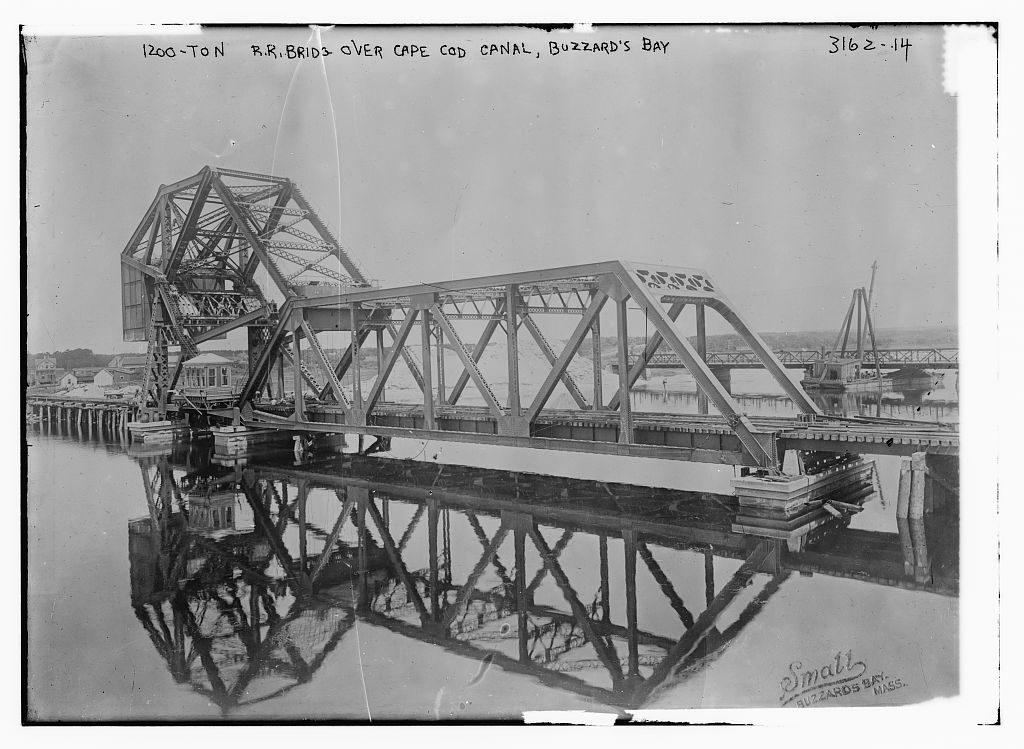
  <a href='http://www.loc.gov/pictures/resource/ggbain.16674/'><img alt='Steel Railroad Bridge,  Cape Cod Canal, Buzzard&apos;s Bay, 1910' src='/files/infinity-and-beyond/steel-bridge-loc.jpg' title='Cape Cod Canal, Buzzard&apos;s Bay, 1910' /></a>
  A steel railroad bridge with a 1200 ton counter-weight.<br />Completed in 1910. Source: <a href='http://www.loc.gov/pictures/resource/ggbain.16674/'>Library of Congress</a>.
</p></div><div class='g5'><div class='pad'>

<p class='math'>We like infinity because it helps avoid all that. In fact even when things are not infinite, we often prefer to pretend they are—we do geometry in infinitely big planes, because then we don't have to care about where the edges are.</p>

<p class='math'>Now, suppose we want to analyze a steel beam, because we're trying to figure out if our proposed bridge will stay up. If we want to model reality accurately, that means simulating each individual particle, every atom in the beam. Each has its own place and pushes and pulls on others nearby.</p>

<p class='math'>But even just $ 40 $ grams of pure iron contains <a href='http://www.wolframalpha.com/input/?i=40g+of+iron+in+atoms'>$ 4.31 \cdot 10^{23} $ atoms</a>. That's an inordinate amount of things to keep track of for just <a href='http://www.wolframalpha.com/input/?i=%281+teaspoon%29+%2F+%2840g+%2F+density+of+iron%29'>1 teaspoon of iron</a>.</p>

</div></div><aside class='g6'>
  <p class='tc'><iframe class='mathbox square autosize' src='/files/infinity-and-beyond/mb-1-austenite.html' /><br />
    The crystal structure of 32 iron atoms in the hot <a href='http://en.wikipedia.org/wiki/Austenite'>austenite</a> phase.<br />If your steel looks like this, your bridge is on fire.</p>
</aside><aside class='g6'>
  <p class='tc'><iframe class='mathbox square autosize' src='/files/infinity-and-beyond/mb-2-cube.html' /><br />A chunk of solid, mathematical iron.</p>
</aside><div class='g8 i2'><div class='pad'>
<p>Instead, we pretend the steel is solid throughout. Rather than being composed of atoms with gaps in between, it's made of some unknown, filled in material with a certain density, expressed e.g. as <em>grams per cubic centimetre</em>. Given any shape, we can determine its volume, and hence its total mass, and go from there. That's much simpler than counting and keeping track of individual atoms, right?</p>

<p>Unfortunately, that's not quite true.</p>

<h2>The Shortest Disappearing Trick Ever</h2>
<p class='math'>Like all choices in mathematics, this one has consequences we cannot avoid. Our beam's density is <em>mass per volume</em>. Individual points in space have zero volume. That would mean that at any given point inside the beam, the amount of mass there is $ 0 $. How can a beam that is entirely composed of nothing be solid and have a non-zero mass?</p>

<p class='tc'>
<iframe class='mathbox fit' height='250' src='/files/infinity-and-beyond/mb-3-empty-cube.html' /><br /><em>Bam! No more iron anywhere.</em></p>

<p>While Douglas Adams was being deliberately obtuse, there's a kernel of truth there, which is a genuine paradox: what exactly is the mass of every atom in our situation?</p>

<p class='math'>To make our beam solid and continuous, we had to shrink every atom down to an infinitely small point. To compensate, we had to create infinitely many of them. Dividing the finite mass of the beam between an infinite amount of atoms should result in $ 0 $ mass per atom. Yet all these masses still have to add up to the total mass of the beam. This suggests $ 0 + 0 + 0 + … &gt; 0 $, which seems impossible.</p>

<p class='math'>If the mass of every atom were not $ 0 $, and we have infinitely many points inside the beam, then the total mass is infinity times the atomic mass $ m $. Yet the total mass is finite. This suggests $ m + m + m + … &lt; \infty $, which also doesn't seem right.</p>

<p class='math'>It seems whatever this number $ m $ is, it can't be $ 0 $ and can't be non-zero. It's definitely not infinite, we only had a finite mass to begin with. It's starting to sound like we'll have to invent a whole new set of numbers again to even find it.</p>

</div></div><div class='g8'><div class='pad'>

<p>That's effectively what Isaac Newton and Gottfried Leibniz set in motion at the end of the 17th century, when they <a href='http://en.wikipedia.org/wiki/Leibniz–Newton_calculus_controversy'>both discovered calculus independently</a>. It was without a doubt the most important discovery in mathematics and resulted in formal solutions to many problems that were previously unsolvable— our entire understanding of physics has relied on it since. Yet it took until the late 19th century for the works of Augustin Cauchy and Karl Weierstrass to pop up, which formalized the required theory of <em>convergence</em>. This allows us to describe exactly how differences can shrink down to nothing as you approach infinity. Even that wasn't enough: it was only in the 1960s when the idea of <a href='http://en.wikipedia.org/wiki/Infinitesimal'>infinitesimals</a> as fully functioning numbers—the <a href='http://en.wikipedia.org/wiki/Hyperreal_number'>hyperreal numbers</a>—was finally proven to be consistent enough by Abraham Robinson.</p>

<p class='math'>But it goes back much further. Ancient mathematicians were aware of problems of infinity, and used many ingenious ways to approach it. For example, $ π $ was found by considering circles to be infinite-sided polygons. <a href='http://en.wikipedia.org/wiki/Archimedes%27_use_of_infinitesimals'>Archimedes' work</a> is likely the earliest use of <em>indivisibles</em>, using them to imagine tiny mechanical levers and find a shape's center of mass. He's better known for running naked through the streets shouting <a href='http://en.wikipedia.org/wiki/Eureka_(word)#Archimedes'>Eureka!</a> though.</p>

<p class='math'>That it took so long shows that this is not an easy problem. The proofs involved are elaborate and meticulous, all the way back. They have to be, in order to nail down something as tricky as infinity. As a result, students generally learn calculus through the simplified methods of Newton and Leibniz, rather than the most mathematically correct interpretation. We're taught to mix notations from 4 different centuries together, and everyone's just supposed to connect the dots on their own. Except the trail of important questions along the way is now overgrown with jungle.</p>

</div></div><aside class='g4'><p class='tc'><img class='fit' src='/files/infinity-and-beyond/principia.png' />A diagram from Isaac Newton's <a href='http://en.wikipedia.org/wiki/Philosophiæ_Naturalis_Principia_Mathematica'>Philosophiæ Naturalis Principia Mathematica</a> (1687) about finding area under a smooth curve.</p></aside><div class='g8 i2'><div class='pad'>
  
<p>Still, it shows that even if we don't understand the whole picture, we can get a lot done. This article is in no way a formal introduction to infinitesimals. Rather, it's a demonstration of why we might need them.</p>
  
<p class='math'>What is happening when we shrink atoms down to points? Why does it make shapes solid yet seemingly hollow? Is it ever meaningful to write $ x = \infty $? Is there only one infinity, or are there many different kinds?</p>

<p>To answer that, we first have to go back to even simpler times, to Ancient Greece, and start with the works of Zeno.</p>

<h2>Achilles and the Tortoise</h2>

<p><a href='http://en.wikipedia.org/wiki/Zeno_of_Elea'>Zeno of Elea</a> was one of the first mathematicians to pose these sorts of questions, effectively trolling mathematics for the next two millennia. He lived in the 5th century BC in southern Italy, although only second-hand references survive. In his series of paradoxes, he examines the nature of equality, distance, continuity, of time itself.</p>

<p>Because it's the ancient times, our mathematical knowledge is limited. We know about zero, but we're still struggling with the idea of nothing. We've run into negative numbers, but they're clearly absurd and imaginary, unlike the positive numbers we find in geometry. We also know about fractions and ratios, but square roots still confuse us, even though our temples stay up.</p>

</div></div><div class='recessed'>
  <div class='edge-top c'><div class='edge-left' /><div class='edge-right' /></div>

  <div class='frame c'>
    <iframe class='mathbox paged autosize' height='320' src='/files/infinity-and-beyond/mb-4-achilles.html' />
  </div>

  <div class='steps'>

    <div class='step'>
      <p>So the story goes: the tortoise challenges Achilles to a footrace.</p>
    </div>

    <div class='step'>
      <p>
        "If you give me a head start," it says, "any start at all, you can never win.".<br />
        Achilles laughs and decides to be a good sport: he'll only run twice as fast as the tortoise.
      </p>
    </div>

    <div class='step'>
      <p>
        The tortoise explains: "If you want to pass me, first you have to move to where I am. By the time you get there, I'll have walked ahead a little bit."
      </p>
    </div>

    <div class='step'>
      <p>
        "While you cross the next distance, I will move yet again. No matter how many times you try to catch up, I'll always be some small distance ahead. Therefor, you cannot beat me."
      </p>
    </div>

    <div class='step'>
      <p>Achilles realizes that talking tortoises are not a sign of positive mental health, so he decides to find a wall to run into instead. It will either confirm the theory, or end the pain.
      </p>
    </div>

    <div class='step'>
      <p>
        See, the race is actually unnecessary, because the problem remains the same.<br />In order to reach the wall, Achilles first has to cross half the way there.
      </p>
    </div>
    
    <div class='step'>
      <p>Then he has to go half that distance again, and again. No matter how many times he repeats this, there will always be some distance left. So if Achilles can't cross this distance in a finite amount of steps, why is he wearing that stupid helmet?
      </p>
    </div>

    <div class='step'>
      <div class='extra bottom delay24 hold2' data-align-y='.55'><big>$$ … $$</big></div>
      <p>
        The <em>distance travelled</em> forms a never ending <span class='orangered'>sequence of expanding sums</span>.<br />We have to examine the entire sequence, rather than individual numbers in it.
      </p>
    </div>

    <div class='step'>
      <p class='math'>
        By definition, the <span class='orangered'>distance travelled</span> and <span class='gold'>distance to the wall</span> always add up to $ 1 $. So one simple way to resolve this conundrum is to say: <em>Well yes, it's going to take you infinitely long to glue all those pieces together, but only because you already spent an infinite amount of time chopping them up!</em><br />
        But that's not a very mathematically satisfying answer. Let's try something else.
      </p>
    </div>

    <div class='step'>
      <p class='math'>
        The distance to the wall is always equal to the last step taken. We know that each step is half as long as the previous one, starting with $ \frac{1}{2} $. Therefor, the distance to the wall must decrease exponentially: $ \frac{1}{2}, \frac{1}{4}, \frac{1}{8}, \frac{1}{16}, … $, getting closer to zero with every step.
      </p>
    </div>

    <div class='step'>
      <p class='math'>
        But why can we say that this gap effectively closes to zero after 'infinity steps'? The number that we're building up is $ \frac{1}{2} + \frac{1}{4} + \frac{1}{8} + \frac{1}{16} + … \,$
      </p>
    </div>
    
    <div class='step'>
      <p class='math'>
        We know our sum will never exceed $ 1 $, as there is only $ 1 $ unit of distance being divided. This means $ \frac{1}{2} + \frac{1}{4} + \frac{1}{8} + \frac{1}{16} + … \leq 1 $, which eliminates every number past the surface of the wall—but not the surface itself.
      </p>
    </div>

    <div class='step'>
      <p class='math'>
        Suppose we presume $ \frac{1}{2} + \frac{1}{4} + \frac{1}{8} + \frac{1}{16} + … &lt; 1 $ and hence that this number lies some tiny distance <em>in front of the wall</em>.
      </p>
    </div>

    <div class='step'>
      <p class='math'>
        Well in that case, all we need to do is zoom in far enough, and we'll see our sequence jump past it after a certain finite number of steps.
      </p>
    </div>

    <div class='step'>
      <p class='math'>
        If we try to move it <span class='gold'>closer to the wall</span>, the same thing happens. This number simply cannot be less than $ 1 $. Therefor $ \frac{1}{2} + \frac{1}{4} + \frac{1}{8} + \frac{1}{16} + … \geq 1 $
      </p>
    </div>

    <div class='step'>
      <p class='math'>
        The only place $ \frac{1}{2} + \frac{1}{4} + \frac{1}{8} + \frac{1}{16} + … \, $ can be is exactly $ 0 $ units away from $ 1 $. If two numbers have zero distance between them, then they are equal.
      </p>
    </div>

    <div class='step'>
      <div class='extra bottom delay46 hold1' data-align-y='.55'><big>$$ … $$</big></div>
      <p class='math'>
        What we've actually done here is applied the principle of <em>limits</em>: we've defined a procedure of steps that lets us narrow down <span class='gold'>the interval</span> where the infinite sum might be. The lower bound is the sequence of sums itself: it only increases towards $ 1 $, never decreases. For the upper bound, we established no sum could exceed $ 1 $. Therefor the interval must shrink to nothing, and the sequence <em>converges</em>.
      </p>
    </div>

    <div class='step'>
      <div class='extra'><big><big>
        $$ \lim_{n \to +\infty} x_n = \mathop{\class{no-outline}{►\hspace{-2pt}►}}_{\infty\hspace{2pt}} x_n $$
      </big></big></div>
      <p class='math'>
        The purpose of a limit is then to act as a supercharged fast-forward button. It lets us avoid the infinite amount of work required to complete sums like $ \frac{1}{2} + \frac{1}{4} + \frac{1}{8} + \frac{1}{16} + … $ and simply <em>skip to the end</em>. To do so, we have to step back, spot the pattern, and pin down where it ends. So limits allow us to literally reach the unreachable. But in fact, you already knew that.
      </p>
    </div>

    <div class='step'>
      <div class='extra top right delay24' data-align-x='1.25' data-align-y='.5'>$$ \frac{2}{3} = 0.66666… $$</div>
      <div class='extra bottom delay24' data-align-y='.58'>$$ 0.6 + 0.06 + 0.006 + …\hspace{2pt} $$</div>
      <p class='math'>
        As soon as you learned to divide, you found $ 2 \div 3 = 0.666… = 0.6 + 0.06 + 0.006 + …\hspace{2pt} $ <br />Even in primary school the opportunity to examine infinity is there. Rather than tackle it head on, it's simply noted and filed. Eight years later it's regurgitated in the form of cryptic <em>epsilon-delta definitions</em>.</p>
    </div>

    <div class='step'>
      <div class='extra bottom delay16 hold1' data-align-y='1.1'>
        $$ 1 - 1 + 1 - 1 + 1 … $$<br />
      </div>
      <p class='math'>
        But then there's those pesky consequences again. By allowing the idea of infinity, we can invent an entire zoo of paradoxical things. For example, imagine a lamp that's switched on ($1$) and off ($0$) at intervals that decrease by a factor of two: <em>on</em> for $ \frac{1}{2} $ second, <em>off</em> for $ \frac{1}{4} s $, <em>on</em> for $ \frac{1}{8} s $, <em>off</em> for $ \frac{1}{16} s $, …<br />After $ 1\,s $, when the switch has been flipped an infinite amount of times, is the lamp on or off?
      </p>
    </div>

    <div class='step'>
      <div class='extra bottom' data-align-y='1.1'>
        <br /><br />
        <small><small>
        <br />
        $$ (1 - 1) + (1 - 1) + (1 - 1) + … = 0 \,? $$
        </small></small>
      </div>
      <div class='extra bottom' data-align-y='1.1'>
        <br /><br />
        <small><small>
        <br />
        <br /><br />
        $$ 1 + (-1 + 1) + (-1 + 1) + … = 1 \,? $$
        </small></small>
      </div>
      <p class='math'>
        Another way to put this is that the lamp's state at $ 1\,s $ is the result of the infinite sum $ 1 - 1 + 1 - 1 + … $ <br />Intuitively we might say each pair of $ +1 $ and $ -1 $ should cancel out and make the entire sum equal to $ 0 $. <br />But we can pair them the other way, leading to $ 1 $ instead. It can't be both.
      </p>
    </div>

    <div class='step'>
      <p class='math'>
        If we zoom in, it's obvious that no matter how close we get to $ 1\,s $, the lamp's state keeps switching. Therefor it's meaningless to attempt to 'fast forward' to the end, and the limit does not exist. At $ 1\,s $ the lamp is neither on nor off: it's undefined. This infinite sum <em>does not converge</em>.
      </p>
    </div>

    <div class='step'>
      <p class='math'>
        But actually, we overcomplicated things. Thanks to the power of limits, we can ask a simpler, equivalent question. Given a lamp that switches on and off <em>every second</em>, what is its state at infinity? The answer's the same: it never settles.
      </p>
    </div>

  </div>

  <div class='edge-bottom c'><div class='edge-left' /><div class='edge-right' /></div>
</div><div class='c' /><div class='g8 i2'><div class='pad'>
  
  <p class='math'>Limits are the first tool in our belt for tackling infinity. Given a sequence described by countable steps, we can attempt to extend it not just to the end of the world, but literally forever. If this works we end up with a finite value. If not, the limit is undefined. A limit can be equal to $ \infty $, but that's just shorthand for <em>the sequence has no upper bound</em>. Negative infinity means no lower bound.</p>

<h2>Breaking Away From Rationality</h2>
  
  <p>Until now we've only encountered fractions, that is, <em>rational numbers</em>. Each of our sums was made of fractions. The limit, if it existed, was also a rational number. We don't know whether this was just a coincidence.</p>
  
  <p class='math'>It might seem implausible that a sequence of numbers that is 100% rational and converges, can approach a limit that isn't rational at all. Yet we've already seen similar discrepancies. In our first sequence, every partial sum was <em>less than</em> $ 1 $. Meanwhile the limit of the sum was <em>equal to</em> $ 1 $. Clearly, the limit does not have to share all the properties of its originating sequence.</p>
  
  <p>We also haven't solved our original problem: we've only chopped things up into infinitely many <em>finite pieces</em>. How do we get to <em>infinitely small pieces</em>? To answer that, we need to go looking for <em>continuity</em>.</p>
  
  <p>Generally, continuity is defined by what it is and what its properties are: a noticeable lack of holes, and no paradoxical values. But that's putting the cart before the horse. First, we have to show which holes we're trying to plug.</p>
  
</div></div><pre class='markdown-html-error' style='border: solid 3px red; background-color: pink'>REXML could not parse this XML/HTML: 
&lt;div class=&quot;recessed&quot;&gt;
  &lt;div class=&quot;edge-top c&quot;&gt;&lt;div class=&quot;edge-left&quot;&gt;&lt;/div&gt;&lt;div class=&quot;edge-right&quot;&gt;&lt;/div&gt;&lt;/div&gt;

  &lt;div class=&quot;frame c&quot;&gt;
    &lt;iframe src=&quot;/files/infinity-and-beyond/mb-5-continuity.html&quot; class=&quot;mathbox paged autosize&quot; height=&quot;320&quot;&gt;&lt;/iframe&gt;
  &lt;/div&gt;

  &lt;div class=&quot;steps&quot;&gt;

    &lt;div class=&quot;step&quot;&gt;
      &lt;p&gt;Let&apos;s imagine the &lt;em&gt;rational numbers&lt;/em&gt;.&lt;/p&gt;
    &lt;/div&gt;

    &lt;div class=&quot;step&quot;&gt;
      &lt;p&gt;Actually, hold on. Is this really a line? The integers certainly weren&apos;t connected.&lt;/p&gt;
    &lt;/div&gt;

    &lt;div class=&quot;step&quot;&gt;
      &lt;p class=&quot;math&quot;&gt;Rather than assume anything, we&apos;re going to attempt to visualize all the rational numbers. We&apos;ll start with the &lt;span class=&quot;blue&quot;&gt;numbers between $ 0 $ and $ 1 $&lt;/span&gt;.&lt;/p&gt;
    &lt;/div&gt;

    &lt;div class=&quot;step&quot;&gt;
      &lt;div class=&quot;extra bottom&quot;&gt;&lt;big&gt;$$ \class{blue}{\frac{0 + 1}{2}} $$&lt;/big&gt;&lt;/div&gt;
      &lt;p class=&quot;math&quot;&gt;Between any two numbers, we can find a new number in between: their average. This leads to $ \frac{1}{2} $.&lt;/p&gt;
    &lt;/div&gt;

    &lt;div class=&quot;step&quot;&gt;
      &lt;div class=&quot;extra bottom&quot;&gt;&lt;big&gt;$$ \frac{a + b}{2} $$&lt;/big&gt;&lt;/div&gt;
      &lt;p&gt;By repeatedly taking averages, we keep finding new numbers, filling up the interval.&lt;/p&gt;
    &lt;/div&gt;

    &lt;div class=&quot;step&quot;&gt;
      &lt;p&gt;If we separate out every step, we get a &lt;em&gt;binary tree&lt;/em&gt;.&lt;/p&gt;
    &lt;/div&gt;

    &lt;div class=&quot;step&quot;&gt;
      &lt;p class=&quot;math&quot;&gt;You can think of this as a map of all the fractions of $ 2^n $. Given any such fraction, say &lt;big&gt;$ \frac{13}{32} = \frac{13}{2^5} $&lt;/big&gt;, there is a unique path of lefts and rights that leads directly to it. At least, as long as it lies between $ 0 $ and $ 1 $.&lt;/p&gt;
    &lt;/div&gt;
  
    &lt;div class=&quot;step&quot;&gt;
      &lt;p class=&quot;math&quot;&gt;
      Note that the graph resembles a fractal and that the distance to the top edge is divided in half with every step. But we only ever explore a finite amount of steps. Therefor, we are not taking a limit and we&apos;ll never actually touch the edge. 
      &lt;/p&gt;
    &lt;/div&gt;

    &lt;div class=&quot;step&quot;&gt;
      &lt;div class=&quot;extra left hold1&quot;&gt;$$ \frac{2 \cdot a + b}{3} $$&lt;/div&gt;
      &lt;div class=&quot;extra right hold1&quot;&gt;$$ \frac{a + 2 \cdot b}{3} $$&lt;/div&gt;
      &lt;p class=&quot;math&quot;&gt;But we can take thirds as well, leading to fractions with a power of $ 3^n $ in their denominator.&lt;/p&gt;
    &lt;/div&gt;

    &lt;div class=&quot;step&quot;&gt;
      &lt;p class=&quot;math&quot;&gt;As some numbers can be reached in multiple ways, we can eliminate some lines, and end up with this graph, where every number sprouts into a three-way, &lt;em&gt;ternary tree&lt;/em&gt;. Again, we have a map that gives us a unique path to any fraction of $ 3^n $ in this range, like &lt;big&gt;$ \frac{11}{27} = \frac{11}{3^3} $&lt;/big&gt;.&lt;/p&gt;
    &lt;/div&gt;

    &lt;div class=&quot;step&quot;&gt;
      &lt;div class=&quot;extra&quot;&gt;
        $$ \frac{21}{60} = \frac{21}{2^2 \cdot 3 \cdot 5} $$
      &lt;/div&gt;
      
      &lt;p class=&quot;math&quot;&gt;Because we can do this for any denominator, we can define a way to get to any rational number in a finite amount of steps. Take for example &lt;big&gt;$ \frac{21}{60} $&lt;/big&gt;. We decompose its denominator into prime numbers and begin with $ 0 $ and $ 1 $ again.&lt;/p&gt;
    &lt;/div&gt;

    &lt;div class=&quot;step&quot;&gt;
      &lt;div class=&quot;extra top edge hold3&quot;&gt;
        &lt;small&gt;&lt;small&gt;
        $$ \frac{21}{60} = \frac{21}{2^2 \cdot 3 \cdot 5} $$
        &lt;/small&gt;&lt;/small&gt;
      &lt;/div&gt;

      &lt;p class=&quot;math&quot;&gt;There is a division of $ 2^2 $, so we do two binary splits. This time, I&apos;m repeating the previously found numbers so you can see the regular divisions more clearly. We get &lt;span class=&quot;green&quot;&gt;quarters&lt;/span&gt;.&lt;/p&gt;
    &lt;/div&gt;

    &lt;div class=&quot;step&quot;&gt;
      &lt;p class=&quot;math&quot;&gt;The next factor is $ 3 $ so we divide into thirds once. We now have &lt;span class=&quot;gold&quot;&gt;twelfths&lt;/span&gt;.&lt;/p&gt;
    &lt;/div&gt;

    &lt;div class=&quot;step&quot;&gt;
      &lt;p class=&quot;math&quot;&gt;For the last division we chop into fifths and get &lt;span class=&quot;orangered&quot;&gt;sixtieths&lt;/span&gt;.&lt;/p&gt;
    &lt;/div&gt;
    
    &lt;div class=&quot;step&quot;&gt;
      &lt;p class=&quot;math&quot;&gt;$ \frac{21}{60} $ is now the &lt;span class=&quot;orangered&quot;&gt;21st number from the left&lt;/span&gt;.&lt;/p&gt;
    &lt;/div&gt;

    &lt;div class=&quot;step&quot;&gt;
      &lt;p class=&quot;math&quot;&gt;But this means we&apos;ve found a clear way to visualize &lt;em&gt;all&lt;/em&gt; the rational numbers between $ 0 $ and $ 1 $: it&apos;s all the numbers we can reach by applying a finite number of binary (2), ternary (3), quinary (5) etc. divisions, for any denominator. So there&apos;s always a finite &lt;em&gt;gap&lt;/em&gt; between any two rational numbers, even though there are infinitely many of them.&lt;/p&gt;
    &lt;/div&gt;

    &lt;div class=&quot;step&quot;&gt;
      &lt;p&gt;The rational numbers are &lt;em&gt;not continuous&lt;/em&gt;. Therefor, it is more accurate to picture them as a set of tick marks than a connected number line.&lt;/p&gt;
    &lt;/div&gt;

    &lt;div class=&quot;step&quot;&gt;
      &lt;p class=&quot;math&quot;&gt;To find continuity then, we need to revisit one of our earlier trees. We&apos;ll pick the binary one.&lt;br /&gt;While every fork goes two ways, we actually have a third choice at every step: we can choose to stop. That&apos;s how we get a finite path to a whole fraction of $ 2^n $.&lt;/p&gt;
    &lt;/div&gt;

    &lt;div class=&quot;step&quot;&gt;
      &lt;p&gt;But what if we never stop? We have to apply a limit: we try to spot a pattern and try to &lt;span class=&quot;green&quot;&gt;fast-forward it&lt;/span&gt;. Note that by halving each step vertically on the graph, we&apos;ve actually &lt;em&gt;linearized&lt;/em&gt; each approach into a straight line which ends. Now we can &lt;em&gt;take limits visually&lt;/em&gt; just by intersecting lines with the top edge.&lt;/p&gt;
    &lt;/div&gt;

    &lt;div class=&quot;step&quot;&gt;
      &lt;p class=&quot;math&quot;&gt;Right away we can spot two convergent limits: by always choosing either the &lt;span class=&quot;orangered&quot;&gt;left&lt;/span&gt; or the &lt;span class=&quot;green&quot;&gt;right&lt;/span&gt; branch, we end up at respectively $ 0 $ and $ 1 $.&lt;/p&gt;
    &lt;/div&gt;

    &lt;div class=&quot;step&quot;&gt;
      &lt;p class=&quot;math&quot;&gt;&lt;span class=&quot;orangered&quot;&gt;These&lt;/span&gt; &lt;span class=&quot;green&quot;&gt;two&lt;/span&gt; sequences both converge to $ \frac{1}{2} $. It seems that &apos;at infinity steps&apos;, the graph meets up with itself in the middle.&lt;/p&gt;
    &lt;/div&gt;

    &lt;div class=&quot;step&quot;&gt;
      &lt;p class=&quot;math&quot;&gt;But the graph is now a true fractal. So the same convergence can be found here. In fact, the graph meets up with itself anywhere there is a multiple of &lt;big&gt;$ \frac{1}{2^n} $&lt;/big&gt;.&lt;/p&gt;
    &lt;/div&gt;
    
    &lt;div class=&quot;step&quot;&gt;
      &lt;p class=&quot;math&quot;&gt;That&apos;s pretty neat: now we can eliminate the option of stopping altogether. Instead of ending at $  \frac{5}{16} $, we can simply take &lt;span class=&quot;purple&quot;&gt;one additional step in either direction, followed by infinitely many opposite steps&lt;/span&gt;. Now we&apos;re &lt;em&gt;only&lt;/em&gt; considering paths that are infinitely long.&lt;/p&gt;
    &lt;/div&gt;

    &lt;div class=&quot;step&quot;&gt;
      &lt;p class=&quot;math&quot;&gt;But if this graph only leads to fractions of $ 2^n $, then there must be gaps between them. In the limit, the distance between any two adjacent numbers in the graph shrinks down to &lt;em&gt;exactly&lt;/em&gt; $ 0 $, which suggests there are no gaps. This infinite version of the binary tree must lead to a lot more numbers than we might think.&lt;br /&gt;
         Suppose we take a path of &lt;span class=&quot;orangered&quot;&gt;alternating left and right steps&lt;/span&gt;, and extend it forever. Where do we end up?&lt;/p&gt;
    &lt;/div&gt;

    &lt;div class=&quot;step&quot;&gt;
      &lt;p&gt;We can apply the same principle of an &lt;span class=&quot;gold&quot;&gt;upper and lower bound&lt;/span&gt;, but now we&apos;re approaching from both sides at once. Thanks to our linearization trick, the entire sequence fits snugly inside a triangle.&lt;/p&gt;
    &lt;/div&gt;

    &lt;div class=&quot;step&quot;&gt;
      &lt;p class=&quot;math&quot;&gt;If we zoom into the convergence at infinity, we actually end up at $ \class{orangered}{\frac{2}{3}} $.&lt;br /&gt;
        Somehow we&apos;ve managed to coax a fraction of $ 3 $ out of a perfectly regular &lt;em&gt;binary&lt;/em&gt; tree.&lt;/p&gt;
    &lt;/div&gt;

    &lt;div class=&quot;step&quot;&gt;
      &lt;p class=&quot;math&quot;&gt;If we &lt;span class=&quot;orangered&quot;&gt;alternate two lefts with one right&lt;/span&gt;, we can end up at $ \class{orangered}{\frac{4}{7}} $. This is remarkable: when we tried to visualize all the rational numbers by combining all kinds of divisions, we were overthinking it. We only needed to take &lt;em&gt;binary divisions&lt;/em&gt; and repeat them infinitely with a &lt;em&gt;limit&lt;/em&gt;.&lt;/p&gt;
    &lt;/div&gt;

    &lt;div class=&quot;step&quot;&gt;
      &lt;p&gt;Every single rational number can then be found by taking a finite amount of steps to get to a certain point, and then settling into a &lt;em&gt;repeating pattern of lefts and/or rights&lt;/em&gt; all the way to infinity.&lt;/p&gt;
    &lt;/div&gt;

    &lt;div class=&quot;step&quot;&gt;
      &lt;p class=&quot;math&quot;&gt;If we can find numbers between $ 0 $ and $ 1 $ this way, we can apply the exact same principle to the range $ 1 $ to $ 2 $. So we can connect two of these graphs into a single graph with its tip at $ 1 $.&lt;/p&gt;
    &lt;/div&gt;

    &lt;div class=&quot;step&quot;&gt;
      &lt;p class=&quot;math&quot;&gt;But we can repeat it as much as we like. The full graph is not just infinitely divided, but infinitely big, in that no finite box can contain it. That means it leads to &lt;em&gt;every single positive rational number&lt;/em&gt;. We can start anywhere we like. Is your mind blown yet?&lt;/p&gt;
    &lt;/div&gt;

    &lt;div class=&quot;step&quot;&gt;
      &lt;p class=&quot;math&quot;&gt;No? Ok. But if this works for positives, we can build a similar graph for the negatives just by mirroring it. So we now have a map of the entire rational number set. All we need to do is take &lt;em&gt;infinite paths that settle into a repeating pattern&lt;/em&gt; from either a positive or a negative starting point. When we do, we find every such path leads to a rational number.&lt;br /&gt;
        So any rational number can be found by taking an infinite stroll on one of &lt;em&gt;two&lt;/em&gt; infinite binary trees.&lt;/p&gt;
    &lt;/div&gt;

    &lt;div class=&quot;step&quot;&gt;
      &lt;p class=&quot;math&quot;&gt;Wait, did I say two infinite trees? Sorry, I meant &lt;em&gt;one&lt;/em&gt; infinitely big tree.&lt;br /&gt;See, if we repeatedly scale up a &lt;span class=&quot;green&quot;&gt;fractal binary tree&lt;/span&gt; and apply a limit to that, we end up with almost exactly the same thing. Only this time, the two downward diagonals always eventually fold back towards $ 0 $. This creates a path of &lt;em&gt;infinity + 1&lt;/em&gt; steps downward. While that might not be very practical, it suggests you can ride out to the restaurant at the end of the universe, have dinner, and take a single step to get back home.&lt;/p&gt;
    &lt;/div&gt;

    &lt;div class=&quot;step&quot;&gt;
      &lt;p class=&quot;math&quot;&gt;Is it math, or visual poetry? It&apos;s time to bring this fellatio of the mind to its inevitable climax.&lt;/p&gt;
    &lt;/div&gt;
    
    &lt;div class=&quot;step&quot;&gt;
      &lt;div class=&quot;extra hold2 bottom left&quot; data-align-x=&quot;.4&quot; data-align-y=&quot;.8&quot;&gt;$ \class{blue}{0} $&lt;/div&gt;
      &lt;div class=&quot;extra hold2 bottom right&quot; data-align-x=&quot;.4&quot; data-align-y=&quot;.8&quot;&gt;$ \class{green}{1} $&lt;/div&gt;

      &lt;div class=&quot;extra hold2 left top&quot; data-align-x=&quot;1.0&quot; data-align-y=&quot;0.25&quot;&gt;$ \class{blue}{0} $&lt;/div&gt;
      &lt;div class=&quot;extra hold2 left top&quot; data-align-x=&quot;.6&quot; data-align-y=&quot;0.25&quot;&gt;$ \class{green}{1} $&lt;/div&gt;

      &lt;div class=&quot;extra hold2 right top&quot; data-align-x=&quot;.6&quot; data-align-y=&quot;0.25&quot;&gt;$ \class{blue}{0} $&lt;/div&gt;
      &lt;div class=&quot;extra hold2 right top&quot; data-align-x=&quot;1.0&quot; data-align-y=&quot;0.25&quot;&gt;$ \class{green}{1} $&lt;/div&gt;
      
      &lt;p class=&quot;math&quot;&gt;You may wonder, if this map is so amazing, how did we ever do without?&lt;br /&gt;
        Let&apos;s label our branches. If we go left, we call it $ 0 $. If we go right, we call it $ 1 $.&lt;/p&gt;
    &lt;/div&gt;

    &lt;div class=&quot;step&quot;&gt;
      &lt;div class=&quot;extra&quot;&gt;
        $$
        \frac{5}{3} = \class{green}{11}\class{blue}{0}\hspace{2pt}\class{green}{1}\class{blue}{0}\hspace{2pt}\class{green}{1}\class{blue}{0}…
        $$
      &lt;/div&gt;

      &lt;p class=&quot;math&quot;&gt;We can then identify any number by writing out the infinite path that leads there as a sequence of ones and zeroes—bits.&lt;br /&gt;&lt;br /&gt;But you already knew that.&lt;/p&gt;
    &lt;/div&gt;

    &lt;div class=&quot;step&quot;&gt;
      &lt;div class=&quot;extra&quot;&gt;
        $$
        \frac{5}{3} = \class{green}{1}.\class{green}{1}\class{blue}{0}\hspace{2pt}\class{green}{1}\class{blue}{0}\hspace{2pt}\class{green}{1}\class{blue}{0}…_2
        $$
      &lt;/div&gt;

      &lt;p class=&quot;math&quot;&gt;See we&apos;ve just rediscovered the binary number system. We&apos;re so used to numbers in decimal, &lt;em&gt;base 10&lt;/em&gt;, we didn&apos;t notice. Yet we all learned that rational numbers consist of digits that settle into a repeating sequence, a &lt;em&gt;repeating pattern of turns&lt;/em&gt;. Disallowing finite paths works the same, even in decimal: the number $ 0.95 $ can be written as $\, 0.94999…\, $, i.e. &lt;em&gt;take one final step in one direction, followed by infinitely many steps the other way&lt;/em&gt;.
    &lt;/div&gt;</pre>
<pre><code>&lt;div class=&quot;step&quot;&gt;
  &lt;div class=&quot;extra&quot;&gt;
    $$
    \frac{4}{5} = \class{blue}{0}.\class{green}{11}\class{blue}{00}\hspace{2pt}\class{green}{11}\class{blue}{00}…_2 
    $$
  &lt;/div&gt;

  &lt;p class=&quot;math&quot;&gt;
    When we write down a number digit by digit, we&#39;re really &lt;em&gt;following the path to it&lt;/em&gt; in a graph like this, dialing the number&#39;s … er … number. The rationals aren&#39;t &lt;em&gt;shaped&lt;/em&gt; like a binary tree, rather, they &lt;em&gt;look&lt;/em&gt; like a binary tree when viewed through the lens of binary division. Every infinite binary, ternary, quinary, etc. tree is then a different but complete perspective of the same underlying thing. We don&#39;t have &lt;em&gt;the&lt;/em&gt; map, we have one of infinitely many maps.&lt;/p&gt;
&lt;/div&gt;

&lt;div class=&quot;step&quot;&gt;
  &lt;div class=&quot;extra delay8 top&quot; data-align-y=&quot;.25&quot;&gt;
    $$
    π = \class{green}{11}.\class{blue}{00}\class{green}{1}\class{blue}{00}\class{green}{1}\class{blue}{0000}\class{green}{1}…_2
    $$
  &lt;/div&gt;
  
  &lt;p class=&quot;math&quot;&gt;
   Which means we can show this graph is actually an interdimensional number portal.&lt;br&gt;
   See, we already know &lt;em&gt;where&lt;/em&gt; the missing numbers are. Irrational numbers like $ π $ form a never-repeating sequence of digits. If we want to reach $ π $, we find it&#39;s at the end of an infinite path whose turns &lt;em&gt;do not repeat&lt;/em&gt;. By allowing such paths, our map leads us straight to them. Even though it&#39;s made out of only  &lt;em&gt;one kind of rational number&lt;/em&gt;: division by two.&lt;/p&gt;
&lt;/div&gt;

&lt;div class=&quot;step&quot;&gt;
  &lt;div class=&quot;extra delay16&quot;&gt;&lt;big&gt;&lt;big&gt;
    $$
      π = \mathop{\class{no-outline}{►\hspace{-2pt}►}}_{\infty\hspace{2pt}} x_n \,?
    $$
    &lt;/big&gt;&lt;/big&gt;
  &lt;/div&gt;

  &lt;p class=&quot;math&quot;&gt;
    So now we&#39;ve invented &lt;em&gt;real numbers&lt;/em&gt;. How do we visualize this invention? And where does continuity come in? What we need is a procedure that generates such a non-repeating path &lt;em&gt;when taken to the limit&lt;/em&gt;. Then we can figure out where the behavior at infinity comes from.
  &lt;/p&gt;
&lt;/div&gt;

&lt;div class=&quot;step&quot;&gt;
  &lt;p&gt;Because the path never settles into a pattern, we can&#39;t pin it down with a single neat triangle like before. We try something else. At every step, we can see that the &lt;em&gt;smallest&lt;/em&gt; number we can still reach is found by &lt;span class=&quot;orangered&quot;&gt;always going left&lt;/span&gt;. Similarly, the &lt;em&gt;largest&lt;/em&gt; available number is found by &lt;span class=&quot;green&quot;&gt;always going right&lt;/span&gt;. Wherever we go from here, it will be somewhere in this range.&lt;/p&gt;
&lt;/div&gt;

&lt;div class=&quot;step&quot;&gt;
  &lt;p&gt;We can set up shrinking intervals by placing such triangles along the path, forming a nested sequence.&lt;/p&gt;
&lt;/div&gt;

&lt;div class=&quot;step&quot;&gt;
  &lt;div class=&quot;extra left&quot;&gt;
    $$
      \begin{align}
        3 \leq &amp; π \leq 4 \\
        3.1 \leq &amp; π \leq 3.2 \\
        3.14 \leq &amp; π \leq 3.15 \\ 
        3.141 \leq &amp; π \leq 3.142 \\ 
        3.1415 \leq &amp; π \leq 3.1416 \\
        3.14159 \leq &amp; π \leq 3.14160 \\
      \end{align}
    $$
  &lt;/div&gt;

  &lt;div class=&quot;extra right&quot;&gt;
    $$
      \begin{align}
        11_2 \leq &amp; π \leq 100_2 \\ 
        11.0_2 \leq &amp; π \leq 11.1_2 \\ 
        11.00_2 \leq &amp; π \leq 11.01_2 \\
        11.001_2 \leq &amp; π \leq 11.010_2 \\
        11.0010_2 \leq &amp; π \leq 11.0011_2 \\
        11.00100_2 \leq &amp; π \leq 11.00101_2 \\
      \end{align}
    $$
  &lt;/div&gt;

  &lt;p class=&quot;math&quot;&gt;
    What we&#39;ve actually done is rounded up and down at every step, to find an upper and lower bound with a certain amount of digits. This works in any number base.
  &lt;/p&gt;
&lt;/div&gt;

&lt;div class=&quot;step&quot;&gt;
  &lt;p class=&quot;math&quot;&gt;Let&#39;s examine these intervals by themselves. We can see that due to the binary nature, each interval covers either the left or right side of its ancestor. Because our graph goes on forever, there are infinitely many nested intervals. This &lt;em&gt;tower of $ π $&lt;/em&gt; never ends and never repeats itself, we just squeezed it into a finite space so we could see it better.&lt;/p&gt;
&lt;/div&gt;

&lt;div class=&quot;step&quot;&gt;
  &lt;p class=&quot;math&quot;&gt;If we instead approach a rational number like $ \frac{10}{3} = 3.333…\, $ then the tower starts repeating itself at some point. Note that the intervals &lt;em&gt;don&#39;t slide smoothly&lt;/em&gt;. Each can only be in one of two places relative to its ancestor.&lt;/p&gt;
&lt;/div&gt;

&lt;div class=&quot;step&quot;&gt;
  &lt;p class=&quot;math&quot;&gt;In order to reach a different rational number, like $ 3.999… = 4 $, we have to establish a different repeating pattern. So we have to rearrange infinitely many levels of the tower all at once, from one configuration to another. This reinforces the notion that rational numbers are not continuous.&lt;/p&gt;
&lt;/div&gt;

&lt;div class=&quot;step&quot;&gt;
  &lt;p class=&quot;math&quot;&gt;If the tower converges to a number, then the top must be infinitely thin, i.e. $ 0 $ units wide. That would suggest it&#39;s meaningless to say what the interval at infinity looks like, because it stops existing. Let&#39;s try it anyway.&lt;/p&gt;
&lt;/div&gt;

&lt;div class=&quot;step&quot;&gt;
  &lt;p class=&quot;math&quot;&gt;
    There is only one question to answer: does the interval cover the &lt;span class=&quot;orangered&quot;&gt;left side&lt;/span&gt;, or the &lt;span class=&quot;green&quot;&gt;right&lt;/span&gt;?
  &lt;/p&gt;
&lt;/div&gt;

&lt;div class=&quot;step&quot;&gt;
  &lt;p class=&quot;math&quot;&gt;
    Oddly enough, in this specific case of $ 3.999…\, $ there is an answer. The tower &lt;em&gt;leans to the right&lt;/em&gt;. Therefor, the state of the interval is the same all the way up. If we take the limit, it converges and the &lt;em&gt;final interval&lt;/em&gt; goes right.
  &lt;/p&gt;
&lt;/div&gt;

&lt;div class=&quot;step&quot;&gt;
  &lt;p class=&quot;math&quot;&gt;
    But we can immediately see that we can build a second tower that leans left, which converges on the same number. We could distinguish between the two by writing it as $ 4.000…\, $ In this case the &lt;em&gt;final interval&lt;/em&gt; goes left.
  &lt;/p&gt;
&lt;/div&gt;

&lt;div class=&quot;step&quot;&gt;
  &lt;p class=&quot;math&quot;&gt;
    If we approach $ 10/3 $, we take a path of &lt;em&gt;alternating left and right steps&lt;/em&gt;. The state of the interval at infinity becomes like our paradoxical lamp from before: it has to be both left and right, and therefor it is neither, it&#39;s simply undefined.
  &lt;/p&gt;
&lt;/div&gt;

&lt;div class=&quot;step&quot;&gt;
  &lt;p class=&quot;math&quot;&gt;
    The same applies to irrational numbers like $ π $. Because the sequence of turns never repeats itself, the interval flips arbitrarily between left and right forever, therefor it is in an undefined state at the end.
  &lt;/p&gt;
&lt;/div&gt;

&lt;div class=&quot;step&quot;&gt;
  &lt;p class=&quot;math&quot;&gt;
    But there&#39;s another way to look at this.&lt;br&gt;
    If the interval converges to the number $ π $, then the two sequences of respectively &lt;span class=&quot;orangered&quot;&gt;lower&lt;/span&gt; and &lt;span class=&quot;green&quot;&gt;upper bounds&lt;/span&gt; also converge to $ π $ individually.
  &lt;/p&gt;
&lt;/div&gt;

&lt;div class=&quot;step&quot;&gt;
  &lt;p class=&quot;math&quot;&gt;
    Remember how we derived our bounds: we rounded down by always taking &lt;span class=&quot;orangered&quot;&gt;lefts&lt;/span&gt; and rounded up by always taking &lt;span class=&quot;green&quot;&gt;rights&lt;/span&gt;. The shape of the tower depends on the specific path you&#39;re taking, not just the number you reach at the end.
  &lt;/p&gt;
&lt;/div&gt;

&lt;div class=&quot;step&quot;&gt;
  &lt;p class=&quot;math&quot;&gt;
    That means we&#39;re approaching the &lt;span class=&quot;orangered&quot;&gt;lower bounds&lt;/span&gt; so they all end in $ 0000… \, $ Their towers always lean left.
  &lt;/p&gt;
&lt;/div&gt;

&lt;div class=&quot;step&quot;&gt;
  &lt;p class=&quot;math&quot;&gt;If we then take the &lt;em&gt;limit of their final intervals&lt;/em&gt; as we approach $ π $, that goes &lt;span class=&quot;orangered&quot;&gt;left&lt;/span&gt; too. Note that this is a double limit: first we find the &lt;em&gt;limit of the intervals&lt;/em&gt; of each tower individually, then we take the &lt;em&gt;limit over all the towers as we approach $ π $&lt;/em&gt;.
  &lt;/p&gt;
&lt;/div&gt;

&lt;div class=&quot;step&quot;&gt;
  &lt;p class=&quot;math&quot;&gt;
    For the same reason, we can think of all the &lt;span class=&quot;green&quot;&gt;upper bounds&lt;/span&gt; as ending in $ 1111 …\, $ Their towers always lean right. When we take the limit of their final intervals and approach $ π $, we find it points &lt;span class=&quot;green&quot;&gt;right&lt;/span&gt;.
  &lt;/p&gt;
&lt;/div&gt;

&lt;div class=&quot;step&quot;&gt;
  &lt;p class=&quot;math&quot;&gt;
    But, we could actually just reverse the rounding for the upper and lower bounds, and end up with the exact opposite situation. Therefor it doesn&#39;t mean that we&#39;ve invented a &lt;span class=&quot;orangered&quot;&gt;red $ π $&lt;/span&gt; to the left and &lt;span class=&quot;green&quot;&gt;green $ π $&lt;/span&gt; to the right which are somehow different. $ π $ is $ π $. This only says something about our procedure of building towers. It matters because the towers is how we&#39;re trying to reach a real number in the first place.
  &lt;/p&gt;
&lt;/div&gt;

&lt;div class=&quot;step&quot;&gt;
  &lt;p class=&quot;math&quot;&gt;
    See, our tower still represents a binary number of infinitely many bits. Every interval can still only be in one of two places. To run along the real number line, we&#39;d have to rearrange infinitely many levels of the tower all at once to create motion. That still does not seem continuous.
  &lt;/p&gt;
&lt;/div&gt;

&lt;div class=&quot;step&quot;&gt;
  &lt;p&gt;
    We can resolve this if we picture the final interval of each tower as a &lt;em&gt;bit at infinity&lt;/em&gt;. If we flip the bit at infinity, we swap between two equivalent ways of reaching a number, so this has no effect on the resulting number.
  &lt;/p&gt;
&lt;/div&gt;

&lt;div class=&quot;step&quot;&gt;
  &lt;p class=&quot;math&quot;&gt;
     In doing so, we&#39;re actually imagining that every real number is a rational number whose &lt;em&gt;non-repeating head&lt;/em&gt; has grown infinitely big. Its &lt;em&gt;repeating tail&lt;/em&gt; has been pushed out all the way past infinity. That means we can flip the repeating part of our tower between different configurations without creating any changes in the number it leads to.
  &lt;/p&gt;
&lt;/div&gt;

&lt;div class=&quot;step&quot;&gt;
  &lt;p class=&quot;math&quot;&gt;
    That helps a little bit with the intuition: if the tower keeps working &lt;em&gt;all the way up there&lt;/em&gt;, it must be continuous at its actual tip, wherever that really is. A &lt;em&gt;continuum&lt;/em&gt; is then what happens when the smallest possible step you can take isn&#39;t just as small as you want. It&#39;s so small that it no longer makes &lt;em&gt;any&lt;/em&gt; noticeable difference. While that&#39;s not a very mathematical definition, I find it very helpful in trying to imagine how this might work.
  &lt;/p&gt;
&lt;/div&gt;

&lt;div class=&quot;step&quot;&gt;
  &lt;div class=&quot;extra delay16 bottom&quot; data-align-y=&quot;.15&quot;&gt;
    $ 1, 2, 3, 4, 5, 6, … $
  &lt;/div&gt;
  
  &lt;p class=&quot;math&quot;&gt;
    Finally, we might wonder how many of each type of number there are.&lt;br&gt;The natural numbers are &lt;em&gt;countably infinite&lt;/em&gt;: there is a procedure of steps which, in the limit, counts all of them.
  &lt;/p&gt;
&lt;/div&gt;

&lt;div class=&quot;step&quot;&gt;
  &lt;div class=&quot;extra bottom&quot; data-align-y=&quot;.15&quot;&gt;
    $$ 1, 2, 3, 4, 5, 6, … $$
    &lt;br&gt;&lt;br&gt;&lt;br&gt;&lt;br&gt;
  &lt;/div&gt;
  &lt;div class=&quot;extra bottom delay4&quot; data-align-y=&quot;.15&quot;&gt;
    &lt;br&gt;&lt;br&gt;
    $$ \class{orangered}{2, 4, 6, 8, 10, 12, …} $$
    &lt;br&gt;&lt;br&gt;
  &lt;/div&gt;
  &lt;div class=&quot;extra bottom delay8&quot; data-align-y=&quot;.15&quot;&gt;
    &lt;br&gt;&lt;br&gt;&lt;br&gt;&lt;br&gt;
    $$ \class{green}{0, 1, -1, 2, -2, 3, …} $$
  &lt;/div&gt;

  &lt;p class=&quot;math&quot;&gt;
    We can find a similar sequence for the &lt;span class=&quot;orangered&quot;&gt;even natural numbers&lt;/span&gt; by multiplying each number by two. We can also alternate between a positive and negative sequence to count &lt;span class=&quot;green&quot;&gt;the integers&lt;/span&gt;. The three sequences are &lt;em&gt;all&lt;/em&gt; countably infinite, which means they&#39;re all &lt;em&gt;equally long&lt;/em&gt;.&lt;br&gt;There are as many even positives as positives. Which is exactly as many as all the integers combined. As counter-intuitive as it is, it is the only consistent answer.
  &lt;/p&gt;
&lt;/div&gt;

&lt;div class=&quot;step&quot;&gt;
  &lt;div class=&quot;extra bottom right&quot; style=&quot;background-image: url(/files/infinity-and-beyond/rationals.png); background-size: 100%; background-position: 0 0; background-repeat: no-repeat;&quot; data-align-x=&quot;.2&quot; data-align-y=&quot;.5&quot;&gt;&lt;small&gt;&lt;small&gt;
    $$</code></pre>

<p>\begin{array}{cccccccc}  1 \hspace{2pt}&amp;\hspace{2pt} 2 \hspace{2pt}&amp;\hspace{2pt} 3 \hspace{2pt}&amp;\hspace{2pt} 4 \hspace{2pt}&amp;\hspace{2pt} 5 \hspace{2pt}&amp;\hspace{2pt} 6 \hspace{2pt}&amp;\hspace{2pt} … \<span>6pt</span>  \frac{1}{2} \hspace{2pt}&amp;\hspace{2pt} \class{grey}{\frac{2}{2}} \hspace{2pt}&amp;\hspace{2pt} \frac{3}{2} \hspace{2pt}&amp;\hspace{2pt} \class{grey}{\frac{4}{2}} \hspace{2pt}&amp;\hspace{2pt} \frac{5}{2} \hspace{2pt}&amp;\hspace{2pt} \class{grey}{\frac{6}{2}} \hspace{2pt}&amp;\hspace{2pt} \<span>3pt</span>  \frac{1}{3} \hspace{2pt}&amp;\hspace{2pt} \frac{2}{3} \hspace{2pt}&amp;\hspace{2pt} \class{grey}{\frac{3}{3}} \hspace{2pt}&amp;\hspace{2pt} \frac{4}{3} \hspace{2pt}&amp;\hspace{2pt} \frac{5}{3} \hspace{2pt}&amp;\hspace{2pt} \class{grey}{\frac{6}{3}} \hspace{2pt}&amp;\hspace{2pt} \cdots \<span>3pt</span>  \frac{1}{4} \hspace{2pt}&amp;\hspace{2pt} \class{grey}{\frac{2}{4}} \hspace{2pt}&amp;\hspace{2pt} \frac{3}{4} \hspace{2pt}&amp;\hspace{2pt} \class{grey}{\frac{4}{4}} \hspace{2pt}&amp;\hspace{2pt} \frac{5}{4} \hspace{2pt}&amp;\hspace{2pt} \class{grey}{\frac{6}{4}} \hspace{2pt}&amp;\hspace{2pt} \<span>3pt</span>  \frac{1}{5} \hspace{2pt}&amp;\hspace{2pt} \frac{2}{5} \hspace{2pt}&amp;\hspace{2pt} \frac{3}{5} \hspace{2pt}&amp;\hspace{2pt} \frac{4}{5} \hspace{2pt}&amp;\hspace{2pt} \class{grey}{\frac{5}{5}} \hspace{2pt}&amp;\hspace{2pt} \frac{6}{5} \hspace{2pt}&amp;\hspace{2pt} \<span>3pt</span>  \frac{1}{6} \hspace{2pt}&amp;\hspace{2pt} \class{grey}{\frac{2}{6}} \hspace{2pt}&amp;\hspace{2pt} \class{grey}{\frac{3}{6}} \hspace{2pt}&amp;\hspace{2pt} \class{grey}{\frac{4}{6}} \hspace{2pt}&amp;\hspace{2pt} \frac{5}{6} \hspace{2pt}&amp;\hspace{2pt} \class{grey}{\frac{6}{6}} \hspace{2pt}&amp;\hspace{2pt} \<span>3pt</span> \hspace{2pt}&amp;\hspace{2pt} \vdots \hspace{2pt}&amp;\hspace{2pt} \hspace{2pt}&amp;\hspace{2pt} \vdots \hspace{2pt}&amp;\hspace{2pt} \hspace{2pt}&amp;\hspace{2pt} \hspace{2pt}&amp;\hspace{2pt} \hspace{2pt}&amp;\hspace{2pt} \class{white}{\ddots}  \end{array} $$ &lt;/small&gt;&lt;/small&gt; &lt;/div&gt;</p>

<pre><code>  &lt;p class=&quot;math&quot;&gt;
     But we can take it one step further: we can find such a sequence for the rational numbers too, by laying out all the fractions on a grid. We can follow diagonals up and down and pass through every single one. If we eliminate duplicates like $ 1 = 2/2 = 3/3 $ and alternate positives and negatives, we can &#39;count them all&#39;. So there are as many fractions as there are natural numbers. &lt;em&gt;&quot;Deal with it&quot;&lt;/em&gt;, says Infinity, donning its sunglasses.
  &lt;p&gt;
&lt;/div&gt;

&lt;div class=&quot;step&quot;&gt;
  &lt;div class=&quot;extra&quot;&gt;
    $$
    \begin{array}{c}
           0.\hspace{1pt}\class{green}{1}\hspace{1pt}0\hspace{1pt}0\hspace{1pt}1\hspace{1pt}1\hspace{1pt}1\hspace{1pt}0\hspace{1pt}…_2 \\
           0.\hspace{1pt}1\hspace{1pt}\class{blue}{0}\hspace{1pt}0\hspace{1pt}1\hspace{1pt}0\hspace{1pt}0\hspace{1pt}1\hspace{1pt}…_2 \\
           0.\hspace{1pt}1\hspace{1pt}0\hspace{1pt}\class{green}{1}\hspace{1pt}0\hspace{1pt}0\hspace{1pt}1\hspace{1pt}0\hspace{1pt}…_2 \\
           0.\hspace{1pt}0\hspace{1pt}1\hspace{1pt}1\hspace{1pt}\class{green}{1}\hspace{1pt}0\hspace{1pt}1\hspace{1pt}1\hspace{1pt}…_2 \\
           0.\hspace{1pt}1\hspace{1pt}0\hspace{1pt}1\hspace{1pt}1\hspace{1pt}\class{blue}{0}\hspace{1pt}0\hspace{1pt}1\hspace{1pt}…_2 \\
           0.\hspace{1pt}0\hspace{1pt}1\hspace{1pt}0\hspace{1pt}1\hspace{1pt}0\hspace{1pt}\class{blue}{0}\hspace{1pt}0\hspace{1pt}…_2 \\
           0.\hspace{1pt}0\hspace{1pt}1\hspace{1pt}1\hspace{1pt}1\hspace{1pt}1\hspace{1pt}0\hspace{1pt}\class{green}{1}\hspace{1pt}…_2 \\
           … \\
           \\
           0.\hspace{1pt}\class{blue}{0}\hspace{1pt}\class{green}{1}\hspace{1pt}\class{blue}{0\hspace{1pt}0}\hspace{1pt}\class{green}{1\hspace{1pt}1}\hspace{1pt}\class{blue}{0}\hspace{1pt}…_2
     \end{array}
    $$
  &lt;/div&gt;
  
  &lt;p class=&quot;math&quot;&gt;
    The real numbers on the other hand are &lt;em&gt;uncountably infinite&lt;/em&gt;: no process can list them all in the limit. The proof is short: suppose we did have a sequence of all the real numbers between $ 0 $ and $ 1 $. We could then build a new number by taking all the bits on the diagonal, and flipping zeroes and ones.&lt;br&gt;That means this number is different from every listed number in at least one digit, so it&#39;s &lt;em&gt;not on the list&lt;/em&gt;. But it&#39;s also between $ 0 $ and $ 1 $, so it should be. Therefor, &lt;em&gt;the list can&#39;t exist&lt;/em&gt;.
  &lt;/p&gt;
&lt;/div&gt;

&lt;div class=&quot;step&quot;&gt;
  &lt;p class=&quot;math&quot;&gt;
    This even matches our intuitive explanation from earlier. There are so many real numbers, that we had to invent a bit at infinity to count them, and find something that would &lt;em&gt;tick at least once&lt;/em&gt; for every real number. Even then we couldn&#39;t say whether it was $ 0 $ or $ 1 $ anywhere in particular, because it literally depends on how you approach it.
  &lt;/p&gt;
&lt;/div&gt;</code></pre>
<pre class='markdown-html-error' style='border: solid 3px red; background-color: pink'>REXML could not parse this XML/HTML: 
  &lt;/div&gt;</pre><div class='edge-bottom c'><div class='edge-left' /><div class='edge-right' /></div><pre class='markdown-html-error' style='border: solid 3px red; background-color: pink'>REXML could not parse this XML/HTML: 
&lt;/div&gt;</pre><div class='g8 i2'><div class='pad'>
  
  <p class='math'>What we just did was a careful exercise in hiding the obvious, namely the digit-based number systems we are all familiar with. By viewing them not as digits, but as paths on a directed graph, we get a new perspective on just what it means to use them. We've also seen how this means we can construct the rationals and reals using the least possible ingredients required: division by two, and limits.</p>
  
<h2>Drowning By Numbers</h2>
  
  <p class='math'>In school, we generally work with the decimal representation of numbers. As a result, the popular image of mathematics is that it's the science of <em>digits</em>, not the underlying structures they represent. This permanently skews our perception of what numbers really are, and is easy to demonstrate. You can google to find countless arguments of why $ 0.999… $ is or isn't equal to $ 1 $. Yet nobody's wondering why $ 0.000… = 0 $, though it's practically the same problem: $ 0.1, 0.01, 0.001, 0.0001, … $</p>
  
  <p class='math'>Furthermore, in decimal notation, rational numbers and real numbers look incredibly alike: $ 3.3333… $ vs $ 3.1415…\, $ The question of what it actually means to have infinitely many non-repeating digits, and why this results in continuous numbers, is hidden away in those 3 dots at the end. By imagining $ π $ as $ 3.1415…0000… $ or $ 3.1415…1111… $ we can intuitively bridge the gap to the infinitely small. We see how the distance between two neighbouring real numbers must be so small, that it really is equivalent to $ 0 $.</p>
  
  <p class='math'>That's not as crazy as it sounds. In the field of <em>hyperreal numbers</em>, every number actually has additional digits 'past infinity': that's its infinitesimal part. You can imagine this to be a multiple of $ \frac{1}{\infty} $, an infinitely small unit greater than $ 0 $, which I'll call $ ε $. The idea of equality is then replaced with <em>adequality</em>: being equal aside from an infinitely small difference.</p>
  
  <p class='math'>You can explore this hyperreal number line below.</p>

</div></div><div class='recessed'>

  <div class='frame c'>
    <iframe class='mathbox autosize' data-height-max='320' height='320' src='/files/infinity-and-beyond/canvas-1-hyperreals.html' />
  </div>
    
</div><!-- --><div class='g8 i2'><div class='pad'>
  
  <p class='math'>Note that $ ε^2 $ is also infinitesimal. In fact, it's even infinitely smaller than $ ε $, and we can keep doing this for $ ε^3, ε^4, …\,$ To make matters worse, if $ ε $ is infinitesimal, then $ \frac{1}{ε} $ must be infinitely big, and $ \frac{1}{ε^2} $ infinitely bigger than that. So hyperreal numbers don't just have inwardly nested infinitesimal levels, but outward levels of increasing infinity too. They have infinitely many dimensions of infinity both ways.</p>
  
  <p class='math'>So it's perfectly possible to say that $ 0.999… $ does not equal $ 1 $, if you mean they differ by an infinitely small amount. The only problem is that in doing so, you get much, <em>much</em> more than you bargained for.</p>

  <h2>A Tug of War Between the Gods</h2>
  
  <p class='math'>That means we can finally answer the question we started out with: why did our continuous atoms seemingly all have $ 0 $ mass, when the total mass was not $ 0 $? The answer is that the mass per atom was <em>infinitesimal</em>. So was each atom's volume. The density, <em>mass per volume</em>, was the result of dividing one infinitesimal amount by another, to get a normal sized number again. To create a finite mass in a finite volume, we have to add up infinitely many of these atoms.</p>
  
  <p>These are the underlying principles of calculus, and the final puzzle piece to cover. The funny thing about calculus is, it's conceptually easy, especially if you start with a good example. What is hard is actually working with the formulas, because they can get hairy very quickly. Luckily, your computer will do them for you:</p>

</div></div><div class='c' /><div class='recessed'>
  <div class='edge-top c'><div class='edge-left' /><div class='edge-right' /></div>

  <div class='frame c'>
    <iframe class='mathbox paged autosize' height='320' src='/files/infinity-and-beyond/mb-6-calculus.html' />
  </div>

  <div class='steps'>

    <div class='step'>
      <p class='math'>We're going to go for a drive.</p>
    </div>

    <div class='step'>
      <p class='math'>We'll graph speed versus time. We have <em>kilometers per hour</em> vertically, and <em>hours</em> horizontally. We've also got a speedometer—how fast—and an odometer—how far.</p>
    </div>

    <div class='step'>
      <p class='math'>Suppose we drive for half an hour at <span class='orangered'>50 km/h</span>.</p>
    </div>

    <div class='step'>
      <div class='extra left bottom delay8 hold1' data-align-x='.05' data-align-y='.75'>$ \class{orangered}{25} $</div>
      
      <p class='math'>We end up driving for 25 km. This is the area of spanned by the two lengths: $ 50 \cdot \frac{1}{2} $, a rectangle.</p>
    </div>

    <div class='step'>
      <div class='extra right delay16' data-align-x='.87' data-align-y='.5'>$ \class{orangered}{60} $</div>

      <p class='math'>Now we hit the highway and maintain 120 km/h for the rest of the hour. We go an additional 60 km, the area of the second rectangle, $ 120 \cdot \frac{1}{2} $.<br />Whenever we multiply two units like speed and time, we can always visualize the result as an area.</p>
    </div>

    <div class='step'>
      <div class='extra right delay16' data-align-x='.42' data-align-y='.5'>$ \class{slate}{85} $</div>

      <p class='math'>Because we crossed 85 km in one hour, this is equivalent to driving at a constant speed of 85 km/h for the duration. The <span class='slate'>total area</span> is the same.</p>
    </div>

    <div class='step'>
      <p class='math'>If this were a race between two <span class='orangered'>different</span> <span class='slate'>cars</span>, we would see a photo finish. The <em>distance travelled</em> in kilometers is identical at the 1 hour mark. Where they differ is in their speed along the way, with the red car falling behind and then catching up.</p>
    </div>

    <div class='step'>
      <p class='math'>The difference is visible in the <span class='green'>slope</span> of both paths. The faster the car, the more quickly it <em>accumulates</em> kilometers. If it drove 25 km in half an hour, then its speed was 50 km/h, $ \frac{25}{0.5} $. This is the distance travelled <em>divided</em> by the time it took, <span class='blue'>vertical divided by horizontal</span>.</p>
    </div>

    <div class='step'>
      <p class='math'><span class='green'>Slope</span> is a <em>relative</em> thing. If we shrink the considered time, the distance shrinks along with it, and the resulting speed is the same. What we're really doing is formalizing the concept of a <em>rate of change</em>, of distance over time.</p>
    </div>

    <div class='step'>
      <p class='math'>Constant speed means a constant <em>increase</em> in distance. We can directly relate the <em>area being swept out left to right</em> with the <em>accumulated distance</em> by each car. This is clue number 1.</p>
    </div>

    <div class='step'>
      <p class='math'>Now suppose the red car starts ahead by 10 km and drives the same speeds.<br />
        It will also end up 10 km ahead after 1 hour, its path has simply been shifted by 10 units. The slope is unchanged: it doesn't matter where you are and where you've been, only how fast you're going <em>right now</em>. It's what's called an <em>instantaneous quantity</em>, it describes a situation only in the moment. This is clue number 2.</p>
    </div>

    <div class='step'>
      <p class='math'>In order to get ahead, the red car had to drive there. So we can imagine it started earlier, $ \frac{1}{5} $ of an hour, driving for 10 km at the same speed. Again, the equality holds: area swept out equals accumulated distance, we add another $ 50 \cdot \frac{1}{5} $. Constant slope still equals constant speed.</p>
    </div>

    <div class='step'>
      <p class='math'>One curve describes how the other changes <em>in the moment</em>, therefor the two quantities are linked somehow. We add up area to go from speed to distance; we find slope to go from distance to speed. We're going to examine this two-way relationship more.</p>
    </div>

    <div class='step'>
      <p class='math'>Real cars don't start or stop on a dime, they <em>accelerate</em> and <em>decelerate</em>. So we're going to try more realistic behavior.</p>
    </div>

    <div class='step'>
      <p class='math'>Suppose the <span class='orangered'>speed</span> follows a curve. In one hour, the car starts from 0 km/h, accelerates to over 100 km/h and then smoothly decelerates back to standstill. The <span class='slate'>distance travelled</span> also curves smoothly, from 0 to 60 km, so we've driven 60 km in total.</p>
    </div>

    <div class='step'>
      <p class='math'>We can immediately see that at the point where the car was <span class='gold'>going fastest</span>, the distance was increasing the most. Its slope is steepest at that point. The relationship between the two curves holds.</p>
    </div>

    <div class='step'>
      <p class='math'>But actually measuring it is a problem. First, there are no more straight sections to measure the slope on. If we take two points on a curve, the line that connects them doesn't touch the curve, it crosses it at an angle.</p>
    </div>

    <div class='step'>
      <p class='math'>Second, we can no longer measure the area by dividing it into rectangles, or any other simple geometric shape. There will always be gaps. We can solve both of these problems with a dash of infinity.</p>
    </div>

    <div class='step'>
      <p class='math'>
        We'll start with area. We have to find an upper and a lower bound again.<br />We're going to <span class='gold'>divide</span> the curve into 4 sections.
      </p>
    </div>

    <div class='step'>
      <p class='math'>
        First, the <span class='orangered'>upper bound</span>. We find the highest value in each section and make a rectangle of that height. This approach is too greedy and overestimates.
      </p>
    </div>

    <div class='step'>
      <p class='math'>
        The <span class='slate'>lower bound</span> is similar. We find the smallest value in each interval and make rectangles of that height.<br />This underestimates and leaves areas uncovered.
      </p>
    </div>

    <div class='step'>
      <p class='math'>
        If we do 7 divisions instead. We can see that the <span class='orangered'>upper bound</span> has decreased: there is less excess area. The <span class='slate'>lower bound</span> has increased: the gaps are smaller and more area is covered.
      </p>
    </div>

    <div class='step'>
      <p class='math'>
        With 10 divisions, it's even better. It seems the upper and lower bounds are approaching each other.
      </p>
    </div>

    <div class='step'>
      <p class='math'>
        And the same at 13 divisions. If we keep doing this, our slices will get thinner and thinner, and we'll be adding more of them together. If we take a limit, each slice becomes <em>infinitely thin</em>, and there are <em>infinitely many of them</em>. Let's step back and see what that means.
      </p>
    </div>

    <div class='step'>
      <p class='math'>
        Take for example the sequence of <span class='slate'>lower bounds</span>.
      </p>
    </div>

    <div class='step'>
      <p class='math'>
        Because every slice is equally wide, we can glue them together into a single rectangle per step.<br />Its width $ w $ is the thickness of a single slice, and its height $ h $ is the sum of the heights of the slices.
      </p>
    </div>

    <div class='step'>
      <p class='math'>
        In the limit, this rectangle becomes both infinitely thin and infinitely tall. This is a <em>tug of war</em> between Zero and Infinity where at first sight, they <em>both</em> seem to win. That's a problem. Luckily, we're not interested in the rectangle itself, but rather its <em>area</em>.
      </p>
    </div>

    <div class='step'>
      <p class='math'>
        We can change a rectangle's sides without changing its area. We <em>multiply</em> its width by one factor (e.g. $ 2 $), and <em>divide</em> the height by the same amount. The area $ 2w \cdot \frac{h}{2} $ is unchanged. Hence, we can <em>normalize</em> our rectangles to all have the same width, for example $ 1 $.
      </p>
    </div>

    <div class='step'>
      <p class='math'>
        We can do the same for the upper bounds. We can see that both areas are converging on the same value. This is the true area under the curve, which is neither zero nor infinite. In this tug of war, both parties are equally matched.
      </p>
    </div>
    
    <div class='step'>
      <p class='math'>
        Now our sequence looks very different: it's approaching a definite area, sandwiched between red and blue.
      </p>
    </div>

    <div class='step'>
      <div class='extra left bottom delay16' data-align-x='.04' data-align-y='.74'>$ \class{slate}{60} $</div>
      <p class='math'>
        If we take the limit, we get the <em>area under our curve</em>.
      </p>
    </div>

    <div class='step'>
      <div class='extra delay16 right bottom' data-align-x='.2' data-align-y='.2'>$ \class{orangered}{60} $</div>
      <p class='math'>
        This way we can find the area <em>under any smooth curve</em>. This process is called <em>integration</em>. The symbol for integration is $ \int_a^b $ where $ a $ and $ b $ are the start and end points you're integrating between. The S-shape stands for our <em>sum</em>, adding up infinitely many pieces.
      </p>
    </div>

    <div class='step'>
      <div class='extra bottom edge delay46' data-align-y='1'>$$ \int_0^T \! f(t) \mathrm{d} t $$</div>
      <p class='math'>
        We can then integrate one curve to make another, by sweeping out area horizontally from a fixed starting point. We move the end point to a time $ T $ and plot the accumulated value along the way. Using limits, we can do this <em>continuously</em>. This takes us from <span class='orangered'>speed</span> to <span class='slate'>distance travelled</span>. The quantity $ \,\mathrm{d}t\, $ is the <em>infinitesimal width</em> of each slice, an infinitely small amount of time.
      </p>
    </div>
     
    <div class='step'>
       <p class='math'>Now we just need to figure out the reverse and find slopes. We'll go back to our failed attempt from earlier.</p>
     </div>

     <div class='step'>
       <p class='math'>If we shrink the distance we're considering, our <span class='green'>slope estimate</span> gets closer to the true value. But if we try to take a limit, we end up dividing $ 0 $ by $ 0 $.</p>
     </div>

     <div class='step'>
       <p class='math'>Instead we need to normalize our sequence again so it doesn't vanish.</p>
     </div>

     <div class='step'>
       <p class='math'>We only care about <span class='green'>slope</span>: the ratio of the <span class='blue'>two right sides</span>. Which means, if we scale up each triangle, the ratio is unchanged. That just comes down to <em>multiplying</em> both sides by the same number. Again we can scale them all to the exact same width.</p>
     </div>

     <div class='step'>
       <p class='math'>Now we've created a limit that <em>does converge</em> to something rather than nothing.</p>
     </div>

     <div class='step'>
       <p class='math'>This finite value is the slope at the point we were homing in on. Because we can apply this process at any point on the curve, we can find the exact slope anywhere. This is called <em>finding the derivative</em> or <em>differentiation</em>.</p>
     </div>

     <div class='step'>
       <div class='extra bottom edge delay46' data-align-y='1'>$$ \frac{ \mathrm{d} f(t) }{\mathrm{d} t} $$</div>
       <p class='math'>We can also apply this process over an entire curve to generate a new one.  So now we know how to go the other way: <span class='slate'>distance</span> to <span class='orangered'>speed</span>. Mathematically, we are dividing an infinitesimal piece of the distance, the curve $ \,\mathrm{d} \class{slate}{f(t)}\, $, by an infinitesimal slice of time $ \,\mathrm{d} t\, $. Working with infinitesimal formulas is tricky however. There's always an implied limit being taken in order to reach them in the first place.</p>
     </div>

     <div class='step'>
       <p class='math'>We can note that if we shift the <span class='slate'>distance curve</span> up or down, the <span class='orangered'>speed</span> is unchanged. When you take a derivative, any constant value you've added to your function simply disappears. This shows again that speed is always <em>in the moment</em>, it only describes what's going on in an infinitely short piece of curve.</p>
     </div>

     <div class='step'>
       <p class='math'>Differentiation is then like <em>x-ray specs</em> for curves and quantities, and it's turtles all the way down. For example, if we differentiate <span class='orangered'>speed</span>, we get <span class='green'>acceleration</span>. This is another <em>rate of change</em>, of speed over time. We see the car's acceleration is initially positive, speeding up, and then goes negative, to slow down, i.e. accelerate in the opposite direction.<br /><em>Note: The acceleration has been divided by 4 to fit.</em></p>
     </div>

     <div class='step'>
       <p class='math'>If we <span class='green'>integrate acceleration</span> to get <span class='orangered'>speed</span>, we have to count the second part as <em>negative area</em>: it is causing the speed to <em>decrease</em>.</p>
     </div>

     <div class='step'>
       <p class='math'>We can see that the point of <span class='gold'>maximum speed</span> is the point where the <span class='green'>acceleration</span> passes through $ 0 $. One of the most useful applications of derivatives is indeed to find a maximum or minimum of a curve more easily. No matter where it is, the slope at such a point must always be <em>horizontal</em>.</p>
     </div>

     <div class='step'>
       <p class='math'>Let's end this with a more exciting example. What's tall, fast and makes kids scream?</p>
     </div>

     <div class='step'>
       <p class='math'>A roller coaster! We'll construct a little track by welding together pieces of circles and lines.</p>
     </div>

     <div class='step'>
       <p class='math'>Alas, we shouldn't be too proud of our creation. Even though it looks smooth, there's something very wrong. This is how you build roller coasters when you <em>don't want people to have fun</em>. To see the problem, we need to use our x-ray specs.</p>
     </div>

     <div class='step'>
       <div class='extra bottom edge'>$$ \class{orangered}{f^{\prime}(x)} = \frac{\mathrm{d}\class{slate}{f(x)}}{\mathrm{d}x} $$</div>
       
       <p class='math'>We differentiate the height into its <span class='orangered'>slope</span>. It has sharp corners all over the place. Even though the track itself looks smooth, it doesn't <em>change</em> smoothly. The slope is constant in the straight sections and changes rapidly in the curved sections.</p>
     </div>

     <div class='step'>
       <div class='extra bottom edge'>$$ \class{green}{f^{\prime\prime}(x)} = \frac{\mathrm{d^2}\class{slate}{f(x)}}{\mathrm{d}x^2} $$</div>

       <p class='math'>If we take the derivative of the <span class='orangered'>slope</span>, i.e. find the <em>slope's slope</em>, we get a measure of <span class='green'>curvature</span>. It's positive inside valleys, negative on top of crests. This graph is even worse: there are sharp peaks and cliffs. Note that in the formula, we are now dividing by the square of the infinitesimal distance $ \mathrm{d}x $. This is like going <em>two levels down</em> on the hyperreal number line and back up again.</p>
     </div>

     <div class='step'>
       <div class='extra bottom edge'>$$ \class{teal}{κ(x)} = \frac{1}{ρ} = \frac{ \class{green}{f^{\prime\prime}(x)} } { (1 + \class{orangered}{f^{\prime}(x)}^2)^{3/2} } $$</div>

       <p class='math'>      
         We can see better if we replace the second derivative with the <em>2D curvature</em>.<br />This is the radius of the circle that touches the curve at a given point. As this radius gets infinitely big on straight sections, we use its inverse, $ \class{teal}{κ} $. Because of how we built the track, $ κ $ switches between $ 0 $ and a constant positive or negative value.<br />At every switch, there will be a corresponding change in force, a <em>jerk</em>.</p>
     </div>

     <div class='step'>

       <p class='math'>      
         Let's simulate a ride. As riders go through our curved sections, their inertia will push them to the outside of the curve. From their point of view, this is a <em>centripetal force</em> up or down. We'll plot the (subjective) <span class='purple'>vertical G force</span> including gravity. It starts at a comfy <em>1 G</em>, but then swings wildly between 0.5 G and 1.25 G.</p>
     </div>

     <div class='step'>
       <p class='math'>Even though the track seems smooth, we can see that the vertical G's are not. Every time we enter a curve, we experience a sudden jerk up or down. This is due to the jumps in the curvature. The G's are themselves curved, because the rider's sense of gravity decreases as the cart goes vertical. The sharp dips below 0.5 G are not simulation errors: this is actually what it would feel like.</p>
     </div>

     <div class='step'>
       <p class='math'>To really highlight the problem, we need to x-ray the G's and derive again. G forces are a form of <em>acceleration</em>. The derivative of acceleration is a change in force, called <span class='blue'>jerk</span>. Whenever it's non-zero, you feel <em>jerked</em> in a particular direction.</p>
     </div>

     <div class='step'>
       <p class='math'>
         To fix this, we need to alter the curve of the track and smooth it out at all the different levels of differentiation. Here I've applied a <em>relaxation</em> procedure. It's like a blur filter in photoshop: we replace every point on the track with the average of its neighbours. We get a subtly <span class='green'>different curve</span>. Its height hasn't changed much at all, it's just a little bit less tense.
      </p>
     </div>

     <div class='step'>
       <p class='math'>
         But this minor change has a huge effect on both <span class='orangered'>slope</span> and <span class='teal'>radius of curvature</span>. They are completely smoothed out, with all corners and jumps removed.
      </p>
     </div>

     <div class='step'>
       <p class='math'>
         If we do another simulation, the <span class='purple'>G force graph</span> looks completely different. There are no more jumps.
      </p>
     </div>

     <div class='step'>
       <p class='math'>
         But the real difference is in <span class='blue'>jerk</span>. There are no more actual <em>jerks</em>, only smooth oscillations. Instead of bruises, riders will get butterflies. Thanks to calculus, we avoided that painful lesson without ever having to ride it ourselves.
      </p>
     </div>
     
     <div class='step'>
       <p class='math'>
         Please check your pockets for loose items. Lost property will not be returned.
      </p>
     </div>

     <div class='step'>
       <p class='math'>
         Let's start with the original, unrelaxed track. Thanks to calculus, we can simulate head-bobbing so you can get a feel for how jerky this is. Even virtually, this isn't very pleasant.
      </p>
     </div>

     <div class='step'>
       <p class='math'>
         This is the improved track. Notice the smooth transitions in and out of curves.
      </p>
     </div>

     <div class='step'>
       <p class='math'>
         And that's how you make sweet roller coasters: by building them out of infinitely small, <em>smooth</em> pieces, so you don't get jerked around too much.
      </p>
     </div>

  </div>

  <div class='edge-bottom c'><div class='edge-left' /><div class='edge-right' /></div>
</div><div class='g8 i2'><div class='pad'>
  
<p>That was differential and integral calculus in a nutshell. We saw how many people actually spend hours every day sitting in front of an <em>integrator</em>: the odometers in their cars, which integrate speed into distance. And the derivative of speed is acceleration—i.e. how hard you're pushing on the gas pedal or brake, combined with forces like drag and friction.</p>

<p>By using these tools in equations, we can describe laws that relate quantities to their <em>rates of change</em>. Drag, also known as air resistance, is a force which gets stronger the faster you go. This is a relationship between the first and second derivatives of position.</p>

<p>In fact, the relaxation procedure we applied to our track is equivalent to another physical phenomenon. If the curve of the coaster represented the temperature along a thin metal rod, then the heat would start to equalize itself in exactly that fashion. Temperature wants to be smooth, eventually averaging out completely into a flat curve.</p>

<p>Whether it's heat distribution, fluid dynamics, wave propagation or a head bobbing in a roller coaster, all of these problems can be naturally expressed as so called <em>differential equations</em>. Solving them is a skill learned over many years, and some solutions come in the form of infinite series. Again, infinity shows up, ever the uninvited guest at the dinner table.</p>

<h2>Closing Thoughts</h2>
  
<p>Infinity is a many splendored thing but it does not lift us up where we belong. It boggles our mind with its implications, yet is absolutely essential in math, engineering and science. It grants us the ability to see the impossible and build new ideas within it. That way, we can solve intractable problems and understand the world better.</p>

<p>What a shame then that in pop culture, it only lives as a caricature. Conversations about infinity occupy a certain sphere of it—Pink Floyd has been playing on repeat, and there's usually someone peddling crystals and incense nearby.<br />
<em>"Man, have you ever, like, tried to imagine infinity…?"</em> they mumble, staring off into the distance.</p>

<p>"Funny story, actually. We just came from there…"</p>

<p><em>Comments, feedback and corrections are welcome on <a href='https://plus.google.com/112457107445031703644/posts/eso1TQwYman'>Google Plus</a>. Diagrams powered by <a href='/blog/making-mathbox/'>MathBox</a>.</em></p>

<p><em>More like this: <a href='/blog/how-to-fold-a-julia-fractal/'>How to Fold a Julia Fractal</a>.</em></p>
  
</div></div>]]></content>
  </entry>
  
  <entry>
    <title type="html"><![CDATA[How to Fold a Julia Fractal]]></title>
    <link href="http://acko.net/blog/how-to-fold-a-julia-fractal/"/>
    <updated>2013-01-05T00:00:00-08:00</updated>
    <id>http://acko.net/blog/how-to-fold-a-julia-fractal</id>
    <content type="html"><![CDATA[<script src='http://cdn.mathjax.org/mathjax/latest/MathJax.js?config=TeX-AMS-MML_HTMLorMML' type='text/javascript'>
</script><script type='text/x-mathjax-config'>
MathJax.Hub.Config({
  "HTML-CSS": { availableFonts: ["TeX"] },
  extensions: ["tex2jax.js"],
  jax: ["input/TeX","output/HTML-CSS"],
  tex2jax: {inlineMath: [["$","$"],["\\(","\\)"]]},
});

var raf = window.requestAnimationFrame;

MathJax.Hub.Register.StartupHook("Begin", function () {
  $('iframe, #hackery').hide();
  window.requestAnimationFrame = function (callback) {
    setTimeout(function () {
      callback();
    }, 1000);
  }
});

MathJax.Hub.Register.StartupHook("End", function () {
  $('iframe, #hackery').show().removeClass('on');
  window.requestAnimationFrame = raf;
});

</script><div class='g8 i2 first'><div class='pad'>

<h1>How to Fold a Julia Fractal</h1>
<h2>A tale of numbers that like to turn</h2>

</div></div><div class='c' /><div class='g12 first'><div class='pad'>

<blockquote class='m2'>
  <em class='big'>"Take the universe and grind it down to the finest powder and sieve it through the finest sieve and then show me one atom of justice, one molecule of mercy. And yet," Death waved a hand, "And yet you act as if there is some ideal order in the world, as if there is some… some rightness in the universe by which it may be judged."</em>
  <div class='tr m1'>– <a href='http://en.wikipedia.org/wiki/Hogfather'>The Hogfather</a>, Discworld, Terry Pratchett</div>
</blockquote>

</div></div><aside class='g4 m2'><div class='pad tc'>
  <iframe class='mathbox' height='600' src='/files/fold-a-julia/mb-0-teaser.html?da226cb7' />
</div></aside><div class='g8 first m2'><div class='pad'>

<p>Mathematics has a dirty little secret. Okay, so maybe it's not so dirty. But neither is it little. It goes as follows:</p>

<p class='tc'><em>Everything in mathematics is a choice.</em></p>

<p>You'd think otherwise, going through the modern day mathematics curriculum. Each theorem and proof is provided, each formula bundled with convenient exercises to apply it to. A long ladder of subjects is set out before you, and you're told to climb, climb, climb, with the promise of a payoff at the end. "You'll need this stuff in real life!", they say, oblivious to the enormity of this lie, to the fact that most of the educated population walks around with <em>"vague memories of math class and <a href='http://www.maa.org/devlin/lockhartslament.pdf'>clear memories of hating it</a>."</em></p>

<p>Rarely is it made obvious that all of these things are entirely optional—that mathematics is the art of making choices so you can discover what the consequences are. That algebra, calculus, geometry are just words we invented to group the most interesting choices together, to identify the most useful tools that came out of them. The act of mathematics is to play around, to put together ideas and see whether they go well together. Unfortunately that exploration is mostly absent from math class and we are fed pre-packaged, pre-digested math pulp instead.</p>

</div></div><div class='g9'><div class='pad'>

<p>And so it also goes with the numbers. We learn about the natural numbers, the integers, the fractions and eventually the real numbers. At each step, we feel hoodwinked: we were only shown a part of the puzzle! As it turned out, there was a 'better' set of numbers waiting to be discovered, more comprehensive than the last.</p>

<p>Along the way, we feel like our intuition is mostly preserved. Negative numbers help us settle debts, fractions help us divide pies fairly, and real numbers help us measure diagonals and draw circles. But then there's a break. If you manage to get far enough, you'll learn about something called the <em>imaginary numbers</em>, where it seems sanity is thrown out the window in a variety of ways. Negative numbers can have square roots, you can no longer say whether one number is bigger than the other, and the whole thing starts to look like a pointless exercise for people with far too much time on their hands.</p>

<p>I blame it on the name. It's misleading for one very simple reason: all numbers are imaginary. You cannot point to anything in the world and say, "This is a 3, and that is a 5." You can point to three apples, five trees, or chalk symbols that represent 3 and 5, but the concepts of 3 and 5, the numbers themselves, exist only in our heads. It's only because we are taught them at such a young age that we rarely notice.</p>

</div></div><aside class='g3'>
  <p class='math'>
    $$ 3 - 5 = \,? $$
    $$ 4\;/\; 6 = \,? $$
    $$ \sqrt{50} = \,? $$
    $$ \sqrt{-4} = \,? $$
  </p>
  <p class='tc'>
    Questions that required us to invent new numbers in order to answer them consistently.
  </p>
</aside><div class='c' /><div class='g7 r'><div class='pad'>

<p>So when mathematicians finally encountered numbers that acted just a little bit different, they couldn't help but call them <em>fictitious</em> and <em>imaginary</em>, setting the wrong tone for generations to follow. Expectations got in the way of seeing what was truly there, and it took decades before the results were properly understood.</p>

<p>Now, this is not some esoteric point about a mathematical curiosity. These imaginary numbers—called <em>complex numbers</em> when combined with our ordinary real numbers—are essential to quantum physics, electromagnetism, and many more fields. They are naturally suited to describe anything that turns, waves, ripples, combines or interferes, with itself or with others. But it was also their unique structure that allowed <a href='http://en.wikipedia.org/wiki/Benoit_Mandelbrot'>Benoit Mandelbrot</a> to create his stunning fractals in the late 70s, dazzling every math enthusiast that saw them.</p>

<p>Yet for the most part, complex numbers are treated as an inconvenience. Because they are inherently multi-dimensional, they defy our attempts to visualize them easily. Graphs describing complex math are usually simplified schematics that only hint at what's going on underneath. Because our brains don't do more than 3D natively, we can glimpse only slices of the hyperspaces necessary to put them on full display. But it's not impossible to peek behind the curtain, and we can gain some unique insights in doing so. All it takes is a willingness to imagine something different.</p>

<p>So that's what this is about. And a lesson to be remembered: complex numbers are typically the first kind of numbers we see that are undeniably strange. Rather than seeing a sign that says <em>Here Be Dragons, Abandon All Hope</em>, we should explore and enjoy the fascinating result that comes from one very simple choice: <em>letting our numbers turn</em>. That said, there <em>are</em> dragons. Very pretty ones in fact.</p>

</div></div><aside class='g5'>
  <p class='tc math'>
    <img alt='Mandelbrot set' src='/files/fold-a-julia/mandelbrot.jpg' />
    The <a href='http://en.wikipedia.org/wiki/Mandelbrot_set'>Mandelbrot Fractal</a>, powered by the simple formula $ f(z) = z^2 + c $ where $ z $ is a complex number. These sorts of relations were first studied by <a href='http://en.wikipedia.org/wiki/Gaston_Julia'>Gaston Julia</a>.
  </p>
</aside><aside class='g5'>
  <p class='tc'>
    <img alt='Heighway Dragon Curve' src='/files/fold-a-julia/dragon.jpg' />
    The <a href='http://en.wikipedia.org/wiki/Dragon_curve'>Heighway Dragon Curve</a>, which has a <a href='http://en.wikipedia.org/wiki/Complex_base_systems'>surprising connection</a> to complex numbers.
  </p>
</aside><!-- --><div class='g8 i2'><div class='pad'>

<h2>Like Hands on a Clock</h2>

<p class='math'>What does it mean to let numbers turn? Well, when making mathematical choices, we have to be careful. You could declare that $ 1 + 1 $ should equal $ 3 $, but that only opens up more questions. Does $ 1 + 1 + 1 $ equal $ 4 $ or $ 5 $ or $ 6 $? Can you even do meaningful arithmetic this way? If not, what good are these modified numbers? The most important thing is that our rules need to be consistent for them to work. But if all we do is swap out the <em>symbols</em> for $ 2 $ and $ 3 $, we didn't actually change anything in the underlying mathematics at all.</p>

<p>So we're looking for choices that don't interfere with what already works, but add something new. Just like the negative numbers complemented the positives, and the fractions snugly filled the space between them—and the reals somehow fit in between <em>that</em>—we need to go look for new numbers where there currently aren't any.</p>

</div></div><div class='recessed'>
  <div class='edge-top c'><div class='edge-left' /><div class='edge-right' /></div>

  <div class='frame c'>
    <iframe class='mathbox paged autosize' height='320' src='/files/fold-a-julia/mb-1-line.html?da226cb7' />
  </div>

  <div class='steps'>
    <div class='step'>
      <p>We'll start with the classic real number line, marked at the integer positions, and poke around.<br />
         We imagine the line continues to the left and right indefinitely.</p>
    </div>

    <div class='step'>
      <div class='extra hold1 bottom right math'>
        $$ \class{blue}{2} + \class{green}{3} = \class{red}{5} $$
      </div>
      <p class='math'>But there's a problem with this visualization: by picturing numbers as points, <br />it's not clear how they act upon each other.<br />
         For example, the two adjacent numbers $ \class{blue}{2} + \class{green}{3} $ sum to $ \class{red}{5} $ …
        </p>
    </div>

    <div class='step'>
      <div class='extra bottom left math'>
        $$ \class{blue}{-2} + \class{green}{-1} = \class{red}{-3} $$
      </div>
      <p class='math'>
        … but the similarly adjacent pair $ \class{blue}{-2} + \class{green}{-1} = \class{red}{-3} $.<br />We can't easily spot where the red point is going to be based on the blue and green.</p>
    </div>

    <div class='step'>
      <p class='math'>
        A better solution is to represent our numbers using arrows instead, or <em>vectors</em>.<br />
        Each arrow represents a number through its length, pointing right/left for positive/negative.
      </p>
    </div>

    <div class='step'>
      <p class='math'>
        The nice thing about arrows is that you can move them around without changing them.<br />
        To add two arrows, just lay them end to end. You can easily spot why $ \class{blue}{-2} + \class{green}{-1} = \class{red}{-3} $ …
      </p>
    </div>

    <div class='step'>
      <p class='math'>
        … and why $ \class{blue}{2} + \class{green}{3} = \class{red}{5} $, similarly.<br />As long as we apply positives and negatives correctly, everything still works.
      </p>
    </div>

    <div class='step'>
      <div class='extra hold1 bottom math'>
        $$ \times \class{green}{1.5} ... $$
      </div>
      <p class='math'>
        Now let's examine multiplication. We're going to start with $ \class{blue}{1} $ and then we'll multiply it by $ \class{green}{1.5} $ repeatedly.
      </p>
    </div>

    <div class='step'>
      <p class='math'>
        With every multiplication, the vector gets longer by 50 percent.<br />These vectors represent the numbers $ \class{red}{1}, \class{red}{1.5}, \class{red}{2.25}, \class{red}{3.375} $, $ \class{red}{5.0625} $, a nice exponential sequence.        
      </p>
    </div>

    <div class='step'>
      <div class='extra hold3 bottom math'>
        $$ \times (\class{green}{-1.5}) ... $$
      </div>
      <p class='math'>
        Now we're going to do the same, but multiplying by the negative, $ \class{green}{-1.5} $, repeatedly.
      </p>
    </div>

    <div class='step'>
      <p class='math'>
        The vectors still grow by 50%, but they also flip around, alternating between positive and negative.<br />These vectors represent the sequence $ \class{red}{1}, \class{red}{-1.5}, \class{red}{2.25}, \class{red}{-3.375}, \class{red}{5.0625} $.
      </p>
    </div>

    <div class='step'>
      <p class='math'>
        But there's another way of looking at this. What if instead of flipping from positive to negative, passing through zero, we went around instead, by rotating the vector as we're growing it?
      </p>
    </div>

    <div class='step'>
      <p class='math'>
        We'd get the same numbers, but we've discovered something remarkable: a way to enter and pass through the netherworld around the number line. The question is, is this mathematically sound, or plain non-sense?
      </p>
    </div>

    <div class='step'>
      <div class='extra hold8 edge left'>$$ +180^\circ $$</div>
      <div class='extra hold8 edge right'>$$ 0^\circ $$</div>
      <p class='math'>
        The challenge is to come up with a consistent rule for applying these rotations. We start with normal arithmetic. Multiplying by a positive didn't flip the sign, so we say we rotated by $ 0^\circ $. Multiplying by a negative flips the sign, so we rotated by $ \class{green}{180^\circ} $. The lengths are multiplied normally in both cases.
      </p>
    </div>

    <div class='step'>
      <div class='extra hold1 bottom math'>
        $$ \times \class{green}{1.5 \angle 90^\circ} ... $$
      </div>
      <div class='extra hold7 edge top'>$$ +90^\circ $$</div>
      <div class='extra hold7 edge bottom'>$$ +270^\circ $$</div>

      <p class='math'>
        Now suppose we pick one of the in-between nether-numbers, say the vector of length $ 1.5 $, at a $ 90^\circ $ angle. What does that mean? That's what we're trying to find out! We'll write that as $ \class{green}{1.5 \angle 90^\circ} $ (<em>1.5 at 90 degrees</em>). It could make sense to say that multiplying by this number should rotate by $ \class{green}{90^\circ} $ while again growing the length by 50%.
      </p>
    </div>

    <div class='step'>
      <p class='math'>
        This creates the spiral of points: $ \class{red}{1 \angle 0^\circ} $, $ \class{red}{1.5 \angle 90^\circ} $, $ \class{red}{2.25 \angle 180^\circ} $, $ \class{red}{3.375 \angle 270^\circ} $, $ \class{red}{5.0625 \angle 360^\circ} $. Three of those are normal numbers: $ +1 $, $ -2.25 $ and $ +5.0625 $, lying neatly on the real number line. The other two are new numbers conjured up from the void.
      </p>
    </div>

    <div class='step'>

      <div class='extra hold5 edge left top'>$$ +135^\circ $$</div>
      <div class='extra hold5 edge right top'>$$ +45^\circ $$</div>
      <div class='extra hold5 edge left bottom'>$$ +225^\circ $$</div>
      <div class='extra hold5 edge right bottom'>$$ +315^\circ $$</div>

      <div class='extra bottom math'>
        $$ \times \class{green}{1 \angle 45^\circ} ... $$
      </div>

      <p class='math'>
        Let's examine this rotation more. We can pick $ 1 $ at a $ \class{green}{45^\circ} $ angle. Multiplying by a $ 1 $ probably shouldn't change a vector's length, which means we'd get a pure rotation effect.
      </p>
    </div>
    
    <div class='step'>
      <p class='math'>
        By multiplying by $ \class{green}{1 \angle 45^\circ} $, we can rotate in increments of $ 45^\circ $.<br />It takes 4 multiplications to go from $ +1 $, around the circle of ones, and back to the real number $ -1 $.
      </p>
    </div>

    <div class='step'>
      <p class='math'>
        And that's actually a remarkable thing, because it means our invented rule has created a square root of $ -1 $.<br />It's the number $ \class{green}{1 \angle 90^\circ} $.
      </p>
    </div>

    <div class='step'>
      <div class='extra bottom math'>
        $ (\class{green}{1 \angle 90^\circ})^2 = \class{blue}{-1} $
      </div>

      <p class='math'>
      If we multiply it by itself, we end up at angle $ \class{green}{90} + \class{green}{90} = \class{blue}{180^\circ} $, which is $ \class{blue}{-1} $ on the real line.<br />
      </p>
    </div>
    
    <div class='step'>
      <p class='math'>
      But actually, the same goes for $ \class{green}{1 \angle 270^\circ} $.
      </p>
    </div>

    <div class='step'>
      <div class='extra left top math'>
        $ (\class{green}{1 \angle 270^\circ})^2 = \class{blue}{-1} $
      </div>

      <p class='math'>
      When we multiply it by itself, we end up at angle $ \class{green}{270} + \class{green}{270} = \class{blue}{540^\circ} $. But because we went around the circle once, that's the same as rotating by $ \class{blue}{180^\circ} $. So that's also equal to $ \class{blue}{-1} $.
      </p>
    </div>

    <div class='step'>
      <div class='extra hold4 edge left'>$$ \pm180^\circ $$</div>
      <div class='extra hold4 edge right'>$$ 0^\circ $$</div>
      <div class='extra hold3 edge bottom'>$$ -90^\circ $$</div>
      <div class='extra hold3 edge top'>$$ +90^\circ $$</div>

      <div class='extra hold5 edge left bottom'>$$ -135^\circ $$</div>
      <div class='extra hold5 edge right bottom'>$$ -45^\circ $$</div>
      <div class='extra hold4 edge left top'>$$ +135^\circ $$</div>
      <div class='extra hold4 edge right top'>$$ +45^\circ $$</div>

      <div class='extra top math'>
        $ (\class{green}{1 \angle -90^\circ})^2 = \class{blue}{-1} $
      </div>

      <p class='math'>
        Or we could think of $ +270^\circ $ as $ -90^\circ $, and rotate the other way. It works out just the same. This is quite remarkable: our rule is consistent no matter how many times we've looped around the circle.
      </p>
    </div>

    <div class='step'>
      <div class='extra top left math'>
        $ (\class{green}{1 \angle 90^\circ})^2 = \class{blue}{-1} $
      </div>
      <div class='extra bottom left math'>
        $ (\class{green}{1 \angle 270^\circ})^2 = \class{blue}{-1} $
      </div>

      <p class='math'>
        Either way, $ \class{blue}{-1} $ has two square roots, separated by $ 180^\circ $, namely $ \class{green}{1 \angle 90^\circ} $ and $ \class{green}{1 \angle 270^\circ} $.<br />This is analogous to how both $ 2 $ and $ -2 $ are square roots of $ 4 $.
      </p>
    </div>

    <div class='step'>
      <div class='extra bottom'>$$ \class{blue}{a} \cdot \class{green}{b} = \class{red}{c}$$</div>
      <p class='math'>
        Complex multiplication can then be summarized as: <em>angles add up, lengths multiply</em>, taking care to preserve clockwise and counterwise angles. Above, we multiply two random complex numbers <span class='blue'>a</span> and <span class='green'>b</span> to get <span class='red'>c</span>.
      </p>
    </div>

    <div class='step'>
      <div class='extra bottom'>$$ \class{blue}{a} \cdot \class{green}{b} = \class{red}{c}$$</div>
      <p class='math'>
        When we start changing the vectors, <span class='red'>c</span> turns along, being tugged by both <span class='blue'>a</span> and <span class='green'>b</span>'s angles. It wraps around the circle, while its length changes. Hence, complex numbers like to turn, and it's this rule that separates them from ordinary vectors.
      </p>
    </div>


    <div class='step'>
      <div class='extra right'><span class='red'><big><big><big>$$ \hspace{35 pt} + $$</big></big></big></span></div>
      <div class='extra left'><span class='red'><big><big><big>$$ - \hspace{35 pt} $$</big></big></big></span></div>

      <p class='math'>
        We can then picture the complex plane as a grid of concentric circles. There's a circle of ones, a circle of twos, a circle of one-and-a-halfs, etc. Each number comes in many different versions or flavors, one positive, one negative, and infinitely many others in between, at arbitrary angles on both sides of the circle.
      </p>
    </div>

    <div class='step'>
      <div class='extra hold1 edge left bottom'>$$ \pm180^\circ $$</div>
      <div class='extra hold1 edge right bottom'>$$ 0^\circ $$</div>
      <div class='extra hold1 edge top'>$$ +90^\circ $$</div>

      <div class='extra'><big>$$ \hspace{15pt} \class{blue}{i} $$</big></div>
      <p class='math'>
        Which brings us to our reluctant and elusive friend, $ \class{blue}{i} $. This is the proper name for $ \class{blue}{1 \angle 90^\circ} $, and the way complex numbers are normally introduced: $ i^2 = -1 $. The magic is that we can put a complex number anywhere a real number goes, and the math still works out, oddly enough. We get complex answers about complex inputs.
      </p>
    </div>

    <div class='step'>
      <p class='math'>
        Complex numbers are then usually written as the sum of their (real) X coordinate, and their (imaginary) Y coordinate, much like ordinary 2D vectors. But this is misleading: the ugly number $ \class{red}{\frac{\sqrt{3}}{2} + \frac{1}{2}i } $ is actually just $ \class{green}{1 \angle 30^\circ} $ in disguise, and it acts more like a $ 1 $ than a $ \frac{1}{2} $ or $ \frac{\sqrt{3}}{2} $. While knowing how to convert between the two is required for any real calculations, you can cheat by doing it visually.
      </p>
    </div>

    <div class='step'>
      <div class='extra edge bottom'>$$ \pm180^\circ $$</div>
      <div class='extra edge top'>$$ 0^\circ $$</div>
      <div class='extra edge right'>$$ -90^\circ $$</div>
      <div class='extra edge left'>$$ +90^\circ $$</div>

      <div class='extra edge right bottom'>$$ -135^\circ $$</div>
      <div class='extra edge right top'>$$ -45^\circ $$</div>
      <div class='extra edge left bottom'>$$ +135^\circ $$</div>
      <div class='extra edge left top'>$$ +45^\circ $$</div>

      <div class='extra top edge'><br /><br /><br /><br /><big><big>$$ \class{blue}{+1} $$</big></big></div>
      <div class='extra left'><big><big>$$ \hspace{55pt}\class{green}{+i} $$</big></big></div>
      <div class='extra bottom edge'><big><big>$$ \class{blue}{-1} $$</big></big><br /><br /><br /><br /></div>
      <div class='extra right'><big><big>$$ \class{green}{-i}\hspace{55pt} $$</big></big></div>

      <p class='math'>
        But looking at individual vectors only gets us so far. We study functions of real numbers by looking at a graph that shows us every output for every input. To do the same for complex numbers, we need to understand how these numbers-that-like-to-turn, this field of vectors, change as a whole.<br />
        <em>Note: from now on, I'll put $ +1 $, i.e. $ 0^\circ $ at the 12 o'clock position for simplicity.</em>
      </p>
    </div>

    <div class='step'>
      <p class='math'>
        When we apply a square root, each vector shifts. But really, it's the entire fabric of the complex plane that's warping. Each circle has been squeezed into a half-circle, because all the angles have been halved—the opposite of squaring, i.e. doubling the angle. The lengths have had a normal square root applied to them, compressing the grid at the edges and bulging it in the middle.
      </p>
    </div>

    <div class='step'>
      <p class='math'>
        But remember how every number had two opposite square roots? This comes from the circular nature of complex math. If we take a vector and rotate it $ 360 ^\circ $, we end up in the same place, and the two vectors are equal. But after dividing the angles in half, those two vectors are now separated by only $ 180 ^\circ $ and lie on opposite ends of the circle. In complex math, they can both emerge.
      </p>
    </div>

    <div class='step'>
      <p class='math'>
        Complex operations are then like folding or unfolding a piece of paper, only it's weird and stretchy and circular. This can be hard to grasp, but is easier to see in motion. To help see what's going on, I've cut the disc and separated the positive from the negative angles in 3D.
      </p>
    </div>

    <div class='step'>
      <p class='math'>
        When we square our numbers to undo the square root, the angles double, folding the plane in on itself. The lengths are also squared, restoring the grid spacing to normal.
      </p>
    </div>

    <div class='step'>
      <p class='math'>
        After squaring, each square root has now ended up on top of its identical twin, and we can merge everything back down to a flat plane. Everything matches up perfectly.
      </p>
    </div>
    
    <div class='step'>
      <p class='math'>
        Thus the square root actually looks like this. New numbers flow in from the 'far side' as we try and shear the disc apart. The complex plane is stubborn and wants to stay connected, and will fold and unfold to ensure this is always the case. This is one of its most remarkable properties. 
      </p>
    </div>

    <div class='step'>
      <p class='math'>
        There's no limit to this folding or unfolding. If we take every number to the fourth power, angles are multiplied by four, while lengths are taken to the fourth power. This results in 4 copies of the plane being folded into one.
      </p>
    </div>

    <div class='step'>
      <p class='math'>
        However, things are not always so neat. What happens if we were to take everything to an irrational power, say $ \frac{1}{\sqrt{2}} $? Angles get multiplied by $ 0.707106... $, which means a rotation of $ 360^\circ $ now becomes $ \sim 254.56^\circ $.
      </p>
    </div>

    <div class='step'>
      <p class='math'>
        Because no multiple of $ 360 $ is divisible by $ \frac{1}{\sqrt{2}} $, the circular grid never matches up with itself again no matter how far we extend it. Hence, this operation splits a single unique complex number into an infinite amount of distinct copies.
      </p>
    </div>

    <div class='step'>
      <p class='math'>
        For any irrational power $ p $, there are an infinite number of solutions to $ z^p = c $, all lying on a circle. For a hint as to why this is so, we can look at Taylor series: an arbitrary function $ f(z) $ can be written as an infinite sum $ a + bz + cz^2 + dz^3 + ... \,$ When z is complex, such a sum doesn't just represent a finite amount of folds, but a mindboggling infinite origami of complex space.
      </p>
    </div>
  </div>

  <div class='edge-bottom c'><div class='edge-left' /><div class='edge-right' /></div>
</div><div class='c' /><div class='g8 i2 m1'><div class='pad'>

<p>We've seen how complex numbers are arrows that like to turn, which can be made to behave like numbers: we can add and multiply them, because we can come up with a consistent rule for doing so. We've also seen what powers of complex numbers look like: we fold or unfold the entire plane by multiplying or dividing angles, while simultaneously applying a power to the lengths.</p>

</div></div><!-- --><div class='g8 i2'><div class='pad'>

<h2>Pulling a Dragon out of a Hat</h2>

<p>With a basic grasp of what complex numbers are and how they move, we can start making Julia fractals.</p>

<p>At their heart lies the following function:</p>

<p class='math tc'>$$ f(z) = z^2 + c $$</p>

<p>This says: map the complex number $ z $ onto its square, and then add a constant number to it. To generate a Julia fractal, we have to apply this formula repeatedly, feeding the result back into $ f $ every time.</p>

<p class='math tc'>$$ z_{n+1} = (z_n)^2 + c $$</p>

<p>We want to examine how $ z_n $ changes when we plug in different starting values for $ z_1 $ and iterate $ n $ times. So let's try that and see what happens.</p>

</div></div><div class='recessed'>
  <div class='edge-top c'><div class='edge-left' /><div class='edge-right' /></div>

  <div class='frame c'>
    <iframe class='mathbox paged autosize' height='320' src='/files/fold-a-julia/mb-2-julia.html?da226cb7' />
  </div>

  <div class='steps'>
    <div class='step'>
      <p class='math'>Our region of interest is the disc of complex numbers less than $ 2 $ in length. I've marked the circle of ones as a reference.</p>
    </div>

    <div class='step'>
      <p class='math'>We take an arbitrary set of numbers, like this grid, and start applying the formula $ f(z) = z^2 + c $ to each. Rather than use vectors, I'll just draw points, to avoid cluttering the diagram.</p>
    </div>

    <div class='step'>
      <p class='math'>First we square each number. That is, their lengths are squared, their angles are doubled.<br />The squaring has a dual effect: numbers larger than $ 1 $ grow bigger and are pushed outwards, numbers less than $ 1 $ grow smaller and are pulled inwards.</p>
    </div>

    <div class='step'>
      <p class='math'>Next, we reset the grid back to neutral, keeping the numbers in their new place.<br />We also pick a random value for the constant $ \class{green}{c} $, e.g. $ \class{green}{0.57 \angle -59^\circ} $.</p>
    </div>

    <div class='step'>
      <p class='math'>Now we add $ \class{green}{c} $ to each point, completing one round of Julia iteration, $ f(z) = z^2 + c $. As a result, some numbers have ended up closer towards the origin (i.e. $ 0 $), others further away from it. The combination of folding + shifting has had a non-obvious effect on the numbers.</p>
    </div>

    <div class='step'>
      <p class='math'>We begin the second iteration and square each number again. Any number not inside the critical circle of $ 1 $ in the middle will get pushed out again. The other numbers continue to linger in the middle.</p>
    </div>

    <div class='step'>
      <p class='math'>If we zoom out, we can see the larger numbers are spiralling outwards and are permanently lost. The minor nudge by $ \class{green}{c} $ won't be enough to bring them back.</p>
    </div>

    <div class='step'>
      <p class='math'>Others remain in the middle, being drawn in, but are also at risk of being pushed out of the circle by $ \class{green}{c} $.</p>
    </div>

    <div class='step'>
      <p class='math'>Resetting the grid again, we add the same value $ \class{green}{c} $ to our vectors again to finish. At this point, our original grid of numbers has been completely jumbled up.
      </p>
    </div>
    
    <div class='step'>
      <p class='math'>
        If we continued this process would any numbers remain in the middle? Or would they eventually all get flung out? Unfortunately it's very hard to see what's going on while iterating forwards, because we lose track of where each point came from.</p>
    </div>

    <div class='step'>
      <p class='math'>So we're going to go backwards instead. We'll establish a safe-zone of all numbers less than $ 2 $, forming a solid disc of all those which aren't irretrievably lost. We want to know where all these numbers can possibly come from. To help track these points, I've coloured one area in a different shade.</p>
    </div>

    <div class='step'>
      <p class='math'>First we have to shift the numbers again, this time in the opposite direction to subtract $ c $.</p>
    </div>

    <div class='step'>
      <p class='math'>Now we apply the square root to find $ z_{n-1} = \pm \sqrt{z_n - c} $, which is a Julia iteration in reverse.</p>
    </div>

    <div class='step'>
      <p class='math'>After one backwards iteration, the disc has been squished down into an oval at an angle.<br />These are all the points that will definitely stay in the middle after one iteration.</p>
    </div>

    <div class='step'>
      <p class='math'>When we apply the second iteration, a pattern starts to develop. Because of the repeated unfolding, we create two bulges wherever there was previously only one.</p>
    </div>

    <div class='step'>
      <p class='math'>At the same time, the square root alters the length of each number as well. As a result, we squeeze in the radial direction, scaling down earlier features as they combine with newly created ones.</p>
    </div>

    <div class='step'>
      <p class='math'>After 4 iterations, we start to see the first hints of self-similarity. The shape's lobes are sprouting into spirals.</p>
    </div>
    
    <div class='step'>
      <p class='math'>But all we've really done is narrow down our blue safe-zone to include only those points that 'survive' up to 5 Julia iterations.</p>
    </div>

    <div class='step'>
      <p>
        Remarkably this seems to distort the fractal evenly: our highlighted circles don't stretch into ovals. This is not a coincidence. Complex operations are indeed stubborn, in that they all preserve right angles everywhere. To do so, the mapping must act like a pure scaling and rotation at every point, without shearing off in any particular direction. This is what allows the fractal to look like itself at different scales.
      </p>
    </div>

    <div class='step'>
      <p class='math'>
        Skipping ahead to iteration 12, we've definitely abandoned the realm of neat, traditional geometry.<br />
        Despite curving wildly, the total mapping $ z_{12} $ still has this property of evenness, which is properly referred to as a <em>conformal</em> mapping.</p>
    </div>

    <div class='step'>
      <p class='math'>After 128 iterations, we end up with this intricate dragon-like shape, approximating the safe zone for the true fractal map $ z_\infty $. The numbers that make up the blue area are the hardiest points that will survive the next 128 attempts on their life. All the others will definitely get flung out.
      </p>
    </div>

    <div class='step'>
      <p class='math'>Yet this complicated shape is merely the result of folding over and over again, adding a simple constant in between. If we perform a forwards Julia iteration, i.e. squaring and shifting, we see this shape matches up with itself, and looks identical before and after.
      </p>
    </div>

    <div class='step'>
      <p class='math'>For different values of $ \class{green}{c} $, the fractal morphs into other shapes. There's literally an infinite variety to discover. Some sets are made up of disconnected parts. In this case, $ |c| $ is large enough to push the solid disc away from the center in a single iteration, but not so far that some points can't fold back in. If $ |c| $ gets much larger, the set vanishes.
      </p>
    </div>

    <div class='step'>
      <p class='math'>For a smaller $ c $, Julia sets are solid. Even a small shift in the value of $ c $ can accumulate into a large difference. Here we zone in on some fluffy clouds right outside the 'solid zone'. Oddly enough, it seems when $ c $ is not inside of its own Julia set, the set is not solid.
      </p>
    </div>

    <div class='step'>
      <p class='math'>This area of fractal space is dubbed Seahorse Valley, for rather obvious reasons.
      </p>
    </div>

    <div class='step'>
      <p class='math'>Nearby, we find these jewel-like spirals.
      </p>
    </div>

    <div class='step'>
      <p class='math'>Buried deep inside, there are remarkable combinations of shapes, like this pearl necklace covered in something resembling palm trees.
      </p>
    </div>

    <div class='step'>
      <p class='math'>And we can even make snowflakes. The dramatic changes due to $ c $ reveal the chaotic nature of fractals. Mathematically, chaos occurs when even the tiniest change can accumulate and blow up to an arbitrarily large effect.
      </p>
    </div>

    <div class='step'>
      <p class='math'>If we change our iteration formula, for example to a fourth power $ f(z) = z^4 + c $, the entire shape changes. Because each iteration now turns one bulge into four, the resulting shape has four-fold rotational symmetry.
      </p>
    </div>

    <div class='step'>
      <p class='math'>Again, different values of $ \class{green}{c} $ make different shapes, precipitating dramatic changes.
      </p>
    </div>

    <div class='step'>
      <p class='math'>To understand the effect of $ c $ we need to make a Mandelbrot set. This is similar to a Julia set, but the formula is applied differently. We'll use $ z^2 + c $ again. Instead of different starting values $ z_1 $, we choose different values of $ c $ and start with $ z_1 = 0 $ every time. Because $ c $ is no longer constant, the mapping stops being a simple folding operation. Each iteration is now unique and not so easy to visualize.
        </p>
    </div>
    
    <div class='step'>
        <p class='math'>
        Because the Mandelbrot set traverses all possible values of $ c $ across its surface, it has a part of every associated Julia set in it. Around any number $ \class{green}{c} $ it looks like the Julia set which has that value as its constant. Here, we move towards the three-way cross at the bottom of the Mandelbrot set. The Julia set develops similar features.
      </p>
    </div>

    <div class='step'>
        <p class='math'>
        Where the Mandelbrot set is round and bulbous, the Julia set is too.
      </p>
    </div>

    <div class='step'>
        <p class='math'>
        The spirals and seahorses from earlier are located here. You can literally see the shapes on both sides of the valley evolving towards horseheads and spirals respectively. But the Mandelbrot set acts like a map to Julia sets in a much more direct way: anywhere the Mandelbrot set is filled in (blue), the corresponding Julia set is solid too. The white areas are values of $ c $ which create disconnected Julia sets.
      </p>
    </div>

    <div class='step'>
        <p class='math'>
        That the Mandelbrot set is a 'pixel-perfect' map of Julia sets is a big clue. It reflects that they're actually both slices of a single higher dimensional object. By viewing these slices as we travel through, we can get a vague idea of its shape and complexity. In this object, every point in the Mandelbrot set is connected to the center of the corresponding Julia set. Actually picturing this 4D object is a challenge.</p>
    </div>

    <div class='step'>
      <p class='math'>
        But like any fractal, the Mandelbrot set also contains copies of itself, buried inside its edge. This is just one of the many varied copies. As a result, deep Mandelbrot zooms can reach astonishing levels of beauty in complexity. This is best done with specialized software that can calculate with hundreds of digits of precision.
      </p>
    </div>

  </div>

  <div class='edge-bottom c'><div class='edge-left' /><div class='edge-right' /></div>
</div><div class='c' /><div class='g8 i2 m1'><div class='pad'>

<p>Making fractals is probably the least useful application of complex math, but it's an undeniably fascinating one. It also reveals the unique properties of complex operations, like conformal mapping, which provide a certain rigidity to the result.</p>

<p>However, in order to make complex math practical, we have to figure out how to tie it back to the real world.</p>

<h2>Travelling without Moving</h2>

<p>It's a good thing we don't have to look far to do so. Whenever we're describing wavelike phenomena, whether it's sound, electricity or subatomic particles, we're also interested in how the wave evolves and changes. Complex operations are eminently suited for this, because they naturally take place on circles. Numbers that oppose can cancel out, numbers in the same direction will amplify each other, just like two waves do when they meet. And by folding or unfolding, we can alter the frequency of a pattern, doubling it, halving it, or anything in between.</p>

<p>More complicated operations are used for example to model electromagnetic waves, whether they are FM radio, wifi packets or ADSL streams. This requires precise control of the frequencies you're generating and receiving. Doing it without complex numbers, well, it just sucks. So why use boring real numbers, when complex numbers can do the work for you?</p>

</div></div><div class='recessed'>
  <div class='edge-top c'><div class='edge-left' /><div class='edge-right' /></div>

  <div class='frame c'>
    <iframe class='mathbox paged autosize' height='320' src='/files/fold-a-julia/mb-3-waves.html?da226cb7' />
  </div>

  <div class='steps'>
    <div class='step'>
      <div class='extra right bottom'>$$ w(x) = \sin(x) $$</div>

      <p class='math'>Take for example a sine wave $ w(x) $.</p>
    </div>

    <div class='step'>
      <div class='extra right bottom'>
        $$
          w(x, t) = \sin(x - t) $$
        $$  \class{blue}{\frac{\partial w(x, t)}{\partial t}}
        $$
      </div>

      <p class='math'>For the wave to propagate across a distance, its values have to ripple up and down over time.<br />The <span class='blue'>rate of change</span> over <em>time</em> is drawn on top. This is the vertical velocity at every point. Both the wave and its rates of change undergo a complicated numerical dance.</p>
    </div>

    <div class='step'>
      <div class='extra right bottom'>
        $$
          w(x, t) = \sin(x - t) $$
        $$  \class{blue}{\frac{\partial w(x, t)}{\partial t}} \,\, \class{green}{\frac{\partial^2 w(x, t)}{\partial t^2}}
        $$
      </div>

      <p class='math'>But to properly describe this motion, we have to go one level deeper. We have to examine the <span class='green'>rate of change</span> of the <span class='blue'>vertical velocity</span> of the wave. This is its <span class='green'>vertical acceleration</span>. We see that green vectors tug on blue vectors as blue vectors tug on the wave.</p>
    </div>

    <div class='step'>
      <div class='extra right bottom'>
        $$
          w(x, t) = \sin(x - t) $$
        $$  \class{green}{\frac{\partial^2 w(x, t)}{\partial t^2}} = \,?
        $$
      </div>

      <p class='math'>It's easier to see what's going on if we center the vectors vertically. The <span class='green'>acceleration</span> appears to be equal but opposite to the wave itself.</p>
    </div>

    <div class='step'>
      <div class='extra hold1 right bottom'>
        $$
          w(x, t) = \sin(x - t) + 1 $$
        $$ \class{green}{\frac{\partial^2 w(x, t)}{\partial t^2}} = \,?
        $$
      </div>

      <p class='math'>But that's just a lucky coincidence. If we shift the wave up by one unit, its opposite shifts down by a unit. Yet its velocity and acceleration are unaltered. So acceleration is not simply the opposite of the wave.</p>
    </div>

    <div class='step'>

      <p class='math'>What's actually going is that the green vectors match the <span class='red'>curvature</span> of the wave, positive inside valleys, negative on top of crests. Intuitively, this can be explained by saying that waves tend to bounce towards an average level: this is going to pull the value up out of valleys and down from peaks.</p>
    </div>
    
    <div class='step'>
      <div class='extra right bottom'>
        $$
          w(x, t) = \sin(x - t) + 1 $$
        $$  \class{green}{\frac{\partial^2 w(x, t)}{\partial t^2}} = \class{red}{\frac{\partial^2 w(x, t)}{\partial x^2}}
        $$
      </div>

      <p class='math'>
      But curvature is the rate of change of the <em>slope</em>, and slope is the rate of change over a <em>distance</em>. So to describe real waves, we need to relate 'second level' <span class='green'>change over time</span> and <span class='red'>change over distance</span>, each deriving twice. This is Complicated with a capital C.</p>
    </div>

    <div class='step'>
      <p class='math'>Let's try this with complex numbers instead. Until now, we had a 2D graph, showing the real value of the wave over real distance. We're going to make the wave's value complex. Mapping a 1D number (distance) to a 2D number (the wave function), means we need a 3D diagram.</p>
    </div>

    <div class='step'>
      <p class='math'>The complex plane is mapped into the old Y direction (real) and the new Z direction (imaginary).</p>
    </div>

    <div class='step'>
      <div class='extra bottom edge'>
        $$ w(x) = (1 \angle x) $$
      </div>

      <p class='math'>To make a complex wave, we do the thing complex numbers are best at: we make them turn, and make a helix. In this case, our wave function is simply the variable number $ 1 \angle x $ , a constant length with a smoothly changing rotation over distance.</p>
    </div>

    <div class='step'>
      <div class='extra hold1 bottom edge'>
        $$ w(x, t) = (1 \angle x) \cdot (1 \angle t) = 1 \angle (x + t) $$
      </div>
      <div class='extra right bottom'>
        $$  \class{blue}{\frac{\partial w(x, t)}{\partial t}} = \,? $$
      </div>

      <p class='math'>To make the wave move, we can simply twist it in-place. Which we now know is the same as multiplying by $ 1 \angle t $. If we plot the complex velocity of each point, at first sight this might not look any simpler than the real wave. But in fact, these vectors are not changing in length at all, unlike the real version. Just like the wave they pull on, they undergo a pure rotation.</p>
    </div>

    <div class='step'>
      <div class='extra right bottom'>
        $$  \class{blue}{\frac{\partial w(x, t)}{\partial t}} = i \cdot w(x, t)
        $$
      </div>

      <p class='math'>At all times, the velocity is offset by $ 90^\circ $ from the wave itself. And that means that described in complex numbers, wave equations are super easy. Instead of involving <em>two derivatives</em>, i.e. the <em>rate of rate of change</em>, we only need one. There is a direct relationship between a value and its <span class='blue'>rate of change</span>. The necessary rotation by $ 90^\circ $ can then be written simply as multiplying by $ i $.</p>
    </div>

    <div class='step'>

      <p class='math'>To recover a real wave from a complex wave, we can simply flatten it back to 2D, discarding the imaginary part. By using complex numbers to describe waves, we give them the power to rotate in place without changing their amplitude, which turns out to be much simpler.</p>
    </div>

    <div class='step'>

      <div class='extra bottom edge'>
        $$ \frac{1}{2} (\class{blue}{ 1 \angle (x + t) } + \class{green}{ 1 \angle -(x + t) }) = \cos(x + t) $$
      </div>

      <p class='math'>In fact, flattening the wave has a perfectly reasonable complex interpretation: it's what happens when we average out a <span class='blue'>counter-clockwise wave</span> (positive frequency) with a <span class='green'>clockwise wave</span> (negative frequency). By twisting each in opposite directions, the combined wave travels along, locked to the real number line.</p>
    </div>

    <div class='step'>

      <div class='extra bottom edge hold1'>
        $$ \frac{1}{2} (\class{blue}{ 1 \angle (x + t) } + \class{green}{ 1 \angle -(\frac{3}{2}x + t) }) = \,? $$
      </div>

      <p class='math'>But if we add up two arbitrary complex frequencies, their sum immediately turns into a spirograph pattern that manages to evolve and propagate, even as it just rotates in place. Though the original waves both had a constant amplitude of $ 1 $, the relative differences in angles (i.e. the <em>phase</em>) allows them to cancel out in surprising ways.</p>
    </div>
    
    <div class='step'>
      <p class='math'><span class='blue'>Neither</span> <span class='green'>curve</span> is actually moving forward: they're just spinning in place, creating motion anyway. This is actually what quantum superposition looks like, where two or more complex probability waves combine and interfere. Where the combined wave cancels out to zero, that's where two separate possible states are simultaneously cancelling out each other. The fact that the underlying numbers are complex doesn't prevent them from describing real physics, indeed, it seems that's how nature actually works.</p>
    </div>

  </div>

  <div class='edge-bottom c'><div class='edge-left' /><div class='edge-right' /></div>
</div><div class='c' /><div class='g8 i2 m1'><div class='pad'>

<h2>The End Is Just The Beginning</h2>

<p class='math'>In visualizing complex waves, we've seen functions that map real numbers to complex numbers, and back again. These can be graphed easily in 3D diagrams, from $ \mathbb{R} $ to $ \mathbb{C} $ or vice-versa. You cross 1 real dimension with the 2 dimensions of the complex plane.</p>

<p class='math'>But complex operations in general work from $ \mathbb{C} $ to $ \mathbb{C} $. To view these, unfortunately you need four-dimensional eyes, which nature has yet to provide. There are ways to project these graphs down to 3D that still somewhat make sense, but it never stops being a challenge to interpret them.</p>

<p>For every mathematical concept that we have a built-in intuition for, there are countless more we can't picture easily. That's the curse of mathematics, yet at the same time, also its charm.</p>

<p class='math'>Hence, I tried to stick to the stuff that is (somewhat!) easy to picture. If there's interest, a future post could cover topics like: the nature of $ e^{ix} $, Fourier transforms, some actual quantum mechanics, etc.</p>

<p>For now, this story is over. I hope I managed to spark some light bulbs here and there, and that you enjoyed reading it as much as I did making it.</p>

<p>Comments, feedback and corrections are welcome on <a href='https://plus.google.com/112457107445031703644/posts/VGzZsTWnCHG'>Google Plus</a>. Diagrams powered by <a href='/blog/making-mathbox/'>MathBox</a>.</p>

<p><em>More like this: <a href='/blog/to-infinity-and-beyond/'>To Infinity… And Beyond!</a>.</em></p>

<p><em>For extra credit: check out these great <a href='http://code.google.com/p/mandelstir/'>stirring visualizations</a> of Julia and Mandelbrot sets. I incorporated a similar graphic above. Hat tip to Tim Hutton for pointing these out. And for some actual paper mathematical origami, check out Vihart's latest video on <a href='http://www.youtube.com/watch?v=8EmhGOQ-DNQ'>Snowflakes, Starflakes and Swirlflakes</a>.</em></p>

</div></div>]]></content>
  </entry>
  
  <entry>
    <title type="html"><![CDATA[Making MathBox]]></title>
    <link href="http://acko.net/blog/making-mathbox/"/>
    <updated>2012-11-14T00:00:00-08:00</updated>
    <id>http://acko.net/blog/making-mathbox</id>
    <content type="html"><![CDATA[<div class='g8 i2 first'><div class='pad'>

  <h1>Making MathBox</h1>
  <h2>Presentation-Quality Math with Three.js and WebGL</h2>

</div></div><div class='c' /><aside class='g4'><div class='pad tc'>
  <iframe class='mathbox' height='600' src='/files/mathbox/MathBox.js/examples/ProjectiveLine.html?da226cb7' />
  A fun little graph involving rational functions on the <a href='http://en.wikipedia.org/wiki/Real_projective_line'>real projective line</a>.
</div></aside><div class='g8'><div class='pad'>

  <p>For most of my life, I've found math to be a visual experience. My math scores went from crap to great once I started playing with graphics code, found some demoscene tutorials, and realized I could reason about formulas by picturing the graphs they create. I could apply operators by learning how they morph, shift, turn and fold those graphs and create symmetries. I could remember equations and formulas more easily when I could layer on top the visual relationships they embody. I was less likely to make mistakes when I could augment the boring symbolic manipulation with a mental set of visual cross-checks.</p>

  <p>So, when tasked with holding a conference talk on <a href='http://www.youtube.com/watch?v=ONN3jBly364'>how to make things out of math</a> at <a href='http://www.full-frontal.org'>Full Frontal</a>, I knew the resulting presentation would have to consist of intricate visualizations as the main draw, with whatever I had to say as mere glue to hold it together.</p>

  <p>The problem was, I didn't know of a good tool to do so, and creating animations by hand would probably be too time consuming. With the writings of <a href='http://www.maa.org/devlin/LockhartsLament.pdf'>Paul Lockhart</a> and <a href='http://worrydream.com/KillMath/'>Bret Victor</a> firmly in mind, I also knew I wanted to start blogging more about mathematical concepts in a non-traditional way, showing the principles of calculus, analysis and algebra the way I learnt to see them in my head, rather than through the obscure symbols served up in engineering school.</p>

  <p>So I set out to create that tool, keeping in mind the most important lesson I've picked up as a web developer: one cannot overstate the value in being able to send someone a link and have it just work, right there. It was obvious it would have to be browser-based.</p>

</div></div><aside class='g4 i2 c'><div class='pad'>
  <p class='tc'>
    <a href='http://www.youtube.com/watch?v=ONN3jBly364&amp;list=UUyBAm31tEpZ17hka6ZvVqcg&amp;index=2&amp;feature=plcp'>
    <img alt='Video' src='/files/fullfrontal/video.jpg' style='top: 0' />
    Conference Video
    </a>
  </p>
</div></aside><aside class='g4'><div class='pad'>
  <p class='tc'>
    <a href='http://acko.net/files/fullfrontal/fullfrontal/slides-net/'>
    <img alt='Slides' src='/files/fullfrontal/slides.png' style='top: 0; -webkit-box-shadow: 0 2px 10px rgba(0, 0, 0, .3); -moz-box-shadow: 0 2px 10px rgba(0, 0, 0, .3); box-shadow: 0 2px 10px rgba(0, 0, 0, .3);' />
    Slide Deck
    </a>
  </p>
</div></aside><div class='g8 i2 c'><div class='pad'>

  <h2>Choose your Poison</h2>

  <p>Now, when people think of graphs in a browser, the natural thought is vector graphics and SVG, which quickly leads to <a href='http://d3js.org'>visualization powerhouse d3.js</a>. It really is an amazing piece of tech with a vast library of useful code to accompany it. When I wrapped my head around how d3's enter/exit selections are implemented and how little it actually does to achieve so much, I was blown away. It's just so elegant and simple.</p>

  <p>Unfortunately, d3's core is intricately tied to the DOM through SVG and CSS. And that means ironically that d3 is not really capable of 3D. Additionally, d3 is a power tool that makes no assumptions: it is up to you to choose which visual elements and techniques to use to make your diagrams, and as such it is more like assembly language for graphs than a drop-in tool. These two were show stoppers.</p>

  <p>For one, manually designing layouts, grids, axes, etc. every time is tedious. You should be able to drop in a mathematical expression with as little fanfare as possible and have it come out looking right. This includes sane defaults for transitions and animations.</p>

</div></div><div class='g12'>
  <iframe class='mathbox' height='500' src='/files/mathbox/MathBox.js/examples/Intersections.html?da226cb7' width='960' />
</div><div class='g7'><div class='pad'>

  <p>For another, I've found that, when in doubt, adding an extra dimension always helps. The moment I finally realized that every implicit graph in N dimensions is really just a slice of an explicit one in N+1 dimensions, a ridiculous amount of things clicked together. And it took until years after studying signal processing to at long last discover the 4D picture of complex exponentiation that tied the entire thing together (projected into 3D below): it revealed the famous "magic formula" involving e, i and π to be a meaningless symbological distraction, a pinhole view of a much larger, much more beautiful structure, underpinning every Fourier and Z transform I'd ever encountered.</p>

</div></div><aside class='g5 m1'><div class='pad'>
  <p class='tc'><big>
    e<sup>iπ</sup> = -1
  </big></p>
  <p class='tc'>This particular formula is not that important.</p>

  <p class='tc'><big>
    e<sup>x+iy</sup> = e<sup>x</sup> &middot; e<sup>iy</sup> = e<sup>x</sup> ∠ y
    
  </big></p>
  <p class='tc'>This one is (∠ = rotate by).<br />Unfortunately it has a four dimensional graph.</p>
  
</div></aside><div class='g12'>
  <iframe class='mathbox' height='500' src='/files/mathbox/MathBox.js/examples/ComplexExponentiation.html?da226cb7' width='960' />
</div><div class='g8 i2'><div class='pad'>

  <p>So, WebGL it was, because I needed 3D. Unfortunately that meant the promise of having it just work everywhere was tempered by a lack of browser support, but I would certainly hope that's something we can overcome sooner than later. Dear Apple and Microsoft: get your shit together already. Dear Firefox and Opera: your WebGL performance could be a lot better.</p>

  <h2>Shady Dealings</h2>

  <p>These days I don't really touch WebGL without going through <a href='http://mrdoob.github.com/three.js/'>Three.js</a> first. Three.js is a wonderful, mature engine that contains tons of useful high-level components. At the same time, it also does a great job in just handling the boilerplate of WebGL while not getting in the way of doing some heavy lifting yourself.</p>

  <p>Rendering vector-style graphics with WebGL is not hard, certainly easier than photorealistic 3D. Primitives like lines and points are sized in absolute pixels by default, and with hardware multisampling for anti-aliasing, you get somewhat decent image quality out of it. Though, as is typical for a Web API, we're treated like children and can only cross our fingers and <em>request</em> anti-aliasing politely, hoping it will be available. Meanwhile native developers <a href='http://www.nvidia.com/object/coverage-sampled-aa.html'>have full control</a> over speed and quality and can adjust their strategy to the specific hardware's capabilities. The more things change... And then <a href='http://code.google.com/p/chromium/issues/detail?id=159275'>Chrome decided to disable anti-aliasing altogether</a> due to esoteric security issues with buggy drivers. Bah.</p>

  <p>Now, when rendering with WebGL, you really have two options. One is to just treat it as a dumb output layer, loading or generating all your geometry in JavaScript and rendering it directly in 3D. With the speed of JS engines today, this can get you pretty far.</p>

</div></div><div class='g7'><div class='pad'>
  <p>The second option is to leverage the GPU's own capabilities as much as possible, doing computations in GLSL through so-called vertex and fragment shader programs. These are run for every vertex in a mesh, every pixel being drawn, and have been the main force driving innovation in real-time graphics for the past decade. With the goal of butter-smooth 60fps graphical goodness, this seemed like the better choice.</p>

  <p>Unfortunately, GLSL shaders are rather monolithic things. While you do have the ability to create subroutines, every shader still has to be a stand-alone program with its own main() function. This means you either need to include a shader for every possible combination of operations, or generate shader code dynamically by concatenating pre-made snippets or using #ifdef switches to knock them out. This is the approach taken by Three.js, which results in some <a href='https://github.com/mrdoob/three.js/blob/master/src/renderers/WebGLShaders.js'>very hairy code</a> that is neither easy to read nor easy to maintain.</p>

  <p>Having made a prototype, I knew I wanted to show continuous transitions between various coordinate systems (e.g. polar and spherical), knew I needed to render shaded and unshaded geometry, and knew I would need to slot in specific snippets for things like point sprites, bezier curves/surfaces, dynamic tick marks, and more. Sorting this all out Three.js-style would be a nightmare.</p>

</div></div><aside class='g5'>
<p class='codeblock'>
<code>uniform sampler2D texture;
varying vec2 vUV;

void main() {
  gl_FragColor = texture2D(texture, vUV);
}
</code></p>
<p>
A pixel or fragment shader that looks up a pixel's color in a texture.
</p>
<p class='codeblock'>
<code>uniform mat4 projectionMatrix;
uniform mat4 modelViewMatrix;
attribute vec4 position;
attribute vec2 uv;
varying vec2 vUV;

void main() {
  vUV = uv;

  gl_Position = projectionMatrix
              * modelViewMatrix
              * position;
}
</code>
</p>
<p>
A vertex shader that projects a 3D position into 2D by applying two matrices. It also provides UV coordinates for the texture look up.
</p>
</aside><aside class='g4 c'>
<p style='top: 0;'><img src='/files/mathbox/shadergraph.png' style='width: 93%' /></p>
<p class='codeblock'>
<code>var graph =
  factory
    .snippet('split')
    .group()
      .snippet('top')
    .next()
      .snippet('middle')
    .next()
      .snippet('bottom')
    .combine()
    .snippet('join')
    .end();
</code></p>
<p>
ShaderGraph's factory API lets you build shader chains with very little hassle. In this case, the names refer to IDs of &lt;<strong>script</strong>&gt; tags in the source.
</p>
</aside><div class='g8'><div class='pad'>

  <p>So I wrote a library to solve that problem, called <a href='https://github.com/unconed/ShaderGraph.js'>ShaderGraph.js</a>. It is best described as a smart code-concatenator, a few steps short of writing a full blown compiler. You feed it snippets of GLSL code, each with one or more inputs and outputs, and these get parsed and turned into lego-like building blocks. Each input/output becomes an outlet, and outlets are wired up in a typical dataflow style. Given a graph of connected snippets, it can be compiled back into a program by assembling the subroutines, assigning intermediate variables and constructing an appropriate main() function to invoke them. It also exports a list of all external variables, i.e. GLSL uniforms and attributes, so you can control the program's behavior easily.</p>

  <p>If I'd stopped there however, I'd have just replaced the act of manual code writing with that of manually wiring graphs. So I applied the principle of convention-over-configuration instead: you tell ShaderGraph to connect two snippets, and it will automatically match up outlets by name and type. This is augmented by a chainable factory API, which allows you to pass a partially built graph around. It allows different classes to work together to build shaders, each inserting their own snippets into the processing chain.</p>
  
<p>For example, to render a Bezier surface, the vertex shader is composed of: cubic interpolation, viewport transform (position + tangents), normal calculation and lighting. When transforming to e.g. a polar viewport, the surface normals are seamlessly recalculated. It really works like magic and I can't wait to use this in my next WebGL projects.</p>

</div></div><div class='g8 i2'><div class='pad'>
  
  <h2>Viewports, Primitives and Renderables</h2>

  <p>At its core, Three.js matches pretty directly with WebGL. You can insert objects such as a Mesh, Line or ParticleSystem into your scene, which invokes a specific GL drawing command with high efficiency. As such, I certainly didn't want to reinvent the wheel.</p>

  <p>Hence, MathBox is set up as a sort of scene-manager-within-a-scene-manager. It's a little sandbox that speaks the language of math, allowing you to insert various <em>primitives</em> like curves, vectors, axes and grids. Each of these primitives then instantiates one or more <em>renderables</em>, which simply wrap a native Three.js object and its associated ShaderGraph material. Thus, once instantiated, MathBox gets out of the way and Three.js does the heavy lifting as normal. You can even insert multiple mathboxen into a Three.js scene if you like, mixed in with other objects.</p>

<p><img alt='MathBox Architecture' class='squeeze' src='/files/mathbox/MathBox.js/resources/architecture.png' style='margin-left: -10px;' /></p>

  <p>For example, a vector primitive is rendered as an arrow: it consists of a shaft and an arrowhead, realized as a line segment and a cone. An axis primitive is an arrow as well, but it also has tick marks (specially transformed line segments), and is positioned implicitly just by specifying the axis' direction rather than a start and end point.</p>

  <p>To render curves and surfaces, you can either specify an array of data points or a live expression to be evaluated at every point. This turned out to be essential for the kinds of intricate visualizations I wanted to show, my slides being driven by timed clocks, shared arrays of data points, and live formulas and interpolations. I even fed in data from a physics engine, and it worked perfectly.</p>

  <p>This is all tied together through Viewport objects, which define a specific mapping from a mathematical coordinate space into the 3D world space of Three.js. For example, the default cartesian viewport has the range [–1, 1] in the X, Y and Z directions. Altering the viewport's extents will shift and scale anything rendered within, as well as reflow grids and tick marks on each axis.</p>

  <p>There are two more sophisticated viewport types, polar and spherical, which each apply the relevant coordinate transform, and can transition smoothly to and from cartesian. More viewport types can be added, all that is required is to define an appropriate transformation in JavaScript and GLSL. That said, defining a seamless transition to and from cartesian space is not always easy, particularly if you want to preserve the aspect-ratio through the entire process.</p>

  <h2>Interpolate all the things!</h2>

  <p>Finally, I had to tackle the problem of animation, keeping in mind a tip I learnt from the <a href='http://www.youtube.com/watch?v=4gZ5rsAHMl4'>ever so mindbending Vihart</a>: "If I can draw the point of a sentence, I don't actually need to say the sentence." This applies doubly so for animation: every time you replace a "before" and "after" with a smooth transition, your audience implicitly understands the change rather than having to go look for it.</p>

  <p>Hence, each primitive can be fully animated. Each has a set of options (controlling behavior) and styles (controlling GLSL shaders), and there is a universal animator that can interpolate between arbitrary data types in a smart fashion.</p>

  <p>For example, given a viewport with the XYZ range [[–1, 1], [–1, 1], [–1, 1]], you can tell it to animate to [[0, 2], [0, 1], [–3, 3]], and it just works. The animator will recursively animate each subarray's elements, and any dependent objects like grids and axes will reflow to match the intermediate values. This works for colors, vectors and matrices too. In case of live curves with custom expressions, the animator will invoke both the old and the new, and interpolate between the results.</p>

</div></div><div class='g8 i2'>
  <iframe class='mathbox paged' height='400' src='/files/mathbox/MathBox.js/examples/BezierSurface.html?da226cb7' width='640' />
</div><div class='g8 i2'><div class='pad'>
  <p>However, executing animations manually in code is tedious, particularly in a presentation, where you want to be able to step forward and backward. So I added a Director class whose job it is to coordinate things. All you do is feed it a script of steps (add this object, animate that object). Then, as it applies them, it remembers the previous state of each object and generates an automatic rollback script. It also contains logic to detect rapid navigation, and will hurry up animations appropriately. This avoids that agonizing situation of watching someone skip through their slide deck, playing the same cheesy PowerPoint transitions over and over again.</p>

  <h2>Presenting Naturally</h2>
  
  <p>With MathBox's core working, it was time to build my slides for the conference. After a quick survey, I quickly settled on <a href='http://imakewebthings.com/deck.js/'>deck.js</a> as an HTML5 slidedeck solution that was clean and flexible enough for my purposes. However, while MathBox can be spawned inside any DOM element, it wouldn't work to insert a dozen live WebGL canvases into the presentation. The entire thing would grind to a halt or at least become very choppy.</p>
  
  <p>So instead, I integrated each MathBox graphic as an IFRAME, and added some logic that only loads each IFRAME one slide before it's needed, and unloads it one slide after it's gone off screen. To sync up with the main presentation, all deck.js navigation events were forwarded into each active IFRAME using <em>window.postMessage</em>. With the MathBox Director running inside, this was very easy to do, and meant that I could skip around freely during the talk, without any worries of desynchronization between MathBox and the associated HTML5 overlays.</p>
  
  <p>In fact, I applied a similar principle to this post. To avoid rendering all diagrams simultaneously and spinning up laptop fans more than necessary, each MathBox IFRAME is started as it scrolls into view and stopped once it's gone.</p>
  
  <p>I've also found that having a handheld clicker makes a huge difference while speaking—as it allows you to gesture freely and move around. So, I grabbed the infrared remote code from VLC and built a <a href='https://github.com/unconed/iremotepipe/'>simple bridge</a> from to Cocoa to Node.js to WebSocket to allow the remote to work in a browser. It's a shame Apple's decided to discontinue IR ports on their laptops. I guess I'll have to come up with a BlueTooth-based solution when I upgrade my hardware.</p>

  <h2>Towards MathBox 1.0</h2>

  <p>In its current state, MathBox is still a bit rough. The selection of primitives and viewports is limited, and only includes the ones I needed for my presentation. That said, it is obvious you can already do quite a lot with it, and I couldn't have been happier to hear that all this effort had the desired response at the conference. I wasn't 100% sure whether other people would have the same a-ha moments that I've had, but I'm convinced more than ever that seeing math in motion is essential for honing our intuition about it. MathBox not only makes animated diagrams much easier to make and share, but it also opens the door to making them interactive in the future.</p>

  <p>I plan to continue to evolve MathBox as needed by using it on this site and addressing gaps that come up, though I've already identified a couple of sore points:</p>

  <ul>
  <li><span class='strike'><span>I used tQuery as a boilerplate and because I liked the idea of having a chainable API for this. However, this also means it's currently running off an outdated version of Three.js. I need to look into updating and/or dropping tQuery.</span></span><br />MathBox has been updated to Three.js r53.</li>
  <li><span class='strike'><span>Numeric or text labels are completely unsupported. It should be possible to use my CSS3D renderer for Three.js to layer on beautifully typeset <a href='http://www.mathjax.org'>MathJax</a> formulas, positioning them correctly in 3D on top of the WebGL render.</span></span><br />I've added labeling for axes. I've integrated MathJax, but it's tricky because the typesetting is painfully slow in the middle of a 60fps render. But it's automatically used if MathJax is present.</li>
  <li>All styles have to be specified on a per-object basis. Some form of stylesheet, default styles or class mechanism to allow re-use seems like an obvious next step.</li>
  <li>There are undoubtedly memory leaks, as I was focused first and foremost on getting it to work.</li>
  <li>Expressions that don't change frame-to-frame are still continuously re-evaluated, which is wasteful. There is a <code>live: false</code> flag you can set on objects, but it triggers a few bugs here and there.</li>
  <li><span class='strike'><span>There needs to be a predictable, built-in way of running a clock per slide to sync custom expressions off of. In my presentation I used a hack of clocks that start once first invoked, but this lacks repeatability.</span></span><br />I added a <code>director.clock()</code> method that gives you a clock per slide.</li> 
  </ul>

  <p>Finally, it doesn't take much imagination to imagine a MathBox Editor that would allow you to build diagrams visually rather than having to use code like I did. However, that's a can of worms I'm not going to open by myself, especially because the API is already quite straightforward to use, and the library itself is still a bit in flux. Perhaps this could be done as an extension of the <a href='http://mrdoob.github.com/three.js/editor/'>Three.js editor</a>.</p>

  <p>You can see what MathBox is really capable of in the <a href='http://www.youtube.com/watch?v=ONN3jBly364&amp;list=UUyBAm31tEpZ17hka6ZvVqcg&amp;index=2&amp;feature=plcp'>conference video</a>. I invite you to <a href='https://github.com/unconed/MathBox.js'>play around with MathBox</a> and see what you can make it do. Contributions are welcome, and the architecture is modular enough to allow its functionality to grow for quite some time.</p>

</div></div>]]></content>
  </entry>
  
  <entry>
    <title type="html"><![CDATA[Taming complex numbers in Grapher.app]]></title>
    <link href="http://acko.net/blog/taming-complex-numbers-in-grapher-app/"/>
    <updated>2008-09-24T00:00:00-07:00</updated>
    <id>http://acko.net/blog/taming-complex-numbers-in-grapher-app</id>
    <content type="html"><![CDATA[<div class='g8 i2 first'><div class='pad'><h1>Taming complex numbers in Grapher.app</h1>
  
<aside class='r m1'><a href='http://www.macresearch.org/tigers_scientific_gem_grapher_app'><img alt='' src='/files/grapher/grapher.png' title='Mmmm math' /></a></aside>

<p>Of all the free extras that Mac OS X has, <a href='http://www.macresearch.org/tigers_scientific_gem_grapher_app'>Grapher</a> has to be one of the coolest. This little app, hidden away in the <code>Applications/Utilities</code> folder, is a powerful graphing tool for mathematical equations and data sets.
</p>

<p>
<img alt='' src='/files/grapher/mathpron0.png' />
</p>

<p>
As you might expect from Apple, it typesets symbolic math beautifully and produces smooth, anti-aliased graphs. But this isn't just a little tech demo to showcase some of OS X's technologies: Grapher's features blow away your crusty old <a href='http://en.wikipedia.org/wiki/TI-83'>TI-83</a>, and it comes with its own set of surprises. For example, not only can you save graphs as PDF or EPS, but it can export animations and even doubles as a LaTeX formula editor.
</p>

<p>
In fact, it does so much that its main weakness is the documentation, which only covers the very basics. The best way to learn Grapher is to look at the handful of included examples, although it might take you a while to find out how to replicate them from scratch.
</p>

<p>
The other day I needed to quickly graph a couple of things involving complex numbers, and it seemed that Grapher was doing some <em>very freaky shit</em>. Either that, or my math was really rusty. It turned out I'm not as stupid as I thought, and there are some weird caveats with using complex numbers in Grapher. Oddly, there is very little information online about it, so I figured for future reference, I should document the workarounds I discovered.
</p>

<p>
Let's dive in. Fuck MS Paint, I've got math to do.
</p>

<h2>Refresher</h2>

<p>
To type formulas into Grapher, you can use the symbol palette, available in the Window menu, or type away using various keyboard shortcuts:
<ul>
<li>Type <code>^</code> for exponents, <code>_</code> for indices, <code>/</code> for fractions. Grapher understands exponents and other notations, for example the Bessel functions <code>J<sub>n</sub>(x)</code>.</li>
<li>Use the arrow keys to move around the equation: in and out of parentheses, exponents, fractions, etc. Pay attention to the cursor to see where you're typing.</li>
<li>Type out greek letter names for the symbols: <code>alpha</code>, <code>omega</code>, <code>pi</code>.</li>
<li>Common mathematical constants work: <code>e</code>, <code>π</code>, <code>i</code>.</li>
<li>The very useful 'Copy LaTeX expression' command is hidden away in the editor's right-click menu.</li>
</ul>
</p>

<h2>Using complex numbers</h2>

<p>
At first sight, complex numbers 'just work'. Using <code>i</code> as the imaginary unit, you can use numbers like <code>1 + 2i</code> or plot graphs like <code>y=e<sup>ix</sup></code>. You can use the <code>Re()</code> and <code>Im()</code> operators to explicitly extract the real or imaginary part of a complex number and use <code>abs()</code> and <code>arg()</code> to extract the modulus and argument. If an expression's result is complex, Grapher will only plot the real part.
</p>

<p>
This last bit is where things get tricky, because this silent casting of complex numbers to reals also sometimes happens in intermediate values.
</p>

<h2>Silent truncation</h2>

<p>
Let's plot a complex parametric curve directly using formulas of the form <code>x + iy=...</code>. As an example, let's look at this:
</p>

<p>
<img alt='' src='/files/grapher/euler1.png' />
</p>

<p>
These equations are using Euler's formula <code>e<sup>i·x</sup> = cos x + i·sin x</code> to plot a half circle each. The only difference between the two formulas is that the second one is passing its value through the (useless) function <code>f(t)</code>.
</p>

<p>
Now if we replace <code>e<sup>i·x</sup></code> with <code>1/e<sup>i·x</sup> = e<sup>–i·x</sup> = cos x – i·sin x</code> and change <code>f(t)</code> to <code>1/t</code>, all that should happen is that the graph is mirrored vertically. Instead, this happens:
</p>

<p>
<img alt='' src='/files/grapher/euler2.png' />
</p>

<p>
The blue circle segment is drawn as a broken horizontal line. What's happening is that Grapher is treating the definition <code>f(t) = 1/t</code> as if it said <code>f(t) = 1/Re(t)</code>. In other words, it is truncating the complex input of <code>f(t)</code> to a real number.
</p>

<p>
To fix this, you need to replace the variable <code>t</code> with <code>complex(t)</code>. This <code>complex()</code> function is listed in the built-in definitions list in the Help menu, but lacks any documentation. With this fix applied, the graph will plot as expected:
</p>

<p>
<img alt='' src='/files/grapher/euler3.png' />
</p>

<p>
Further tests reveal that <code>complex(t)</code> is in fact equivalent to writing out <code>Re(t) + i·Im(t)</code>, thus manually recomposing the complex number from its own real and imaginary parts. If it weren't for the existence of the <code>complex()</code> helper, one might consider this issue a bug. The way it is now, it seems this behaviour is somewhat intentional.
</p>

<p>
Moral of the story: wrap all your function inputs in <code>complex()</code> to avoid nasty surprises.
</p>

<h2>Broken built-ins</h2>

<p>
Another annoying issue is that certain built-in functions don't handle complex inputs. To show this, you can try plotting <code>y=sinh(–i<sup>2</sup>·x)</code>. Mathematically, this is equivalent to plotting <code>y=sinh(x)</code> directly. However the presence of the imaginary unit causes the plot to fail.
</p>

<p>
As a workaround, you need to define your own functions using known formulas and incorporating the <code>complex()</code> fix.
</p>

<p>
For example, you might define:
</p>

<p class='codeblock'>
<code>fixsinh(x) = (e<sup>complex(x)</sup> – e<sup>-complex(x)</sup>)/ 2<br />
fixcosh(x) = (e<sup>complex(x)</sup> + e<sup>-complex(x)</sup>)/ 2</code>
</p>

<p>
Other built-ins are trickier. For example, <a href='http://en.wikipedia.org/wiki/Gamma_function'><code> Γ(z)</code></a> needs replacing, but mathematically it is defined as an improper integral. Unfortunately, Grapher's integrator doesn't seem to handle the definition for <code>Γ(z)</code> at all — though it's supposed to do improper integrals.
</p>

<p>
When using built-in definitions, always verify that you're getting the results you need with a simple example.
</p>

<h2>Math porn</h2>

<p>
To round this off, here's an example where I use these tricks to plot a <a href='http://en.wikipedia.org/wiki/Kaiser_window'>Kaiser sampling window</a> and its frequency response:
</p>

<p>
<img alt='' src='/files/grapher/mathpron1.png' />
<img alt='' src='/files/grapher/mathpron2.png' />
</p>

<p>
Happy graphing!</p></div></div>]]></content>
  </entry>
  
</feed>