<?xml version="1.0" encoding="utf-8"?>
<feed xmlns="http://www.w3.org/2005/Atom">

  <title><![CDATA[Acko.net]]></title>
  <link href="https://acko.net/atom.xml" rel="self"/>
  <link href="https://acko.net/"/>
  <updated>2026-03-05T12:10:39+01:00</updated>
  <id>https://acko.net</id>
  <author>
    <name><![CDATA[Steven Wittens]]></name>
    
  </author>

  
  <entry>
    <title type="html"><![CDATA[Zero to Sixty in One Second]]></title>
    <link href="https://acko.net/blog/zero-to-sixty-in-one-second/"/>
    <updated>2013-08-23T00:00:00+02:00</updated>
    <id>https://acko.net/blog/zero-to-sixty-in-one-second</id>
    <content type="html"><![CDATA[<style type="text/css" media="screen">
  .visualizer-activate {
    display: none;
  }
  .visualizer-activate a {
    display: block;
    position: absolute;
    left: 50%;
    top: 37%;
    width: 50px;
    height: 50px;
    margin-left: -25px;
    margin-top: -25px;
    text-align: center;
    vertical-align: middle;
    line-height: 58px;
    font-size: 28px;
    box-sizing: border-box;
    -moz-box-sizing: border-box;
    -webkit-box-sizing: border-box;
    padding-left: 4px;
    border-radius: 25px;
    color: #fff;
    background: rgb(108,123,132);
    box-shadow: 0 2px 0 rgb(84,98,105);
    box-shadow: 0 2px 0 rgb(84,98,105),
                0 0px 5px rgb(255,255,255),
                0 0px 20px rgb(255,255,255);
  }
  .visualizer-activate a.pause {
    display: none;
    opacity: .5;
    transition: opacity .1s ease-in-out;
    -webkit-transition: opacity .1s ease-in-out;
    line-height: 56px;
  }
  .visualizer-activate:hover a.pause {
    opacity: 1;
  }

</style>

<script type="text/javascript">
// <!--
window.Acko && Acko.queue(function () {
  if (window.gl) {
    var p = document.querySelector('.visualizer-activate');
    p.innerHTML = '<a href="#" class="play"><span class="icon-play"><span></span></span></a>'+
                  '<a href="#" class="pause"><span class="icon-pause"><span></span><span></span></span></a>';
    p.style.display = 'block';
    p.children[0].addEventListener('click', function (e) {
      e.preventDefault();
      gl.exports.visualizer.quietFrames = -420*60;
      gl.exports.visualizer.start();
      this.style.display = 'none';
      this.parentNode.children[1].style.display = 'block';
    });
    p.children[1].addEventListener('click', function (e) {
      e.preventDefault();
      gl.exports.visualizer.quietFrames = 0;
      gl.exports.visualizer.stop();
      this.style.display = 'none';
      this.parentNode.children[0].style.display = 'block';
    });
  }
});
// -->
</script>

<div class="g8 i2"><div class="pad">

<h2 class="sub">Fusing WebGL, CSS 3D and HTML</h2>

<p><em>Ladies and gentlemen, this is your captain speaking. Today's flight on WebGL Air will take us high above the cloud. Those of you sitting in Chrome class, on the desktop side of the plane, will have the clearest view. Internet Explorer class passengers may turn to their in-seat entertainment system instead. Passengers are reminded to put away their iPads and iPhones during take off and landing.</em></p>

<p><em>Edit: You can now also watch the <a href="http://www.youtube.com/watch?v=zjwA1VmuPnw">YouTube video</a> kindly provided by Leland Batey.</em></p>

<p>Acko.net, the domain, just turned 13, so it's time for a birthday present in the form of a complete front-end rewrite. The last design was entirely based on CSS 3D: it was a fun experiment, but created at a time when browser implementations were still wonky. It ultimately proved impractical: the DOM is not a good place to store complicated geometry. It's too bulky and there is a huge difference between a styled <code>&lt;div&gt;</code> and a shaded quad. After adding WebGL to the mix with MathBox and typesetting with MathJax, it turned into a catastrophic worst case for loading, and the smoothness was often lost even on fast computers.</p>

<p>Since then, we've seen a big push for rendering performance, both from the native and JS side. Hardware-accelerated DOM compositing is better understood, <code>requestAnimationFrame</code> is now common-place and reliable, and we have excellent profiling tools down to the frame level.</p>

<p>Hence the goal: to fuse 3D elements into the page like before, but with full 60 <span title="frames per second">fps</span> rendering. Plus to use WebGL instead of CSS 3D where possible, and be free of the constraints of the DOM.</p>

<p>Like <a href="http://www.voodoojs.com/">Voodoo.js</a> I use a fixed full-screen canvas and sync up scrolling with a 3D camera. The scene is mapped to CSS pixels and CSS perspective is locked to the camera. Once HTML, CSS 3D and WebGL are all in sync there's a truckload of <a href="http://acko.net/files/fullfrontal/fullfrontal/webglmath/online.html">linear algebra</a> and easing functions to keep you amused. The code is based on the platform I kludged together for the christmas demo, at times a mess of ad hoc demo formulas and spaghetti, though robust enough in the parts that count.</p>

</div></div>

<div class="c"></div>

<div class="wide mt2">
  <a target="_blank" href="http://daim.org/"><img src="https://acko.net/files/zerotosixty/daim.jpg" alt="Daim Graffiti" /></a>
</div>

<div class="g8 i2 mb1">
  <a target="_blank" class="credit" href="http://daim.org/">Daim</a>
</div>

<div class="g8 i2"><div class="pad">

<h2>Procedural Wildstyle</h2>

<p>The <em>so Designers Republic</em> kitsch of last time was starting to grate, and I wanted something more stylish. Taking inspiration from street art and graffiti, in particular long-time favorite <a href="http://daim.org/">Daim</a>, Acko's gone wild, though with a math twist. This design was built procedurally using some nifty vector calculus and more difference equations than you can shake a stick at.</p>

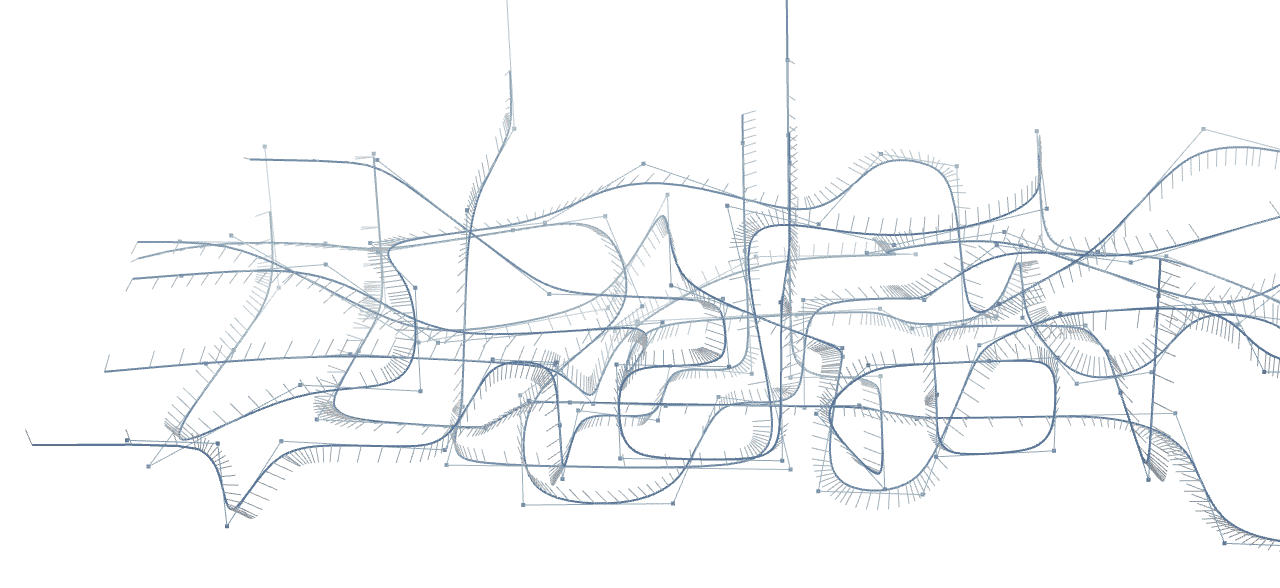
<p>At its heart it's really a game of Snake, albeit a complicated one. Starting from a line-based skeleton of the model, the curves are traced out, smoothed, oriented and finally extruded on the fly into ribbons. The final pose shows 261 lines mapped to 2,783 curve segments, tessellated into 43,168 triangles, though that amount is just a knob that can be tuned. In other words, it's a <em>scalable vector graphic</em>. No images were harmed in the making of this header, or the rest of the window dressing for that matter. These pixels are local, organic and bespoke, though I'm pretty sure they're not vegan.</p>

</div></div>

<div class="c"></div>

<div class="wide mt2 mb2 draggable">
  <img src="https://acko.net/files/zerotosixty/skeleton.png" alt="Mesh Skeleton" data-replace="gl.exports.tracks.exportTracks()" data-position="[0, -150, 150]" data-rotation="[.3, 0, 0]" />
</div>

<div class="c"></div>

<div class="g8 i2"><div class="pad">

<p>The ribbons need to animate, so I'm using a slightly exotic set up: a single Three.js <code>BufferGeometry</code> mesh is created with all the ribbons' topology in it. It only contains the connectivity of the triangles that span the vertices, stored as indices. The actual positions and normals are read from a texture that is updated on the fly by JavaScript using <code>gl.texSubImage2D</code>.</p>

</div></div>

<div class="c"></div>

<aside class="g6 mt1 tc pr"><div class="pad">
  <img src="https://acko.net/files/zerotosixty/geometrytexture.png" alt="Ribbon Geometry Texture" data-replace="gl.exports.tracks.exportTexture()" />
  <p>This is the actual geometry data for the header, stored in a 288×256 RGBA texture (floating point). The columns alternate between position and normal.</p>
  <p class="visualizer-activate"></p>
</div></aside>

<div class="g6"><div class="pad">

<p>As a ribbon follows its path, only its head and tail change, growing new segments or collapsing older ones. Each ribbon scrolls through the texture, which alters only a fraction of the total data per frame. Both the head and tail can add and remove segments at will, which allows me to vary the geometrical detail along each path. As long as the number of drawn segments at any given time never exceeds the texture height, a ribbon could in theory follow an infinitely long trail, wrapping around the edge endlessly. They're basically semi-virtualized meshes, allocated out of a fixed memory space. The arrows are an easy upgrade: I allocate a couple additional segments at the end and shape them to the right widths.</p>

<p>To draw a ribbon, I draw one contiguous subset of the total mesh (or two, if wrapping around the edge) which maps into a rectangular area of the texture. Ribbon color is stored statically as a vertex attribute, which means the entire hero piece can be drawn using a single shader, texture and vertex buffer.</p>

<p>For the background, I added a static <code>BufferGeometry</code> clocking in at 3,344 triangles. It consists of rounded boxes laid out in a randomized hyperboloid pattern. Aside from breaking the uniform whiteness, it's also quite the parallax enhancer down here.</p>

</div></div>

<div class="c"></div>

<div class="g8 i2"><div class="pad">

<h2>DJ Ambient</h2>

<p>All of this is shaded with some custom GLSL. I use a basic Blinn-Phong lighting model tweaked for aesthetics, and there's some edge highlights and fog to top it off. But if I left it there, the result would still look pretty flat, without shadows. A common approach is to use shadow mapping, but that only works for point sources like the sun. The diffuse shadows that you see on an overcast day require an entirely different approach.</p>

</div></div>

<aside class="g3 i2 mt1 tc ol1"><div class="pad">
  <a href="http://http.developer.nvidia.com/GPUGems2/gpugems2_chapter14.html" target="_blank"><img src="https://acko.net/files/zerotosixty/ao1.jpg" alt="Ambient Occlusion" /></a>
  <p>No shadows</p>
</div></aside>

<aside class="g3 mt1 tc ol1"><div class="pad">
  <a href="http://http.developer.nvidia.com/GPUGems2/gpugems2_chapter14.html" target="_blank"><img src="https://acko.net/files/zerotosixty/ao2.jpg" alt="Ambient Occlusion" /></a>
  <p>Ambient occlusion</p>
</div></aside>

<aside class="g3 mt1 tc ol1"><div class="pad">
  <a href="http://http.developer.nvidia.com/GPUGems2/gpugems2_chapter14.html" target="_blank"><img src="https://acko.net/files/zerotosixty/ao3.jpg" alt="Ambient Occlusion" /></a>
  <p>One indirect light bounce</p>
</div></aside>

<div class="c"></div>

<div class="g8 i2"><div class="pad">

<p>What's needed is <a href="http://en.wikipedia.org/wiki/Ambient_occlusion" target="_blank">ambient occlusion</a>, a measure of how much skylight is obscured by the surrounding geometry at every point. The less sky you can see from a point, the darker it should be. This is slow to compute analytically for large scenes and hence is typically either faked or baked in. An easy hack is <a href="http://en.wikipedia.org/wiki/Screen_space_ambient_occlusion" target="_blank">Screen-Space AO</a>, which is really just <em>crease darkening</em> using the final image's depth buffer. It's clever but expensive, creating only local shadows. Quality can vary a lot between implementations, often creating distracting dark or light halos around silhouettes. They all share the same blind spot: only the currently visible pixels can cast any shadow. So while I added <a href="http://alteredqualia.com/three/examples/webgl_postprocessing_ssao.html" target="_blank">alteredq's SSAO shader</a>, it's disabled by default and only rendered at quarter resolution, upscaled with a bilateral filter to hide this fact.</p>

<aside class="tc mt2 mb2">
  <p><img src="https://acko.net/files/zerotosixty/ssao.jpg" alt="Screen-space Ambient Occlusion" /></p>
  <p class="mt0">Screen-space ambient occlusion (SSAO) in CryEngine 2</p>
</aside>

<p>Instead, I used a technique from NVidia's <em>GPU Gems 2</em>. It uses a <a href="http://http.developer.nvidia.com/GPUGems2/gpugems2_chapter14.html">disc-based model</a> to calculate occlusion and even indirect lighting on the fly. Rather than go real-time on the GPU, I decided to only do it statically in JS, and just do plain occlusion without light bounces.</p>

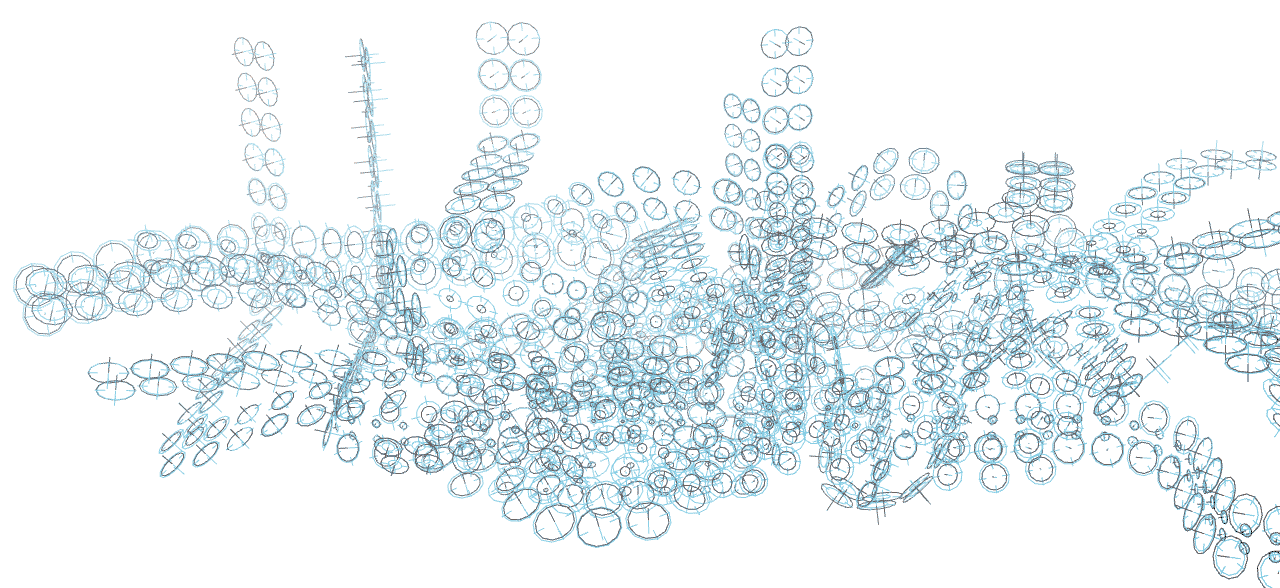
<p>The discs for all the ribbons are generated ahead of time, and the disc-to-disc shadowing is done once for the final model in two passes. The first pass overestimates due to overlapping shadows and thus is too dark. The second pass uses the first to assign lesser weights to discs in shadow to compensate, then runs the algorithm anew.</p>

<p>There's another simplification: instead of small one-sided discs based on the real geometry, I use large two-sided discs and treat each ribbon as flat. Each disc occludes in both directions, but accumulates shadow on its front and back separately.  This gives a decent approximation of light around and across the entire object.</p>
  
<p>Below is the actual disc model. In this diagram, the two radii of each disc represent its front and back illumination, with smaller discs receiving more shadow. The crosshairs mark the real disc radius.</p>

</div></div>

<div class="c"></div>

<div class="wide mt2 mb2 draggable">
  <img src="https://acko.net/files/zerotosixty/discs.png" alt="Occlusion Model" data-replace="gl.exports.tracks.exportDiscs()" data-position="[0, -150, 150]" data-rotation="[.3, 0, 0]" />
</div>

<div class="c"></div>

<div class="g8 i2"><div class="pad">

<p>When streaming out new pieces of ribbon, the occlusion is baked in on the fly, stored in the unused alpha channel next to the position (RGB). The four nearest discs on the ribbon are interpolated bilinearly, and the vertex's normal and position is used to mix the front and back shadow values appropriately. Thus it's effectively trilinear filtering a 2×2×N voxel grid per ribbon, which snakes and twists along its length.</p>

<p>I'm very happy with how good it looks, even with very coarse divisions like this. Unlike SSAO it costs practically nothing once generated. If you wish, you can view the design <a href="http://acko.net/#white" target="_blank">entirely in white</a> to examine the lighting—or in <a href="http://acko.net/#sepia" target="_blank">black and white</a>, or in <a href="http://acko.net#70s" target="_blank">the seventies</a>, tone mapping is fun.</p>

<p>To ensure smooth rendering, the resolution is scaled down if it drops below 45 fps for several frames. This is essential on slower GPUs, but can sometimes over&shy;compensate, as WebGL is easily interrupted by other tasks on the machine. The browser doesn't tell you how much you're currently pushing it, so it's impossible to safely scale back up without causing more stutters. To mitigate this problem, I built in some strategic reset points, like when you focus the window or scroll to the top. In the end, 60fps happens more often than not, though it remains a goal rather than a guarantee. If you fullscreen your browser, you are now the bane of my existence, especially if you keep two dozen other windows open on the second monitor at the same time. On an underpowered retina MacBook.</p>

<p>Finally I also turned on <a href="http://mynameismjp.wordpress.com/2012/10/24/msaa-overview/" target="_blank">MultiSample Anti-Aliasing</a> to avoid the dreaded jaggies and make the vector style shine. It's substituted with <a href="http://en.wikipedia.org/wiki/Fast_approximate_anti-aliasing" target="_blank">Fast Approximate AA</a> if it's unavailable. FXAA is also used if SSAO is enabled, as you can't post-process multisampled images with WebGL.</p>

<p>Preparing all of this would take ~400ms on my 4 year old laptop, but most of that is spent on the occlusion which is static. Hence, I saved the lighting data into a JSON file for speedier loading, which cuts it down to ~100ms. The data gzips into 18KB, about the size of a small PNG, so no worries there. Add to that the time required to fetch and run the rest of the page, and we can call it an even second.</p>

<p>Of course, it only works on a subset of browsers and leaves the vast majority of mobile devices out in the cold. It does work in Chrome Beta on Android, though performance and stability is still pretty crap and more fixes are needed, both in the browser and in my own code. Rather than try and emulate some of the bling for CSS 3D-only environments, it's all or nothing. Without WebGL, you get plain images.</p>

<h2>Achievement Unlocked</h2>

<p>Reading all that, you might mistake the header as a mere love letter to hackery. But there's a twist, quite a literal one. The twisting of each ribbon is not generated arbitrarily, but mathematically derived. It embodies the differential principle of <a href="https://en.wikipedia.org/wiki/Parallel_transport" target="_blank">parallel transport</a>. The up direction changes parallel to each curve, which means the ribbons never rotate in place. They only turn when they naturally want to. Hence, the design kind of has a will of its own. I can set the initial up direction of a ribbon, but only affect it through its curved path. Arranging and tuning all the ribbons was a nice puzzle in itself, and it's a nice nod to the math that's all over the place, even if it is invisible.</p>

<p>As I started playing around with some screensaver-style shots, I realized it would make a pretty neat demo just by itself, so I built that in too, to the dulcet tones of <a href="http://www.selahsue.com/" target="_blank">Selah Sue</a>—whose last name I hope is not indicative. Here parallel transport would ensure a perfectly smooth ride, but that's not exciting, so there's some springy exponential easing with adaptive lookahead instead. That's on top of the secondary demo, which features an audio visualizer and the smooth drum and bass of <a href="http://www.secretoperations.com/" target="_blank">Seba</a>. There's maybe a third one too.</p>

<p>The songs are used here <em>entirely for educational purposes</em> of course. Not that it matters, since they're all on YouTube anyway. Click the Growl-like notifications to find out more about the artists. There's also a handful of achievements to be gathered, eight to be precise. Some of these are experiments that were turned off in the final version. Others are... trickier. Oh hey, did you notice the JS console?</p>

<p>By the way, special mention also goes to Time and how some browsers keep terrible track of it. Like when you're trying to sync a demo to a stuttery <code>&lt;audio&gt;</code> clock, Firefox ಠ_ಠ. There's also the matter of what to do when the user switches to another tab, and the answer is.... it'll desync, because I don't want to be sapping resources in a background tab. Minor constraints of putting on a live act, doors close after the show starts.</p>

<p class="tc mt2">
  <img src="https://acko.net/css/images/growl-large-01.png" class="inline flat" width="112" height="112" alt="Achievement Unlocked" />
  <img src="https://acko.net/css/images/growl-large-02.png" class="inline flat" width="112" height="112" alt="Information" />
  <img src="https://acko.net/css/images/growl-large-03.png" class="inline flat" width="112" height="112" alt="Music" />
</p>

<h2>Turn Right Past The Header</h2>

<p>The refresh-less navigation is also back from last time, slightly cleaned up. It still works on the same basic principle of fetching static, full HTML documents. However the transition mechanism now carefully choreographs the necessary DOM manipulation to avoid stutters: any image, iframe or video inserted in the content would mean future paints at an unknown time, so they're postponed until after the transition is complete. I did it the dirty but fast way, with string manipulation before it hits the DOM: such is the luxury of being the only one, person or machine, writing the markup.</p>

<p>Which leaves of course the content. But don't fix what ain't broke: distraction-free publishing is easy enough with Jekyll and a responsive 960 pixel grid with sideburns, so things still look and work mostly the same. I only added a home for my math talks and expanded the front page to highlight some demos and experiments. I aim to keep focusing on quality rather than quantity, and to remind visitors what the web looks like when you take away everything social media's done to it.</p>

<p>It's also fun to observe that after many years, the unified front-end convergence really has arrived. There is little difference between this site and the games that use HTML for their UI, such as the latest Sim City. For dealing with typography, illustration and UI, you want the comfort of DOM and CSS. For real-time graphical content, you'll want to draw it yourself, either in 2D, or 3D. Combine the two, and you get what game developers have been doing for years. Only this lacks all the sharp C bits, which game devs been replacing with Lua for years anyhow. That's Portuguese for "JavaScript" by the way.</p>

<p>So there you have it. A fresh look with a pile of juicy hax, and hopefully not too many bugs in the wild. Thanks go to all those who came before and provided all these toys for me to play with. You can too, for the source is <a href="https://github.com/unconed/fuse10/" target="_blank">entirely on Github</a>. Like I said, <em>educational</em>. Meanwhile I'll be over here, listening to the <a href="http://en.wikipedia.org/wiki/Wipeout_(video_game)" target="_blank">wipE'out"</a> <a href="http://www.coldstorage.org.uk/" target="_blank">soundtrack</a> on repeat in memory of the old one. Comments welcome on <a href="https://plus.google.com/112457107445031703644/posts/6xhyep1357J">Google Plus</a>.</p>

<p><em>PS: The previous version <a href="http://acko.net/files/slacko/" target="_blank">has been archived</a> with its fallbacks disabled so you can see the current state of CSS 3D in browsers. Still pretty broken. Still a great test case. So is the <a href="/blog/this-is-your-brain-on-css/">disembodied head</a>.</em></p>

</div></div>
]]></content>
  </entry>
  
  <entry>
    <title type="html"><![CDATA[On WebGL]]></title>
    <link href="https://acko.net/blog/on-webgl/"/>
    <updated>2013-03-11T00:00:00+01:00</updated>
    <id>https://acko.net/blog/on-webgl</id>
    <content type="html"><![CDATA[<div class="g8 i2 first"><div class="pad">

<h2 class="sub">More than pretty pictures</h2>

<div class="c m2"></div>

<p>Like a dragon, WebGL slumbers. But you've seen them, right? Those seemingly magical demos that transform your ordinary browser into a lush 3D world with one click?</p>

<p>While available in Chrome and Firefox on the desktop, WebGL is still not widely supported. So far it's mostly used for demo projects and flashy one-off brochures. On the few mobile devices that support it, you need developer access to enable it. It's certainly nowhere near to being ready for prime time. So why should you care?</p>

</div></div>

<div class="c"></div>

<div class="wide mt2">
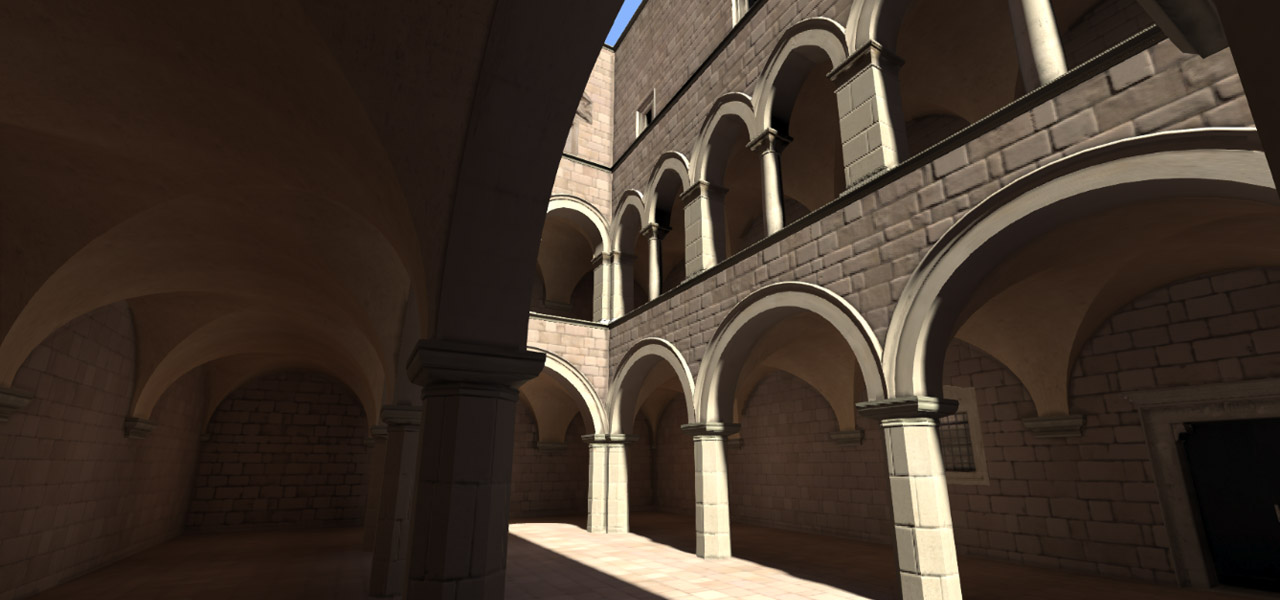
    <a target="_blank" href="http://alteredqualia.com/three/examples/webgl_postprocessing_ssao.html"><img src="/files/on-webgl/aq-ssao.jpg" alt="City scene" /></a>
</div>
<div class="g8 i2 mb0">
    <a target="_blank" class="credit" href="http://twitter.com/alteredq">AlteredQualia</a>
</div>

<div class="g8 i2 mt1"><div class="pad">

<h2>The Black Sheep</h2>

<p>The goal of WebGL is to bring the graphics capabilities of traditional apps and games into the browser, with performance as the main benefit. The graphics hardware does the work directly, leaving the CPU to just coordinate. Yet those developers look on with skepticism: "You mean we have to code in <em>JavaScript</em>?" There's grumbling about the limited capabilities too, which lag a few years behind the latest OpenGL and Direct3D APIs, and there's worries about copyright and modding.</p>

<p>First, we have to be honest: there's no question that native apps and 3D engines will continue to excel, bringing cutting edge graphics and performance. The layers of indirection in both HTML5 and WebGL cannot be circumvented.</p>

<p>But they do serve a purpose: to provide a safe sandbox for untrusted code from the web at large. Even triple-A games still occasionally crash, a result of their complexity, with thread synchronization, memory management and manual context-switching the price to pay. Random phishers shouldn't have that level of access to your system, nor should it be required.</p>

</div></div>

<div class="c"></div>

<div class="wide mt2">
    <a target="_blank" href="http://alteredqualia.com/three/examples/webgl_loader_ctm_materials.html"><img src="/files/on-webgl/aq-loader.jpg" alt="Car scene" /></a>
  </div>
<div class="g8 i2 mb1">
    <a target="_blank" class="credit" href="http://twitter.com/alteredq">AlteredQualia</a>
</div>

<div class="g8 i2 mt1"><div class="pad">

<p>WebGL represents a different way of using high-performance graphics: not as a bare metal API with caveats, but as a safe service to be exposed, to be flicked on or off without a second thought. It may not sound like much, but the security implications are big and will only be solved carefully, over time. It's undoubtedly a big reason behind Apple and Microsoft's reluctance to embrace it.</p>

<p>We should also note that this isn't a one-way cross-over. HTML has already snuck into the real-time graphics scene. First we saw in-game web views and browsers, then UIs such as Steam's overlay. In fact, <em>all</em> of Steam is WebKit. The main benefit is familiarity: designers can use the well-known techniques of the web both inside and outside the game. This mirrors the way Adobe Flash entered the gaming space before, being used to drive menus and overlays in many games.</p>

<p>It's been said that the skills required for front-end web development and game development eventually converge on the same thing. The technologies certainly have.</p>

</div></div>

<div class="c"></div>

<div class="wide mt2">
    <a target="_blank" href="http://cake23.de/turing-fluid.html"><img src="/files/on-webgl/ck-cfd.jpg" alt="Turing fluid patterns" /></a>
  </div>
<div class="g8 i2 mb0">
    <a target="_blank" class="credit" href="https://twitter.com/flexi23">Felix Woitzel</a>
</div>

<div class="g8 i2 mt0"><div class="pad">

<h2>The Procedural Canvas</h2>

<p>The web is the world's only universal procedural medium. Content is downloaded in partially assembled form, and you and your browser decide how it should be displayed. The procedural aspect has always been there, and today's practice of responsive design is just another evolution in procedural page layout. It all started with resizable windows and tables.</p>

<p>But when we decide to put a graphic into a page, we still bake it into a grid of pixels and send that down the pipe. This has worked great as a delivery mechanism, but is starting to show its age, due to high DPI displays and adaptive streaming.</p>

<p>It's also pushed the web further towards consumption: YouTube and Tumblr are obvious results. Both sites have a huge asymmetry between content creator and consumer, encouraging sharing rather than creating.</p>

</div></div>

<div class="c"></div>

<div class="wide mt2">
    <a target="_blank" href="http://cake23.de/turing-pattern-gradient-attractor-feedback.html"><img src="/files/on-webgl/ck-attract.jpg" alt="Turing pattern gradient attractor feedback" /></a>
  </div>
<div class="g8 i2 mb1">
    <a target="_blank" class="credit" href="https://twitter.com/flexi23">Felix Woitzel</a>
</div>

<div class="g8 i2 mt1"><div class="pad">

<p>Real-time graphics level the playing field: once built, both creator and consumer have the same degree of control—at least in theory. All the work necessary to produce the end result is ideally being done 60 times per second. The experience of e.g. playing a game is like a sort of benign DRM, which requires you to access the content in a certain way. All native apps implement such 'DRM' by accident: their formats are binary and often proprietary, the code is compiled. Usually modding is supported in theory—that's what <em>Downloadable Content</em> is, an official mod—but the tools simply aren't included.</p>

<p>The web is different. No matter how obfuscated, all code eventually has to talk to an interface that is both completely open and introspective. You can hook into any aspect of it and watch the data. There isn't a serious web developer around who would argue that this is a bad thing, who hasn't spent time deconstructing a site through a web inspector on a whim.</p>

</div></div>

<div class="c"></div>

<div class="wide mt2">
    <a target="_blank" href="http://codeflow.org/webgl/deferred-irradiance-volumes/www/"><img src="/files/on-webgl/fb-div.jpg" alt="Deferred irradiance volumes" /></a>
  </div>
<div class="g8 i2 mb1">
    <a target="_blank" class="credit" href="http://twitter.com/pyalot">Florian Bösch</a>
</div>

<div class="g8 i2 mt1"><div class="pad">

<p>This is where WebGL gets interesting. It takes the tools normally reserved for well, the hardcore geeks, and makes them much more open and understandable. I can certainly say from experience that coding with an engine like Three.js is an order of magnitude more productive than e.g. Ogre3D in C++. For most of the things I want to do with it, the performance difference is negligible, but there is much less code. Once you get your dev environment going, creating a new 3D scene is as simple as opening a text file. You can interact with your code live through the console for free.</p>

<p>More so, it integrates with the publishing tools we already know. I wonder for example how many hours of dev time the game industry has spent reinventing the wheel for fonts, menus, option screens, etc. To be fair, they often do so with amazing production value. But guess what: you now have CSS 3D, and soon you'll have CSS shaders. You don't need custom in-house tools when your designers can just use Chrome's Inspector and get the exact same result. Content delivery is easy: you have cloud storage, CDNs and memory caches at your disposal.</p>

<p>There is a missing link however: WebGL is a canvas inside the page, isolated from what's outside. But you could imagine APIs to help bring HTML content into a WebGL texture, taking over responsibility for drawing it. After all, most web browsers already use hardware acceleration to compose 2D web pages on screen. The convergence has already started.</p>

</div></div>

<div class="c"></div>

<div class="wide mt2">
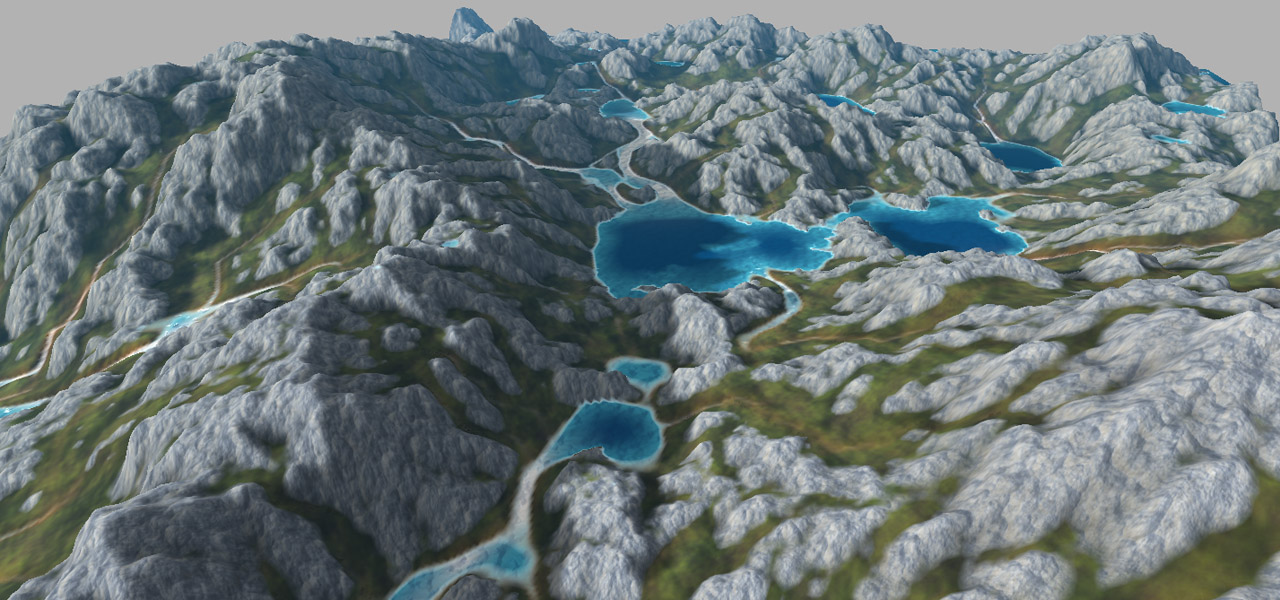
    <a target="_blank" href="http://codeflow.org/webgl/craftscape/" alt="Landscape erosion simulation"><img src="/files/on-webgl/fb-erode.jpg" /></a>
  </div>
<div class="g8 i2 mb1">
    <a target="_blank" class="credit" href="http://twitter.com/pyalot">Florian Bösch</a>
</div>

<div class="g8 i2 mt1"><div class="pad">

<p>The web has a history of transformative changes. CSS gave us <a href="http://csszengarden.com/">real web design</a>, Flash gave us <a href="http://youtube.com/">ubiquitous video</a>, Firebug gave us <a href="https://developers.google.com/chrome-developer-tools/">Web Inspectors</a>, jQuery gave us <a href="http://sizzlejs.com">non-painful DOM manipulation</a>, and so on. None of these ideas were new in computing when they debuted, the web merely adapted to fill a need. WebGL is an idea in a similar vein, a base platform for an ecosystem of specialized frameworks on top.</p>

<p>It can help lead to a WolframAlpha-ized <a href="http://en.wikipedia.org/wiki/LCARS">LCARS future</a>, where graphics can be interactive and introspective by default. Why shouldn't you be able to click on a news graphic to filter the view, or download the dataset? For sure, this is not something that uniquely requires WebGL, and tools like d3.js are already showing the way with CSS and SVG. As a result, the <em>last mile</em> of interactivity becomes a mere afterthought: everything is live anyway. What WebGL does is raise the limit significantly on what sort of content can be displayed in a browser. It's not until those caps are lifted that we can say with a straight face that web apps can rival native apps.</p>

<p>Still, we shouldn't be aiming to recreate Unreal Engine in HTML / JS / GL, though someone will probably try, and eventually succeed. Rather we should explore what happens when you put a 3D engine inside a web page. Is it web publishing, or demoscene? Does it matter?</p>

</div></div>

<div class="c"></div>

<div class="wide mt2 tc">
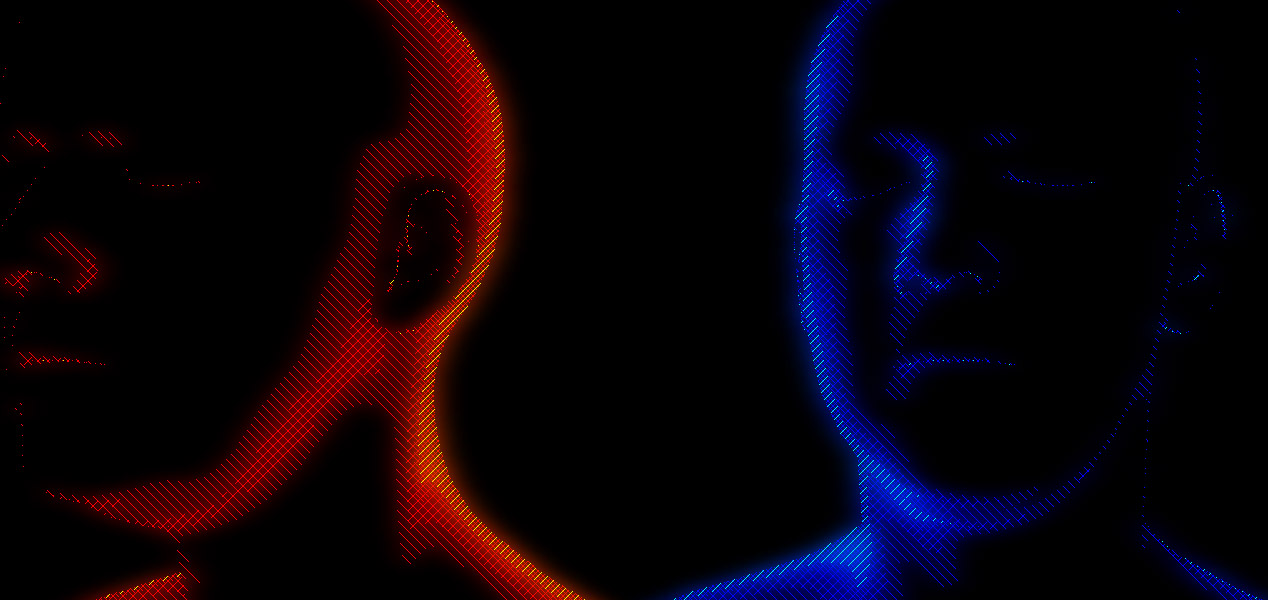
    <a target="_blank" href="http://www.ro.me/tech/hatching-glow-shader"><img src="/files/on-webgl/rm-crosshatch.jpg" alt="Stylistic cross hatch effect" /></a>
  </div>
<div class="g8 i2 mb1">
    <a target="_blank" class="credit" href="http://www.ro.me/tech/">Ro.me team</a>
  </div>
<div class="wide mt2 tc">
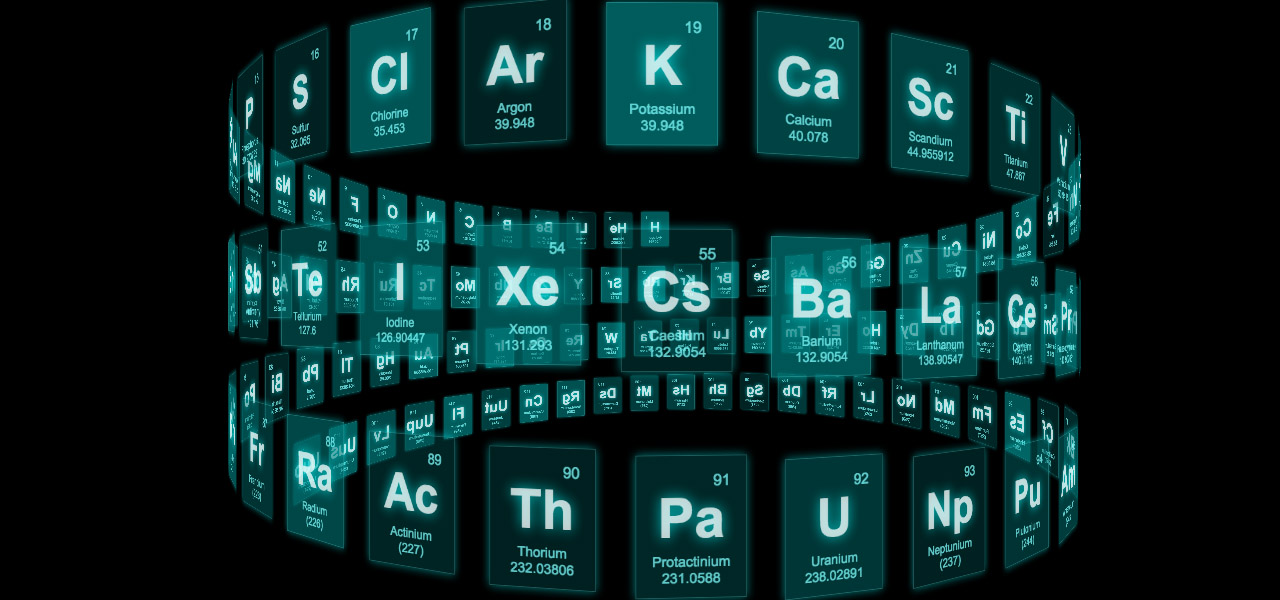
    <a target="_blank" href="http://mrdoob.github.com/three.js/examples/css3d_periodictable.html" alt="CSS 3D periodic table"><img src="/files/on-webgl/db-css3d.jpg" /></a>
  </div>
<div class="g8 i2 mb1">
    <a target="_blank" class="credit" href="http://twitter.com/mrdoob">Mr.doob</a>
  </div>
<div class="wide mt2 tc">
    <a target="_blank" href="http://workshop.chromeexperiments.com/projects/armsglobe/"><img src="/files/on-webgl/ch-globe.jpg" alt="Chrome Workshop - Globe" /></a>
  </div>
<div class="g8 i2 mb1">
    <a target="_blank" class="credit" href="http://workshop.chromeexperiments.com">Chrome Workshop</a>
  </div>
<div class="wide mt2 tc">
    <a target="_blank" href="http://acko.net/blog/how-to-fold-a-julia-fractal/" alt="How to Fold a Julia Fractal - Complex math"><img src="/files/on-webgl/ucd-julia.jpg" /></a>
</div>

<div class="g8 i2 mt1"><div class="pad">

<h2>A Useful Baseline</h2>

<p>In this light, WebGL's often lamented limitation becomes its strength. WebGL is not modelled after 'grown-up' OpenGL, but mirrors OpenGL ES (Embedded Systems). It's a suite of functionality supported by most mobile devices, but eclipsed by even the crummiest integrated laptop graphics from 3 years ago.</p>

<p>This needn't be a worry for two reasons. First, WebGL supports extensions, which add to the functionality and continue to be specced out. A WebGL developer can inspect the capabilities of the system and determine an appropriate strategy to use. Many extensions are <a href="http://webglstats.com">widely supported</a>, and even without extensions, all GL code is already subject to the platform's size limits on resources. WebGL is no different from other APIs, it just puts the bar a bit lower than usual.</p>

<p>Second of all, it means WebGL is the only 3D API that has a shot at being universal, from desks to laps to pockets to living rooms, and everything in between. Your game console could be an Android computer, handheld or appliance. Your TV might run Linux or iOS. So might your fridge. WebGL fits with where hardware and software is going, and adapting to various devices is nothing new for the web. I imagine we might see a standardized benchmark library pop up, and developer tools to make e.g. desktop Chrome mimic a cellphone's limited capabilities. </p>

</div></div>

<div class="c"></div>

<div class="wide mt2">
    <a target="_blank" href="http://acko.net/files/never-seen-the-sky/git/"><img src="/files/on-webgl/ucd-aurora.jpg" alt="Never Seen The Sky - WebGL Demo" /></a>
</div>

<div class="g8 i2 mt2"><div class="pad">

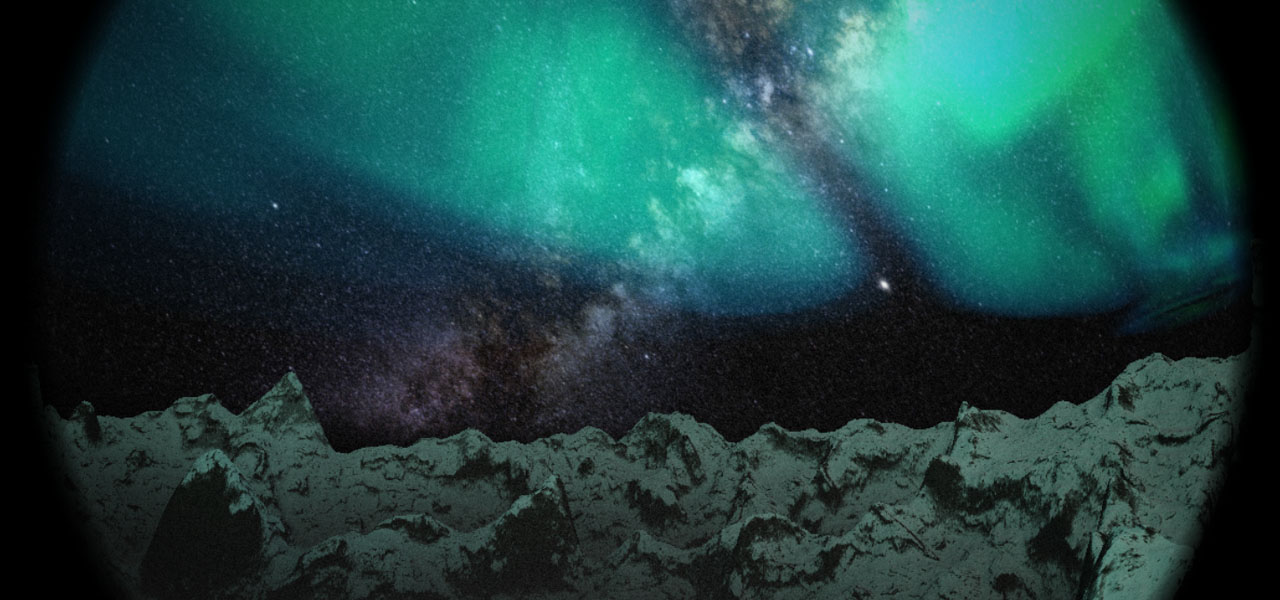
<p>For the Christmas demo above, I included a simple benchmark that pre-selects the demo resolution based on the time needed to generate assets up front. Additionally, it was built on a 4 year old laptop GPU, so it should run well for the majority of viewers on first viewing. The same can't be said for cutting-edge demoscene demos, which often only run smoothly on top of the line hardware. I know I'm usually resigned to watching them on YouTube instead. As neat as tomorrow's tech is, for most people it only matters what they have today.</p>

<p>This is the biggest philosophical difference between WebGL and OpenGL. WebGL aims to be a good enough baseline that you can carry in your pocket as well as put on a big screen, and make accessible with a simple link. I don't expect graphics legends like John Carmack to take anything but a cursory glance at it, but then, it's not encroaching on his territory. It is a bit surprising though that the demoscene hasn't taken to the web more quickly. It has never been about having top of the line hardware, only what you use it for. Contests like JS1K continue to demonstrate JavaScript's expressiveness, but we haven't really seen the bigger guns come out yet.</p>

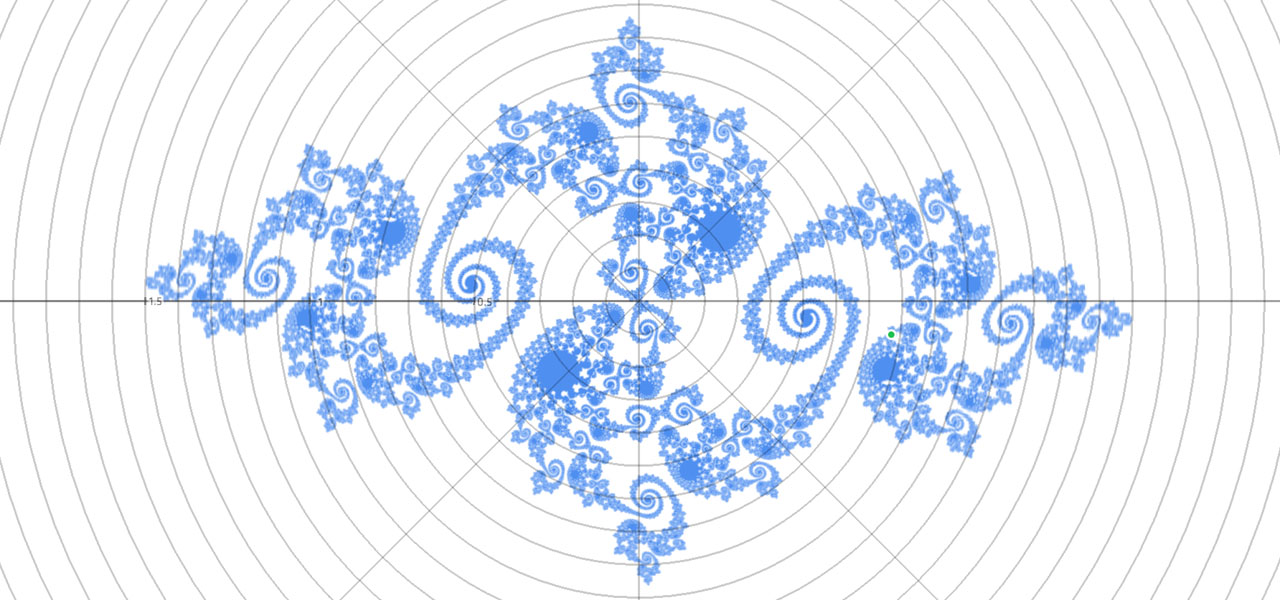
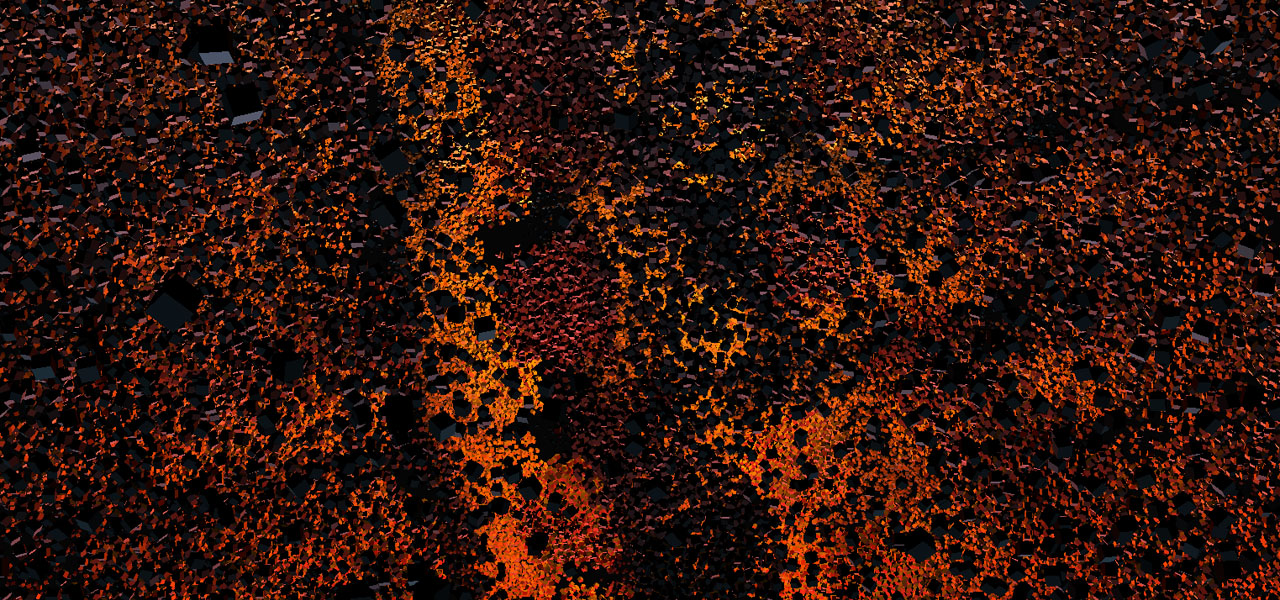
<p>And it really is <em>good enough</em>. Here's 150,000 cubes, made out of 1.8 million triangles:</p>

</div></div>

<div class="c"></div>

<div class="wide mt2">
    <a target="_blank" href="http://alteredqualia.com/three/examples/webgl_cubes.html" alt="150000 cubes"><img src="/files/on-webgl/aq-cubes.jpg" /></a>
  </div>
<div class="g8 i2 mb1">
    <a target="_blank" class="credit" href="http://twitter.com/alteredq">AlteredQualia</a>
</div>

<div class="g8 i2 mt1"><div class="pad">

<p>Next up is a fractal raytracer. At 30 frames per second, 512x512 pixels, 40 iterations per pixel, each folding 3D space 18 levels deep… that's 5.6 <em>billion</em> folds per second. This intricate visualization is little more than raw number crunching power. That's just the core loop and excludes set up and lighting. It's all driven by a couple kilobytes of JavaScript wrapped in some HTML, delivered over HTTP.</p>

</div></div>

<div class="c"></div>

<div class="wide mt2">
    <a target="_blank" href="http://acko.net/files/on-webgl/whittaker/raytrace-creepy.html"><img src="/files/on-webgl/ucd-de.jpg" alt="Distance estimation with fractals" /></a>
</div>

<div class="g8 i2 mt2"><div class="pad">

<p>Why wouldn't you want to play with that? Come try WebGL, <a href="http://madebyevan.com/webgl-water/" target="_blank">the water's fine</a>.</p>

<h2>Further reading</h2>

<ul>
  <li>Paul Lewis' <a href="http://aerotwist.com/tutorials/getting-started-with-three-js/">excellent tutorials</a> on Three.js. He also runs the <a href="http://thewebglpodcast.com">WebGL podcast</a>.</li>
  <li>The <a href="https://www.udacity.com/course/cs291">Interactive 3D graphics</a> WebGL course on Udacity by Eric Haines.</li>
  <li>The <a href="https://www.shadertoy.com">ShaderToy</a> and <a href="http://glsl.heroku.com">GLSL</a> sandboxes.</li>
  <li>The <a href="https://twitter.com/search?q=webgl">WebGL hashtag on Twitter</a>.</li>
</ul>

<p><em>Examples by the amazing <a href="http://twitter.com/alteredq">AlteredQualia</a>, <a href="https://twitter.com/flexi23">Felix Woitzel</a>, <a href="http://twitter.com/pyalot">Florian Bösch</a>, the <a href="http://www.ro.me/tech/">Ro.me team</a>, <a href="http://twitter.com/mrdoob">Mr.doob</a>, <a href="http://workshop.chromeexperiments.com">Chrome Workshop</a>, as well as myself. Many of these techniques are documented on <a href="http://www.iquilezles.org/">Iñigo Quilez</a>'s comprehensive site.</em></p>

<p><em>Additional demos and comments are welcome on <a href="https://plus.google.com/112457107445031703644/posts/4qcrPNzEVjk">Google Plus</a>.</em></p>
 
</div></div>
]]></content>
  </entry>
  
  <entry>
    <title type="html"><![CDATA[Welcome to the World of Tomorrow!]]></title>
    <link href="https://acko.net/blog/welcome-to-the-world-of-tomorrow/"/>
    <updated>2008-07-20T00:00:00+02:00</updated>
    <id>https://acko.net/blog/welcome-to-the-world-of-tomorrow</id>
    <content type="html"><![CDATA[<div class="g8 i2 first"><div class="pad"><p><small>(with apologies to <a href="http://en.wikipedia.org/wiki/Futurama">Matt Groening</a>)</small>
</p>

<p>
After about <a href="/blog/new-design-for-acko-net">two years</a>, it's time for another make-over of my site.
</p>

<p>
My last design had a relatively quirky look, with a bold red/yellow theme built from various irregular vector shapes. The idea was to step away from the typical mold of rectangular aligned frames on a page. I tried to incorporate some elements of perspective into the page composition, but it ended up being a relatively flat, geometrical theme.
</p>

<p>
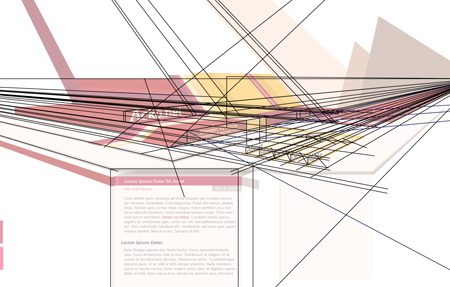
This time I wanted to work on the depth aspect and try to create something that feels spacious. To do this, I based the entire redesign on a two-point perspective. While the content itself is normal 2D markup, it sits in a 3D frame.
</p>

<p>
<img class="natural" src="/files/redesign-2008/wirepron.png" title="Some of the guide lines used in the construction process." alt="" /></p>

<p>
<img class="natural" src="/files/making-love-to-webkit/old-acko.png" alt="" /></p>

<p>
The header image is a regular illustration file (which is 100% manual vector work) and the content is typical HTML/CSS. However there is a twist: the perspective from the header is continued into the content with some simple 3D decorations, created on-demand with Canvas tags and JavaScript (<a href="javascript:void(0);" onclick="highlightCanvases();return false;">highlight canvases</a>, check out the footer).
</p>

<p>
While this perspective works perfectly near the top, the further down you go, the more vertically stretched the shapes get and it ends up looking weird. To compromise, the projection actually gets more and more isometric the further down you go. This creates an interesting effect when scrolling down.
</p>

<p>
The design also uses various CSS3 methods (@font-face, text-shadow, box-shadow) throughout, and uses sIFR 3 as a fallback for the headline font. Unfortunately CSS3 is still mostly unsupported in the browserscape, so only Safari 3.1 users get the luxury combo of <em>pretty, fast and no Flash</em>. Everyone else will have to suffer through hacks.
</p>

<p>
As a total surprise, the canvas-rocket-science trickery even works in IE6 thanks to Google's <a href="http://excanvas.sourceforge.net/">ExplorerCanvas</a> library.
</p>

<p>
I'll probably be tweaking it a bit more in the days to come, but feedback is appreciated.
</p>

</div></div>
]]></content>
  </entry>
  
</feed>