<?xml version="1.0" encoding="utf-8"?>
<feed xmlns="http://www.w3.org/2005/Atom">

  <title><![CDATA[Acko.net]]></title>
  <link href="https://acko.net/atom.xml" rel="self"/>
  <link href="https://acko.net/"/>
  <updated>2026-03-05T12:10:39+01:00</updated>
  <id>https://acko.net</id>
  <author>
    <name><![CDATA[Steven Wittens]]></name>
    
  </author>

  
  <entry>
    <title type="html"><![CDATA[Stable Fiddusion]]></title>
    <link href="https://acko.net/blog/stable-fiddusion/"/>
    <updated>2023-10-02T00:00:00+02:00</updated>
    <id>https://acko.net/blog/stable-fiddusion</id>
    <content type="html"><![CDATA[<script src="/files/katex/katex.min.js"></script>

<script src="/files/katex/contrib/auto-render.min.js"></script>

<link rel="stylesheet" type="text/css" href="/files/katex/katex.min.css" />

<script type="text/javascript">
Acko.queue(function () {
  renderMathInElement(document.querySelector('article'), {delimiters: [
    {left: "$$", right: "$$", display: true},
    {left: "$", right: "$", display: false},
  ]});
});
</script>

<div class="g8 i2 first"><div class="pad">
  <h2 class="sub">Frequency-domain blue noise generator</h2>
</div></div>

<div class="c"></div>

<style>
  .embed-wide {
    box-sizing: border-box;
    max-height: 720px;
  }
  .embed-live-25 {
    padding-bottom: 25%;
  }
  .embed-live-40 {
    padding-bottom: 40%;
  }
  .embed-live-48 {
    padding-bottom: 48%;
  }
  .embed-live-56 {
    padding-bottom: 56%;
  }
  .embed-live-60 {
    padding-bottom: 60%;
  }
  .embed-live-78 {
    padding-bottom: 78%;
  }
  .embed-live-at {
    padding-bottom: 106%;
  }
  .embed-live-row {
    padding-bottom: 7.14%;
  }
  .embed-live-sample {
    padding-bottom: 10%;
  }
  .embed-live-square {
    padding-bottom: 100%;
  }
  @media screen and (max-width: 767px) {
    .embed-live-m-square {
      padding-bottom: 100%;
    }
    .embed-live-m-tall {
      padding-bottom: 150%;
    }
  }
</style>

<p><img src="https://acko.net/files/fiddusion/cover.jpg" style="position: absolute; left: -5000px; top: 0;" alt="Cover Image - Live effect run-time inspector" /></p>

<div class="g8 i2 mt1"><div class="pad">

<p>In computer graphics, <b>stochastic methods are <em>so hot right now</em></b>. All rendering turns into calculus, except you solve the integrals by numerically sampling them.</p>

<p>As I showed with <a href="https://acko.net/blog/teardown-frame-teardown/" target="_blank">Teardown</a>, this is all based on random noise, hidden with a ton of spatial and temporal smoothing. For this, you need a good source of high quality noise. There have been a few interesting developments in this area, such as <a href="https://blog.demofox.org/">Alan Wolfe</a> et al.'s <a href="https://developer.nvidia.com/blog/rendering-in-real-time-with-spatiotemporal-blue-noise-textures-part-1/">Spatio-Temporal Blue Noise</a>.</p>

<p>This post is about how I <b>designed noise in frequency space</b>. I will cover:</p>

<p><ul class="indent">
<li>What is <b>blue noise</b>?</li>
<li>Designing <b>indigo noise</b></li>
<li><b>How swap works</b> in the frequency domain</li>
<li>Heuristics and analysis to <b>speed up search</b></li>
<li>Implementing it in <b>WebGPU</b></li>
</ul></p>

<p>Along the way I will also show you some <b>"street" DSP math</b>. This illustrates how getting comfy in this requires you to develop deep intuition about complex numbers. But complex doesn't mean complicated. It can all be done on a paper napkin.</p>

</div></div>

<div class="g10 i1 mt1"><div class="pad">
  <a href="https://acko.net/files/bluebox/#!/" target="_blank"><img class="inline" src="https://acko.net/files/fiddusion/app-ui.png" title="Stable Fiddusion - UI" /></a>
  <p class="tc"><em>The WebGPU interface I built</em></p>
</div></div>

<div class="g8 i2 mt1"><div class="pad">

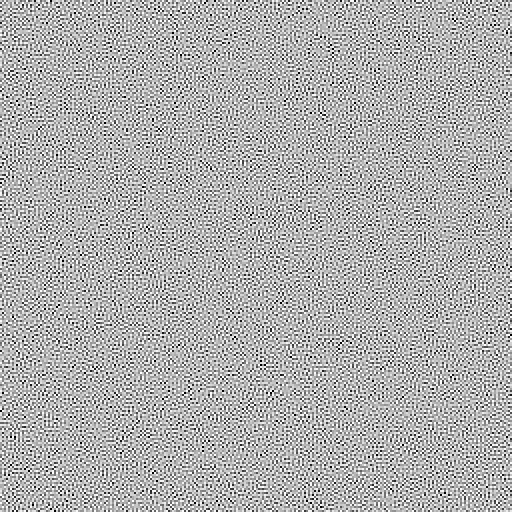
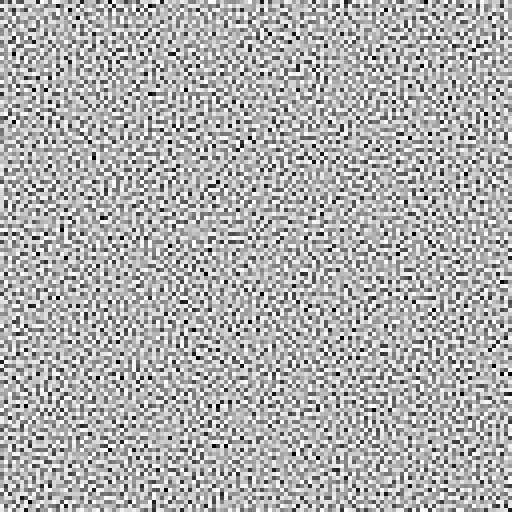
<p>What I'm going to make is this:</p>

<p class="tc">
  <img class="inline" src="https://acko.net/files/fiddusion/indigo-256x256x1@1x.png" srcset="https://acko.net/files/fiddusion/indigo-256x256x1@1x.png 1x, https://acko.net/files/fiddusion/indigo-256x256x1@2x.png 2x" />
</p>

<p>If properly displayed, this image should look eerily even. But if your browser is rescaling it incorrectly, it may not be exactly right.</p>

<h2 class="mt3">Colorless Blue Ideas</h2>

<p>I will start by just recapping the essentials. If you're familiar, skip to the next section.</p>

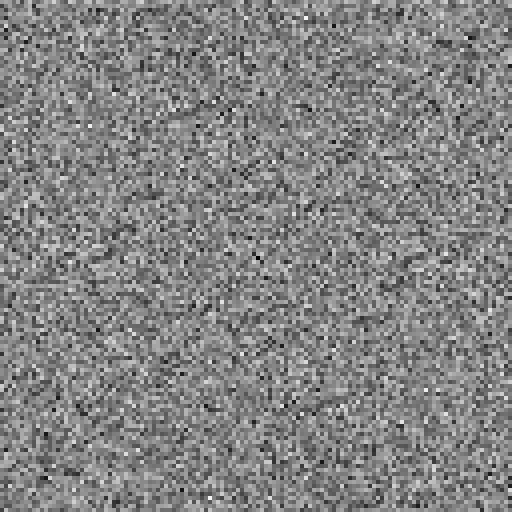
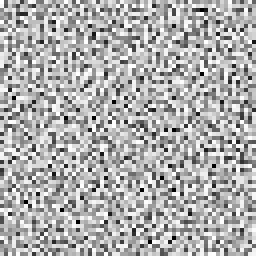
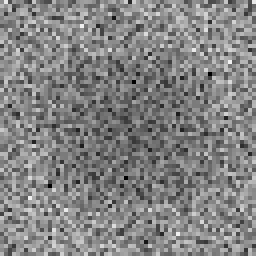
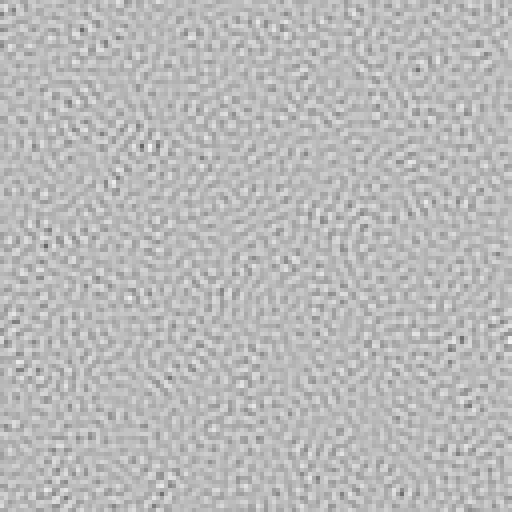
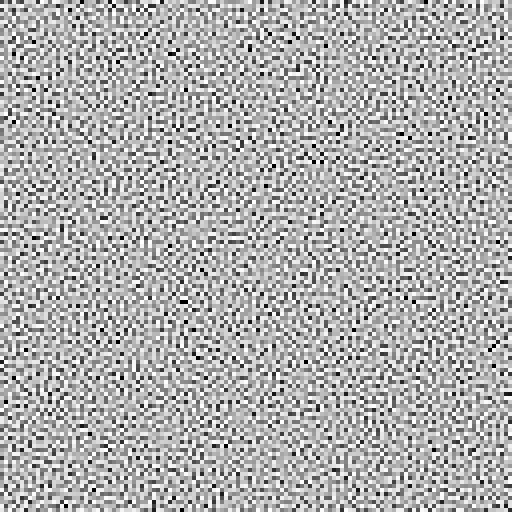
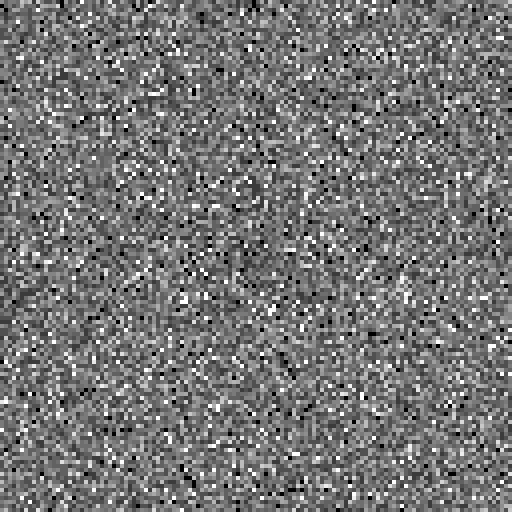
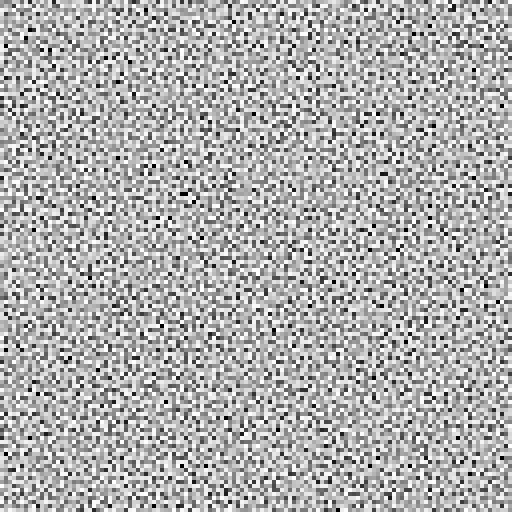
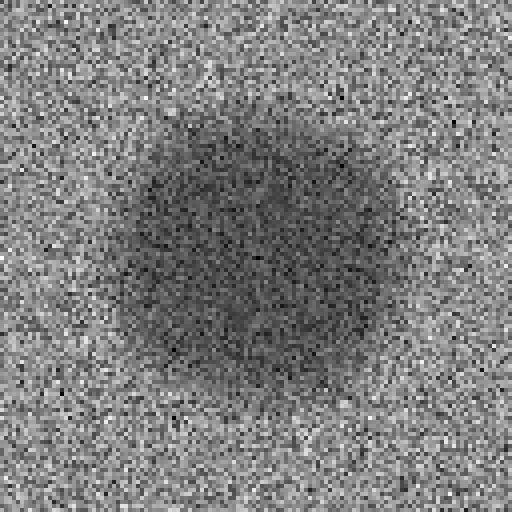
<p>Ordinary random generators produce uniform white noise: every value is equally likely, and the average frequency spectrum is flat.</p>

</div></div>

<div class="c"></div>
<div class="mt1"></div>

<div class="g4 i2"><div class="pad tc">
  <img src="https://acko.net/files/fiddusion/white-128x128x1.png" title="White noise - Gamma correct" style="width: 256px; max-width: 100%; margin: 0 auto" />
  <p><em>Time domain</em></p>
</div></div>

<div class="g4"><div class="pad tc">
  <img src="https://acko.net/files/fiddusion/white-128x128x1-freq.png" title="White noise - Gamma correct" style="width: 256px; max-width: 100%; margin: 0 auto" />
  <p><em>Frequency domain</em></p>
</div></div>

<div class="g8 i2"><div class="pad">

<p>To a person, this doesn't actually seem fully 'random', because it has clusters and voids. Similarly, a uniformly random list of coin flips will still have long runs of heads or tails in it occasionally.</p>

<p>What a person would consider evenly random is usually <em>blue</em> noise: it prefers to <em>alternate</em> between heads and tails, and avoids long runs entirely. It is 'more random than random', biased towards the upper frequencies, i.e. the blue part of the spectrum.</p>

</div></div>

<div class="c"></div>
<div class="mt1"></div>

<div class="g4 i2"><div class="pad tc">
  <img src="https://acko.net/files/fiddusion/blue-128x128x1.png" title="Blue noise - Gamma correct" style="width: 256px; max-width: 100%; margin: 0 auto" />
  <p><em>Time domain</em></p>
</div></div>

<div class="g4"><div class="pad tc">
  <img src="https://acko.net/files/fiddusion/blue-128x128x1-freq.png" title="Blue noise - Spectrum" style="width: 256px; max-width: 100%; margin: 0 auto" />
  <p><em>Frequency domain</em></p>
</div></div>

<div class="c"></div>

<div class="g8 i2 mt1"><div class="pad">

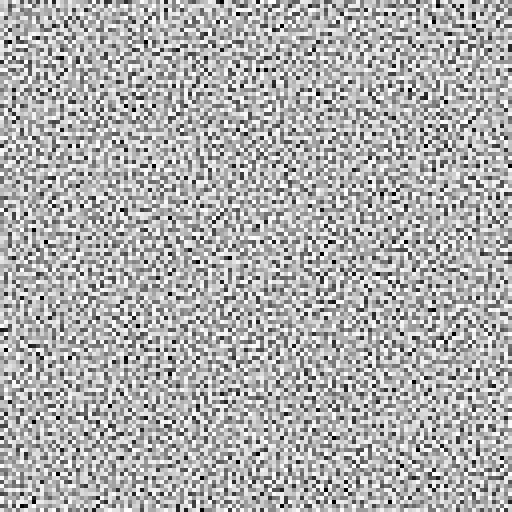
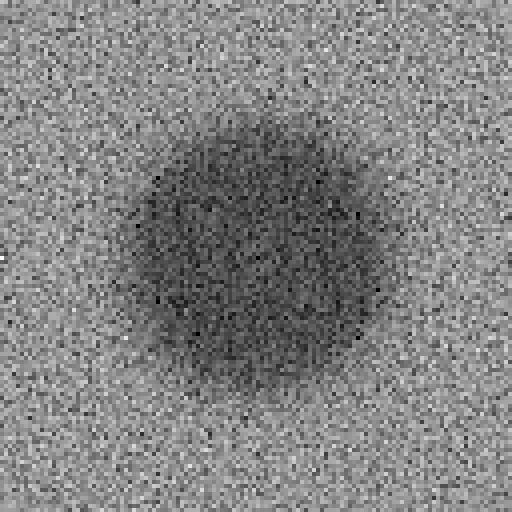
<p>Blue noise is great for e.g. dithering, because when viewed from afar, or blurred, it tends to disappear. With white noise, clumps remain after blurring:</p>

</div></div>

<div class="c"></div>
<div class="mt1"></div>

<div class="g4 i2"><div class="pad tc">
  <img src="https://acko.net/files/fiddusion/white-128x128x1-blur.png" title="Blurred white noise" style="width: 256px; max-width: 100%; margin: 0 auto" />
  <p><em>Blurred white noise</em></p>
</div></div>

<div class="g4"><div class="pad tc">
  <img src="https://acko.net/files/fiddusion/blue-128x128x1-blur.png" title="Blurred blue noise" style="width: 256px; max-width: 100%; margin: 0 auto" />
  <p><em>Blurred blue noise</em></p>
</div></div>

<div class="c"></div>

<div class="g8 i2 mt1"><div class="pad">
  
<p>Blueness is a delicate property. If you have e.g. 3D blue noise in a volume XYZ, then a single 2D XY slice is not blue at all:</p>

</div></div>

<div class="c"></div>
<div class="mt1"></div>

<div class="g12"><div class="pad tc">
  <img src="https://acko.net/files/fiddusion/blue3d-64x64x16-freq.png" title="3D blue noise spectrum" style="width: 100%; max-width: 100%; margin: 0 auto" />
  <p><em>XYZ spectrum</em></p>
</div></div>

<div class="g4 i2"><div class="pad tc">
  <img src="https://acko.net/files/fiddusion/blue3d-64x64x16-1.png" title="3D blue noise XY slice" style="width: 256px; max-width: 100%; margin: 0 auto" />
  <p><em>XY slice</em></p>
</div></div>

<div class="g4"><div class="pad tc">
  <img src="https://acko.net/files/fiddusion/blue3d-64x64x16-1-freq.png" title="3D blue noise XY spectrum" style="width: 256px; max-width: 100%; margin: 0 auto" />
  <p><em>XY spectrum</em></p>
</div></div>

<div class="c"></div>

<div class="g8 i2"><div class="pad">

<p>The samples are only evenly distributed in 3D, i.e. when you consider each slice in front and behind it too.</p>

<p class="mt2">Blue noise being delicate means that nobody really knows of a way to generate it statelessly, i.e. as a pure function <code>f(x,y,z)</code>. Algorithms to generate it must factor in the whole, as noise is only blue if every <em>single sample</em> is evenly spaced. You can make blue noise images that tile, and sample those, but the resulting repetition may be noticeable.</p>

<p>Because blue noise is constructed, you can make special variants.</p>

<ul class="indent">
  <li><p><b>Uniform Blue Noise</b> has a uniform distribution of values, with each value equally likely. An 8-bit 256x256 UBN image will have each unique byte appear exactly 256 times.</p></li>
  <li><p><b>Projective Blue Noise</b> can be projected down, so that a 3D volume XYZ flattened into either XY, YZ or ZX is still blue in 2D, and same for X, Y and Z in 1D.</p></li>
  <li><p><b>Spatio-Temporal Blue Noise</b> (STBN) is 3D blue noise created specifically for use in real-time rendering:
    <ul class="indent">
        <li>Every 2D slice XY is 2D blue noise</li>
        <li>Every Z row is 1D blue noise</li>
    </ul>
  </p></li>
</ul>

<p>This means XZ or YZ slices of STBN are not blue. Instead, it's designed so that when you average out all the XY slices over Z, the result is uniform gray, again without clusters or voids. This requires the noise in all the slices to perfectly complement each other, a bit like overlapping slices of translucent swiss cheese.</p>

<p>This is the sort of noise I want to generate.</p>

</div></div>

<div class="c"></div>
<div class="mt1"></div>

<div class="g12"><div class="pad tc">
  <img src="https://acko.net/files/fiddusion/stbn-64x64x16.png" title="STBN" style="width: 100%; max-width: 100%; margin: 0 auto" />
  <p><em>Indigo STBN 64x64x16</em></p>

  <img src="https://acko.net/files/fiddusion/stbn-64x64x16-freq.png" title="STBN XYZ spectrum" style="width: 100%; max-width: 100%; margin: 0 auto" />
  <p><em>XYZ spectrum</em></p>
</div></div>

<div class="c"></div>

<div class="g8 i2"><div class="pad">


<h2 class="mt3">Sleep Furiously</h2>

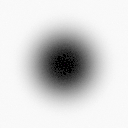
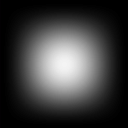
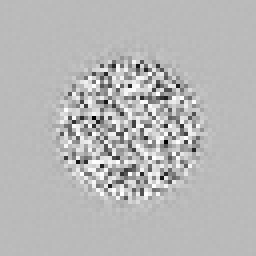
<p>A blur filter's spectrum is the opposite of blue noise: it's concentrated in the lowest frequencies, with a bump in the middle.</p>

<p class="tc">
  <img class="inline" src="https://acko.net/files/fiddusion/blur-filter-128x128x1.png" title="Indigo noise - Gamma correct" style="width: 256px; max-width: 100%" />
</p>

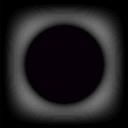
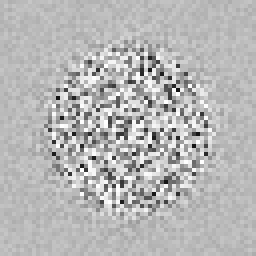
<p>If you blur the noise, you multiply the two spectra. Very little is left: only the ring-shaped overlap, creating a band-pass area.</p>

<p class="tc">
  <img class="inline" src="https://acko.net/files/fiddusion/blur-bandpass-128x128x1.png" title="Indigo noise - Gamma correct" style="width: 256px; max-width: 100%" />
</p>

<p>This is why blue noise looks good when smoothed, and is used in rendering, with both spatial (2D) and temporal smoothing (1D) applied.</p>

<div class="math"><p>Blur filters can be designed. If a blur filter is <em>perfectly</em> low-pass, i.e. ~zero amplitude for all frequencies &gt; $ f_{\rm{lowpass}} $ , then nothing is left of the upper frequencies past a point.</p></div>

<p>If the noise is shaped to minimize any overlap, then the result is actually noise free. The dark part of the noise spectrum should be <em>large</em> and <em>pitch black</em>. The spectrum shouldn't just be blue, it should be <em>indigo</em>.</p>

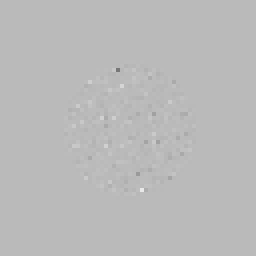
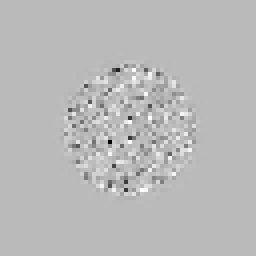
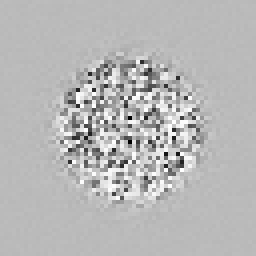
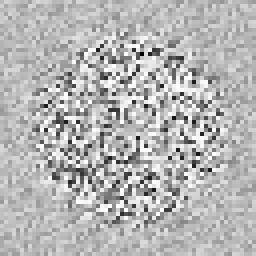
<p>When people say you can't design noise in frequency space, what they mean is that you can't merely apply an inverse FFT to a given target spectrum. The resulting noise is gaussian, not uniform. The missing ingredient is the phase: all the frequencies need to be precisely aligned to have the right value distribution.</p>

<p>This is why you need a specialized algorithm.</p>

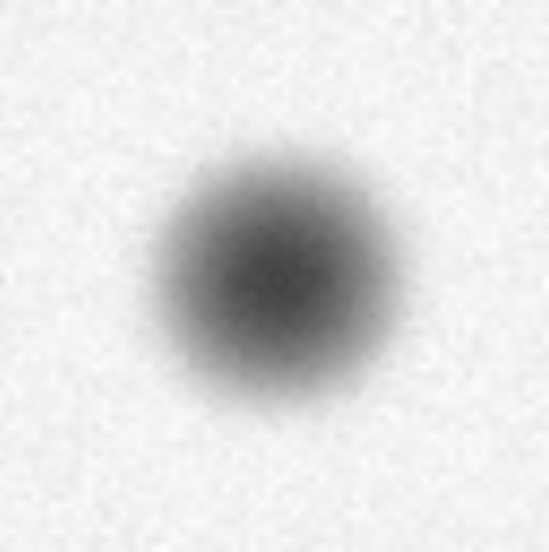
<p>The STBN paper describes two: void-and-cluster, and swap. Both of these are driven by an energy function. It works in the spatial/time domain, based on the distances between pairs of samples. It uses a "fall-off parameter" <em>sigma</em> to control the effective radius of each sample, with a gaussian kernel.</p>

<div class="autoscroll">
<p>
  $$ E(M) = \sum E(p,q) = \sum \exp \left( - \frac{||\mathbf{p} - \mathbf{q}||^2}{\sigma^2_i}-\frac{||\mathbf{V_p} - \mathbf{V_q}||^{d/2}}{\sigma^2_s} \right) $$
</p>
</div>

<div class="tc">
  <p><img class="inline" src="https://acko.net/files/fiddusion/stbn-wolfe.jpg" title="STBN Blue noise - Wolfe et al" style="width: 256px; max-width: 100%" /></p>
  <p><em>STBN (Wolfe et al.)</em></p>
</div>

<p>The swap algorithm is trivially simple. It starts from white noise and shapes it:</p>

<p>
  <ol class="indent">
    <li>Start with e.g. 256x256 pixels initialized with the bytes 0-255 repeated 256 times in order</li>
    <li>Permute all the pixels into ~white noise using a random order</li>
    <li>Now iterate: randomly try swapping two pixels, check if the result is "more blue"</li>
  </ol>
</p>

<p>This is guaranteed to preserve the uniform input distribution perfectly.</p>

<p>The resulting noise patterns are blue, but they still have some noise in <em>all</em> the lower frequencies. The only blur filter that could get rid of it all, is one that blurs away all the signal too. My 'simple' fix is just to score swaps in the frequency domain instead.</p>

<p>If this seems too good to be true, you should know that a permutation search space is catastrophically huge. If any pixel can be swapped with any other pixel, the number of possible swaps at any given step is O(N²). In a 256x256 image, it's ~2 billion.</p>

<p>The goal is to find a sequence of thousands, millions of random swaps, to turn the white noise into blue noise. This is basically stochastic bootstrapping. It's the bulk of <em>good old fashioned AI</em>, using simple heuristics, queues and other tools to dig around large search spaces. If there are local minima in the way, you usually need more noise and simulated annealing to tunnel over those. Usually.</p>

<p>This set up is somewhat simplified by the fact that swaps are symmetric (i.e. <code>(A,B)</code> = <code>(B,A)</code>), but also that applying swaps S1 and S2 is the same as applying swaps S2 and S1 as long as they don't overlap.</p>

<h2 class="mt3">Good Energy</h2>

<p>Let's take it one hurdle at a time.</p>

<p>It's not obvious that you can change a signal's spectrum just by re-ordering its values over space/time, but this is easy to illustrate.</p>

</div></div>

<div class="c"></div>

<div class="g10 i1 mt1"><div class="pad">
  <img src="https://acko.net/files/fiddusion/graph-reorder-1.png" alt="Random signal" />
</div></div>

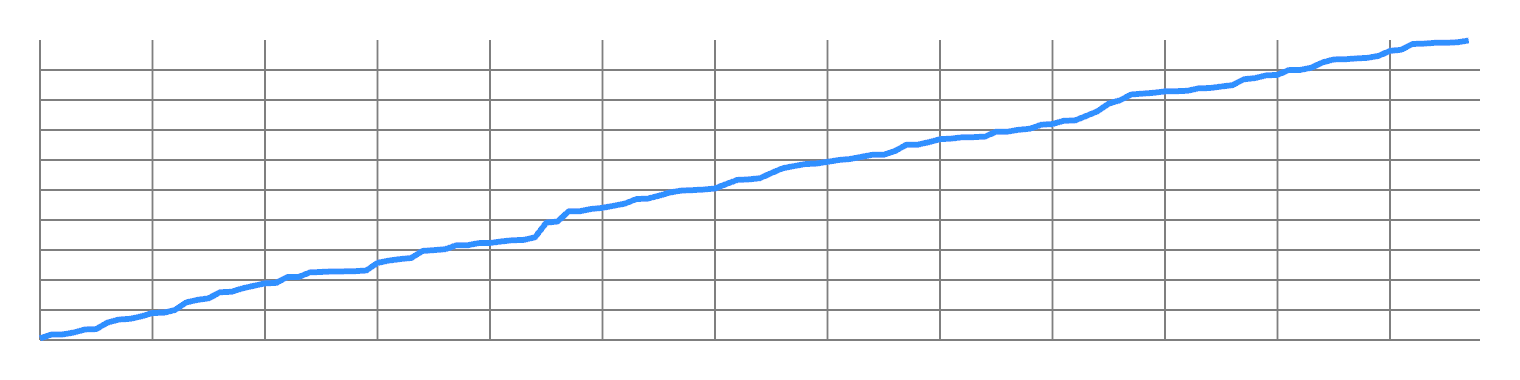
<div class="g8 i2 mt1"><div class="pad">

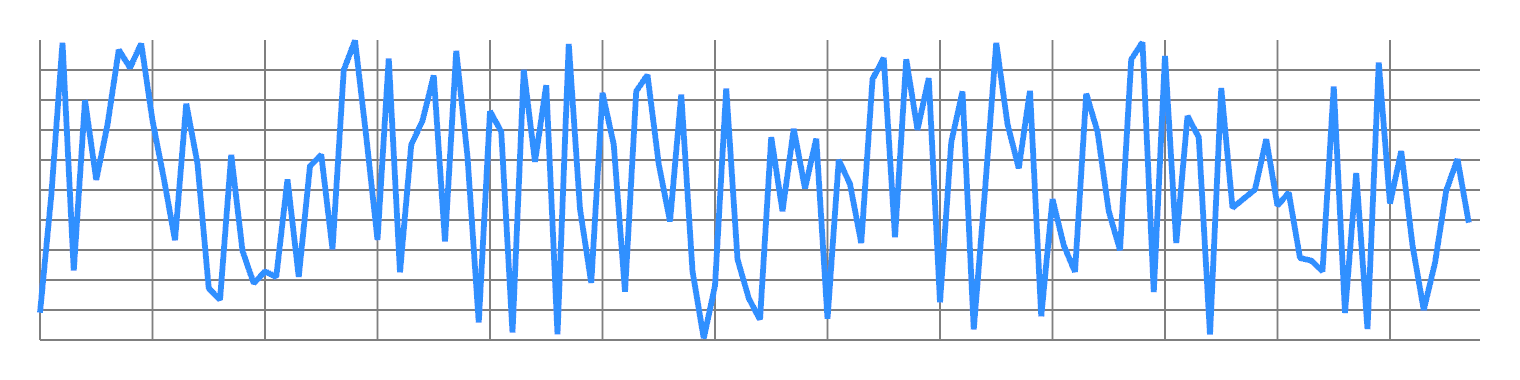
<p>Take any finite 1D signal, and order its values from lowest to highest. You will get some kind of ramp, approximating a sawtooth wave. This concentrates most of the energy in the first non-DC frequency:</p>

</div></div>

<div class="c"></div>

<div class="g10 i1 mt1"><div class="pad">
  <img src="https://acko.net/files/fiddusion/graph-reorder-2.png" alt="Random signal - re-ordered" />
</div></div>

<div class="c"></div>

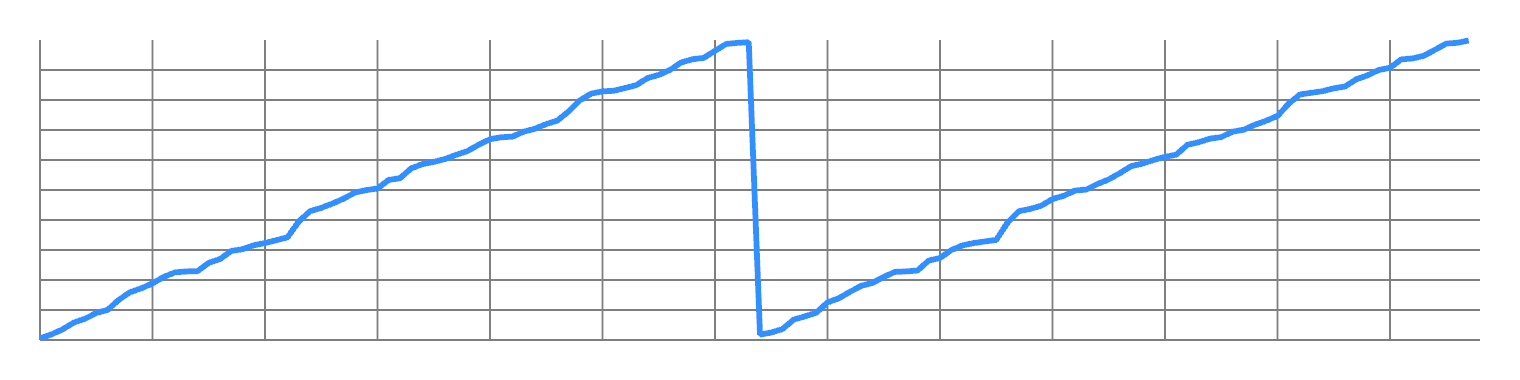
<div class="g8 i2 mt1"><div class="pad">

<p>Now split the odd values from the even values, and concatenate them. You will now have two ramps, with twice the frequency:</p>

</div></div>

<div class="c"></div>

<div class="g10 i1 mt1"><div class="pad">
  <img src="https://acko.net/files/fiddusion/graph-reorder-3.png" alt="Random signal - re-ordered and split into odd/even" />
</div></div>

<div class="c"></div>

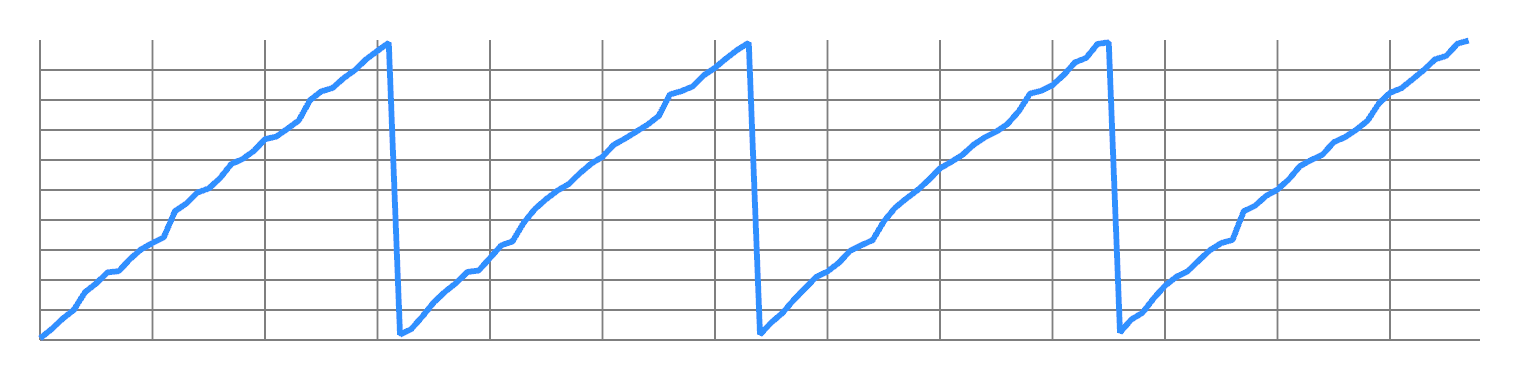
<div class="g8 i2 mt1"><div class="pad">

<p>You can repeat this to double the frequency all the way up to Nyquist. So you have a lot of design freedom to transfer energy from one frequency to another.</p>

</div></div>

<div class="g10 i1 mt1"><div class="pad">
  <img src="https://acko.net/files/fiddusion/graph-reorder-4.png" alt="Random signal - re-ordered and split into odd/even x2" />
</div></div>

<div class="c"></div>

<div class="g8 i2 mt1"><div class="pad">

<p>In fact the Fourier transform has the property that energy in the time and frequency domain is conserved:</p>

<p>
  $$ \int_{-\infty}^\infty |f(x)|^2 \, dx = \int_{-\infty}^\infty |\widehat{f}(\xi)|^2  \, d\xi $$
</p>

<p>This means the sum of $ |\mathrm{spectrum}_k|^2 $ remains constant over pixel swaps. We then design a target curve, e.g. a high-pass cosine:</p>

<p>
  $$ \mathrm{target}_k = \frac{1 - \cos \frac{k \pi}{n} }{2} $$
</p>

<p>This can be fit and compared to the current noise spectrum to get the error to minimize.</p>

<p>However, I don't measure the error in energy $ |\mathrm{spectrum}_k|^2 $ but in amplitude $ |\mathrm{spectrum}_k| $. I normalize the spectrum and the target into distributions, and take the L2 norm of the difference, i.e. a <code>sqrt</code> of the sum of squared errors:</p>

<p>
  $$ \mathrm{error}_k = \frac{\mathrm{target}_k}{||\mathbf{target}||} - \frac{|\mathrm{spectrum}_k|}{||\mathbf{spectrum}||} $$
  $$ \mathrm{loss}^2 = ||\mathbf{error}||^2 $$
</p>

<p>This keeps the math simple, but also helps target the noise in the ~zero part of the spectrum. Otherwise, deviations near zero would count for less than deviations around one.</p>


</div></div>

<div class="g4 r mt2"><div class="pad">
  <img class="inline" src="https://acko.net/files/fiddusion/blue-128x128x1-approx.png" title="Approximate blue noise" style="width: 256px; max-width: 100%" />
</div></div>

<div class="g8"><div class="pad">

<h2 class="mt2">Go Banana</h2>

<p>So I tried it.</p>

<p>With a lot of patience, you can make 2D blue noise images up to 256x256 on a single thread. A naive random search with an FFT for every iteration is not fast, but computers are.</p>

<p>Making a 64x64x16 with this is possible, but it's certainly like watching paint dry. It's the same number of pixels as 256x256, but with an extra dimension worth of FFTs that need to be churned.</p>

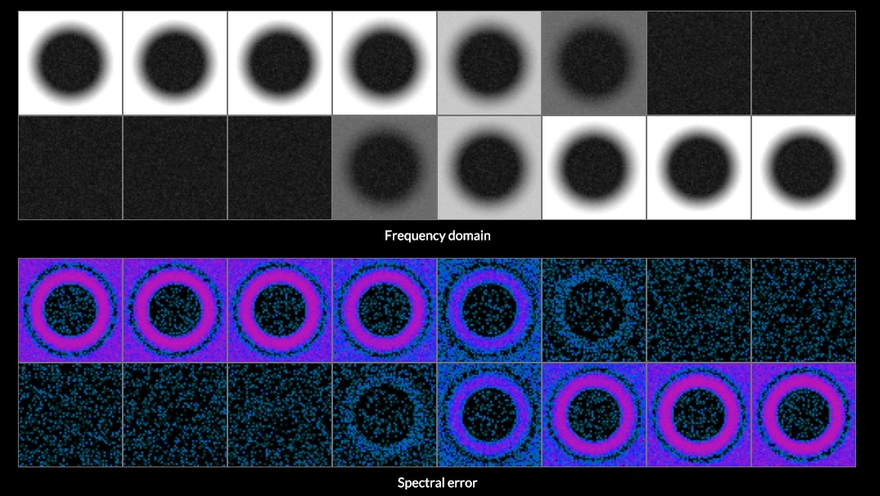
<p>Still, it works and you can also make 3D STBN with the spatial and temporal curves controlled independently:</p>

</div></div>

<div class="c"></div>

<div class="c"></div>

<div class="g12 mt1"><div class="pad tc">
  <img src="https://acko.net/files/fiddusion/stbn-curve1.png" title="STBN spectrum 1" style="width: 100%; max-width: 100%; margin: 0 auto" />
</div></div>
<div class="c"></div>

<div class="g12 mt1"><div class="pad tc">
  <img src="https://acko.net/files/fiddusion/stbn-curve2.png" title="STBN spectrum 2" style="width: 100%; max-width: 100%; margin: 0 auto" />
</div></div>
<div class="c"></div>

<div class="g12 mt1"><div class="pad tc">
  <img src="https://acko.net/files/fiddusion/stbn-curve3.png" title="STBN spectrum 3" style="width: 100%; max-width: 100%; margin: 0 auto" />
  <p><em>Converged spectra</em></p>
</div></div>

<div class="c"></div>

<div class="g8 i2 mt1"><div class="pad">

<p>I built command-line scripts for this, with a bunch of quality of life things. If you're going to sit around waiting for numbers to go by, you have a lot of time for this...</p>

<p><ul class="indent">
  <li>Save and load byte/float-exact state to a .png, save parameters to .json</li>
  <li>Save a bunch of debug viz as extra .pngs with every snapshot</li>
  <li>Auto-save state periodically during runs</li>
  <li>Measure and show rate of convergence every N seconds, with smoothing</li>
  <li>Validate the histogram before saving to detect bugs and avoid corrupting expensive runs</li>
</ul></p>

<p>I could fire up a couple of workers to start churning, while continuing to develop the code liberally with new variations. I could also stop and restart workers with new heuristics, continuing where it left off.</p>

</div></div>

<div class="c"></div>
<div class="mt1"></div>

<div class="g10 i1"><div class="pad tc">
  <img src="https://acko.net/files/fiddusion/scripts.png" title="CLI scripts" />
  <p><em>Protip: you can write C in JavaScript</em></p>
</div></div>

<div class="c"></div>

<div class="g8 i2 mt1"><div class="pad">
  
<p>Drunk with power, I tried various sizes and curves, which created... okay noise. Each has the exact same uniform distribution so it's difficult to judge other than comparing to other output, or earlier versions of itself.</p>

<p>To address this, I visualized the blurred result, using a [1 4 6 4 1] kernel as my base line. After adjusting levels, structure was visible:</p>

</div></div>

<div class="c"></div>
<div class="mt1"></div>

<div class="g4 i2"><div class="pad tc">
  <img src="https://acko.net/files/fiddusion/blur-approx-time.png" title="Blue noise - Approx" style="width: 256px; max-width: 100%; margin: 0 auto" />
  <p><em>Semi-converged</em></p>
</div></div>

<div class="g4"><div class="pad tc">
  <img src="https://acko.net/files/fiddusion/blur-approx-blur.png" title="Blue noise - Blurred" style="width: 256px; max-width: 100%; margin: 0 auto" />
  <p><em>Blurred</em></p>
</div></div>

<div class="c"></div>

<div class="g8 i2 mt1"><div class="pad">

<p>The resulting spectra show what's actually going on:</p>

</div></div>

<div class="c"></div>
<div class="mt1"></div>

<div class="g4 i2"><div class="pad tc">
  <img src="https://acko.net/files/fiddusion/blur-approx-freq.png" title="Blue noise - Approx" style="width: 256px; max-width: 100%; margin: 0 auto" />
  <p><em>Semi-converged</em></p>
</div></div>

<div class="g4"><div class="pad tc">
  <img src="https://acko.net/files/fiddusion/blur-approx-1-freq.png" title="Blue noise - Blurred" style="width: 256px; max-width: 100%; margin: 0 auto" />
  <p><em>Blurred</em></p>
</div></div>

<div class="c"></div>
<div class="g8 i2"><div class="pad">

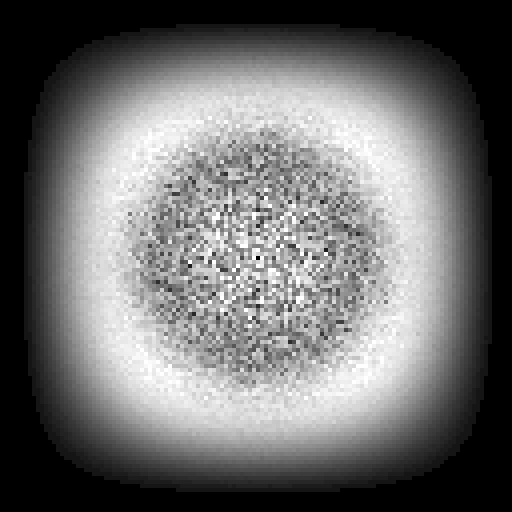
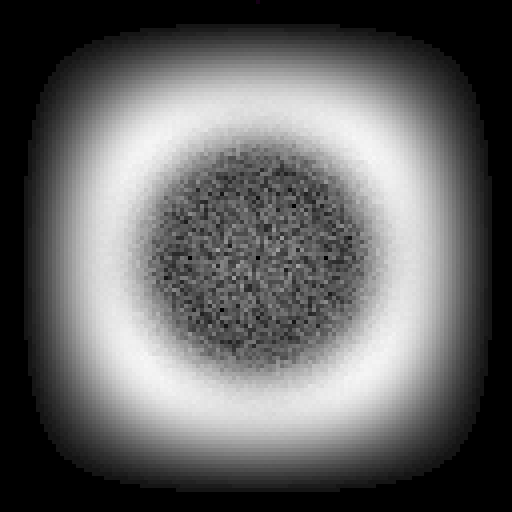
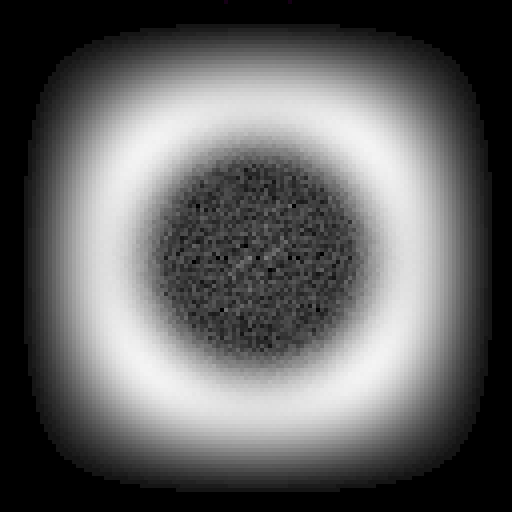
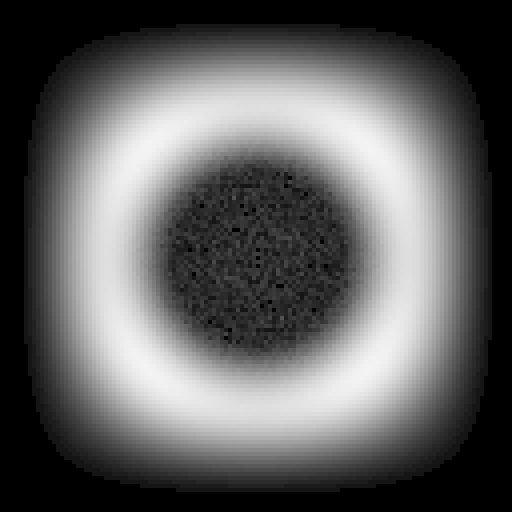
<p>The main component is the expected ring of bandpass noise, the 2D equivalent of ringing. But in between there is also a ton of redder noise, in the lower frequencies, which all remains after a blur. This noise is as strong as the ring.</p>

<p>So while it's easy to make a blue-ish noise pattern that looks okay at first glance, there is a vast gap between having a noise floor and not having one. So I kept iterating:</p>

</div></div>

<div class="c"></div>
<div class="mt1"></div>

<div class="g4"><div class="pad tc">
  <img src="https://acko.net/files/fiddusion/blur-approx-2-freq.png" title="Blue noise - Blurred" style="width: 256px; max-width: 100%; margin: 0 auto" />
</div></div>

<div class="g4"><div class="pad tc">
  <img src="https://acko.net/files/fiddusion/blur-approx-3-freq.png" title="Blue noise - Blurred" style="width: 256px; max-width: 100%; margin: 0 auto" />
</div></div>

<div class="g4"><div class="pad tc">
  <img src="https://acko.net/files/fiddusion/blur-approx-4-freq.png" title="Blue noise - Blurred" style="width: 256px; max-width: 100%; margin: 0 auto" />
</div></div>

<div class="c"></div>
<div class="g8 i2 mt1"><div class="pad">

<p>It takes a very long time, but if you wait, all those little specks will slowly twinkle out, until quantization starts to get in the way, with a loss of about 1/255 per pixel (0.0039).</p>

</div></div>

<div class="c"></div>
<div class="mt1"></div>

<div class="g4 i2"><div class="pad tc">
  <img src="https://acko.net/files/fiddusion/blur-approx-blur.png" title="Blue noise - Converged" style="width: 256px; max-width: 100%; margin: 0 auto" />
  <p><em>Semi converged</em></p>
</div></div>

<div class="g4"><div class="pad tc">
  <img src="https://acko.net/files/fiddusion/blur-exact-blur.png" title="Blue noise - Converged &amp; Blurred" style="width: 256px; max-width: 100%; margin: 0 auto" />
  <p><em>Fully converged</em></p>
</div></div>

<div class="c"></div>
<div class="g8 i2"><div class="pad">

<p>The effect on the blurred output is remarkable. All the large scale structure disappears, as you'd expect from spectra, leaving only the bandpass ringing. That goes away with a strong enough blur, or a large enough dark zone.</p>

<p>The visual difference between the two is slight, but nevertheless, the difference is significant and pervasive when amplified:</p>

</div></div>

<div class="c"></div>
<div class="mt1"></div>

<div class="g4 i2"><div class="pad tc">
  <img src="https://acko.net/files/fiddusion/blur-approx-time.png" title="Blue noise - Semi-Converged" style="width: 256px; max-width: 100%; margin: 0 auto" />
  <p><em>Semi converged</em></p>
</div></div>

<div class="g4"><div class="pad tc">
  <img src="https://acko.net/files/fiddusion/blur-exact-time.png" title="Blue noise - Converged" style="width: 256px; max-width: 100%; margin: 0 auto" />
  <p><em>Fully converged</em></p>
</div></div>

<div class="c"></div>

<div class="g4 i2"><div class="pad tc">
  <img src="https://acko.net/files/fiddusion/blur-exact-diff.png" title="Blue noise - Diff" style="width: 256px; max-width: 100%; margin: 0 auto" />
  <p><em>Difference</em></p>
</div></div>

<div class="g4"><div class="pad tc">
  <img src="https://acko.net/files/fiddusion/blur-exact-freq.png" title="Blue noise - Converged Spectrum" style="width: 256px; max-width: 100%; margin: 0 auto" />
  <p><em>Final spectrum</em></p>
</div></div>

<div class="c"></div>
<div class="g8 i2"><div class="pad">

<p>I tried a few indigo noise curves, with different % of the curve zero. The resulting noise is all extremely equal, even after a blur and amplify. The only visible noise left is bandpass, and the noise floor is so low it may as well not be there.</p>

<p>As you make the black exclusion zone bigger, the noise gets concentrated in the edges and corners. It becomes a bit more linear and squarish, a contender for <em>violet</em> noise. This is basically a smooth evolution towards a pure pixel checkboard in the limit. Using more than 50% zero seems inadvisable for this reason:</p>

</div></div>

<div class="c"></div>
<div class="mt1"></div>

<div class="g4 i2"><div class="pad tc">
  <img src="https://acko.net/files/fiddusion/violet-128x128x1.png" title="Violet noise - Gamma correct" style="width: 256px; max-width: 100%; margin: 0 auto" />
  <p><em>Time domain</em></p>
</div></div>

<div class="g4"><div class="pad tc">
  <img src="https://acko.net/files/fiddusion/violet-128x128x1-freq.png" title="Violet noise - Spectrum" style="width: 256px; max-width: 100%; margin: 0 auto" />
  <p><em>Frequency domain</em></p>
</div></div>

<div class="c"></div>

<div class="g8 i2 mt1"><div class="pad">

<p>At this point the idea was validated, but it was dog slow. Can it be done faster?</p>


<h2 class="mt3">Spatially Sparse</h2>

<p>An FFT scales like O(N log N). When you are dealing with images and volumes, that N is actually an N² or N³ in practice.</p>

<p>The early phase of the search is the easiest to speed up, because you can find a good swap for any pixel with barely any tries. There is no point in being clever. Each sub-region is very non-uniform, and its spectrum nearly white. Placing pixels roughly by the right location is plenty good enough.</p>

<p>You might try splitting a large volume into separate blocks, and optimize each block separately. That wouldn't work, because all the boundaries remain fully white. Overlapping doesn't fix this, because they will actively create new seams. I tried it.</p>

<p>What does work is a windowed scoring strategy. It avoids a full FFT for the entire volume, and only scores each NxN or NxNxN region around each swapped point, with N-sized FFTs in each dimension. This is enormously faster and can rapidly dissolve larger volumes of white noise into approximate blue even with e.g. N = 8 or N = 16. Eventually it stops improving and you need to bump the range or switch to a global optimizer.</p>

<p>Here's the progression from white noise, to when sparse 16x16 gives up, followed by some additional 64x64:</p>

</div></div>

<div class="c"></div>
<div class="mt1"></div>

<div class="g4 i2"><div class="pad tc">
  <img src="https://acko.net/files/fiddusion/sparse-1.png" title="Sparse mode - Initial state" style="width: 256px; max-width: 100%; margin: 0 auto" />
  <p><em>Time domain</em></p>
</div></div>

<div class="g4"><div class="pad tc">
  <img src="https://acko.net/files/fiddusion/sparse-1-freq.png" title="Sparse mode - Initial spectrum" style="width: 256px; max-width: 100%; margin: 0 auto" />
  <p><em>Frequency domain</em></p>
</div></div>

<div class="c"></div>

<div class="g4 i2"><div class="pad tc">
  <img src="https://acko.net/files/fiddusion/sparse-2.png" title="Sparse mode - End state" style="width: 256px; max-width: 100%; margin: 0 auto" />
  <p><em>Time domain</em></p>
</div></div>

<div class="g4"><div class="pad tc">
  <img src="https://acko.net/files/fiddusion/sparse-2-freq.png" title="Sparse mode - End spectrum" style="width: 256px; max-width: 100%; margin: 0 auto" />
  <p><em>Frequency domain</em></p>
</div></div>

<div class="c"></div>

<div class="g4 i2"><div class="pad tc">
  <img src="https://acko.net/files/fiddusion/sparse-3.png" title="Sparse mode - End state" style="width: 256px; max-width: 100%; margin: 0 auto" />
  <p><em>Time domain</em></p>
</div></div>

<div class="g4"><div class="pad tc">
  <img src="https://acko.net/files/fiddusion/sparse-3-freq.png" title="Sparse mode - End spectrum" style="width: 256px; max-width: 100%; margin: 0 auto" />
  <p><em>Frequency domain</em></p>
</div></div>

<div class="c"></div>

<div class="g8 i2"><div class="pad">

<p>A naive solution does not work well however. This is because the spectrum of a subregion does not match the spectrum of the whole.</p>

<p>The Fourier transform assumes each signal is periodic. If you take a random subregion and forcibly repeat it, its new spectrum will have aliasing artifacts. This would cause you to consistently misjudge swaps.</p>

<p>To fix this, you need to window the signal in the space/time-domain. This forces it to start and end at 0, and eliminates the effect of non-matching boundaries on the scoring. I used a <code>smoothStep</code> window because it's cheap, and haven't needed to try anything else:</p>

<p class="tc"><img class="inline" src="https://acko.net/files/fiddusion/window-data.png" title="Windowed data" style="width: 256px; max-width: 100%" /></p>
<p class="tc"><em>16x16 windowed data</em></p>

<p>
  $$ w(t) = 1 - (3|t|^2 - 2|t|^3) , t=-1..1 $$
</p>

<p>This still alters the spectrum, but in a predictable way. A time-domain window is a convolution in the frequency domain. You don't actually have a choice here: <em>not</em> using a window is mathematically equivalent to using a <em>very bad</em> window. It's effectively a box filter covering the cut-out area inside the larger volume, which causes spectral ringing.</p>

<p>The effect of the chosen window on the target spectrum can be modeled via convolution of their spectral magnitudes:</p>

<p>$$ \mathbf{target}' = |\mathbf{target}| \circledast |\mathcal{F}(\mathbf{window})| $$</p>

<p>This can be done via the time domain as:</p>

<div class="autoscroll">
<p>$$ \mathbf{target}' = \mathcal{F}(\mathcal{F}^{-1}(|\mathbf{target}|) \cdot \mathcal{F}^{-1}(|\mathcal{F}(\mathbf{window})|)) $$</p>
</div>

<p>Note that the forward/inverse Fourier pairs are not redundant, as there is an absolute value operator in between. This discards the phase component of the window, which is irrelevant.</p>

<p>Curiously, while it is important to window the noise data, it isn't very important to window the target. The effect of the spectral convolution is small, amounting to a small blur, and the extra error is random and absorbed by the smooth scoring function.</p>

<p>The resulting local loss tracks the global loss function pretty closely. It massively speeds up the search in larger volumes, because the large FFT is the bottleneck. But it stops working well before anything resembling convergence in the frequency-domain. It does not make true blue noise, only a lookalike.</p>

<p>The overall problem is still that we can't tell good swaps from bad swaps without trying them and verifying.</p>


<h2 class="mt3">Sleight of Frequency</h2>

<p>So, let's characterize the effect of a pixel swap.</p>

<p>Given a signal <code>[A B C D E F G H]</code>, let's swap C and F.</p>

<p>Swapping the two values is the same as adding <code>F - C = Δ</code> to <code>C</code>, and subtracting that same delta from <code>F</code>. That is, you add the vector:</p>

<pre><code>V = [0 0 Δ 0 0 -Δ 0 0]</code></pre>
<div class="c"></div>

<p>This remains true if you apply a Fourier transform and do it in the frequency domain.</p>

<p>To best understand this, you need to develop some intuition around FFTs of Dirac deltas.</p>

<p>Consider the short filter kernel <code>[1 4 6 4 1]</code>. It's a little known fact, but you can actually sight-read its frequency spectrum directly off the coefficients, because the filter is symmetrical. I will teach you.</p>

<p>The extremes are easy:</p>

<p><ul class="indent">
<li>The DC amplitude is the sum 1 + 4 + 6 + 4 + 1 = 16</li>
<li>The Nyquist amplitude is the modulated sum 1 - 4 + 6 - 4 + 1 = 0</li>
</ul></p>

<p>So we already know it's an 'ideal' lowpass filter, which reduces the Nyquist signal +1, -1, +1, -1, ... to exactly zero. It also has 16x DC gain.</p>

<p>Now all the other frequencies.</p>

<p>First, remember the Fourier transform works in symmetric ways. Every statement <em>"____ in the time domain = ____ in the frequency domain"</em> is still true if you swap the words <em>time</em> and <em>frequency</em>. This has lead to the grotesquely named sub-field of <em>cepstral</em> processing where you have <em>quefrencies</em> and <em>vawes</em>, and it kinda feels like you're having a stroke. The cepstral convolution filter from earlier is called a <em>lifter</em>.</p>

<p>Usually cepstral processing is applied to the real magnitude of the spectrum, i.e. $ |\mathrm{spectrum}| $, instead of its true complex value. This is a coward move.</p>

<p>So, decompose the kernel into symmetric pairs:</p>

<pre><code>[· · 6 · ·]
[· 4 · 4 ·]
[1 · · · 1]</code></pre>
<div class="c"></div>

<p>All but the first row is a pair of real Dirac deltas in the time domain. Such a row is normally what you get when you Fourier transform a <em>cosine</em>, i.e.:</p>

<p>$$ \cos \omega = \frac{\mathrm{e}^{i\omega} + \mathrm{e}^{-i\omega}}{2} $$</p>

<p>A cosine in time is a <em>pair</em> of Dirac deltas in the frequency domain. The phase of a (real) cosine is zero, so both its deltas are real.</p>

<p>Now flip it around. The Fourier transform of a <em>pair</em> <code>[x 0 0 ... 0 0 x]</code> is a <em>real cosine</em> in frequency space. Must be true. Each new pair adds a new higher cosine on top of the existing spectrum. For the central <code>[... 0 0 x 0 0 ...]</code> we add a DC term. It's just a Fourier transform in the other direction:</p>

<pre><code>|FFT([1 4 6 4 1])| =

  [· · 6 · ·] =&gt; 6 
  [· 4 · 4 ·] =&gt; 8 cos(ɷ)
  [1 · · · 1] =&gt; 2 cos(2ɷ)
  
 = |6 + 8 cos(ɷ) + 2 cos(2ɷ)|</code></pre>
<div class="c"></div>

<p>Normally you have to use the z-transform to analyze a digital filter. But the above is a shortcut. FFTs and inverse FFTs do have opposite phase, but that doesn't matter here because <code>cos(ɷ) = cos(-ɷ)</code>.</p>

<p>This works for the symmetric-even case too: you offset the frequencies by half a band, ɷ/2, and there is no DC term in the middle:</p>

<pre><code>|FFT([1 3 3 1])| =

  [· 3 3 ·] =&gt; 6 cos(ɷ/2)
  [1 · · 1] =&gt; 2 cos(3ɷ/2)

 = |6 cos(ɷ/2) + 2 cos(3ɷ/2)|</code></pre>
<div class="c"></div>

<p>So, symmetric filters have spectra that are made up of regular cosines. Now you know.</p>

<p>For the purpose of this trick, we centered the filter around $ t = 0 $. FFTs are typically aligned to <em>array index</em> 0. The difference between the two is however just phase, so it can be disregarded.</p>

<p>What about the delta vector <code>[0 0 Δ 0 0 -Δ 0 0]</code>? It's not symmetric, so we have to decompose it:</p>

<pre><code>V1 = [· · · · · Δ · ·]
V2 = [· · Δ · · · · ·]

V = V2 - V1</code></pre>
<div class="c"></div>

<p>Each is now an unpaired Dirac delta. Each vector's Fourier transform is a complex wave $ Δ \cdot \mathrm{e}^{-i \omega k} $ in the frequency domain (the k'th <em>quefrency</em>). It lacks the usual complementary oppositely twisting wave $ Δ \cdot \mathrm{e}^{i \omega k} $, so it's <em>not</em> real-valued. It has constant magnitude Δ and varying phase:</p>

<pre><code>FFT(V1) = [<div style="display: inline-flex; vertical-align: middle"><div style="padding: 0 4px; transform: rotate(0deg) translate(0px,-1px)">Δ</div><div style="padding: 0 4px; transform: rotate(225deg) translate(0px,-1px)">Δ</div><div style="padding: 0 4px; transform: rotate(450deg) translate(0px,-1px)">Δ</div><div style="padding: 0 4px; transform: rotate(675deg) translate(0px,-1px)">Δ</div><div style="padding: 0 4px; transform: rotate(900deg) translate(0px,-1px)">Δ</div><div style="padding: 0 4px; transform: rotate(1125deg) translate(0px,-1px)">Δ</div><div style="padding: 0 4px; transform: rotate(1350deg) translate(0px,-1px)">Δ</div><div style="padding: 0 4px; transform: rotate(1575deg) translate(0px,-1px)">Δ</div></div>]
FFT(V2) = [<div style="display: inline-flex; vertical-align: middle"><div style="padding: 0 4px; transform: rotate(0deg) translate(0px,-1px)">Δ</div><div style="padding: 0 4px; transform: rotate(90deg) translate(0px,-1px)">Δ</div><div style="padding: 0 4px; transform: rotate(180deg) translate(0px,-1px)">Δ</div><div style="padding: 0 4px; transform: rotate(270deg) translate(0px,-1px)">Δ</div><div style="padding: 0 4px; transform: rotate(360deg) translate(0px,-1px)">Δ</div><div style="padding: 0 4px; transform: rotate(450deg) translate(0px,-1px)">Δ</div><div style="padding: 0 4px; transform: rotate(540deg) translate(0px,-1px)">Δ</div><div style="padding: 0 4px; transform: rotate(630deg) translate(0px,-1px)">Δ</div></div>]</code></pre>
<div class="c"></div>

<p>These are <em>vawes</em>.</p>

<p>The effect of a swap is still just to add <code>FFT(V)</code>, aka <code>FFT(V2) - FFT(V1)</code> to the (complex) spectrum. The effect is to transfer energy between all the bands simultaneously. Hence, <code>FFT(V1)</code> and <code>FFT(V2)</code> function as a <em>source</em> and <em>destination</em> mask for the transfer.</p>

<p>However, 'mask' is the wrong word, because the magnitude of $ \mathrm{e}^{i \omega k} $ is always 1. It doesn't have varying amplitude, only varying phase. <code>-FFT(V1)</code> and <code>FFT(V2)</code> define the complex <em>direction</em> in which to add/subtract energy.</p>

<p>When added together their phases interfere constructively or destructively, resulting in an amplitude that varies between 0 and 2Δ: an actual mask. The resulting phase will be halfway between the two, as it's the sum of two equal-length complex numbers.</p>

<pre><code>FFT(V) = [<div style="display: inline-flex; vertical-align: middle"><div style="padding: 0 4px;">·</div><div style="padding: 0 4px; transform: scale(1.848, 1.848) rotate(67.500deg) translate(0px,-1px)">Δ</div><div style="padding: 0 4px; transform: scale(1.414, 1.414) rotate(-135.000deg) translate(0px,-1px)">Δ</div><div style="padding: 0 4px; transform: scale(0.765, 0.765) rotate(-157.500deg) translate(0px,-1px)">Δ</div><div style="padding: 0 4px; transform: scale(2.000, 2.000) rotate(-0.000deg) translate(0px,-1px)">Δ</div><div style="padding: 0 4px; transform: scale(0.765, 0.765) rotate(157.500deg) translate(0px,-1px)">Δ</div><div style="padding: 0 4px; transform: scale(1.414, 1.414) rotate(135.000deg) translate(0px,-1px)">Δ</div><div style="padding: 0 4px; transform: scale(1.848, 1.848) rotate(-67.500deg) translate(0px,-1px)">Δ</div></div>]</code></pre>
<div class="c"></div>

<p>For any given pixel A and its delta <code>FFT(V1)</code>, it can pair up with other pixels B to form N-1 different interference masks <code>FFT(V2) - FFT(V1)</code>. There are N(N-1)/2 unique interference masks, if you account for (A,B) (B,A) symmetry.</p>

<p>Worth pointing out, the FFT of the first index:</p>

<pre><code>FFT([Δ 0 0 0 0 0 0 0]) = [Δ Δ Δ Δ Δ Δ Δ Δ]</code></pre>
<div class="c"></div>

<p>This is the DC quefrency, and the fourier symmetry continues to work. Moving values in time causes the vawe's quefrency to change in the frequency domain. This is the upside-down version of how moving energy to another frequency band causes the wave's frequency to change in the time domain.</p>


<h2 class="mt3">What's the Gradient, Kenneth?</h2>

<p>Using vectors as masks... shifting energy in directions... this means gradient descent, no?</p>

<p>Well.</p>

<p>It's indeed possible to calculate the derivative of your loss function as a function of input pixel brightness, with the usual bag of automatic differentiation/backprop tricks. You can also do it numerically. </p>

<p>But, this doesn't help you directly because the only way you can act on that per-pixel gradient is by swapping a <em>pair</em> of pixels. You need to find two quefrencies <code>FFT(V1)</code> and <code>FFT(V2)</code> which interfere in <em>exactly</em> the right way to decrease the loss function across all bad frequencies simultaneously, while leaving the good ones untouched. Even if the gradient were to help you pick a good starting pixel, that still leaves the problem of finding a good partner.</p>

<p>There are still O(N²) possible pairs to choose from, and the entire spectrum changes a little bit on every swap. Which means new FFTs to analyze it.</p>

<p>Random greedy search is actually tricky to beat in practice. Whatever extra work you spend on getting better samples translates into less samples tried per second. e.g. Taking a best-of-3 approach is worse than just trying 3 swaps in a row. Swaps are almost always orthogonal.</p>

<p>But <code>random()</code> still samples unevenly because it's white noise. If only we had.... oh wait. Indeed if you already have blue noise of the right size, you can use that to mildly speed up the search for more. Use it as a random permutation to drive sampling, with some inevitable whitening over time to keep it fresh. You can't however use the noise you're generating to accelerate its own search, because the two are highly correlated.</p>

<p>What's really going on is all a consequence of the loss function.</p>

</div></div>

<div class="g6 mt1"><div class="pad">
  <img src="https://acko.net/files/fiddusion/loss-amplitude-target.png" alt="Loss amplitude" />
</div></div>

<div class="g6 mt1"><div class="pad">

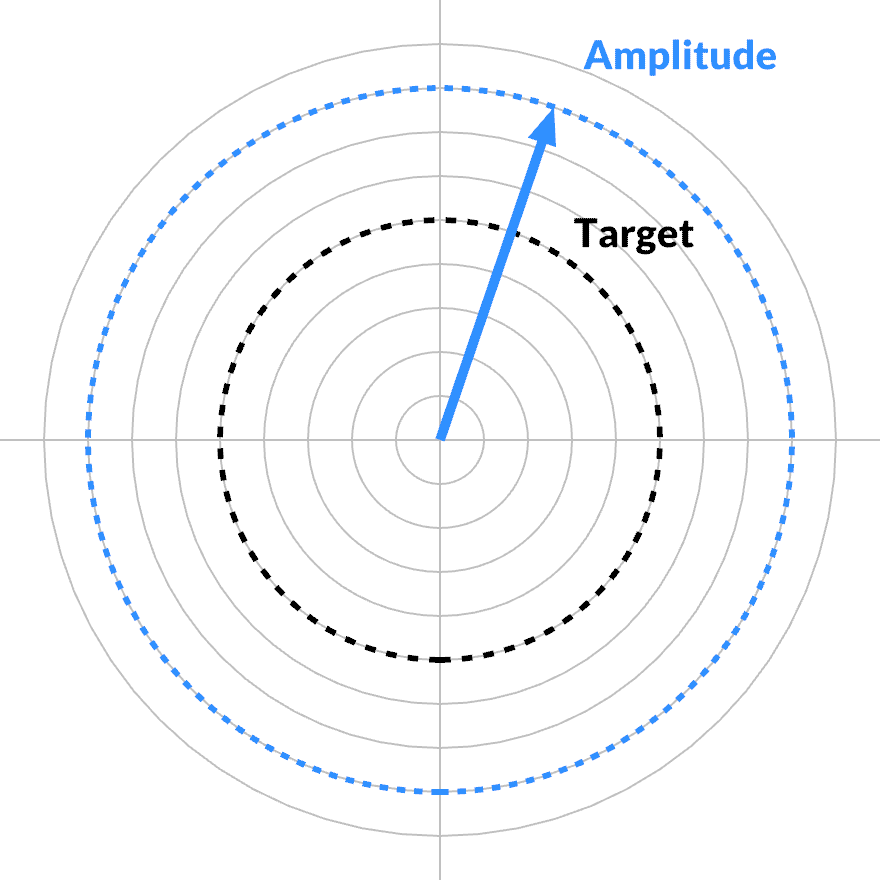
<p>Given any particular frequency band, the loss function is only affected when its magnitude changes. Its phase can change arbitrarily, <em>rolling</em> around without friction. The complex gradient must point in the radial direction. In the tangential direction, the partial derivative is zero.</p>

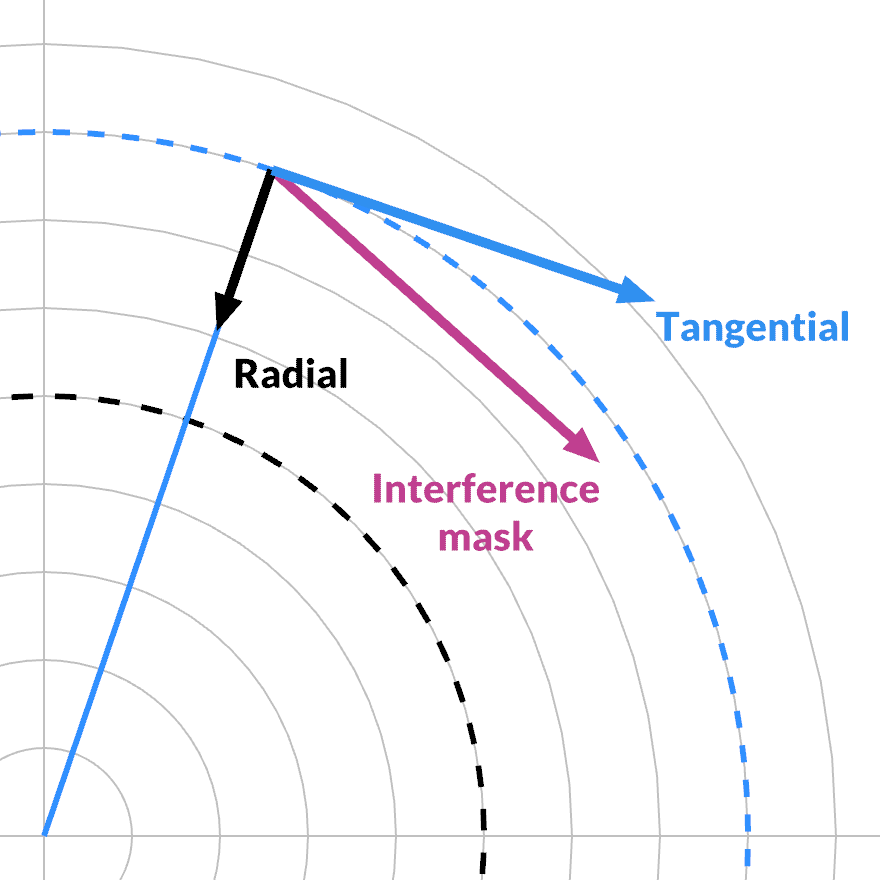
<p>The value of a given interference mask <code>FFT(V1) - FFT(V2)</code> for a given frequency is also complex-valued. It can be projected onto the current phase, and split into its radial and tangential component with a dot product.</p>

</div></div>

<div class="g6 mt1 r"><div class="pad">
  <img src="https://acko.net/files/fiddusion/loss-amplitude-frame.png" alt="Loss amplitude vector basis" />
</div></div>

<div class="g6 mt1"><div class="pad">

<p>The interference mask has a dual action. As we saw, its magnitude varies between 0 and 2Δ, as a function of the two indices k1 and k2. This creates a window that is independent of the specific state or data. It defines a smooth 'hash' from the interference of two quefrency bands.</p>

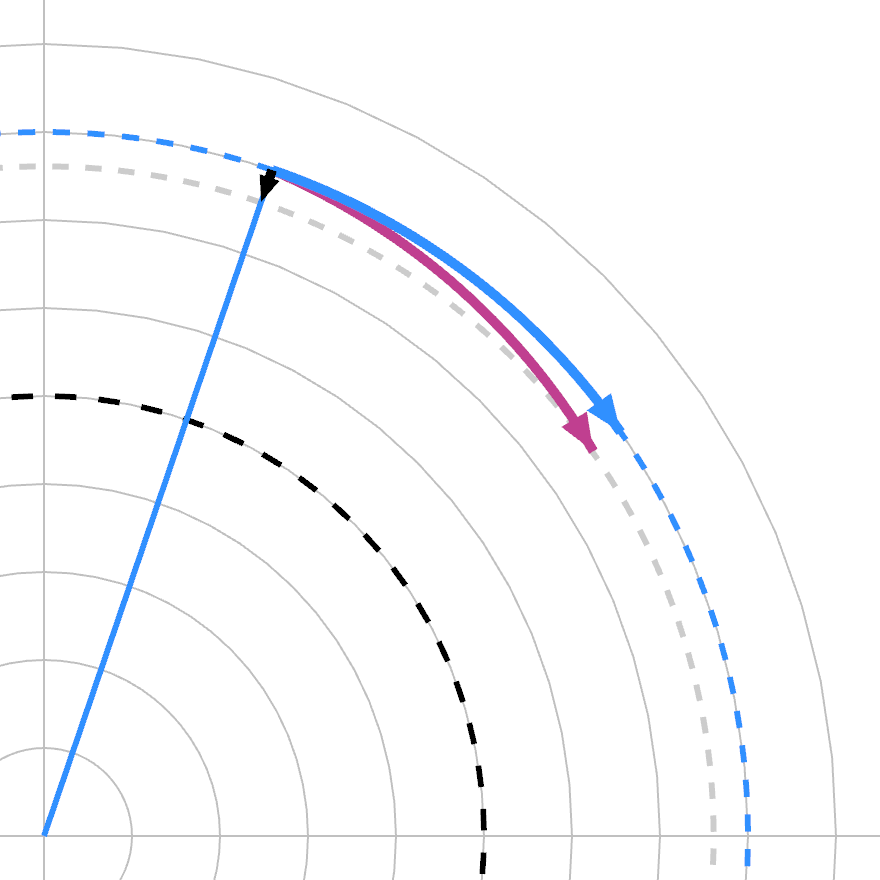
<p>But its phase adds an <em>additional</em> selection effect: whether the interference in the mask is aligned with the current band's phase: this determines the split between radial and tangential. This defines a smooth phase 'hash' on top. It cycles at the average of the two quefrencies, i.e. a different, third one.</p>

</div></div>

<div class="g6 mt1 r" style="clear: right"><div class="pad">
  <img src="https://acko.net/files/fiddusion/loss-amplitude-curved.png" alt="Loss amplitude vector basis" />
</div></div>

<div class="g6"><div class="pad">

<p>Energy is only added/subtracted if both hashes are non-zero. If the phase hash is zero, the frequency band only turns. This does not affect loss, but changes how each mask will affect it in the future. This then determines how it is coupled to other bands when you perform a particular swap.</p>

<p>Note that this is only true differentially: for a finite swap, the curvature of the complex domain comes into play.</p>

<p>The loss function is actually a hyper-cylindrical skate bowl you can ride around. Just the movement of all the bands is tied together.</p>

</div></div>

<div class="c"></div>

<div class="g8 i2 mt1"><div class="pad">

<p>Frequency bands with significant error may 'random walk' freely clockwise or counterclockwise when subjected to swaps. A band can therefor drift until it gets a turn where its phase is in alignment with enough similar bands, where the swap makes them all descend along the local gradient, enough to counter any negative effects elsewhere.</p>

<p>In the time domain, each frequency band is a wave that oscillates between -1...1: it 'owns' some of the value of each pixel, but there are places where its weight is ~zero (the knots).</p>

<p>So when a band shifts phase, it changes how much of the energy of each pixel it 'owns'. This allows each band to 'scan' different parts of the noise in the time domain. In order to fix a particular peak or dent in the frequency spectrum, the search must rotate that band's phase so it strongly owns <em>any</em> defect in the noise, and then perform a swap to fix that defect.</p>

<p>Thus, my mental model of this is not actually disconnected <em>pixel swapping</em>.</p>

<p>It's more like one of those Myst puzzles where flipping a switch flips some of the neighbors too. You press one pair of buttons at a time. It's a giant haunted dimmer switch.</p>

<p>We're dealing with complex amplitudes, not real values, so the light also has a color. Mechanically it's like a slot machine, with dials that can rotate to display different sides. The cherries and bells are the color: they determine how the light gets brighter or darker. If a dial is set just right, you can use it as a /dev/null to 'dump' changes.</p>

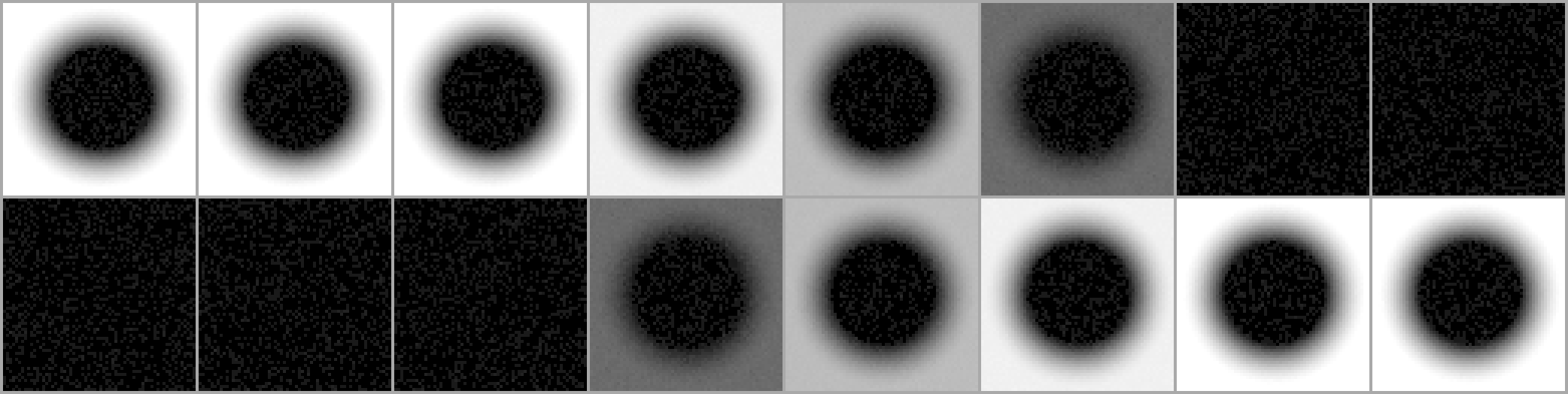
<p>That's what theory predicts, but does it work? Well, here is a (blurred noise) spectrum being late-optimized. The search is trying to eliminate the left-over lower frequency noise in the middle:</p>

</div></div>

<div class="c"></div>
<div class="mt1"></div>

<div class="g4 i4"><div class="pad tc">
  <img src="https://acko.net/files/fiddusion/phase-freq.png" title="Sparse mode - Initial state" style="width: 256px; max-width: 100%; margin: 0 auto" />
  <p><em>Semi converged</em></p>
</div></div>

<div class="c"></div>

<div class="g8 i2"><div class="pad">

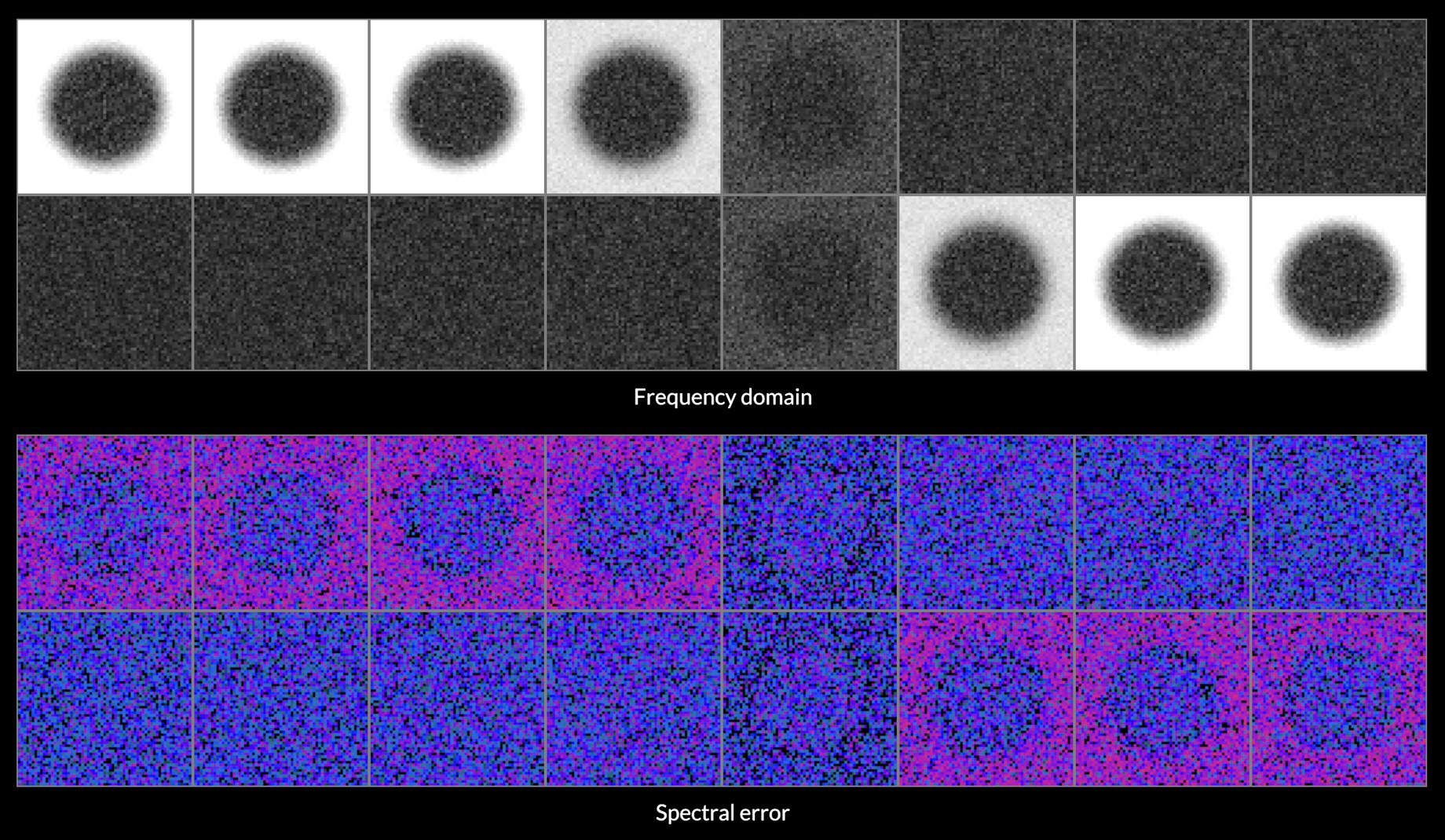
<p>Here's the phase difference from the late stages of search, each a good swap. Left to right shows 4 different value scales:</p>

</div></div>

<div class="c"></div>
<div class="mt1"></div>

<div class="g3"><div class="pad tc">
  <img src="https://acko.net/files/fiddusion/diff-phase-1-2.png" title="Phase delta 1" style="width: 256px; max-width: 100%; margin: 0 auto" />
  <p><em>x2</em></p>
</div></div>

<div class="g3"><div class="pad tc">
  <img src="https://acko.net/files/fiddusion/diff-phase-1-16.png" title="Phase delta 2" style="width: 256px; max-width: 100%; margin: 0 auto" />
  <p><em>x16</em></p>
</div></div>

<div class="g3"><div class="pad tc">
  <img src="https://acko.net/files/fiddusion/diff-phase-1-256.png" title="Phase delta 3" style="width: 256px; max-width: 100%; margin: 0 auto" />
  <p><em>x256</em></p>
</div></div>

<div class="g3"><div class="pad tc">
  <img src="https://acko.net/files/fiddusion/diff-phase-1-4096.png" title="Phase delta 4" style="width: 256px; max-width: 100%; margin: 0 auto" />
  <p><em>x4096</em></p>
</div></div>

<div class="g3"><div class="pad tc">
  <img src="https://acko.net/files/fiddusion/diff-phase-2-2.png" title="Phase delta 1" style="width: 256px; max-width: 100%; margin: 0 auto" />
  <p><em>x2</em></p>
</div></div>

<div class="g3"><div class="pad tc">
  <img src="https://acko.net/files/fiddusion/diff-phase-2-16.png" title="Phase delta 2" style="width: 256px; max-width: 100%; margin: 0 auto" />
  <p><em>x16</em></p>
</div></div>

<div class="g3"><div class="pad tc">
  <img src="https://acko.net/files/fiddusion/diff-phase-2-256.png" title="Phase delta 3" style="width: 256px; max-width: 100%; margin: 0 auto" />
  <p><em>x256</em></p>
</div></div>

<div class="g3"><div class="pad tc">
  <img src="https://acko.net/files/fiddusion/diff-phase-2-4096.png" title="Phase delta 4" style="width: 256px; max-width: 100%; margin: 0 auto" />
  <p><em>x4096</em></p>
</div></div>

<div class="c"></div>

<div class="g8 i2"><div class="pad">

<p>At first it looks like just a few phases are changing, but amplification reveals it's the opposite. There are several plateaus. Strongest are the bands being actively modified. Then there's the circular error area around it, where other bands are still swirling into phase. Then there's a sharp drop-off to a much weaker noise floor, present everywhere. These are the bands that are already converged.</p>

<p>Compare to a random bad swap:</p>

</div></div>

<div class="c"></div>
<div class="mt1"></div>

<div class="g3"><div class="pad tc">
  <img src="https://acko.net/files/fiddusion/diff-phase-bad-2.png" title="Diff phase delta 1" style="width: 256px; max-width: 100%; margin: 0 auto" />
  <p><em>x2</em></p>
</div></div>

<div class="g3"><div class="pad tc">
  <img src="https://acko.net/files/fiddusion/diff-phase-bad-16.png" title="Diff phase delta 2" style="width: 256px; max-width: 100%; margin: 0 auto" />
  <p><em>x16</em></p>
</div></div>

<div class="g3"><div class="pad tc">
  <img src="https://acko.net/files/fiddusion/diff-phase-bad-256.png" title="Diff phase delta 3" style="width: 256px; max-width: 100%; margin: 0 auto" />
  <p><em>x256</em></p>
</div></div>

<div class="g3"><div class="pad tc">
  <img src="https://acko.net/files/fiddusion/diff-phase-bad-4096.png" title="Diff phase delta 4" style="width: 256px; max-width: 100%; margin: 0 auto" />
  <p><em>x4096</em></p>
</div></div>

<div class="c"></div>

<div class="g8 i2"><div class="pad">

<p>Now there is strong noise all over the center, and the loss immediately gets worse, as a bunch of amplitudes start shifting in the wrong direction randomly.</p>

<p>So it's true. Applying the swap algorithm with a spectral target naturally cycles through focusing on different parts of the target spectrum as it makes progress. This information is positionally encoded in the phases of the bands and can be 'queried' by attempting a swap.</p>

<p>This means the constraint of a fixed target spectrum is actually a constantly moving target in the complex domain.</p>

<p>Frequency bands that reach the target are locked in. Neither their magnitude nor phase changes in aggregate. The random walks of such bands must have no DC component... they must be complex-valued blue noise with a tiny amplitude.</p>

<p>Knowing this doesn't help directly, but it does explain why the search is so hard. Because the interference masks function like hashes, there is no simple pattern to how positions map to errors in the spectrum. And once you get close to the target, finding new good swaps is equivalent to digging out information encoded deep in the phase domain, with O(N²) interference masks to choose from.</p>


<h2 class="mt3">Gradient Sampling</h2>

<p>As I was trying to optimize for evenness after blur, it occurred to me to simply try selecting bright or dark spots in the blurred after-image.</p>

<p>This is the situation where frequency bands are in coupled alignment: the error in the spectrum has a relatively concentrated footprint in the time domain. But, this heuristic merely picks out good swaps that are already 'lined up' so to speak. It only works as a low-hanging fruit sampler, with rapidly diminishing returns.</p>

<p>Next I used the gradient in the frequency domain.</p>

<p>The gradient points towards increasing loss, which is the sum of squared distance $ (…)^2 $. So the slope is $ 2(…) $, proportional to distance to the goal:</p>

<div class="autoscroll">
<p>$$ |\mathrm{gradient}_k| = 2 \cdot \left( \frac{|\mathrm{spectrum}_k|}{||\mathbf{spectrum}||} - \frac{\mathrm{target}_k}{||\mathbf{target}||} \right) $$</p>
</div>

<p>It's radial, so its phase matches the spectrum itself:</p>

<div class="autoscroll">
<p>$$ \mathrm{gradient}_k = \mathrm{|gradient_k|} \cdot \left(1 ∠ \mathrm{arg}(\mathrm{spectrum}_k) \right) $$</p>
</div>

<p>Eagle-eyed readers may notice the <code>sqrt</code> part of the L2 norm is missing here. It's only there for normalization, and in fact, you generally want a gradient that decreases the closer you get to the target. It acts as a natural stabilizer, forming a convex optimization problem.</p>

<p>You can transport this gradient backwards by applying an inverse FFT. Usually derivatives and FFTs don't commute, but that's only when you are deriving in the same dimension as the FFT. The partial derivative here is neither over time nor frequency, but by signal value.</p>

<p>The resulting time-domain gradient tells you how fast the (squared) loss would change if a given pixel changed. The sign tells you whether it needs to become lighter or darker. In theory, a pixel with a large gradient can enable larger score improvements per step.</p>

<p>It says little about what's a suitable pixel to pair with though. You can infer that a pixel needs to be paired with one that is brighter or darker, but not how much. The gradient only applies differentially. It involves two pixels, so it will cause interference between the two deltas, and also with the signal's own phase.</p>

<p>The time-domain gradient does change slowly after every swap—mainly the swapping pixels—so this only needs to add an extra IFFT every N swap attempts, reusing it in between.</p>

<p>I tried this in two ways. One was to bias random sampling towards points with the largest gradients. This barely did anything, when applied to one or both pixels.</p>

<p>Then I tried going down the list in order, and this worked better. I tried a bunch of heuristics here, like adding a retry until paired, and a 'dud' tracker to reject known unpairable pixels. It did lead to some minor gains in successful sample selection. But beating random was still not a sure bet in all cases, because it comes at the cost of ordering and tracking all pixels to sample them.</p>

<p>All in all, it was quite mystifying.</p>

<h2 class="mt3">Pair Analysis</h2>

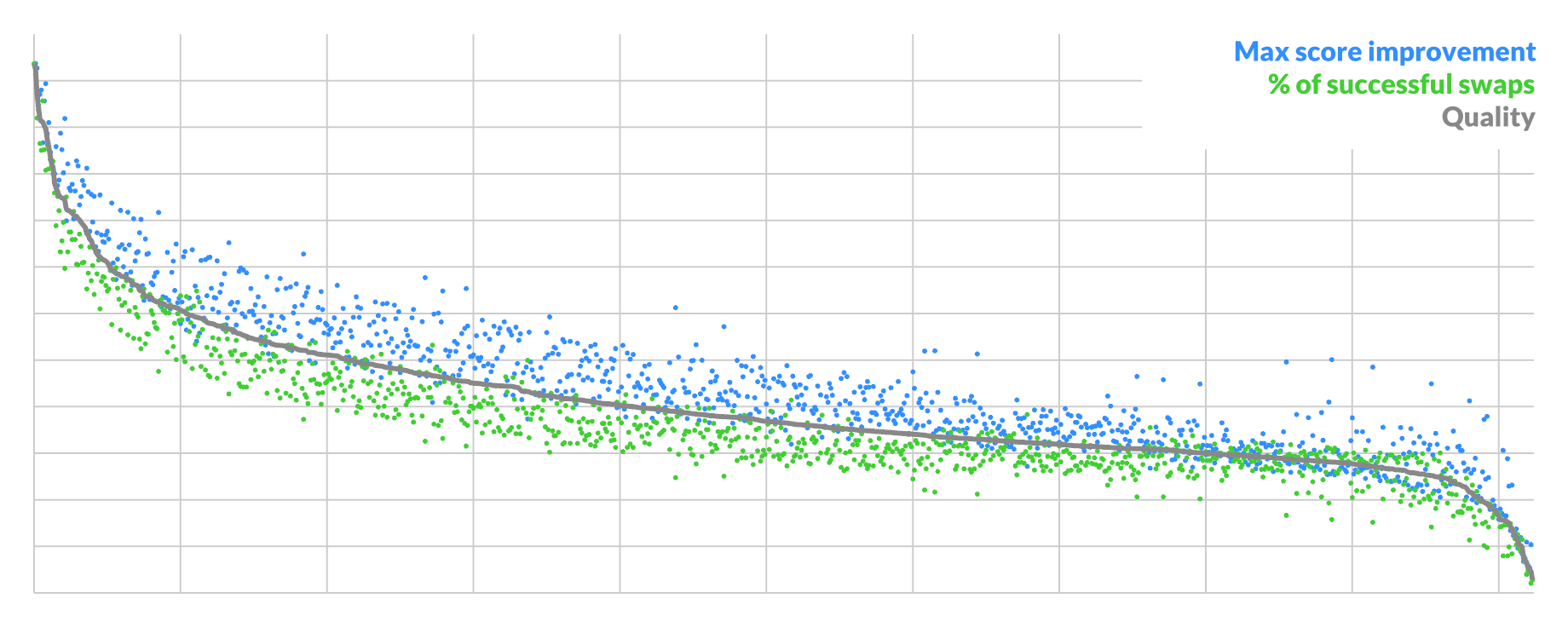
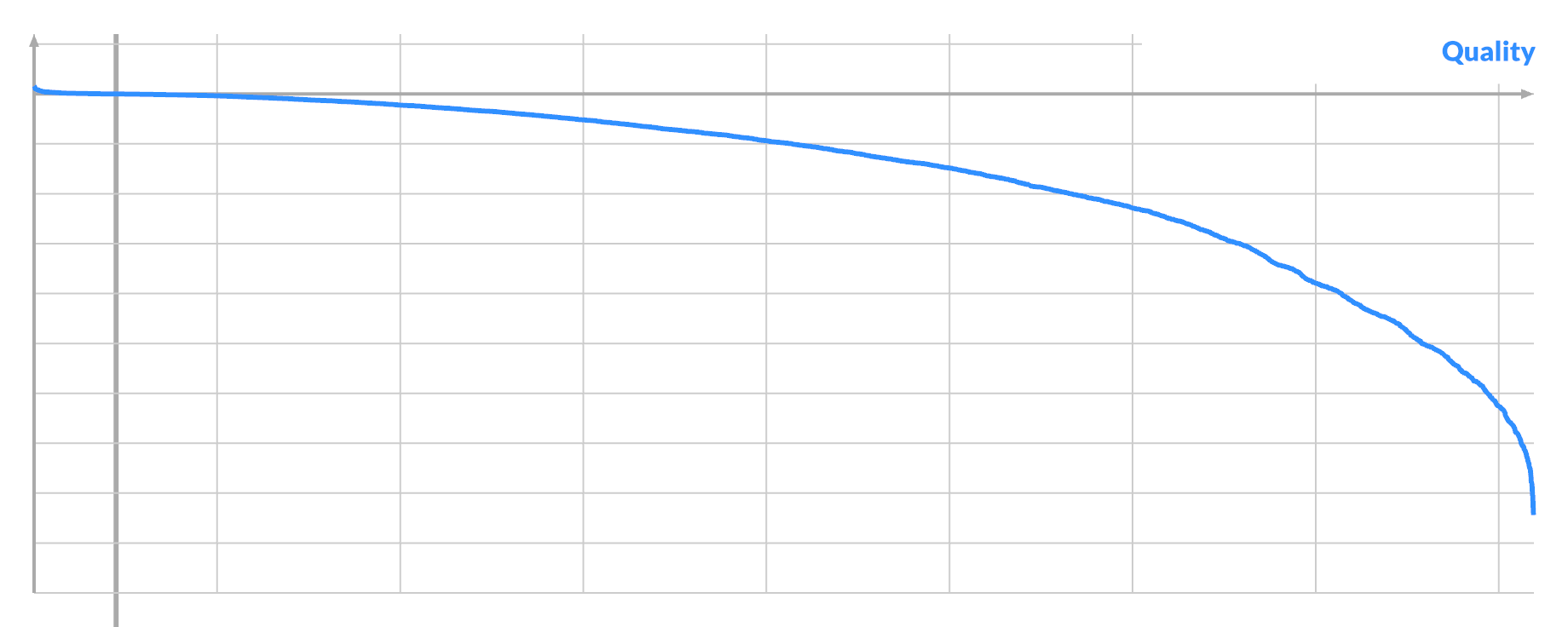
<p>Hence I analyzed <em>all</em> possible swaps <code>(A,B)</code> inside one 64x64 image at different stages of convergence, for 1024 pixels A (25% of total).</p>

<p>The result was quite illuminating. There are 2 indicators of a pixel's suitability for swapping:</p>

<p><ul class="indent">
<li>% of all possible swaps (A,_) that are good</li>
<li>score improvement of best possible swap (A,B)</li>
</ul></p>

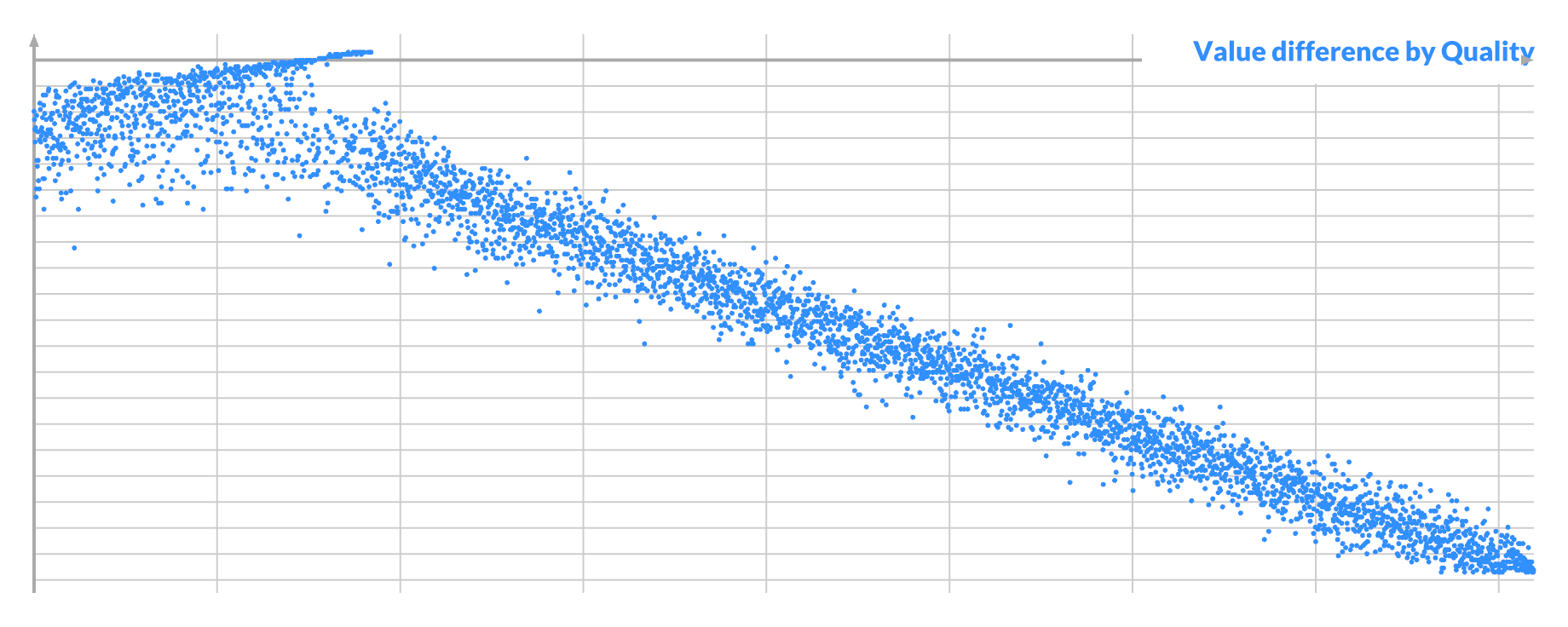
<p>They are highly correlated, and you can take the geometric average to get a single quality score to order by:</p>

</div></div>

<div class="g12 mt1"><div class="pad">
  <img src="https://acko.net/files/fiddusion/sample-run-1.png" alt="Pixel A quality" />
</div></div>

<div class="g8 i2 mt1"><div class="pad">

<p>The curve shows that the best possible candidates are rare, with a sharp drop-off at the start. Here the average candidate is ~1/3rd as good as the best, though every pixel is pairable. This represents the typical situation when you have unconverged blue-ish noise.</p>

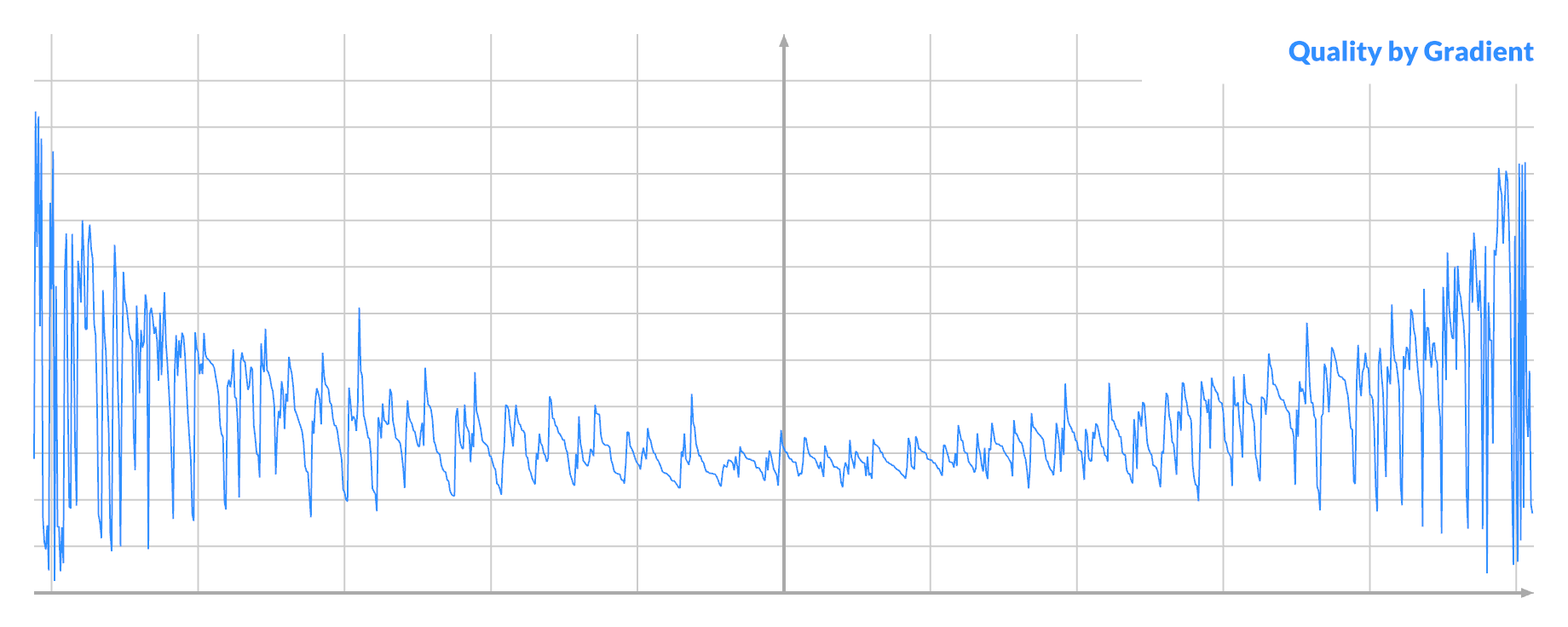
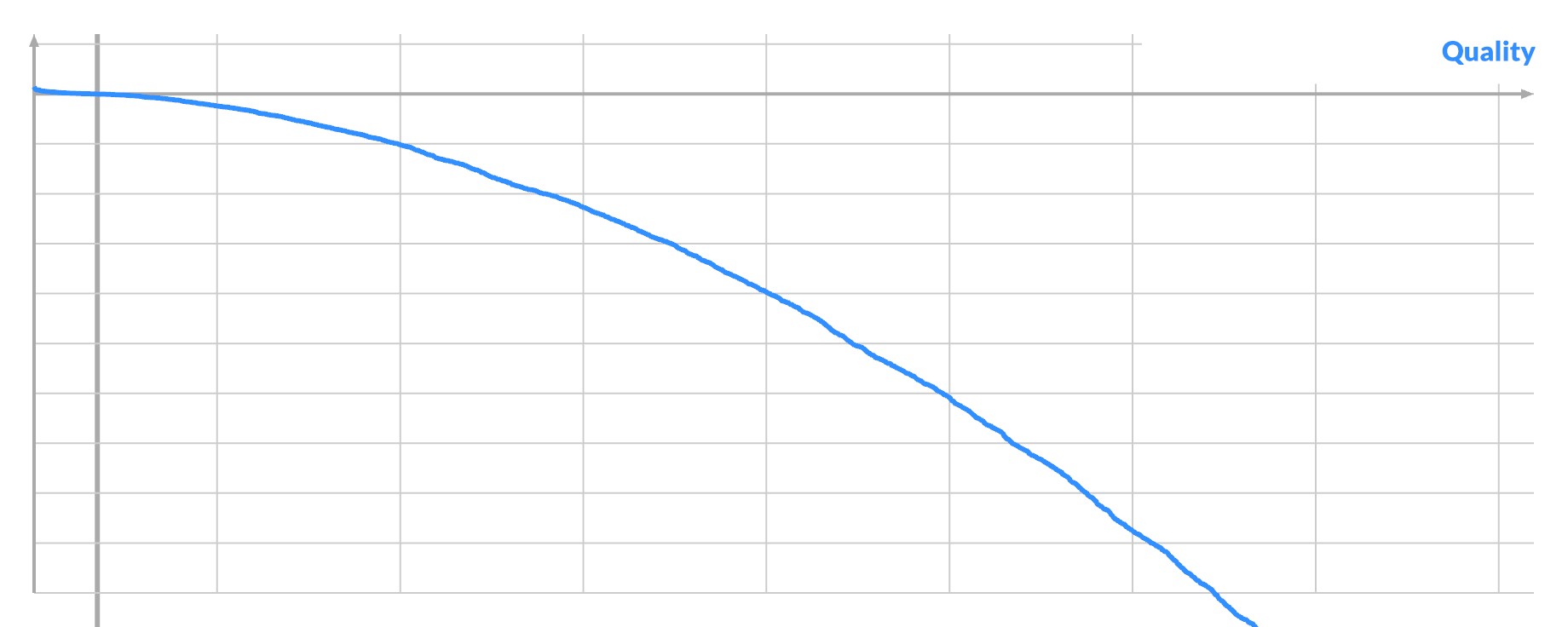
<p>Order all pixels by their (signed) gradient, and plot the quality:</p>

</div></div>

<div class="g12 mt1"><div class="pad">
  <img src="https://acko.net/files/fiddusion/sample-run-2.png" alt="Pixel A quality by gradient" />
</div></div>

<div class="g8 i2 mt1"><div class="pad">

<p>The distribution seems biased towards the ends. A larger absolute gradient at A can indeed lead to both better scores and higher % of good swaps.</p>

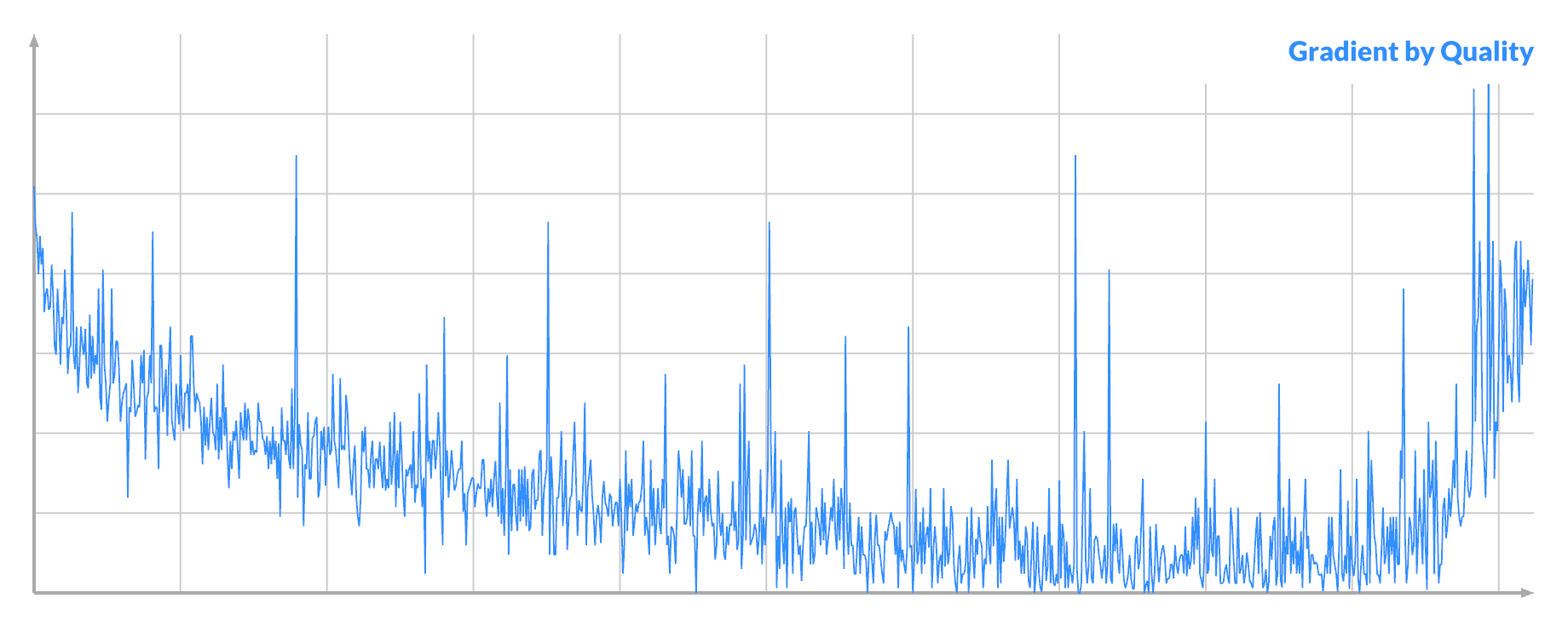
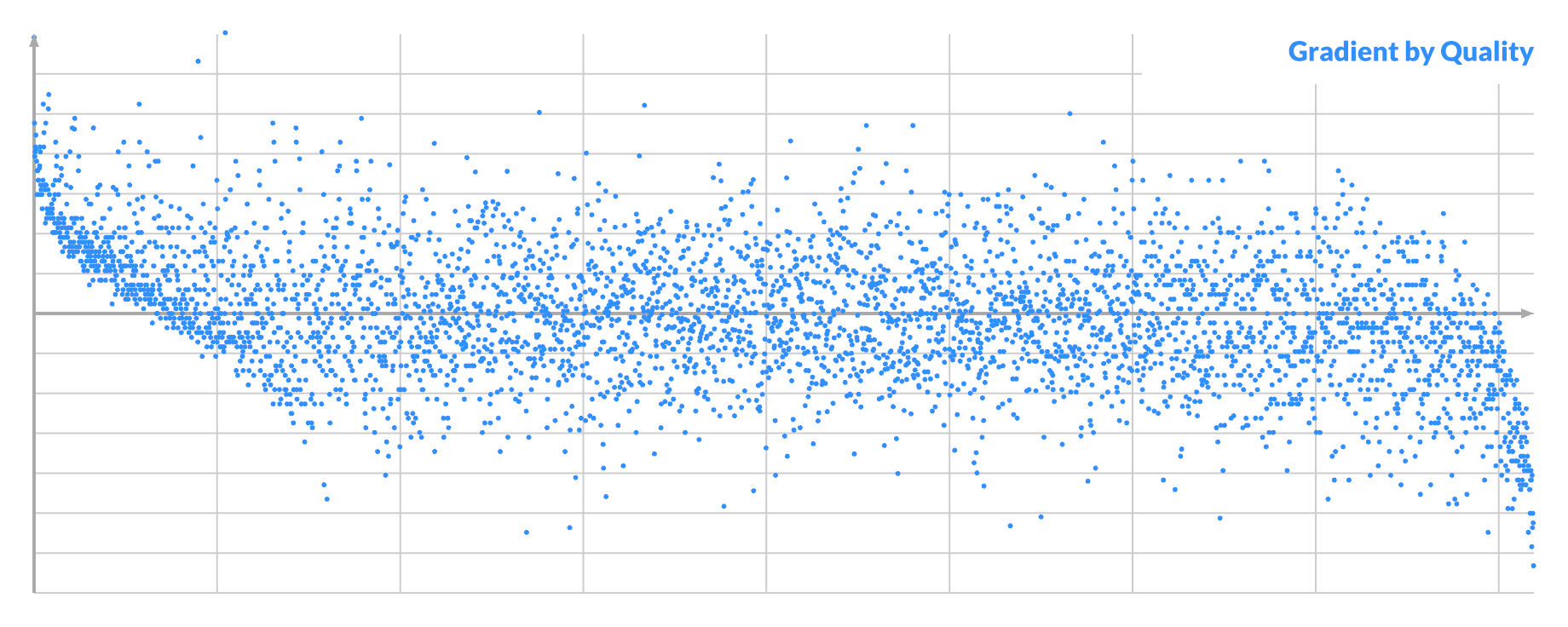
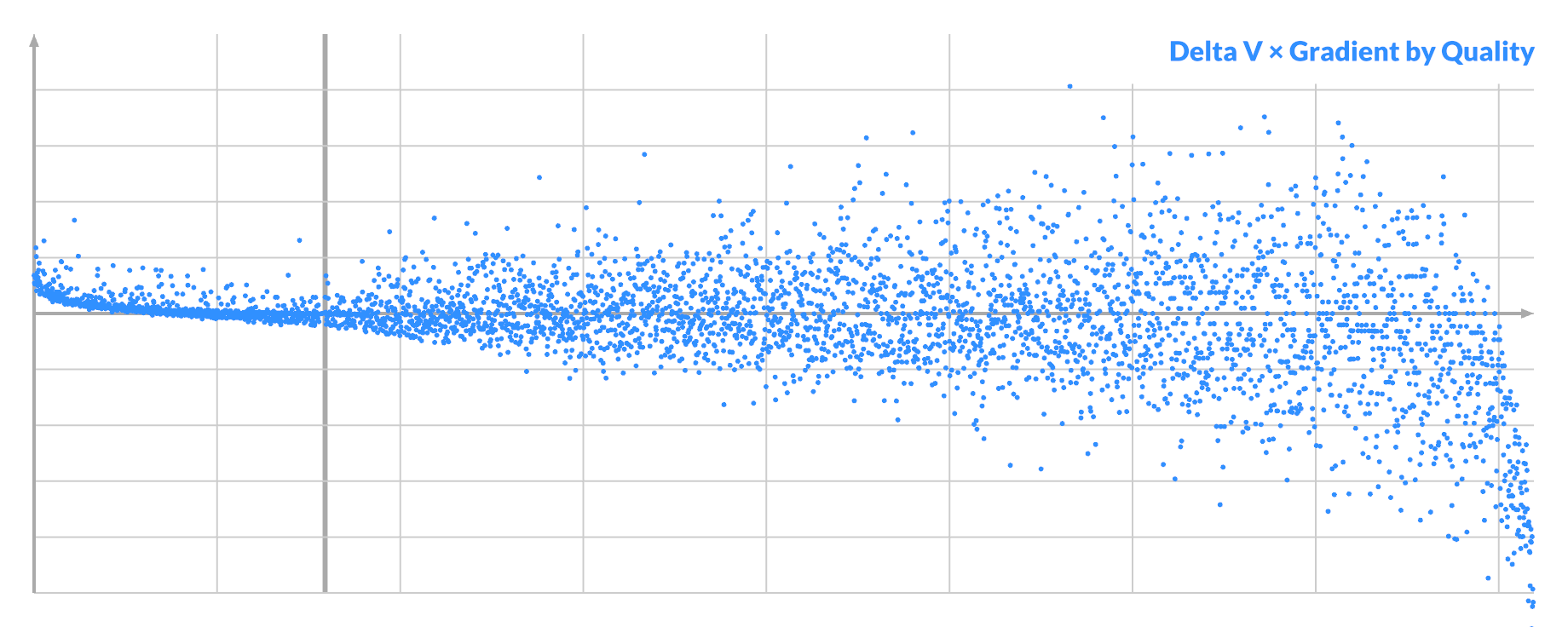
<p>Notice that it's also noisier at the ends, where it dips below the middle. If you order pixels by their quality, and then plot the absolute gradient, you see:</p>

</div></div>

<div class="g12 mt1"><div class="pad">
  <img src="https://acko.net/files/fiddusion/sample-run-3.png" alt="Pixel A gradient by quality" />
</div></div>

<div class="g8 i2 mt1"><div class="pad">

<p>Selecting for large gradient at A will select both the <em>best</em> and the <em>worst</em> possible pixels A. This implies that there are pixels in the noise that are very significant, but are nevertheless currently 'unfixable'. This corresponds to the 'focus' described earlier.</p>

<p>By drawing from the 'top', I was mining the imbalance between the good/left and bad/right distribution. Selecting for a vanishing gradient would instead select the average-to-bad pixels A.</p>

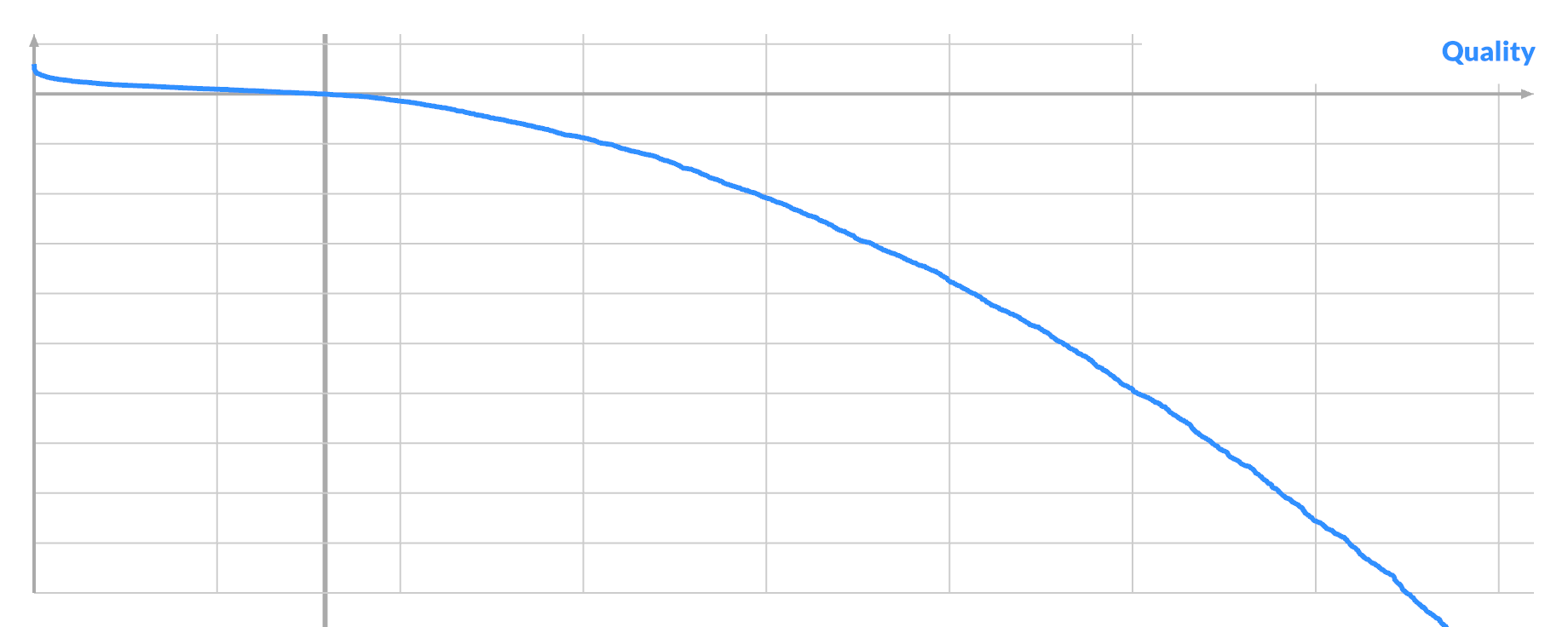
<p>I investigated one instance of each: very good, average or very bad pixel A. I tried every possible swap (A, B) and plotted the curve again. Here the quality is just the actual score improvement:</p>

</div></div>

<div class="g12 mt1"><div class="pad">
  <img src="https://acko.net/files/fiddusion/sample-run-4p.png" alt="Pixel B quality for good pixel A" />
</div></div>

<div class="g12 mt1"><div class="pad">
  <img src="https://acko.net/files/fiddusion/sample-run-4m.png" alt="Pixel B quality for average pixel A" />
</div></div>

<div class="g12 mt1"><div class="pad">
  <img src="https://acko.net/files/fiddusion/sample-run-4n.png" alt="Pixel B quality for bad pixel A" />
</div></div>

<div class="g8 i2 mt1"><div class="pad">

<p>The three scenarios have similar curves, with the bulk of swaps being negative. Only a tiny bit of the curve is sticking out positive, even in the best case. The potential benefit of a good swap is dwarfed by the potential harm of bad swaps. The main difference is just how many positive swaps there are, if any.</p>

<p>So let's focus on the positive case, where you can see best.</p>

<p>You can order by score, and plot the gradient of all the pixels B, to see another correlation.</p>

</div></div>

<div class="g12 mt1"><div class="pad">
  <img src="https://acko.net/files/fiddusion/sample-run-5a.png" alt="Pixel B gradient by quality for good pixel A" />
</div></div>

<div class="g8 i2 mt1"><div class="pad">

<p>It looks kinda promising. Here the sign matters, with left and right being different. If the gradient of pixel A is the opposite sign, then this graph is mirrored.</p>

<p>But if you order by (signed) gradient and plot the score, you see the real problem, caused by the noise:</p>

</div></div>

<div class="g12 mt1"><div class="pad">
  <img src="https://acko.net/files/fiddusion/sample-run-5b.png" alt="Pixel B quality by gradient for good pixel A" />
</div></div>

<div class="g8 i2 mt1"><div class="pad">

<p>The good samples are mixed freely among the bad ones, with only a very weak trend downward. This explains why sampling improvements based purely on gradient for pixel B are impossible.</p>

<p>You can see what's going on if you plot <code>Δv</code>, the difference in value between A and B:</p>

</div></div>

<div class="g12 mt1"><div class="pad">
  <img src="https://acko.net/files/fiddusion/sample-run-5c.png" alt="Pixel B value by quality for good pixel A" />
</div></div>

<div class="g8 i2 mt1"><div class="pad">

<p>For a given pixel A, all the good swaps have a similar value for B, which is not unexpected. Its mean is the ideal value for A, but there is a lot of variance. In this case pixel A is nearly white, so it is brighter than almost every other pixel B.</p>

<p>If you now plot <code>Δv * -gradient</code>, you see a clue on the left:</p>

</div></div>

<div class="g12 mt1"><div class="pad">
  <img src="https://acko.net/files/fiddusion/sample-run-5d.png" alt="Pixel B value by quality for good pixel A" />
</div></div>

<div class="g8 i2 mt1"><div class="pad">

<p>Almost all of the successful swaps have a small but positive value.</p>

<p>This represents what we already knew: the gradient's sign tells you if a pixel should be brighter or darker. If <code>Δv</code> has the opposite sign, the chances of a successful swap are slim.</p>

<p>Ideally both pixels 'face' the right way, so the swap is beneficial on both ends. But only the combined effect on the loss matters: i.e. <code>Δv * Δgradient &lt; 0</code>.</p>

<p>It's only true differentially so it can misfire. But compared to blind sampling of pairs, it's easily 5-10x better and faster, racing towards the tougher parts of the search.</p>

<p>What's more... while this test is just binary, I found that any effort spent on trying to further prioritize swaps by the magnitude of the gradient is entirely wasted. Maximizing <code>Δv * Δgradient</code> by repeated sampling is counterproductive, because it selects more bad candidates on the right. Minimizing <code>Δv * Δgradient</code> creates more successful swaps on the left, but lowers the average improvement per step so the convergence is net slower. Anything more sophisticated incurs too much computation to be worth it.</p>

<p>It does have a limit. This is what it looks like when an image is practically fully converged:</p>

</div></div>

<div class="g12 mt1"><div class="pad">
  <img src="https://acko.net/files/fiddusion/sample-run-6.png" alt="Pixel B value by quality in late convergence" />
</div></div>

<div class="g8 i2 mt1"><div class="pad">

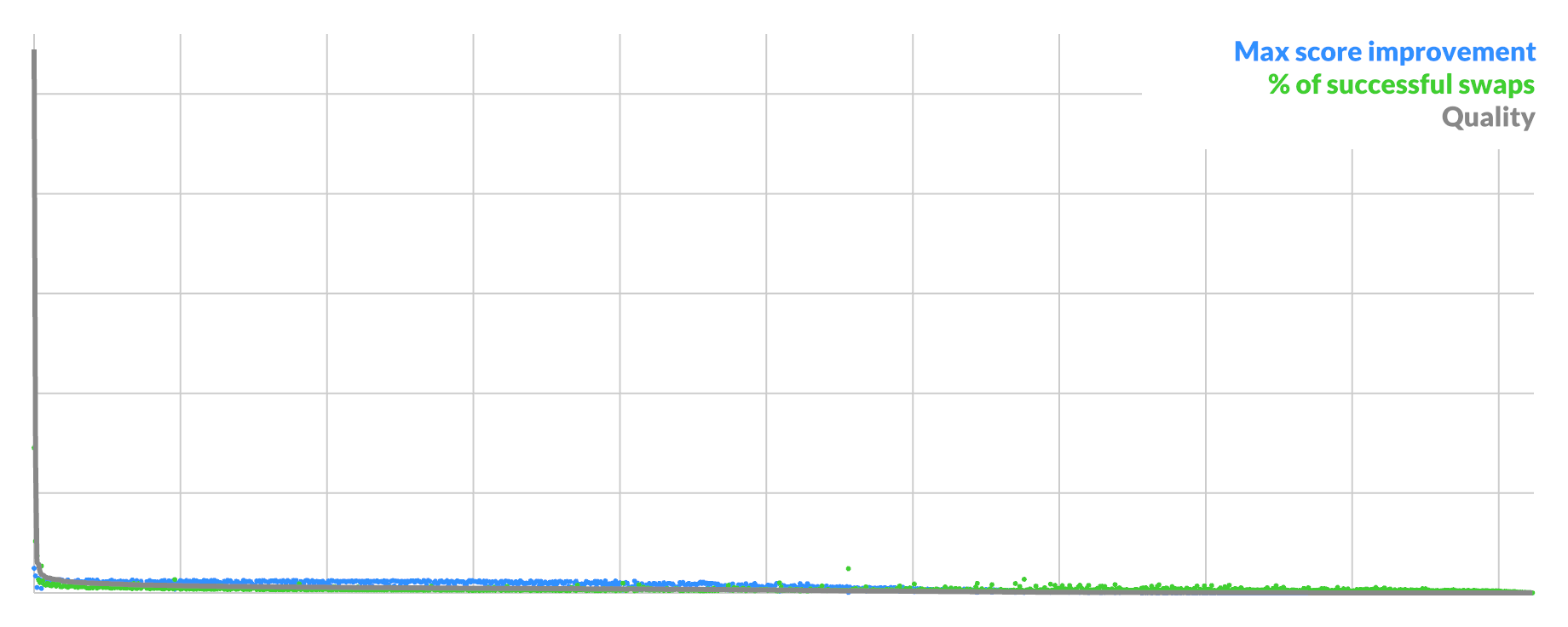
<p>Eventually you reach the point where there are only a handful of swaps with any real benefit, while the rest is just shaving off a few bits of loss at a time. It devolves back to pure random selection, only skipping the coin flip for the gradient. It is likely that more targeted heuristics can still work here.</p>

<p>The gradient also works in the early stages. As it barely changes over successive swaps, this leads to a different kind of sparse mode. Instead of scoring only a subset of pixels, simply score multiple swaps as a group over time, without re-scoring intermediate states. This lowers the success rate roughly by a power (e.g. 0.8 -&gt; 0.64), but cuts the number of FFTs by a constant factor (e.g. 1/2). Early on this trade-off can be worth it.</p>

<p>Even faster: don't score steps at all. In the very early stage, you can easily get up to 80-90% successful swaps just by filtering on values and gradients. If you just swap a bunch in a row, there is a very good chance you will still end up better than before.</p>

<p>It works better than sparse scoring: using the gradient of your true objective approximately works better than using an approximate objective exactly.</p>

<p>The latter will miss the true goal by design, while the former continually re-aims itself to the destination despite inaccuracy.</p>

<p>Obviously you can mix and match techniques, and gradient + sparse is actually a winning combo. I've only scratched the surface here.</p>


<h2 class="mt3">Warp Speed</h2>

<p>Time to address the elephant in the room. If the main bottleneck is an FFT, wouldn't this work better on a GPU?</p>

<p>The answer to that is an unsurprising yes, at least for large sizes where the overhead of async dispatch is negligible. However, it would have been endlessly more cumbersome to discover all of the above based on a GPU implementation, where I can't just log intermediate values to a console.</p>

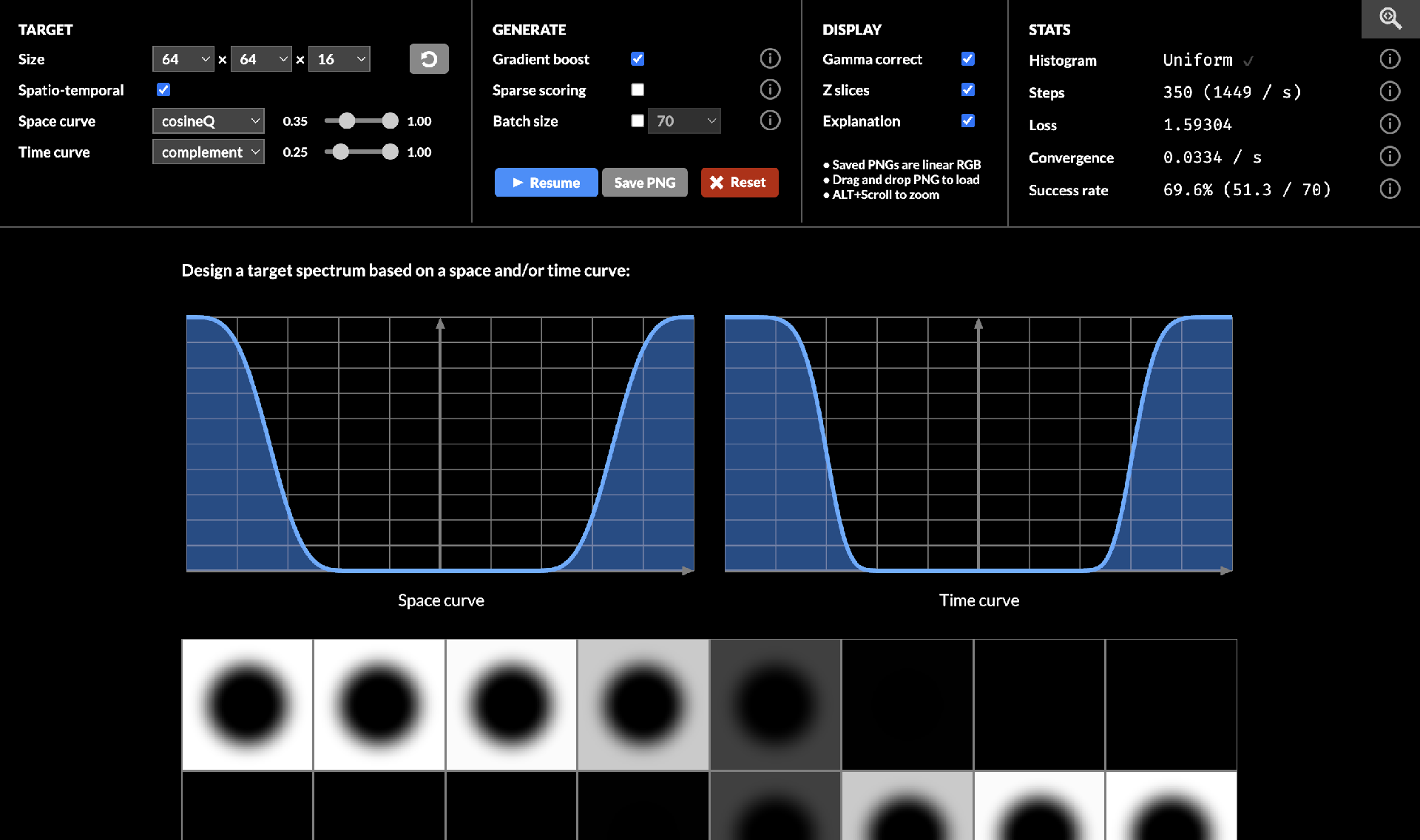
<p>After checking everything, I pulled out my bag of tricks and ported it to Use.GPU. As a result, the algorithm runs entirely on the GPU, and provides live visualization of the entire process. It requires a WebGPU-enabled browser, which in practice means Chrome on Windows or Mac, or a dev build elsewhere.</p>

</div></div>

<div class="c"></div>
<div class="mt1"></div>

<div class="g12"><div class="pad tc">
  <a href="https://acko.net/files/bluebox/#!/" target="_blank"><img src="https://acko.net/files/fiddusion/app-viz.jpg" title="Stable Fiddusion - Visualization UI" /></a>
</div></div>

<div class="c"></div>

<div class="g8 i2 mt1"><div class="pad">

<p>I haven't particularly optimized this—the FFT is vanilla textbook—but it works. It provides an easy ~8x speed up on an M1 Mac on beefier target sizes. With a desktop GPU, 128x128x32 and larger become very feasible.</p>

<p>It lacks a few goodies from the scripts, and only does gradient + optional sparse. You can however freely exchange PNGs between the CPU and GPU version via drag and drop, as long as the settings match.</p>
  
</div></div>

<div class="c"></div>
<div class="mt1"></div>

<div class="g4 i2"><div class="pad tc">
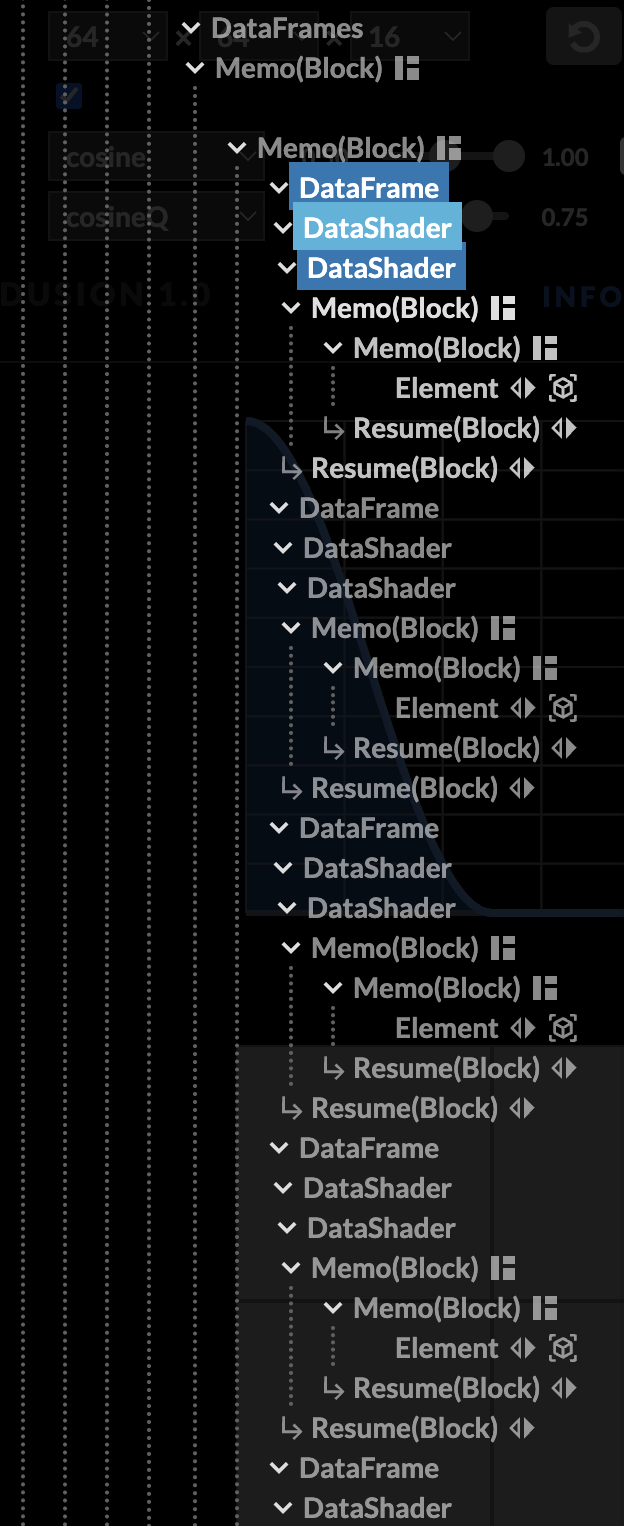
  <img src="https://acko.net/files/fiddusion/app-tree-2.png" alt="Live Effect Run-time - Layout" />
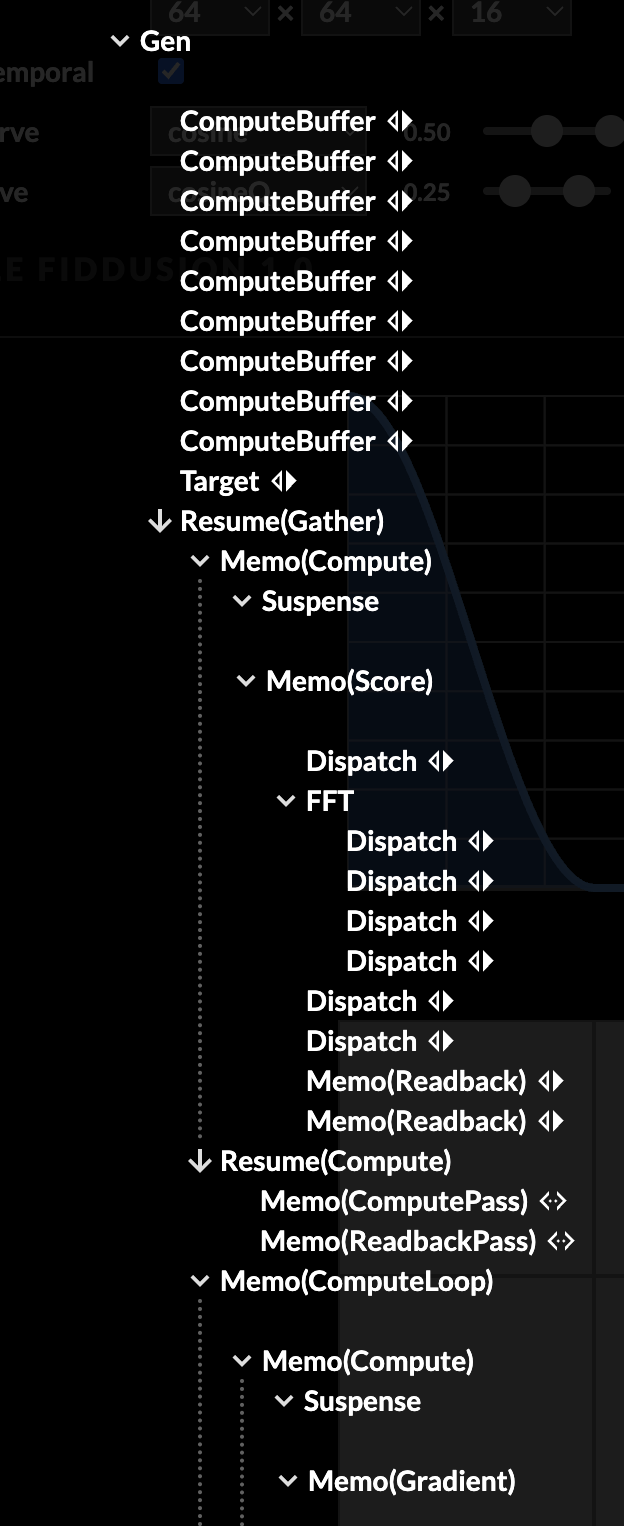
  <p><em>Layout components</em></p>
</div></div>

<div class="g4"><div class="pad tc">
  <img src="https://acko.net/files/fiddusion/app-tree-1.png" alt="Live Effect Run-time - Compute Loop" />
  <p><em>Compute components</em></p>
</div></div>

<div class="g8 i2"><div class="pad">

<p>Worth pointing out: this visualization is built using Use.GPU's HTML-like layout system. I can put div-like blocks inside a flex box wrapper, and put text beside it... while at the same time using raw WGSL shaders as the contents of those divs. These visualization shaders sample and colorize the algorithm state on the fly, with no CPU-side involvement other than a static dispatch. The only GPU -&gt; CPU readback is for the stats in the corner, which are classic React and real HTML, along with the rest of the controls.</p>

<p>I can then build an <code>&lt;FFT&gt;</code> component and drop it inside an async <code>&lt;ComputeLoop&gt;</code>, and it does exactly what it should. The rest is just a handful of <code>&lt;Dispatch&gt;</code> elements and the ordinary headache of writing compute shaders. <code>&lt;Suspense&gt;</code> ensures all the shaders are compiled before dispatching.</p>

<p>While running, the bulk of the tree is inert, with only a handful of reducers triggering on a loop, causing a mere 7 live components to update per frame. The compute dispatch fights with the normal rendering for GPU resources, so there is an auto-batching mechanism that aims for approximately 30-60 FPS.</p>

<p>The display is fully anti-aliased, including the pixelized data. I'm using the usual per-pixel SDF trickery to do this... it's applied as a <a href="https://gitlab.com/unconed/bluebox/-/blob/master/src/wgsl/viz-aa.wgsl?ref_type=heads" target="_blank">generic wrapper shader</a> for any UV-based sampler.</p>

<p>It's a good showcase that Use.GPU really is React-for-GPUs with less hassle, but still with all the goodies. It bypasses most of the browser once the canvas gets going, and it isn't just for UI: you can express async compute just fine with the right component design. The robust layout and vector plotting capabilities are just extra on top.</p>

<p>I won't claim it's the world's most elegant abstraction, because it's far too pragmatic for that. But I simply don't know any other programming environment where I could even try something like this and not get bogged down in GPU binding hell, or have to round-trip everything back to the CPU.</p>

<p class="mt2 mb2 tc" style="opacity: .5">* * *</p>

<p>So there you have it: blue and indigo noise à la carte.</p>

<p>What I find most interesting is that the problem of <em>generating</em> noise in the time domain has been recast into shaping and <em>denoising</em> a spectrum in the frequency domain. It starts as white noise, and gets turned into a pre-designed picture. You do so by swapping pixels in the other domain. The state for this process is kept in the phase channel, which is not directly relevant to the problem, but drifts into alignment over time.</p>

<p>Hence I called it Stable Fiddusion. If you swap the two domains, you're turning noise into a picture by swapping <em>frequency bands</em> without changing their values. It would result in a complex-valued picture, whose magnitude is the target, and whose phase encodes the progress of the convergence process.</p>

<p>This is approximately what you get when you add a hidden layer to a diffusion model.</p>

<p>What I also find interesting is that the notion of swaps naturally creates a space that is O(N²) big with only N samples of actual data. Viewed from the perspective of a single step, every pair <code>(A,B)</code> corresponds to a unique information mask in the frequency domain that extracts a unique delta from the same data. There is redundancy, of course, but the nature of the Fourier transform smears it out into one big superposition. When you do multiple swaps, the space grows, but not quite that fast: any permutation of the same non-overlapping swaps is equivalent. There is also a notion of entanglement: frequency bands / pixels are linked together to move as a whole by default, but parts will diffuse into being locked in place.</p>

<p>Phase is kind of the bugbear of the DSP world. Everyone knows it's there, but they prefer not to talk about it unless its content is neat and simple. Hopefully by now you have a better appreciation of the true nature of a Fourier transform. Not just as a spectrum for a real-valued signal, but as a complex-valued transform of a complex-valued input.</p>

<p>During a swap run, the phase channel continuously looks like noise, but is actually highly structured when queried with the right quefrency hashes. I wonder what other things look like that, when you flip them around.</p>

<p class="mt2">
  <b>More:</b>
  <ul class="indent">
    <li><a href="https://acko.net/files/bluebox/#!/" target="_blank">Stable Fiddusion app</a></li>
    <li><a href="https://gitlab.com/unconed/bluebox-js" target="_blank">CPU-side source code</a></li>
    <li><a href="https://gitlab.com/unconed/bluebox" target="_blank">WebGPU source code</a></li>
  </ul>
</p>

<div class="c"></div>
<div class="mt2"></div>

</div></div>
]]></content>
  </entry>
  
  <entry>
    <title type="html"><![CDATA[Sub-pixel Distance Transform]]></title>
    <link href="https://acko.net/blog/subpixel-distance-transform/"/>
    <updated>2023-07-17T00:00:00+02:00</updated>
    <id>https://acko.net/blog/subpixel-distance-transform</id>
    <content type="html"><![CDATA[<div class="g8 i2 first"><div class="pad">
  <h2 class="sub">High quality font rendering for WebGPU</h2>
</div></div>

<div class="c"></div>

<style>
  .embed-wide {
    box-sizing: border-box;
    max-height: 720px;
  }
  .embed-live-25 {
    padding-bottom: 25%;
  }
  .embed-live-40 {
    padding-bottom: 40%;
  }
  .embed-live-48 {
    padding-bottom: 48%;
  }
  .embed-live-56 {
    padding-bottom: 56%;
  }
  .embed-live-60 {
    padding-bottom: 60%;
  }
  .embed-live-78 {
    padding-bottom: 78%;
  }
  .embed-live-at {
    padding-bottom: 106%;
  }
  .embed-live-row {
    padding-bottom: 7.14%;
  }
  .embed-live-sample {
    padding-bottom: 10%;
  }
  .embed-live-square {
    padding-bottom: 100%;
  }
  @media screen and (max-width: 767px) {
    .embed-live-m-square {
      padding-bottom: 100%;
    }
    .embed-live-m-tall {
      padding-bottom: 150%;
    }
  }
</style>

<p><img src="https://acko.net/files/esdt/cover.jpg" style="position: absolute; left: -5000px; top: 0;" alt="Cover Image - Live effect run-time inspector" /></p>

<div class="g8 i2 mt1"><div class="pad">

<p><em>This page includes diagrams in WebGPU, which has limited browser support. For the full&nbsp;experience, use Chrome on Windows or Mac, or a developer build on other&nbsp;platforms.</em></p>

<p>In this post I will describe <a href="https://usegpu.live" target="_blank">Use.GPU</a>'s text rendering, which uses a bespoke approach to Signed Distance Fields (SDFs). This was borne out of necessity: while SDF text is pretty common on GPUs, some of the established practice on generating SDFs from masks is incorrect, and some libraries get it right only by accident. So this will be a deep dive from first principles, about the nuances of subpixels.</p>

</div></div>

<div class="c"></div>
<div class="c mt1"></div>

<div class="g10 i1"><div class="pad">
  <!--
  <div style="position: relative; width: 100%;" class="embed-live-sample">
  <iframe style="position: absolute; top: 0; left: 0; right: 0; bottom: 0; width: 100%; height: 100%;" src="https://acko.net/files/gpubox/#!/sample" frameborder="0" allowfullscreen="allowfullscreen"></iframe>
  </div>
  -->

  <img src="https://acko.net/files/gpubox/image/sample@1x.png" srcset="https://acko.net/files/gpubox/image/sample@1x.png 1x, /files/gpubox/image/sample@2x.png 2x" alt="Sample of Use.GPU text" />
    
</div></div>

<div class="c"></div>
<div class="c mt1"></div>

<div class="g8 i2"><div class="pad">

<h2 class="mt3">SDFs</h2>

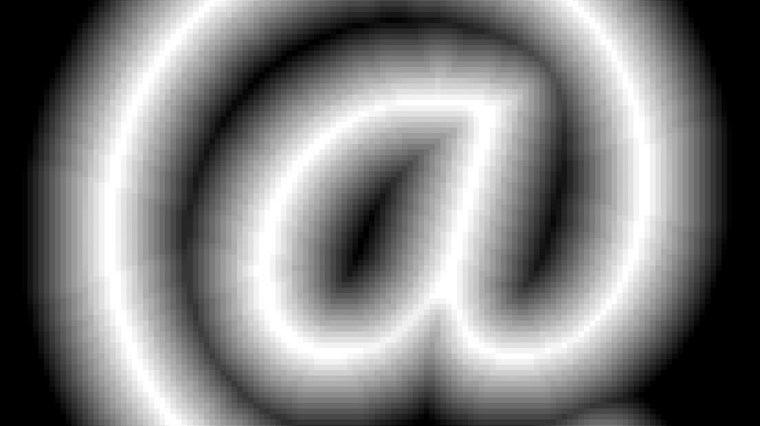
<p>The idea behind SDFs is quite simple. To draw a crisp, anti-aliased shape at any size, you start from a field or image that records the distance to the shape's edge at every point, as a gradient. Lighter grays are inside, darker grays are outside. This can be a lower resolution than the target.</p>

</div></div>

<div class="c"></div>
<div class="c mt1"></div>

<div class="g6 i3"><div class="pad">
  <!--
  <div style="position: relative; width: 100%;" class="embed-live-at">
  <iframe style="position: absolute; top: 0; left: 0; right: 0; bottom: 0; width: 100%; height: 100%;" src="https://acko.net/files/gpubox/#!/glyph/sdf" frameborder="0" allowfullscreen="allowfullscreen"></iframe>
  </div>
  -->

  <img src="https://acko.net/files/gpubox/image/glyph-sdf@1x.png" srcset="https://acko.net/files/gpubox/image/glyph-sdf@1x.png 1x, /files/gpubox/image/glyph-sdf@2x.png 2x" alt="SDF for @ character" class="square flat" />

</div></div>

<div class="c"></div>
<div class="c mt1"></div>

<div class="g8 i2"><div class="pad">

<p>Then you increase the contrast until the gradient is exactly 1 pixel wide at the target size. You can sample it to get a perfectly anti-aliased opacity mask:</p>

</div></div>

<div class="c"></div>
<div class="c mt1"></div>

<div class="g6 i3"><div class="pad">
  <div style="position: relative; width: 100%;" class="embed-live-at">
  <iframe style="position: absolute; top: 0; left: 0; right: 0; bottom: 0; width: 100%; height: 100%;" src="https://acko.net/files/gpubox/#!/glyph/contrast" frameborder="0" allowfullscreen="allowfullscreen"></iframe>
  </div>
</div></div>

<div class="c"></div>
<div class="c mt1"></div>

<div class="g8 i2"><div class="pad">

<p>This works fine for text at typical sizes, and handles fractional shifts and scales perfectly with zero shimmering. It's also reasonably correct from a signal processing math point-of-view: it closely approximates averaging over a pixel-sized circular window, i.e. a low-pass convolution.</p>

<p>Crucially, it takes a rendered glyph as input, which means I can remain blissfully unaware of TrueType font specifics, and bezier rasterization, and just offload that to an existing library.</p>

<p>To generate an SDF, I started with MapBox's <a href="https://github.com/mapbox/tiny-sdf" target="_blank">TinySDF</a> library. Except, what comes out of it is wrong:</p>

</div></div>

<div class="c"></div>
<div class="c mt1"></div>

<div class="g10 i1"><div class="pad">
  <!--
  <div style="position: relative; width: 100%;" class="embed-live-56">
  <iframe style="position: absolute; top: 0; left: 0; right: 0; bottom: 0; width: 100%; height: 100%;" src="https://acko.net/files/gpubox/#!/glyph/edt-sdf" frameborder="0" allowfullscreen="allowfullscreen"></iframe>
  </div>
  -->

  <img src="https://acko.net/files/gpubox/image/glyph-sdf-edt@1x.png" srcset="https://acko.net/files/gpubox/image/glyph-sdf-edt@1x.png 1x, /files/gpubox/image/glyph-sdf-edt@2x.png 2x" alt="SDF for @ character" class="square flat" />
    
</div></div>
<div class="g10 i1"><div class="pad">
  <div style="position: relative; width: 100%;" class="embed-live-56">
  <iframe style="position: absolute; top: 0; left: 0; right: 0; bottom: 0; width: 100%; height: 100%;" src="https://acko.net/files/gpubox/#!/glyph/edt-contours" frameborder="0" allowfullscreen="allowfullscreen"></iframe>
  </div>
</div></div>

<div class="c"></div>
<div class="c mt1"></div>

<div class="g8 i2"><div class="pad">

<p>The contours are noticeably wobbly and pixelated. The only reason the glyph itself looks okay is because the errors around the zero-level are symmetrical and cancel out. If you try to dilate or contract the outline, which is supposed to be one of SDF's killer features, you get ugly gunk.</p>

<p>Compare to:</p>

</div></div>

<div class="c"></div>
<div class="c mt1"></div>

<div class="g10 i1"><div class="pad">
  <div style="position: relative; width: 100%;" class="embed-live-56">
  <iframe style="position: absolute; top: 0; left: 0; right: 0; bottom: 0; width: 100%; height: 100%;" src="https://acko.net/files/gpubox/#!/glyph/sdf-contours" frameborder="0" allowfullscreen="allowfullscreen"></iframe>
  </div>
</div></div>

<div class="c"></div>
<div class="c mt1"></div>

<div class="g8 i2"><div class="pad">

<p>The original <a href="https://steamcdn-a.akamaihd.net/apps/valve/2007/SIGGRAPH2007_AlphaTestedMagnification.pdf" target="_blank">Valve paper</a> glosses over this aspect and uses high resolution inputs (4k) for a highly downscaled result (64). That is not an option for me because it's too slow. But I did get it to work. As a result Use.GPU has a novel subpixel-accurate distance transform (ESDT), which even does emoji. It's a combination CPU/GPU approach, with the CPU generating SDFs and the GPU rendering them, including all the debug viz.</p>


<h2 class="mt3">The Classic EDT</h2>

<p>The common solution is a <a href="https://cs.brown.edu/~pff/papers/dt-final.pdf">Euclidean Distance Transform</a>. Given a binary mask, it will produce an <em>unsigned</em> distance field. This holds the squared distance <code>d²</code> for either the inside or outside area, which you can <code>sqrt</code>.</p>

</div></div>

<div class="c"></div>
<div class="c mt1"></div>

<div class="g6"><div class="pad">
  <img src="https://acko.net/files/gpubox/image/glyph-edt-x.png" alt="EDT X pass" />
  <!--
  <div style="position: relative; width: 100%;" class="embed-live-at">
  <iframe style="position: absolute; top: 0; left: 0; right: 0; bottom: 0; width: 100%; height: 100%;" src="https://acko.net/files/gpubox/#!/glyph/edt-x" frameborder="0" allowfullscreen="allowfullscreen"></iframe>
  </div>
  -->
</div></div>

<div class="g6"><div class="pad">
  <img src="https://acko.net/files/gpubox/image/glyph-edt-xy.png" alt="EDT Y pass" />
  <!--
  <div style="position: relative; width: 100%;" class="embed-live-at">
  <iframe style="position: absolute; top: 0; left: 0; right: 0; bottom: 0; width: 100%; height: 100%;" src="https://acko.net/files/gpubox/#!/glyph/edt-xy" frameborder="0" allowfullscreen="allowfullscreen"></iframe>
  </div>
  -->
</div></div>

<div class="c"></div>
<div class="c mt1"></div>

<div class="g8 i2"><div class="pad">

<p>Like a Fourier Transform, you can apply it to 2D images by applying it horizontally on each row X, then vertically on each column Y (or vice versa). To make a <em>signed</em> distance field, you do this for both the inside and outside separately, and then combine the two as <code style="white-space: nowrap;">inside – outside</code> or vice versa.</p>

<p>The algorithm is one of those clever bits of 80s-style C code which is <code>O(N)</code>, has lots of 1-letter variable names, and is very CPU cache friendly. Often copy/pasted, but rarely understood. In TypeScript it looks like this, where <code>array</code> is modified in-place and <code>f</code>, <code>v</code> and <code>z</code> are temporary buffers up to 1 row/column long. The arguments <code>offset</code> and <code>stride</code> allow the code to be used in either the X or Y direction in a flattened 2D&nbsp;array.</p>

<pre class="snap"><code class="language-tsx">for (let q = 1, k = 0, s = 0; q &lt; length; q++) {
  f[q] = array[offset + q * stride];

  do {
    let r = v[k];
    s = (f[q] - f[r] + q * q - r * r) / (q - r) / 2;
  } while (s &lt;= z[k] &amp;&amp; --k &gt; -1);

  k++;
  v[k] = q;
  z[k] = s;
  z[k + 1] = INF;
}

for (let q = 0, k = 0; q &lt; length; q++) {
  while (z[k + 1] &lt; q) k++;
  let r = v[k];
  let d = q - r;
  array[offset + q * stride] = f[r] + d * d;
}
</code></pre>
<div class="c"></div>

<p class="mt2">To explain what this code does, let's start with a naive version instead.</p>

</div></div>

<div class="c"></div>
<div class="c mt1"></div>

<div class="g8 i2"><div class="pad">
  <!--
  <div style="position: relative; width: 100%;" class="embed-live-row">
  <iframe style="position: absolute; top: 0; left: 0; right: 0; bottom: 0; width: 100%; height: 100%;" src="https://acko.net/files/gpubox/#!/pixels/row" frameborder="0" allowfullscreen="allowfullscreen"></iframe>
  </div>
  -->
  <img src="https://acko.net/files/gpubox/image/pixels-row.png" alt="row of black and white pixels" class="square flat" />
</div></div>

<div class="c"></div>
<div class="c mt1"></div>

<div class="g8 i2"><div class="pad">

<p>Given a 1D input array of zeroes (filled), with an area masked out with infinity (empty):</p>

<pre class="snap"><code class="language-tsx">O = [·, ·, ·, 0, 0, 0, 0, 0, ·, 0, 0, 0, ·, ·, ·]</code></pre>
<div class="c"></div>

<p>Make a matching sequence <code>… 3 2 1 0 1 2 3 …</code> for each element, centering the 0 at each index:</p>

<pre class="snap"><code class="language-tsx">[0, 1, 2, 3, 4, 5, 6, 7, 8, 9,10,11,12,13,14] + ∞
[1, 0, 1, 2, 3, 4, 5, 6, 7, 8, 9,10,11,12,13] + ∞
[2, 1, 0, 1, 2, 3, 4, 5, 6, 7, 8, 9,10,11,12] + ∞
[3, 2, 1, 0, 1, 2, 3, 4, 5, 6, 7, 8, 9,10,11] + 0
[4, 3, 2, 1, 0, 1, 2, 3, 4, 5, 6, 7, 8, 9,10] + 0
[5, 4, 3, 2, 1, 0, 1, 2, 3, 4, 5, 6, 7, 8, 9] + 0
[6, 5, 4, 3, 2, 1, 0, 1, 2, 3, 4, 5, 6, 7, 8] + 0
[7, 6, 5, 4, 3, 2, 1, 0, 1, 2, 3, 4, 5, 6, 7] + 0
[8, 7, 6, 5, 4, 3, 2, 1, 0, 1, 2, 3, 4, 5, 6] + ∞
[9, 8, 7, 6, 5, 4, 3, 2, 1, 0, 1, 2, 3, 4, 5] + 0
[10,9, 8, 7, 6, 5, 4, 3, 2, 1, 0, 1, 2, 3, 4] + 0
[11,10,9, 8, 7, 6, 5, 4, 3, 2, 1, 0, 1, 2, 3] + 0
[12,11,10,9, 8, 7, 6, 5, 4, 3, 2, 1, 0, 1, 2] + ∞
[13,12,11,10,9, 8, 7, 6, 5, 4, 3, 2, 1, 0, 1] + ∞
[14,13,12,11,10,9, 8, 7, 6, 5, 4, 3, 2, 1, 0] + ∞
</code></pre>
<div class="c"></div>

<p>You then add the value from the array to each element in the row:</p>

<pre class="snap"><code class="language-tsx">[∞, ∞, ∞, ∞, ∞, ∞, ∞, ∞, ∞, ∞, ∞, ∞, ∞, ∞, ∞]
[∞, ∞, ∞, ∞, ∞, ∞, ∞, ∞, ∞, ∞, ∞, ∞, ∞, ∞, ∞]
[∞, ∞, ∞, ∞, ∞, ∞, ∞, ∞, ∞, ∞, ∞, ∞, ∞, ∞, ∞]
[3, 2, 1, 0, 1, 2, 3, 4, 5, 6, 7, 8, 9,10,11]
[4, 3, 2, 1, 0, 1, 2, 3, 4, 5, 6, 7, 8, 9,10]
[5, 4, 3, 2, 1, 0, 1, 2, 3, 4, 5, 6, 7, 8, 9]
[6, 5, 4, 3, 2, 1, 0, 1, 2, 3, 4, 5, 6, 7, 8]
[7, 6, 5, 4, 3, 2, 1, 0, 1, 2, 3, 4, 5, 6, 7]
[∞, ∞, ∞, ∞, ∞, ∞, ∞, ∞, ∞, ∞, ∞, ∞, ∞, ∞, ∞]
[9, 8, 7, 6, 5, 4, 3, 2, 1, 0, 1, 2, 3, 4, 5]
[10,9, 8, 7, 6, 5, 4, 3, 2, 1, 0, 1, 2, 3, 4]
[11,10,9, 8, 7, 6, 5, 4, 3, 2, 1, 0, 1, 2, 3]
[∞, ∞, ∞, ∞, ∞, ∞, ∞, ∞, ∞, ∞, ∞, ∞, ∞, ∞, ∞]
[∞, ∞, ∞, ∞, ∞, ∞, ∞, ∞, ∞, ∞, ∞, ∞, ∞, ∞, ∞]
[∞, ∞, ∞, ∞, ∞, ∞, ∞, ∞, ∞, ∞, ∞, ∞, ∞, ∞, ∞]
</code></pre>
<div class="c"></div>

<p>And then take the minimum of each column:</p>

<pre class="snap"><code class="language-tsx">P = [3, 2, 1, 0, 0, 0, 0, 0, 1, 0, 0, 0, 1, 2, 3]</code></pre>
<div class="c"></div>

<p>This sequence counts up inside the masked out area, away from the zeroes. This is the positive distance field P.</p>

<p class="mt2">You can do the same for the inverted mask:</p>

<pre class="snap"><code class="language-tsx">I = [0, 0, 0, ·, ·, ·, ·, ·, 0, ·, ·, ·, 0, 0, 0]</code></pre>
<div class="c"></div>

<p>to get the complementary area, i.e. the negative distance field N:</p>

<pre class="snap"><code class="language-tsx">N = [0, 0, 0, 1, 2, 3, 2, 1, 0, 1, 2, 1, 0, 0, 0]</code></pre>
<div class="c"></div>

<p class="mt2">That's what the EDT does, except it uses square distance <code>… 9 4 1 0 1 4 9 …</code>:</p>

</div></div>

<div class="c"></div>

<div class="g10 i1"><div class="pad">
  <!--
  <div style="position: relative; width: 100%;" class="embed-live-56">
  <iframe style="position: absolute; top: 0; left: 0; right: 0; bottom: 0; width: 100%; height: 100%;" src="https://acko.net/files/gpubox/#!/parabola/1d-flat" frameborder="0" allowfullscreen="allowfullscreen"></iframe>
  </div>
  -->
  <img src="https://acko.net/files/gpubox/image/parabola-1d-flat.png" alt="Countour of parabolas" class="square flat" />
</div></div>

<div class="c"></div>
<div class="c mt1"></div>

<div class="g8 i2"><div class="pad">

<p>When you apply it a second time in the second dimension, these outputs are the new input, i.e. values other than <code>0</code> or <code>∞</code>. It still works because of Pythagoras' rule: <code style="white-space: nowrap">d² = x² + y²</code>. This wouldn't be true if it used linear distance instead. The net effect is that you end up intersecting a series of parabolas, somewhat like a 1D slice of a Voronoi diagram:</p>

<pre class="snap"><code class="language-tsx">I' = [0, 0, 1, 4, 9, 4, 4, 4, 1, 1, 4, 9, 4, 9, 9]</code></pre>
<div class="c"></div>

</div></div>

<div class="c"></div>
<div class="c mt1"></div>

<div class="g10 i1"><div class="pad">
  <!--
  <div style="position: relative; width: 100%;" class="embed-live-56">
  <iframe style="position: absolute; top: 0; left: 0; right: 0; bottom: 0; width: 100%; height: 100%;" src="https://acko.net/files/gpubox/#!/parabola/1d" frameborder="0" allowfullscreen="allowfullscreen"></iframe>
  </div>
  -->
  <img src="https://acko.net/files/gpubox/image/parabola-1d.png" alt="Countour of parabolas in second pass" class="square flat" />
</div></div>

<div class="c"></div>
<div class="c mt1"></div>

<div class="g8 i2"><div class="pad">

<p>Each parabola sitting above zero is the 'shadow' of a zero-level paraboloid located some distance in a perpendicular dimension:</p>

</div></div>

<div class="c"></div>
<div class="c mt1"></div>

<div class="wide"><div class="iframe c">

    <div style="position: relative; width: 100%;" class="embed-wide embed-live-56">
    <iframe style="position: absolute; top: 0; left: 0; right: 0; bottom: 0; width: 100%; height: 100%;" src="https://acko.net/files/gpubox/#!/parabola/1d-xy" frameborder="0" allowfullscreen="allowfullscreen"></iframe>
    </div>
  
</div></div>

<div class="c"></div>
<div class="c mt1"></div>

<div class="g8 i2"><div class="pad">

<p>The code is just a more clever way to do that, without generating the entire <code>N²</code> grid per row/column. It instead scans through the array left to right, building up a list <code>v[k]</code> of significant minima, with thresholds <code>s[k]</code> where two parabolas intersect. It adds them as candidates (<code>k++</code>) and discards them (<code>--k</code>) if they are eclipsed by a newer value. This is the first <code>for</code>/<code>while</code> loop:</p>

<pre class="snap"><code class="language-tsx">for (let q = 1, k = 0, s = 0; q &lt; length; q++) {
  f[q] = array[offset + q * stride];

  do {
    let r = v[k];
    s = (f[q] - f[r] + q * q - r * r) / (q - r) / 2;
  } while (s &lt;= z[k] &amp;&amp; --k &gt; -1);

  k++;
  v[k] = q;
  z[k] = s;
  z[k + 1] = INF;
}
</code></pre>
<div class="c"></div>

<p>Then it goes left to right again (<code>for</code>), and fills out the values, skipping ahead to the right minimum (<code>k++</code>). This is the squared distance from the current index <code>q</code> to the nearest minimum <code>r</code>, plus the minimum's value <code>f[r]</code> itself. The <a href="https://cs.brown.edu/~pff/papers/dt-final.pdf" target="_blank">paper</a> has more details:</p>

<pre class="snap"><code class="language-tsx">for (let q = 0, k = 0; q &lt; length; q++) {
  while (z[k + 1] &lt; q) k++;
  let r = v[k];
  let d = q - r;
  array[offset + q * stride] = f[r] + d * d;
}
</code></pre>
<div class="c"></div>


<h2 class="mt3">The Broken EDT</h2>

<p>So what's the catch? The above assumes a binary mask.</p>

</div></div>

<div class="c"></div>
<div class="c mt1"></div>

<div class="g8 i2"><div class="pad">
  <!--
  <div style="position: relative; width: 100%;" class="embed-live-row">
  <iframe style="position: absolute; top: 0; left: 0; right: 0; bottom: 0; width: 100%; height: 100%;" src="https://acko.net/files/gpubox/#!/pixels/row" frameborder="0" allowfullscreen="allowfullscreen"></iframe>
  </div>
  -->
  <img src="https://acko.net/files/gpubox/image/pixels-row.png" alt="row of black and white pixels" class="square flat" />
</div></div>

<div class="c"></div>
<div class="c mt1"></div>

<div class="g8 i2"><div class="pad">

<p>As it happens, if you try to subtract a binary N from P, you have an off-by-one error:</p>

<pre class="snap"><code class="language-tsx">    O = [·, ·, ·, 0, 0, 0, 0, 0, ·, 0, 0, 0, ·, ·, ·]
    I = [0, 0, 0, ·, ·, ·, ·, ·, 0, ·, ·, ·, 0, 0, 0]

    P = [3, 2, 1, 0, 0, 0, 0, 0, 1, 0, 0, 0, 1, 2, 3]
    N = [0, 0, 0, 1, 2, 3, 2, 1, 0, 1, 2, 1, 0, 0, 0]

P - N = [3, 2, 1,-1,-2,-3,-2,-1, 1,-1,-2,-1, 1, 2, 3]
</code></pre>
<div class="c"></div>

<p>It goes directly from <code>1</code> to <code>-1</code> and back. You could add +/- 0.5 to fix that.</p>

</div></div>

<div class="c"></div>
<div class="c mt1"></div>

<div class="g8 i2"><div class="pad">
  <!--
  <div style="position: relative; width: 100%;" class="embed-live-row">
  <iframe style="position: absolute; top: 0; left: 0; right: 0; bottom: 0; width: 100%; height: 100%;" src="https://acko.net/files/gpubox/#!/pixels/row-grey" frameborder="0" allowfullscreen="allowfullscreen"></iframe>
  </div>
  -->
  <img src="https://acko.net/files/gpubox/image/pixels-row-grey.png" alt="row of anti-aliased pixels" class="square flat" />
</div></div>

<div class="c"></div>
<div class="c mt1"></div>

<div class="g8 i2"><div class="pad">

<p>But if there is a gray pixel in between each white and black, which we classify as both inside (<code>0</code>) and outside (<code>0</code>), it seems to work out just fine:</p>

<pre class="snap scroll"><code class="language-tsx">    O = [·, ·, ·, 0, 0, 0, 0, 0, ·, 0, 0, 0, ·, ·, ·]
    I = [0, 0, 0, 0, ·, ·, ·, 0, 0, 0, ·, 0, 0, 0, 0]

    P = [3, 2, 1, 0, 0, 0, 0, 0, 1, 0, 0, 0, 1, 2, 3]
    N = [0, 0, 0, 0, 1, 2, 1, 0, 0, 0, 1, 0, 0, 0, 0]

P - N = [3, 2, 1, 0,-1,-2,-1, 0, 1, 0,-1, 0, 1, 2, 3]
</code></pre>
<div class="c"></div>

<p class="mt2">This is a realization that somebody must've had, and they <a href="https://github.com/mapbox/tiny-sdf/blob/main/index.js#L90" target="_blank">reasoned on</a>: "<em>The above is correct for a 50% opaque pixel, where the edge between inside and outside falls exactly in the middle of a pixel."</em></p>

<p><em>"Lighter grays are more inside, and darker grays are more outside. So all we need to do is treat <code>l = level - 0.5</code> as a signed distance, and use <code>l²</code> for the initial inside or outside value for gray pixels. This will cause either the positive or negative distance field to shift by a subpixel amount <code>l</code>. And then the EDT will propagate this in both X and Y directions."</em></p>

<p>The initial idea is correct, because this is just running SDF rendering in reverse. A gray pixel in an opacity mask is what you get when you contrast adjust an SDF and do not blow it out into pure black or white. The information inside the gray pixels is "correct", up to rounding.</p>

<p>But there are two mistakes here.</p>

<p>The first is that even in an anti-aliased image, you can have white pixels right next to black ones. Especially with fonts, which are pixel-hinted. So the SDF is wrong there, because it goes directly from <code>-1</code> to <code>1</code>. This causes the contours to double up, e.g. around this bottom edge:</p>

</div></div>

<div class="c"></div>
<div class="c mt1"></div>

<div class="g10 i1"><div class="pad">
  <!--
  <div style="position: relative; width: 100%;" class="embed-live-40">
  <iframe style="position: absolute; top: 0; left: 0; right: 0; bottom: 0; width: 100%; height: 100%;" src="https://acko.net/files/gpubox/#!/glyph/edt-contours-t" frameborder="0" allowfullscreen="allowfullscreen"></iframe>
  </div>
  -->

  <img src="https://acko.net/files/gpubox/image/glyph-xy-compare-t@1x.png" srcset="https://acko.net/files/gpubox/image/glyph-xy-compare-t@1x.png 1x, /files/gpubox/image/glyph-xy-compare-t@2x.png 2x" alt="Doubled up contour in EDT due to bad edge handling" />
</div></div>

<div class="c"></div>
<div class="c mt1"></div>

<div class="g8 i2"><div class="pad">

<p>To solve this, you can eliminate the crisp case by deliberately making those edges very dark or light gray.</p>

<p>But the second mistake is more subtle. The EDT works in 2D because you can feed the <em>output</em> of X in as the <em>input</em> of Y. But that means that any non-zero <em>input</em> to X represents another dimension Z, separate from X and Y. The resulting squared distance will be <code>x² + y² + z²</code>. This is a 3D distance, not 2D.</p>

<p>If an edge is shifted by 0.5 pixels in X, you would expect a 1D SDF like:</p>

<pre class="snap"><code class="language-tsx">  […, 0.5, 1.5, 2.5, 3.5, …]
= […, 0.5, 1 + 0.5, 2 + 0.5, 3 + 0.5, …]
</code></pre>
<div class="c"></div>

<p>Instead, because of the squaring + square root, you will get:</p>

<pre class="snap"><code class="language-tsx">  […, 0.5, 1.12, 2.06, 3.04, …]
= […, sqrt(0.25), sqrt(1 + 0.25), sqrt(4 + 0.25), sqrt(9 + 0.25), …]
</code></pre>
<div class="c"></div>

<p>The effect of <code>l² = 0.25</code> rapidly diminishes as you get away from the edge, and is significantly wrong even just one pixel over.</p>

<p>The correct shift would need to be folded into <code>(x + …)² + (y + …)²</code> and depends on the direction. e.g. If an edge is shifted horizontally, it ought to be <code>(x + l)² + y²</code>, which means there is a term of <code>2*x*l</code> missing. If the shift is vertical, it's <code>2*y*l</code> instead. This is also a <em>signed</em> value, not positive/unsigned.</p>

<p>Given all this, it's a miracle this worked at all. The only reason this isn't more visible in the final glyph is because the positive and negative fields contains the same but opposite errors around their respective gray pixels.</p>

<h2 class="mt3">The Not-Subpixel EDT</h2>

<p>As mentioned before, the EDT algorithm is essentially making a 1D Voronoi diagram every time. It finds the distance to the nearest minimum for every array index. But there is no reason for those minima themselves to lie at integer offsets, because the second <code>for</code> loop effectively <em>resamples</em> the data.</p>

<p>So you can take an input mask, and tag each index with a horizontal offset <code>Δ</code>:</p>

<pre class="snap"><code class="language-tsx">O = [·, ·, ·, 0, 0, 0, 0, 0, ·, ·, ·]
Δ = [A, B, C, D, E, F, G, H, I, J, K]
</code></pre>
<div class="c"></div>

<p>As long as the offsets are small, no two indices will swap order, and the code still works. You then build the Voronoi diagram out of the shifted parabolas, but sample the result at unshifted indices.</p>

</div></div>

<div class="c"></div>
<div class="c mt1"></div>

<div class="g10 i1"><div class="pad">
  <div style="position: relative; width: 100%;" class="embed-live-56">
  <iframe style="position: absolute; top: 0; left: 0; right: 0; bottom: 0; width: 100%; height: 100%;" src="https://acko.net/files/gpubox/#!/parabola/1d-shifted-a" frameborder="0" allowfullscreen="allowfullscreen"></iframe>
  </div>
</div></div>

<div class="c"></div>
<div class="c mt1"></div>

<div class="g8 i2"><div class="pad">

<h3 class="mt2">Problem 1 - Opposing Shifts</h3>

<p>This lead me down the first rabbit hole, which was an attempt to make the EDT subpixel capable without losing its appealing simplicity. I started by investigating the nuances of subpixel EDT in 1D. This was a bit of a mirage, because most real problems only pop up in 2D. Though there was one important insight here.</p>

<pre class="snap"><code class="language-tsx">O = [·, ·, ·, 0, 0, 0, 0, 0, ·, ·, ·]
Δ = [·, ·, ·, A, ·, ·, ·, B, ·, ·, ·]
</code></pre>
<div class="c"></div>

<p>Given a mask of zeroes and infinities, you can only shift the first and last point of each segment. Infinities don't do anything, while middle zeroes should remain zero.</p>

</div></div>

<div class="c"></div>
<div class="c mt1"></div>

<div class="g10 i1"><div class="pad">
  <div style="position: relative; width: 100%;" class="embed-live-56">
  <iframe style="position: absolute; top: 0; left: 0; right: 0; bottom: 0; width: 100%; height: 100%;" src="https://acko.net/files/gpubox/#!/parabola/1d-shifted-b" frameborder="0" allowfullscreen="allowfullscreen"></iframe>
  </div>
</div></div>

<div class="c"></div>
<div class="c mt1"></div>

<div class="g8 i2"><div class="pad">

<p>Using an offset <code>A</code> works sort of as expected: this will increase or decrease the values filled in by a fractional pixel, calculating a squared distance <code>(d + A)²</code> where <code>A</code> can be positive or negative. But the value at the shifted index itself is always <code>(0 + A)²</code> (positive). This means it is always outside, regardless of whether it is moving left or&nbsp;right.</p>

<p>If <code>A</code> is moving left (–), the point is inside, and the (unsigned) distance should be <code>0</code>. At <code>B</code> the situation is reversed: the distance should be <code>0</code> if <code>B</code> is moving right (+). It might seem like this is annoying but fixable, because the zeroes can be filled in by the opposite signed field. But this is only looking at the binary 1D case, where there are only zeroes and infinities.</p>

<p class="mt2">In 2D, a second pass has non-zero distances, so every index can be shifted:</p>

<pre class="snap"><code class="language-tsx">O = [a, b, c, d, e, f, g, h, i, j, k]
Δ = [A, B, C, D, E, F, G, H, I, J, K]
</code></pre>
<div class="c"></div>

<p>Now, resolving every subpixel unambiguously is harder than you might think:</p>

</div></div>

<div class="c"></div>

<div class="g10 i1"><div class="pad">
  <div style="position: relative; width: 100%;" class="embed-live-56">
  <iframe style="position: absolute; top: 0; left: 0; right: 0; bottom: 0; width: 100%; height: 100%;" src="https://acko.net/files/gpubox/#!/parabola/1d-shifted" frameborder="0" allowfullscreen="allowfullscreen"></iframe>
  </div>
</div></div>

<div class="c"></div>
<div class="c mt1"></div>

<div class="g8 i2"><div class="pad">

<p>It's important to notice that the function being sampled by an EDT is not actually smooth: it is the minimum of a discrete set of parabolas, which cross at an angle. The square root of the output only produces a smooth linear gradient because it samples each parabola at integer offsets. Each center only shifts upward by the square of an integer in every pass, so the crossings are predictable. You never sample the 'wrong' side of <code>(d + ...)²</code>. A subpixel EDT does not have this luxury.</p>

<p>Subpixel EDTs are not irreparably broken though. Rather, they are only valid if they cause the unsigned distance field to increase, i.e. if they dilate the empty space. This is a problem: any shift that dilates the positive field contracts the negative, and vice versa.</p>

<p>To fix this, you need to get out of the handwaving stage and actually understand P and N as continuous 2D fields.</p>

<h3 class="mt2">Problem 2 - Diagonals</h3>

<p>Consider an aliased, sloped edge. To understand how the classic EDT resolves it, we can turn it into a voronoi diagram for all the white pixel centers:</p>

</div></div>

<div class="c"></div>
<div class="c mt1"></div>

<div class="g10 i1"><div class="pad">
  <!--
  <div style="position: relative; width: 100%;" class="embed-live-square">
  <iframe style="position: absolute; top: 0; left: 0; right: 0; bottom: 0; width: 100%; height: 100%;" src="https://acko.net/files/gpubox/#!/voronoi/slope" frameborder="0" allowfullscreen="allowfullscreen"></iframe>
  </div>
  -->

  <img src="https://acko.net/files/gpubox/image/voronoi-slope.png" alt="Voronoi diagram for slope" class="square flat" />
</div></div>

<div class="c"></div>
<div class="c mt1"></div>

<div class="g8 i2"><div class="pad">

<p>Near the bottom, the field is dominated by the white pixels on the corners: they form diagonal sections downwards. Near the edge itself, the field runs perfectly vertical inside a roughly triangular section. In both cases, an arrow pointing back towards the cell center is only vaguely perpendicular to the true diagonal edge.</p>

</div></div>

<div class="c"></div>
<div class="c mt1"></div>

<div class="g10 i1"><div class="pad">
  <!--
  <div style="position: relative; width: 100%;" class="embed-live-56">
  <iframe style="position: absolute; top: 0; left: 0; right: 0; bottom: 0; width: 100%; height: 100%;" src="https://acko.net/files/gpubox/#!/voronoi/diagonal" frameborder="0" allowfullscreen="allowfullscreen"></iframe>
  </div>
  -->
  <img src="https://acko.net/files/gpubox/image/voronoi-diagonal.png" alt="Voronoi diagram for diagonal slope" class="square flat" />
</div></div>

<div class="c"></div>
<div class="c mt1"></div>

<div class="g8 i2"><div class="pad">

<p>Near perfect diagonals, the edge distances are just wrong. The distance of edge pixels goes up or right (<code>1</code>), rather than the more logical diagonal <code>0.707…</code>. The true closest point on the edge is not part of the grid.</p>

<p>These fields don't really resolve properly until 6-7 pixels out. You could hide these flaws with e.g. an 8x downscale, but that's 64x more pixels. Either way, you shouldn't expect perfect numerical accuracy from an EDT. Just because it's mathematically separable doesn't mean it's particularly good.</p>

<p>In fact, it's only separable because it isn't very good at all.</p>


<h3 class="mt2">Problem 3 - Gradients</h3>

<p>In 2D, there is also only one correct answer to the gray case. Consider a diagonal edge, anti-aliased:</p>

</div></div>

<div class="c"></div>
<div class="c mt1"></div>

<div class="g10 i1"><div class="pad">
  <!--
  <div style="position: relative; width: 100%;" class="embed-live-48">
  <iframe style="position: absolute; top: 0; left: 0; right: 0; bottom: 0; width: 100%; height: 100%;" src="https://acko.net/files/gpubox/#!/voronoi/slope-aa" frameborder="0" allowfullscreen="allowfullscreen"></iframe>
  </div>
  -->

  <img src="https://acko.net/files/gpubox/image/voronoi-aa.png" alt="anti-aliased slope" class="square flat" />
  
</div></div>

<div class="c"></div>
<div class="c mt1"></div>

<div class="g8 i2"><div class="pad">

<p>Thresholding it into black, grey or white, you get:</p>

</div></div>

<div class="c"></div>
<div class="c mt1"></div>

<div class="g10 i1"><div class="pad">
  <!--
  <div style="position: relative; width: 100%;" class="embed-live-48">
  <iframe style="position: absolute; top: 0; left: 0; right: 0; bottom: 0; width: 100%; height: 100%;" src="https://acko.net/files/gpubox/#!/voronoi/slope-grey" frameborder="0" allowfullscreen="allowfullscreen"></iframe>
  </div>
  -->
  <img src="https://acko.net/files/gpubox/image/voronoi-gray.png" alt="Voronoi diagram for slope - thresholded" class="square flat" />
</div></div>

<div class="c"></div>
<div class="c mt1"></div>

<div class="g8 i2"><div class="pad">

<p>If you now classify the grays as both inside and outside, then the highlighted pixels will be part of both masks. Both the positive and negative field will be exactly zero there, and so will the SDF <code>(P - N)</code>:</p>

</div></div>

<div class="c"></div>
<div class="c mt1"></div>

<div class="wide"><div class="iframe c">
  <div style="position: relative; width: 100%;" class="embed-live-56">
  <iframe style="position: absolute; top: 0; left: 0; right: 0; bottom: 0; width: 100%; height: 100%;" src="https://acko.net/files/gpubox/#!/voronoi/slope-3d" frameborder="0" allowfullscreen="allowfullscreen"></iframe>
  </div>
</div></div>

<div class="c"></div>
<div class="c mt1"></div>

<div class="g8 i2"><div class="pad">

<p>This creates a phantom vertical edge that pushes apart P and N, and causes the average slope to be less than 45º. The field simply has the wrong shape, because gray pixels can be surrounded by other gray pixels.</p>

<p>This also explains why TinySDF magically seemed to work despite being so pixelized. The <code>l²</code> gray correction fills in exactly the gaps in the bad <code>(P - N)</code> field where it is zero, and it interpolates towards a symmetrically wrong P and N field on each side.</p>

<p>If we instead classify grays as neither inside nor outside, then <code>P</code> and <code>N</code> overlap in the boundary, and it is possible to resolve them into a coherent SDF with a clean 45 degree slope, if you do it right:</p>

</div></div>

<div class="c"></div>
<div class="c mt1"></div>

<div class="wide"><div class="iframe c">
  <div style="position: relative; width: 100%;" class="embed-live-56">
  <iframe style="position: absolute; top: 0; left: 0; right: 0; bottom: 0; width: 100%; height: 100%;" src="https://acko.net/files/gpubox/#!/voronoi/slope-3d-b" frameborder="0" allowfullscreen="allowfullscreen"></iframe>
  </div>
</div></div>

<div class="c"></div>
<div class="c mt1"></div>

<div class="g8 i2"><div class="pad">

<p>What seemed like an off-by-one error is actually the right approach in 2D or higher. The subpixel SDF will then be a modified version of this field, where the P and N sides are changed in lock-step to remain mutually consistent.</p>

<p>Though we will get there in a roundabout way.</p>

<h3 class="mt2">Problem 4 - Commuting</h3>

<p>It's worth pointing out: a subpixel EDT simply <em>cannot</em> commute in 2D.</p>

<p>First, consider the data flow of an ordinary EDT:</p>

</div></div>

<div class="c"></div>

<div class="g10 i1"><div class="pad">
  <!--
  <div style="position: relative; width: 100%;" class="embed-live-78">
  <iframe style="position: absolute; top: 0; left: 0; right: 0; bottom: 0; width: 100%; height: 100%;" src="https://acko.net/files/gpubox/#!/voronoi/commute-1" frameborder="0" allowfullscreen="allowfullscreen"></iframe>
  </div>
  -->

  <img src="https://acko.net/files/gpubox/image/voronoi-commute-1.png" alt="Voronoi diagram for commute EDT" class="square flat" />
</div></div>

<div class="c"></div>
<div class="c mt1"></div>

<div class="g8 i2"><div class="pad">

<p>Information from a corner pixel can flow through empty space both when doing X-then-Y <em>and</em> Y-then-X. But information from the horizontal edge pixels can only flow vertically <em>then</em> horizontally. This is okay because the separating lines between adjacent pixels are purely vertical too: the red arrows never 'win'.</p>

<p>But if you introduce subpixel shifts, the separating lines can turn:</p>

</div></div>

<div class="c"></div>

<div class="g10 i1"><div class="pad">
  <!--
  <div style="position: relative; width: 100%;" class="embed-live-78">
  <iframe style="position: absolute; top: 0; left: 0; right: 0; bottom: 0; width: 100%; height: 100%;" src="https://acko.net/files/gpubox/#!/voronoi/commute-2" frameborder="0" allowfullscreen="allowfullscreen"></iframe>
  </div>
  -->

  <img src="https://acko.net/files/gpubox/image/voronoi-commute-2.png" alt="Voronoi diagram for commute ESDT" class="square flat" />
</div></div>

<div class="c"></div>
<div class="c mt1"></div>

<div class="g8 i2"><div class="pad">

<p>The data flow is still limited to the original EDT pattern, so the edge pixels at the top can only propagate by starting downward. They can only influence adjacent columns if the order is <em>Y-then-X</em>. For vertical edges it's the opposite.</p>

<p>That said, this is only a problem on shallow concave curves, where there aren't any corner pixels nearby. The error is that it 'snaps' to the wrong edge point, but only when it is already several pixels away from the edge. In that case, the smaller <code>x²</code> term is dwarfed by the much larger <code>y²</code> term, so the absolute error is small after&nbsp;<code>sqrt</code>.</p>

<h2 class="mt3">The ESDT</h2>

<p>Knowing all this, here's how I assembled a "true" Euclidean Subpixel Distance Transform.</p>

<h3 class="mt2">Subpixel offsets</h3>

<p>To start we need to determine the subpixel offsets. We can still treat <code>level - 0.5</code> as the signed distance for any gray pixel, and ignore all white and black for now.</p>

<p>The tricky part is determining the exact direction of that distance. As an approximation, we can examine the 3x3 neighborhood around each gray pixel and do a least-squares fit of a plane. As long as there is at least one white and one black pixel in this neighborhood, we get a vector pointing towards where the actual edge is. In practice I apply some horizontal/vertical smoothing here using a simple <code>[1 2 1]</code> kernel.</p>

<p>The result is numerically very stable, because the originally rasterized image is visually consistent.</p>

</div></div>

<div class="c"></div>
<div class="c mt1"></div>

<div class="g10 i1"><div class="pad">
  <div style="position: relative; width: 100%;" class="embed-live-56">
  <iframe style="position: absolute; top: 0; left: 0; right: 0; bottom: 0; width: 100%; height: 100%;" src="https://acko.net/files/gpubox/#!/esdt/offsets" frameborder="0" allowfullscreen="allowfullscreen"></iframe>
  </div>
</div></div>

<div class="c"></div>
<div class="c mt1"></div>

<div class="g8 i2"><div class="pad">

<p>This logic is disabled for thin creases and spikes, where it doesn't work. Such points are treated as fully masked out, so that neighboring distances propagate there instead. This is needed e.g. for the pointy negative space of a <code>W</code> to come out right.</p>

</div></div>

<div class="c"></div>
<div class="c mt1"></div>

<div class="g10 i1"><div class="pad">
  <div style="position: relative; width: 100%;" class="embed-live-56">
  <iframe style="position: absolute; top: 0; left: 0; right: 0; bottom: 0; width: 100%; height: 100%;" src="https://acko.net/files/gpubox/#!/esdt/offsets-wedge" frameborder="0" allowfullscreen="allowfullscreen"></iframe>
  </div>
</div></div>

<div class="c"></div>
<div class="c mt1"></div>

<div class="g8 i2"><div class="pad">

<p>I also implemented a relaxation step that will smooth neighboring vectors if they point in similar directions. However, the effect is quite minimal, and it rounds very sharp corners, so I ended up disabling it by default.</p>

</div></div>

<div class="c"></div>
<div class="c mt1"></div>

<div class="g10 i1"><div class="pad">
  <div style="position: relative; width: 100%;" class="embed-live-56">
  <iframe style="position: absolute; top: 0; left: 0; right: 0; bottom: 0; width: 100%; height: 100%;" src="https://acko.net/files/gpubox/#!/esdt/offsets-relax" frameborder="0" allowfullscreen="allowfullscreen"></iframe>
  </div>
</div></div>

<div class="c"></div>
<div class="c mt1"></div>

<div class="g8 i2"><div class="pad">

<p>The goal is then to do an ESDT that uses these shifted positions for the minima, to get a subpixel accurate distance field.</p>

<h3 class="mt2">P and N junction</h3>

<p>We saw earlier that only <em>non-masked</em> pixels can have offsets that influence the output (#1). We only have offsets for gray pixels, yet we concluded that gray pixels should be <em>masked out</em>, to form a connected SDF with the right shape (#3). This can't work.</p>

<p>SDFs are both the problem and the solution here. Dilating and contracting SDFs is easy: add or subtract a constant. So you can expand both P and N fields ahead of time geometrically, and then undo it numerically. This is done by pushing their respective gray pixel centers in opposite directions, by half a pixel, on top of the originally calculated offset:</p>

</div></div>

<div class="c"></div>
<div class="c mt1"></div>

<div class="g10 i1"><div class="pad">
  <div style="position: relative; width: 100%;" class="embed-live-56">
  <iframe style="position: absolute; top: 0; left: 0; right: 0; bottom: 0; width: 100%; height: 100%;" src="https://acko.net/files/gpubox/#!/esdt/border" frameborder="0" allowfullscreen="allowfullscreen"></iframe>
  </div>
</div></div>

<div class="c"></div>
<div class="c mt1"></div>

<div class="g8 i2"><div class="pad">

<p>This way, they can remain masked <em>in</em> in both fields, but are always pushed between 0 and 1 pixel inwards. The distance between the P and N gray pixel offsets is always exactly 1, so the non-zero overlap between P and N is guaranteed to be exactly 1 pixel wide everywhere. It's a perfect join anywhere we sample it, because the line between the two ends crosses through a pixel center.</p>

<p>When we then calculate the final SDF, we do the opposite, shifting each by half a pixel and trimming it off with a <code>max</code>:</p>

<pre class="snap"><code class="language-tsx">SDF = max(0, P - 0.5) - max(0, N - 0.5)
</code></pre>
<div class="c"></div>

<p>Only one of P or N will be &gt; 0.5 at a time, so this is exact.</p>

<p>To deal with pure black/white edges, I treat any black neighbor of a white pixel (horizontal or vertical only) as gray with a 0.5 pixel offset (before P/N dilation). No actual blurring needs to happen, and the result is numerically exact minus epsilon, which is nice.</p>

<h3 class="mt2">ESDT state</h3>

<p>The state for the ESDT then consists of remembering a signed X and Y offset for every pixel, rather than the squared distance. These are factored into the distance and threshold calculations, separated into its proper parallel and orthogonal components, i.e. X/Y or Y/X. Unlike an EDT, each X or Y pass has to be aware of both axes. But the algorithm is mostly unchanged otherwise, here <em>X-then-Y</em>.</p>

<p>The X pass:</p>

</div></div>

<div class="c"></div>

<div class="g10 i1"><div class="pad">
  <div style="position: relative; width: 100%;" class="embed-live-56">
  <iframe style="position: absolute; top: 0; left: 0; right: 0; bottom: 0; width: 100%; height: 100%;" src="https://acko.net/files/gpubox/#!/esdt/x" frameborder="0" allowfullscreen="allowfullscreen"></iframe>
  </div>
</div></div>

<div class="c"></div>
<div class="c mt1"></div>

<div class="g8 i2"><div class="pad">

<p>At the start, only gray pixels have offsets and they are all in the range <code>-1…1</code> (exclusive). With each pass of ESDT, a winning minima's offsets propagate to its affecting range, tracking the total distance <code>(Δx, Δy)</code> (&gt; 1). At the end, each pixel's offset points to the nearest edge, so the squared distance can be derived as <code style="white-space: nowrap">Δx² + Δy²</code>.</p>

<p>The Y pass:</p>

</div></div>

<div class="c"></div>

<div class="g10 i1"><div class="pad">
  <div style="position: relative; width: 100%;" class="embed-live-56">
  <iframe style="position: absolute; top: 0; left: 0; right: 0; bottom: 0; width: 100%; height: 100%;" src="https://acko.net/files/gpubox/#!/esdt/xy" frameborder="0" allowfullscreen="allowfullscreen"></iframe>
  </div>
</div></div>

<div class="c"></div>
<div class="c mt1"></div>

<div class="g8 i2"><div class="pad">

<p>You can see that the vertical distances in the top-left are practically vertical, and not oriented perpendicular to the contour on average: they have not had a chance to propagate horizontally. But they do factor in the vertical subpixel offset, and this is the dominant component. So even without correction it still creates a smooth SDF with a surprisingly small error.</p>


<h3 class="mt2">Fix ups</h3>

<p>The commutativity errors are all biased positively, meaning we get an upper bound of the true distance field.</p>

<p>You could take the <code>min</code> of <code>X then Y</code> and <code>Y then X</code>. This would re-use all the same prep and would restore rotation-independence at the cost of 2x as many ESDTs. You could try <code>X then Y then X</code> at 1.5x cost with some hacks. But neither would improve diagonal areas, which were still busted in the original EDT.</p>

<p>Instead I implemented an additional relaxation pass. It visits every pixel's target, and double checks whether one of the 4 immediate neighbors (with subpixel offset) isn't a better solution:</p>

</div></div>

<div class="c"></div>
<div class="c mt1"></div>

<div class="g10 i1"><div class="pad">
  <div style="position: relative; width: 100%;" class="embed-live-56">
  <iframe style="position: absolute; top: 0; left: 0; right: 0; bottom: 0; width: 100%; height: 100%;" src="https://acko.net/files/gpubox/#!/esdt/xy-relax" frameborder="0" allowfullscreen="allowfullscreen"></iframe>
  </div>
</div></div>

<div class="c"></div>
<div class="c mt1"></div>

<div class="g8 i2"><div class="pad">
  
<p>It's a good heuristic because if the target is &gt;1px off there is either a viable commutative propagation path, or you're so far away the error is negligible. It fixes up the diagonals, creating tidy lines when the resolution allows for it:</p>

</div></div>

<div class="c"></div>
<div class="c mt1"></div>

<div class="g10 i1"><div class="pad">
  <div style="position: relative; width: 100%;" class="embed-live-56">
  <iframe style="position: absolute; top: 0; left: 0; right: 0; bottom: 0; width: 100%; height: 100%;" src="https://acko.net/files/gpubox/#!/esdt/xy-relax-compare" frameborder="0" allowfullscreen="allowfullscreen"></iframe>
  </div>
</div></div>

<div class="c"></div>
<div class="c mt1"></div>

<div class="g8 i2"><div class="pad">

<p>You could take this even further, given that you know the offsets are supposed to be perpendicular to the glyph contour. You could add reprojection with a few dot products here, but getting it to not misfire on edge cases would be tricky.</p>
  
<p>While you can tell the unrelaxed offsets are wrong when visualized, and the fixed ones are better, the visual difference in the output glyphs is tiny. You need to blow glyphs up to enormous size to see the difference side by side. So it too is disabled by default. The diagonals in the original EDT were wrong too and you could barely tell.</p>

<h3 class="mt2">Emoji</h3>

<p>An emoji is generally stored as a full color transparent PNG or SVG. The ESDT can be applied directly to its opacity mask to get an SDF, so no problem there.</p>

</div></div>

<div class="c"></div>
<div class="c mt1"></div>

<div class="g6"><div class="pad">
  <!--
  <div style="position: relative; width: 100%;" class="embed-live-square">
  <iframe style="position: absolute; top: 0; left: 0; right: 0; bottom: 0; width: 100%; height: 100%;" src="https://acko.net/files/gpubox/#!/emoji/rgba" frameborder="0" allowfullscreen="allowfullscreen"></iframe>
  </div>
  -->

  <img src="https://acko.net/files/gpubox/image/emoji-rgba.png" alt="fondue emoji" class="square flat" />
</div></div>

<div class="g6"><div class="pad">
  <!--
  <div style="position: relative; width: 100%;" class="embed-live-square">
  <iframe style="position: absolute; top: 0; left: 0; right: 0; bottom: 0; width: 100%; height: 100%;" src="https://acko.net/files/gpubox/#!/emoji/sdf" frameborder="0" allowfullscreen="allowfullscreen"></iframe>
  </div>
  -->
  <img src="https://acko.net/files/gpubox/image/emoji-sdf.png" alt="fondue emoji sdf" class="square flat" />
</div></div>

<div class="c"></div>
<div class="c mt1"></div>

<div class="g8 i2"><div class="pad">

<p>There are an extremely rare handful of emoji with semi-transparent areas, but you can get away with making those solid. For this I just use a filter that detects '+' shaped arrangements of pixels that have (almost) the same transparency level. Then I dilate those by 3x3 to get the average transparency level in each area. Then I divide by it to only keep the anti-aliased edges transparent.</p>

<p>The real issue is blending the colors at the edges, when the emoji is being rendered and scaled. The RGB color of transparent pixels is undefined, so whatever values are there will blend into the surrounding pixels, e.g. creating a subtle black halo:</p>

</div></div>

<div class="c"></div>
<div class="c mt1"></div>

<div class="g6"><div class="pad">
  <!--
  <div style="position: relative; width: 100%;" class="embed-live-square">
  <iframe style="position: absolute; top: 0; left: 0; right: 0; bottom: 0; width: 100%; height: 100%;" src="https://acko.net/files/gpubox/#!/emoji/premultiply1" frameborder="0" allowfullscreen="allowfullscreen"></iframe>
  </div>
  -->
  <img src="https://acko.net/files/gpubox/image/emoji-premultiply1.png" alt="" class="square flat" />
  <p class="tc"><em>Not Premultiplied</em></p>
</div></div>

<div class="g6"><div class="pad">
  <!--
  <div style="position: relative; width: 100%;" class="embed-live-square">
  <iframe style="position: absolute; top: 0; left: 0; right: 0; bottom: 0; width: 100%; height: 100%;" src="https://acko.net/files/gpubox/#!/emoji/premultiply2" frameborder="0" allowfullscreen="allowfullscreen"></iframe>
  </div>
  -->

  <img src="https://acko.net/files/gpubox/image/emoji-premultiply2.png" alt="" class="square flat" />
  <p class="tc"><em>Premultiplied</em></p>
</div></div>

<div class="c"></div>
<div class="c mt1"></div>

<div class="g8 i2"><div class="pad">

<p>A common solution is <em>premultiplied alpha</em>. The opacity is baked into the RGB channels as <code>(R * A, G * A, B * A, A)</code>, and transparent areas must be fully transparent black. This allows you to use a premultiplied blend mode where the RGB channels are added directly without further scaling, to cancel out the error.</p>

<p>But the alpha channel of an SDF glyph is dynamic, and is independent of the colors, so it cannot be premultiplied. We need valid color values even for the fully transparent areas, so that up- or downscaling is still clean.</p>

<p>Luckily the ESDT calculates X and Y offsets which point from each pixel directly to the nearest edge. We can use them to propagate the colors outward in a single pass, filling in the entire background. It doesn't need to be very accurate, so no filtering is&nbsp;required.</p>

</div></div>

<div class="c"></div>
<div class="c mt1"></div>

<div class="g6"><div class="pad">
  <!--
  <div style="position: relative; width: 100%;" class="embed-live-square">
  <iframe style="position: absolute; top: 0; left: 0; right: 0; bottom: 0; width: 100%; height: 100%;" src="https://acko.net/files/gpubox/#!/emoji/sdfa" frameborder="0" allowfullscreen="allowfullscreen"></iframe>
  </div>
  -->
  <img src="https://acko.net/files/gpubox/image/emoji-rgb-sdf.png" alt="fondue emoji - rgb" class="square flat" />
  <p class="tc"><em>RGB channel</em></p>
</div></div>

<div class="g6"><div class="pad">
  <!--
  <div style="position: relative; width: 100%;" class="embed-live-square">
  <iframe style="position: absolute; top: 0; left: 0; right: 0; bottom: 0; width: 100%; height: 100%;" src="https://acko.net/files/gpubox/#!/emoji/sdf-glyph" frameborder="0" allowfullscreen="allowfullscreen"></iframe>
  </div>
  -->
  <img src="https://acko.net/files/gpubox/image/emoji-sdf-glyph.png" alt="fondue emoji - rendered via sdf" class="square flat" />
  <p class="tc"><em>Output</em></p>
</div></div>

<div class="c"></div>
<div class="c mt1"></div>

<div class="g8 i2"><div class="pad">

<p>The result looks pretty great. At normal sizes, the crisp edge hides the fact that the interior is somewhat blurry. Emoji fonts are supported via the underlying <code>ab_glyph</code> library, but are too big for the web (10MB+). So you can just load .PNGs on demand instead, at whatever resolution you need. Hooking it up to the 2D canvas to render native system emoji is left as an exercise for the reader.</p>

</div></div>

<div class="c"></div>
<div class="c mt1"></div>

<div class="g10 i1"><div class="pad">
  <div style="position: relative; width: 100%;" class="embed-live-56">
  <iframe style="position: absolute; top: 0; left: 0; right: 0; bottom: 0; width: 100%; height: 100%;" src="https://acko.net/files/gpubox/#!/emoji/sdf-contours" frameborder="0" allowfullscreen="allowfullscreen"></iframe>
  </div>
</div></div>

<div class="c"></div>
<div class="c mt1"></div>

<div class="g8 i2"><div class="pad">

<p>Use.GPU does not support complex Unicode scripts or RTL text yet—both are a can of worms I wish to offload too—but it does support composite emoji like "pirate flag" (white flag + skull and crossbones) or "male astronaut" (astronaut + man) when formatted using the usual Zero-Width Joiners (U+200D) or modifiers.</p>

<h2 class="mt3">Shading</h2>

<p>Finally, a note on how to actually render with SDFs, which is more nuanced than you might think.</p>

</div></div>

<div class="c"></div>
<div class="c mt1"></div>

<div class="g12">
  <div style="position: relative; width: 100%;" class="embed-live-60">
  <iframe style="position: absolute; top: 0; left: 0; right: 0; bottom: 0; width: 100%; height: 100%;" src="https://acko.net/files/gpubox/#!/atlas" frameborder="0" allowfullscreen="allowfullscreen"></iframe>
  </div>
</div>

<div class="c"></div>
<div class="c mt1"></div>

<div class="g8 i2"><div class="pad">

<p>I pack all the SDF glyphs into an atlas on-demand, the same I use elsewhere in Use.GPU. This has a custom layout algorithm that doesn't backtrack, optimized for filling out a layout at run-time with pieces of a similar size. Glyphs are rasterized at 1.5x their normal font size, after rounding up to the nearest power of two. The extra 50% ensures small fonts on low-DPI displays still use a higher quality SDF, while high-DPI displays just upscale that SDF without noticeable quality loss. The rounding ensures similar font sizes reuse the same SDFs. You can also override the detail independent of font size.</p>

<p>To determine the contrast factor to draw an SDF, you generally use screen-space derivatives. There are good and bad ways of doing this. Your goal is to get a ratio of SDF pixels to screen pixels, so the best thing to do is give the GPU the coordinates of the <em>SDF texture pixels</em>, and ask it to calculate the difference for that between neighboring <em>screen pixels</em>. This works for surfaces in 3D at an angle too. Bad ways of doing this will instead work off relative texture coordinates, and introduce additional scaling factors based on the view or atlas size, when they are all just supposed to cancel out.</p>

<p>As you then adjust the contrast of an SDF to render it, it's important to do so around the zero-level. The glyph's ideal vector shape should not expand or contract as you scale it. Like TinySDF, I use 75% gray as the zero level, so that more SDF range is allocated to the outside than the inside, as dilating glyphs is much more common than contraction.</p>

</div></div>

<div class="c"></div>
<div class="c mt1"></div>

<div class="g10 i1"><div class="pad">
  <div style="position: relative; width: 100%;" class="embed-live-56">
  <iframe style="position: absolute; top: 0; left: 0; right: 0; bottom: 0; width: 100%; height: 100%;" src="https://acko.net/files/gpubox/#!/glyph/contrast-shift" frameborder="0" allowfullscreen="allowfullscreen"></iframe>
  </div>
</div></div>

<div class="c"></div>
<div class="c mt1"></div>

<div class="g8 i2"><div class="pad">

<p>At the same time, a pixel whose center sits exactly <em>on</em> the zero level edge is actually half inside, half outside, i.e. 50% opaque. So, after scaling the SDF, you need to add 0.5 to the value to get the correct opacity for a blend. This gives you a <em>mathematically accurate</em> font rendering that approximates convolution with a pixel-sized circle or box.</p>

<p>But I go further. Fonts were not invented for screens, they were designed for paper, with ink that bleeds. Certain renderers, e.g. MacOS, replicate this effect. The physical bleed distance is relatively constant, so the larger the font, the smaller the effect of the bleed proportionally. I got the best results with a 0.25 pixel bleed at 32px or more. For smaller sizes, it tapers off linearly. When you zoom out blocks of text, they get subtly fatter instead of thinning out, and this is actually a great effect when viewing document thumbnails, where lines of text become a solid mass at the point where the SDF resolution fails anyway.</p>

</div></div>

<div class="c"></div>
<div class="c mt1"></div>

<div class="g10 i1"><div class="pad">
  <!--
  <div style="position: relative; width: 100%;" class="embed-live-56">
  <iframe style="position: absolute; top: 0; left: 0; right: 0; bottom: 0; width: 100%; height: 100%;" src="https://acko.net/files/gpubox/#!/scales" frameborder="0" allowfullscreen="allowfullscreen"></iframe>
  </div>
  -->

  <img src="https://acko.net/files/gpubox/image/scales@1x.png" srcset="https://acko.net/files/gpubox/image/scales@1x.png 1x, /files/gpubox/image/scales@2x.png 2x" alt="Sample of Use.GPU text at various scales" />
</div></div>

<div class="c"></div>
<div class="c mt1"></div>

<div class="g8 i2"><div class="pad">

<p>In Use.GPU I prefer to use gamma correct, linear RGB color, even for 2D. What surprised me the most is just how unquestionably superior this looks. Text looks rock solid and readable even at small sizes on low-DPI. Because the SDF scales, there is no true font hinting, but it really doesn't need it, it would just be a nice extra.</p>

<p>Presumably you could track hinted points or edges inside SDF glyphs and then do a dynamic distortion somehow, but this is an order of magnitude more complex than what it is doing now, which is splat a contrasted texture on screen. It does have snapping you can turn on, which avoids jiggling of individual letters. But if you turn it off, you get smooth subpixel everything:</p>

</div></div>

<div class="c"></div>
<div class="c mt1"></div>

<div class="g6 i3"><div class="pad">
  <div style="position: relative; width: 100%;" class="embed-live-25">
  <iframe style="position: absolute; top: 0; left: 0; right: 0; bottom: 0; width: 100%; height: 100%;" src="https://acko.net/files/gpubox/#!/rounding" frameborder="0" allowfullscreen="allowfullscreen"></iframe>
  </div>
</div></div>

<div class="c"></div>
<div class="c mt1"></div>

<div class="g8 i2"><div class="pad">

<p>I was always a big fan of the 3x1 subpixel rendering used on color LCDs (i.e. <em>ClearType</em> and the like), and I was sad when it was phased out due to the popularity of high-DPI displays. But it turns out the 3x res only offered marginal benefits... the real improvement was always that it had a custom gamma correct blend mode, which is a thing a lot of people still get wrong. Even without RGB subpixels, gamma correct AA looks great. Converting the entire desktop to Linear RGB is also not going to happen in our lifetime, but I really want it more now.</p>

<p>The "blurry text" that some people associate with anti-aliasing is usually just text blended with the wrong gamma curve, and without an appropriate bleed for the font in question.</p>

<p class="mt2 mb2 tc" style="opacity: .5">* * *</p>

<p>If you want to make SDFs from existing input data, subpixel accuracy is crucial. Without it, fully crisp strokes actually become uneven, diagonals can look bumpy, and you cannot make clean dilated outlines or shadows. If you use an EDT, you have to start from a high resolution source and then downscale away all the errors near the edges. But if you use an ESDT, you can upscale even emoji PNGs with decent&nbsp;results.</p>

<p>It might seem pretty obvious in hindsight, but there is a massive difference between getting it sort of working, and actually getting all the details right. There were many false starts and dead ends, because subpixel accuracy also means one bad pixel ruins&nbsp;it.</p>

<p>In some circles, SDF text is an old party trick by now... but a solid and reliable implementation is still a fair amount of work, with very little to go off for the harder&nbsp;parts.</p>

<p>By the way, I did see if I could use voronoi techniques directly, but in terms of computation it is much more involved. Pretty tho:</p>

</div></div>

<div class="c"></div>
<div class="c mt1"></div>

<div class="g10 i1"><div class="pad" style="position: relative; padding-bottom: 100%;">
  <video controls="controls" playsInline="playsInline" style="position: absolute; inset: 0; width: 100%; height: 100%;">
    <source src="https://acko.net/files/esdt/voronoi-glyph.mp4" type="video/mp4" />
  </video>
</div></div>

<div class="c"></div>
<div class="c mt1"></div>

<div class="g8 i2"><div class="pad">

<p class="mt2"><em>The ESDT is fast enough to use at run-time, and the implementation is available as a <a href="https://gitlab.com/unconed/use.gpu/-/tree/master/packages/glyph" target="_blank">stand-alone import</a> for drop-in use.</em></p>

<p><em>This post started as a <a href="https://usegpu.live/demo/layout/glyph" target="_blank">single live WebGPU diagram</a>, which you can play around with. The <a href="https://gitlab.com/unconed/gpubox" target="_blank">source code for all the diagrams</a> is available too.</em></p>

</div></div>
]]></content>
  </entry>
  
  <entry>
    <title type="html"><![CDATA[How to Fold a Julia Fractal]]></title>
    <link href="https://acko.net/blog/how-to-fold-a-julia-fractal/"/>
    <updated>2013-01-05T00:00:00+01:00</updated>
    <id>https://acko.net/blog/how-to-fold-a-julia-fractal</id>
    <content type="html"><![CDATA[<script type="text/x-mathjax-config">
MathJax.Hub.Config({
  "HTML-CSS": { availableFonts: ["TeX"] },
  extensions: ["tex2jax.js"],
  jax: ["input/TeX","output/HTML-CSS"],
  tex2jax: {inlineMath: [["$","$"],["\\(","\\)"]]},
});
</script>

<script type="text/javascript" src="https://cdn.mathjax.org/mathjax/latest/MathJax.js?config=TeX-AMS_HTML.js">
</script>

<script type="text/javascript">
// <!--
window.MathJax && MathJax.Hub.Queue(["Typeset",MathJax.Hub]);
Acko.queue(function () { Acko.Fallback.warnWebGL(); });
// -->
</script>

<div class="g8 i2 first"><div class="pad">

<h2 class="sub">A tale of numbers that like to turn</h2>

</div></div>

<div class="c"></div>

<div class="g12 first"><div class="pad">

<blockquote class="m2">
  <em class="big">"Take the universe and grind it down to the finest powder and sieve it through the finest sieve and then show me one atom of justice, one molecule of mercy. And yet," Death waved a hand, "And yet you act as if there is some ideal order in the world, as if there is some… some rightness in the universe by which it may be judged."</em>
  <div class="tr m1">– <a href="http://en.wikipedia.org/wiki/Hogfather">The Hogfather</a>, Discworld, Terry Pratchett</div>
</blockquote>

</div></div>

<aside class="g4 m2"><div class="pad tc">
  <iframe class="mathbox" src="/files/fold-a-julia/mb-0-teaser.html?c3d6624d" height="600"></iframe>
</div></aside>

<div class="g8 first m2"><div class="pad">

<p>Mathematics has a dirty little secret. Okay, so maybe it's not so dirty. But neither is it little. It goes as follows:</p>

<p class="tc"><em>Everything in mathematics is a choice.</em></p>

<p>You'd think otherwise, going through the modern day mathematics curriculum. Each theorem and proof is provided, each formula bundled with convenient exercises to apply it to. A long ladder of subjects is set out before you, and you're told to climb, climb, climb, with the promise of a payoff at the end. "You'll need this stuff in real life!", they say, oblivious to the enormity of this lie, to the fact that most of the educated population walks around with <em>"vague memories of math class and <a href="http://www.maa.org/external_archive/devlin/LockhartsLament.pdf">clear memories of hating it</a>."</em></p>

<p>Rarely is it made obvious that all of these things are entirely optional—that mathematics is the art of making choices so you can discover what the consequences are. That algebra, calculus, geometry are just words we invented to group the most interesting choices together, to identify the most useful tools that came out of them. The act of mathematics is to play around, to put together ideas and see whether they go well together. Unfortunately that exploration is mostly absent from math class and we are fed pre-packaged, pre-digested math pulp instead.</p>

</div></div>

<div class="g9"><div class="pad">

<p>And so it also goes with the numbers. We learn about the natural numbers, the integers, the fractions and eventually the real numbers. At each step, we feel hoodwinked: we were only shown a part of the puzzle! As it turned out, there was a 'better' set of numbers waiting to be discovered, more comprehensive than the last.</p>

<p>Along the way, we feel like our intuition is mostly preserved. Negative numbers help us settle debts, fractions help us divide pies fairly, and real numbers help us measure diagonals and draw circles. But then there's a break. If you manage to get far enough, you'll learn about something called the <em>imaginary numbers</em>, where it seems sanity is thrown out the window in a variety of ways. Negative numbers can have square roots, you can no longer say whether one number is bigger than the other, and the whole thing starts to look like a pointless exercise for people with far too much time on their hands.</p>

<p>I blame it on the name. It's misleading for one very simple reason: all numbers are imaginary. You cannot point to anything in the world and say, "This is a 3, and that is a 5." You can point to three apples, five trees, or chalk symbols that represent 3 and 5, but the concepts of 3 and 5, the numbers themselves, exist only in our heads. It's only because we are taught them at such a young age that we rarely notice.</p>

</div></div>

<aside class="g3">
  <p class="math">
    $$ 3 - 5 = \,? $$
    $$ 4\;/\; 6 = \,? $$
    $$ \sqrt{50} = \,? $$
    $$ \sqrt{-4} = \,? $$
  </p>
  <p class="tc">
    Questions that required us to invent new numbers in order to answer them consistently.
  </p>
</aside>

<div class="c"></div>

<div class="g7 r"><div class="pad">

<p>So when mathematicians finally encountered numbers that acted just a little bit different, they couldn't help but call them <em>fictitious</em> and <em>imaginary</em>, setting the wrong tone for generations to follow. Expectations got in the way of seeing what was truly there, and it took decades before the results were properly understood.</p>

<p>Now, this is not some esoteric point about a mathematical curiosity. These imaginary numbers—called <em>complex numbers</em> when combined with our ordinary real numbers—are essential to quantum physics, electromagnetism, and many more fields. They are naturally suited to describe anything that turns, waves, ripples, combines or interferes, with itself or with others. But it was also their unique structure that allowed <a href="http://en.wikipedia.org/wiki/Benoit_Mandelbrot">Benoit Mandelbrot</a> to create his stunning fractals in the late 70s, dazzling every math enthusiast that saw them.</p>

<p>Yet for the most part, complex numbers are treated as an inconvenience. Because they are inherently multi-dimensional, they defy our attempts to visualize them easily. Graphs describing complex math are usually simplified schematics that only hint at what's going on underneath. Because our brains don't do more than 3D natively, we can glimpse only slices of the hyperspaces necessary to put them on full display. But it's not impossible to peek behind the curtain, and we can gain some unique insights in doing so. All it takes is a willingness to imagine something different.</p>

<p>So that's what this is about. And a lesson to be remembered: complex numbers are typically the first kind of numbers we see that are undeniably strange. Rather than seeing a sign that says <em>Here Be Dragons, Abandon All Hope</em>, we should explore and enjoy the fascinating result that comes from one very simple choice: <em>letting our numbers turn</em>. That said, there <em>are</em> dragons. Very pretty ones in fact.</p>

</div></div>

<aside class="g5 m1">
  <a href="http://en.wikipedia.org/wiki/Mandelbrot_set"><img src="/files/fold-a-julia/mandelbrot.jpg" alt="Mandelbrot set" /></a>
  <p class="tc math">
    The <a href="http://en.wikipedia.org/wiki/Mandelbrot_set">Mandelbrot Fractal</a>, powered by the simple formula $ f(z) = z^2 + c $ where $ z $ is a complex number. These sorts of relations were first studied by <a href="http://en.wikipedia.org/wiki/Gaston_Julia">Gaston Julia</a>.
  </p>
</aside>

<aside class="g5 m1">
  <a href="http://en.wikipedia.org/wiki/Dragon_curve"><img src="/files/fold-a-julia/dragon.jpg" alt="Heighway Dragon Curve" /></a>
  <p class="tc">
    The <a href="http://en.wikipedia.org/wiki/Dragon_curve">Heighway Dragon Curve</a>, which has a surprising connection to complex numbers.
  </p>
</aside>

<!-- -->

<div class="g8 i2"><div class="pad">

<h2>Like Hands on a Clock</h2>

<p class="math">What does it mean to let numbers turn? Well, when making mathematical choices, we have to be careful. You could declare that $ 1 + 1 $ should equal $ 3 $, but that only opens up more questions. Does $ 1 + 1 + 1 $ equal $ 4 $ or $ 5 $ or $ 6 $? Can you even do meaningful arithmetic this way? If not, what good are these modified numbers? The most important thing is that our rules need to be consistent for them to work. But if all we do is swap out the <em>symbols</em> for $ 2 $ and $ 3 $, we didn't actually change anything in the underlying mathematics at all.</p>

<p>So we're looking for choices that don't interfere with what already works, but add something new. Just like the negative numbers complemented the positives, and the fractions snugly filled the space between them—and the reals somehow fit in between <em>that</em>—we need to go look for new numbers where there currently aren't any.</p>

</div></div>

<div class="wide slideshow full">

  <div class="iframe c">
    <iframe src="/files/fold-a-julia/mb-1-line.html?c3d6624d" class="mathbox paged autosize" height="320"></iframe>
  </div>

  <div class="steps">
    <div class="step">
      <p>We'll start with the classic real number line, marked at the integer positions, and poke around.<br />
         We imagine the line continues to the left and right indefinitely.</p>
    </div>

    <div class="step">
      <div class="extra bottom right math" data-hold="4">
        $$ \class{blue}{2} + \class{green}{3} = \class{red}{5} $$
      </div>
      <p class="math">But there's a problem with this visualization: by picturing numbers as points, <br />it's not clear how they act upon each other.<br />
         For example, the two adjacent numbers $ \class{blue}{2} + \class{green}{3} $ sum to $ \class{red}{5} $ …
        </p>
    </div>

    <div class="step">
      <div class="extra bottom left math" data-hold="3">
        $$ \class{blue}{-2} + \class{green}{-1} = \class{red}{-3} $$
      </div>
      <p class="math">
        … but the similarly adjacent pair $ \class{blue}{-2} + \class{green}{-1} = \class{red}{-3} $.<br />We can't easily spot where the red point is going to be based on the blue and green.</p>
    </div>

    <div class="step">
      <p class="math">
        A better solution is to represent our numbers using arrows instead, or <em>vectors</em>.<br />
        Each arrow represents a number through its length, pointing right/left for positive/negative.
      </p>
    </div>

    <div class="step">
      <p class="math">
        The nice thing about arrows is that you can move them around without changing them.<br />
        To add two arrows, just lay them end to end. You can easily spot why $ \class{blue}{-2} + \class{green}{-1} = \class{red}{-3} $ …
      </p>
    </div>

    <div class="step">
      <p class="math">
        … and why $ \class{blue}{2} + \class{green}{3} = \class{red}{5} $, similarly.<br />As long as we apply positives and negatives correctly, everything still works.
      </p>
    </div>

    <div class="step">
      <div class="extra bottom math" data-hold="1">
        $$ \times \class{green}{1.5} ... $$
      </div>
      <p class="math">
        Now let's examine multiplication. We're going to start with $ \class{blue}{1} $ and then we'll multiply it by $ \class{green}{1.5} $ repeatedly.
      </p>
    </div>

    <div class="step">
      <p class="math">
        With every multiplication, the vector gets longer by 50 percent.<br />These vectors represent the numbers $ \class{red}{1}, \class{red}{1.5}, \class{red}{2.25}, \class{red}{3.375} $, $ \class{red}{5.0625} $, a nice exponential sequence.        
      </p>
    </div>

    <div class="step">
      <div class="extra bottom math" data-hold="3">
        $$ \times (\class{green}{-1.5}) ... $$
      </div>
      <p class="math">
        Now we're going to do the same, but multiplying by the negative, $ \class{green}{-1.5} $, repeatedly.
      </p>
    </div>

    <div class="step">
      <p class="math">
        The vectors still grow by 50%, but they also flip around, alternating between positive and negative.<br />These vectors represent the sequence $ \class{red}{1}, \class{red}{-1.5}, \class{red}{2.25}, \class{red}{-3.375}, \class{red}{5.0625} $.
      </p>
    </div>

    <div class="step">
      <p class="math">
        But there's another way of looking at this. What if instead of flipping from positive to negative, passing through zero, we went around instead, by rotating the vector as we're growing it?
      </p>
    </div>

    <div class="step">
      <p class="math">
        We'd get the same numbers, but we've discovered something remarkable: a way to enter and pass through the netherworld around the number line. The question is, is this mathematically sound, or plain non-sense?
      </p>
    </div>

    <div class="step">
      <div class="extra edge left" data-hold="8">$$ +180^\circ $$</div>
      <div class="extra edge right" data-hold="8">$$ 0^\circ $$</div>
      <p class="math">
        The challenge is to come up with a consistent rule for applying these rotations. We start with normal arithmetic. Multiplying by a positive didn't flip the sign, so we say we rotated by $ 0^\circ $. Multiplying by a negative flips the sign, so we rotated by $ \class{green}{180^\circ} $. The lengths are multiplied normally in both cases.
      </p>
    </div>

    <div class="step">
      <div class="extra bottom math" data-hold="1">
        $$ \times \class{green}{1.5 \angle 90^\circ} ... $$
      </div>
      <div class="extra edge top" data-hold="7">$$ +90^\circ $$</div>
      <div class="extra edge bottom" data-hold="7">$$ +270^\circ $$</div>

      <p class="math">
        Now suppose we pick one of the in-between nether-numbers, say the vector of length $ 1.5 $, at a $ 90^\circ $ angle. What does that mean? That's what we're trying to find out! We'll write that as $ \class{green}{1.5 \angle 90^\circ} $ (<em>1.5 at 90 degrees</em>). It could make sense to say that multiplying by this number should rotate by $ \class{green}{90^\circ} $ while again growing the length by 50%.
      </p>
    </div>

    <div class="step">
      <p class="math">
        This creates the spiral of points: $ \class{red}{1 \angle 0^\circ} $, $ \class{red}{1.5 \angle 90^\circ} $, $ \class{red}{2.25 \angle 180^\circ} $, $ \class{red}{3.375 \angle 270^\circ} $, $ \class{red}{5.0625 \angle 360^\circ} $. Three of those are normal numbers: $ +1 $, $ -2.25 $ and $ +5.0625 $, lying neatly on the real number line. The other two are new numbers conjured up from the void.
      </p>
    </div>

    <div class="step">

      <div class="extra edge left top" data-hold="5">$$ +135^\circ $$</div>
      <div class="extra edge right top" data-hold="5">$$ +45^\circ $$</div>
      <div class="extra edge left bottom" data-hold="5">$$ +225^\circ $$</div>
      <div class="extra edge right bottom" data-hold="5">$$ +315^\circ $$</div>

      <div class="extra bottom math">
        $$ \times \class{green}{1 \angle 45^\circ} ... $$
      </div>

      <p class="math">
        Let's examine this rotation more. We can pick $ 1 $ at a $ \class{green}{45^\circ} $ angle. Multiplying by a $ 1 $ probably shouldn't change a vector's length, which means we'd get a pure rotation effect.
      </p>
    </div>
    
    <div class="step">
      <p class="math">
        By multiplying by $ \class{green}{1 \angle 45^\circ} $, we can rotate in increments of $ 45^\circ $.<br />It takes 4 multiplications to go from $ +1 $, around the circle of ones, and back to the real number $ -1 $.
      </p>
    </div>

    <div class="step">
      <p class="math">
        And that's actually a remarkable thing, because it means our invented rule has created a square root of $ -1 $.<br />It's the number $ \class{green}{1 \angle 90^\circ} $.
      </p>
    </div>

    <div class="step">
      <div class="extra bottom math">
        $ (\class{green}{1 \angle 90^\circ})^2 = \class{blue}{-1} $
      </div>

      <p class="math">
      If we multiply it by itself, we end up at angle $ \class{green}{90} + \class{green}{90} = \class{blue}{180^\circ} $, which is $ \class{blue}{-1} $ on the real line.<br />
      </p>
    </div>
    
    <div class="step">
      <p class="math">
      But actually, the same goes for $ \class{green}{1 \angle 270^\circ} $.
      </p>
    </div>

    <div class="step">
      <div class="extra left top math">
        $ (\class{green}{1 \angle 270^\circ})^2 = \class{blue}{-1} $
      </div>

      <p class="math">
      When we multiply it by itself, we end up at angle $ \class{green}{270} + \class{green}{270} = \class{blue}{540^\circ} $. But because we went around the circle once, that's the same as rotating by $ \class{blue}{180^\circ} $. So that's also equal to $ \class{blue}{-1} $.
      </p>
    </div>

    <div class="step">
      <div class="extra edge left" data-hold="4">$$ \pm180^\circ $$</div>
      <div class="extra edge right" data-hold="4">$$ 0^\circ $$</div>
      <div class="extra edge bottom" data-hold="3">$$ -90^\circ $$</div>
      <div class="extra edge top" data-hold="3">$$ +90^\circ $$</div>

      <div class="extra edge left bottom" data-hold="4">$$ -135^\circ $$</div>
      <div class="extra edge right bottom" data-hold="4">$$ -45^\circ $$</div>
      <div class="extra edge left top" data-hold="4">$$ +135^\circ $$</div>
      <div class="extra edge right top" data-hold="4">$$ +45^\circ $$</div>

      <div class="extra top math">
        $ (\class{green}{1 \angle -90^\circ})^2 = \class{blue}{-1} $
      </div>

      <p class="math">
        Or we could think of $ +270^\circ $ as $ -90^\circ $, and rotate the other way. It works out just the same. This is quite remarkable: our rule is consistent no matter how many times we've looped around the circle.
      </p>
    </div>

    <div class="step">
      <div class="extra top left math">
        $ (\class{green}{1 \angle 90^\circ})^2 = \class{blue}{-1} $
      </div>
      <div class="extra bottom left math">
        $ (\class{green}{1 \angle 270^\circ})^2 = \class{blue}{-1} $
      </div>

      <p class="math">
        Either way, $ \class{blue}{-1} $ has two square roots, separated by $ 180^\circ $, namely $ \class{green}{1 \angle 90^\circ} $ and $ \class{green}{1 \angle 270^\circ} $.<br />This is analogous to how both $ 2 $ and $ -2 $ are square roots of $ 4 $.
      </p>
    </div>

    <div class="step">
      <div class="extra bottom">$$ \class{blue}{a} \cdot \class{green}{b} = \class{red}{c}$$</div>
      <p class="math">
        Complex multiplication can then be summarized as: <em>angles add up, lengths multiply</em>, taking care to preserve clockwise and counterwise angles. Above, we multiply two random complex numbers <span class="blue">a</span> and <span class="green">b</span> to get <span class="red">c</span>.
      </p>
    </div>

    <div class="step">
      <div class="extra bottom">$$ \class{blue}{a} \cdot \class{green}{b} = \class{red}{c}$$</div>
      <p class="math">
        When we start changing the vectors, <span class="red">c</span> turns along, being tugged by both <span class="blue">a</span> and <span class="green">b</span>'s angles. It wraps around the circle, while its length changes. Hence, complex numbers like to turn, and it's this rule that separates them from ordinary vectors.
      </p>
    </div>


    <div class="step">
      <div class="extra right"><span class="red"><big><big><big>$$ \hspace{35 pt} + $$</big></big></big></span></div>
      <div class="extra left"><span class="red"><big><big><big>$$ - \hspace{35 pt} $$</big></big></big></span></div>

      <p class="math">
        We can then picture the complex plane as a grid of concentric circles. There's a circle of ones, a circle of twos, a circle of one-and-a-halfs, etc. Each number comes in many different versions or flavors, one positive, one negative, and infinitely many others in between, at arbitrary angles on both sides of the circle.
      </p>
    </div>

    <div class="step">
      <div class="extra edge left bottom" data-hold="1">$$ \pm180^\circ $$</div>
      <div class="extra edge right bottom" data-hold="1">$$ 0^\circ $$</div>
      <div class="extra edge top" data-hold="1">$$ +90^\circ $$</div>

      <div class="extra"><big>$$ \hspace{15pt} \class{blue}{i} $$</big></div>
      <p class="math">
        Which brings us to our reluctant and elusive friend, $ \class{blue}{i} $. This is the proper name for $ \class{blue}{1 \angle 90^\circ} $, and the way complex numbers are normally introduced: $ i^2 = -1 $. The magic is that we can put a complex number anywhere a real number goes, and the math still works out, oddly enough. We get complex answers about complex inputs.
      </p>
    </div>

    <div class="step">
      <p class="math">
        Complex numbers are then usually written as the sum of their (real) X coordinate, and their (imaginary) Y coordinate, much like ordinary 2D vectors. But this is misleading: the ugly number $ \class{red}{\frac{\sqrt{3}}{2} + \frac{1}{2}i } $ is actually just $ \class{green}{1 \angle 30^\circ} $ in disguise, and it acts more like a $ 1 $ than a $ \frac{1}{2} $ or $ \frac{\sqrt{3}}{2} $. While knowing how to convert between the two is required for any real calculations, you can cheat by doing it visually.
      </p>
    </div>

    <div class="step">
      <div class="extra edge bottom">$$ \pm180^\circ $$</div>
      <div class="extra edge top">$$ 0^\circ $$</div>
      <div class="extra edge right">$$ -90^\circ $$</div>
      <div class="extra edge left">$$ +90^\circ $$</div>

      <div class="extra edge right bottom">$$ -135^\circ $$</div>
      <div class="extra edge right top">$$ -45^\circ $$</div>
      <div class="extra edge left bottom">$$ +135^\circ $$</div>
      <div class="extra edge left top">$$ +45^\circ $$</div>

      <div class="extra top edge"><br /><br /><br /><br /><big><big>$$ \class{blue}{+1} $$</big></big></div>
      <div class="extra left"><big><big>$$ \hspace{55pt}\class{green}{+i} $$</big></big></div>
      <div class="extra bottom edge"><big><big>$$ \class{blue}{-1} $$</big></big><br /><br /><br /><br /></div>
      <div class="extra right"><big><big>$$ \class{green}{-i}\hspace{55pt} $$</big></big></div>

      <p class="math">
        But looking at individual vectors only gets us so far. We study functions of real numbers by looking at a graph that shows us every output for every input. To do the same for complex numbers, we need to understand how these numbers-that-like-to-turn, this field of vectors, change as a whole.<br />
        <em>Note: from now on, I'll put $ +1 $, i.e. $ 0^\circ $ at the 12 o'clock position for simplicity.</em>
      </p>
    </div>

    <div class="step">
      <p class="math">
        When we apply a square root, each vector shifts. But really, it's the entire fabric of the complex plane that's warping. Each circle has been squeezed into a half-circle, because all the angles have been halved—the opposite of squaring, i.e. doubling the angle. The lengths have had a normal square root applied to them, compressing the grid at the edges and bulging it in the middle.
      </p>
    </div>

    <div class="step">
      <p class="math">
        But remember how every number had two opposite square roots? This comes from the circular nature of complex math. If we take a vector and rotate it $ 360 ^\circ $, we end up in the same place, and the two vectors are equal. But after dividing the angles in half, those two vectors are now separated by only $ 180 ^\circ $ and lie on opposite ends of the circle. In complex math, they can both emerge.
      </p>
    </div>

    <div class="step">
      <p class="math">
        Complex operations are then like folding or unfolding a piece of paper, only it's weird and stretchy and circular. This can be hard to grasp, but is easier to see in motion. To help see what's going on, I've cut the disc and separated the positive from the negative angles in 3D.
      </p>
    </div>

    <div class="step">
      <p class="math">
        When we square our numbers to undo the square root, the angles double, folding the plane in on itself. The lengths are also squared, restoring the grid spacing to normal.
      </p>
    </div>

    <div class="step">
      <p class="math">
        After squaring, each square root has now ended up on top of its identical twin, and we can merge everything back down to a flat plane. Everything matches up perfectly.
      </p>
    </div>
    
    <div class="step">
      <p class="math">
        Thus the square root actually looks like this. New numbers flow in from the 'far side' as we try and shear the disc apart. The complex plane is stubborn and wants to stay connected, and will fold and unfold to ensure this is always the case. This is one of its most remarkable properties. 
      </p>
    </div>

    <div class="step">
      <p class="math">
        There's no limit to this folding or unfolding. If we take every number to the fourth power, angles are multiplied by four, while lengths are taken to the fourth power. This results in 4 copies of the plane being folded into one.
      </p>
    </div>

    <div class="step">
      <p class="math">
        However, things are not always so neat. What happens if we were to take everything to an irrational power, say $ \frac{1}{\sqrt{2}} $? Angles get multiplied by $ 0.707106... $, which means a rotation of $ 360^\circ $ now becomes $ \sim 254.56^\circ $.
      </p>
    </div>

    <div class="step">
      <p class="math">
        Because no multiple of $ 360 $ is divisible by $ \frac{1}{\sqrt{2}} $, the circular grid never matches up with itself again no matter how far we extend it. Hence, this operation splits a single unique complex number into an infinite amount of distinct copies.
      </p>
    </div>

    <div class="step">
      <p class="math">
        For any irrational power $ p $, there are an infinite number of solutions to $ z^p = c $, all lying on a circle. For a hint as to why this is so, we can look at Taylor series: an arbitrary function $ f(z) $ can be written as an infinite sum $ a + bz + cz^2 + dz^3 + ... \,$ When z is complex, such a sum doesn't just represent a finite amount of folds, but a mindboggling infinite origami of complex space.
      </p>
    </div>
  </div>

  <div class="edge-bottom c"><div class="edge-left"></div><div class="edge-right"></div></div>
</div>

<div class="c"></div>

<div class="g8 i2 m1"><div class="pad">

<p>We've seen how complex numbers are arrows that like to turn, which can be made to behave like numbers: we can add and multiply them, because we can come up with a consistent rule for doing so. We've also seen what powers of complex numbers look like: we fold or unfold the entire plane by multiplying or dividing angles, while simultaneously applying a power to the lengths.</p>

</div></div>

<!-- -->

<div class="g8 i2"><div class="pad">

<h2>Pulling a Dragon out of a Hat</h2>

<p>With a basic grasp of what complex numbers are and how they move, we can start making Julia fractals.</p>

<p>At their heart lies the following function:</p>

<p class="math tc">$$ f(z) = z^2 + c $$</p>

<p>This says: map the complex number $ z $ onto its square, and then add a constant number to it. To generate a Julia fractal, we have to apply this formula repeatedly, feeding the result back into $ f $ every time.</p>

<p class="math tc">$$ z_{n+1} = (z_n)^2 + c $$</p>

<p>We want to examine how $ z_n $ changes when we plug in different starting values for $ z_1 $ and iterate $ n $ times. So let's try that and see what happens.</p>

</div></div>

<div class="wide slideshow full">

  <div class="iframe c">
    <iframe src="/files/fold-a-julia/mb-2-julia.html?c3d6624d" class="mathbox paged autosize" height="320"></iframe>
  </div>

  <div class="steps">
    <div class="step">
      <p class="math">Our region of interest is the disc of complex numbers less than $ 2 $ in length. I've marked the circle of ones as a reference.</p>
    </div>

    <div class="step">
      <p class="math">We take an arbitrary set of numbers, like this grid, and start applying the formula $ f(z) = z^2 + c $ to each. Rather than use vectors, I'll just draw points, to avoid cluttering the diagram.</p>
    </div>

    <div class="step">
      <p class="math">First we square each number. That is, their lengths are squared, their angles are doubled.<br />The squaring has a dual effect: numbers larger than $ 1 $ grow bigger and are pushed outwards, numbers less than $ 1 $ grow smaller and are pulled inwards.</p>
    </div>

    <div class="step">
      <p class="math">Next, we reset the grid back to neutral, keeping the numbers in their new place.<br />We also pick a random value for the constant $ \class{green}{c} $, e.g. $ \class{green}{0.57 \angle -59^\circ} $.</p>
    </div>

    <div class="step">
      <p class="math">Now we add $ \class{green}{c} $ to each point, completing one round of Julia iteration, $ f(z) = z^2 + c $. As a result, some numbers have ended up closer towards the origin (i.e. $ 0 $), others further away from it. The combination of folding + shifting has had a non-obvious effect on the numbers.</p>
    </div>

    <div class="step">
      <p class="math">We begin the second iteration and square each number again. Any number not inside the critical circle of $ 1 $ in the middle will get pushed out again. The other numbers continue to linger in the middle.</p>
    </div>

    <div class="step">
      <p class="math">If we zoom out, we can see the larger numbers are spiralling outwards and are permanently lost. The minor nudge by $ \class{green}{c} $ won't be enough to bring them back.</p>
    </div>

    <div class="step">
      <p class="math">Others remain in the middle, being drawn in, but are also at risk of being pushed out of the circle by $ \class{green}{c} $.</p>
    </div>

    <div class="step">
      <p class="math">Resetting the grid again, we add the same value $ \class{green}{c} $ to our vectors again to finish. At this point, our original grid of numbers has been completely jumbled up.
      </p>
    </div>
    
    <div class="step">
      <p class="math">
        If we continued this process would any numbers remain in the middle? Or would they eventually all get flung out? Unfortunately it's very hard to see what's going on while iterating forwards, because we lose track of where each point came from.</p>
    </div>

    <div class="step">
      <p class="math">So we're going to go backwards instead. We'll establish a safe-zone of all numbers less than $ 2 $, forming a solid disc of all those which aren't irretrievably lost. We want to know where all these numbers can possibly come from. To help track these points, I've coloured one area in a different shade.</p>
    </div>

    <div class="step">
      <p class="math">First we have to shift the numbers again, this time in the opposite direction to subtract $ c $.</p>
    </div>

    <div class="step">
      <p class="math">Now we apply the square root to find $ z_{n-1} = \pm \sqrt{z_n - c} $, which is a Julia iteration in reverse.</p>
    </div>

    <div class="step">
      <p class="math">After one backwards iteration, the disc has been squished down into an oval at an angle.<br />These are all the points that will definitely stay in the middle after one iteration.</p>
    </div>

    <div class="step">
      <p class="math">When we apply the second iteration, a pattern starts to develop. Because of the repeated unfolding, we create two bulges wherever there was previously only one.</p>
    </div>

    <div class="step">
      <p class="math">At the same time, the square root alters the length of each number as well. As a result, we squeeze in the radial direction, scaling down earlier features as they combine with newly created ones.</p>
    </div>

    <div class="step">
      <p class="math">After 4 iterations, we start to see the first hints of self-similarity. The shape's lobes are sprouting into spirals.</p>
    </div>
    
    <div class="step">
      <p class="math">But all we've really done is narrow down our blue safe-zone to include only those points that 'survive' up to 5 Julia iterations.</p>
    </div>

    <div class="step">
      <p>
        Remarkably this seems to distort the fractal evenly: our highlighted circles don't stretch into ovals. This is not a coincidence. Complex operations are indeed stubborn, in that they all preserve right angles everywhere. To do so, the mapping must act like a pure scaling and rotation at every point, without shearing off in any particular direction. This is what allows the fractal to look like itself at different scales.
      </p>
    </div>

    <div class="step">
      <p class="math">
        Skipping ahead to iteration 12, we've definitely abandoned the realm of neat, traditional geometry.<br />
        Despite curving wildly, the total mapping $ z_{12} $ still has this property of evenness, which is properly referred to as a <em>conformal</em> mapping.</p>
    </div>

    <div class="step">
      <p class="math">After 128 iterations, we end up with this intricate dragon-like shape, approximating the safe zone for the true fractal map $ z_\infty $. The numbers that make up the blue area are the hardiest points that will survive the next 128 attempts on their life. All the others will definitely get flung out.
      </p>
    </div>

    <div class="step">
      <p class="math">Yet this complicated shape is merely the result of folding over and over again, adding a simple constant in between. If we perform a forwards Julia iteration, i.e. squaring and shifting, we see this shape matches up with itself, and looks identical before and after.
      </p>
    </div>

    <div class="step">
      <p class="math">For different values of $ \class{green}{c} $, the fractal morphs into other shapes. There's literally an infinite variety to discover. Some sets are made up of disconnected parts. In this case, $ |c| $ is large enough to push the solid disc away from the center in a single iteration, but not so far that some points can't fold back in. If $ |c| $ gets much larger, the set vanishes.
      </p>
    </div>

    <div class="step">
      <p class="math">For a smaller $ c $, Julia sets are solid. Even a small shift in the value of $ c $ can accumulate into a large difference. Here we zone in on some fluffy clouds right outside the 'solid zone'. Oddly enough, it seems when $ c $ is not inside of its own Julia set, the set is not solid. Note that in this case, 128 iterations is not sufficient: large solid patches remain, which would be divided further with more iterations.
      </p>
    </div>

    <div class="step">
      <p class="math">This area of fractal space is dubbed Seahorse Valley, for rather obvious reasons.
      </p>
    </div>

    <div class="step">
      <p class="math">Nearby, we find these jewel-like spirals.
      </p>
    </div>

    <div class="step">
      <p class="math">Buried deep inside, there are remarkable combinations of shapes, like this pearl necklace covered in something resembling palm trees.
      </p>
    </div>

    <div class="step">
      <p class="math">And we can even make snowflakes. The dramatic changes due to $ c $ reveal the chaotic nature of fractals. Mathematically, chaos occurs when even the tiniest change can accumulate and blow up to an arbitrarily large effect.
      </p>
    </div>

    <div class="step">
      <p class="math">If we change our iteration formula, for example to a fourth power $ f(z) = z^4 + c $, the entire shape changes. Because each iteration now turns one bulge into four, the resulting shape has four-fold rotational symmetry.
      </p>
    </div>

    <div class="step">
      <p class="math">Again, different values of $ \class{green}{c} $ make different shapes, precipitating dramatic changes.
      </p>
    </div>

    <div class="step">
      <p class="math">To understand the effect of $ c $ we need to make a Mandelbrot set. This is similar to a Julia set, but the formula is applied differently. We'll use $ z^2 + c $ again. Instead of different starting values $ z_1 $, we choose different values of $ c $ and start with $ z_1 = 0 $ every time. Because $ c $ is no longer constant, the mapping stops being a simple folding operation. Each iteration is now unique and not so easy to visualize.
        </p>
    </div>
    
    <div class="step">
        <p class="math">
        Because the Mandelbrot set traverses all possible values of $ c $ across its surface, it has a part of every associated Julia set in it. Around any number $ \class{green}{c} $ it looks like the Julia set which has that value as its constant. Here, we move towards the three-way cross at the bottom of the Mandelbrot set. The Julia set develops similar features.
      </p>
    </div>

    <div class="step">
        <p class="math">
        Where the Mandelbrot set is round and bulbous, the Julia set is too.
      </p>
    </div>

    <div class="step">
        <p class="math">
        The spirals and seahorses from earlier are located here. You can literally see the shapes on both sides of the valley evolving towards horseheads and spirals respectively. But the Mandelbrot set acts like a map to Julia sets in a much more direct way: anywhere the Mandelbrot set is filled in (blue), the corresponding Julia set is solid too. The white areas are values of $ c $ which create disconnected Julia sets.
      </p>
    </div>

    <div class="step">
        <p class="math">
        That the Mandelbrot set is a 'pixel-perfect' map of Julia sets is a big clue. It reflects that they're actually both slices of a single higher dimensional object. By viewing these slices as we travel through, we can get a vague idea of its shape and complexity. In this object, every point in the Mandelbrot set is connected to the center of the corresponding Julia set. Actually picturing this 4D object is a challenge.</p>
    </div>

    <div class="step">
      <p class="math">
        But like any fractal, the Mandelbrot set also contains copies of itself, buried inside its edge. This is just one of the many varied copies. As a result, deep Mandelbrot zooms can reach astonishing levels of beauty in complexity. This is best done with specialized software that can calculate with hundreds of digits of precision.
      </p>
    </div>

  </div>

  <div class="edge-bottom c"><div class="edge-left"></div><div class="edge-right"></div></div>
</div>

<div class="c"></div>

<div class="g8 i2 m1"><div class="pad">

<p>Making fractals is probably the least useful application of complex math, but it's an undeniably fascinating one. It also reveals the unique properties of complex operations, like conformal mapping, which provide a certain rigidity to the result.</p>

<p>However, in order to make complex math practical, we have to figure out how to tie it back to the real world.</p>

<h2>Travelling without Moving</h2>

<p>It's a good thing we don't have to look far to do so. Whenever we're describing wavelike phenomena, whether it's sound, electricity or subatomic particles, we're also interested in how the wave evolves and changes. Complex operations are eminently suited for this, because they naturally take place on circles. Numbers that oppose can cancel out, numbers in the same direction will amplify each other, just like two waves do when they meet. And by folding or unfolding, we can alter the frequency of a pattern, doubling it, halving it, or anything in between.</p>

<p>More complicated operations are used for example to model electromagnetic waves, whether they are FM radio, wifi packets or ADSL streams. This requires precise control of the frequencies you're generating and receiving. Doing it without complex numbers, well, it just sucks. So why use boring real numbers, when complex numbers can do the work for you?</p>

</div></div>

<div class="wide slideshow full">

  <div class="iframe c">
    <iframe src="/files/fold-a-julia/mb-3-waves.html?c3d6624d" class="mathbox paged autosize" height="320"></iframe>
  </div>

  <div class="steps">
    <div class="step">
      <div class="extra right bottom">$$ w(x) = \sin(x) $$</div>

      <p class="math">Take for example a sine wave $ w(x) $.</p>
    </div>

    <div class="step">
      <div class="extra right bottom">
        $$
          w(x, t) = \sin(x - t) $$
        $$  \class{blue}{\frac{\partial w(x, t)}{\partial t}}
        $$
      </div>

      <p class="math">For the wave to propagate across a distance, its values have to ripple up and down over time.<br />The <span class="blue">rate of change</span> over <em>time</em> is drawn on top. This is the vertical velocity at every point. Both the wave and its rates of change undergo a complicated numerical dance.</p>
    </div>

    <div class="step">
      <div class="extra right bottom">
        $$
          w(x, t) = \sin(x - t) $$
        $$  \class{blue}{\frac{\partial w(x, t)}{\partial t}} \,\, \class{green}{\frac{\partial^2 w(x, t)}{\partial t^2}}
        $$
      </div>

      <p class="math">But to properly describe this motion, we have to go one level deeper. We have to examine the <span class="green">rate of change</span> of the <span class="blue">vertical velocity</span> of the wave. This is its <span class="green">vertical acceleration</span>. We see that green vectors tug on blue vectors as blue vectors tug on the wave.</p>
    </div>

    <div class="step">
      <div class="extra right bottom">
        $$
          w(x, t) = \sin(x - t) $$
        $$  \class{green}{\frac{\partial^2 w(x, t)}{\partial t^2}} = \,?
        $$
      </div>

      <p class="math">It's easier to see what's going on if we center the vectors vertically. The <span class="green">acceleration</span> appears to be equal but opposite to the wave itself.</p>
    </div>

    <div class="step">
      <div class="extra right bottom" data-hold="1">
        $$
          w(x, t) = \sin(x - t) + 1 $$
        $$ \class{green}{\frac{\partial^2 w(x, t)}{\partial t^2}} = \,?
        $$
      </div>

      <p class="math">But that's just a lucky coincidence. If we shift the wave up by one unit, its opposite shifts down by a unit. Yet its velocity and acceleration are unaltered. So acceleration is not simply the opposite of the wave.</p>
    </div>

    <div class="step">

      <p class="math">What's actually going on is that the green vectors match the <span class="red">curvature</span> of the wave, positive inside valleys, negative on top of crests. Intuitively, this can be explained by saying that waves tend to bounce towards an average level: this is going to pull the value up out of valleys and down from peaks.</p>
    </div>
    
    <div class="step">
      <div class="extra right bottom">
        $$
          w(x, t) = \sin(x - t) + 1 $$
        $$  \class{green}{\frac{\partial^2 w(x, t)}{\partial t^2}} = \class{red}{\frac{\partial^2 w(x, t)}{\partial x^2}}
        $$
      </div>

      <p class="math">
      But curvature is the rate of change of the <em>slope</em>, and slope is the rate of change over a <em>distance</em>. So to describe real waves, we need to relate 'second level' <span class="green">change over time</span> and <span class="red">change over distance</span>, each deriving twice. This is Complicated with a capital C.</p>
    </div>

    <div class="step">
      <p class="math">Let's try this with complex numbers instead. Until now, we had a 2D graph, showing the real value of the wave over real distance. We're going to make the wave's value complex. Mapping a 1D number (distance) to a 2D number (the wave function), means we need a 3D diagram.</p>
    </div>

    <div class="step">
      <p class="math">The complex plane is mapped into the old Y direction (real) and the new Z direction (imaginary).</p>
    </div>

    <div class="step">
      <div class="extra bottom edge">
        $$ w(x) = (1 \angle x) $$
      </div>

      <p class="math">To make a complex wave, we do the thing complex numbers are best at: we make them turn, and make a helix. In this case, our wave function is simply the variable number $ 1 \angle x $ , a constant length with a smoothly changing rotation over distance.</p>
    </div>

    <div class="step">
      <div class="extra bottom edge" data-hold="1">
        $$ w(x, t) = (1 \angle x) \cdot (1 \angle t) = 1 \angle (x + t) $$
      </div>
      <div class="extra right bottom">
        $$  \class{blue}{\frac{\partial w(x, t)}{\partial t}} = \,? $$
      </div>

      <p class="math">To make the wave move, we can simply twist it in-place. Which we now know is the same as multiplying by an increasing angle $ 1 \angle t $. If we plot the complex velocity of each point, at first sight this might not look any simpler than the real wave. But in fact, these vectors are not changing in length at all, unlike the real version. As the wave is pulled by the velocity vectors, both undergo a pure rotation.</p>
    </div>

    <div class="step">
      <div class="extra right bottom">
        $$  \class{blue}{\frac{\partial w(x, t)}{\partial t}} = i \cdot w(x, t)
        $$
      </div>

      <p class="math">At all times, the velocity is offset by $ 90^\circ $ from the wave itself. And that means that described in complex numbers, wave equations are super easy. Instead of involving <em>two derivatives</em>, i.e. the <em>rate of rate of change</em>, we only need one. There is a direct relationship between a value and its <span class="blue">rate of change</span>. The necessary rotation by $ 90^\circ $ can then be written simply as multiplying by $ i $.</p>
    </div>

    <div class="step">

      <p class="math">To recover a real wave from a complex wave, we can simply flatten it back to 2D, discarding the imaginary part. By using complex numbers to describe waves, we give them the power to rotate in place without changing their amplitude, which turns out to be much simpler.</p>
    </div>

    <div class="step">

      <div class="extra bottom edge">
        $$ \frac{1}{2} (\class{blue}{ 1 \angle (x + t) } + \class{green}{ 1 \angle -(x + t) }) = \cos(x + t) $$
      </div>

      <p class="math">In fact, flattening the wave has a perfectly reasonable complex interpretation: it's what happens when we average out a <span class="blue">counter-clockwise wave</span> (positive frequency) with a <span class="green">clockwise wave</span> (negative frequency). By twisting each in opposite directions, the combined wave travels along, locked to the real number line.</p>
    </div>

    <div class="step">

      <div class="extra bottom edge" data-hold="1">
        $$ \frac{1}{2} (\class{blue}{ 1 \angle (x + t) } + \class{green}{ 1 \angle -(\frac{3}{2}x + t) }) = \,? $$
      </div>

      <p class="math">But if we add up two arbitrary complex frequencies, their sum immediately turns into a spirograph pattern that manages to evolve and propagate, even as it just rotates in place. Though the original waves both had a constant amplitude of $ 1 $, the relative differences in angles (i.e. the <em>phase</em>) allows them to cancel out in surprising ways.</p>
    </div>
    
    <div class="step">
      <p class="math"><span class="blue">Neither</span> <span class="green">curve</span> is actually moving forward: they're just spinning in place, creating motion anyway. This is actually what quantum superposition looks like, where two or more complex probability waves combine and interfere. Where the result cancels out to zero, that's where two separate possible states are cancelling out each other, creating <em>interference</em>. That the underlying numbers are complex doesn't prevent them from describing real physics, indeed, it seems that's how nature actually works.</p>
    </div>

    <div class="step">
      <p class="math">This serene display hides a whirlwind of phase. We can plot the velocity of the <span class="blue">two</span> <span class="green">frequencies</span>, and their combination, scaled down for clarity. Once again you can see the power of describing waves with complex numbers, letting you split up a complicated motion into simple, repetitive rotations… into <em>numbers that like to turn</em>.</p>
    </div>

  </div>

  <div class="edge-bottom c"><div class="edge-left"></div><div class="edge-right"></div></div>
</div>

<div class="c"></div>

<div class="g8 i2 m1"><div class="pad">

<h2>The End Is Just The Beginning</h2>

<p class="math">In visualizing complex waves, we've seen functions that map real numbers to complex numbers, and back again. These can be graphed easily in 3D diagrams, from $ \mathbb{R} $ to $ \mathbb{C} $ or vice-versa. You cross 1 real dimension with the 2 dimensions of the complex plane.</p>

<p class="math">But complex operations in general work from $ \mathbb{C} $ to $ \mathbb{C} $. To view these, unfortunately you need four-dimensional eyes, which nature has yet to provide. There are ways to project these graphs down to 3D that still somewhat make sense, but it never stops being a challenge to interpret them.</p>

<p>For every mathematical concept that we have a built-in intuition for, there are countless more we can't picture easily. That's the curse of mathematics, yet at the same time, also its charm.</p>

<p class="math">Hence, I tried to stick to the stuff that is (somewhat!) easy to picture. If there's interest, a future post could cover topics like: the nature of $ e^{ix} $, Fourier transforms, some actual quantum mechanics, etc.</p>

<p>For now, this story is over. I hope I managed to spark some light bulbs here and there, and that you enjoyed reading it as much as I did making it.</p>

<p>Comments, feedback and corrections are welcome on <a href="https://plus.google.com/112457107445031703644/posts/VGzZsTWnCHG">Google Plus</a>. Diagrams powered by <a href="/blog/making-mathbox/">MathBox</a>.</p>

<p><em>More like this: <a href="/blog/to-infinity-and-beyond/">To Infinity… And Beyond!</a>.</em></p>

<p><em>For extra credit: check out these great <a href="http://code.google.com/p/mandelstir/">stirring visualizations</a> of Julia and Mandelbrot sets. I incorporated a similar graphic above. Hat tip to Tim Hutton for pointing these out. And for some actual paper mathematical origami, check out Vihart's latest video on <a href="http://www.youtube.com/watch?v=8EmhGOQ-DNQ">Snowflakes, Starflakes and Swirlflakes</a>.</em></p>

</div></div>

]]></content>
  </entry>
  
  <entry>
    <title type="html"><![CDATA[JavaScript audio synthesis with HTML 5]]></title>
    <link href="https://acko.net/blog/javascript-audio-synthesis-with-html-5/"/>
    <updated>2009-08-12T00:00:00+02:00</updated>
    <id>https://acko.net/blog/javascript-audio-synthesis-with-html-5</id>
    <content type="html"><![CDATA[<div class="g8 i2 first"><div class="pad">
    
<aside class="r"><a href="http://acko.net/files/audiosynth/index.html"><img class="natural" src="/files/audiosynth/audio.png" alt="Audio wave" /></a></aside>

<p>
  HTML5 gives us a couple new toys to play with, such as &lt;AUDIO&gt; and &lt;VIDEO&gt; tags. On the visual side, we've already seen <a href="https://developer.mozilla.org/samples/video/chroma-key/index.xhtml">live green-screening</a> with Canvas and JS, and in terms of audio there's been several JS <a href="http://www.randomthink.net/labs/html5drums/">drum machines</a> already. But the question I was interested in was: can you use JavaScript to stream live data into these media tags?
</p>

<p>
Enter the <a href="http://acko.net/files/audiosynth/index.html">JavaScript audio synth</a>. It generates a handful of samples using very basic time-domain synthesis, wraps them up in a WAVE file header and embeds them in &lt;AUDIO&gt; tags using base64-encoded data URIs. Each sample is then triggered using timers to play the drum pattern. It's quite simple to do and runs fast enough in HTML5 capable browsers to be unnoticeable. Yes, it sounds tinny, but that's just because I'm too lazy to design proper filters for toys like this.
<!--break-->
Unfortunately, while the synthesis is fast enough to run real-time, you can't actually use it for a full live audio stream, as there is no way to queue up chunks of synthesized audio for seamless playback. I tried triggering multiple &lt;AUDIO&gt; tags in parallel to address this, but that didn't work either.
</p>

<p>
My final attempt was to generate tons of periodic audio loops only a couple of ms long, and to play them back with looping turned on while altering each tag's volume in real time, hence doing a sort of additive wavetable synthesis. Unfortunately, looping is not a fully supported feature, and the only browser I found that does it (Safari) doesn't loop seamlessly at all.
</p>

<p>
All in all, my first brush with the &lt;AUDIO&gt; tag was a major disappointment. The &lt;VIDEO&gt; tag's high-level approach leads to similar limitations, but they are offset by the flexibility and power of the &lt;CANVAS&gt; tag. Unfortunately, there is no 'audio canvas' to solve similar problems with audio.
</p>

</div></div>
]]></content>
  </entry>
  
  <entry>
    <title type="html"><![CDATA[Taming complex numbers in Grapher.app]]></title>
    <link href="https://acko.net/blog/taming-complex-numbers-in-grapher-app/"/>
    <updated>2008-09-24T00:00:00+02:00</updated>
    <id>https://acko.net/blog/taming-complex-numbers-in-grapher-app</id>
    <content type="html"><![CDATA[<div class="g8 i2 first"><div class="pad">
  
<aside class="r m1"><a href="http://www.macresearch.org/tigers_scientific_gem_grapher_app"><img class="natural" src="/files/grapher/grapher.png" alt="" title="Mmmm math" /></a></aside>

<p>Of all the free extras that Mac OS X has, <a href="http://www.macresearch.org/tigers_scientific_gem_grapher_app">Grapher</a> has to be one of the coolest. This little app, hidden away in the <code>Applications/Utilities</code> folder, is a powerful graphing tool for mathematical equations and data sets.
</p>

<p>
<img class="natural" src="/files/grapher/mathpron0.png" alt="" />
</p>

<p>
As you might expect from Apple, it typesets symbolic math beautifully and produces smooth, anti-aliased graphs. But this isn't just a little tech demo to showcase some of OS X's technologies: Grapher's features blow away your crusty old <a href="http://en.wikipedia.org/wiki/TI-83">TI-83</a>, and it comes with its own set of surprises. For example, not only can you save graphs as PDF or EPS, but it can export animations and even doubles as a LaTeX formula editor.
</p>

<p>
In fact, it does so much that its main weakness is the documentation, which only covers the very basics. The best way to learn Grapher is to look at the handful of included examples, although it might take you a while to find out how to replicate them from scratch.
</p>

<p>
The other day I needed to quickly graph a couple of things involving complex numbers, and it seemed that Grapher was doing some <em>very freaky shit</em>. Either that, or my math was really rusty. It turned out I'm not as stupid as I thought, and there are some weird caveats with using complex numbers in Grapher. Oddly, there is very little information online about it, so I figured for future reference, I should document the workarounds I discovered.
</p>

<p>
Let's dive in. Fuck MS Paint, I've got math to do.
</p>

<h2>Refresher</h2>

<p>
To type formulas into Grapher, you can use the symbol palette, available in the Window menu, or type away using various keyboard shortcuts:
<ul>
<li>Type <code>^</code> for exponents, <code>_</code> for indices, <code>/</code> for fractions. Grapher understands exponents and other notations, for example the Bessel functions <code>J<sub>n</sub>(x)</code>.</li>
<li>Use the arrow keys to move around the equation: in and out of parentheses, exponents, fractions, etc. Pay attention to the cursor to see where you're typing.</li>
<li>Type out greek letter names for the symbols: <code>alpha</code>, <code>omega</code>, <code>pi</code>.</li>
<li>Common mathematical constants work: <code>e</code>, <code>π</code>, <code>i</code>.</li>
<li>The very useful 'Copy LaTeX expression' command is hidden away in the editor's right-click menu.</li>
</ul>
</p>

<h2>Using complex numbers</h2>

<p>
At first sight, complex numbers 'just work'. Using <code>i</code> as the imaginary unit, you can use numbers like <code>1 + 2i</code> or plot graphs like <code>y=e<sup>ix</sup></code>. You can use the <code>Re()</code> and <code>Im()</code> operators to explicitly extract the real or imaginary part of a complex number and use <code>abs()</code> and <code>arg()</code> to extract the modulus and argument. If an expression's result is complex, Grapher will only plot the real part.
</p>

<p>
This last bit is where things get tricky, because this silent casting of complex numbers to reals also sometimes happens in intermediate values.
</p>

<h2>Silent truncation</h2>

<p>
Let's plot a complex parametric curve directly using formulas of the form <code>x + iy=...</code>. As an example, let's look at this:
</p>

<p>
<img class="natural" src="/files/grapher/euler1.png" alt="" />
</p>

<p>
These equations are using Euler's formula <code>e<sup>i·x</sup> = cos x + i·sin x</code> to plot a half circle each. The only difference between the two formulas is that the second one is passing its value through the (useless) function <code>f(t)</code>.
</p>

<p>
Now if we replace <code>e<sup>i·x</sup></code> with <code>1/e<sup>i·x</sup> = e<sup>–i·x</sup> = cos x – i·sin x</code> and change <code>f(t)</code> to <code>1/t</code>, all that should happen is that the graph is mirrored vertically. Instead, this happens:
</p>

<p>
<img class="natural" src="/files/grapher/euler2.png" alt="" />
</p>

<p>
The blue circle segment is drawn as a broken horizontal line. What's happening is that Grapher is treating the definition <code>f(t) = 1/t</code> as if it said <code>f(t) = 1/Re(t)</code>. In other words, it is truncating the complex input of <code>f(t)</code> to a real number.
</p>

<p>
To fix this, you need to replace the variable <code>t</code> with <code>complex(t)</code>. This <code>complex()</code> function is listed in the built-in definitions list in the Help menu, but lacks any documentation. With this fix applied, the graph will plot as expected:
</p>

<p>
<img class="natural" src="/files/grapher/euler3.png" alt="" />
</p>

<p>
Further tests reveal that <code>complex(t)</code> is in fact equivalent to writing out <code>Re(t) + i·Im(t)</code>, thus manually recomposing the complex number from its own real and imaginary parts. If it weren't for the existence of the <code>complex()</code> helper, one might consider this issue a bug. The way it is now, it seems this behaviour is somewhat intentional.
</p>

<p>
Moral of the story: wrap all your function inputs in <code>complex()</code> to avoid nasty surprises.
</p>

<h2>Broken built-ins</h2>

<p>
Another annoying issue is that certain built-in functions don't handle complex inputs. To show this, you can try plotting <code>y=sinh(–i<sup>2</sup>·x)</code>. Mathematically, this is equivalent to plotting <code>y=sinh(x)</code> directly. However the presence of the imaginary unit causes the plot to fail.
</p>

<p>
As a workaround, you need to define your own functions using known formulas and incorporating the <code>complex()</code> fix.
</p>

<p>
For example, you might define:
</p>

<p class="codeblock">
<code>fixsinh(x) = (e<sup>complex(x)</sup> – e<sup>-complex(x)</sup>)/ 2<br />
fixcosh(x) = (e<sup>complex(x)</sup> + e<sup>-complex(x)</sup>)/ 2</code>
</p>

<p>
Other built-ins are trickier. For example, <a href="http://en.wikipedia.org/wiki/Gamma_function"><code> Γ(z)</code></a> needs replacing, but mathematically it is defined as an improper integral. Unfortunately, Grapher's integrator doesn't seem to handle the definition for <code>Γ(z)</code> at all — though it's supposed to do improper integrals.
</p>

<p>
When using built-in definitions, always verify that you're getting the results you need with a simple example.
</p>

<h2>Math porn</h2>

<p>
To round this off, here's an example where I use these tricks to plot a <a href="http://en.wikipedia.org/wiki/Kaiser_window">Kaiser sampling window</a> and its frequency response:
</p>

<p>
<img class="natural" src="/files/grapher/mathpron1.png" alt="" />
<img class="natural" src="/files/grapher/mathpron2.png" alt="" />
</p>

<p>
Happy graphing!</p></div></div>
]]></content>
  </entry>
  
</feed>